Freedom251 › Game Benchmark Software

Evolve Benchmark
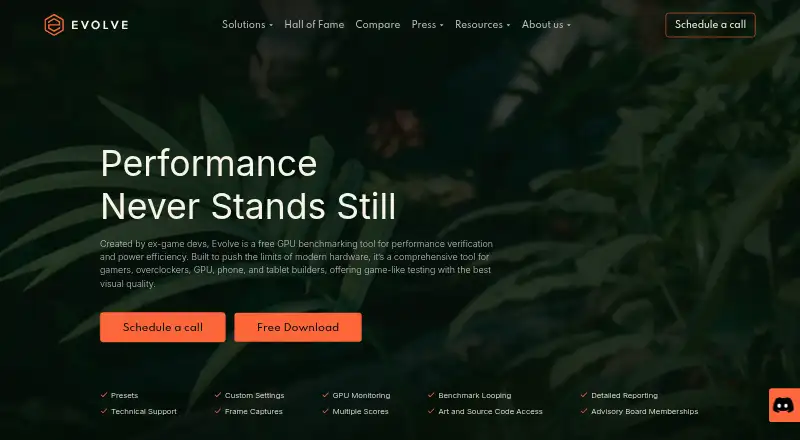
What Evolve Benchmark is
Evolve Benchmark is a GPU benchmarking tool for checking performance and power efficiency through game-like tests. It gives scores for compute, ray tracing, rasterization, driver performance, energy consumption, acceleration structure, and work graphs, with analysis intended to show hardware trade-offs and bottlenecks. The maker says runs are deterministic; deterministic mode can also produce pixel-exact rendered frames. Business users can automate runs through environment variables, command-line arguments, or configuration files, and the maker says its engineers can help integrate the tool into testing and validation pipelines. The mobile business page lists Vulkan and DirectX 12 support and testing before and after silicon production. Enterprise and Enterprise+ offer offline mode tested in firewalled environments. Evolve is available for Android and Windows, but requires Vulkan ray tracing and will not run on devices that lack it. The Free plan covers personal use on one seat. Paid plans start at 17.99 USD one-time; Professional costs $540 a year.
Who it suits
Evolve suits gamers and overclockers, as well as OEMs, hardware vendors, board partners, retailers, repair shops, and tech journalists. Its automation and integration options may also suit business teams validating hardware.
What it does well
- Scores seven GPU performance areas.
- Deterministic runs and pixel-exact frame output.
- Supports command-line and configuration-file automation.
- Free plan includes personal use on one seat.
What to know first
- Requires Vulkan ray tracing.
- Free plan is limited to personal use.
- Professional costs $540 a year.
Limits
The Free plan is for personal use and includes one seat. Basic and Advanced are also limited to one seat and personal use; Professional costs $540 a year and is the listed plan for commercial use.
Plans
| Plan | Billed and limits | Price |
|---|---|---|
| Free | Free · 1 seat · personal use · mobile and desktop · presets · GPU monitoring · score submission | Free |
| Basic | $17.99; charged per site with applicable taxes added at checkout · 1 seat · desktop · personal use · GPU monitoring · score submission · presets · custom settings · photo mode | $17.99, paid once |
| Advanced | $23.99; charged per site with applicable taxes added at checkout · 1 seat · desktop · personal use · benchmark looping · command line automation · CSV reports · presets · custom settings · photo mode · GPU monitoring · score submission | $23.99, paid once |
| Professional | $540 / y; charged per site with applicable taxes added at checkout · 1 seat · commercial use · presets · custom settings · GPU monitoring · benchmark looping · command line automation · CSV reports · per-frame deep analysis · score submission | $540 a year |
| Enterprise Partner | Contact us · Unlimited seats · commercial use · source code access · technical support · advisory board membership · early access · frame captures · optional score submission | On request |
| Enterprise | Contact us · Unlimited seats · commercial use · technical support · benchmark looping · command line automation · CSV reports · per-frame deep analysis | On request |
As evolvebenchmark.com lists them, read 4 Oct 2026. The maker's own page has the final word.
Getting started
- Visit https://www.evolvebenchmark.com/.
- Choose the Free plan for personal use or select a paid plan.
- Use the Android or Windows platform supported by the selected plan.
- Confirm the device supports Vulkan ray tracing before running Evolve.
- For commercial use, choose Professional or contact the maker about an enterprise plan.
Evolve Benchmark is a GPU benchmarking tool for comparing performance and power efficiency through game-like tests. It suits both enthusiasts checking graphics hardware and organizations validating devices. Its broad scoring and repeatable runs are compelling, but Vulkan ray tracing compatibility and the boundary between personal and commercial plans are important constraints.
Overview
Evolve scores seven areas: compute, ray tracing, rasterization, driver performance, energy consumption, acceleration structure and work graphs. Its analysis is intended to expose hardware trade-offs and bottlenecks, so it can offer more diagnostic value than a single overall score. Users can compare results, submit scores to an online database and export reports as CSV.
The maker says benchmark runs are deterministic, and deterministic mode can produce pixel-exact rendered frames. That repeatability suits verification and validation as well as enthusiast comparisons. Custom workloads are supported, although Evolve is not the right choice for devices that fail its stated Vulkan ray tracing requirement: the Android listing says it will not run on them.
Key features
Scoring and repeatability
The range of score categories helps distinguish different aspects of GPU performance, including energy use and newer graphics workloads. Deterministic runs make comparisons more consistent, while pixel-exact output can help teams examine rendered results across repeated runs.
Automation and business use
Business users can automate runs with environment variables, command-line arguments or configuration files. The mobile business page describes Vulkan and DirectX 12 support and testing in pre- and post-silicon environments. Evolve’s engineers can help integrate it into testing and validation pipelines, a useful option for hardware teams whose workflows need more than a standalone benchmark.
Enterprise and Enterprise+ offer offline mode tested in firewalled environments. Enterprise+ adds direct first-line engineer access through Slack and email, with support that can be customized. Traverse Research says it is based in the Netherlands, stores data in the EEA, encrypts data sent between its services and servers, and stores passwords encrypted. Results enter a database; reports shared with third parties use anonymized information.
Pricing
Evolve uses a freemium model. Free costs nothing and allows one seat for personal use on mobile and desktop, with presets, GPU monitoring and score submission. It is a useful starting point, but lacks custom settings, photo mode, looping and automation.
Basic costs $17.99, paid once, charged per site with applicable taxes added at checkout. Its one desktop seat is for personal use and adds custom settings and photo mode to the Free plan’s monitoring, presets and score submission. Advanced costs $23.99, paid once, also charged per site with applicable taxes added at checkout; for one personal-use desktop seat, it adds benchmark looping, command-line automation and CSV reports. These one-time plans are for personal rather than commercial use.
Professional costs $540 a year, charged per site with applicable taxes added at checkout. It is the commercial-use option for one seat, adding per-frame deep analysis alongside presets, custom settings, GPU monitoring, looping, command-line automation, CSV reports and score submission. Organizations needing more seats can consider Enterprise or Enterprise Partner, both with custom pricing and unlimited seats. Enterprise includes commercial use, technical support, looping, command-line automation, CSV reports and per-frame deep analysis. Enterprise Partner adds source code access, advisory board membership, early access, frame captures and optional score submission, as well as technical support.
Platforms
Evolve is available on Android and Windows. The Android device requirement is significant: Vulkan ray tracing must be supported, or the app will not run. The business mobile page also describes Vulkan and DirectX 12 support.
Who it's for
Gamers and overclockers can use Evolve to compare GPUs across several score areas rather than relying on one result. OEMs, hardware vendors, board partners, retailers, repair shops and tech journalists are also among the maker’s intended users. The automation, integration assistance and commercial plans make it more suitable for teams doing repeated validation than for casual users who only want a quick score.
Pros and cons
- Pros: Seven score areas and performance insights offer a broader view of GPU trade-offs and bottlenecks.
- Pros: Deterministic runs and pixel-exact frames support repeatable performance checks.
- Pros: Business automation, CSV reporting and integration help fit established validation workflows.
- Cons: Android use depends on Vulkan ray tracing, excluding devices that do not support it.
- Cons: The low-cost one-time plans are personal-use only; commercial users need the substantially more expensive annual Professional plan or custom-priced Enterprise options.
- Cons: Basic and Advanced each cover just one desktop seat, limiting their usefulness for teams.
Alternatives
For a broader game-benchmark shortlist, see Game Benchmark Software. Choose 3DMark if you need a benchmark spanning Android, iOS, macOS, web and Windows; it has free mobile plans and a paid Windows and macOS plan. Basemark GPU is another free-plan option across Android, iOS, Linux, macOS and Windows, though its Free plan is limited to home or private use, requires internet and submits test data to Powerboard.
GameBench may suit readers seeking a free trial and broader platform coverage, including API and self-hosted options. PerfDog is worth considering for its Android, iOS, macOS, web and Windows coverage, though its free version is for non-profit organizations only. For a free benchmark on Linux, macOS or Windows, consider UNIGINE Valley Benchmark; its Advanced plan is a one-time $14.95 for one overclocker seat.
NVIDIA ShadowPlay is a free Windows option, requiring Windows 10 or 11, GeForce driver 551.52 or later and a supported GPU. SPECapc for 3ds Max 2020 is an alternative for readers considering a benchmark with free plans and Windows support. vkmark is a free Vulkan benchmarking suite for Linux that users build and install from source.
Verdict
Choose Evolve if you need repeatable GPU comparisons with multiple score dimensions, or business automation for ongoing validation. Its strongest case is the combination of detailed scoring, deterministic runs and workflow support. Look elsewhere if your Android device lacks Vulkan ray tracing or if your commercial use requires more than one seat without a custom-priced plan.
Verdict
Evolve combines GPU testing with detailed scoring, repeatable runs, and automation options. Check the Vulkan ray tracing requirement and plan terms before choosing it.
Questions
Is Evolve Benchmark free?
Yes. The Free plan costs nothing and includes one seat for personal use.
What does a paid plan cost?
Basic costs $17.99 USD once and Advanced costs $23.99 USD once. Professional costs $540 a year; Enterprise Partner and Enterprise are contact-priced.
Which platforms does Evolve support?
Evolve is listed for Android and Windows. Basic, Advanced, and Professional are desktop plans; the Free plan includes mobile and desktop.
What does Evolve measure?
Its score areas are compute, ray tracing, rasterization, driver performance, energy consumption, acceleration structure, and work graphs.
Can Evolve be used commercially?
Professional and the enterprise plans include commercial use. The Free, Basic, and Advanced plans are for personal use.
Does Evolve run on every device?
No. It requires Vulkan ray tracing and will not run on devices that do not meet that requirement.
Facts from Evolve Benchmark's own pages
- Analysis
- The benchmark reports actionable performance insights intended to reveal hardware trade-offs and bottlenecks. · evolvebenchmark.com, 4 Oct 2026
- Automation
- Business use can automate Evolve through environment variables, command-line arguments, or configuration files. · evolvebenchmark.com, 4 Oct 2026
- Device requirement
- The Google Play listing says Evolve requires Vulkan ray tracing and will not run on devices that do not meet that requirement. · play.google.com, 4 Oct 2026
- Graphics APIs
- The mobile business page states support for Vulkan and DirectX 12 and describes testing in pre- and post-silicon environments. · evolvebenchmark.com, 4 Oct 2026
- Headquarters
- Breda, Netherlands · evolvebenchmark.com, 23 Sept 2026
- Integrations
- The maker says its engineers can help integrate Evolve into customers’ testing and validation pipelines. · evolvebenchmark.com, 4 Oct 2026
- Intended users
- The maker identifies gamers, overclockers, OEMs, hardware vendors, board partners, retailers, repair shops, and tech journalists as users. · evolvebenchmark.com, 4 Oct 2026
- Offline use
- The maker says Enterprise and Enterprise+ offer offline mode tested in firewalled environments. · evolvebenchmark.com, 4 Oct 2026
- Privacy and security
- Traverse Research says it is based in the Netherlands, stores data in the EEA, encrypts data sent between its services and servers, and stores passwords encrypted. · evolvebenchmark.com, 4 Oct 2026
- Purpose
- Evolve is a GPU benchmarking tool for performance verification and power efficiency, with game-like tests and detailed scores. · evolvebenchmark.com, 4 Oct 2026
- Repeatability
- The maker says runs are deterministic and that deterministic mode can output pixel-exact rendered frames. · evolvebenchmark.com, 4 Oct 2026
- Result privacy
- Benchmark results are added to a results database, and the maker says reports made available to third parties use anonymized information. · evolvebenchmark.com, 4 Oct 2026
- Scoring
- Its seven stated score areas are compute, ray tracing, rasterization, driver performance, energy consumption, acceleration structure, and work graphs. · evolvebenchmark.com, 4 Oct 2026
- Support
- Enterprise+ includes direct first-line access to engineers through Slack and email; the maker says support can be customized. · evolvebenchmark.com, 4 Oct 2026
Where Evolve Benchmark stands on Freedom251
- Game Benchmark Software#4 of 22