Freedom251 › PC benchmark tools
vkmark
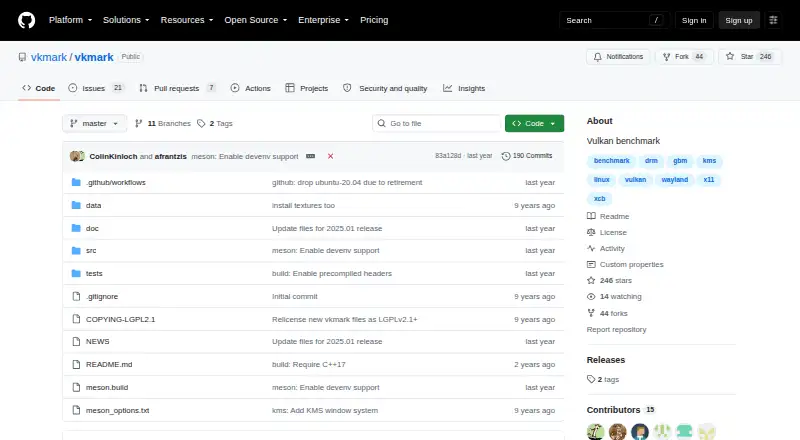
What vkmark is
vkmark is a free Linux command-line suite for benchmarking Vulkan graphics performance. It runs configurable scenes that measure different aspects of Vulkan, and you can choose which scenes to run and in what order with the `-b, --benchmark` option. If you do not specify scenes, it runs a default set. The project lists X11, Wayland, and KMS backends; vkmark can detect the window system automatically or use one selected with `--winsys`.
You can run vkmark after installing it or directly from its project build directory. Building requires Meson, a C++17 compiler, Vulkan development files, libglm, libassimp, and any dependencies required by the chosen backend. The documented build process uses Meson and Ninja, with installation through `ninja -C build install`. The README gives an `apt install` example for dependencies on recent Debian or Ubuntu systems. The repository includes the GNU Lesser General Public License, version 2.1.
Who it suits
vkmark suits Linux users who want to run selected Vulkan graphics benchmarks from the command line. It may also suit developers who want to build the suite from source and choose among its listed window-system backends.
What it does well
- Free plan; no trial offered.
- Choose benchmark scenes and their order.
- Supports X11, Wayland, and KMS backends.
- Can run from the build directory without installation.
What to know first
- Linux platform support only.
- Building requires several development tools and libraries.
Plans
| Plan | Billed and limits | Price |
|---|---|---|
| vkmark | Vulkan benchmarking suite · build and install from source | Free |
As github.com lists them, read 7 Oct 2026. The maker's own page has the final word.
Getting started
- Open the vkmark project website on GitHub.
- Install Meson, a C++17 compiler, Vulkan development files, libglm, libassimp, and dependencies for your backend.
- Build the project with Meson and Ninja.
- Install with `ninja -C build install`, or run vkmark from the project build directory.
- Run vkmark from the command line and optionally choose benchmarks with `-b, --benchmark` or a backend with `--winsys`.
Verdict
vkmark offers configurable Vulkan benchmark scenes and several window-system backends for Linux. Expect to build it with the listed development dependencies, or run it from its project build directory.
Questions
How much does vkmark cost?
vkmark is free, listed as free.
Which platforms and window systems does it support?
It supports Linux and lists X11, Wayland, and KMS backends.
Can I choose which benchmarks run?
Yes. Use `-b, --benchmark` to choose scenes and their order. Without that option, vkmark runs its default set.
Is vkmark open source?
The repository includes the GNU Lesser General Public License, version 2.1, in a file named COPYING-LGPL2.1.
How do I install it?
The documented process builds with Meson and Ninja, then installs with `ninja -C build install`. It can also run directly from the project build directory.
Facts from vkmark's own pages
- Benchmark defaults
- If no benchmark options are specified, vkmark runs a default set of benchmarks. · github.com, 7 Oct 2026
- Benchmark scenes
- Its scenes measure various aspects of Vulkan performance, and each scene’s rendering can be configured with options. · github.com, 7 Oct 2026
- Benchmark selection
- You can specify which benchmarks to run and their order with the `-b, --benchmark` command-line option. · github.com, 7 Oct 2026
- Build requirements
- Building requires Meson, a C++17 compiler, Vulkan development files, libglm, and libassimp; backend-specific dependencies are also listed. · github.com, 7 Oct 2026
- Default benchmarks
- If no benchmarks are specified, vkmark runs a default set of benchmarks. · github.com, 7 Oct 2026
- Dependencies example
- The README gives an `apt install` command for the listed dependencies on recent Debian or Ubuntu systems. · github.com, 7 Oct 2026
- Free plan
- Yes · github.com, 20 Sept 2026
- Installation
- The project documents building with Ninja and installing with `ninja -C build install`. · github.com, 7 Oct 2026
- Integrations
- The README names Vulkan, X11/XCB, Wayland, and KMS-related dependencies for building; it does not describe third-party service integrations. · github.com, 7 Oct 2026
- License
- The repository includes a file named COPYING-LGPL2.1 containing the GNU Lesser General Public License, version 2.1. · github.com, 7 Oct 2026
- Override backend
- You can select a window system explicitly with the `--winsys` command-line option. · github.com, 7 Oct 2026
- Purpose
- vkmark is an extensible Vulkan benchmarking suite with targeted, configurable scenes. · github.com, 7 Oct 2026
- Run modes
- After installation, vkmark runs from the command line; the README also documents running it from the project directory without installing. · github.com, 7 Oct 2026
- Run without installing
- The README documents running vkmark directly from the project build directory without installing it. · github.com, 7 Oct 2026
- Support
- The repository provides GitHub Issues and Pull Requests for project discussion and contributions. · github.com, 7 Oct 2026
- Window systems
- The README lists X11, Wayland, and KMS backends and describes automatic window-system detection with an option to select one manually. · github.com, 7 Oct 2026
Where vkmark stands on Freedom251
- PC benchmark tools#53 of 70
- PC Benchmark Software#63 of 73
- Game Benchmark Software#19 of 22