Freedom251 › 3D Rendering Software
V-Ray Benchmark
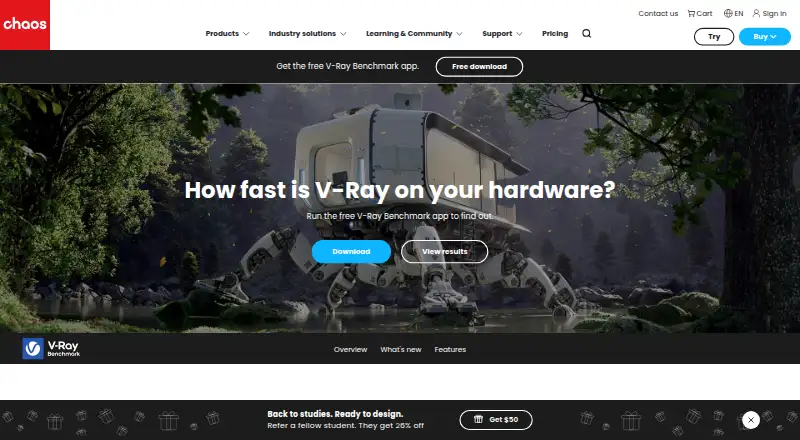
What V-Ray Benchmark is
V-Ray Benchmark is a free standalone application for measuring rendering performance across CPU and GPU workloads. Its tests cover CPU rendering, NVIDIA GPU rendering, CUDA, RTX, and hybrid CPU/GPU rendering. Users can compare results through an online comparison database and export results as a text log or image. The Free plan costs nothing and includes the benchmark application, CPU and GPU rendering tests, and online result comparison. Listed platforms are Windows, Linux, macOS, and web. Operating system details include Windows 8 and later, Red Hat Enterprise Linux 7.2 WS and later, and CentOS 7 and lat. The product is associated with Chaos, a company founded in 1997 and headquartered in Karlsruhe, Germany. The listed capabilities center on running rendering benchmarks, comparing results online, and exporting them; the facts describe no other product functions.
Who it suits
V-Ray Benchmark suits people who want to measure CPU or GPU rendering performance and compare results online. Its workload options include NVIDIA GPU, CUDA, RTX, and hybrid CPU/GPU rendering.
What it does well
- Free plan includes the standalone benchmark application.
- Tests CPU and GPU rendering workloads.
- Includes NVIDIA GPU, CUDA, RTX, and hybrid CPU/GPU tests.
- Online database supports result comparison.
- Results can be exported as text logs or images.
What to know first
- Operating system support is limited to the listed systems.
- The listed CentOS requirement is CentOS 7 and lat.
Plans
| Plan | Billed and limits | Price |
|---|---|---|
| Free | Standalone benchmark application · CPU and GPU rendering tests · Online result comparison | Free |
| V-Ray Benchmark | Free benchmark app · tests CPU and NVIDIA GPU rendering | Free |
As chaos.com lists them, read 19 Sept 2026. The maker's own page has the final word.
Getting started
- Open the V-Ray Benchmark website.
- Choose a listed platform: Windows, Linux, macOS, or web.
- Use the Free plan, listed as free.
- Run CPU or GPU rendering tests.
- Compare results online or export them as a text log or image.
V-Ray Benchmark is a focused utility for measuring rendering speed on CPUs, NVIDIA GPUs, or both. It suits hardware buyers, system builders, and V-Ray users who need comparable performance figures rather than a production renderer. The bottom line is a free, narrowly targeted benchmark with unusually useful V-Ray-specific comparison and sharing tools.
Overview
The application measures how quickly a system renders a standard scene with V-Ray 6’s CUDA and RTX engines. That focus makes results relevant to V-Ray workloads, while keeping the tool separate from a full 3D creation or rendering package. A run takes about a minute, so it works well for a quick configuration check; looping the test supports longer runs when a single pass is too brief for your comparison.
Chaos, headquartered in Karlsruhe, Germany, develops software for architecture, engineering, construction, design, manufacturing, and media and entertainment. It says genuine software receives regular security updates and patches under its EULA.
Key features
V-Ray Benchmark covers CPU rendering, NVIDIA GPU rendering, and both CUDA and RTX modes. CUDA can combine CPU and GPU resources, allowing a direct look at hybrid performance instead of forcing a processor-only choice. Apple silicon is supported, extending the benchmark to current Apple hardware.
Scores can be saved, viewed, shared, and compared with entries in the online database. Side-by-side comparison supports up to three configurations, a useful limit for a short list but restrictive for larger hardware studies. Result records can include core count, clock speed, and hyper threading, while device and hardware filters help find comparable systems. The mobile version of benchmark.chaos.com supports browsing and sharing, and older V-Ray 5 Benchmark results remain accessible.
Sign-in works with a Chaos, Trimble, or Google account. Export to a text log or image gives you a portable record for reports or discussions outside the database. These features make the utility more than a local stopwatch, although its value depends on comparing rendering-oriented systems rather than general application performance.
Pricing
V-Ray Benchmark is free, with no paid tier and no free trial. The Free plan costs nothing and includes the standalone benchmark application, CPU and GPU rendering tests, and online result comparison. The separately named V-Ray Benchmark plan also costs nothing and provides the free benchmark app for CPU and NVIDIA GPU rendering.
There are no subscription renewals or seat charges to weigh. The practical trade-off is scope: this is a benchmark utility, not a general rendering suite, so paying for a broader creative application would only make sense if you need production tools beyond measurement.
Platforms
V-Ray Benchmark runs on Linux, macOS, Windows, and the web-based results service. Desktop requirements include Windows 8 and later, Red Hat Enterprise Linux 7.2 WS and later, and CentOS 7 and later. The downloadable V-Ray 6 Benchmark entries show a July 2, 2025 release date. The mobile web version is intended for viewing and sharing results rather than replacing the desktop test.
Who it's for
Choose it when you are selecting CPUs or NVIDIA GPUs for V-Ray, comparing CUDA with RTX, or checking whether a hybrid CPU/GPU setup improves a rendering configuration. It also fits reviewers, IT buyers, and enthusiasts who want shareable scores tied to hardware details. Look elsewhere if you need a broad productivity benchmark, a creative suite, or tests unrelated to V-Ray rendering engines.
Pros and cons
- Pro: CPU, NVIDIA GPU, RTX, CUDA, and hybrid testing covers the principal V-Ray rendering paths.
- Pro: One-minute runs and repeatable loops support both quick checks and longer comparisons.
- Pro: A searchable online database, hardware filters, exports, and mobile sharing make results easy to retain and discuss.
- Con: Three-way side-by-side comparison is limiting for large equipment shortlists.
- Con: The benchmark’s V-Ray focus makes it a poor choice for judging general system or non-rendering workloads.
Alternatives
Blender is the better pick when you need a free, open-source 3D creation suite that downloads without registration and works offline, rather than a dedicated benchmark.
CrossMark suits broader cross-platform benchmarking with a free dashboard and automatic online result submission.
Geekbench is preferable for CPU and GPU compute benchmarking with online results management across desktop and mobile platforms.
Nexus is a free cross-platform alternative for readers seeking a different general-purpose utility.
Basemark GPU fits home or private GPU testing when a single score and Powerboard submission are sufficient.
clpeak is a free GPL-3.0 option for OpenCL-focused measurement.
Blackmagic RAW Speed Test is aimed at codec and SDK performance rather than V-Ray rendering.
DaVinci Resolve is the choice when you need a video-editing application alongside performance-oriented features.
For broader discovery, browse PC Benchmark Software or 3D Rendering Software.
Verdict
V-Ray Benchmark is the right choice for anyone comparing hardware specifically for V-Ray CPU, NVIDIA GPU, RTX, CUDA, or hybrid rendering. Its free access, short repeatable tests, and database-backed sharing provide clear configuration evidence without a subscription. Look elsewhere when you need comprehensive system benchmarking or a full production application.
Verdict
Choose V-Ray Benchmark if you need free CPU or GPU rendering tests with online result comparison and export options. The listed functions focus on benchmarking and result sharing.
Questions
How much does V-Ray Benchmark cost?
The Free plan is listed as free.
Does it include a free plan?
Yes. The Free plan includes the standalone benchmark application, CPU and GPU rendering tests, and online result comparison.
Which platforms are listed?
Windows, Linux, macOS, and web.
What workloads can it benchmark?
The listed workloads are CPU rendering, NVIDIA GPU rendering, CUDA, RTX, and hybrid CPU/GPU rendering.
Can I export benchmark results?
Yes. Results can be exported as a text log or image.
Who is associated with V-Ray Benchmark?
It is associated with Chaos, founded in 1997 and headquartered in Karlsruhe, Germany.
Facts from V-Ray Benchmark's own pages
- Apple silicon
- V-Ray 6 Benchmark supports Apple silicon chips. · chaos.com, 11 Oct 2026
- Benchmark engines
- Its benchmark scene evaluates and compares the RTX and CUDA based V-Ray 6 render engines. · chaos.com, 11 Oct 2026
- Company
- Chaos says it is headquartered in Karlsruhe, Germany, and develops technology for architecture, engineering, construction, product design, manufacturing, and media and entertainment. · chaos.com, 11 Oct 2026
- Compare performance
- A scoring method lets users compare system configurations with other results. · chaos.com, 11 Oct 2026
- Comparison limit
- Side by side comparison supports up to three configurations at once. · chaos.com, 11 Oct 2026
- Downloads
- The download page lists V-Ray 6 Benchmark and shows a release date of July 2, 2025 for its download entries. · chaos.com, 11 Oct 2026
- Founded
- 1997 · chaos.com, 28 Sept 2026
- GPU modes
- The app can compare RTX and CUDA GPU rendering modes. · chaos.com, 11 Oct 2026
- Headquarters
- Karlsruhe, Germany · chaos.com, 28 Sept 2026
- Hybrid rendering
- The CUDA engine can use the CPU and GPU at the same time. · chaos.com, 11 Oct 2026
- Older results
- V-Ray 5 Benchmark results remain accessible. · chaos.com, 11 Oct 2026
- Purpose
- V-Ray Benchmark measures how fast a system renders using CPUs, NVIDIA GPUs, or both. · chaos.com, 11 Oct 2026
- Result details
- Result details can include core count, clock speed, and hyper threading. · chaos.com, 11 Oct 2026
- Search and mobile
- Users can filter results by device and hardware details, and browse or share results using the mobile version of benchmark.chaos.com. · chaos.com, 11 Oct 2026
- Security and compliance
- Chaos says genuine software receives regular security updates and patches and is covered by its EULA. · chaos.com, 11 Oct 2026
- Share results
- Users can save, view, and share scores and compare them with results in the database. · chaos.com, 11 Oct 2026
- Sign in
- Users can sign in with a Chaos, Trimble, or Google account. · chaos.com, 11 Oct 2026
- Test duration
- Tests take about a minute, and users can loop them for longer runs. · chaos.com, 11 Oct 2026
Where V-Ray Benchmark stands on Freedom251
- 3D Rendering Software#15 of 46
- PC Benchmark Software#41 of 73
- PC benchmark tools#47 of 70