Freedom251 › 3D Rendering Software
RenderMan
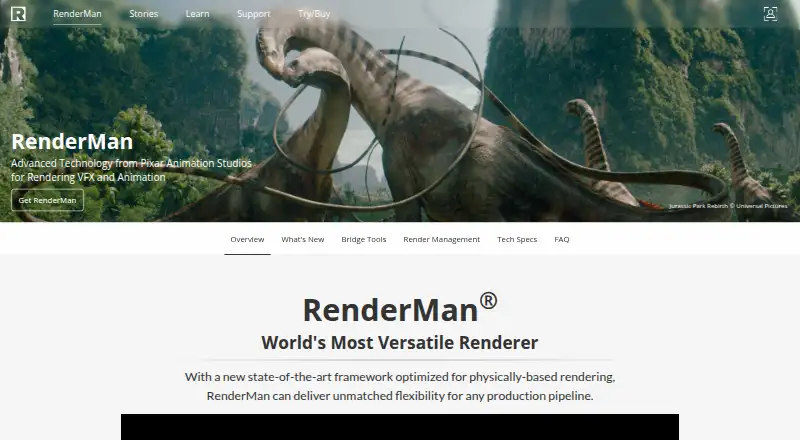
What RenderMan is
RenderMan is Pixar software for rendering visual effects and animation, available for Linux, macOS, and Windows. Its physically based rendering features include multi-bounce ray-traced global illumination and ray-traced subsurface scattering. RenderMan 27 adds XPU, a hybrid CPU and GPU renderer with multi-GPU support, along with a machine-learning denoiser developed with Disney Research using Disney and Pixar data. Stylized Looks supports non-photorealistic approaches such as illustration and anime. Bridge tools are available for Maya, Houdini, Solaris, Katana, and Blender, and supported standards include Alembic, OpenColorIO, OpenEXR, OpenVDB, OSL, and USD. RenderMan and XPU require an AVX-capable processor. XPU and the OptiX denoiser require an Nvidia Pascal-or-newer GPU, while XPU also needs at least 12 GB of VRAM. Non-commercial use is free but limited to the latest version and excludes Stylized Looks. Commercial licensing is listed at $595 per license once, with maintenance at $250 a year.
Who it suits
RenderMan suits visual-effects and animation work, including non-commercial use limited to the latest version. Teams considering XPU should check the listed processor and GPU requirements first.
What it does well
- Supports multi-bounce ray-traced global illumination.
- XPU supports multi-GPU rendering.
- Stylized Looks includes illustration and anime styles.
- Bridge tools are available for Maya and Blender.
- Free non-commercial plan is available.
What to know first
- Free plan excludes Stylized Looks.
- Commercial work requires a commercial license.
- XPU requires at least 12 GB of VRAM.
- macOS support for XPU is in progress.
Limits
The free Non-Commercial RenderMan plan is limited to the latest version, allows two node-locked licenses per forum registration, and its licenses expire every 120 days. It excludes Stylized Looks, and commercial work requires a commercial license.
Plans
| Plan | Billed and limits | Price |
|---|---|---|
| Non-Commercial RenderMan | Non-commercial use · two node-locked licenses per forum registration · licenses expire every 120 days · Stylized Looks excluded | Free |
| Commercial maintenance | Yearly maintenance · Per RenderMan license · includes support, upgrades, and beta access within a 1-year term | $250 a year |
| Commercial RenderMan | $595 per license · includes one free Tractor license · floating by default | $595, paid once |
As renderman.pixar.com lists them, read 9 Oct 2026. The maker's own page has the final word.
Getting started
- Visit the RenderMan product website.
- Choose non-commercial use or a commercial license.
- For non-commercial use, register on the forum to obtain two node-locked licenses.
- Install on Linux, macOS, or Windows with an AVX-capable processor.
- For XPU, use an Nvidia Pascal-or-newer GPU with at least 12 GB VRAM.
RenderMan is Pixar’s production renderer for visual effects and animation, aimed at artists and studios that need a pipeline-focused engine rather than an all-in-one 3D package. It suits teams working across established DCC applications and standardized assets, provided their hardware and licensing needs align with its terms.
Overview
RenderMan combines physically based rendering with a hybrid CPU-and-GPU engine. Multi-bounce ray-traced global illumination handles complex indirect light, while ray-traced subsurface scattering supports physically convincing translucent materials. RenderMan 27 adds XPU, which can distribute rendering across multiple GPUs as well as the CPU.
The software is built to sit inside production workflows. Bridge tools connect Maya, Houdini, Solaris, Katana and Blender, while support for Alembic, OpenColorIO, OpenEXR, OpenVDB, OSL and USD helps assets move between applications and departments. That is a practical advantage for pipeline-heavy film and animation work, but RenderMan is not a modeling, rigging or editing suite.
Key features
Production rendering and denoising
The ray-traced lighting and subsurface systems target demanding visual-effects and animation imagery. A machine-learning denoiser, developed with Disney Research and trained on Disney and Pixar data, can reduce noise in rendered frames. Its value is greatest in workflows where render quality and iteration speed matter, although the denoiser and XPU introduce specific GPU requirements.
GPU acceleration and stylized looks
XPU’s hybrid design and multi-GPU support offer an acceleration path for suitably equipped workstations. The trade-off is compatibility: RenderMan and XPU require an AVX-capable processor; XPU and the OptiX denoiser require an Nvidia Pascal-or-newer GPU, and XPU needs at least 12 GB of VRAM. macOS support for XPU is still in progress, so Mac users should check whether the feature set they need is supported.
The Stylized Looks toolset covers non-photorealistic treatments such as illustration and anime. It broadens RenderMan beyond conventional photoreal work, but it is excluded from the non-commercial plan, making it principally a commercial feature.
Pricing
Non-Commercial RenderMan
The free plan costs nothing for non-commercial use. Each forum registration receives two node-locked licenses, and those licenses expire every 120 days. It includes only the latest version and excludes Stylized Looks. This is a useful route for learning, experimentation and personal projects, but it does not cover commercial production and its recurring license expiry is a limitation for long-running projects.
Commercial RenderMan
Commercial RenderMan costs $595, paid once, or $595 per license. A license includes one free Tractor license and is floating by default, which suits teams that need to share seats across workstations. Node-locked licenses can be made available on request when a fixed-machine arrangement is preferable.
Commercial maintenance
Commercial maintenance is $250 a year, billed yearly per RenderMan license. The one-year term includes support, upgrades and beta access. It is an additional ongoing cost, but it keeps a purchased commercial license current and supported.
Commercial customers can use Pixar’s customer support forum. Non-commercial users receive community support and access to an unofficial Discord, so studio customers get a more formal support channel.
Platforms
RenderMan supports Linux, macOS and Windows. Technical specifications identify Linux EL9, macOS Sequoia 15.x, and Windows 10 and 11. An AVX-capable processor is required, and XPU’s Nvidia and VRAM requirements make GPU selection central to the decision. macOS XPU support is in progress rather than fully established.
Who it's for
RenderMan is a strong fit for feature-film, visual-effects and animation teams that already use Maya, Houdini, Solaris, Katana or Blender and want a renderer aligned with open pipeline standards. Commercial studios can also benefit from floating licensing, formal support and private forums for added privacy.
It is less suitable for someone seeking a complete creative suite, a renderer that runs on modest hardware, or unrestricted stylized rendering under a free license. Independent artists can learn with the non-commercial edition, but must accept its version, seat and 120-day limits.
Pros and cons
Pros
- Physically based feature set: multi-bounce global illumination and ray-traced subsurface scattering address demanding production imagery.
- Flexible engine: XPU combines CPU and GPU rendering with multi-GPU support.
- Pipeline breadth: bridges for five major applications and support for widely used interchange and color standards ease integration.
- Stylized option: Stylized Looks supports illustration and anime-oriented non-photoreal output.
- Commercial workflow choices: floating licenses are standard, with node-locked arrangements available on request.
Cons
- Free edition is restricted: non-commercial use only, latest version only, two node-locked licenses per registration, 120-day expiry and no Stylized Looks.
- Hardware bar: XPU and OptiX denoising require a recent Nvidia GPU and at least 12 GB of VRAM.
- Mac limitation: XPU support for macOS is still in progress.
- Commercial cost continues: maintenance is $250 a year per license after the 595.00 USD purchase.
Alternatives
Houdini is the more natural choice when you also need a broader procedural 3D environment, while RenderMan is focused on rendering within an existing pipeline.
Terragen suits users seeking a lower-cost terrain and environment option, with an Indie 50 plan at $10 a month for eligible individuals.
DaVinci Resolve is preferable when editing, color and finishing belong in the same application; its Studio edition costs 295.00 USD once.
Fusion is an alternative for node-based visual effects and compositing within the DaVinci Resolve ecosystem.
Natron is free under the GNU GPL for users who need an open, no-cost compositing tool rather than a production renderer.
Autograph is free for individuals and commercial teams when motion-design work matters more than RenderMan’s film-rendering pipeline.
Cavalry is a free 2D animation option for individuals, not a substitute for RenderMan’s physically based 3D rendering.
PopcornFX is a freemium alternative for real-time effects across desktop and mobile platforms.
Verdict
Choose RenderMan if you are building professional visual-effects or animation output around established DCC tools, open standards and physically based rendering, and can meet its Nvidia GPU requirements where needed. Look elsewhere if you need an all-in-one application, a permanently unrestricted free license, or dependable XPU support on macOS.
Verdict
RenderMan offers rendering tools for visual effects and animation, with separate non-commercial and commercial terms. Check the hardware requirements and license limits that apply to your intended use.
Questions
Is RenderMan free?
Yes. The Non-Commercial RenderMan plan costs nothing, for non-commercial use, and includes two node-locked licenses per forum registration. Licenses expire every 120 days.
What do the commercial plans cost?
Commercial RenderMan costs $595, paid once per license and includes one free Tractor license. Commercial maintenance costs $250 a year per RenderMan license and includes support, upgrades, and beta access within a one-year term.
Which operating systems does it support?
Supported platforms are Linux, macOS, and Windows. The technical specifications list Linux EL9, macOS Sequoia 15.x, and Windows 10 and 11; macOS support for XPU is in progress.
What hardware does XPU require?
RenderMan and XPU require an AVX-capable processor. XPU also requires an Nvidia Pascal-or-newer GPU with at least 12 GB of VRAM.
Which integrations and standards does RenderMan support?
Bridge tools are available for Maya, Houdini, Solaris, Katana, and Blender. Supported standards include Alembic, OpenColorIO, OpenEXR, OpenVDB, OSL, and USD.
What support is available?
Commercial customers can use Pixar’s customer support forum. Non-commercial users receive community support and access to an unofficial Discord.
Facts from RenderMan's own pages
- Commercial licensing
- Commercial licenses are floating by default, and node-locked licenses can be made available upon request. · prod.renderman.pixar.com, 9 Oct 2026
- Denoiser
- RenderMan includes a machine-learning denoiser developed with Disney Research and trained using Disney and Pixar data. · renderman.pixar.com, 9 Oct 2026
- Hardware requirements
- RenderMan and XPU require an AVX-capable processor; XPU and the OptiX denoiser require an Nvidia Pascal-or-newer GPU, and XPU requires at least 12 GB of VRAM. · prod.renderman.pixar.com, 9 Oct 2026
- Integrations
- Bridge tools are available for Maya, Houdini, Solaris, Katana, and Blender. · prod.renderman.pixar.com, 9 Oct 2026
- Intended users
- Pixar describes RenderMan as production rendering software used for feature films, visual effects, and animation. · renderman.pixar.com, 9 Oct 2026
- Non-commercial limits
- Non-commercial use is limited to the latest version and excludes Stylized Looks; commercial work requires a commercial license. · renderman.pixar.com, 9 Oct 2026
- Open standards
- RenderMan supports standards including Alembic, OpenColorIO, OpenEXR, OpenVDB, OSL, and USD. · prod.renderman.pixar.com, 9 Oct 2026
- Operating systems
- The technical specifications list Linux EL9, macOS Sequoia 15.x, and Windows 10 and 11; macOS support for XPU is in progress. · prod.renderman.pixar.com, 9 Oct 2026
- Physically based rendering
- It supports multi-bounce ray-traced global illumination and ray-traced subsurface scattering. · renderman.pixar.com, 9 Oct 2026
- Purpose
- RenderMan is Pixar software for rendering visual effects and animation. · renderman.pixar.com, 9 Oct 2026
- Security and privacy
- Pixar offers private forums for studios that need added privacy; the reviewed product pages do not state security certifications. · prod.renderman.pixar.com, 9 Oct 2026
- Stylized rendering
- The Stylized Looks toolset supports non-photorealistic styles such as illustration and anime. · renderman.pixar.com, 9 Oct 2026
- Support
- Commercial customers can use Pixar’s customer support forum; non-commercial users receive community support and access to an unofficial Discord. · renderman.pixar.com, 9 Oct 2026
- XPU
- RenderMan 27 features XPU, a hybrid CPU and GPU renderer with multi-GPU support. · prod.renderman.pixar.com, 9 Oct 2026
Where RenderMan stands on Freedom251
- 3D Rendering Software#14 of 46
- Visual Effects Software#15 of 37
- Vfx Tools#9 of 21