Freedom251 › 3D Rendering Software
Thea Render
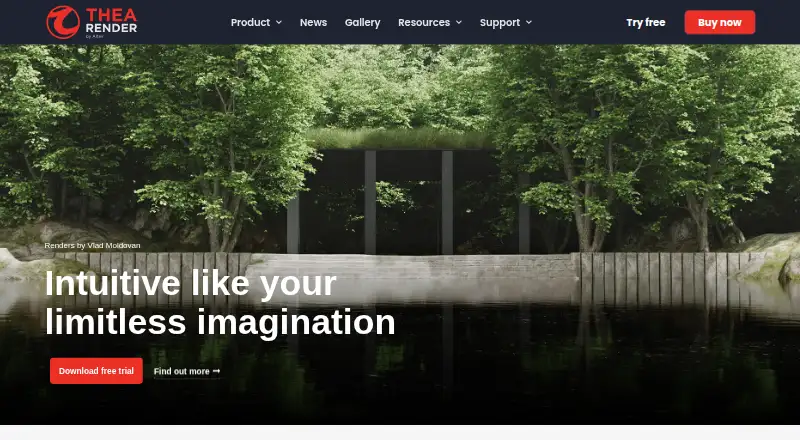
What Thea Render is
Thea Render is a 3D renderer combining unbiased and GPU rendering engines in a shared framework. Its light simulation and spectral rendering calculate global illumination, reflections, refractions, and caustics across visible wavelengths. Presto and Nitro provide GPU-accelerated rendering, while NVIDIA and Intel AI denoisers are available for interactive and production work. The SketchUp integration supports interactive rendering in the SketchUp view or a separate Thea window. The Rhino integration supports Grasshopper geometry during interactive rendering, as well as fly-through and turntable animation types. An integrated browser provides Thea materials, models, and environments, including community-submitted materials. Thea Node allows machines on a local network to contribute rendering capacity, even when a node runs a different operating system from the integration. The SketchUp integration supports versions 2018–2026; Rhino compatibility includes Rhino 6.33, 7.17 and later, and Rhino 8. The listed SketchUp and Rhino licenses each cost $675 a year, billed 3-Years, and do not include a standalone application. Thea Node is free.
Who it suits
Thea Render may suit 3D artists using SketchUp or Rhino who need interactive, GPU, or animation rendering. The local-network rendering option may also suit teams with additional machines to contribute.
What it does well
- Combines unbiased and GPU rendering engines
- Includes NVIDIA and Intel AI denoisers
- SketchUp and Rhino integrations support interactive rendering
- Rhino integration supports fly-through and turntable animation
- Free Thea Node allows local-network rendering
What to know first
- SketchUp and Rhino integrations do not include a standalone application
- Listed integration licenses cost $675 a year, billed 3-Years
- Cloud rendering is not supported
Limits
The SketchUp and Rhino integration plans each cost $675 a year, billed 3-Years, and do not include a standalone application. Each commercial license includes unlimited render node licenses at no cost; Thea Node is free of charge and supports unlimited nodes on the same network as the main integration.
Plans
Thea Render's published prices are being re-checked against the maker's own page.
| Plan | Billed and limits | Price |
|---|---|---|
| Thea Node | Free of charge · Unlimited nodes · Installed on machines on the same network as the main Thea Render integration | Price being re-checked |
| Thea Render for SketchUp | 3-Years · Commercial license includes unlimited render node licenses at no cost · Integration does not include a standalone application | Price being re-checked |
| Thea Render for Rhino | 3-Years · Commercial license includes unlimited render node licenses at no cost · Integration does not include a standalone application | Price being re-checked |
As thearender.com lists them, read 3 Oct 2026. The maker's own page has the final word.
Getting started
- Visit the Thea Render website.
- The SketchUp integration supports SketchUp versions 2018–2026; the Rhino integration is compatible with Rhino 6.33, 7.17 and later, and Rhino 8.
- Install Thea Node on machines on the same local network as the main integration if you want them to contribute rendering.
- Use Thea Render on Linux, macOS or Windows.
Thea Render is a 3D renderer for people creating scenes in SketchUp or Rhino. It suits visualization workflows that benefit from spectral light simulation, GPU rendering and local-network nodes. Its main appeal is the range of rendering tools inside those integrations; buyers who need a standalone application should look elsewhere.
Overview
Thea combines unbiased and GPU rendering within one framework. Its light simulation calculates global illumination, reflections, refractions and caustics across the visible wavelength spectrum, making it relevant when light behavior is central to a visualization. Presto and Nitro add GPU-accelerated rendering, while NVIDIA and Intel AI denoisers support interactive and production work.
The product is organized around separate SketchUp and Rhino integrations, not a standalone application. Machines on the same local network can contribute through Thea Node, but cloud rendering is not supported. That makes Thea a better fit for users with a compatible host application and local computing resources than for those seeking an independent or cloud-based workflow.
Key features
Rendering and denoising
The combination of unbiased and GPU rendering gives users multiple approaches within one framework. AI denoising supports both interactive and production rendering, which can help maintain a usable workflow across scene development and final output. Thea also supports animation rendering, though the specific animation capabilities depend on the host integration.
SketchUp and Rhino workflows
The SketchUp integration can render interactively in the SketchUp view or in a separate Thea window. The Rhino integration supports Grasshopper geometry during interactive rendering and Rhino animation types including fly-through and turntable. The host-version requirements matter: SketchUp versions 2018–2026 are supported, while Rhino compatibility covers 6.33, 7.17 and later, and Rhino 8.
Content and network rendering
An integrated content browser provides access to Thea materials, models and environments, including community-submitted materials in the online repository. Thea Node lets machines on the local network assist with rendering, and the client machine can run a different operating system from the integration. This is useful for teams with spare local machines, but it does not substitute for cloud rendering.
Pricing
Thea is a paid product with a free plan and a free trial. The listed integration prices are $675 a year, billed 3-Years, for each of Thea Render for SketchUp and Thea Render for Rhino. Both commercial licenses include unlimited render node licenses at no cost, but neither includes a standalone application. These are separate host-specific purchases, so buyers should choose the integration that matches their workflow and account for the three-year billing term.
Thea Node costs nothing, billed Free of charge. It provides unlimited nodes installed on machines on the same network as the main Thea Render integration. This free plan is useful as a network-rendering complement, not a standalone renderer; its stated use depends on having the main integration.
Platforms
Thea is supported on Windows, macOS and Linux, while its listed platform support also identifies Windows and macOS. The client used for Thea Node can run a different operating system from the integration, which offers some flexibility across a mixed local network. The SketchUp and Rhino integrations remain subject to their respective host-version requirements.
Who it's for
Thea is best suited to SketchUp and Rhino users who want a renderer integrated into their modeling workflow, particularly those who value spectral light simulation, denoising, animation rendering or local-network contribution. Rhino users working with Grasshopper geometry or fly-through and turntable animations have specific integration capabilities to consider. It is a weaker fit for people who want a standalone rendering application or cloud rendering.
Pros and cons
- Multiple rendering approaches: Unbiased and GPU rendering, including Presto and Nitro, share one framework.
- Denoising for both workflows: NVIDIA and Intel AI denoisers support interactive and production rendering.
- Useful host-specific capabilities: SketchUp supports interactive rendering in two views, while Rhino supports Grasshopper geometry and named animation types.
- Unlimited local nodes: The free Thea Node plan and included commercial node licenses can make use of machines on the same network.
- No standalone application or cloud rendering: Users who need either workflow will need another solution.
- Separate integration purchases: SketchUp and Rhino each cost $675 a year, billed 3-Years, and the commercial licenses are tied to their respective hosts.
Alternatives
Browse 3D Rendering Software to compare more options. Choose Houdini if you want a freemium option with a free plan and support for Windows, macOS and Linux. Marmoset Viewer is a free-plan alternative included with Toolbag versions 2.07 and newer. Terragen offers a free plan and trial, with a Professional subscription tier at $10 a month for individuals under its $50,000 income eligibility threshold. Bforartists is a free and open-source 3D creation suite for Windows, macOS and Linux. appleseed is a free, 100% open-source renderer under the MIT license. Corona Benchmark is a free benchmark application that renders for exactly 1 minute using the Corona 10 rendering core. LuxCoreRender is free for private and commercial use on Windows, macOS and Linux. Twinmotion is a freemium alternative with a free plan and trial, plus a seat that includes one-year upgrades, Twinmotion Cloud, documentation and community forums.
Verdict
Choose Thea Render if you work in SketchUp or Rhino and want multiple rendering approaches, AI denoising and local-network nodes integrated with that host. Its strongest case is the combination of spectral light simulation with host-specific workflows and unlimited commercial render nodes. Look elsewhere if you need a standalone application or cloud rendering, or if the three-year billing term for the host integration does not suit your purchasing needs.
Verdict
Thea Render combines multiple rendering approaches with SketchUp and Rhino integrations, denoising, and local-network nodes. Buyers should confirm that an integration license without a standalone application matches their setup.
Questions
Is there a free plan?
Yes. Thea Node is free of charge and supports unlimited nodes installed on machines on the same network as the main integration.
How much do the SketchUp and Rhino plans cost?
Each is $675 a year, billed 3-Years. Each commercial license includes unlimited render node licenses at no cost.
Which operating systems does Thea Render support?
The listed platforms are Linux, macOS and Windows.
Does Thea Render support animation?
Yes. The Rhino integration supports fly-through and turntable animation types, and animation rendering is supported.
Does Thea Render support cloud rendering?
No. Cloud rendering is not supported.
Which SketchUp and Rhino versions are supported?
The SketchUp integration supports versions 2018–2026. The Rhino integration is compatible with Rhino 6.33, 7.17 and later, and Rhino 8.
Facts from Thea Render's own pages
- AI denoising
- Thea Render supports NVIDIA and Intel AI denoisers for interactive and production rendering. · thearender.com, 3 Oct 2026
- Content library
- The integrated content browser provides access to Thea materials, models and environments, including community-submitted materials in the online repository. · thearender.com, 3 Oct 2026
- Distributed rendering
- Thea Node lets machines on the local network contribute to rendering, and the client can use a different operating system from the integration. · thearender.com, 3 Oct 2026
- Engines
- Thea Render includes the Presto and Nitro GPU accelerated engines. · thearender.com, 3 Oct 2026
- Free trial
- The download page offers a free trial, but does not state its duration. · thearender.com, 3 Oct 2026
- Light simulation
- Its light simulation and spectral rendering calculate global illumination, reflections, refractions and caustics within the visible wavelength spectrum. · thearender.com, 3 Oct 2026
- Purpose
- Thea Render is a 3D renderer with unbiased and GPU rendering engines operating within the same framework. · thearender.com, 3 Oct 2026
- Rhino integration
- Thea for Rhino supports Grasshopper geometry during interactive rendering and supports Rhino animation types including fly-through and turntable. · thearender.com, 3 Oct 2026
- Security
- The End User License Agreement says Altair and its resellers will take reasonable technical and organizational measures to protect personal data against accidental loss or unlawful destruction, alteration, disclosure or access. · thearender.com, 3 Oct 2026
- SketchUp integration
- Thea for SketchUp supports interactive rendering in the SketchUp view and inside a separate Thea window. · thearender.com, 3 Oct 2026
- Support
- The support page directs hosted-license users to Altair One and directs users to submit support requests through Siemens DISW Customer Center. · thearender.com, 3 Oct 2026
- Supported host versions
- The SketchUp integration supports SketchUp versions 2018–2026; the Rhino integration is compatible with Rhino 6.33, 7.17 and later, and Rhino 8. · thearender.com, 3 Oct 2026
Where Thea Render stands on Freedom251
- 3D Rendering Software#17 of 46