Freedom251 › Start Menu Customization Software
Listary
What Listary is
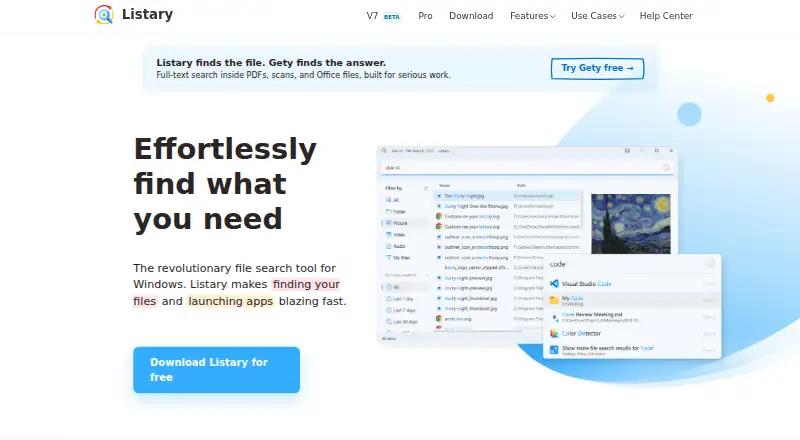
Listary is a Windows search tool and app launcher for finding files, folders, and programs. It searches by name, path, or format and orders results according to usage habits; the maker says results can appear in 0.01 seconds. Its launcher searches apps and files together and accepts fuzzy matches. Quick Save & Open can take you to a chosen folder from Windows file dialogs when opening or saving. Supported storage includes OneDrive, Google Drive, Dropbox, file servers, NAS, USB drives, and external hard drives. Standard Windows dialogs are supported, along with adaptations for Bandizip, AutoCAD, WinRAR Extract Dialog, and WPS File Dialog, though some custom dialogs may not work. Listary mainly searches names, paths, and formats; full-text search is available through companion app Gety, with partial integration in the V7 beta. The maker says it works offline and does not collect data about files. The free plan is for personal use; Pro costs 19.95 USD once and permits commercial use.
Who it suits
Listary suits Windows users who want combined file and app search, including people who need Quick Save & Open in supported file dialogs. Commercial use requires Pro.
What it does well
- Searches by file name, path, or format.
- Launcher combines app and file search.
- Works offline, according to the maker.
- Pro includes a commercial-use license.
What to know first
- Free plan is for personal use only.
- Some custom file dialogs may not work.
- Full-text search relies on companion app Gety.
Limits
The Free plan is for personal use and includes basic file search, app launching, filters and commands, and the basic UI theme. Commercial use and features such as custom filters, indexing shared network drives, advanced search syntaxes, and custom actions require Pro, which costs 19.95 USD once.
Plans
| Plan | Billed and limits | Price |
|---|---|---|
| Free | Free forever · Personal use only · Basic file search and app launch · Basic filters and commands · Basic UI theme | Free |
| Pro | One-time payment; lifetime free updates · Commercial use license · Up to 3 computers owned by you · Dark theme · Custom filters · Index shared network drives · Advanced search syntaxes · Custom actions | $19.95, paid once |
As listary.com lists them, read 4 Oct 2026. The maker's own page has the final word.
Getting started
- Visit the Listary website and choose the Free or Pro plan.
- Install the version for your Windows system; V6 supports 64-bit Windows 10 and 11, while V5 versions are listed for Windows 7 and XP.
- Use the launcher to search apps and files together, or search files by name, path, or format.
- Use Quick Save & Open in a supported Windows file dialog to jump to a target folder.
- For full-text search, use the companion app Gety.
Verdict
Listary combines file search, app launching, and folder navigation in Windows dialogs. Check the dialog limitations and the personal-use restriction on the free plan before choosing it.
Questions
Does Listary have a free plan?
Yes. Free costs nothing, billed Free forever, and is for personal use.
How much does Pro cost?
Pro costs 19.95 USD once. It includes lifetime free updates and a commercial-use license.
Which Windows versions are supported?
V6 supports 64-bit Windows 10 and 11. The download page lists V5 versions for Windows 7 and XP.
Does Listary search inside file contents?
Listary primarily searches by file name, path, or format. Full-text search is provided through companion app Gety, with partial results integration in the V7 beta.
Which storage locations are supported?
The maker lists OneDrive, Google Drive, Dropbox, file servers, NAS, USB drives, and external hard drives.
Can Listary be used commercially?
Commercial use requires Pro. The Free plan is for personal use only.
Facts from Listary's own pages
- Commercial use
- The free plan is for personal use only; commercial use requires Pro. · listary.com, 4 Oct 2026
- Dialog compatibility
- Quick Save & Open supports standard Windows file dialogs and has adaptations for Bandizip, AutoCAD, WinRAR Extract Dialog, and WPS File Dialog; some custom dialogs may not work. · listary.com, 4 Oct 2026
- File search
- It searches files and folders by name, path, or format and ranks results based on usage habits. · listary.com, 4 Oct 2026
- Full-text search
- Listary primarily finds files by name, path, or format; full-text search is provided through companion app Gety, with partial results integration in the V7 beta. · listary.com, 4 Oct 2026
- Integrations
- The maker lists OneDrive, Google Drive, Dropbox, file servers, NAS, USB drives, and external hard drives as supported storage. · listary.com, 4 Oct 2026
- Launcher
- The launcher searches apps and files together and supports fuzzy matching. · listary.com, 4 Oct 2026
- Notable limits
- Listary V6 supports 64-bit Windows 10 and 11, while the download page lists V5 versions for Windows 7 and XP. · listary.com, 4 Oct 2026
- Offline and data
- The feature page says Listary works offline, does not collect data related to files, and collects only anonymous feature-usage counts that can be disabled in settings. · listary.com, 4 Oct 2026
- Privacy and security
- The privacy policy says third-party services may collect identifying information and error logs may include the device IP address, name, OS version, app configuration, and usage time; it says absolute security cannot be guaranteed. · help.listary.com, 4 Oct 2026
- Purpose
- Listary is a Windows file search tool and app launcher. · listary.com, 4 Oct 2026
- Quick Save & Open
- It can jump to a target folder from Windows file dialogs when saving or opening files. · listary.com, 4 Oct 2026
- Search speed
- The maker says file search can return results in 0.01 seconds. · listary.com, 4 Oct 2026
- Support
- The maker provides a Help Center, troubleshooting guidance, and a contact form or support email. · listary.com, 4 Oct 2026
Where Listary stands on Freedom251
- Start Menu Customization Software#11 of 39
- Desktop Search Software#18 of 57