Freedom251 › Start Menu Customization Software
MaxLauncher
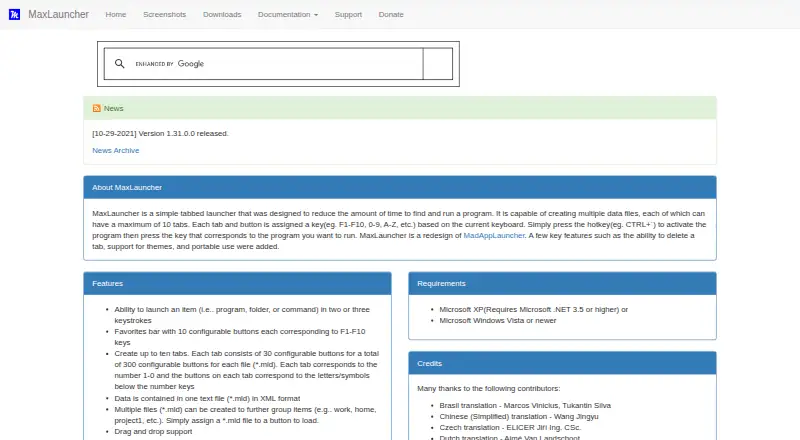
What MaxLauncher is
MaxLauncher is a free, open-source tabbed launcher for Windows. It is designed to shorten the steps needed to open programs, folders, and commands: a configurable hotkey opens the launcher, and items can be run with two or three keystrokes. Each data file supports up to ten tabs with 30 configurable buttons each, for 300 buttons overall. A favorites bar adds ten buttons mapped to F1–F10.
Launcher data is kept in XML-format .mld text files, and separate files can organize shortcuts for different contexts. Features include drag and drop, custom themes, multi-launch, multiple instances, and basic multi-monitor support. The maker documents both an executable installer and a portable ZIP archive, which can run from a USB stick or external drive. Portable settings can be made read-only to prevent changes to specified data and cache files. Requirements are Windows Vista or newer, or Windows XP with Microsoft .NET 3.5 or higher; the maker says it runs on 32-bit and 64-bit systems. The downloads page lists version 1.31.0.0, dated October 29, 2021, as the latest release shown.
Who it suits
MaxLauncher suits Windows users who prefer keyboard shortcuts and grouped buttons for opening programs, folders, or commands. The portable option may suit people who want to run it from removable storage.
What it does well
- Supports up to 300 configurable buttons per data file.
- Favorites bar maps ten buttons to F1–F10.
- Portable ZIP can run from USB or external storage.
- Includes multi-launch and configurable activation hotkeys.
What to know first
- Latest release shown is version 1.31.0.0, dated October 29, 2021.
- Requires Windows; XP users need Microsoft .NET 3.5 or higher.
Plans
| Plan | Billed and limits | Price |
|---|---|---|
| MaxLauncher | Free download; no paid plans listed | Free |
As maxlauncher.sourceforge.io lists them, read 11 Oct 2026. The maker's own page has the final word.
Getting started
- Visit the MaxLauncher website.
- Choose the executable installer or portable ZIP archive.
- Use Windows Vista or newer, or Windows XP with Microsoft .NET 3.5 or higher.
- Open the launcher with a configurable hotkey and add programs, folders, or commands to buttons.
Verdict
MaxLauncher offers a high-capacity button layout, keyboard launching, and both installed and portable use. Its listed requirements and latest release date are useful considerations for Windows users choosing a launcher.
Questions
How much does MaxLauncher cost?
MaxLauncher is free, and no paid plans are listed.
Is MaxLauncher open source?
Yes. Its product page identifies the Microsoft Reciprocal License (MS-RL).
Which operating systems does it support?
It supports Windows. The listed requirements are Windows Vista or newer, or Windows XP with Microsoft .NET 3.5 or higher; it runs on both 32-bit and 64-bit versions.
Is there a portable version?
Yes. A portable ZIP installation is available, and the maker says it can run from a USB stick or external hard drive.
How many items can a data file hold?
A file can contain up to ten tabs with 30 configurable buttons each, for a total of 300. The favorites bar has ten buttons mapped to F1–F10.
Who makes MaxLauncher?
The listed facts do not identify a maker by name.
Facts from MaxLauncher's own pages
- Architecture
- The maker says the application runs on 32-bit and 64-bit versions. · maxlauncher.sourceforge.io, 11 Oct 2026
- Capacity
- Each data file can contain up to ten tabs with 30 configurable buttons each, for 300 buttons per file. · maxlauncher.sourceforge.io, 11 Oct 2026
- Data format
- Launcher data is stored in XML-format .mld text files, and multiple files can be used to group items. · maxlauncher.sourceforge.io, 11 Oct 2026
- Favorites
- The favorites bar has ten configurable buttons corresponding to F1–F10. · maxlauncher.sourceforge.io, 11 Oct 2026
- Features
- The product supports drag and drop, configurable activation hotkeys, custom themes, multi-launch, multiple instances, and basic multi-monitor use. · maxlauncher.sourceforge.io, 10 Oct 2026
- Installation options
- The maker documents both an executable installer and a portable ZIP installation. · maxlauncher.sourceforge.io, 10 Oct 2026
- Integrations
- The product can launch programs, folders, or commands; the maker pages do not list third-party service integrations. · maxlauncher.sourceforge.io, 11 Oct 2026
- Intended users
- SourceForge lists the intended audience as advanced end users and end users/desktop. · sourceforge.net, 11 Oct 2026
- Keyboard launch
- A configurable hotkey opens the launcher, and users can launch items with two or three keystrokes. · maxlauncher.sourceforge.io, 11 Oct 2026
- Launch targets
- Buttons can launch programs, folders, or commands in two or three keystrokes. · maxlauncher.sourceforge.io, 10 Oct 2026
- License
- The product page identifies the license as Microsoft Reciprocal License (MS-RL). · maxlauncher.sourceforge.io, 10 Oct 2026
- Notable limit
- The maker’s downloads page lists version 1.31.0.0, dated October 29, 2021, as the latest release shown. · maxlauncher.sourceforge.io, 11 Oct 2026
- Operating system
- The maker lists Windows XP with .NET 3.5 or higher, or Windows Vista or newer, as requirements. · maxlauncher.sourceforge.io, 11 Oct 2026
- Other features
- The maker lists drag and drop, international keyboard layouts, custom themes, multiple instances, multi-launch, read-only mode, and basic multi-monitor support. · maxlauncher.sourceforge.io, 11 Oct 2026
- Platform requirement
- The maker lists Microsoft Windows Vista or newer, or Windows XP with Microsoft .NET 3.5 or higher, as requirements. · maxlauncher.sourceforge.io, 10 Oct 2026
- Portable use
- MaxLauncher can run in portable mode from a USB stick or external hard drive, with a separate portable installation described by the maker. · maxlauncher.sourceforge.io, 11 Oct 2026
- Purpose
- MaxLauncher is a tabbed launcher designed to reduce the time needed to find and run programs. · maxlauncher.sourceforge.io, 11 Oct 2026
- Read-only settings
- Portable configuration options can prevent changes to application, favorites, window, tab data, and icon cache files. · maxlauncher.sourceforge.io, 10 Oct 2026
- Security and compliance
- The maker lists a read-only mode and identifies the license as Microsoft Reciprocal License (MS-RL); no security certifications are stated on the pages reviewed. · maxlauncher.sourceforge.io, 11 Oct 2026
- Support
- Support is offered through SourceForge bug reports, feature requests, support requests, and discussion forums. · maxlauncher.sourceforge.io, 11 Oct 2026
Where MaxLauncher stands on Freedom251
- Start Menu Customization Software#12 of 39