Freedom251 › Start Menu Customization Software
Open-Shell Menu
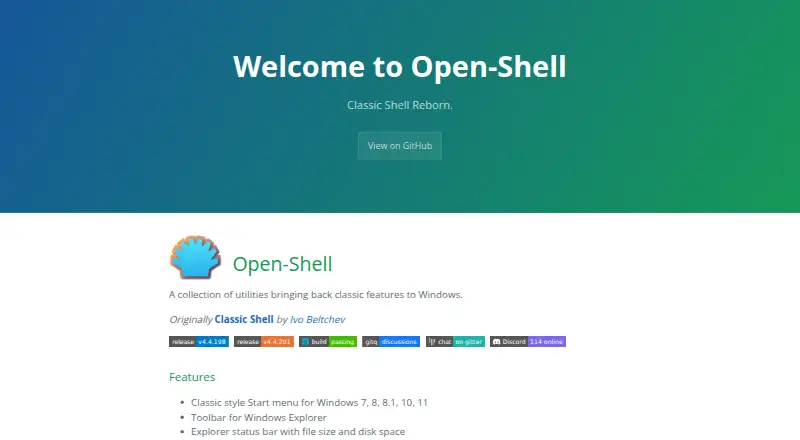
What Open-Shell Menu is
Open-Shell Menu is a free set of utilities for bringing classic Windows features to current Windows setups. Its classic-style Start menu supports Windows 7, 8, 8.1, 10 and 11, with controls for the Start button and custom search. The utilities also add a toolbar and a status bar to Windows Explorer; the status bar can show file size and disk space. A classic copy interface is available for Windows 7 only. Open-Shell adds title-bar and status-bar features for Internet Explorer as well. The project states that Windows for ARM is supported starting with version 4.4.196, and warns that older versions may stop account login after a reboot. Originally known as Classic Shell, the project was created by Ivo Beltchev. It is for Windows, and the project provides free code signing through SignPath.io with a certificate from SignPath Foundation. For language support, the project describes a temporary option using a downloaded language DLL placed in the install folder or Open-Shell Languages folder. Users can report issues, ask in Discussions, or join its Gitter room or Discord.
Who it suits
Open-Shell suits Windows users who want a classic-style Start menu or added Explorer controls. Windows for ARM users should use version 4.4.196 or later, according to the project.
What it does well
- Classic Start menu supports Windows 7 through 11
- Explorer status bar can show file size and disk space
- Includes Start button and custom search controls
- Free to use
What to know first
- Classic copy interface is for Windows 7 only
- Older ARM-compatible versions may prevent login after reboot
- Windows only
Limits
The classic copy interface is available for Windows 7 only. Windows for ARM compatibility starts at version 4.4.196; older versions may prevent account login after a reboot.
Plans
| Plan | Billed and limits | Price |
|---|---|---|
| Open-Shell | A collection of utilities bringing back classic features to Windows | Free |
As open-shell.github.io lists them, read 30 Sept 2026. The maker's own page has the final word.
Getting started
- Open the Open-Shell Menu website.
- Use the Windows version suited to your system.
- For Windows for ARM, use version 4.4.196 or later.
- For a temporary language option, place the downloaded language DLL in the install folder or Open-Shell Languages folder.
- Report issues or ask questions in Discussions, Gitter, or Discord.
Verdict
Open-Shell combines Start menu customization with several older Windows interface features. Note the Windows 7-only copy interface and the project's warning about older versions on ARM.
Questions
Does Open-Shell Menu cost anything?
It is free to use. The listed plan is free.
Which Windows versions does its Start menu support?
The classic-style Start menu supports Windows 7, 8, 8.1, 10, and 11.
What does Open-Shell add to Windows Explorer?
It adds a toolbar and a status bar that can show file size and disk space.
Does it support Windows for ARM?
The project says Windows for ARM is supported from version 4.4.196. Older versions may prevent account login after a reboot.
Who originally created Open-Shell?
Open-Shell is described as originating as Classic Shell by Ivo Beltchev.
How can users get support?
Users can report issues, ask in Discussions, or join the project’s Gitter room or Discord.
Facts from Open-Shell Menu's own pages
- Classic copy interface
- It includes a classic copy UI for Windows 7 only. · open-shell.github.io, 30 Sept 2026
- Code signing
- The project says free code signing is provided by SignPath.io, with a certificate from SignPath Foundation. · github.com, 30 Sept 2026
- Explorer status bar
- It adds an Explorer status bar showing file size and disk space. · open-shell.github.io, 30 Sept 2026
- Explorer toolbar
- It includes a toolbar for Windows Explorer. · open-shell.github.io, 30 Sept 2026
- Internet Explorer
- It provides title bar and status bar features for Internet Explorer. · open-shell.github.io, 30 Sept 2026
- Origin
- Open-Shell is described as originally being Classic Shell by Ivo Beltchev. · open-shell.github.io, 30 Sept 2026
- Purpose
- Open-Shell is a collection of utilities bringing back classic features to Windows. · open-shell.github.io, 30 Sept 2026
- Start menu
- It provides a classic-style Start menu for Windows 7, 8, 8.1, 10, and 11. · open-shell.github.io, 30 Sept 2026
- Support
- The project directs users to report issues, ask in Discussions, and join its Gitter room or Discord. · open-shell.github.io, 30 Sept 2026
- Translations
- The project describes a temporary language solution using a downloaded language DLL placed in the install folder or the Open-Shell Languages folder. · open-shell.github.io, 30 Sept 2026
- Windows on ARM
- The project says it is compatible with Windows for ARM since version 4.4.196 and warns that older versions may prevent account login after reboot. · github.com, 30 Sept 2026
Where Open-Shell Menu stands on Freedom251
- Start Menu Customization Software#13 of 39