Freedom251 › Student Attendance Software

AttendUni
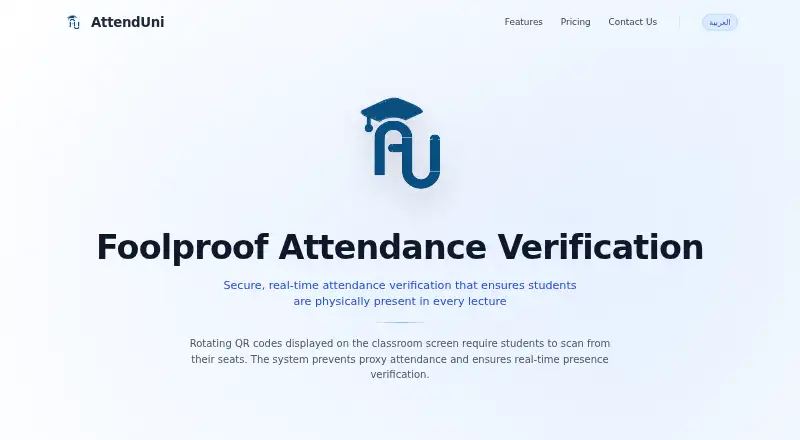
What AttendUni is
AttendUni is a web service for verifying student attendance in lectures through rotating QR codes. A professor displays a code on a classroom screen, and students scan it from their seats to confirm attendance; the method is intended to prevent proxy attendance. Professors can create organizations and classrooms, import students, add teaching assistants or other professors, and display QR codes from a dashboard on a smartboard. Students use credentials supplied by their professor and must continue on the device used to set up their account. The Free Tier costs nothing and includes one classroom, up to 30 students, full QR verification, and a real-time dashboard. Professional costs 100 EGP a month for one classroom and up to 100 students, with TA management and advanced reports. Enterprise costs 250 EGP a month for one to ten classrooms and up to 200 students, with multiple admins and priority support. Bulk student import from files is an optional service at 0.5 EGP per student. AttendUni currently runs on the web; the site says a native mobile app will be added later. Its page describes the website as a beta, with core attendance features launching in two to three weeks.
Who it suits
AttendUni suits professors who want QR-based attendance verification and a dashboard for managing classrooms and students. It may also suit institutions needing TA management or multiple classrooms, depending on their plan.
What it does well
- Free Tier includes one classroom and up to 30 students.
- Rotating QR codes verify attendance from students’ seats.
- Professional includes TA management and advanced reports.
- Enterprise includes multiple admins and priority support.
What to know first
- Students must keep using their account setup device.
- Bulk file import costs 0.5 EGP per student.
- A native mobile app is not yet available.
- The site describes the service as a beta.
Limits
The Free Tier covers one classroom and up to 30 students. Professional covers one classroom and up to 100 students; Enterprise covers one to ten classrooms and up to 200 students. Bulk student import from files costs 0.5 EGP per student.
Plans
| Plan | Billed and limits | Price |
|---|---|---|
| Free Tier | 1 classroom · Up to 30 students · Full QR verification · Real-time dashboard | Free |
| Professional | Per Month · 1 classroom · Up to 100 students · Full QR verification · TA management · Advanced reports | 100 EGP a month |
| Enterprise | Per Month · 1–10 classrooms · Up to 200 students · Multiple admins · Priority support | 250 EGP a month |
As attenduni.com lists them, read 8 Oct 2026. The maker's own page has the final word.
Getting started
- Visit https://www.attenduni.com/.
- Choose the Free Tier, Professional, or Enterprise plan.
- Have a professor create an organization and classroom.
- Add students and any teaching assistants or other professors.
- Give students their credentials and have them sign in on the device they will keep using.
- Display rotating QR codes from the dashboard for students to scan.
AttendUni is a web-based attendance service that ties lecture check-ins to rotating QR codes shown in the classroom. It is best suited to professors and small teaching teams running phone-equipped classes, while institutions needing broad, mature scheduling or multi-campus administration should look elsewhere.
Overview
AttendUni verifies attendance in real time: a professor displays a changing QR code on a classroom screen, and students scan it from their seats. The changing code and in-room scan are intended to make proxy attendance harder than a static sign-in sheet. The approach is practical for live lectures, but it depends on a functioning display and students having phones available.
Professors manage organizations and classrooms from a dashboard, import students, add teaching assistants or other professors, and present the code on a smartboard. Students use the website on their phones with credentials supplied by the professor. Each student must continue using the device on which the account was first set up, which can become restrictive after a phone replacement or when students regularly switch devices.
AttendUni is described as a website beta, with core attendance features launching in two to three weeks. It is therefore a better fit for teams willing to adopt an early-stage service than for departments that require an established platform immediately.
Key features
Rotating QR verification
The QR workflow keeps attendance tied to a particular classroom session and avoids manual roll calls. It is a focused solution for lecture check-in rather than a broad academic scheduling system. The trade-off is operational: every room needs a screen suitable for displaying the code, and every student needs web access on a phone.
Professor-led administration
Organization and classroom creation, student import, and shared access for teaching assistants or other professors give a teaching team a central workflow. Professional adds dedicated TA management and advanced reports; Enterprise adds multiple administrators and priority support. Bulk importing from files is optional and costs 0.5 EGP per student, so large initial rosters incur a separate setup charge.
Device-bound student login
Credentials are issued by the professor rather than chosen independently by students. Keeping the original setup device can help identify a student account, but it also creates friction for anyone who changes or loses a phone. A native mobile app is planned later for enhanced device identification; the current product is accessed through the web.
Pricing
| Plan | Price | Includes |
|---|---|---|
| Free Tier | free | One classroom, up to 30 students, full QR verification, real-time dashboard |
| Professional | 100 EGP a month | One classroom, up to 100 students, full QR verification, TA management, advanced reports |
| Enterprise | 250 EGP a month | One to ten classrooms, up to 200 students, multiple admins, priority support |
The Free Tier is suitable for a single small class and provides the core attendance workflow without a subscription. Its 30-student ceiling makes it unsuitable for larger lectures. Professional is the sensible step for one class with up to 100 students when teaching assistants or reporting matter; it still covers only one classroom. Enterprise is aimed at departments or organizations needing up to ten classrooms and shared administration, although its 200-student limit may still constrain larger programs. All paid prices are monthly, and the optional file-import service adds 0.5 EGP for each student imported.
Platforms
AttendUni runs on the web. Students sign in from phones, while professors display QR codes through the dashboard on a smartboard or other classroom screen. The planned native mobile app is not the current delivery method.
Who it's for
Choose AttendUni for an individual professor or compact teaching team that wants a real-time, QR-based check-in and can enforce a classroom display and phone-based access. The Free Tier fits small classes; Professional fits a single larger class requiring TA controls and reports; Enterprise fits organizations coordinating several classrooms and administrators.
It is a weaker match for institutions with many courses beyond ten classrooms, groups above 200 students, students who frequently change devices, or teams unwilling to adopt a beta web service.
Pros and cons
Pros
- Rotating QR codes: connects scans to a live classroom session and is designed to discourage proxy attendance.
- Clear class-size tiers: the free 30-student cap and paid 100- and 200-student limits make capacity easy to match to a class.
- Teaching-team controls: Professional TA management and advanced reports, with Enterprise multi-admin support, extend beyond a single professor.
- Web delivery: students and professors can use the service without waiting for the planned native app.
Cons
- Strict device continuity: students must use the device on which they first configured their account.
- Display and phone dependency: QR attendance requires a classroom screen and phone access for each student.
- Narrow classroom scale: Professional remains one classroom, while Enterprise tops out at ten classrooms and 200 students.
- Beta status: teams needing a mature, established deployment may find the current stage unsuitable.
Alternatives
Student Attendance Software is the broader category to browse when you want to compare attendance products beyond AttendUni's classroom QR model.
- QRaten is a better choice when cross-platform access across Android, iOS, desktop, and web, plus a free plan and trial, matter more than AttendUni's classroom tiers.
- UnivTrack suits users wanting a free, multi-platform service with unlimited academic terms and defined weekday course slots.
- AttenQR fits those who prefer Android, iOS, or web access and a one-time 9.99 USD ad-removal option rather than monthly plans.
- Bulsee is a free-to-start alternative for readers who do not need stated usage limits.
- iAttended is an option for users seeking a free App Store offering.
- QRoll is for approved users who accept limited access at the maker's discretion.
- Rollcallz targets organizations with 500 or more users through custom enterprise pricing.
- GEGI is another paid attendance option with Android, iOS, API, and web platforms.
Verdict
AttendUni is a sensible pick for a professor or teaching team running a small-to-medium lecture that wants QR attendance tied to the room and a straightforward progression from free to managed plans. Its main reasons to choose it are the rotating verification flow and explicit teaching-team tiers. Look elsewhere if students need device flexibility, your program exceeds its classroom or student caps, or you require a mature platform rather than a beta web service.
Verdict
AttendUni offers QR-based lecture attendance with plan limits for classrooms and students. Check the device requirement and beta status, and choose a paid tier if you need higher limits or added administration features.
Questions
Does AttendUni have a free plan?
Yes. The Free Tier costs nothing and includes one classroom, up to 30 students, full QR verification, and a real-time dashboard.
How much do the paid plans cost?
Professional costs 100 EGP a month. Enterprise costs 250 EGP a month.
What platforms does AttendUni support?
AttendUni is available on the web. Its site says a native mobile app will be added later for enhanced device identification.
How do students record attendance?
Students use a phone to scan rotating QR codes displayed in the classroom. They sign in with professor-provided credentials and must use the same device they initially used to set up their account.
What is the student import charge?
Bulk student import from files is an optional paid service at 0.5 EGP per student.
Who makes AttendUni?
The provided product details do not identify a maker.
Facts from AttendUni's own pages
- Beta status
- The page describes a website beta with core attendance features as launching in two to three weeks. · attenduni.com, 8 Oct 2026
- Enterprise plan limit
- Enterprise includes one to ten classrooms and up to 200 students, with multiple admins and priority support. · attenduni.com, 8 Oct 2026
- Free plan limit
- The Free Tier includes one classroom and up to 30 students. · attenduni.com, 8 Oct 2026
- Import service
- Bulk student import from files is offered as an optional paid service at 0.5 EGP per student. · attenduni.com, 8 Oct 2026
- Mobile app
- The site says a native mobile app will be added later for enhanced device identification. · attenduni.com, 8 Oct 2026
- Professional plan limit
- Professional includes one classroom and up to 100 students, plus TA management and advanced reports. · attenduni.com, 8 Oct 2026
- Professor workflow
- Professors can create organizations and classrooms, import students, add teaching assistants or other professors, and display QR codes from a dashboard on a smartboard. · attenduni.com, 8 Oct 2026
- Purpose
- AttendUni provides real-time attendance verification intended to ensure students are physically present in lectures. · attenduni.com, 8 Oct 2026
- QR verification
- Rotating QR codes displayed on a classroom screen are scanned by students from their seats to verify attendance and prevent proxy attendance. · attenduni.com, 8 Oct 2026
- Student login
- Students access the website on a phone using credentials provided by their professor and must use the same device on which they initially set up their account. · attenduni.com, 8 Oct 2026
Where AttendUni stands on Freedom251
- Student Attendance Software#4 of 27