Freedom251 › Student Recruitment Software

GEGI
What GEGI is
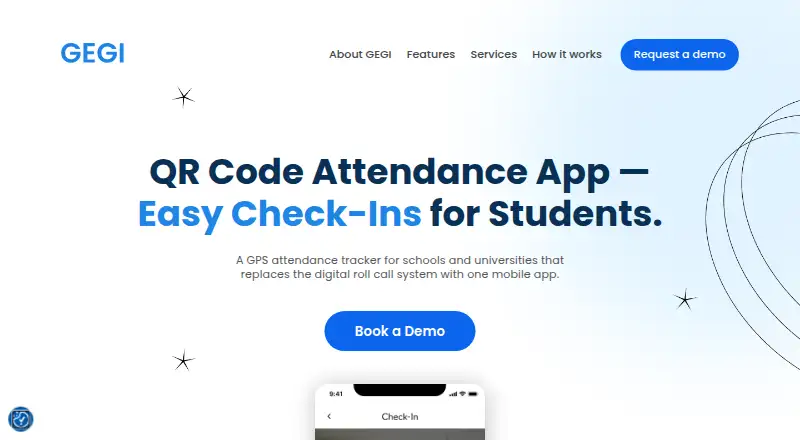
GEGI is student attendance software for schools and universities. It replaces digital roll call with mobile check-in: students can scan a classroom QR code or confirm their location through GPS. Attendance data is recorded instantly, providing faculty with real-time logs. The logs sync to dashboards, and reporting is built into the SIS.
GEGI describes its mobile check-in app as easy to use for students and staff. The student app also lets users view their profile, pay tuition, and contact support. Its API can manage student records, upload documents, and log attendance and grades. It can also request attendance, grades, users, roles, and permissions. For questions about API access, GEGI’s support page directs users to its customer care team.
GEGI lists Android and iOS platforms, as well as API access. Its pricing model is paid, with pricing available on request. Visitors can contact sales or request a demo. Attendance capture is listed as mixed, and absence tracking is available.
Who it suits
GEGI suits schools and universities that want students to check in to classes by QR code or GPS and give faculty real-time attendance logs. It may also suit institutions seeking mobile student access to profiles, tuition payments, support, or student record functions through an API.
What it does well
- Students can check in by scanning a classroom QR code or confirming GPS location.
- Faculty receive real-time attendance logs.
- Logs sync to dashboards, with reporting built into the SIS.
- The mobile app supports profile viewing, tuition payments, and contacting support.
- The API can manage student records and log attendance and grades.
What to know first
- GEGI is paid, with pricing available on request.
- The listed mobile platforms are Android and iOS.
Limits
GEGI is paid, and pricing is available on request. No free plan or trial is listed in the provided facts.
Getting started
- Open the GEGI website.
- Contact sales or request a demo.
- Use the mobile app on Android or iOS for student check-in.
- Students can check in by scanning a classroom QR code or confirming their location via GPS.
- Contact GEGI customer care with API access questions if needed.
GEGI is student attendance software for schools and universities that moves roll call into a mobile workflow. It suits institutions managing classroom and clinical-site attendance that must flow into student records. Its QR and geolocation choices are useful, but custom pricing means the institutional fit and cost need to be established with sales.
Overview
Students can check in by scanning a classroom QR code, confirming their location, or using both methods together. For location-based check-ins, GEGI validates the student against the campus or clinical site attached to the course, making the setup relevant to ordinary classes and site-specific clinical rotations.
The system calculates attendance from check-in and check-out times, including breaks. Faculty receive attendance logs immediately, while dashboards and SIS reporting keep the information connected to wider institutional records. That is a stronger proposition than a standalone sign-in form for schools already organizing student data in an SIS.
Key features
Attendance capture and session control
Instructors can create QR codes for one or multiple class sessions. Clinical rotation settings allow the QR-code lifetime to be adjusted, which gives staff a way to control how long a session credential remains usable. Check-ins can be captured with QR, geolocation, or QR plus geolocation, so institutions can choose between scanning convenience and an additional location check.
Logs, reports and SIS workflow
The Check-Ins Report distinguishes active and completed sessions and shows successful and unsuccessful attempts. Real-time logs synchronize with dashboards, and reporting is built into the SIS. Automatic handling of check-in, check-out and breaks reduces the need to assemble attendance totals manually.
Student app and API
The mobile app lets students check in to classes, view their profile, pay tuition and contact support. GEGI’s API can manage student records, upload documents, record attendance and grades, and request data about attendance, grades, users, roles and permissions. Institutions with integration questions are directed to the customer-care team.
Canvas connection
GEGI can import Canvas assignments as grade components and bring in student grades from Canvas submissions. The integration does not cover letter-grade, GPA-scale or not-graded assignment types, and it does not support fractional point values. Those restrictions matter to schools whose Canvas gradebooks use those formats.
Pricing
GEGI uses paid, custom pricing. The buying process is to contact sales or request a demo; no public plan price, seat allowance, quota, trial period or renewal term is stated. This can suit institutions that need a tailored deployment, but it prevents a straightforward cost comparison before a sales conversation.
Platforms
GEGI supports Android, iOS, web and API access. Compatible desktop browsers are Chrome, Safari for macOS, Firefox and Microsoft Edge, with a recommended minimum resolution of 1024×768. It works across mobile platforms, although desktop browsers are recommended for a better user experience.
Who it's for
GEGI is aimed at schools and universities that need attendance tied to SIS reporting, live faculty oversight and student-record operations. It is particularly suitable where courses span campus classrooms and clinical sites, or where an institution wants QR and location checks in the same system. Teams seeking only a basic, low-cost sign-in tool may find the sales-led purchasing process and broader record-management scope unnecessary.
Pros and cons
Pros
- Flexible verification: QR, geolocation, or both support different classroom and clinical-site procedures.
- Immediate oversight: Real-time logs, dashboards and success or failure reporting help staff monitor sessions as they occur.
- Attendance automation: Check-in, check-out and break times are used to calculate attendance records.
- Institutional integration: SIS reporting, API operations and Canvas imports connect attendance with student and grade workflows.
- Broader student services: The mobile app also provides profiles, tuition payment and support contact functions.
Cons
- Custom pricing only: Buyers cannot assess cost from a published plan or compare per-seat limits in advance.
- Canvas constraints: Letter-grade, GPA-scale, not-graded and fractional-point assignment formats are unsupported.
- Desktop preference: Although mobile platforms are supported, GEGI recommends desktop browsers for the better experience.
Alternatives
For admissions-focused work with a free web plan covering five courses, five scholarships and up to 1,000 applications, choose AdmitCue instead. EduCRM is the better choice when a forever-free web plan for up to 10 students and application, scheduling and payment tracking matters more than GEGI’s attendance controls. Institutions wanting a community-of-practice program for belonging can consider Nearpeer, whose listed institutional plan costs $15,000 a year. Creatrix Campus Admissions, EAB Navigate360, Gecko, Azorus CRM and Cialfo for Universities are other paid options to evaluate for their respective campus-management or admissions needs.
Browse the Student Attendance Software category for attendance-specific alternatives, or Student Recruitment Software for recruitment systems.
Verdict
Choose GEGI when a school or university needs mobile attendance with QR and location verification, live session oversight and SIS-connected records, especially across classroom and clinical settings. Look elsewhere if transparent self-serve pricing, unrestricted Canvas grading formats or a simpler attendance-only workflow is the priority.
Verdict
Choose GEGI if your school or university wants mobile attendance check-in with real-time logs and SIS reporting. Contact sales or request a demo for pricing; the listed mobile platforms are Android and iOS.
Questions
How much does GEGI cost?
GEGI is paid, with pricing on request. Visitors can contact sales or request a demo.
Which platforms does GEGI support?
Android, iOS, and API access are listed.
How do students check in?
Students can scan a classroom QR code or confirm their location via GPS.
What can students do in the mobile app?
They can check in to classes, view their profile, pay tuition, and contact support.
What does the GEGI API support?
It can manage student records, upload documents, log attendance and grades, and request attendance, grades, users, roles, and permissions.
How can a school get started?
The landing page directs visitors to contact sales or request a demo.
Facts from GEGI's own pages
- API
- GEGI’s API can retrieve and modify student records, upload documents, log attendance and grades, and request attendance, grades, users, roles, and permissions. · gegi.freshdesk.com, 9 Oct 2026
- Attendance logs
- The landing page says attendance data is recorded instantly and gives faculty real-time logs. · attendance.landing.gegisis.com, 4 Oct 2026
- Attendance records
- GEGI automatically calculates and records attendance based on check-in and check-out times and breaks. · gegi.freshdesk.com, 9 Oct 2026
- Browser requirements
- GEGI lists Chrome, Safari for macOS, Firefox, and Microsoft Edge as compatible browsers and recommends a minimum screen resolution of 1024×768. · gegi.freshdesk.com, 9 Oct 2026
- Canvas integration
- GEGI can import Canvas assignments as grade components and import student grades from Canvas submissions. · gegi.freshdesk.com, 9 Oct 2026
- Canvas limitation
- GEGI does not support syncing Canvas assignments with letter-grade, GPA-scale, or not-graded grading types, or fractional point values. · gegi.freshdesk.com, 9 Oct 2026
- Check-in methods
- Students can check in by scanning a classroom QR code or confirming their location via GPS. · attendance.landing.gegisis.com, 4 Oct 2026
- Check-in options
- Students can check in using a QR code, a QR code with geolocation verification, or geolocation without scanning a code. · gegi.freshdesk.com, 9 Oct 2026
- Dashboards
- The landing page says real-time logs sync to dashboards and that reporting is built into the SIS. · attendance.landing.gegisis.com, 4 Oct 2026
- Location checks
- For geolocation check-ins, GEGI validates student location against the campus or clinical site location, depending on the course. · gegi.freshdesk.com, 9 Oct 2026
- Mobile app
- The GEGI mobile app lets students check in to classes, view their profile, pay tuition, and contact support. · gegi.freshdesk.com, 9 Oct 2026
- Mobile compatibility
- GEGI says it works on all mobile platforms, while recommending desktop browsers for a better user experience. · gegi.freshdesk.com, 9 Oct 2026
- Pricing
- The opened GEGI landing page directs visitors to contact sales or request a demo; it does not state a price. · attendance.landing.gegisis.com, 4 Oct 2026
- Purpose
- GEGI describes itself as a GPS attendance tracker for schools and universities that replaces digital roll call with a mobile app. · attendance.landing.gegisis.com, 9 Oct 2026
- QR code controls
- Instructors can generate QR codes for one or more class sessions, and QR code lifetime can be adjusted in clinical rotation settings. · gegi.freshdesk.com, 9 Oct 2026
- Reports
- The Check-Ins Report shows completed and active sessions, including successful and unsuccessful sessions. · gegi.freshdesk.com, 9 Oct 2026
- Support
- GEGI offers support through online chat and tickets, and says it does not provide support over the phone. · gegi.freshdesk.com, 9 Oct 2026
- Users
- The landing page describes the mobile check-in app as easy to use for students and staff. · attendance.landing.gegisis.com, 4 Oct 2026
Where GEGI stands on Freedom251
- Student Recruitment Software#18 of 30
- Student Attendance Software#17 of 27