Freedom251 › Church Background Check Software
ACS Facility Scheduler
What ACS Facility Scheduler is
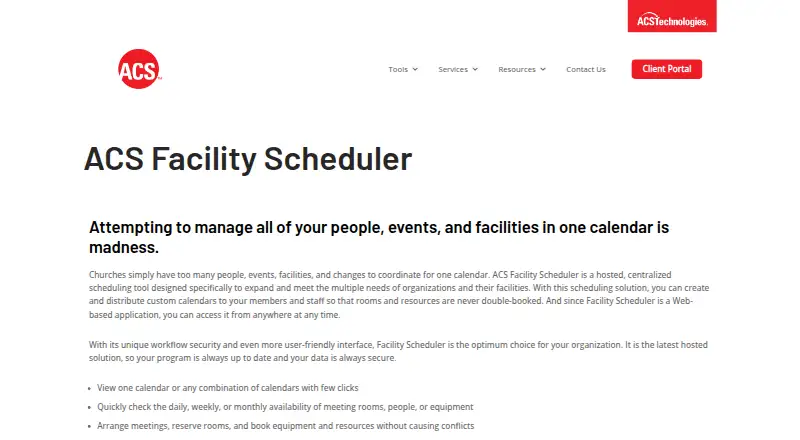
ACS Facility Scheduler is a hosted scheduling tool for organizations coordinating facilities, people, events, and resources. Users can view separate calendars or combine them, then check daily, weekly, or monthly availability for rooms, people, and equipment. Room and resource bookings are designed to help avoid conflicts. Events can be pending or approved, canceled while retaining their details, recurring, or scheduled across several days and locations. Users can add setup or teardown time to bookings and combine rooms into a single schedulable resource. The product integrates with Microsoft Outlook. Its Broadcast web application can display published events on building monitors up to six months ahead and update when schedules change. Standard reports include event and resource lists, calendars, request forms, and planning calendars. Administrators can set who may view or add events and who may edit approval status. The hosted service includes regular backups, secure data transfer, server maintenance, and software updates; 24-hour network support is listed for server connection. Pricing is available on request, and there is no free plan.
Who it suits
It suits organizations that need to coordinate room availability, equipment, recurring events, and multiple locations. The listed financial functions may also be relevant to organizations managing fund accounting, budgeting, and reports.
What it does well
- Combines calendars and checks availability by day, week, or month.
- Supports recurring and multi-day events.
- Bookings can include setup or teardown time.
- Integrates with Microsoft Outlook.
- Includes reports and calendar access controls.
What to know first
- There is no free plan.
- Pricing is available on request.
- Mobile access is web-only.
Limits
There is no free plan, and pricing is available on request. Mobile access is web-only; Outlook must be open during synchronization.
Getting started
- Visit the ACS Facility Scheduler website to request pricing details.
- Use the hosted web application, or download and install the Windows client from the Client Portal.
- For the Windows installation, ensure Microsoft .NET Framework 4.7 or higher is available.
- Set up calendars, rooms, people, equipment, and event permissions.
- Enter events as pending or approved, and configure recurring dates, locations, and setup or teardown time as needed.
- Open Outlook during synchronization if you want to sync calendars.
- Publish events to the Broadcast web application for display on building monitors.
Overview
ACS Facility Scheduler is a hosted tool for organizing church facilities, people, events, and shared resources. It is best suited to churches that need to coordinate room use across calendars and locations, rather than teams looking for a dedicated mobile app. Its reservation controls are broad; the trade-offs are custom pricing and mobile access through the web only.
Key features
Staff can view calendars separately or combine them, and check daily, weekly, or monthly availability for rooms, people, and equipment. Pending and approved event states provide a review step, while recurring and multi-day bookings accommodate repeating services and longer events. Canceled events retain their information, preserving useful scheduling context.
Bookings can include setup and teardown time, and separate rooms can be joined into one schedulable resource. Events can also span multiple locations. These controls are valuable for churches juggling shared spaces and complex event logistics. Administrators can restrict who sees or adds events and who may create or edit bookings as approved or confirmed, making the scheduler a better fit for organizations with distinct scheduling responsibilities.
Microsoft Outlook calendar synchronization is supported, but Outlook must be open during the sync. The included Broadcast web application displays published events on building monitors up to six months ahead and refreshes when schedules change. Standard reports cover event and resource lists, weekly and monthly calendars, request forms that can be customized, and blank planning calendars.
ACS maintains the hosted application, including regular backups, secure data transfer, server hardware maintenance, and software updates. The product page also lists 24-hour network support for server connection. A Windows installation is available through the Client Portal and requires Microsoft .NET Framework 4.7 or higher; mobile access is web-only.
Pricing
ACS Facility Scheduler is paid, with custom pricing. No free plan or trial is offered. Because the price is set on request, it is harder to assess budget fit before speaking with ACS; organizations that need a published rate or a no-cost evaluation should look elsewhere.
Platforms
The scheduler is available on the web and Windows. Web access works from anywhere at any time, but mobile access is through the web rather than a dedicated app. That may suit teams comfortable managing bookings in a browser, but it is less compelling for staff who want a native mobile experience. Windows installation requires Microsoft .NET Framework 4.7 or later.
Who it's for
Churches coordinating rooms, people, equipment, and events across multiple calendars or locations are the clearest fit. Pending approvals, calendar permissions, setup and teardown buffers, and retained cancellation information give administrators practical control over shared-space scheduling. Churches that need those workflows in a hosted tool should find a strong match; organizations seeking a mobile-first booking app or transparent upfront pricing should compare alternatives.
Pros and cons
- Pros: Flexible room and resource booking supports recurring events, multiple locations, combined rooms, and setup or teardown time, helping churches handle more than simple room reservations.
- Pros: Approval states and granular calendar permissions let administrators align event changes with staff responsibilities.
- Pros: Broadcast displays published events on building monitors and updates as schedules change, reducing the need to refresh displays manually.
- Cons: Mobile access is web-only, which may disappoint staff who prefer a dedicated app.
- Cons: Custom pricing and no free plan or trial make it difficult to assess cost or evaluate the product without a sales conversation.
- Cons: Outlook must be open during calendar synchronization, limiting the convenience of that integration.
Alternatives
For a broader church-management option across Android, iOS, macOS, web, and Windows, consider FellowshipOne; its pricing is also obtained through a consultant rather than published as a rate. CDM+ is worth considering if a free trial matters: it offers CDM+ Essentials at $25 a month, billed monthly via auto-draw ACH, for one program and one user. For flexible, modular options serving organizations of different sizes and industries, isolved HCM uses customized pricing.
Readers comparing adjacent church and nonprofit categories can also explore Church Facility Management Software, Church Scheduling Software, Nonprofit Accounting Software, Church Payroll Software, or Church Background Check Software.
Verdict
ACS Facility Scheduler is a sound choice for churches that need controlled, multi-calendar coordination of rooms, resources, and events, especially where approvals, setup buffers, and building displays matter. Its scheduling depth is the main reason to choose it. Look elsewhere if a dedicated mobile app, a free trial, or a known upfront price is essential.
Verdict
ACS Facility Scheduler covers reservations, event workflows, calendar controls, and reports for organizations managing shared spaces and resources. Consider its web-only mobile access and request-based pricing when assessing fit.
Questions
How much does ACS Facility Scheduler cost?
Pricing is available on request. The product page does not state a price or trial offer.
Is there a free plan?
No. ACS Facility Scheduler is listed as a paid product with no free plan.
Which platforms are available?
The listed platforms are web and Windows. Mobile access is web-only.
Can it sync with Microsoft Outlook?
Yes. Its calendars can sync to Outlook, and Outlook must be open during synchronization.
Who is ACS Facility Scheduler designed for?
The product page describes it as designed for churches coordinating people, events, facilities, and changes.
What does the Broadcast application do?
It displays published events on building monitors up to six months ahead and updates when schedules change.
Facts from ACS Facility Scheduler's own pages
- Access controls
- Administrators can control who may view or add events to each calendar and who may add or edit events as approved or confirmed. · acstechnologies.com, 7 Oct 2026
- Approvals
- Events can be entered as pending or approved, and users can be assigned permissions to view or add events and to add or edit events as approved or confirmed. · acstechnologies.com, 7 Oct 2026
- Availability
- The product is web-based and can be accessed from anywhere at any time. · acstechnologies.com, 7 Oct 2026
- Broadcast add-on
- The included Broadcast web application displays published events on monitors in the building, up to six months ahead, and updates when the schedule changes. · acstechnologies.com, 7 Oct 2026
- Calendar access
- Users can view one calendar or combine calendars and check daily, weekly, or monthly availability for rooms, people, and equipment. · acstechnologies.com, 7 Oct 2026
- Conflict prevention
- The product supports room reservations and resource bookings designed to prevent scheduling conflicts. · acstechnologies.com, 7 Oct 2026
- Event workflows
- Events can be entered as pending or approved, canceled while retaining their information, and set up as recurring or spanning multiple days. · acstechnologies.com, 7 Oct 2026
- Founded
- 1978 · acstechnologies.com, 28 Sept 2026
- Headquarters
- Florence, South Carolina, United States · acstechnologies.com, 28 Sept 2026
- Hosting and maintenance
- ACS Technologies maintains and updates the hosted application and lists regular data backups, secure data transfer, server hardware maintenance, and 24-hour network support for server connection. · acstechnologies.com, 7 Oct 2026
- Hosting and security
- ACS says it provides regular data backups, secure data transfer, server hardware maintenance, and up-to-the-minute software updates for the hosted product. · acstechnologies.com, 7 Oct 2026
- Integration
- The product lists integration with Microsoft Outlook. · acstechnologies.com, 7 Oct 2026
- Intended users
- The product page describes the scheduler as designed for churches coordinating people, events, facilities, and changes. · acstechnologies.com, 7 Oct 2026
- Maker history and headquarters
- ACS Technologies says it was founded in 1978 and is headquartered in Florence, South Carolina. · acstechnologies.com, 7 Oct 2026
- Multiple locations
- An event can be scheduled across multiple locations. · acstechnologies.com, 7 Oct 2026
- Outlook integration
- The product can sync its calendars to Outlook; Outlook must be open during synchronization. · help.acst.com, 7 Oct 2026
- Price and trial
- The product page opened does not state a price or trial offer. · acstechnologies.com, 7 Oct 2026
- Purpose
- ACS Facility Scheduler is a hosted scheduling tool for organizations managing facilities, people, events, and resources. · acstechnologies.com, 7 Oct 2026
- Reports
- Standard reports include event and resource lists, weekly and monthly calendars, customized request forms, and blank planning calendars. · acstechnologies.com, 7 Oct 2026
- Reservations
- Users can reserve rooms, people, equipment, and resources, and schedule recurring events, multiple locations, and setup or teardown time. · acstechnologies.com, 7 Oct 2026
- Rooms and setup
- Users can book resources with setup or teardown time and combine separate rooms into one schedulable resource. · acstechnologies.com, 7 Oct 2026
- Support
- The product page lists 24-hour network support for connection to the server. · acstechnologies.com, 7 Oct 2026
- Windows installation
- The vendor’s installation instructions say to download and install ACS Facility Scheduler from the Client Portal and require Microsoft .NET Framework 4.7 or higher. · help.acst.com, 7 Oct 2026
Where ACS Facility Scheduler stands on Freedom251
- Church Background Check Software#26 of 35
- Church Scheduling Software#38 of 43
- Church Facility Management Software#25 of 26