Some links on this page are affiliate links: if you buy through them we may earn a commission, at no extra cost to you.
YouTube Music web now remembers your last song when you relaunch the site, so playback doesn’t feel like a full reset every time you close and reopen the tab or browser. For many listeners, that’s the difference between “open the app and continue” and “find your place again.”
This behavior typically ties to the same sign-in session, browser storage, and YouTube Music’s playback state. When it works, you get a fast return to your most recent track; when it doesn’t, it’s usually a storage or session problem.
As an Amazon Associate I earn from qualifying purchases.
What this update changes on YouTube Music web
Previously, relaunching YouTube Music web more often started you at a default state—frequently the home feed or the last page you visited—rather than immediately restoring the most recently played track. With the new behavior, the web player aims to restore your last song context when the site loads again.
In practical terms, relaunching the site is more likely to bring back the same song you were listening to, along with the “resume” expectation that you get on mobile. It’s a quality-of-life change for sessions interrupted by browser restarts, daily workflows, or switching between tasks.
Popular on Amazon
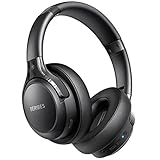
- 120 Hours Playtime: Low power consumption technology applied, BERIBES bluetooth headphones with built-in 1000mAh battery can continually play more than 120 hours, standby more than 1050 hours after one fully charge. By included 3.5mm audio cable, the wireless headphones over ear can be easily switched to wired mode when powers off. No power shortage problem anymore.
- Optional 6 Music Modes: Adopted most advanced dual 40mm dynamic sound unit and 6 EQ modes, BERIBES updated headphones wireless bluetooth black were born for audiophiles. Simply switch the headphone between balanced sound, extra powerful bass and mid treble enhancement modes. No matter you prefer rock, Jazz, Rhythm & Blues or classic music, BERIBES has always been committed to providing our customers with good sound quality as the focal point of our engineering.
- All Day Comfort: Made by premium materials, 0.38lb BERIBES over the ear headphones wireless bluetooth for work are the most lightweight headphones in the market. Adjustable headband makes it easy to fit all sizes heads without pains. Softer and more comfortable memory protein earmuffs protect your ears in long term using.
- Latest Bluetooth 6.0 and Microphone: Carrying latest Bluetooth 6.0 chip, after booting, 1-3 seconds to quickly pair bluetooth. Beribes bluetooth headphones with microphone has faster and more stable transmitter range up to 33ft. Two smart devices can be connected to Beribes over-ear headphones at the same time, makes you able to pick up a call from your phones when watching movie on your pad without switching.
- Packaging Component: Package include a Foldable Deep Bass Headphone, 3.5MM Audio Cable, Type-c Charging Cable and User Manual.
Why remembering your last song matters
Music isn’t usually consumed in perfect, continuous blocks. People pause for calls, commute breaks, work switching, and device restarts. Remembering your last track reduces friction and prevents you from losing your listening momentum.
It also helps when you’re using YouTube Music web alongside other tabs or tools—especially if you regularly reload the browser or run multiple sessions per day.
What’s actually slowing this PC down?
Pick the symptom - the matching free tool is one click away.
How to confirm the new behavior on your browser
To validate the change on your setup, do a short test. The goal is to ensure you’re actually relaunching the site in a way that triggers state restoration (not simply reloading an already-open page).
- Open YouTube Music in your browser.
- Play any song (preferably one with a visible progress bar and a stable playing state).
- Close the tab (or fully quit the browser).
- Reopen your browser and go back to YouTube Music.
- Check whether the player restores your last song (or immediately resumes to the same track).
If the song returns, your browser session is preserving the required playback state. If it doesn’t, use the troubleshooting section below.
Where this works (and where it might not)
Because web playback state depends on storage and session data, the behavior can vary by how you relaunch, what privacy settings you use, and whether the player can reuse your authenticated session.
Also popular on Amazon
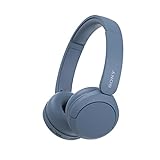
- LONG BATTERY LIFE: With up to 50-hour battery life and quick charging, you’ll have enough power for multi-day road trips and long festival weekends.(USB Type-C Cable included)
- HIGH QUALITY SOUND: Great sound quality customizable to your music preference with EQ Custom on the Sony | Headphones Connect App.
- LIGHT & COMFORTABLE: The lightweight build and swivel earcups gently slip on and off, while the adjustable headband, cushion and soft ear pads give you all-day comfort.
- CRYSTAL CLEAR CALLS: A built-in microphone provides you with hands-free calling. No need to even take your phone from your pocket.
- MULTIPOINT CONNECTION: Quickly switch between two devices at once.
- Works best when you remain signed into the same Google account in the same browser profile.
- May not work if you use private/incognito mode, clear cookies/storage often, or block a wide set of cookies.
- May not work when extensions interfere with media playback or tracking/storage calls.
- Can be inconsistent if you bounce between multiple devices or accounts while a track is playing.
Common reasons it fails, and how to fix them
If YouTube Music web doesn’t remember your last song on relaunch, these are the usual causes. Fixes focus on restoring stable storage, a consistent signed-in session, and uninterrupted player scripts.
Quick wins for a faster PC:
Scan for outdated or missing drivers - takes under a minuteDriver Scan →Clear out junk files and repair common Windows errorsFree Scan →Browser cache and cookies issues
Corrupted or over-cleared storage can prevent the player from restoring state. Try clearing site data for YouTube Music/YouTube-related domains (not necessarily a full browser wipe).
Third-party cookie blocking
Some privacy tools block third-party cookies or site trackers. If the player can’t access required identifiers, it may fall back to a default state on relaunch.
Multiple accounts or signed-in mismatches
If you sign in with different Google accounts in the same browser, the saved playback state can be treated as belonging to a different identity. Confirm you’re signed into the expected account in the same profile.
Incognito/private windows and site permissions
Incognito mode typically isolates cookies/storage. If you close the window and relaunch, the playback state may not persist because the session ends when the incognito window closes.
Do these 3 things before closing this tab:
1Repair Windows errors before they cause bigger problems2Scan for outdated or missing drivers - takes under a minute3Clear out junk files and repair common Windows errorsAlso popular on Amazon
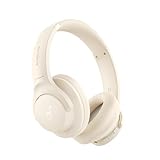
- 𝗕𝗹𝗼𝗰𝗸 𝘁𝗵𝗲 𝗪𝗼𝗿𝗹𝗱, 𝗞𝗲𝗲𝗽 𝘁𝗵𝗲 𝗠𝘂𝘀𝗶𝗰: Four built-in mics work together to filter out background noise — whether you're in a packed office, on a crowded commute, or moving through a busy street — so every beat comes through clean and clear. (Not available in AUX-in mode.)
- 𝗧𝘄𝗼 𝗪𝗮𝘆𝘀 𝘁𝗼 𝗛𝗲𝗮𝗿 𝗠𝗼𝗿𝗲: BassUp technology delivers deep, punchy bass and crisp highs in wireless mode — then step it up further by plugging in the included AUX cable to unlock Hi‑Res certified audio for studio-level clarity.
- 𝟰𝟬 𝗛𝗼𝘂𝗿𝘀. 𝟱-𝗠𝗶𝗻𝘂𝘁𝗲 𝗧𝗼𝗽-𝗨𝗽: With ANC on, a single charge keeps you listening through days of commutes and long-haul flights. Running low? Just 5 minutes plugged in gives you 4 more hours — so you're never stuck waiting.
- 𝗧𝘄𝗼 𝗗𝗲𝘃𝗶𝗰𝗲𝘀, 𝗭𝗲𝗿𝗼 𝗛𝗮𝘀𝘀𝗹𝗲: Stay connected to your laptop and phone at the same time. Audio switches automatically to whichever device needs you — so a call never interrupts your flow, and getting back to your playlist is just as easy. Designed for commuters and remote workers who move smoothly between work and personal listening throughout the day.
- 𝗬𝗼𝘂𝗿 𝗦𝗼𝘂𝗻𝗱, 𝗬𝗼𝘂𝗿 𝗥𝘂𝗹𝗲𝘀: The soundcore app puts everything at your fingertips — dials your ideal EQ with presets or build your own, flip between ANC, Normal, and Transparency modes on the fly, or wind down with built-in white noise. One app, total control.
Ad blockers and tracker blockers
Some blockers break media-related requests or suppress scripts required by the web player. Temporarily disable them for music.youtube.com (or YouTube) and test again.
Service outages or slow loading
Even with correct settings, a temporary server issue or slow network can stop state restoration. If other people report the same issue, wait and retry after a few minutes.
Step-by-step fixes by browser
Use the steps that match your browser. The goal is to ensure YouTube Music can store the data it needs and can access it on relaunch—without requiring a full reinstall or constant manual setup.
Chrome (Windows/macOS)
Clear only site data for YouTube Music and confirm tracking cookies aren’t blocked for the site.
- Open Settings > Privacy and security > Third-party cookies.
- If you block third-party cookies, click Add under Sites that can always use cookies.
- Add youtube.com and music.youtube.com (wording may vary).
- Go to Settings > Privacy and security > Cookies and other site data.
- Under See all site data and permissions, find entries for YouTube/music and remove them.
- Restart the browser, sign in again if needed, and retest relaunch playback.
Firefox (Windows/macOS)
Check Enhanced Tracking Protection and permissions for YouTube domains.
Also popular on Amazon

- WORLD’S BEST IN-EAR ACTIVE NOISE CANCELLATION — Removes up to 2x more unwanted noise than AirPods Pro 2* so you can stay fully immersed in the moment.*
- BREAKTHROUGH AUDIO PERFORMANCE — Experience breathtaking, three-dimensional audio with AirPods Pro 3. A new acoustic architecture delivers transformed bass, detailed clarity so you can hear every instrument, and stunningly vivid vocals.
- HEART RATE SENSING — Built-in heart rate sensing lets you track your heart rate and calories burned for up to 50 different workout types.* With iPhone, you will have access to the Move ring, step count, and the new Workout Buddy,* powered by Apple Intelligence.*
- LIVE TRANSLATION — Communicate across language barriers using Live Translation,* enabled by Apple Intelligence.*
- EXTENDED BATTERY LIFE — Get up to 8 hours of listening time with Active Noise Cancellation on a single charge. Or up to 10 hours in Transparency using the Hearing Aid feature.*
- Open Settings > Privacy & Security.
- Find Enhanced Tracking Protection and set it temporarily to Standard for testing.
- Scroll to Permissions and ensure YouTube domains aren’t blocked.
- Go to Settings > Privacy & Security > Cookies and Site Data > Manage Data.
- Search for youtube and remove site data related to music.youtube.com.
- Restart Firefox, sign in, and test the relaunch behavior again.
Microsoft Edge (Windows/macOS)
Edge users often run into strict cookie controls. Adjust permissions for YouTube/music and clear site data selectively.
- Open Settings > Privacy, search, and services.
- Under Cookies and site permissions, open Manage and delete cookies and site data.
- Confirm YouTube/music isn’t blocked under strict cookie modes.
- Use See all site data and permissions, search for youtube, and remove site data for music.youtube.com.
- Restart Edge, reopen YouTube Music, play a song, close the tab, and relaunch.
Safari (macOS)
Safari can restrict tracking and cross-site storage. Confirm YouTube/music isn’t blocked and clear site data for a clean test.
- Open System Settings > Privacy & Security > Website Tracking.
- For testing, temporarily reduce tracking prevention or allow YouTube/music.
- Open Safari > Settings (Preferences) > Privacy.
- Click Manage Website Data and search for youtube.
- Select YouTube-related entries and remove them.
- Restart Safari, sign in if prompted, and retest relaunch playback.
Best practices to keep playback state consistent
You’ll get the most reliable “remember last song” behavior when your browser session stays stable and your sign-in state is consistent.
Recommended Free Tools
- Use one Google account per browser profile if you test frequently.
- Avoid frequent cookie purges from browser extensions or security tools.
- Don’t mix private windows and signed-in regular windows when testing playback restoration.
- Keep extensions minimal on music.youtube.com, especially script or tracker blockers.
- Ensure you’re not force-ending playback scripts via aggressive “kill tabs” settings.
Comparison: web relaunch vs mobile apps
On iPhone, iPad, and Android, YouTube Music typically maintains playback continuity because the app controls media session state and keeps it across routine backgrounding. Web behavior is more dependent on what browsers allow for cookies/storage after a relaunch.
That’s why you may see stronger resume behavior in the native apps than on the web—especially if you use strict privacy settings in the browser. The update narrows that gap by making web relaunches more consistent with expected resume behavior.
Also popular on Amazon
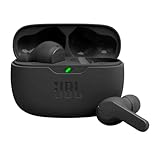
- JBL Deep Bass Sound: Get the most from your mixes with high-quality audio from secure, reliable earbuds with 8mm drivers featuring JBL Deep Bass Sound.
- Comfortable fit: The ergonomic, stick-closed design of the JBL Vibe Beam fits so comfortably you may forget you're wearing them. The closed design excludes external sounds, enhancing the bass performance.
- Up to 32 (8h + 24h) total hours of battery life with speed charging: With 8 hours of battery life in the earbuds and 24 in the case, the JBL Vibe Beam provide all-day audio. And when you need more power, you can speed charge an extra two hours in just 10 minutes.
- Stay aware of your surrounding: Go anywhere and hear everything with Smart Ambient technology. When you need to pause for a quick chat, TalkThru lets you instantly hear yourself and those around you without taking out your earbuds. Or use Ambient Aware to keep the music playing while remaining aware of your surroundings.
- Hands-free calls with VoiceAware: When you're making hands-free stereo calls on the go, VoiceAware lets you balance how much of your own voice you hear while talking with others.
FAQ
Does YouTube Music web remember my last song across different browsers?
Usually no. Playback state is tied to storage in a specific browser profile. If you switch from Chrome to Firefox, you may see a reset because the new browser doesn’t have the same session data.
Will it remember my last song if I relaunch in incognito mode?
Often it won’t, or it will be less reliable. Incognito/private mode isolates cookies and site data and typically wipes it when the session ends.
Why does it remember the song but start from the beginning?
Song restoration and playback position are separate pieces of state. Bandwidth issues, blocked scripts, or delayed player initialization can cause the site to restore the track but not the exact timestamp.
Can extensions like ad blockers stop this from working?
Yes. Extensions that block trackers, scripts, or media-related requests can prevent state restoration. Test by temporarily disabling them only for music.youtube.com.
I tried clearing cookies, and it still doesn’t work. What should I do next?
Try signing out/in on YouTube Music, confirm your account matches, and retest after a full browser restart. If it still fails, try a different browser profile (or a clean browser profile) to rule out corrupted settings.
Bottom Line
YouTube Music web remembering your last song on relaunch is a practical improvement that reduces the annoyance of searching for your place after closing a tab or restarting your browser. When it doesn’t work, it’s almost always tied to cookies/storage permissions, privacy settings, account mismatches, or extensions interfering with the player.
The Tool Desk
Outbyte PC Repair FREERepair Windows errors before they cause bigger problemsFix Now →Outbyte Driver Updater FREEFix the driver behind crashes, sound loss and screen glitchesFind Drivers →If you want consistent results, keep YouTube/music allowed for cookies, avoid incognito for testing, and clear site data only for YouTube/music rather than nuking everything at once.

