Some links on this page are affiliate links: if you buy through them we may earn a commission, at no extra cost to you.
Pixel phones already use Find My Device for locating lost Android devices, and Google’s ecosystem has the scale to do more than just track hardware. What’s missing is a dedicated “thing tracker” that feels native to Pixel—fast pairing, consistent detection quality, strong anti-abuse protections, and a user experience that doesn’t depend on whichever Bluetooth tag you happened to buy.
Third-party options exist, but they’re a patchwork: different apps, uneven precision, mixed battery lifecycles, and privacy models that vary by brand. A Google-made Find My Device tracker for Pixel could turn “I can find my phone” into “I can find my keys, my bag, my wallet, and the stuff I actually lose.”
As an Amazon Associate I earn from qualifying purchases.
Do these 3 things before closing this tab:
1Scan for outdated or missing drivers - takes under a minute2Repair Windows errors before they cause bigger problems3Fix the driver behind crashes, sound loss and screen glitchesWhat Find My Device already does—and where it falls short
Find My Device is built for locating Android devices, not the everyday objects you misplace. On most phones, it can show the last known location when the device is online, powered, and able to report. That works well for phones and tablets, but it doesn’t automatically extend to non-phone items.
To cover “non-phone items,” Android users currently rely on Bluetooth trackers from companies like Tile, Chipolo, and others. Those tags can be found through Bluetooth proximity and, in some cases, community networks—yet they don’t always integrate tightly with the Pixel experience, and they can vary in accuracy, alert behavior, and update cadence.
Popular on Amazon

- THE EVERYTHING TRACKER: Protect lost or stolen stuff and make family life easier. Attach to everyday things like keys, water bottles, or bags
- STAY SAFE WITH SOS: Discreetly trigger an SOS alert to your loved ones in unsafe situations
- FIND YOUR THINGS: Ring your misplaced Tile, or track it down in the free app
- FIND YOUR PHONE: Phone hiding under a cushion? Use your Tile to make it ring — even when silenced
- USE WITH LIFE360: Add your Tiles to Life360 — a top family connection and safety app – to see everything and everyone on the same map
Why a dedicated Google tracker would be different
A purpose-built Google tracker could unify detection, app UX, and security expectations around one consistent standard. That matters because losing items isn’t just a technical problem—it’s a workflow problem: you need confidence, speed, and an outcome that’s clear even when your phone signal is messy.
A tighter ecosystem loop with Pixel and Android
Pixel owners already expect Android-first features: quick settings, background location logic that’s understandable, and smooth sharing across Google accounts. A Find My Device tracker branded for Pixel could be designed around the same assumptions: what the phone can detect, when it can report, and how results are presented.
Recommended Free Tools
That also means fewer “app silos.” Today, many trackers ask you to install a partner app and use separate account flows. A Google tracker could avoid that by treating the item as a first-class object inside Google’s existing “Find” surfaces on Android and the web.
Better UX than generic Bluetooth tags
Even when third-party tags work, the experience often feels bolted on: battery alerts live in the vendor app, “find” results show up with extra steps, and precision capabilities (like UWB-style ranging) are inconsistently supported. Google could standardize behaviors like “ring the tag,” “last seen,” and “directional/precision guidance” so users don’t have to learn a new app every time they buy a tag.
What Google should build: product requirements for a Pixel Find tracker
A Google tracker shouldn’t merely be “another Bluetooth tile.” It should set requirements like precision, battery longevity, abuse resistance, and predictable notifications. Here’s what a serious Find My Device tracker should include.
Networking and detection model (Bluetooth + UWB + crowdsourcing)
The core capability is detection at useful distances. A modern tracker should support:
- Bluetooth Low Energy (BLE) for proximity-based detection.
- Optional UWB (Ultra-Wideband) for precision finding on supported Pixel models (for example, Pixel 6 Pro, Pixel 7 Pro, Pixel 8 Pro—Google can define the supported list).
- Background detection reporting using a privacy-conscious, opt-in network model when feasible.
The key is to match what users care about: “Can I actually locate it while I’m standing in my driveway?” and “Can I locate it after it’s out of sight and out of range?” That typically requires more than BLE proximity alone.
Hardware design targets
Google doesn’t need endless SKUs, but it does need form factors that match real losses:
- Key/hinge style (ring attachment, carabiner, slim tags for keychains).
- Wallet style (thin, durable, magnet-friendly placement).
- Bag/luggage style (impact-resistant casing, visible but discreet lanyard holes).
Google should also plan for durability ratings that users can understand—at minimum, splash/contaminant resistance and drop tolerance that matches everyday carry.
Power, battery, and maintenance
Battery strategy is a deal-breaker. If the tracker dies in six months, users won’t trust it. A competitive design goal would be:
What’s actually slowing this PC down?
Pick the symptom - the matching free tool is one click away.
- Replaceable battery only if Google can ensure predictable lifecycles and easy user replacement.
- Long-life sealed battery if it reduces “dead tag” frustration, but Google must provide battery health visibility and a clear replacement program.
As a benchmark, many mainstream trackers target roughly 1 year of battery life (some longer, some shorter depending on reporting frequency). Google should avoid “marketing-only” battery estimates and instead publish measured usage assumptions (how often the tag reports, typical Find cycles, etc.).
Also popular on Amazon
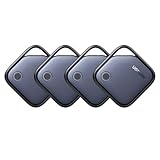
- Easy Find Item with Apple Find My: Quickly pair the FineTrack tag with your iPhone or iPad in just one tap. Using the pre-installed Find My app, add the Air Tracker tag to the Items tab to instantly locate and track your keys, wallet, and other valuables
- Find It Far Away,Hear It Nearby: When it’s farther away, check the Bluetooth Air Tracker Tag’s latest location and use in-app directions to help navigate to your missing item.When your tracker tag is nearby, simply tap Play Sound in the Apple Find My to activate the powerful 100dB alarm and quickly pinpoint your belongings
- 2-Year Battery Life & Safety Certification: Keep your essentials tracked with UGREEN’s 4-pack Bluetooth tracker tags, featuring a replaceable battery that lasts up to 2 years. When the battery runs out, simply replace it instead of replacing the entire tracker.A cost-effective, eco-friendly choice that helps reduce electronic waste. Designed with UL 4200A-compliant battery safety features for added peace of mind
- Lost Item Alerts & Lost Mode: Forgot your camera or keys? When your Air Tracker Tag moves out of range,the app sends a lost alert with the last known location. If your Tag is confirmed lost, you can activate Lost Mode and leave your contact information so nearby Apple devices can remotely access it and help locate your tracker, making recovery quick and easy
- Your Privacy, Fully Protected: Certified by Apple MFi, this Bluetooth Air Tracker Tag uses end-to-end encryption to keep your location data private and secure. All communications are anonymous and encrypted, and no location data is stored on the device. Even if your item is lost, your information remains protected and cannot be accessed without your permission — not by Apple, the manufacturer, or any third party.
Audio, alerts, and usability
Inside-home finding needs a reliable alarm. The tracker should include:
- Audible ring loud enough to find items in the “couch cushions” scenario.
- LED indicator for status verification (pairing mode, last action, low battery).
- Haptic or tactile cue if feasible for wallets or tags users don’t hear well.
Google’s software must also handle “false positives.” For example, if a tag is heard/rang recently, don’t flood notifications. Keep alerts calm, informative, and actionable.
Privacy and security constraints
A Google tracker has to be abuse-resistant. Minimum expectations include:
Free tools Windows power users keep installed
One-click scans. No signup required.
- Proactive anti-stalking protections (e.g., notifying users if an unknown tracker is detected nearby for a period).
- Secure pairing that binds the tracker to a Google account and prevents silent takeover.
- Location reporting constraints that don’t reveal continuous location history in a way that enables harassment.
Google should design the experience so users understand what’s happening. That means transparent toggles, clear notification language, and “last seen” semantics that don’t oversell precision when the network couldn’t actually triangulate anything.
How it should work in the real world
A tracker isn’t judged on screenshots. It’s judged on whether it rescues a bad morning: you can’t find your keys, your bag is missing, or your wallet somehow walked away.
Finding a lost item inside a home
In the house scenario, users need fast proximity guidance. Google’s UX should prioritize:
- Open the Find surface on Pixel.
- Select the tracker from a list of items associated with your Google account.
- Trigger a ring that plays at a consistent volume and duration.
- If UWB is supported and the tracker supports it, provide precision guidance that helps users narrow down the location within a few steps.
- Show a “last known proximity” label that updates sensibly as the phone’s detection strength changes.
For non-UWB models, BLE proximity can still be useful—just don’t pretend it’s precision when it isn’t. Users will notice.
Finding a lost item across the city
When the item is out of range, a tracker must rely on network detection by other compatible devices. The workflow should be:
- The user sees a “last seen” location with a timestamp and confidence note.
- When new detections arrive, the location updates, and the app notifies the user without spamming.
- The user can optionally share a recovery page or instructions for safe return, without exposing personal identity unnecessarily.
This is where Google’s scale matters. The more Pixel devices participate, the more likely detections are. But the “participation” must be opt-in and defensible on privacy grounds.
Forgetting to charge: what happens next
Battery failure is the number one reason tracker owners stop trusting trackers. A Google tracker should surface:
- Battery health alerts on the phone well before it’s fully dead.
- A visible lifecycle timeline (example: “expected remaining life: ~3 months” based on recent usage models).
- A simple replacement path, either user-serviceable battery or an exchange program.
When a tracker goes silent, the user should get a clear message: not “it’s missing,” but “it’s not reporting; last updated at X.”
The Tool Desk
Outbyte PC Repair FREERepair Windows errors before they cause bigger problemsFix Now →Outbyte Driver Updater FREEScan for outdated or missing drivers - takes under a minuteDriver Scan →Also popular on Amazon

- A VARIETY OF TRACKERS FOR YOUR THINGS: A selection of Tiles to help keep track of your keys, wallet, remotes, and more. Keep track of more for less with our multi-packs or give them to your friends and family as a gift
- FIND YOUR THINGS: Ring your misplaced Tile, or track it down in the free app
- FIND YOUR PHONE: Phone hiding under a cushion? Use your Tile to make it ring — even when silenced
- STAY SAFE WITH SOS: Discreetly trigger an SOS alert to your loved ones in unsafe situations
- USE WITH LIFE360: Add your Tiles to Life360 — a top family connection and safety app – to see everything and everyone on the same map
People you share items with
Households are messy. One person finds it, another owns it. Google should support shared ownership:
- Owner binds tracker to their account.
- Owner shares access with a spouse/roommate through a Google account invite.
- Shared users can view status and use ring/locate features according to clear permissions.
That avoids the awkward “which app has the tag?” problem that exists today with many vendor ecosystems.
Comparison: Pixel tracker vs AirTag, Samsung, Tile, and others
Google can’t ignore incumbents. The right strategy is to match the best parts of each approach while fixing the gaps users complain about.
Apple AirTag (precision + Find My network)
AirTag benefits from a mature Find My network and, on supported devices, precision features that make short-range hunting quick. Users often report it’s reliable because detections are consistent and the UX is simple.
Apple also takes anti-stalking seriously with protections that help people understand when a tracker is nearby. A Google tracker should aim for a similar level of maturity, not just similar hardware.
Samsung SmartThings Find (Android-friendly, different strengths)
Samsung’s ecosystem can provide find capabilities when Samsung users are in range. It’s strong where Samsung devices are present and where users already trust SmartThings workflows.
However, many Android users are not exclusively Samsung. A Google tracker could be better positioned because it aligns with the Pixel brand and Google account usage, but it still must prove network coverage across the full Android install base.
Tile and similar tags (battery-first, fewer capabilities)
Tile-style tags are often appreciated for availability and integration, but they can feel less “precision-ready.” Some models rely heavily on proximity and community detections with limited guidance quality.
Google’s edge would be consistent integration into Find surfaces and the ability to offer precision enhancements on supported hardware—without requiring a vendor-specific app for every tag.
Chipolo and the wider category (mix-and-match)
Chipolo and other accessories demonstrate demand: people want attachable tracking devices for keys and bags. But the category is fragmented: different apps, different notification styles, and varied battery/feature expectations.
A Google tracker would reduce that fragmentation by offering a unified experience that Pixel owners can recommend without qualification.
Also popular on Amazon
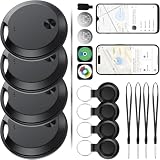
- Dual-System Compatibility: Our tracker tags work seamlessly with both iOS and Android systems, covering mainstream devices. This Bluetooth tracker pairs effortlessly with Apple's “Find My” or Google's “Find Hub” app without subscription fees. (Note: Cannot pair with iOS and Android devices simultaneously.)
- Device Sharing: Using new Android features or iOS 17, you can share air tracker tag access with others via Google Find Hub or the “Find” app, allowing them to view real-time location maps of your items.
- Privacy Protection: Both iOS and Android “Find” networks transmit data through encrypted, anonymous networks. No location information, history, or item-related data is stored, this dual system tracker ensuring comprehensive user privacy protection.
- High-Volume Alert: Close-Range Search—The app displays the distance to lost items (Bluetooth range up to 36 meters) to narrow your search area. Trigger an 80-100 decibel alert from the built-in speaker via Google Find Hub or Apple's Find My app—ideal for locating items in cluttered spaces like sofa crevices or drawers. Even if the item is out of sight, a single button press activates the smart tracker tag's alert.
- Simple Setup: This tracker for android or iOS pairs effortlessly with Android or iOS devices in seconds, automatically adapting to your chosen platform (connects to only one platform at a time).
Go-to-market realities: what prevents adoption today
Even good trackers struggle if they don’t fit into daily life. Google should address the friction points that keep “I bought one” from turning into “I buy two more.”
PC Slower Than It Used to Be?
A free scan shows the junk files, broken settings and background clutter dragging Windows down - then fixes them in one click.Free scan · Windows 10 & 11Crashes, No Sound, or Screen Glitches?
Random freezes, missing sound and display glitches usually trace back to one bad driver. Find and replace yours safely.Free scan · under a minuteCost-per-tracker vs replacement frequency
If a tracker’s experience is great but its battery dies quickly, owners feel cheated. If a tracker’s price is high but functionality is BLE-only, some users won’t see value versus cheaper tags.
Google should price according to the feature tier (BLE-only baseline, UWB-capable models if used) and be transparent about battery expectations. Bundle strategies can also help: e.g., a starter pack for keys + bag.
Setup friction and trust
Users tolerate setup steps if they understand them. Google should make pairing simple and verifiable, with clear on-device steps and confirmation that the tracker is bound to the correct account.
Google should also provide “why you’re seeing this” explanations when permissions or background detection toggles change. Silent changes breed distrust.
Quick wins for a faster PC:
Scan for outdated or missing drivers - takes under a minuteDriver Scan →Repair Windows errors before they cause bigger problemsFix Now →Fix the driver behind crashes, sound loss and screen glitchesFind Drivers →Accessory ecosystem (key rings, wallets, bags)
Most tracker usage is attachment-driven. People need accessories that work with their daily carry: key rings, lanyards, backpack straps, and slim wallet sleeves.
A Google tracker should either come with high-quality packaging and attachment options or partner with accessory makers early, so that users can actually mount the tracker where it matters.
Independent reader supportYour contribution helps us test, update, and keep practical guides available for everyone.Implementation plan: how Google could launch without breaking privacy
A good launch strategy is incremental, because location systems are hard to get right. Google could move in phases while continuously improving trust and performance.
Phase 1: Bluetooth-only, then expand
Start with a robust BLE experience: pairing, ringing, last seen, and background detection reporting. Publish a clear privacy page explaining what is collected, when, and how it’s protected.
What’s actually slowing this PC down?
Pick the symptom - the matching free tool is one click away.
- Launch a tracker with BLE + audio + status LED.
- Integrate into Find surfaces on Android (Pixel first, then broader Android).
- Deploy anti-abuse protections immediately.
- Collect anonymous performance metrics to improve detection reliability.
Phase 2: UWB-ready Precision Finding for supported Pixels
Once the BLE network is stable, add precision guidance on Pixel models that support UWB. That’s the UX leap users feel in the “I can find it now” moment.
- Release a UWB-capable variant or update capability for eligible hardware.
- Provide consistent precision UI and clear limits (signal drops happen; don’t hide them).
- Measure indoor performance and refine guidance algorithms.
Phase 3: Full network maturity and abuse-resistance
Network maturity means more consistent detections and fewer stale results. It also means better detection of misuse patterns and stronger reporting to users when suspicious trackers appear.
Also popular on Amazon
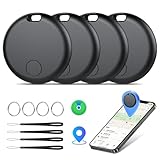
- Easily Track Items: Easily track and bluetooth luggage tracker your items with the locator and stop worrying about losing your valuables. Within the signal range of Connect to the global Find My Network that covers billions of iOS devices to easily track and locate items through the Find My app without paying a subscription fee. Within (60 meters/200 feet) Bluetooth range, trigger the built-in speaker to locate your belongings using your phone. (iOS only, not available for Android)
- Left-Behind Remind & Lost Mode: If an item with our smart bluetooth tracker is left behind and the Bluetooth connection to your iOS device is disconnected, the Find My app will immediately send you a notification that the item is missing. If you preset the lost mode and keep your contact information, the Key Finder Tracker will allow nearby Apple devices to access your contact information and remotely provide you with the location of the tag.
- Protect Privacy and Easy Pairing: weTag mini focuses on protecting privacy, all communication with the “Find My” network is anonymous and encrypted,location data and history are not stored on air tags. Open the “Find My app” and Bluetooth, click on ‘Items’, then click on “Add Item” and select “Other Supported Item” and follow the in-app instructions for easy pairing without waiting. (Please make sure your device has been updated to iOS 18 to utilize this feature.)
- IP67 Water and Dust Resistant with Replaceable Battery: The item finder is IP67 water resistant to splashes, rain and brief submersion. The luggage tracker comes with a replaceable battery that lasts up to a year without the need for frequent battery changes. You can check the battery status in the Find My app.
- Lightweight and Compact Tracking Tags: The finder is conveniently designed with a length and width of only 3.3 cm (1.3 inches), a thickness of 0.76 cm (0.3 inches), and a weight of only 7.6 grams. Keep track of your belongings with ease. The smooth surface of the item locator will not scratch other items. The locator's slim, durable design makes it the perfect companion for wallets, keys, backpacks, suitcases, luggage and laptop bags
- Improve community detection coverage and stability through Android device participation controls.
- Strengthen notification thresholds to reduce spam while still protecting users.
- Expand sharing and recovery options with clear permission scopes.
Common objections and how Google should answer them
You’ll hear skepticism. Some of it is valid, and Google would need strong answers.
Why not just rely on existing third-party tags?
Because users don’t want to think about ecosystems when they’re panicking about missing keys. Third-party tags can work, but they’re inconsistent in UX, integration, and precision support. A Google tracker can provide a standard, Pixel-authored experience tied directly to Find My Device surfaces.
Won’t another tracker add privacy risk?
Any tracker category has inherent risk: someone could attach a tag without consent. The response isn’t to avoid trackers—it’s to build abuse-resistant protections from day one, including detection warnings and strict pairing controls. Google’s track record on privacy controls must translate into the tracker product, not just the documentation.
Can Google match Apple’s network coverage?
Google can’t promise identical coverage on day one. But it can build a competitive network by making tracker participation clear, reliable, and privacy-safe across Pixel and other Android devices. Over time, more compatible devices increase detection rates and reduce stale “last seen” results.
What about lost-and-found without smartphones?
Recovery should be possible even if the finder doesn’t have the original owner’s app. A Google tracker can include a public recovery mechanism (for example, a QR code or web-based recovery page tied to the tracker ID) that returns instructions without exposing private profile data.
Google should also consider multilingual support and clear safety messaging so that a finder feels confident returning the item.
Free tools Windows power users keep installed
One-click scans. No signup required.
FAQs about a Pixel Find My Device tracker
Would it work with any Android phone, or only Pixel?
The most user-friendly approach is Pixel-first integration with Android-wide compatibility where possible. Even if Google builds the best UX for Pixel models (especially for precision features), the tracker should ideally remain usable with other phones for basic “last seen” and ringing.
How would Google prevent unwanted tracking?
A strong anti-stalking system should include notifications when an unknown tracker is detected nearby for a meaningful time window, along with clear device-side logic. Pairing should be secure and recovery should not expose personal details unnecessarily.
What’s the difference between a Google tracker and third-party Bluetooth tags?
The difference is consistency: one account model, one Find experience, standardized notifications, and (on supported devices) optional precision guidance. Third-party tags can be good, but features and UX vary widely by brand.
Would Google support multiple trackers per person?
It should. Most users need at least two: keys and a bag, for example. Google’s interface should scale cleanly, grouping trackers by type and surfacing the ones most recently active or most relevant.
The Tool Desk
Outbyte Driver Updater FREEFix the driver behind crashes, sound loss and screen glitchesFind Drivers →Outbyte PC Repair FREERepair Windows errors before they cause bigger problemsFix Now →What happens if the tracker battery dies?
The phone should clearly show that the tracker hasn’t reported recently and display last updated information. Battery health alerts should arrive early, so users can replace batteries or exchange the device before it becomes unusable.
Bottom Line
Google should make a Find My Device tracker for Pixel because the value is obvious and measurable: fewer lost items, faster recovery, and a single, trustworthy experience that fits how Pixel owners already use Find. The category is proven, but the UX fragmentation leaves room for a native Google solution.
If Google builds a tracker with strong precision options on supported Pixels, durable hardware choices, transparent battery behavior, and serious anti-abuse protections, it can turn Find My Device from “find my phone” into “find what I actually rely on.”

