Some links on this page are affiliate links: if you buy through them we may earn a commission, at no extra cost to you.
Volvo’s move toward faster delivery of Android Automotive features is mainly about one thing: shortening the time between a software improvement becoming available and you actually seeing it in your car.
When automakers say they’ll roll out new Android Automotive capabilities faster, it usually means better update infrastructure (often over-the-air), a shift toward app-style updates in addition to full system upgrades, and more frequent staged releases.
As an Amazon Associate I earn from qualifying purchases.
Free tools Windows power users keep installed
One-click scans. No signup required.
This guide explains what that likely means for Volvo owners, how to check for updates reliably, what to expect first, and what to do when the update doesn’t appear on your vehicle.
What Volvo’s faster rollout usually means
Android Automotive OS and why update speed matters
Android Automotive OS (AAOS) powers the infotainment experience in many Google-integrated vehicles. When update speed improves, you typically get new capabilities sooner—especially improvements delivered at the app or service layer rather than only in full platform releases.
Popular on Amazon

- Wireless CarPlay & Android Auto: Simply connect your phone via Bluetooth for instant access to music, maps, and messages - all displayed on your 7" car stereo screen. Use voice commands with Siri/Google Assistant to stay hands-free and focused on the road
- Ultra-Clear QLED Display: Feast your eyes on a 7" QLED screen with 1280×720 resolution, can support 1080P video playback with vivid colors and razor-sharp details. Whether you're streaming movies or checking maps, every image pops with stunning clarity - day or night
- 4.2-Channel Stereo Surround Sound System: Experience studio-quality audio with 4.2-channel output (Rear Right/Left Speaker, Front Right/Left Speaker output + Dual Subwoofers), delivering rich, balanced sound and powerful bass. Fine-tune your music with custom EQ settings for the perfect soundstage. Built with high-performance components for crisp, distortion-free audio at any volume. Perfect for audiophiles who demand concert-like sound on the road
- Support Rear and Front View Camera: Parking has never been easier with this premium double din car stereo which supports front and rear camera, comes with a built-in rear view camera supporting HD night-vision images for a safer and time-efficient experience! Simply shift into reverse and the system powers on the camera automatically, for optimal visibility no matter the weather conditions(Rear view camera included)
- Enhanced Safety & Convenience with Steering Wheel Control (SWC): Adjust volume, skip tracks, and make a call without taking your hands off the wheel. The car stereo integrates seamlessly with your car’s controls for a distraction-free ride. Tips: An additional interface (purchase separately) is required
That affects everyday features like navigation behavior, media integration, voice interactions, connectivity stability, and the quality of system apps (maps, phone, notifications, and related services).
Over-the-air (OTA) updates: app vs. platform changes
Not all software changes are equal. Some updates are platform-level (deeper system components), while others are app-level (Google apps, car apps, and partner services). Faster delivery often comes from pushing more updates through the app/service pipeline.
Do these 3 things before closing this tab:
1Clear out junk files and repair common Windows errors2Fix the driver behind crashes, sound loss and screen glitches3Repair Windows errors before they cause bigger problems- Platform updates often require a coordinated install session and may be more strictly staged.
- App/service updates can arrive more frequently and feel “smaller” even though they may add meaningful features.
How Google Play-style updates can change the timeline
In vehicles that support Google Play for automotive experiences, certain components can update on a cadence closer to mobile apps. That can make improvements appear sooner—sometimes without waiting for a large OTA package.
Even when the car still needs an install confirmation or a restart, the time window from release to availability can shrink compared with older “one big monthly/quarterly OTA” patterns.
Which Volvo vehicles and trims are most likely to benefit
Newer Google-based infotainment hardware
Faster Android Automotive feature delivery generally depends on what software stack your head unit uses and how it’s certified for the latest AAOS/app versions. In practice, newer Volvo models with Google-based infotainment tend to get improvements earlier.
If your car already uses a Google-integrated interface and services (including Google Assistant-style experiences and Play-supported apps where available), you’re usually in the group that benefits most from frequent app/service updates.
Outdated Drivers Are Slowing You Down
One free scan finds every outdated or missing driver and matches the right update for your exact hardware.Free scan · exact hardware matchPC Slower Than It Used to Be?
A free scan shows the junk files, broken settings and background clutter dragging Windows down - then fixes them in one click.Free scan · Windows 10 & 11Regional availability and carrier constraints
Rollouts are commonly staged by region and sometimes by connectivity conditions. Your vehicle might be “eligible,” but the update appears later if your region hasn’t hit its rollout batch yet or if service provisioning flags aren’t active.
Also remember that telematics connectivity and data provisioning can impact how quickly the car can download packages. Poor signal can delay downloads even when the update is available.
Also popular on Amazon
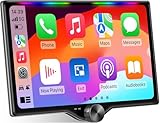
- 【10.1-Inch QLED Display · Universal Double Din Fit】 This 10.1-inch car stereo features a full QLED screen with wide viewing angles and high sensitivity for clear visuals even in bright sunlight. Compatible with most single/double din dash openings—please confirm size and prepare a proper dash kit if needed.
- 【Wireless & Wired Carplay/Android Auto with Voice Control】 This car audio receiver supports both wireless and wired Carplay and Android Auto, letting you access maps, calls, music, and voice assistants (Siri & Google) safely while driving. An microphone ensures accurate voice recognition for enhanced hands-free convenience and smarter control. (Wired Connection: Please connect to the rear USB1 port)
- 【Hi-Fi Sound with Built-in DSP & Dual Subwoofer Output】 Equipped with an advanced DSP chip and a 10-band EQ, this car audio system offers precise audio tuning for a premium listening experience. 4×60W peak power output and dual subwoofer support deliver deep, rich bass and clean sound across all frequencies.
- 【Independent Bluetooth & Mirror Link Functionality】 Enjoy robust, interference-free connections with the upgraded independent Bluetooth module—ideal for hands-free calling and music streaming. Supports Mirror Link for iOS and Android phones via rear USB1 port, allowing your smartphone screen to sync directly to this car radio for convenient access to apps, videos, and more. (Please connect to the rear USB1 port; do not use the Type-C port, as it supports fast charge only)
- 【Music-Activated Ambient Light · Drive with Rhythm & Energy】 Unique to this double din car stereo, dynamic LED ambient lighting above the screen pulses in sync with your music, creating a vibrant and immersive visual effect. Especially at night, the rhythmic lighting helps relieve eye fatigue and adds excitement and energy to every drive.
What kinds of features you may see first
Navigation and media improvements
When app-level updates ship faster, you’ll often see changes first in:
- Route suggestions and rerouting logic
- Map rendering performance and search results
- Media search, playback stability, and pairing behavior
Some of these may look like “minor UI tweaks,” but they can reduce the frequency of reloads, improve latency, or fix edge-case bugs that affected specific phone types.
Voice assistant and connectivity
Voice and connectivity changes are also good candidates for faster rollout because they can involve server-side components and app updates.
- Improved recognition accuracy for common commands
- More reliable hands-free call behavior
- Better switching between Wi‑Fi/cellular/phone data paths
Security, bug fixes, and performance tuning
Even when owners don’t notice new features immediately, faster update pipelines tend to bring security patches and stability fixes sooner. These can matter a lot in the background—reducing app crashes, tightening permissions, and improving battery/processor behavior indirectly.
In many OTA workflows, security updates are rolled out with strict staging, so they might appear before or after feature updates depending on certification and rollout priorities.
Prerequisites before you expect faster updates
Connected services setup in the car
To get Android Automotive feature updates reliably, your Volvo needs working connectivity and an active services configuration. That usually means the car has:
The Tool Desk
Outbyte PC Repair FREERepair Windows errors before they cause bigger problemsFix Now →Outbyte Driver Updater FREEScan for outdated or missing drivers - takes under a minuteDriver Scan →- An active telematics connection (built-in modem)
- Enough signal to download update packages
- Permissions for data and services (where applicable)
Account and permissions readiness
If your Volvo uses account-linked services (for example, tying the car to Volvo ID and to specific Google-connected experiences), ensure you’re signed in correctly and that service permissions weren’t revoked.
Also confirm that any companion app on your phone (if you use one) shows the car as connected and current.
Also popular on Amazon
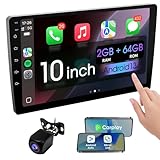
- 【How to Determine Whether It Is Suitable】The installation size of the 10.1-inch touchscreen Double din car radio is 252 x 146.5 x 40.6 mm, suitable for most cars. You just need to measure the shape and size of the car stereo installed in the center console of your car if it is suitable.Note: Some models may require you to purchase an additional center console decorative frame.
- 【Support wireless Carplay and wireless Android Auto】Support wireless carplay and android auto connection to the car stereo allows you to access information such as mobile phone applications, contacts, email, notifications, online GPS map navigation, Internet surfing, music, videos, etc. and use voice control to Improving driving safety.
- 【Car Bluetooth 5.0】Our car radios feature advanced Bluetooth 5.0 technology. Enjoy faster pairing, extended range, and improved audio quality. Seamlessly connect and stream music, make calls, and more. Elevate your driving experience with the latest in Bluetooth innovation.
- 【Car FM Radio】Immerse yourself in a world of radio entertainment with our car radio's FM functionality. Explore a wide range of stations, from news to music. Effortlessly tune in to your favorite frequencies for clear reception, and stay connected to real-time updates on the road. Elevate your driving experience with the versatile FM capabilities of our car radio.
- 【Safety Driving Effortless SWC Control Features】equipped with Steering Wheel Control (SWC) integration, offers enhanced convenience and safety by allowing you to control various functions directly from your steering wheel. Effortlessly adjust volume, change tracks, and activate voice commands without taking hands off the wheel. Ensures a smoother and more intuitive driving experience, enabling to stay focused on the road ahead while enjoying seamless control over car's entertainment system.
Network quality and data costs
Updates can be large. Even when the change itself is “fast,” the download might not be. If you’re relying on cellular data in your driveway/parking lot, weak signal can stall the process.
If your Volvo supports Wi‑Fi for updates, using a stable Wi‑Fi connection is often the fastest way to avoid repeated failed downloads.
What’s actually slowing this PC down?
Pick the symptom - the matching free tool is one click away.
How to check for Android Automotive updates in your Volvo
In the car: where to look in Settings
The exact menu names can vary slightly by model year and infotainment software revision, but most Volvo infotainment systems include an updates area under Settings.
Look for an option similar to:
- Settings → System → Software update
- or Settings → About → Software update
Once inside, check for buttons like Check for updates and the current software version label (useful for support and troubleshooting).
On your phone (if your Volvo app exposes the update status)
Some Volvo owners can view update status through the Volvo companion app, especially if the update supports remote scheduling or notifications. If the app shows an “update available” card, you can use it to schedule or monitor progress.
If the app doesn’t show anything, you can still force a check from the car’s Settings screen.
What the update labels usually mean
You may see language like “update available,” “downloading,” “installing,” or “scheduled.” Here’s how to interpret typical states:
- Available: your car is eligible, and the package is ready to download.
- Downloading: data transfer is in progress; avoid turning off power if you can.
- Installing: the car is applying changes; avoid driving if the UI warns against it.
- Scheduled: the install will happen at a later time or next power cycle.
Step-by-step: best practices to get updates without delays
Before the download
- Park somewhere with stable signal (or connect to known-good Wi‑Fi if supported).
- Ensure the car has sufficient battery and isn’t in a low-power or restricted mode.
- Keep the vehicle off and on normally—avoid repeated hard power cycles during the check/download stage.
During installation
- When the car prompts you, confirm the install and follow on-screen instructions.
- Stay parked. If the UI offers a “continue later” option, take it only if the system explicitly supports it.
- If you have a long trip, don’t start installation right before leaving unless the prompt says it’s safe.
After installation
- Reboot or restart the infotainment system if the UI requests it.
- Verify key apps (Maps/Navigation, Phone, Media) open normally.
- Check for follow-up prompts (some vehicles finish a small post-install step after the first restart).
Troubleshooting when the faster rollout doesn’t show up
Wait vs. investigate: a simple checklist
When an update doesn’t appear, it’s often one of three things: staged rollout timing, eligibility, or a connectivity/account issue. Start with this quick checklist:
Also popular on Amazon

- Wired and Wireless CarPlay & Android Auto with Voice Control: The double din car stereo supports wireless apple car play and android auto. Connecting Phone wireless automaticly, as soon as you start the car. You can get directions from GPS navigation apps from phone link like Google Maps and Waze, planing the route for you, put on your personal playlist on Spotify (from phones), have Siri / Google Assistant (from phones) call a friend, etc. Let AI deal with the stress and focus on the wheel!
- High Fidelity Sound Quality with Built-in DSP: Built in DPS with 4.2 channels Pre Amplifier with max 240W output, FR, FL, RR, RL, adjusting music effect wherever position. 2 Subwoofer speakers outputs that delivers outstanding sound quality and breathtaking bass effects. With 10 band EQ Audio Equalizer that allows to adjust the music effect as like. To reduce the effect to music quality of overheating, adds a large heat sink in unit and increase the space for heat disspation.
- High-Quality Bluetooth Connection with Independent Bluetooth 5.3 Module & Extra Antenna: Independent Bluetooth 5.3 Module with extral Bluetooth antenna, improving transmission efficiency, reducing static noise, hands free calling and audio streaming of the car play screen. Powerfull upgraded smart chip, faster connection, lower delay of signal. Built-in microphone and external microphone interface, make phone calls or voice command more stable, clearly and smoother, while you stay focused on the road.
- Immersive 7-Inch IPS Touchscreen& Wired Mirror Link:Effortlessly connect compatible devices, enabling to enjoy videos and other content on the expansive 7-inch IPS HD touchscreen. With a dazzling resolution of 1024x600, every image and video comes to life with stunning clarity, vivid colors, and breathtaking detail. Attention: This stereo comes NO Wi-Fi hotspot function!
- Safety Driving Effortless SWC Control Features: equipped with Steering Wheel Control (SWC) integration, offers enhanced convenience and safety by allowing you to control various functions directly from your steering wheel. Effortlessly adjust volume, change tracks, and activate voice commands without taking hands off the wheel. Ensures a smoother and more intuitive driving experience, enabling to stay focused on the road ahead while enjoying seamless control over car's entertainment system.
- Check again after 24–48 hours on a strong connection.
- Confirm the car’s software version hasn’t already been updated.
- Look for an “Update scheduled” state in Settings.
If your car hasn’t progressed at all across a couple of checks, move on to the deeper steps below.
Connectivity and subscription issues
A “faster rollout” doesn’t help if the car can’t download. Try:
Quick wins for a faster PC:
Clear out junk files and repair common Windows errorsFree Scan →Scan for outdated or missing drivers - takes under a minuteDriver Scan →- Move to a location with stronger signal.
- If supported, connect to Wi‑Fi and re-check for updates.
- Verify connected services status inside Settings (some menus show whether the car has an active connection).
Storage and “update pending” states
Updates can fail when there isn’t enough free space or when a prior partial update is stuck. If you see repeated “download failed” messages, look for options like Clear cache (where available) or remove large media downloads from the infotainment storage.
If the UI supports it, restart the infotainment system and try “Check for updates” again.
Software compatibility and staged rollouts
Even eligible vehicles can receive updates in waves. Staging is common when updates include new AAOS components or updated partner services. If your car is eligible, you may still see the update later than nearby vehicles, sometimes by days.
That’s normal. The “faster” part usually changes the average wait time, not the fact that rollouts are staged.
Recommended Free Tools
Common mistakes that slow down feature delivery
- Ignoring Wi‑Fi support: if your vehicle supports it, Wi‑Fi often prevents stalled cellular downloads.
- Forcing repeated checks during poor signal: it can create noise without moving the update forward.
- Turning the car off mid-download: interruption can leave the system in a partial state.
- Not verifying service status: if connected services are offline or misconfigured, updates won’t pull.
- Assuming the update label matches the feature: some features arrive via app updates and won’t be obvious without checking app permissions or restarting.
Alternative: what to do if you can’t install an update right now
Use feature workarounds inside existing apps
When you can’t install immediately, you can often still improve usability by adjusting settings that already exist in your current build. Examples include:
- Notification controls for apps that feed the driver display
- Default navigation preferences (home/work routing preferences)
- Phone pairing settings and audio output profiles
Plan for offline installs when the car supports them
Some Volvo infotainment setups support scheduling installs for later. If your UI shows “scheduled,” set it for a time when you can keep the vehicle powered safely and connected to a stable network.
Also popular on Amazon

- Hands-Free Calling: This Pioneer in-dash receiver features built-in Bluetooth, enabling easy hands-free calling through compatible smartphones, with crystal-clear sound provided by Pioneer’s included external microphone
- Seamless Smartphone Integration: Enjoy wired Apple CarPlay and Android Auto for easy access to Maps, Music, Messages, Calls, Podcasts, and more—keeping you connected while driving safely
- Customizable Sound: Fine-tune your audio with the 13-band equalizer, allowing you to adjust sound settings to match your car’s acoustics and speaker setup, or choose from multiple EQ presets for an optimized listening experience
- Touchscreen Display: With this 6.8” WVGA capacitive touchscreen display, upgrade your ride and enjoy all the features this head unit has to offer
- Back Up Camera Input (1-Camera): Install a rear-view camera to use the receiver's built in parking guides, featuring customizable parking lines and a full-screen display for clear, easy navigation and safer parking
If nothing is available, choose the most stable environment you can and try again after a successful connection check.
FAQ: Volvo, Android Automotive, and faster feature updates
Does faster Android Automotive delivery mean every car gets the update immediately?
No. Even with faster processes, staged rollouts are common. Vehicle eligibility, region, and backend readiness can still affect timing.
Will I need a full system reboot every time?
Often, AAOS app or service updates may require a restart of the infotainment UI rather than a full vehicle reboot. If the update prompt requests a restart, follow it to ensure components sync correctly.
How can I tell whether a new feature arrived without guessing?
Check the software version in Settings, then confirm the specific behavior change in the relevant app (for example, Maps rerouting or improved call stability). If an app was updated, you’ll often see updated app behavior immediately after restart.
What if the update keeps failing?
Try switching networks (Wi‑Fi if available), improve signal strength, and retry “Check for updates.” If it still fails, note the error message and your current software version for support.
Do updates change my driver profiles or vehicle settings?
Most updates shouldn’t wipe driver profiles, but it can happen in rare cases depending on the scope of the platform change. If you rely on specific settings, consider taking a quick photo/screenshot of key preferences before major updates.
Bottom Line
When Volvo delivers Android Automotive features faster, it usually means more frequent app/service updates plus better OTA execution—so you get improvements like navigation tweaks, connectivity stability, and bug fixes sooner than older update patterns.
To benefit, keep connected services working, check for updates from Settings, and install using a stable network. If the update doesn’t show up right away, staged rollouts and eligibility still matter—so use the troubleshooting checklist and try again under better connectivity.

