The Tool Desk
Outbyte PC Repair FREEClear out junk files and repair common Windows errorsFree Scan →Outbyte Driver Updater FREEFix the driver behind crashes, sound loss and screen glitchesFind Drivers →Some links on this page are affiliate links: if you buy through them we may earn a commission, at no extra cost to you.
Some Apple products don’t get annual hardware refreshes the way iPhones and flagship iPads often do. Instead, Apple spreads updates out—sometimes for years—while maintaining the lineup with small tweaks or mostly software-focused improvements.
Based on Apple’s refresh cadence patterns up to the latest widely known releases and the way each product’s market segment behaves, these six Apple products are the most likely to see rare updates this year, with many scenarios ending in “mostly the same hardware, more software.”
As an Amazon Associate I earn from qualifying purchases.
If you’re deciding whether to buy now or wait, the key is understanding update cadence, model maturity, and where improvements would realistically come from.
What it means when Apple products get rare updates
When people say a product is getting rare updates, they usually mean there’s a low probability of a full hardware refresh landing within the current calendar year. You might still see iOS, iPadOS, tvOS, watchOS, macOS, and firmware updates, but new chips, new designs, or major feature expansions are less frequent.
Popular on Amazon
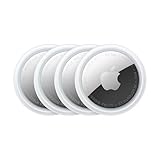
- FIND YOUR ITEMS ON FIND MY — AirTag (2nd generation) helps you keep track of what matters. Attach one to an item you want to keep track of using the Find My app.*
- EXPANDED PRECISION FINDING ON IPHONE AND APPLE WATCH — Get step-by-step directions to your lost item on iPhone and, now, Apple Watch.*
- ENHANCED SPEAKER — With a 50% louder speaker and a new, distinctive chime, it’s easier than ever to hear and find AirTag.*
- PING FROM FAR AND WIDE — Upgraded Ultra Wideband and Bluetooth chips allow you to find your items from even farther away than ever before.*
- SHARE ITEM LOCATION — Share AirTag location access temporarily and securely with trusted contacts, third parties, or over 50 airline partners if you lose something important.
For buyers, the distinction matters: software updates can improve performance and features without changing the device, while hardware refreshes can change capabilities that software can’t fully fix (cameras, radios, thermals, display tech, or core compute).
The most common reasons Apple slows product refreshes
Apple’s “rare update” behavior typically comes from a mix of market strategy and engineering reality.
- Stable core hardware: If the current chip and design still meet demand, Apple can hold the line longer.
- Component and supply constraints: Radios, display panels, memory, and sensors can be harder to source at scale.
- Feature gating: Some features require new silicon (or new sensors) to be meaningful, so Apple waits until it can deliver a real jump.
- Different product role: Budget and “mid-tier” products (like SE models and compact iPads) often refresh less aggressively than flagship lines.
- Service-led improvements: Apple increasingly ships meaningful user-facing changes through software—framework updates, camera pipelines, Siri behavior, and media processing—without changing hardware.
Six Apple products that tend to get rare updates this year
The list below focuses on products that (1) have historically had slower hardware refresh cycles, (2) are not currently positioned as Apple’s most frequent “showcase” for new silicon, and (3) can still benefit from software and firmware updates in the meantime.
Real-world outcomes can differ—Apple occasionally surprises—but these are the devices most likely to remain relatively unchanged during the current year.
1) iPhone SE
The iPhone SE line is designed to deliver a modern iPhone experience at a lower price point. That typically means Apple can extend the lifecycle by relying on software improvements and keeping the hardware configuration stable.
If you’re considering buying an iPhone SE this year, treat it as a value and longevity buy rather than a “new camera and new chip every cycle” buy.
Also popular on Amazon

- FIND YOUR ITEMS ON FIND MY — AirTag (2nd generation) helps you keep track of what matters. Attach one to an item you want to keep track of using the Find My app.*
- EXPANDED PRECISION FINDING ON IPHONE AND APPLE WATCH — Get step-by-step directions to your lost item on iPhone and, now, Apple Watch.*
- ENHANCED SPEAKER — With a 50% louder speaker and a new, distinctive chime, it’s easier than ever to hear and find AirTag.*
- PING FROM FAR AND WIDE — Upgraded Ultra Wideband and Bluetooth chips allow you to find your items from even farther away than ever before.*
- SHARE ITEM LOCATION — Share AirTag location access temporarily and securely with trusted contacts, third parties, or over 50 airline partners if you lose something important.
2) iPad mini
iPad mini occupies a smaller market than the standard iPad lineup, and Apple’s compact tablet updates tend to be less frequent. Even when there’s no new hardware revision, iPadOS updates can still meaningfully improve performance, multitasking, and app compatibility.
For buyers, the main question is whether you need the iPad mini’s size and portability now, or if your current device still works well enough to wait.
3) Apple TV 4K
Apple TV hardware updates are often tied to new media and gaming demands—especially when Apple needs to change processing power, video decode support, or the gaming ecosystem. If Apple doesn’t have a compelling new capability to ship, tvOS updates can cover a lot of the day-to-day improvements.
In practice, Apple TV 4K buyers usually care about streaming performance, frame pacing, and whether future apps will require newer hardware.
Quick wins for a faster PC:
Scan for outdated or missing drivers - takes under a minuteDriver Scan →Clear out junk files and repair common Windows errorsFree Scan →Fix the driver behind crashes, sound loss and screen glitchesFind Drivers →4) HomePod mini
HomePod mini updates tend to follow software and smart-home ecosystem changes more than frequent hardware refreshes. Apple’s Home automation features, voice processing improvements, and audio tuning can arrive through firmware and iOS-related updates.
If you’re buying HomePod mini, think “smart speaker platform” more than “annual hardware refresh.”
Also popular on Amazon

- No App or SIM Required &Just Pair and Track:Connects directly with Apple’s Find My network—no SIM, no subscription, no app needed. Works like an Air Tracker Tag but without the extra setup.
- Long-Lasting Battery & Waterproof Design:Built-in CR2032 battery (225mAh) offers up to 365 days of standby time. Daily waterproof casing protects your luggage tag, keychain, or air tracker in any weather.
- Play Sound & Find Items Instantly:Easily locate your keys, wallet, or bags with the built-in buzzer. From over 40 meters in open space, the tracker plays a loud sound via the Find My app.
- Supports Lost Mode & Anti-Reuse Protection:Just like luggage tag, activate Lost Mode to get automatic alerts when found by others. This tracker tag cannot be paired again if lost or stolen.
- Lightweight & Portable with Keychain Lanyard:Compact and travel-ready design. Attach this tracker tag to your keychain, backpack, luggage tags or collar. Easy to carry, hard to lose.
5) HomePod
The larger HomePod (not the mini) has a different positioning and typically follows a slower refresh cadence. When Apple does update, it’s usually because there’s a reason to meaningfully change sound processing, microphones, or a new smart-home capability that requires hardware support.
If you already own a HomePod, you may still see meaningful improvements through audio tuning and platform features without needing new hardware.
Recommended Free Tools
6) Mac mini
Mac mini is often refreshed when Apple has a concrete reason—new Apple silicon, new power/performance targets, or a shift in ports and thermals. Unlike iPhone, it’s not an “always-on” consumer upgrade cycle, so it can remain relevant for longer.
If you’re considering a MacBook instead, compare your real workflow first: the Mac mini’s upgrade value often comes from storage/upgrade options and cost efficiency, not constant yearly redesigns.
How to tell whether a rare-update product is actually due for a refresh
You can’t predict Apple’s exact schedule with certainty, but you can estimate the probability using update cadence signals and product lifecycle cues.
Check the last major hardware refresh window
Look at when the most recent full hardware revision launched, not when the last software update arrived. Software updates happen continuously, but hardware revisions have longer gaps.
Also popular on Amazon

- Smart Finder:The luggage GPS tracker makes it easy to manage your valuables. Working with the Find My app(IOS ONLY), you can quickly locate your items. It comes with one case, allowing you to attach the tag to your keys, wallet, backpack etc.
- Find Nearby:Use the Find My app to ring your luggage tracker when it's within Bluetooth range,or ask your Siri to find it for you.Click the 'Play Sound' Button, the tag tracker will make a sound 'di di di'. You can according to the sound find your items
- Find Far Away: When outside of Bluetooth range, use the Find My app to view your 'Item Locator's most recent location on a map. You can use the network and GPS of millions of Apple devices to locate it anywhere in the world.Reduce the loss of your items
- Share Your Items and Privacy Protection:The item finders tag lets your family view the location of your items (a feature for iOS 17).The chip in this Bluetooth tracker is MFi certified,guaranteeing that your location data is encrypted and protected
- Water Resistant & Replaceable Battery: Designed for outdoor adventures, this tracker can withstand rain, ensuring you can use it confidently in various weather conditions. Plus, it features a replaceable CR2032 battery that lasts up to a year
Watch for Apple-specific incentives that usually trigger hardware changes
- New silicon generation: If Apple just introduced a new chip family elsewhere, the question becomes whether your targeted product can benefit from it.
- New connectivity standards: Wi‑Fi, Bluetooth, UWB, camera sensor pipelines, or display interfaces can force platform changes.
- Feature thresholds: If a requested feature needs new sensors (cameras, mics) or new processing, expect Apple to wait until it can do it credibly.
Use Apple’s software ecosystem behavior as a proxy
If Apple is putting a lot of effort into software capabilities that your device can already run, Apple may not feel pressure to ship new hardware soon. Conversely, if Apple introduces new features that require newer frameworks or performance ceilings, older models may be left behind.
What to do if you’re buying this year
If you’re waiting purely because “an update might be around the corner,” you can easily lose months of value. A better approach is matching your purchase to what the device will do for you in the next 12–24 months.
Use a simple decision test
- Define your non-negotiables: camera quality, screen size, audio quality, smart-home compatibility, storage, or performance.
- Confirm your must-have software features: if a feature depends on newer hardware, waiting won’t help if the older device can’t support it.
- Estimate remaining useful life: if your current device is already underperforming, buy now and stop guessing.
Shop for the right configuration, not just the model name
With Apple devices, “rare hardware updates” doesn’t mean “no difference.” Storage tiers, memory configuration, and accessory compatibility can change your experience more than you’d expect.
If the device is mature and likely to stay similar, spending extra for the configuration you’ll want in two years can be the best hedge.
Common mistakes when waiting for Apple refreshes
- Waiting without a trigger: If you don’t have a date, budget rule, or feature requirement, waiting becomes perpetual.
- Confusing software updates with hardware refreshes: A device can feel “new” after firmware and OS updates, even without new chips.
- Assuming discounts will arrive: Rare-update products may hold price better, and time spent waiting can cost you more than the potential savings.
- Ignoring resale timing: If you buy now and an upgrade happens unexpectedly, selling later might be harder depending on demand and model condition.
Alternatives if you need the latest features now
If your goal is “get the newest capabilities as soon as possible,” rare-update products can still be the wrong choice—even if you’re willing to pay.
- Consider the nearest “more frequently updated” line: for example, if you want an iPhone feature refresh, the main iPhone lineup generally updates more often than SE.
- Move up a tier within the same category: upgrades like better cameras, speakers, or display tech often appear in higher-end models first.
- Buy accessories that extend value: for Apple TV and HomePod setups, pairing the right networking hardware, audio components, and ecosystem accessories can improve results without waiting for a new model.
FAQs
Will these six products still get software updates if hardware refreshes are rare?
Usually, yes. Apple devices typically receive iOS, iPadOS, tvOS, macOS, and firmware improvements long after launch. The timeline varies by model and hardware support, but “rare hardware updates” isn’t the same as “no support.”
Also popular on Amazon

- 【EASY INSTALLATION & REMOVAL】 Designed with a twist-to-open inner PC shell. To install, simply place your AirTag inside, rotate the PC shell to the "ON" position to lock it, and insert the whole piece into the silicone holder. To remove, just push it out of the silicone case, rotate to the "OFF" position, and easily take your AirTag out—no tools required, making battery replacement a breeze.
- 【IPX8 Professional Waterproof & Sweatproof】 Built to IPX8 waterproof standards and paired with the tight-seal inner shell, this case effectively blocks rain, sweat, daily splashes, and dust. Whether you are hiking outdoors, commuting in the rain, or using it on your pet's collar, you can rest assured that your AirTag stays completely dry and operates without signal interference.
- 【Sturdy Metal Keychain & Multi-Scene Application】 Equipped with a high-quality stainless steel metal ring on top, it is strong, durable, and rust-proof. Easily attach it to keychains, backpack zippers, pet collars, baby strollers, luggage, and other personal valuables. Clip it on and go—making it effortless to track your important belongings anytime, anywhere.
- 【Skin-Friendly Silicone & Long-Lasting Freshness】 The outer liquid silicone is made of eco-friendly materials, featuring a smooth, soft, and non-slip texture. It is stain-resistant, sweat-proof, scratch-resistant, and built to last. It won't turn yellow or deform after prolonged use, and it stays odor-free even in summer heat or daily friction, ensuring a comfortable and pleasant user experience.
- 【Upgraded Twist-Lock & Dual-Layer Protection】 Custom-designed for Apple AirTag 1st and 2nd Gen, the precise cutouts fit perfectly without obstructing signal transmission. Different from ordinary silicone cases, this protective cover features a detachable hard PC inner shell combined with a soft silicone outer layer. The unique rotating lock (Twist-Lock) design on the inner shell firmly secures your AirTag, completely preventing it from slipping out or getting lost. The high-elastic silicone outer layer provides strong cushioning against accidental bumps and drops, offering ultimate peace of mind for your tracker. (Note: AirTag is NOT included.)
Should I buy an older model now if updates are rare?
Often, yes—if it meets your required features and you can afford the total cost of ownership (repairs, storage, accessories). Rare-update products can be especially good buys when you match the configuration to your real needs.
What’s the best way to confirm whether a new version is likely?
Track the latest Apple announcements and compare what changed: if Apple introduces capabilities that require new silicon or new sensors, a hardware update becomes more plausible. If the changes are mostly software, odds of a hardware refresh tend to drop.
Free tools Windows power users keep installed
One-click scans. No signup required.
Could Apple still release a new version of one of these products this year?
Yes. Apple sometimes breaks patterns. This guide focuses on likelihood based on cadence and positioning, not certainty.
Bottom Line
Apple products with rare hardware updates usually aren’t “dead”—they’re mature, stable platforms that benefit from software and firmware improvements more than constant redesigns. That’s good news if you want reliability and value.
If you’re buying this year, base your decision on your must-have features and configuration needs rather than hoping for a miracle refresh. For many shoppers, the best strategy is to buy when the device matches today’s requirements, not when an update rumor feels strongest.

