What’s actually slowing this PC down?
Pick the symptom - the matching free tool is one click away.
Some links on this page are affiliate links: if you buy through them we may earn a commission, at no extra cost to you.
The Seagate BarraCuda 1 TB ST1000LM048 is a 2.5-inch laptop hard drive aimed at users who need affordable bulk storage in a compact form factor. With a 7 mm height, SATA interface, and 1 TB capacity, it is commonly used for laptop upgrades, external USB enclosures, game libraries, backups, and secondary storage where price per gigabyte matters more than SSD-level speed.
This review looks at how the ST1000LM048 performs beyond the spec sheet, including everyday file transfers, responsiveness, operating noise, heat output, and power behavior. It also considers reliability expectations, warranty coverage, and whether this drive still makes sense in a market where SSD prices have continued to fall.
As an Amazon Associate I earn from qualifying purchases.
The Tool Desk
Outbyte PC Repair FREEClear out junk files and repair common Windows errorsFree Scan →Outbyte Driver Updater FREEFix the driver behind crashes, sound loss and screen glitchesFind Drivers →Specifications and Key Features
The Seagate BarraCuda 1 TB ST1000LM048 is a 2.5-inch laptop hard drive designed for users who need inexpensive bulk storage in a compact format. It uses the standard SATA 6 Gb/s interface, making it compatible with most books, mini PCs, all-in-one desktops, game console storage bays, and USB external drive enclosures that accept 2.5-inch SATA drives. Its 1 TB capacity is the main draw: large enough for media libraries, game installs, documents, backups, and secondary storage, while remaining affordable compared with a 1 TB SSD.
| Specification | Seagate BarraCuda ST1000LM048 |
|---|---|
| Capacity | 1 TB |
| Form factor | 2.5-inch |
| Interface | SATA 6 Gb/s |
| Spindle speed | 5400 RPM class |
| Cache | 128 MB |
| Drive height | 7 mm |
| Recording technology | SMR on common retail versions |
One of the most practical features is the 7 mm z-height. Older laptop hard drives were often 9.5 mm thick, but many modern laptops, small-form-factor PCs, and slim external USB enclosures require 7 mm drives. The ST1000LM048 fits those tighter spaces without adapters in most installations, though some larger bays may need a spacer or mounting rails to keep the drive firmly seated. The SATA connector layout is standard, so installation is straightforward as long as the host device supports 2.5-inch SATA storage.
Popular on Amazon

- The BarraCuda mobile internal hard drive is the go to upgrade for on the go computing thanks to big capacity in a small form factor
- Tackle projects, maneuver applications, and multitask like a pro with a wide range of available capacities
- Features specialized caching technology for optimized data flow and faster loading
- Confidently rely on portable hard drive technology backed by 20 years of innovation
- Enjoy long term peace of mind with the included two year limited warranty
Performance-oriented buyers should pay close attention to the drive’s architecture. This model is a 5400 RPM-class mechanical hard drive with a relatively large 128 MB cache. That cache can help with short bursts of data and frequently accessed metadata, but it does not make the drive behave like an SSD. Sequential transfers are suitable for media storage, backups, and large file copies, while random access remains limited by mechanical seek time. For operating system boot duties or heavy application workloads, the ST1000LM048 is noticeably slower than even entry-level SATA SSDs.
The use of SMR, or shingled magnetic recording, is also worth understanding. SMR allows Seagate to fit 1 TB into a slim, low-cost 2.5-inch drive, but it can affect sustained write behavior. Light everyday writes, document storage, media playback, and occasional game installs are generally fine. Extended write-heavy tasks, such as repeated large backups, video capture, scratch-disk work, or frequent data reshuffling, can slow down once the drive needs to reorganize data internally. In practice, this makes the BarraCuda ST1000LM048 better suited for capacity-focused storage than demanding production workloads.
- Best feature: affordable 1 TB capacity in a slim 7 mm 2.5-inch format.
- Main limitation: mechanical random access and SMR write behavior trail far behind SSDs.
- Ideal role: secondary laptop storage, external USB storage, media libraries, and general backup use.
- Less ideal role: primary boot drive for a modern performance-focused laptop.
Design, Form Factor, and Compatibility
The Seagate BarraCuda 1 TB ST1000LM048 uses the standard 2.5-inch laptop hard drive format, making it a practical drop-in option for many books, compact desktops, mini PCs, all-in-one systems, and USB external enclosures. Its most defining physical trait is its 7 mm z-height, which is slimmer than older 9.5 mm laptop drives and helps it fit into thin-and-light systems that still support SATA storage. For users replacing an aging mechanical drive or adding low-cost bulk storage, this compact profile is one of the drive’s biggest advantages.
Build quality is typical for a modern mobile hard drive: a metal top cover, rigid base, and standard SATA data and power connectors along the rear edge. The connector placement follows the SATA specification, so alignment should be straightforward in laptop drive bays, caddies, and external USB-to-SATA housings. Because the ST1000LM048 is a mechanical drive with spinning platters, it should be mounted securely rather than left loose inside a system or enclosure. Proper mounting reduces vibration, prevents connector strain, and can slightly improve acoustic behavior during seeks.
Physical fit and installation considerations
- Drive size: 2.5-inch SATA hard drive
- Thickness: 7 mm, suitable for many slim laptop bays
- Interface: SATA 6 Gb/s, backward compatible with SATA 3 Gb/s ports
- Mounting: standard side and bottom screw points, depending on the host device
- External use: compatible with most 2.5-inch USB SATA enclosures and adapters
Compatibility is broad, but it is still worth checking the target device before buying. Many older laptops accept both 7 mm and 9.5 mm drives without issue, while some thin laptops require 7 mm drives specifically. If the original drive was 9.5 mm thick, the BarraCuda may need a spacer or the original mounting rails to sit firmly in the bay. In systems that use a proprietary caddy or bracket, the Seagate drive should work as long as the bracket is designed for a standard 2.5-inch SATA device.
The SATA interface also makes this drive useful beyond internal laptop upgrades. It can serve as inexpensive external storage when paired with a USB 3.0 or USB-C SATA enclosure, and it does not require a separate power brick in typical 2.5-inch USB setups. However, it is not a fit for laptops that only support M.2 NVMe or M.2 SATA storage, nor will it connect directly to ultra-compact systems that have removed 2.5-inch bays entirely. Before choosing the ST1000LM048, confirm that the device has a 2.5-inch SATA slot, enough internal clearance, and the correct mounting hardware.
PC Slower Than It Used to Be?
A free scan shows the junk files, broken settings and background clutter dragging Windows down - then fixes them in one click.Free scan · Windows 10 & 11Outdated Drivers Are Slowing You Down
One free scan finds every outdated or missing driver and matches the right update for your exact hardware.Free scan · exact hardware matchAs a design, the ST1000LM048 prioritizes capacity, low cost, and wide compatibility over ruggedness or premium materials. It is compact and easy to integrate, but it should still be treated like any mechanical hard drive: avoid drops, avoid flexing the connector, and use padding or a well-fitted enclosure if it will be carried around. For compatible laptops and external storage builds, its slim 2.5-inch form factor remains one of the simplest ways to add 1 TB of storage without moving to a more expensive SSD.
Also popular on Amazon
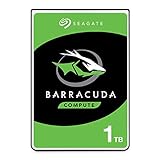
- The BarraCuda mobile internal hard drive is the go-to upgrade for on-the-go computing thanks to big capacity in a small form factor
- Tackle projects, maneuver applications, and multitask like a pro with a wide range of available capacities
- Features specialized caching technology for optimized data flow and faster loading
- Confidently rely on portable hard drive technology backed by 20 years of innovation
- Enjoy long-term peace of mind with the included two-year limited warranty
Benchmark and Real-World Performance
The Seagate BarraCuda 1 TB ST1000LM048 is a 2.5-inch 5400 RPM hard drive, so its performance should be judged against other laptop-class HDDs rather than SSDs. In sequential workloads, it typically delivers respectable transfer speeds for a dense 1 TB platter drive. Large file reads and writes commonly fall in the broad range of about 110–140 MB/s when the drive is working on the faster outer tracks, with speeds tapering down as the disk fills and data moves toward the inner tracks.
For everyday storage tasks, this means the ST1000LM048 is competent when moving media libraries, documents, game folders, backups, and disk images. Copying a single large 10 GB video file can feel reasonably quick for a mechanical laptop drive, especially over a SATA III connection or a good USB 3.x external enclosure. Transfers involving thousands of small files are much slower because the drive must constantly seek between locations on the platter. This is where the difference between a hard drive and even an entry-level SATA SSD becomes very obvious.
Expected performance profile
| Workload | Typical Behavior | User Experience |
|---|---|---|
| Large sequential reads | Often around 110–140 MB/s on faster areas of the disk | Good for video playback, archives, and bulk file access |
| Large sequential writes | Similar to reads, with variation as the drive fills | Suitable for backups and media transfers |
| Random reads and writes | Limited by mechanical seek time and 5400 RPM spindle speed | Noticeably slow for booting, app launches, and multitasking |
| Sustained mixed use | Can become queue-bound during simultaneous reads and writes | Best used for storage rather than heavy system-drive workloads |
As a Windows or Linux boot drive, the BarraCuda ST1000LM048 is usable but not ideal by modern standards. Startup times, update installs, antivirus scans, and application launches all expose the limitations of mechanical random access. A laptop upgraded from an older failing HDD may feel normal again, but a machine moving from an SSD to this drive will feel dramatically slower. The 128 MB cache helps with bursty access patterns and repeated small operations, but it cannot compensate for the physical latency of the read/write heads.
Quick wins for a faster PC:
Fix the driver behind crashes, sound loss and screen glitchesFind Drivers →Clear out junk files and repair common Windows errorsFree Scan →In gaming, performance depends heavily on the title. Older games and lighter indie titles run fine once loaded, while large open-world games can show longer loading screens, delayed texture streaming, or brief stutters when assets are pulled from disk. For a secondary game library, especially in an external USB 3.0 enclosure, the drive is acceptable if capacity matters more than load times. For current AAA games with large asset packs, an SSD is the smoother choice.
The ST1000LM048 is at its best in straightforward capacity-focused roles: laptop bulk storage, external portable backup drives, media libraries, document archives, DVR-style recording, and console storage expansion where supported. Its benchmark numbers are not exciting compared with solid-state storage, but they are consistent with what a slim 5400 RPM 1 TB book hard drive is designed to provide: affordable capacity, adequate sequential throughput, and predictable performance for non-demanding workloads.
Noise, Heat, and Power Consumption
The Seagate BarraCuda 1 TB ST1000LM048 is a 2.5-inch 5400 RPM hard drive, so its acoustic and thermal behavior is generally more laptop-friendly than older 7200 RPM mobile drives. In normal use, it is not silent like an SSD, but the sound profile is fairly subdued. The most noticeable noise comes from seek activity: light ticking or clicking when the drive is opening applications, indexing files, copying folders, or loading game assets. During steady sequential reads or writes, the drive usually settles into a soft spinning hum with occasional head movement.
In a typical laptop, the ST1000LM048 is quiet enough for everyday use, especially if the system fan is active or the chassis has decent damping. In a very quiet room, users may still hear the drive park and unpark its heads, particularly during idle-to-active transitions. Inside a plastic USB 3.0 external enclosure, the sound can vary more depending on the enclosure design. Thin, lightweight cases may amplify vibration on a desk, while better-padded enclosures keep the drive noticeably calmer. Placing the enclosure on a soft mat can reduce resonance during long transfers.
Recommended Free Tools
Also popular on Amazon

- Seagate BarraCuda ST1000LM048
- Support: [email protected]
- 1TB Recording Capacity
- Store games, music, movies and more in storage, upgrade your slim laptop
- BarraCuda Product Concept: Diversity, reliability, and high performance. Utilizes Multi-Tier Caching Technology (MTC) to improve performance, allowing users to load applications and files faster
Thermal behavior in daily use
Heat output is modest, which is one of the advantages of this class of drive. In a laptop bay with reasonable airflow, the ST1000LM048 typically stays comfortable during web browsing, office work, media playback, and light file access. Sustained writes, such as moving hundreds of gigabytes of photos, backing up a system image, or downloading a large game library, will raise temperatures, but the drive is not known for running excessively hot under normal conditions. In cramped external enclosures with no ventilation, it may become warm to the touch after extended transfers, though that is common for bus-powered portable hard drives.
Power consumption is also well suited to mobile and external storage use. As a 5400 RPM model, it draws less power than many performance-oriented 2.5-inch hard drives, helping preserve laptop battery life when compared with faster mechanical alternatives. It still consumes more power than a SATA SSD during random activity, and it needs enough startup current for the motor to spin up, which can matter with weak USB ports or low-quality cables. With a proper USB 3.0 enclosure and a short, reliable cable, it should operate normally from a single USB port in most cases.
| Characteristic | Real-World Impression |
|---|---|
| Idle noise | Low hum, usually masked by laptop fans or room noise |
| Seek noise | Audible light ticking during file access and loading |
| Heat output | Moderate; warm during long transfers, rarely concerning in normal use |
| Power draw | Efficient for a hard drive, but higher than an SSD during active use |
| External enclosure use | Depends heavily on enclosure padding, ventilation, and cable quality |
For users upgrading an older laptop, the drive’s low heat and modest power requirements are practical benefits, particularly when capacity matters more than instant responsiveness. For noise-sensitive users, an SSD remains the better choice because it has no moving parts. Still, for a 1 TB mechanical laptop drive, the ST1000LM048 strikes a reasonable balance: quiet enough for backups, media libraries, document storage, and general secondary storage, while staying cool and efficient enough for portable use.
Reliability, Warranty, and Long-Term Use
The Seagate BarraCuda 1 TB ST1000LM048 is a mainstream 2.5-inch hard drive, so its long-term appeal depends less on peak speed and more on predictable behavior in everyday storage roles. With a 5,400 RPM spindle speed, two-platter 7 mm chassis, and conventional laptop-drive design, it is best understood as a capacity-focused drive for documents, media libraries, game archives, backups, and light general use. It is not built for heavy write-intensive workloads such as continuous surveillance recording, scratch-disk editing, or server-style operation.
For normal laptop or external enclosure use, the drive’s reliability profile is typical of consumer mobile HDDs. Mechanical drives have moving parts, so they are more vulnerable than SSDs to shock, vibration, and wear over time. The ST1000LM048 is suitable for a laptop that stays mostly on a desk or travels carefully in sleep or powered-off states, but it should not be treated as rugged storage. If used in a portable USB enclosure, avoid moving it while files are transferring, and use a padded case when carrying it in a bag.
Warranty and support expectations
Retail versions of the BarraCuda 1 TB 2.5-inch drive are commonly sold with a limited warranty, though the exact term can vary by region, seller, and whether the unit is retail, OEM, refurbished, or pulled from another device. Before buying, it is worth checking the serial number eligibility through Seagate’s warranty validation page, especially when purchasing from marketplace sellers. A low price is less attractive if the drive arrives with little or no remaining manufacturer coverage.
- Retail boxed or authorized-channel drives: generally the safest option for warranty support and return handling.
- OEM pulls: may work perfectly, but warranty coverage can be limited or tied to the original system manufacturer.
- Refurbished drives: should be evaluated based on seller warranty, power-on hours, SMART data, and return policy.
Long-term use should include periodic health checks. SMART attributes such as reallocated sectors, pending sectors, uncorrectable errors, spin retry count, and increasing read error trends are worth monitoring with tools such as CrystalDiskInfo, Seagate SeaTools, or the diagnostics built into some NAS and enclosure software. A single warning is enough to start migrating data, because mechanical failures can progress quickly once bad sectors or spin-up issues appear.
Also popular on Amazon

- SSD-like performance and responsiveness
Data protection in daily use
No 1 TB laptop hard drive should be treated as the only copy of valuable data. The ST1000LM048 can serve well as a secondary internal drive, a budget external backup disk, or a media storage volume, but irreplaceable files should also exist somewhere else. A simple 3-2-1 approach still applies: keep three copies of data, on two different types of storage, with one copy off-site or in cloud storage. For laptop upgrades, pairing this drive with an SSD for the operating system is a stronger long-term setup than relying on the BarraCuda as the sole boot and storage device.
Do these 3 things before closing this tab:
1Clear out junk files and repair common Windows errors2Fix the driver behind crashes, sound loss and screen glitches3Repair Windows errors before they cause bigger problemsIn extended service, the drive benefits from stable temperatures, clean power, and gentle handling. Keeping operating temperatures moderate, avoiding repeated drops or bumps, and safely ejecting external enclosures all reduce avoidable risk. The ST1000LM048 is a practical, inexpensive storage device when used within its intended limits, but buyers expecting SSD-like durability or enterprise-grade endurance should choose a different class of drive.
Independent reader supportYour contribution helps us test, update, and keep practical guides available for everyone.Price, Value, and Best Use Cases
The Seagate BarraCuda 1 TB ST1000LM048 is best understood as a low-cost capacity upgrade rather than a performance-focused drive. Its strongest value is the combination of 1 TB of storage, a slim 2.5-inch 7 mm chassis, and broad compatibility with laptops, compact desktops, game consoles, USB enclosures, and basic external backup setups. Pricing varies by retailer and region, but this model is typically positioned well below 1 TB SATA SSDs and often close to other budget 2.5-inch hard drives, making it attractive when storage space matters more than speed.
Compared with an SSD, the value calculation depends heavily on the workload. For an operating system drive in a modern laptop, the ST1000LM048 is difficult to recommend unless budget is the only priority. Boot times, application launches, updates, and multitasking all feel much faster on even an entry-level SATA SSD. However, as a secondary internal drive, a replacement for a failed laptop HDD, or a drive inside a USB 3.0 enclosure for media and backups, it still makes practical sense. Large photo libraries, music collections, documents, game installers, archived projects, and offline backups do not always need SSD-class responsiveness.
Where the ST1000LM048 Makes the Most Sense
- Budget laptop repairs: A sensible replacement when an older notebook needs inexpensive storage and does not justify the cost of a larger SSD.
- External portable storage: Works well in a 2.5-inch USB enclosure for backups, file transfers, movies, and general data storage.
- Secondary storage: Useful alongside an SSD in systems that have room for both fast boot storage and bulk capacity.
- Game console storage: Suitable for older console libraries or as inexpensive external storage where capacity is more valuable than load-time improvements.
- Archival and cold data: A reasonable choice for files that are accessed occasionally rather than edited or loaded every day.
The main compromise is responsiveness. The 5400 RPM-class behavior and small-file limitations mean this drive can feel slow under operating system tasks, software installations, antivirus scans, and heavy multitasking. Users upgrading from an older hard drive may not notice a dramatic improvement unless the previous drive was failing or much slower, while users coming from an SSD will immediately feel the downgrade. For that reason, the best buying approach is to treat the ST1000LM048 as inexpensive bulk storage, not as a way to modernize system performance.
| Use Case | Value Rating | Better Alternative |
|---|---|---|
| Primary laptop boot drive | Fair | 500 GB or 1 TB SATA SSD |
| External backup drive | Good | Larger HDD if more capacity is needed |
| Media library storage | Good | 2 TB drive for larger collections |
| Secondary internal storage | Very good | SSD plus HDD combination |
| Performance gaming storage | Limited | SATA or NVMe SSD |
Overall, the Seagate BarraCuda 1 TB ST1000LM048 offers good value when the goal is maximum usable storage for minimal cost in a thin 2.5-inch format. It is not the drive to buy for snappy system performance, professional editing workloads, or a premium laptop upgrade. It is better suited to practical, cost-sensitive roles: restoring an older machine, building a portable backup drive, expanding a media library, or adding cheap secondary capacity behind an SSD. In those scenarios, its price-to-capacity ratio remains its biggest selling point.
Frequently Asked Questions
Is the Seagate BarraCuda ST1000LM048 good for upgrading an older laptop?
Yes, it can be a practical upgrade if your laptop currently has a smaller or failing 2.5-inch hard drive and you need inexpensive 1 TB storage. It uses a 7 mm-thick 2.5-inch SATA form factor, so it fits most modern laptops that accept SATA drives. If your laptop supports an SSD, however, an SSD will feel much faster for booting Windows, opening apps, and general responsiveness.
Also popular on Amazon

- Seagate BarraCuda ST1000LM048 1TB 5400RPM SATA 6.0GB/s 128MB Hard Drive (2.5 inch)
How fast is the Seagate BarraCuda 1 TB ST1000LM048 in everyday use?
The ST1000LM048 is a 5400 RPM hard drive, so its sequential transfers are acceptable for file storage, media libraries, backups, and light everyday use. It is noticeably slower than an SSD when loading an operating system, launching programs, or handling many small files. For best results, use it as bulk storage rather than as the main drive in a performance-focused laptop.
Will the ST1000LM048 work in a USB external hard drive enclosure?
Yes, the drive works well in most 2.5-inch SATA-to-USB enclosures and portable external drive cases. Since it is a standard 7 mm SATA laptop drive, compatibility is broad, but the enclosure must support 2.5-inch SATA drives rather than M.2 drives. USB 3.0 or newer is recommended so the interface does not unnecessarily limit transfer speeds.
Free tools Windows power users keep installed
One-click scans. No signup required.
Is this drive quiet enough for a laptop or media storage setup?
The ST1000LM048 is generally quiet, especially compared with many older 7200 RPM laptop drives. You may still hear faint spinning or clicking during file access in a silent room, which is normal for a mechanical hard drive. If absolute silence is a priority, an SSD is the better choice because it has no moving parts.
Is the Seagate BarraCuda ST1000LM048 reliable for long-term storage?
It can be reliable for normal consumer storage, but it should not be treated as the only copy of valuable files. Like any mechanical hard drive, it can fail unexpectedly from age, shock, heat, or wear, so regular backups are essential. It is best suited for documents, photos, videos, game libraries, and external backup use where data is also stored elsewhere.
Bottom Line
The Seagate BarraCuda 1 TB ST1000LM048 is a sensible pick if you need affordable 2.5-inch storage with decent capacity, quiet operation, and broad compatibility for laptops, consoles, or USB enclosures. Its 5400 RPM performance will not match an SSD, but it works well for bulk files, backups, media libraries, and general secondary storage.
If speed is your priority, choose an SSD instead; if low-cost capacity matters more, this drive still delivers solid value. Pair it with a good backup routine, and it can be a practical upgrade for extending the life or storage space of an older system.

