Some links on this page are affiliate links: if you buy through them we may earn a commission, at no extra cost to you.
Schlage Sense Pro is a modern smart lock built around two things that matter in 2026: Matter over Thread for dependable local control, and Ultra Wideband (UWB) for closer-to-real “walk up and unlock” presence detection.
If you’re replacing an older Wi‑Fi-only lock or you’re tired of app lag and flaky connectivity, the platform shift is the point. This guide explains what to check before you buy, how to set it up correctly, and what to troubleshoot when things don’t behave as expected.
As an Amazon Associate I earn from qualifying purchases.
Free tools Windows power users keep installed
One-click scans. No signup required.
Schlage Sense Pro at a glance
Schlage Sense Pro is positioned as a smart deadbolt that supports Matter via Thread and adds Ultra Wideband support for proximity-based automation. Instead of relying solely on your home’s Wi‑Fi, it uses a Thread mesh network for control paths that stay local.
From a user standpoint, the win is usually one (or both) of these: fewer “offline” lock surprises and faster, more accurate presence-based unlock behavior in the moment you reach the door.
Popular on Amazon

- Schlage Converge technology uses Ultra Wideband to calculate your speed, trajectory and motion to the door; Once Schlage Converge confirms your intent to enter, your Schlage Sense Pro will unlock precisely as you reach your door
- Schlage Converge gives Sense Pro exceptional accuracy for smarter security, unlocking only when you’re at your door and ready to enter; Experience reliable hands-free unlocking that combines ultimate convenience with trusted security.
- Works with Matter. Requires a Thread-enabled home hub [Apple TV 4K, Home Pod (2nd Gen) or Home Pod Mini] for iPhone/Apple Watch pairing; Easily pair your devices and integrate with your smart home ecosystem to control your lock with voice and set up automated routines
- Works with Apple hands-free unlock with home key and NFC tap to unlock/lock on your iPhone or Apple Watch for easy and secure access to your home; Hands-free unlock with home key is supported on Apple Watch Series 6 and later (excluding SE) running watchOS 11.5+ and iPhone 11 and later (excluding iPhone SE and 16e) running iOS 18.5+; Tap to unlock with home key is available for iPhone XS and later running iOS 17.1+ and Apple Watch Series 4 and later running watchOS 10.1+
- Built-in WiFi allows you to lock/unlock from anywhere, manage up to 250 customized access codes, view history, and control whole-home access—all when paired to the Schlage Home app and connected to a secure WiFi network
What Matter via Thread means for pairing and reliability
Matter is a smart home standard designed to reduce vendor lock-in and make devices work across ecosystems. Thread is the networking layer that runs low-power devices over a mesh network, typically anchored by a Thread border router.
When Sense Pro uses Matter-via-Thread, your lock typically joins the Thread network and exposes Matter capabilities through your chosen Matter controller (like Apple Home with a Thread-capable setup).
What you gain
- Local control: Lock/unlock actions can route locally through Matter controllers rather than depending on a cloud round-trip.
- Less Wi‑Fi contention: Your lock doesn’t compete with phones, TVs, and cameras for the same radio channel.
- More consistent onboarding: Matter uses a standard pairing model, so the experience is more predictable than vendor-specific pairing.
What to watch
- Thread still needs infrastructure: You must have a Thread border router (directly or indirectly) for your ecosystem.
- Physical placement affects radio performance: Doorways, metal surfaces, and deadbolt location can reduce signal strength.
Ultra Wideband (UWB): why it matters for presence and unlock
UWB uses very precise timing to estimate distance, which can improve whether you’re “close enough” to unlock. In practice, this aims to reduce false unlock triggers when you’re in a different room or at a distance.
UWB isn’t magic, though. It’s sensitive to device placement, case materials, and how line-of-sight is blocked.
What you can expect behavior-wise
- More reliable proximity: The system has better ability to tell “near the door” vs “down the hall.”
- Better automation options: You can pair presence with routines like “unlock when I’m at the door” or “lock when I leave.”
- Device dependence: Your phone/watch must support UWB (typically with Apple’s U1 chip for iPhone models that include it).
Prerequisites before you install
Before you mount anything, make sure your home network and phone setup are ready. Most “smart lock is offline” problems are really Thread coverage or controller pairing problems.
Also popular on Amazon

- ANYWHERE ACCESS: With built-in WiFi compatibility, you can easily and securely connect your Schlage Encode Smart WiFI Lever to your home WiFi network to control and monitor your home from anywhere with the Schlage Home app
- ADVANCED SECURITY: Secure, encrypted connection; built-in, customizable alarm for door movement and forced entry attempts; fingerprint-resistant touchscreen; certified highest residential Security, Durability and Finish rating by BHMA industry experts
- COME AND GO WITH EASE: Auto-lock can relock the door for you with various time delay options in the Schlage Home app; convenient, control buttons on the interior of the lever let you quickly put it in an unlocked state for easy, frequent use
- SECURE AND STYLISH: Available with traditional and contemporary styles in multiple finishes, the Schlage Encode smart lever offers premium quality and craftsmanship to complement a variety of homes and personal styles
Physical checks
- Confirm your door type and backset (common sizes are 2-3/8 in and 2-3/4 in) so the lock fits without forcing the mechanism.
- Verify you can mount the inside assembly and align the latch with the strike plate.
- Have fresh batteries ready if the lock requires them for pairing and initial calibration.
Network checks
- You need a Thread border router in range (examples commonly include Thread-enabled mesh systems and gateways).
- Your Matter controller must be able to manage Thread devices—Apple Home typically does this through a Thread-capable home hub.
- Make sure your home’s time and date settings are correct on the phone used for setup.
Supported ecosystems and device requirements
Matter locks work across multiple ecosystems, but the exact support varies by app version, OS version, and whether your ecosystem has a Thread-capable hub.
PC Slower Than It Used to Be?
A free scan shows the junk files, broken settings and background clutter dragging Windows down - then fixes them in one click.Free scan · Windows 10 & 11Outdated Drivers Are Slowing You Down
One free scan finds every outdated or missing driver and matches the right update for your exact hardware.Free scan · exact hardware matchApple ecosystem (iPhone, iPad, Home)
If you want to use Apple Home with Thread, you generally need an iPhone/iPad on a modern iOS version and a home hub that supports Thread. For UWB features, you need an iPhone model with the U1 chip.
Common controller expectations
| Requirement | Why it matters |
|---|---|
| Matter controller app support | Creates the device record and lets you control and configure the lock |
| Thread border router / hub | Provides routing for Thread devices and enables stable local connectivity |
| UWB-capable device | Enables proximity detection and door-sensor presence automations |
How to set up Schlage Sense Pro with Matter via Thread
Setup is usually fastest when you do it in a controlled sequence: confirm Thread, install the lock, add it to the Matter controller, and then verify lock behavior before you move on to automations.
Step 1: Confirm Thread coverage and border router
Place your Thread border router where it can reach the door area. Thread is mesh-based, so surrounding routers/repeaters help, but the lock still needs a workable radio path.
- Open your Thread-capable router app (or home hub settings) and confirm Thread is enabled.
- Check the router app status for a healthy Thread network (look for device count, Thread status, or similar indicators).
- Walk to the intended install location with your phone and look for stable Wi‑Fi as a sanity check—then install and test.
Step 2: Install the lock and power it up
Install the lock according to the Sense Pro instructions and ensure it can mechanically operate smoothly. Before you close up everything, confirm it can lock/unlock with no binding.
The Tool Desk
Outbyte PC Repair FREEClear out junk files and repair common Windows errorsFree Scan →Outbyte Driver Updater FREEFix the driver behind crashes, sound loss and screen glitchesFind Drivers →Also popular on Amazon
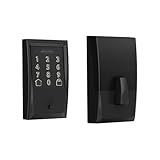
- ANYWHERE ACCESS: With built-in WiFi compatibility, you can easily and securely connect your Schlage Encode Deadbolt to your home WiFi network to control and monitor your home from anywhere with the Schlage Home app
- PEACE OF MIND: Lock and unlock from anywhere, manage up to 100 access codes for keyless entry, view lock history, receive customizable notifications and easily manage multiple locks at once - all when paired to the Schlage Home app and connected to a secure WiFi network
- VOICE CONTROL: Works with Alexa and Google Home for optional, hands-free convenience when paired with the Schlage Home app and a voice enabled device
- ADVANCED SECURITY: Secure, encrypted connection; built-in, customizable alarm for door movement and forced entry attempts; fingerprint-resistant touchscreen; certified highest residential Security, Durability and Finish rating by BHMA industry experts
- EASY INSTALL: Install in minutes with just a screwdriver, no hardwiring required; Snap ‘n Stay design helps keep the lock on the door so both hands are free; fits standard doors with 1-3/8 in to 1-3/4 in door thickness and 2-3/8 in or 2-3/4 in backset
- Mount the inside assembly and strike alignment properly.
- Insert batteries (or power it) and wait for the lock to indicate it’s ready to pair.
- Only after the lock is stable mechanically should you proceed with pairing.
Step 3: Add the lock to your Matter home
Pairing is best done from the Matter controller that will run your routines. If you’re using Apple Home, you’ll pair through the Home app’s device-add flow.
- On your iPhone or iPad, open Home.
- Tap Add (+), then choose Add Accessory.
- Select You don’t have a code or can’t scan if applicable, or follow the prompt to scan the QR code.
- When prompted, put the lock into pairing mode (follow the Sense Pro button sequence described in the lock manual).
- Wait while Home adds the accessory and assigns it to a room.
Step 4: Verify Matter status and lock behavior
After pairing, don’t assume it’s working—verify. A successful add can still hide a Thread reachability problem until you try to lock from outside the app.
- Open the lock’s device page and confirm it appears as the expected accessory type (smart lock/deadbolt).
- Trigger a manual lock and unlock from the phone.
- If your app shows connection details, confirm it’s using Matter/Thread paths (not just a temporary onboarding bridge).
- Run one automation test (e.g., lock at a set time) to confirm it fires reliably.
How to set up UWB presence (and what to expect)
UWB presence settings are usually the most misunderstood part because they behave like “distance-based rules,” not like a door sensor.
Practical setup approach
- Enable the lock’s presence-related feature in its device settings (in your Matter ecosystem or the lock’s companion workflow).
- Choose the unlock condition that uses proximity rather than geofencing alone.
- Test at 3 distances: near the door, halfway down the driveway/hall, and one room away.
- Adjust sensitivity or behavior if the app provides a slider or preset levels.
Common UWB gotchas
- Phone positioning: If the iPhone is in a pocket with heavy shielding or in a thick metal case, the distance estimate can be noisier.
- Multiple users: If you support multiple phones, verify which devices are authorized for proximity unlock.
- Routines stacking: If you also have geofence automations, you may get duplicate triggers.
Configuration checklist for daily use
Once the lock is added, spend 10 minutes configuring the rules you’ll actually rely on. This is the difference between a “tech demo” and a door you trust.
Must-set items
- Auto-lock timer: Set a short, realistic delay after unlocking (many people start with 30–60 seconds).
- Auto-unlock behavior: If enabled, test it during normal entry and adjust sensitivity.
- Notifications: Decide whether you want alerts on every unlock or only for manual/unrecognized events.
- User access: Add household members and set correct permissions.
Optional but useful
- Guest access schedules: Time-bound access reduces risk and admin work.
- Vacation mode: Force lock and disable proximity unlock during travel if you prefer.
- “Lock when leaving” routines: Works well when presence detection is reliable.
Security and privacy settings you should set right away
Smart locks are security devices. Treat configuration like you would for a door alarm system: minimal exposure, clear access boundaries, and reliable logs.
Also popular on Amazon

- ANYWHERE ACCESS: With built-in WiFi compatibility, you can easily and securely connect your Schlage Encode Plus lock to your home WiFi network to control and monitor your home from anywhere with the Schlage Home app
- PEACE OF MIND: Lock and unlock from anywhere, manage up to 100 access codes, view lock history, receive customizable notifications and easily manage multiple locks at once - all when paired to the Schlage Home app and connected to a secure WiFi network
- TAP TO UNLOCK: Works with Apple HomeKit and Apple home keys; with home keys you can simply tap to lock or unlock using your iPhone or Apple Watch for easy and secure access to your home
- VOICE CONTROL: Works with Amazon Alexa and Google Assistant for optional, hands-free convenience when paired with the Schlage Home app and a voice enabled device
- ADVANCED SECURITY: Secure, encrypted connection; built-in, customizable alarm for door movement and forced entry attempts; fingerprint-resistant touchscreen; certified highest residential Security, Durability and Finish rating by BHMA industry experts
Recommended setup
- Use strong credentials for your ecosystem account and enable two-factor authentication where available.
- Review app and cloud connections: If you see optional cloud features, disable ones you don’t need for core lock function.
- Limit proximity unlock to trusted devices and authorized users.
- Check tamper alerts and battery/health notifications so you’re warned early.
Physical security reminder
Even a perfect smart lock can be undermined by a weak door frame or strike plate. If you haven’t already, consider reinforcing the door and using the strongest strike hardware your installation allows.
Troubleshooting: pairing, Thread, and UWB issues
If something fails, don’t jump straight to factory resets. Identify which layer is broken: pairing (Matter), networking (Thread), or proximity (UWB/presence rules).
Problem: Lock won’t pair (Matter add fails)
- Try closer range: Stand near the lock during pairing.
- Re-check pairing mode: Ensure the lock is in pairing state long enough for your controller to detect it.
- Update your controller app: Matter behavior can depend on controller app versions and iOS builds.
- Power-cycle the lock: Remove and reinsert batteries if the pairing indicator doesn’t behave normally.
Problem: Lock shows offline or delayed response
- Thread coverage check: Move the border router or add a Thread-capable mesh node closer to the door.
- Eliminate Wi‑Fi-only assumptions: Matter-via-Thread reduces Wi‑Fi dependence, but some ecosystems still show different connection indicators during onboarding.
- Metal interference: If your door has heavy metal framing, Thread signal can suffer—reposition a router or add a repeater.
- Reduce RF congestion: If you have many 2.4 GHz devices, they won’t directly break Thread, but they can complicate overall home connectivity. Keep your router channels sane.
Problem: UWB unlock triggers when you shouldn’t
- Lower sensitivity (or switch to a stricter proximity threshold if the app provides it).
- Verify authorized devices: Remove any phones you no longer want to use for presence unlock.
- Test with the iPhone in the same pocket each time to reduce variability.
Problem: UWB won’t unlock when you should
- Confirm your device supports UWB (U1 chip-equipped iPhone models are the common requirement).
- Check battery/power mode on the phone. Aggressive battery optimization can reduce sensors and background tasks.
- Re-run presence pairing within the ecosystem settings, if it exists as a separate step from Matter onboarding.
When you should consider a factory reset
Only use a full reset if you’ve ruled out Thread coverage, controller issues, and pairing mode mistakes. Resets wipe the lock’s onboarding state and require you to re-add it to your home.
Quick wins for a faster PC:
Clear out junk files and repair common Windows errorsFree Scan →Scan for outdated or missing drivers - takes under a minuteDriver Scan →- Confirm you have your pairing QR code and account access ready.
- Reset the lock using the button sequence in the official manual.
- Re-add it through Matter pairing and then immediately test lock/unlock.
Comparing Sense Pro vs. common alternatives
You’re usually choosing between three approaches: Wi‑Fi-only locks, Zigbee hubs, and Matter locks over a Thread backbone. Sense Pro’s pitch is that Matter-via-Thread gives you a more future-proof setup than single-vendor Wi‑Fi.
Typical tradeoffs
| Approach | Strength | Watch-outs |
|---|---|---|
| Wi‑Fi smart lock | Often easiest to find and install | Can be more sensitive to Wi‑Fi congestion and cloud dependencies |
| Zigbee hub-based lock | Local mesh control | More ecosystem-specific behavior and fewer cross-vendor guarantees |
| Matter via Thread (Sense Pro) | Standardized device behavior plus Thread mesh | Requires Thread border router and correct hub support |
Common mistakes (and how to avoid them)
- Skipping Thread infrastructure setup: Pairing won’t magically fix a weak Thread path.
- Testing only from inside: Walk-testing from the door area and verifying routine triggers matters.
- Overloading automations: Too many overlapping unlock triggers can create inconsistent behavior.
- Forgetting mechanical alignment: If the latch binds, software behavior won’t compensate.
FAQ
Does Schlage Sense Pro require Wi‑Fi?
For Matter-via-Thread operation, Wi‑Fi is typically not the primary transport for the lock itself. You still need your home network and the Matter controller to reach the ecosystem app and hubs.
Also popular on Amazon
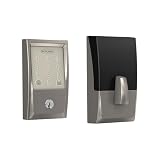
- ANYWHERE ACCESS: With built-in WiFi compatibility, you can easily and securely connect your Schlage Encode Deadbolt to your home WiFi network to control and monitor your home from anywhere with the Schlage Home app
- PEACE OF MIND: Lock and unlock from anywhere, manage up to 100 access codes for keyless entry, view lock history, receive customizable notifications and easily manage multiple locks at once - all when paired to the Schlage Home app and connected to a secure WiFi network
- VOICE CONTROL: Works with Alexa and Google Home for optional, hands-free convenience when paired with the Schlage Home app and a voice enabled device
- ADVANCED SECURITY: Secure, encrypted connection; built-in, customizable alarm for door movement and forced entry attempts; fingerprint-resistant touchscreen; certified highest residential Security, Durability and Finish rating by BHMA industry experts
- EASY INSTALL: Install in minutes with just a screwdriver, no hardwiring required; Snap ‘n Stay design helps keep the lock on the door so both hands are free; fits standard doors with 1-3/8 in to 1-3/4 in door thickness and 2-3/8 in or 2-3/4 in backset
Will UWB work with any phone?
No. UWB presence features depend on hardware support in your device (commonly iPhones with the U1 chip). If your phone doesn’t support UWB, the lock may still work for manual and standard remote control.
Why does my lock respond slower only sometimes?
Intermittent delays are often Thread coverage issues or interference around the install location. If delays cluster at certain times, check router health and whether any automation or network changes occur then.
Can I use multiple ecosystems with Matter?
Matter devices are designed to be interoperable, but your exact experience depends on which ecosystem you designate as the controller and whether that controller supports Thread and the lock’s capabilities.
Final Thoughts
Schlage Sense Pro’s value isn’t just that it’s “new”—it’s the combination of Matter-via-Thread for steadier local control and Ultra Wideband for more dependable proximity behavior. If you set up your Thread border router well and configure presence with realistic sensitivity, you’ll feel the difference every day.
Do the pairing steps carefully, test near the door like you actually live there, and treat notifications and access rules as part of the installation—not optional extras.

