Do these 3 things before closing this tab:
1Clear out junk files and repair common Windows errors2Fix the driver behind crashes, sound loss and screen glitches3Repair Windows errors before they cause bigger problemsSome links on this page are affiliate links: if you buy through them we may earn a commission, at no extra cost to you.
Motion blur is one of those camera problems you notice instantly: the subject looks smeared, edges go soft, and highlights smear into streaks. It happens even on premium phones, because it’s rarely a single “bug”—it’s usually a mix of shutter speed, lighting, subject motion, and how the camera’s stabilization and processing behave.
Samsung’s newest camera sensor development (often described in the context of reducing motion blur) is being discussed as a potential step forward: better light capture, lower noise, and faster or smarter readout/processing could mean the camera can use shorter exposures more often. That’s the real lever for motion blur.
As an Amazon Associate I earn from qualifying purchases.
The Tool Desk
Outbyte PC Repair FREEClear out junk files and repair common Windows errorsFree Scan →Outbyte Driver Updater FREEScan for outdated or missing drivers - takes under a minuteDriver Scan →This guide breaks down how a sensor change can reduce blur, what you should expect, and—most importantly—how to verify improvements with a repeatable test so you don’t have to trust marketing.
What motion blur looks like (and what causes it)
Motion blur typically shows up when the camera captures an image over too long a time while the subject or camera is moving. Two common variants are worth distinguishing.
Popular on Amazon
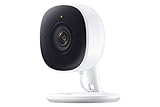
- Feel At Home: The SmartThings Cam provides full vision and sound with 1080p HD 145-degree diagonal video; It has built-in IR LED night vision and two-way audio, allowing you to hear and speak family members and pets while you’re away
- Eliminates False Triggers: Intelligent motion sensors distinguish between a person and an object, alerting you immediately when necessary; This minimizes false security triggers and unnecessary notifications
- 24-Hour Monitoring: Use as a nanny cam, home security device, or pet monitor and see all activity from your phone or tablet through the SmartThings app; Control up to two Cams and view rolling 24-hour recordings for free
- Protected Footage: All footage and alerts are safely secured with 2-way protection enhanced encryption on your personal cloud, and can be accessed remotely from only your devices, at any time
- Connect to Hub or TV: A SmartThings Hub is not required; Simply connect the Cam to your home’s Wi-Fi for easy operation; For total smart home control, it can be connected to a SmartThings Hub, or connect to your Samsung TV to monitor on that screen
Camera shake blur
If your hands move during exposure, the entire scene can smear in a direction consistent with the shake. Stabilization helps most here.
Subject motion blur
If the subject moves independently (a running person, a swinging arm, a turning head), the blur is harder to fully remove because the “correct” position changes during exposure.
How camera sensors can affect motion blur
Motion blur is a shutter-time problem first, sensor capability problem second. A sensor can help indirectly by making the exposure shorter without sacrificing image quality.
More light gathered per frame
When a sensor captures more usable light, the camera can reach correct exposure with a faster shutter speed. Faster shutter time reduces blur for both camera shake and moving subjects.
Lower noise so you can use faster shutter speeds
In low light, phones often raise ISO or keep shutter times longer to get a workable exposure. If noise is lower at higher ISO (or for the same ISO due to improved sensor performance), the camera can choose faster shutter speeds more confidently.
Readout speed and rolling shutter side effects
Some sensor designs read the image faster than older ones. That can reduce rolling shutter artifacts (warping when panning quickly). While rolling shutter isn’t the same thing as motion blur, both issues show up when motion is involved.
Sensor + ISP pipelines (why software matters too)
Even with a great sensor, the Image Signal Processor (ISP) decides how to expose and how to merge frames. Computational photography can reduce blur, but it can also introduce new artifacts—especially when motion is unpredictable.
What’s new with Samsung’s latest sensor concept
Samsung’s sensor improvements are usually discussed in terms of either improved light sensitivity/efficiency or improved capture speed/readout, combined with ISP tuning in the Galaxy camera pipeline. The exact details vary by model and generation, but the outcomes people care about are consistent: fewer blurred frames, less “ghosting,” and more usable sharpness in mixed motion.
Higher-resolution vs faster capture
More resolution can help detail, but it doesn’t automatically reduce motion blur. The blur decision still depends on shutter time and effective exposure per pixel. A sensor might be optimized to reduce noise and increase effective signal-to-noise ratio, allowing the camera to shoot faster.
Stacked design, global-readout ideas, or faster readout (what to look for)
When rumors mention motion clarity, look for indicators like faster readout, stacked memory architectures, or reduced rolling shutter. These features can make it easier for the camera to handle motion without stretching exposure in the “wrong” way.
Crashes, No Sound, or Screen Glitches?
Random freezes, missing sound and display glitches usually trace back to one bad driver. Find and replace yours safely.Free scan · under a minuteWindows Errors? Fix Them Before They Spread
Repair common Windows errors and clear accumulated junk for a smoother, more stable PC - no reinstall needed.Free scan · no reinstallAlso popular on Amazon

- Temperature Sensor
- Compatible Brands: Samsung DA32-00006W
- Replacement Refrigerator Defrost and Temperature sensor
- DA32-00006W DA32-00006M DA32-00006U DA32-00006W
- DA32-00006T DA32-00006D DA32-00006V DA32-00006C
Practical expectations: what it can and can’t fix
- More likely to help: walking shots, low-light portraits with slight movement, indoor candid moments, and scenes where the phone currently chooses longer exposures.
- Less likely to fully fix: very fast action in dim light where even the best sensor can’t get a short enough shutter time without severe noise.
- May change the look: you could see different sharpening/denoise behavior, and sometimes improved edge stability that looks like “less blur.”
How to test whether the new sensor reduces motion blur
If you want proof, do a controlled test. The fastest way to fool yourself is to compare different lighting, different focal distances, or different stabilization behavior.
Do a controlled comparison in the same lighting
Pick one environment and keep it constant: same distance to subject, same ambient lighting, and ideally the same time of day. Use a tripod if you’re testing camera shake, or keep the phone motion consistent if you’re testing handheld blur.
Use repeatable motion tests (panning vs walking)
Run at least two tests:
- Walking test: you walk while keeping the camera pointed at a subject at chest height.
- Panning test: pan the camera to follow a moving object horizontally, at a steady speed for multiple takes.
Check file details: shutter speed, ISO, and stabilization mode
On many Samsung phones, you can view exposure details using Pro/Expert RAW modes or developer/third-party tools that reveal metadata. Your goal is to see whether the camera is choosing shorter shutter speeds more often in similar conditions.
When you review results, compare:
- Sharpness around moving edges (hands, hairline, clothing folds)
- Whether highlights smear into streaks
- Whether blur is reduced or replaced by “warping/ghosting” from frame fusion
Best camera settings to fight motion blur right now
Even without the latest sensor, you can reduce blur by steering the camera toward shorter shutter times and more reliable autofocus.
What’s actually slowing this PC down?
Pick the symptom - the matching free tool is one click away.
Photo mode defaults that usually help
If you’re using standard Photo mode, start with:
- Tap to focus on the subject’s face/eye area.
- Avoid excessive zoom unless you’re in good light; higher focal lengths magnify motion blur.
- Use bursts for unpredictable motion, then pick the sharpest frame.
Turn on stabilization features (when they help)
Most Galaxy phones provide stabilization automatically. In some modes (like certain Pro/RAW workflows), stabilization settings can behave differently. If there’s a stabilization toggle in your chosen mode, test both ON and OFF on the same subject for a minute—because the wrong setting can hurt.
Choose shutter speed targets for common scenarios
If you have access to shutter speed control (Pro or Expert RAW), use practical targets:
| Scenario | Typical motion risk | Target shutter speed |
|---|---|---|
| Static subject, handheld | Low | 1/60s to 1/125s |
| Walking portraits | Medium | 1/125s to 1/250s |
| Running / fast movement | High | 1/250s to 1/500s+ |
| Low light indoors (no flash) | High | As fast as you can while keeping ISO reasonable |
When light is limited, the sensor’s noise performance matters because it lets the camera tolerate higher ISO at shorter shutter speeds.
When Samsung’s sensor won’t fully solve motion blur
Even with a better sensor, motion blur can remain if the physics don’t allow a short enough exposure.
Quick wins for a faster PC:
Repair Windows errors before they cause bigger problemsFix Now →Fix the driver behind crashes, sound loss and screen glitchesFind Drivers →Clear out junk files and repair common Windows errorsFree Scan →Low light with moving subjects
If your subject is moving and the scene is dim, the camera needs either more light (brighter environment, flash, or additional lamps) or a willingness to accept noise. Sensor improvements help, but they can’t change the fact that exposure requires photons.
Fast action and unpredictable motion
When motion is chaotic, computational stabilization/denoise may struggle to reconstruct the “correct” sharp frame. You may still need bursts and selective picking of the sharpest shot.
Also popular on Amazon

- 【Professional Installation】 Mobile Phone LCD Screen Are Fragile Products And Must Be Professionally Installed By Professionals
- 【Reliable Quality】 Each Mobile Phone Repair Spare Part Has Been Inspected And Maintained In Good Quality Before Shipment
- 【For Galaxy Mobile Phone Accessories】 Please Confirm Your Phone Model Before Buying
- For Samsung Galaxy S21 Ultra 5G SM-G998B Camera Set (Telephoto + Depth + Wide + Main Camera)
Rolling shutter artifacts
If the sensor/readout isn’t fast enough for your motion patterns, you may see warping rather than simple blur. This is especially noticeable during quick pans or when filming fast-moving vehicles/players.
Subject movement vs camera movement
OIS can compensate for camera shake, but it won’t stop the subject from moving. If you’re photographing a subject that moves independently, shutter speed is the main fix.
Recommended Free Tools
Alternative approaches that complement sensor improvements
Think of motion blur reduction as a toolbox. A new sensor can improve the baseline, but the best results usually come from combining multiple strategies.
Optical image stabilization (OIS) and hybrid stabilization
OIS shifts optics to counter camera shake. Some modes add electronic stabilization, which stabilizes motion in software but depends on frame data and can crop slightly.
Computational techniques: multi-frame fusion vs single-frame
Some camera modes use multiple frames to estimate and reduce blur. That can help in subtle motion, but it may produce artifacts if the subject changes position substantially between frames.
Techniques photographers use: panning, burst, and stance
- Panning: move the camera smoothly with the subject to reduce relative motion.
- Burst: capture multiple frames, then choose the sharpest.
- Stance: plant your feet and support the phone with both hands; it reduces micro-shake.
Troubleshooting: your photos still look blurry—what to try
If your results don’t improve after a sensor update (or even on the latest model), use a methodical checklist. Motion blur often comes from something else masquerading as “camera blur.”
Free tools Windows power users keep installed
One-click scans. No signup required.
Restart and re-test stabilization modes
Sometimes a mode selection (like stabilization behavior in a specific capture mode) sticks oddly after app updates or camera resets. Restart the phone, clear the camera app cache if available, then repeat your test under the same lighting.
Clean the lens and check focus behavior
A smudged lens can look like motion blur because contrast drops and edges soften. Wipe the lens with a microfiber cloth and verify autofocus by checking whether focus locks on your subject before you trigger.
Adjust exposure strategy: don’t force long shutter speeds
If the camera is choosing a longer exposure (common in dark scenes), try:
- Use a brighter scene or add light.
- Switch from night/long exposure modes to a faster baseline mode when possible.
- If you have Pro controls, increase ISO moderately and shorten shutter time.
It’s better to have a slightly noisier but sharper frame than a clean but smeared one.
Also popular on Amazon

- 6 Pack: You will get 3 pack screen protectors and 3 pack camera lens protectors are both made of High-quality Tempered Glass for Samsung Galaxy S26 Ultra(6.9"). Unlock with ease using either Fingerprint or Face Recognition technology. Enjoy a natural, "True Touch" experience thanks to superior sensitivity
- It is 100% brand new, Precise laser cut Full Adhesive Sticky tempered glass and will not fall off, exquisitely polished, 2.5D rounded edges technique makes curved edges of the film to perfectly fit curved corners and edges of the phone, 1.4 mm margin around the edge of the device to be compatible with MOST cases
- Upgrade 12FT Military Shockproof with edge strengthening design, with Ultra-high 9H hardness and 10X Stronger Scratch resistant for maximum resistance against impacts and scratches from objects.Easy Installation and No-Bubble, Removing dust and aligning it properly before actual installation, One-touch ultra-light automatic adsorption installation, no foam at all
- Night shooting made easy: This camera lens protective film is custom designed for the Galaxy S26 Ultra 6.9Inch display. It seamlessly integrates augmented reality technology for improved light transmittance and night shooting capabilities. this protector restores the original quality of photos and videos even when using the flash at night.Transparent lens film keeps your phone and phone photos' original color all the time
- It adopts premium quality AGC glass materials, thus creating an oil-resistant, anti-fingerprint, Highly durable, and scratch-resistant surface that is easier to clean and protect against sweat effectively, and enhance the visibility of the screen and 99.99% HD clarity
Look for software processing delays or motion artifacts
Some computational modes take time to finalize. If the subject moves during capture and fusion, you can get ghosting that looks like blur. Compare one-shot capture (single-frame) versus burst/computational modes on the same scene.
Comparison: sensor improvements vs existing anti-shake methods
Here’s how sensor upgrades typically stack up against stabilization and processing. The practical takeaway: sensor improvements mainly help by enabling shorter exposures more often.
| Approach | What it counters | Where you’ll notice it | Common downside |
|---|---|---|---|
| Sensor performance (light/noise/readout) | Not blur directly—helps the camera choose faster shutter speeds | Indoor/low light handheld, moving subjects | Still limited by physics; motion can outpace exposure needs |
| OIS / hybrid stabilization | Camera shake blur | Staying still while shooting | Doesn’t stop subject motion; can crop in electronic stabilization |
| Multi-frame computational blur reduction | Subtle motion through frame analysis | Low-light scenes with small movements | Ghosting/warping with large or unpredictable motion |
| Faster capture (shutter control, burst) | Prevents blur by reducing exposure time | Fast action and moving crowds | Higher ISO/noise if light is scarce |
FAQ
Will a new Samsung camera sensor eliminate motion blur completely?
No. It can reduce blur by allowing faster shutter speeds more often, but it can’t break the physics of low light and fast motion. If exposure time must be long, blur still happens.
Does stabilization fix motion blur caused by the subject moving?
Stabilization mainly corrects camera shake, not subject motion. For moving subjects, shorter shutter time and reliable focus are the bigger factors.
How can I tell if my blur is motion blur or focus blur?
Motion blur often smears edges directionally, while focus blur looks consistently soft without directional streaks. If the subject’s position changes (like a hand), motion blur is more likely.
Should I use Night mode to reduce blur?
Sometimes it helps, but many Night modes prioritize longer exposures. In moving-subject situations, it can increase blur or ghosting. Test by comparing Night mode against a faster photo mode in the same lighting.
What’s the quickest way to get sharper moving shots?
Use burst, keep the focal plane consistent (tap to focus on the subject), and aim for faster shutter speeds when you have Pro controls. If light is low, add light rather than relying purely on processing.
Bottom Line
Samsung’s new camera sensor direction—when it’s aimed at reducing motion blur—usually translates to one thing: better sensor performance that makes faster exposures practical more frequently. That’s how you get sharper frames instead of smeared streaks.
Still, the best results come from confirming the improvement with a controlled test and using the right capture approach for your scenario: shorter shutter when subjects move, stabilization for camera shake, and burst/selection when motion is unpredictable.

