Some links on this page are affiliate links: if you buy through them we may earn a commission, at no extra cost to you.
Samsung has released a firmware update for its 990 Pro SSD after users reported unusually fast drops in drive health readings, in some cases after only light use. The issue drew attention because the 990 Pro is a high-end PCIe 4.0 NVMe SSD aimed at gamers, creators, and performance PC builders who expect strong endurance as well as speed.
The new firmware is intended to stop the abnormal health degradation behavior from continuing, but owners should know that it does not restore health percentage already reported as lost. Anyone using a 990 Pro should check their current firmware version, review the drive’s health status in Samsung Magician, and apply the latest update as soon as possible if they are on an affected release.
As an Amazon Associate I earn from qualifying purchases.
Windows Errors? Fix Them Before They Spread
Repair common Windows errors and clear accumulated junk for a smoother, more stable PC - no reinstall needed.Free scan · no reinstallOutdated Drivers Are Slowing You Down
One free scan finds every outdated or missing driver and matches the right update for your exact hardware.Free scan · exact hardware matchWhat Went Wrong With the Samsung 990 Pro SSD
The Samsung 990 Pro launched as a flagship PCIe 4.0 NVMe SSD aimed at high-end desktops, gaming PCs, workstations, and PlayStation 5 storage upgrades. Soon after release, some owners began reporting unusually fast drops in the drive’s reported health percentage. In several user reports, Samsung Magician and third-party SMART monitoring tools showed the SSD falling from 100% health to the low 90s, 80s, or even lower after relatively modest amounts of data written.
SSD health readings are not the same as an immediate failure warning, but they matter because they are supposed to reflect remaining endurance. A typical consumer NVMe drive should not lose a large share of its rated life after only a few terabytes of writes. For a 990 Pro rated for hundreds or thousands of terabytes written depending on capacity, seeing rapid health degradation made users worry that the drive was wearing out far faster than expected, or that the firmware was misreporting wear data.
Popular on Amazon

- MEET THE NEXT GEN: Consider this a cheat code; Our Samsung 990 PRO Gen4 SSD helps you reach near max performance with lightning-fast speeds; Whether you’re a hardcore gamer or a tech guru, you’ll get power efficiency built for the final boss
- REACH THE NEXT LEVEL: Gen4 steps up with faster transfer speeds and high-performance bandwidth; With a more than 55% improvement in random performance compared to 980 PRO, it’s here for heavy computing and faster loading
- THE FASTEST SSD FROM THE WORLD'S FLASH MEMORY BRAND: The speed you need for any occasion; With read and write speeds up to 7450/6900 MB/s you’ll reach near max performance of PCIe 4.0 powering through for any use
- PLAY WITHOUT LIMITS: Give yourself some space with storage capacities from 1TB to 4TB; Sync all your saves and reign supreme in gaming, video editing, data analysis and more
- IT’S A POWER MOVE: Save the power for your performance; Get power efficiency all while experiencing up to 50% improved performance per watt over the 980 PRO; It makes every move more effective with less consumption
The issue appeared to affect a subset of 990 Pro drives rather than every unit in the field. Reports were most visible among early adopters, reviewers, PC enthusiasts, and users who actively monitor SMART attributes. Many affected owners were using the 1TB and 2TB models, and the problem was often noticed through Samsung Magician’s drive health display or SMART values such as percentage used. In practical day-to-day use, many drives continued to operate normally, with no obvious crashes or data loss tied directly to the health reading. The alarming part was the speed at which the reported lifespan appeared to decline.
Common symptoms reported by owners
- Rapid health percentage drops in Samsung Magician or SMART monitoring utilities.
- Low total write counts that did not seem to justify the amount of reported wear.
- Normal performance in benchmarks despite the reduced health rating.
- No clear user-triggered pattern, with reports coming from both light and heavier workloads.
The concern was amplified because Samsung’s previous high-end SSDs, such as the 970 Pro, 970 Evo Plus, and 980 Pro, had built strong reputations among enthusiasts. The 990 Pro was expected to be a dependable premium drive, so rapid health degradation reports drew attention quickly across forums, social media, and hardware publications. For users storing games, creative projects, development environments, or system boot data, even the possibility of accelerated NAND wear was enough to prompt backups, returns, and support requests.
Samsung investigated the reports and responded with a firmware update intended to address the abnormal health reporting behavior. The company’s response indicated that the issue was tied to firmware rather than a broad hardware defect affecting every 990 Pro. That distinction is central for owners: the drive may not have physically consumed as much NAND endurance as the health counter suggested, but the incorrect or excessive drop in the reported value still created uncertainty for anyone relying on those readings to judge drive condition.
What Samsung’s Firmware Update Is Designed to Fix
Samsung’s firmware update for the 990 Pro SSD is aimed at the abnormal drive-health reporting and wear behavior that some owners began noticing after only light or moderate use. Reports centered on the SSD health percentage shown in tools such as Samsung Magician and third-party SMART monitoring utilities, with some drives dropping from 100% to the 90s, 80s, or even lower far faster than expected for a premium PCIe 4.0 NVMe drive rated for hundreds or thousands of terabytes written depending on capacity.
The update is designed to correct the firmware behavior associated with accelerated health degradation readings. In practical terms, that means the drive should stop recording or reporting excessive wear under normal workloads once the new firmware is installed. Samsung identified the issue as firmware-related rather than a fundamental NAND endurance problem, so the update targets how the SSD manages and reports its internal health metrics during use.
For affected 990 Pro drives, the relevant fixed firmware version is newer than the early launch firmware that shipped on many units. Owners commonly associated the problem with firmware version 0B2QJXD7, while the corrective release has been distributed through Samsung Magician as a newer firmware package, including 1B2QJXD7 on impacted models. The exact version shown can vary by region, capacity, and update timing, so the safest approach is to let Samsung Magician detect the installed firmware and offer the latest available release for the specific drive.
Quick wins for a faster PC:
Repair Windows errors before they cause bigger problemsFix Now →Scan for outdated or missing drivers - takes under a minuteDriver Scan →Clear out junk files and repair common Windows errorsFree Scan →What changes after applying the update
- Health decline should stabilize: After the update, the SSD should no longer show unusually rapid health percentage drops during ordinary desktop, gaming, workstation, or light content-creation workloads.
- SMART reporting should behave more normally: The update is intended to correct the way relevant wear and reliability attributes are handled, reducing misleading health-loss behavior.
- Future wear tracking should be more accurate: The drive should continue to age over time, but at a rate that better reflects actual writes and normal NAND usage.
- No performance upgrade is implied: The main purpose is reliability and health-reporting correction, not a speed boost for sequential reads, random writes, or game load times.
The update matters most for users who bought the 990 Pro early, installed it as a boot drive, or used it heavily before checking firmware status. Enthusiasts, reviewers, gamers, and PC builders were among the first to spot the issue because they tend to monitor SSD SMART data more closely than typical users. However, anyone running a 990 Pro should still check firmware status, even if the drive appears healthy, because applying the fixed firmware is a preventative step.
Samsung’s fix does not change the published endurance ratings of the 990 Pro. The 1TB model remains rated for up to 600 TBW, while the 2TB model is rated for up to 1,200 TBW. Those ratings are far beyond what many consumer systems write in everyday use, which is sudden health drops after relatively small write totals stood out. The firmware update is meant to bring the drive’s observed health behavior back in line with those expectations.
Also popular on Amazon

- HUGE SPEED BOOST: Get random read/write speeds that are 40%/55% faster than 980 PRO; Experience up to 1400K/1550K IOPS, while sequential read/write speeds up to 7,450/6,900 MB/s reach near the max performance of PCIe 4.0¹
- BREAKTHROUGH POWER EFFICIENCY: Use less power and get more performance; Enjoy up to 50% improved performance per watt over 980 PRO, plus optimal power efficiency with max PCIe 4.0 performance³
- SMART THERMAL CONTROL: Samsung's own nickel-coated controller delivers effective thermal control; With its slim size, 990 PRO is a perfect fit for desktops and laptops that meet the PCI-SIG D8 standard⁴
- THE CHAMPION MAKER: Up to 65% improvement in random performance enables faster loads for an ultimate gaming experience on PS5 and DirectStorage PC games⁵
- SAMSUNG MAGICIAN SOFTWARE: Get the most out of your SSD with Samsung Magician's advanced yet intuitive optimization tools; Monitor drive health, protect valuable data, and receive important updates for your 990 PRO
It is also worth separating the health-percentage issue from ordinary SSD wear. All NAND flash wears out gradually as data is written and erased, and no firmware update can make a drive immune to that process. What Samsung’s update addresses is the abnormal decline that made some 990 Pro drives appear to age much faster than their actual workload justified. Once installed, the SSD should continue to operate with corrected wear management and reporting from that point forward.
How to Check Your 990 Pro Firmware and Drive Health
The simplest way to check a Samsung 990 Pro is with Samsung Magician, Samsung’s official SSD management utility for Windows. After installing or opening the app, select the 990 Pro from the drive list and look for the firmware version, overall health status, total bytes written, temperature, and S.M.A.R.T. data. For the affected 990 Pro issue, the two details to focus on first are the firmware revision and the drive health percentage.
Samsung’s problematic early firmware for many retail 990 Pro drives was commonly reported as 0B2QJXD7. Samsung’s corrective firmware release is 1B2QJXD7. If your 990 Pro is still on 0B2QJXD7, you should treat it as outdated and plan to update it. If it already shows 1B2QJXD7 or later, the drive has the firmware intended to address the abnormal health reporting and wear-related behavior that users reported.
What to check in Samsung Magician
- Firmware version: Confirm whether the drive is running 0B2QJXD7, 1B2QJXD7, or a newer release.
- Drive Health: Note the displayed health percentage, especially if it has dropped unusually quickly despite light usage.
- Total Bytes Written: Compare written data against the health reading. A low write total paired with a steep health drop is the pattern many users flagged.
- S.M.A.R.T. attributes: Review warnings, media errors, spare block information, and any critical alerts shown by the utility.
- Temperature: Check whether the SSD is running unusually hot, particularly in laptops, compact desktops, or systems without a heatsink.
If you want a second opinion, third-party tools such as CrystalDiskInfo on Windows can also display firmware, power-on hours, host writes, and S.M.A.R.T. status. These tools are useful for cross-checking the numbers shown in Samsung Magician, but firmware updates should still be handled through Samsung’s official software or bootable update method. On Linux, commands such as smartctl from smartmontools can report the firmware revision and NVMe health data, though attribute names may differ from what consumer utilities display.
Before changing anything, it is worth writing down or taking a screenshot of the current firmware version, health percentage, total host writes, and any warnings. That gives you a baseline to compare after the update. It is especially useful if you need to contact Samsung support, request warranty service, or track whether the health reading continues to fall after installing the corrected firmware.
| Item | What You Want to See | What May Need Action |
|---|---|---|
| Firmware | 1B2QJXD7 or newer | 0B2QJXD7 |
| Health | Near 100% on a lightly used drive | Rapid drops such as 99%, 95%, or lower with modest writes |
| Total writes | Consistent with your workload | Low writes combined with a large health decrease |
Owners using a 990 Pro as a boot drive should also check that Samsung Magician is detecting the correct SSD, especially in systems with mulle Samsung drives installed. Confirm the model number and capacity before drawing conclusions or applying updates. If the drive is installed behind certain storage controllers, adapters, or RAID configurations, Magician may not show full firmware and health details; connecting the SSD directly to an M.2 slot usually provides the most complete information.
How to Install the Latest Firmware Update
The simplest way to update a Samsung 990 Pro SSD is through Samsung Magician, Samsung’s official Windows utility for SSD monitoring, diagnostics, and firmware management. Owners should use the latest version of Magician, because older releases may not correctly detect the newest 990 Pro firmware package or may fail to show the update prompt. If the drive is installed in a desktop or laptop running Windows and is connected directly through an NVMe M.2 slot, the process is usually straightforward.
- Download and install the latest version of Samsung Magician from Samsung’s official support site.
- Open Samsung Magician and select the Samsung SSD 990 Pro from the drive list.
- Check the Firmware Update section for an available update.
- Save any open work and close active applications before starting the update.
- Run the firmware update and follow the on-screen prompts.
- Restart the PC when Samsung Magician asks you to do so.
- After rebooting, reopen Samsung Magician and confirm that the drive reports the new firmware version.
For many affected 990 Pro drives, the firmware version users are looking for is 1B2QJXD7 or later, depending on region, capacity, and Samsung’s current release package. If your drive is still showing an earlier firmware revision, such as 0B2QJXD7, it should be updated as soon as practical. The exact version string matters, so compare the firmware field in Samsung Magician against Samsung’s support page rather than relying only on a general “up to date” impression.
Also popular on Amazon

- BLAZING SPEED. COOL VICTORY: Consider this a cheat code; Our Samsung 990 PRO Gen 4 with Heatsink SSD helps you reach near max performance* with lightning-fast speeds and Heatsink for improved temperature control
- REACH THE NEXT LEVEL: Gen4 steps up with faster transfer speeds and high-performance bandwidth; With a more than 55% improvement in random performance compared to 980 PRO, it’s here for heavy computing and faster loading
- THE FASTEST SSD FROM THE WORLD'S #1 FLASH MEMORY BRAND**: The speed you need for any occasion; With read and write speeds up to 7450/6900 MB/s* you’ll reach near max performance of PCIe 4.0*** powering through for any use
- PLAY WITHOUT LIMITS: Give yourself some space with storage capacities from 1TB to 4TB; Sync all your saves and reign supreme in gaming, video editing, data analysis and more
- MADE w/ PS5 IN MIND: Ultra-slim Integrated Heatsink is designed to dissipate heat from your device to stabilize its temperature and prevent performance issues; It’s compatible with PlayStation 5 and PCI-SIG D8 standard desktops and laptops****
Before installing the update, back up data. Firmware updates are routine, but they still modify low-level drive software, and an interruption from a power loss, forced shutdown, unstable overclock, or system crash can create avoidable risk. On a desktop, avoid updating during storms or unstable power conditions. On a laptop, plug in the charger and make sure the battery has sufficient charge. If the 990 Pro is the system boot drive, the update can still be applied, but the required restart should be allowed to complete normally.
Owners using the 990 Pro in a PlayStation 5, external USB enclosure, PCIe adapter card, or non-Windows system may need an extra step. Samsung Magician generally requires Windows and may not update drives reliably through some USB-to-NVMe bridge chips. In those cases, move the SSD temporarily to a compatible Windows PC with an M.2 NVMe slot, apply the firmware update there, then reinstall it in the original device. After the update, check both the firmware version and the drive’s health percentage again so you have a fresh baseline for future monitoring.
The Tool Desk
Outbyte PC Repair FREEClear out junk files and repair common Windows errorsFree Scan →Outbyte Driver Updater FREEScan for outdated or missing drivers - takes under a minuteDriver Scan →Does the Update Recover Lost SSD Health?
No. Samsung’s firmware update for the 990 Pro SSD is intended to stop the abnormal health decline from continuing, but it does not reset or restore the health percentage already reported by the drive. If Samsung Magician, CrystalDiskInfo, or another SMART monitoring tool showed the SSD dropping from 100% to 95%, 90%, or lower before the update, that reported value is expected to remain at the lower level after the firmware is installed.
This distinction matters because the health figure is stored as part of the SSD’s internal wear and reliability data. The firmware can change how the controller manages the drive going forward, but it generally does not rewrite past SMART history or raise the remaining-life estimate back to where owners believe it should have been. In practical terms, the update is a prevention step rather than a repair step for already-recorded health loss.
What owners may see after updating
- The health percentage stays the same: A drive that showed 94% health before the update may still show 94% after the update.
- The rapid decline should stop: The main expected change is that the health value should no longer fall unusually quickly under normal use.
- SMART data remains visible: Wear indicators, power-on hours, total bytes written, and temperature readings should still be available in monitoring tools.
- Performance should remain normal: In most cases, the update is not expected to reduce read or write speeds, though users can run a benchmark if they want a before-and-after comparison.
Owners who already lost a large amount of reported drive health should document the current state of the SSD before and after applying the update. Useful records include screenshots from Samsung Magician, the installed firmware version, total host writes, power-on hours, drive temperature, and purchase date. This information can help if the drive later needs warranty support, especially where the health reading dropped sharply despite relatively low write volume.
If the SSD is still functioning normally and the health value stabilizes after the update, continued use may be reasonable, provided that regular backups are in place. If the health value keeps falling quickly after the new firmware is installed, or if the drive shows errors, disappears from the system, throttles heavily, or reports other SMART warnings, the safer next step is to contact Samsung support or the retailer for warranty guidance. The firmware update is the right first action for 990 Pro owners, but it should not be treated as proof that a drive with severe prior degradation has been restored to a like-new condition.
Free tools Windows power users keep installed
One-click scans. No signup required.
What 990 Pro Owners Should Do Now
If you own a Samsung 990 Pro, the first step is to stop treating the issue as a minor monitoring glitch and verify the drive’s status directly. Open Samsung Magician, check the installed firmware version, and confirm the reported health percentage, total bytes written, and SMART attributes. Drives still running the earlier firmware associated with abnormal health drops should be updated as soon as practical, especially if they are used as boot drives, game libraries, scratch disks, or workstation storage where heavy writes are common.
Before installing the firmware, make a current backup of anything you cannot afford to lose. Firmware updates are routine, but they still modify low-level drive behavior, and a backup is the safest starting point. For a Windows system, use Samsung Magician to apply the latest firmware, then restart the PC when prompted. If the drive is installed in a PlayStation 5, external enclosure, Linux workstation, or another system where Magician is not available, move the SSD temporarily to a compatible Windows PC if possible, or use Samsung’s supported bootable update method where applicable.
Also popular on Amazon
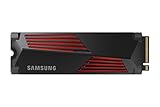
- OUR ULTIMATE SSD: Reach near max performance with PCIe 4.0*; The in-house controller's smart heat control delivers our best power efficiency while maintaining ferocious performance that always keeps you at the top of your game
- MAXIMIZED PCIE 4.0 SPEED: Get random read/write speeds that are 40%/55% faster than 980 PRO; Experience up to 1400K/1550K IOPS and read/write speeds up to 7450/6900 MB/s for gaming, video editing, 3D modeling, data analysis and more**
- BREAKTHROUGH POWER EFFICIENCY: Get more performance while using less power; Enjoy up to 50% improved performance per watt over 980 PRO***
- THERMAL CONTROL: Samsung's nickel-coated high-end controller delivers thermal control and prevents performance drops from overheating; 990 PRO with Heatsink is a perfect fit for PlayStation 5, desktops, laptops that meet the PCI-SIG D8 standard****
- THE CHAMPION MAKER: A more than 55% improvement in random performance enables faster loads for an ultimate gaming experience on PS5 and DirectStorage PC games; With RGB LED lights, Heatsink’s futuristic design adds style to function*****
Recommended next steps
- Check firmware: Look for the latest Samsung 990 Pro firmware in Samsung Magician or on Samsung’s support site for your exact capacity model.
- Back up data: Copy critical files to another SSD, hard drive, NAS, or cloud backup before making changes.
- Install the update: Apply the firmware through Samsung’s official tools rather than third-party utilities.
- Recheck drive health: After rebooting, confirm that the drive is detected normally and that SMART data is still visible.
- Monitor over time: Watch for further health drops over the next few weeks, particularly after large downloads, file transfers, or game installs.
Owners who already saw a large health decline should document the current readings before and after updating. The firmware is intended to stop the abnormal rate of reported wear, but it does not restore health percentages that have already been deducted. If your 990 Pro fell from 100 percent to 95 percent, 90 percent, or lower with very little data written, the displayed value may remain reduced even after the fix. Keep screenshots from Samsung Magician, purchase records, and SMART logs in case you need to contact Samsung support for warranty review.
If your 990 Pro is still showing 100 percent health and has not been heavily used, update anyway rather than waiting for symptoms. If it has already dropped substantially, continue using it only after you have a reliable backup strategy in place. A reduced health reading does not automatically mean the SSD is about to fail, but it should be tracked. Any continued rapid decline after the new firmware, unexpected read or write errors, disappearing drives, or failed diagnostics should be treated as grounds to stop using the SSD for primary data and begin a support or replacement request with Samsung.
Frequently Asked Questions
How do I know if my Samsung 990 Pro SSD is affected by the health degradation issue?
Open Samsung Magician and check both the firmware version and the drive health percentage for your 990 Pro. Reports mainly involved drives showing unusually fast drops in health despite relatively low total bytes written, especially on earlier firmware. If your drive health has fallen sharply in a short time, update the firmware and monitor the SMART data closely.
What firmware version should my Samsung 990 Pro be running?
Samsung released updated firmware to address the abnormal health reporting and wear behavior seen by some 990 Pro owners. In Samsung Magician, select the 990 Pro and look for a firmware update prompt, then install the newest version offered for your specific drive. If Magician says the drive is up to date, you are already on the latest firmware available through Samsung’s tool.
Will the firmware update restore SSD health percentage that has already dropped?
No, the update is not expected to restore health readings that have already been lost. Samsung’s fix is intended to prevent or stop the abnormal degradation behavior going forward, not roll back existing SMART health values. If your drive has already dropped to a concerning level, contact Samsung support and provide screenshots from Samsung Magician.
How do I safely install the Samsung 990 Pro firmware update?
Back up files first, then install the latest version of Samsung Magician from Samsung’s official support site. In the app, select the 990 Pro, choose the firmware update option, and follow the prompts; the system may need to restart. Do not power off the PC during the update process, and check the firmware version again after rebooting.
Do these 3 things before closing this tab:
1Repair Windows errors before they cause bigger problems2Scan for outdated or missing drivers - takes under a minute3Clear out junk files and repair common Windows errorsShould I stop using my Samsung 990 Pro until it is updated?
If the drive is functioning normally, you usually do not need to stop using it, but you should update the firmware as soon as practical. Avoid heavy unnecessary write workloads until the update is installed, especially if you have already noticed a rapid health drop. Keep a current backup regardless, since firmware updates do not replace a proper data protection plan.
Bottom Line
Samsung’s firmware update for the 990 Pro SSD is an install for owners, especially anyone who has seen unusually fast health-percentage drops in Samsung Magician or other monitoring tools. The update is designed to stop the abnormal degradation behavior going forward, but it does not restore health readings that have already fallen.
If you use a 990 Pro, back up data, install the latest Samsung Magician software, apply the newest firmware, and recheck drive health afterward. Anyone with severe wear readings, errors, or continued rapid decline should contact Samsung support and consider an RMA while keeping a current backup in place.

