Some links on this page are affiliate links: if you buy through them we may earn a commission, at no extra cost to you.
The RTX 5070 Ti is best understood through the complete system around it, not through one universal temperature or FPS number. NVIDIA’s Blackwell-based card is positioned for high-refresh 1440p and capable 4K gaming, with 16 GB of GDDR7, fourth-generation ray tracing, DLSS 4, and dual ninth-generation NVENC encoders. But the exact partner card, case airflow, CPU, monitor, driver branch, BIOS settings, and tuning profile can materially change the ownership experience.
This owners’ thread is therefore a reporting and troubleshooting guide rather than a substitute for a controlled review. Use the template below when posting results, and treat isolated reports of black screens, coil whine, unusual temperatures, or undervolt instability as evidence about one configuration—not proof of a universal RTX 5070 Ti defect.
As an Amazon Associate I earn from qualifying purchases.
The Tool Desk
Outbyte PC Repair FREEClear out junk files and repair common Windows errorsFree Scan →Outbyte Driver Updater FREEScan for outdated or missing drivers - takes under a minuteDriver Scan →RTX 5070 Ti: the common platform
NVIDIA lists the RTX 5070 Ti with the following core specifications:
| Specification | NVIDIA-listed figure |
|---|---|
| Architecture | Blackwell |
| CUDA cores | 8,960 |
| Base clock | 2.30 GHz |
| Boost clock | 2.45 GHz |
| Memory | 16 GB GDDR7 |
| Memory interface | 256-bit |
| Memory bandwidth | 896 GB/sec |
| Total graphics power | 300 W |
| Maximum GPU temperature | 88 °C |
| Recommended system power supply | 750 W |
Those figures describe the GPU platform, not every retail card. Board partners can use different coolers, factory power limits, BIOS profiles, fan curves, dimensions, slot thicknesses, and power connectors. Two cards using the same RTX 5070 Ti GPU can consequently show different clock behavior, acoustics, temperatures, and clearance requirements.
Popular on Amazon

- 2 x 92mm fans combined into one interface, can be connected to the motherboard's 3-pin or 4-pin interface and you only need to access one interface to run all the fans
- This cooling fan's total size is 7.36in(L) x 4.72in(W) x 1.18in(H), designed for most universal graphic card video card VGA cooling,just please check the size to make sure your pc has enough space
- D-type interface cable included four interfaces, three voltages: 5V, 7V and 12V; different voltages with different airflow, speed and noise. You can select the appropriate voltage interface to start the fan
- The double ball bearing has a service life of 65,000 hours, and the 7 blades produce strong airflow to keep the computer case cool
- packing list: 2 x 92mm fans (PCI bracket screwed), 1 x multi-voltage cable ,1 x mini screwdriver,1 x fixing screw
The card has three DisplayPort outputs and one HDMI output, supports up to four displays, and is specified for up to 4K at 480 Hz or 8K at 165 Hz with Display Stream Compression. It also supports fourth-generation ray-tracing cores, fifth-generation Tensor cores, DLSS 4 features including Super Resolution, DLAA, Ray Reconstruction, Frame Generation, and Multi Frame Generation, as well as AV1 encode and decode.
NVIDIA announced a $749 starting price and February 2025 availability for the RTX 5070 Ti. That is a launch-position reference, not a permanent street price. If you are comparing an RTX 5070 Ti graphics card, record the country, retailer, date, exact AIB model, shipping cost, and warranty terms rather than describing the card as good or poor value without a dated price.
Free tools Windows power users keep installed
One-click scans. No signup required.
What every owner report should include
A useful owners’ thread makes its variables visible. At minimum, identify the following:
- Graphics card: exact board-partner model, revision if known, factory BIOS version, and whether the card is in its performance, quiet, or alternate dual-BIOS mode.
- Software: Windows version, NVIDIA driver version, game version when relevant, and whether the installation was upgraded normally or performed cleanly.
- Platform: motherboard model, BIOS version, CPU, memory capacity and speed, resizable BAR status if relevant, and whether the primary PCIe slot is set to Auto or a fixed generation.
- Physical system: case model, number and position of intake and exhaust fans, radiator placement if applicable, ambient temperature, power-supply model and wattage, and power-cable arrangement.
- Display: resolution, refresh rate, connection type, number of active monitors, HDR state, and variable-refresh technology.
- GPU state: stock, undervolted, power-limited, overclocked, or running a custom fan curve. Include core and memory offsets if used.
Without this information, a statement such as my card runs at 68 °C or this game gets 140 FPS is an anecdote. It may still be useful, but it is weak evidence for what another owner should expect.
Copy-and-paste owner template
GPU model and revision:
BIOS / dual-BIOS mode:
Driver version and installation date:
Windows version:
Motherboard and BIOS:
CPU:
Memory configuration:
PCIe slot setting: Auto / Gen 4 / other
Case and fan layout:
PSU model and wattage:
Power cable arrangement:
Monitor resolution, refresh rate, and number of displays:
GPU profile: stock / power limit / undervolt / overclock
Ambient temperature:

Game or benchmark:
Resolution and preset:
Ray tracing or path tracing:
DLSS mode:
Frame Generation / Multi Frame Generation: on or off
Reflex: on or off
Average FPS:
1% low FPS:
GPU utilization:
CPU utilization or limiting thread:
GPU clock:
Board power:
Core temperature / hotspot / memory temperature:
Fan speed and noise observations:
Repeatability and duration:
How to interpret performance
1440p raster gaming
High-refresh 1440p is one of the most natural targets for the RTX 5070 Ti. In less demanding rasterized games, the GPU may render enough frames to make a high-refresh monitor useful. In CPU-limited titles, however, lowering resolution or changing GPU settings may produce little improvement because the processor or game engine is limiting the frame rate.
For a meaningful report, include the average FPS and 1% lows. Average FPS describes throughput; 1% lows provide a rough indication of frame-time consistency. Also report GPU utilization. A GPU sitting well below full utilization while one CPU core is heavily loaded is not evidence that the card is underperforming.
Quick wins for a faster PC:
Repair Windows errors before they cause bigger problemsFix Now →Scan for outdated or missing drivers - takes under a minuteDriver Scan →Clear out junk files and repair common Windows errorsFree Scan →4K raster gaming
The RTX 5070 Ti is capable of 4K gaming, but the result depends heavily on the preset, texture quality, game engine, and desired refresh rate. At 4K, the 16 GB memory capacity can be relevant to texture-heavy games and future settings, but it does not guarantee that every demanding title can run maximum settings indefinitely.
State whether the result is native 4K, an internal-resolution mode, or DLSS Super Resolution. Those are different rendering conditions and should not be placed in one undifferentiated benchmark table.
Ray tracing and path tracing
Ray-traced and path-traced workloads can be substantially more demanding than standard rasterization. A fair report separates ordinary raster, ray tracing, and path tracing instead of calling all three simply ultra settings.
In demanding ray-traced or path-traced games, DLSS may be necessary to reach a target refresh rate. That does not mean DLSS is a replacement for native GPU performance. Report the base rendered frame rate, DLSS mode, generated-frame setting, latency settings, and final displayed frame rate separately.
DLSS 4 and Multi Frame Generation
DLSS 4 combines several technologies rather than representing one universal performance switch. Super Resolution changes the rendered input resolution, Ray Reconstruction can affect ray-traced image reconstruction, and Frame Generation or Multi Frame Generation inserts AI-generated frames between traditionally rendered frames.
Also popular on Amazon
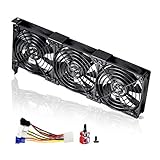
- 3 x 92mm fans combined into one interface, can be connected to the motherboard's 3-pin or 4-pin interface and you only need to access one interface to run all the fans
- This cooling fan's total size is 11in(L) x 4.72in(W) x 1.18in(H), designed for most universal graphic card video card VGA cooling,just please check the size to make sure your pc has enough space
- D-type interface cable included four interfaces, three voltages: 5V, 7V and 12V; different voltages with different airflow, speed and noise. You can select the appropriate voltage interface to start the fan
- The double ball bearing has a service life of 65,000 hours, and the 7 blades produce strong airflow to keep the computer case cool
- packing list: 3 x 92mm fans (PCI bracket screwed), 1 x multi-voltage cable ,1 x mini screwdriver,1 x fixing screw
A useful post should therefore use a format such as:
- Native or base render rate: 58 FPS
- DLSS mode: Quality, Balanced, or Performance
- Frame Generation: off or on
- Multi Frame Generation: off or on
- Reflex: off or on
- Displayed rate: the resulting monitor-facing FPS
- Monitor refresh rate: for example, 144 Hz or 240 Hz
Generated frames can improve perceived smoothness, but they do not create the same input response as increasing the underlying rendered frame rate. Reflex and the game’s latency behavior matter, and a display with a lower refresh rate cannot show every generated frame. Image quality and artifact observations also belong in the report.
NVIDIA’s launch driver, Game Ready 572.47 WHQL, added RTX 5070 Ti support and included a fix for stability problems when waking a monitor from extended sleep. The launch documentation also covered the RTX 5070 Ti and a DLSS 4 update for Marvel Rivals. Those details are useful historical markers, but they should not be treated as current driver guidance for every game. NVIDIA’s driver archive contains later Game Ready branches and later fixes involving monitor wake, multi-monitor behavior, DLSS settings, frame-generation smoothness, and game stability. Always record the exact driver number and date.
Recommended Free Tools
Thermals, fan noise, and hotspot readings
NVIDIA’s listed maximum GPU temperature is 88 °C. That is a thermal limit specification, not a promised gaming temperature or a target that every card should approach.
Normal readings vary with:
- AIB heatsink size and heat-pipe design
- Card thickness and cooler configuration
- Case intake and exhaust pressure
- Ambient temperature
- Game workload and frame-rate cap
- Power limit and factory BIOS
- Fan curve and zero-RPM behavior
- Whether the reported number is core temperature, hotspot, or memory temperature
Owner discussions include cards running in the 60s or low 70s during gaming and cards that improve after undervolting. Those are plausible individual results, not a universal RTX 5070 Ti temperature range. A comparison is meaningful only when the ambient temperature, workload duration, power, fan speed, and card model are also shown.
Coil whine deserves the same discipline. It can vary with frame rate, menu screens, power draw, and the individual sample. Record whether it occurs in menus or gameplay, whether a frame-rate cap changes it, and whether it is audible at the normal seating distance. Do not confuse an acoustic complaint with a performance or safety failure.
Power supply and connector checklist
NVIDIA specifies either two PCIe 8-pin cables used with the included adapter or a 300 W-or-greater PCIe Gen 5 cable. The official recommended system power supply is 750 W. That recommendation should be considered alongside the CPU, other components, PSU quality, age, and connector compatibility.
What’s actually slowing this PC down?
Pick the symptom - the matching free tool is one click away.
When documenting power, state:
- PSU manufacturer, exact model, wattage, and approximate age
- Whether the GPU uses the included adapter or a native PCIe Gen 5 / 12V-2×6 cable
- Whether the adapter is fed by two separate PCIe 8-pin leads
- Whether the connector is completely inserted
- Whether the cable is sharply bent or applying sideways force at the connector
- Whether the symptom appears under load, at idle, during startup, or after moving the case
If a replacement is actually needed, a 12V-2×6 cable for RTX 5070 Ti must be matched to the exact PSU model and approved by the PSU manufacturer. Modular PSU cables are not generically interchangeable, even when the plug appears to fit. A native cable for one PSU family can be unsafe in another.
Likewise, an ATX 3.x 750W power supply is not automatically the right purchase for every system. Confirm the CPU load, available connectors, physical clearance, efficiency and warranty, and whether the unit includes the correct native cable. Do not use a cable replacement as a blanket response to every black-screen report.
Black screens, signal loss, and display wake problems
Community reports describe black screens, display loss, driver resets, monitor-wake failures, and cases in which reseating the power connector or changing PCIe settings appeared to help. The reports are heterogeneous and do not establish a single universal defect. Troubleshoot methodically:
- Return the GPU to stock. Remove an undervolt, memory offset, overclock, custom power limit, and aggressive fan profile. If the issue disappears, the tuned profile—not necessarily the card—becomes the leading suspect.
- Power down and inspect the installation. Reseat the card in the primary full-length slot and verify that the power connector is fully inserted. Check for obvious cable strain or side-loading. Do not repeatedly bend or force the connector.
- Simplify the display chain. Test one monitor, one output, and another known-good cable. Match the cable to the display’s resolution, refresh rate, HDR, and variable-refresh requirements. A certified high-refresh DisplayPort cable can be sensible when the existing cable is of unknown capability, but a cable change is not proof of the cause and will not fix every display problem.
- Remove software variables. Temporarily disable overlays, monitoring hooks, recording overlays, browser hardware acceleration, and third-party GPU utilities. Test a known-stable game or repeatable benchmark.
- Reinstall the official driver. Use NVIDIA’s official driver channel, select the custom or advanced installation path when available, and use the clean-install option if the problem followed a driver update or corrupted installation. Record the version installed.
- Test the motherboard link setting. After confirming the motherboard firmware is current, test PCIe Auto versus a fixed Gen 4 setting if the symptom suggests link negotiation or compatibility trouble. This is a diagnostic change, not a universal recommended setting.
- Change one variable at a time. Keep a short log of the driver, cable, monitor, BIOS mode, PCIe setting, and game used for each test. Otherwise, a recovery cannot be attributed to one change.
If the problem remains at stock settings across another cable, display, game, and driver installation, record the exact reproduction steps and contact the card manufacturer or system builder. Include crash logs, display behavior, temperatures, power readings, and the full hardware list.
Optional driver-maintenance software
For the RTX 5070 Ti itself, NVIDIA’s official driver page should remain the primary source. An optional tool such as Outbyte Driver Updater may be relevant after a broad Windows reinstall because Outbyte describes scanning for missing or outdated drivers and providing backup and restore functions. It is not an NVIDIA tool, is not required for RTX 5070 Ti driver installation, and should not be presented as a guaranteed fix for black screens or driver resets. Verify current pricing, program terms, privacy details, and whether it is appropriate for your region before using it.
Undervolting, power limiting, and overclocking
Undervolting can reduce power draw, heat, and fan noise while preserving much of a card’s performance. It can also produce crashes that appear only in one game, at a particular resolution, or after a long session.
Also popular on Amazon
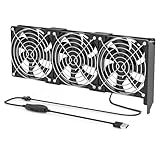
- 【Durable & Compact Design】This cooling fan is built with high-quality materials for enhanced durability. Its compact size makes it easy to install in tight spaces, providing reliable active cooling for graphics cards or server components
- 【Broad Compatibility for High-Performance Hardware】Ideal for graphics cards and other server hardware that require additional cooling. Perfect for use in consumer chassis with limited airflow to improve system stability and performance
- 【Adjustable Fan Speed for Custom Airflow】With a speed range of 1500–3000 RPM, the fan allows you to fine-tune airflow based on your cooling needs. Whether you prioritize silent operation or maximum cooling, this fan gives you full control
- Flexible Power Options with USB & 4-Pin Support】Comes with a USB to 4-PIN PWM cable for easy 12V power connection. The fan can be turned on or off manually, offering flexible control
- 【Complete Kit, Ready to Install】Includes 1 x cooling fan, 1 x USB to 4-PIN cable, and 1 x mounting screw. Everything you need for a quick and hassle-free installation—no additional parts required
Owner reports have described profiles around 0.90–0.975 V with approximately 2.9–3.2 GHz effective clocks, lower power consumption, and lower temperatures. Other owners have reported instability at settings that look similar. That variation is expected from differences in silicon, cooling, workload, memory settings, drivers, and measurement tools.
Do not publish a voltage and clock pair as a universal recipe. A proper tuning report should include:
Crashes, No Sound, or Screen Glitches?
Random freezes, missing sound and display glitches usually trace back to one bad driver. Find and replace yours safely.Free scan · under a minutePC Slower Than It Used to Be?
A free scan shows the junk files, broken settings and background clutter dragging Windows down - then fixes them in one click.Free scan · Windows 10 & 11- The voltage-frequency curve or enough curve points to reproduce the profile
- Core clock target and effective clock observed under load
- Memory offset and memory temperature if available
- Power-limit setting
- Fan curve
- Benchmark or games used for validation
- Test duration and ambient temperature
- Average FPS, 1% lows, power, core temperature, hotspot, and fan speed
- Whether the profile survived several unrelated games
Memory overclocks need particular caution. A benchmark score can improve while frame-time consistency or application stability gets worse. A profile that completes one short benchmark is not necessarily stable for a long gaming session.
BIOS modes, PCIe settings, and AIB differences
When comparing partner cards, separate the GPU silicon from the implementation. Record the exact model and revision, cooler, dimensions, slot thickness, factory clock, power limit, BIOS options, connector arrangement, warranty, and measured noise. A dual-BIOS switch can change the fan curve or power behavior, so the selected mode belongs in every comparison.
Physical fit is not a minor detail. Check card length, height, thickness, radiator and front-fan clearance, the number of occupied slots, and whether the case’s support structure obstructs the power connector. Owners of large triple-fan or thick partner cards may consider an RTX 5070 Ti GPU support bracket or another anti-sag solution, but it is an installation aid, not a requirement for every build. The bracket must support the card without pressing on fans, PCB components, or connectors.
Motherboard PCIe Auto settings can work correctly for one system and behave differently after a firmware update or with a particular board combination. Do not turn one owner’s Gen 4 workaround into a general performance recommendation. If a fixed Gen 4 setting resolves a signal or link problem, report the motherboard, BIOS version, slot, and before-and-after behavior.
Creator and streaming workloads
The RTX 5070 Ti’s dual ninth-generation NVENC encoders and AV1 support make it relevant to recording, livestreaming, and video production. Hardware encoding capability, however, is not the same as guaranteed stream quality. The result also depends on the streaming application, encoder preset, bitrate, platform support, scene complexity, output resolution, capture path, and network connection.
Creator reports should identify the application, encoder, codec, resolution, frame rate, bitrate, preset, number of simultaneous encodes, GPU utilization, dropped frames, and whether the game and encoder share the same GPU. For capture-card workflows, also state whether the card is handling the game, encode, preview, and recording simultaneously.
If your use case is an always-on prerecorded broadcast rather than live gameplay or local recording, 24/7 cloud streaming may be a separate way to avoid leaving an RTX 5070 Ti-powered PC running overnight. StreamNeo describes cloud-based looping of prerecorded video to supported live platforms without requiring a local PC or OBS. That service is unrelated to GPU performance and should be evaluated for platform support, account requirements, pricing, and geographic availability before treating it as part of a build decision.
Use StreamNeo for an Always-On Prerecorded YouTube Stream
StreamNeo fits this narrow workflow: upload an owned or licensed prerecorded video and paste a YouTube stream key, then let the broadcast run in the cloud while the PC stays off.
StreamNeo checks stream health every 30 seconds and restarts a dropped stream automatically, addressing the reliability concern in an always-on channel without requiring the RTX 5070 Ti system to remain powered.
Also popular on Amazon

- Suitable for ASUS RTX 3050 PHOENIX / RTX 3060 PHOENIX
- Incompatible with other Graphics Card
- Fan diameter:95mm
- Power connector: 6 Pin
Start with StreamNeo’s free 24-hour 720p/30fps trial; no card is required at signup, making it a practical way to test the upload, stream-key workflow, and channel behavior before choosing a longer-running setup.
How to compare real-world owner results
Organize reports into categories rather than mixing every complaint into one score:
- Driver installation, rollback, and update behavior
- Black screens, signal loss, and monitor wake
- Multi-monitor and high-refresh display behavior
- Game crashes, device-removed errors, and shader-compilation stutter
- Fan stop, fan ramping, noise, and coil whine
- Core, hotspot, and memory temperatures
- Power connector seating and PSU compatibility
- PCIe link negotiation and motherboard BIOS compatibility
- Undervolt, power-limit, and overclock stability
- Upgrade value relative to the owner’s previous GPU
For each report, label whether the issue occurred at stock settings, after tuning, only in one game, only after a driver update, or only with a particular monitor configuration. A repeatable failure at stock settings across multiple tests carries more weight than a problem that appears only after a custom memory overclock.
Do these 3 things before closing this tab:
1Clear out junk files and repair common Windows errors2Scan for outdated or missing drivers - takes under a minute3Repair Windows errors before they cause bigger problemsIs the RTX 5070 Ti a worthwhile upgrade?
There is no universal upgrade answer. At the announced $749 starting point, the relevant comparison is not merely the RTX 5070 Ti against another specification sheet. Consider:
- Your current GPU and its measured performance in the games you actually play
- Whether your target is high-refresh 1440p, 4K, ray tracing, or path tracing
- How much you value DLSS, Frame Generation, and Multi Frame Generation
- Whether 16 GB of VRAM fits your texture, modding, creator, and longevity needs
- Your PSU, case clearance, connector setup, and cooling capacity
- Your local price for the exact AIB model, including tax and warranty
- Whether you are moving from an older or mid-range card versus a recent high-end GPU
The same purchase can be a major improvement for an older card and a difficult value case for someone who already owns a recent high-end model. Because availability and pricing change, use a dated price snapshot. Compare the exact card’s cooler, size, noise, warranty, and included accessories—not just the GPU name.
A practical decision framework
| If your priority is… | What to examine first |
|---|---|
| High-refresh 1440p | CPU limits, 1% lows, monitor refresh rate, and whether ray tracing is enabled |
| 4K gaming | DLSS mode, texture memory use, ray-tracing level, and the target refresh rate |
| Path tracing | Base render rate, DLSS, Frame Generation or Multi Frame Generation, latency, and artifacts |
| Quiet operation | AIB cooler, case airflow, ambient temperature, fan curve, and undervolt stability |
| Streaming or recording | AV1 support, NVENC behavior, application settings, bitrate, platform support, and dropped frames |
| Replacement build | Exact dimensions, PSU cable compatibility, case clearance, warranty, and dated street price |
Post your RTX 5070 Ti experience
The most valuable owner contribution is not simply a benchmark number. It is a reproducible configuration and a clear description of what changed. Include the exact AIB model, driver and date, BIOS mode, monitor setup, power arrangement, temperatures, clocks, utilization, and tuning state. If reporting a problem, describe the trigger, frequency, stock-versus-tuned behavior, and every troubleshooting step that changed the result.
That level of detail makes it possible to distinguish a cooler-specific temperature pattern from a case-airflow problem, a CPU limit from a weak GPU result, a game-specific driver regression from a hardware failure, and an individual cable or monitor issue from a broader trend.
Frequently Asked Questions
Is 88 °C a normal target temperature for the RTX 5070 Ti?
No. NVIDIA lists 88 °C as the maximum GPU temperature, not as a required or expected gaming temperature. Actual readings depend on the AIB cooler, case airflow, ambient temperature, power limit, fan curve, and workload. Report core temperature, hotspot, and memory temperature separately when possible.
Is a 750 W power supply enough for an RTX 5070 Ti?
750 W is NVIDIA’s recommended system power level, but suitability also depends on the CPU, other components, PSU quality and age, and available connectors. NVIDIA specifies either two PCIe 8-pin cables with the included adapter or a 300 W-or-greater PCIe Gen 5 cable. Match any native modular cable to the exact PSU model.
Does Multi Frame Generation provide the same benefit as native FPS?
No. Multi Frame Generation can increase the displayed frame rate by inserting generated frames, but it does not produce the same underlying rendered frames or necessarily the same input response as a higher base render rate. Report base FPS, DLSS mode, generated-frame state, Reflex, latency observations, and monitor refresh rate separately.
Should every RTX 5070 Ti owner undervolt the card?
No. Undervolting can reduce power, heat, and noise, but stability varies by individual GPU, workload, driver, and memory settings. Treat profiles around 0.90–0.975 V and 2.9–3.2 GHz as owner-specific examples, not universal recipes, and test across several unrelated games.
Quick wins for a faster PC:
Repair Windows errors before they cause bigger problemsFix Now →Fix the driver behind crashes, sound loss and screen glitchesFind Drivers →Clear out junk files and repair common Windows errorsFree Scan →The Bottom Line
The RTX 5070 Ti has a strong high-refresh 1440p and capable 4K feature set, but the ownership story belongs to the exact card and complete system. Record the AIB model, driver, BIOS mode, CPU, monitor, case airflow, PSU, connector, workload, and tuning profile before drawing conclusions. Stock-condition, repeatable results are the most useful evidence; dated pricing and the owner’s current GPU determine whether the upgrade is worthwhile.

