Some links on this page are affiliate links: if you buy through them we may earn a commission, at no extra cost to you.
Risk of Rain 2 is getting a completely free trial on Stadia, which is a big deal if you’ve been on the fence about the game’s difficulty curve, pacing, and coop value. A no-cost trial is also one of the cleanest ways to test whether the loop “clicks” for you before you commit money.
This guide focuses on what the free trial likely changes for players, how to access it on Stadia, and how to avoid the most common trial/account pitfalls. You’ll also get a clear checklist for what to test during your session so you don’t waste the trial window.
| # | Preview | Product | Price | |
|---|---|---|---|---|
| 1 |

|
Risk of Rain 2 - Nintendo Switch | $19.99 | Buy on Amazon |
| 2 |
|
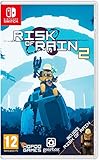
Risk Of Rain 2 (Nintendo Switch) | $21.95 | Buy on Amazon |
| 3 |

|
Risk of Rain 2 Standard - Nintendo Switch [Digital Code] | $24.99 | Buy on Amazon |
| 4 |

|
Hades - Nintendo Switch | $58.97 | Buy on Amazon |
As an Amazon Associate I earn from qualifying purchases.
What this Stadia free trial means for Risk of Rain 2 players
A free trial on Stadia typically means you can launch the game and play it without paying upfront, usually for a limited time or until you hit the trial boundary set by the publisher. Practically, it lets you evaluate the game’s core mechanics—movement, item stacking, boss cadence, and difficulty—while streaming instead of installing.
Stadia is especially good for fast testing because you can start a run quickly on a supported device. If you’ve only watched videos before, that hands-on feel is the real difference.
Popular on Amazon
- Co-op Roguelike action
- Constant battles and incredible bosses
- Old favorites return and undiscovered challenges await
Prerequisites before you try the free trial
Before you chase the trial button, make sure your setup can actually use Stadia. Trials won’t help if you can’t launch the title due to region, age/parental controls, or account status.
- Stadia availability in your region: If Stadia features are restricted where you live, the trial listing may not appear.
- An active Google account with Stadia access: You need to sign in to the same account you use on Stadia store pages.
- Browser or device support: Use a supported browser or Stadia device flow for the smoothest experience.
- Internet connection: Cloud streaming is sensitive to packet loss and jitter; a stable connection matters more than speed alone.
How to claim the Risk of Rain 2 free trial on Stadia
The process is usually straightforward: find the Risk of Rain 2 store page, choose the trial option, then launch the game from your library. The exact labels can vary slightly by region and store updates.
The Tool Desk
Outbyte Driver Updater FREEFix the driver behind crashes, sound loss and screen glitchesFind Drivers →Outbyte PC Repair FREEClear out junk files and repair common Windows errorsFree Scan →Check your region and account status
If you don’t see the trial offer, the two most common causes are region filtering and account eligibility. Log into Stadia first, then open the store listing from the signed-in browser session.
Find the free trial listing
On the Stadia store, search for Risk of Rain 2. Look for a button or badge that indicates a trial—often phrased as Try, Free trial, or similar wording.
- Open Stadia in your browser or Stadia app flow.
- Search for Risk of Rain 2.
- Open the game’s store page.
- Confirm the page shows a trial option (not just a standard purchase price).
Start the game and verify you’re on the trial
After claiming the trial, start the game from your Stadia library and confirm you’re not being prompted for payment immediately.
- Go to your Stadia library.
- Select Risk of Rain 2.
- Launch a run (single player is the quickest test).
- Check whether the game lets you progress normally through early stages.
What you should expect during the trial
Free trials usually focus on proving the gameplay loop works and that the game runs reliably in streaming. You should plan to test core “risk points”: controls, load times, item feel, and whether online play behaves as expected for your setup.
Progress, saves, and carry-over
This is the part most players care about. Trials may allow progress during the trial window, but carried progress after purchase isn’t always guaranteed—especially for timed trials or platform-specific entitlements.
Also popular on Amazon
- Procedurally-generated planets with terrain that can be reshaped under your feet as though it were made of clay. Survive on and explore carefully crafted planets that can be entirely deformed and traversed.
- Extract resources, trade or craft new tools, vehicles, and modules. Snap together components and objects to build bases, rovers, and spaceships to travel to new planets and moons.
- Play with friends in 4 player online drop-in/drop-out co-op
- Discover and uncover the mysteries of the solar system.
- If the trial is time-limited, you may be able to keep progress only after the game is purchased.
- If the trial is entitlement-based, some progression may be retained, but you shouldn’t assume it without checking the in-game save and post-trial prompts.
During your first run, play far enough to create a save state in your profile so you can verify what persists.
Modes, content access, and performance
Most trials provide access to the core loop (stages, enemies, items) but may restrict some modes (like DLC content or certain challenges). Performance-wise, expect the trial to be the same build you’d get on purchase—streaming quality depends on your connection.
Use a short test path:
- Choose one survivor you find intuitive.
- Fight at least through the first boss/event checkpoint.
- Pick up multiple item types to see how quickly the run ramps.
Multiplayer and cross-play behavior
Risk of Rain 2 shines in co-op, so treat the trial as a multiplayer test if you have a friend. Multiplayer behavior can differ based on platform entitlements and matchmaking rules.
Recommended Free Tools
What to check:
- Can you host or join a session without being blocked by trial status?
- Do friends on different platforms see you normally?
- Is voice chat available and stable for your setup?
Common gotchas (and how to fix them fast)
Free trials look easy on paper, but store entitlements and streaming setups can get weird. These fixes cover the most frequent failures.
Free trial button doesn’t appear
If the trial offer isn’t showing, the most common causes are region availability, account eligibility, or the store page not being refreshed to the newest listing.
- Sign out and sign back into Stadia to refresh session entitlements.
- Try a different browser profile (or incognito) while staying signed in.
- Double-check you’re on the correct Risk of Rain 2 store page (not a bundle listing).
- Search directly for the title instead of relying on recommendations.
“Purchased” vs “Try” confusion
Sometimes players see a purchase price but the trial badge is hidden behind store layout or localized pricing. Another time, it may show a partial trial option you can’t claim.
- Refresh the store page and re-open the game details panel.
- Look for wording like Try or Free trial rather than only price tags.
- If you previously bought the game on the same account, a trial will not appear.
Signing in loops or controller issues
On Stadia, sign-in loops and controller mapping glitches usually aren’t trial-specific—they’re session or input-layer problems.
Quick wins for a faster PC:
Repair Windows errors before they cause bigger problemsFix Now →Fix the driver behind crashes, sound loss and screen glitchesFind Drivers →Clear out junk files and repair common Windows errorsFree Scan →Also popular on Amazon
- Explore massive and exciting 3D levels
- Discover lore through the collection of monster, item, and environment logs
- Unlock over 75 items, keeping each run fresh
- Play, and unlock new and returning survivors, each with their own abilities to master
- Encounter challenging monsters and enormous bosses
- Disconnect and reconnect your controller.
- Restart your browser tab or Stadia session.
- Use keyboard input temporarily to rule out controller configuration problems.
Video stutters or input lag
Risk of Rain 2 is action-heavy, so any stutter can make the trial feel worse than it is. If you see choppy video:
- Run a quick network check and avoid Wi‑Fi congestion.
- Switch off heavy background uploads (cloud backups, video calls).
- If possible, move to a more stable connection (Ethernet or a 5 GHz Wi‑Fi band).
- Reduce other streaming loads on your household network.
Is the free trial actually worth it? A practical checklist
Don’t waste the trial time. Treat it like a product test: you want to confirm the game’s feel, not just watch the first few minutes.
- Controls: Can you consistently dodge, aim, and manage positioning?
- Item readability: Do you understand what your items are doing after a few pickups?
- Run pacing: Can you handle the rhythm of stages, telegraphs, and boss fights?
- Difficulty: Do you find it challenging in a fun way, not a frustrating way?
- Co-op readiness: Can you play with a friend without matchmaking drama?
If you can’t comfortably clear early stages, it’s usually a sign you’ll likely struggle with mid-game chaos—at least until you learn item interactions.
Independent reader supportYour contribution helps us test, update, and keep practical guides available for everyone.Alternatives if you can’t use Stadia
Depending on where you live and what Stadia access you have, you may want a fallback so you don’t lose the chance to try Risk of Rain 2 immediately.
Play on PC (Steam/Epic)
On PC, you get full control over performance settings and mods (where supported). If you’re comfortable installing, this is usually the most direct way to test without relying on streaming quality.
- Look for official demos/trials if available on the storefront you use.
- Check system requirements and ensure your GPU/CPU meets the target FPS goals.
Play on PlayStation or Xbox
Console versions are a solid option if your controller feel matters more than graphical tweaks. If you plan to play co-op, console ecosystem stability can be a strong advantage.
- Verify whether your region and account support online co-op at the start.
- Test matchmaking early in your session so you’re not troubleshooting later.
Cloud options outside Stadia
If Stadia isn’t available to you, some cloud platforms let you stream PC or console access, but trial availability varies by publisher and licensing. The safest route is to choose a storefront or subscription that clearly states Risk of Rain 2 access.
Also popular on Amazon
- Battle out of hell in Hades, recipient of more than 50 Game of the Year awards
- Includes a download code for the Hades Original Soundtrack, by composer Darren Korb, best known for his work on developer Supergiant's past titles like Transistor and Bastion.
- Also includes a full-color 32-page character compendium booklet, featuring beautiful artwork of the game's colorful cast of gods, ghosts, and monsters, all by Supergiant's art director Jen Zee.
- Defy the god of the dead as you hack and slash out of the Underworld in this rogue-like dungeon crawler from the creators of Bastion and Transistor.
- As the immortal Prince of the Underworld, you'll wield the powers and mythic weapons of Olympus to break free from the clutches of the god of the dead himself.
FAQ
How long is the Risk of Rain 2 free trial on Stadia?
Trial length can vary by region and offer configuration. The correct answer is the trial timer/terms shown on the Stadia store page for Risk of Rain 2 on your account.
Will my progress from the trial carry over if I buy the game?
It depends on how Stadia and the game’s save entitlements work for the trial. Verify by saving early in the trial, then check whether the same save exists after you purchase.
Can I play co-op during the trial?
Most trials allow the core game loop, which typically includes co-op, but matchmaking may behave differently depending on entitlements. Test by hosting a session early while you still have trial access.
What if the trial isn’t showing for me?
Check region eligibility and sign-in session refresh. Also confirm you’re opening the correct Risk of Rain 2 store page (not a bundle or related edition).
Does streaming quality affect how “good” the trial feels?
Yes. Risk of Rain 2 is fast and responsive, so packet loss or input lag can make the trial feel unfair. If you notice stutter, troubleshoot your network before judging the game.
Do these 3 things before closing this tab:
1Fix the driver behind crashes, sound loss and screen glitches2Clear out junk files and repair common Windows errors3Scan for outdated or missing drivers - takes under a minuteFinal Thoughts
A completely free trial is the best kind of invitation: you can test whether Risk of Rain 2’s run-based chaos matches your playstyle without guessing from clips or reviews. If you care about co-op, spend at least part of the trial time validating multiplayer stability.
Claim the trial from the Risk of Rain 2 Stadia store listing, run one solid early-game session, and only then decide whether the full purchase is worth it for you.

