Free tools Windows power users keep installed
One-click scans. No signup required.
Some links on this page are affiliate links: if you buy through them we may earn a commission, at no extra cost to you.
Pixel Adaptive Charging is designed to reduce battery wear by delaying the final charging stage until it’s closer to the time you need your phone. That means it needs a reliable wake signal—usually your daily alarm—before it can make a good prediction.
If you’ve noticed it only works when your alarm is set during certain overnight hours, you’re not imagining things. The charging algorithm is tuned for overnight behavior, so alarms placed outside the expected window may not trigger the feature the way you expect.
As an Amazon Associate I earn from qualifying purchases.
Do these 3 things before closing this tab:
1Scan for outdated or missing drivers - takes under a minute2Repair Windows errors before they cause bigger problems3Fix the driver behind crashes, sound loss and screen glitchesWhat Pixel Adaptive Charging actually does
Adaptive Charging on Pixel doesn’t simply “charge slowly.” Instead, it tries to manage the last portion of charging (the part that pushes the battery toward full capacity). In practice, that often means the phone may charge normally at first, then slows or pauses before topping off later.
This is why the feature is tightly connected to when you typically start your day. If the phone can’t confidently infer your wake time from your alarm, it can’t time the top-off stage accurately.
Popular on Amazon

- Designed for Google Pixel Series: Experience the power of USB PD 3.0 with PPS fast charging technology with this 30W USB-C charger block. This ARCCRA Type C fast Charger charges your Google Pixel 11/10/9 up to 60% in just 30 minutes, helping you work efficiently. Ideal for when you need a quick charge before heading out
- 6FT Pixel Charger Cord: Built to last, this tangle-free 6FT USB C cable withstands 15,000+ bends and features reversible USB-C connectors on both ends. This USB C to USB C cable supports PD fast charging up to 60W (20V/3A) and data transfer speeds 480Mbps. The 6ft Type C cable gives flexibility to charge from a couch, desk, or nightstand while still using your Google Pixel 11
- Widely Compatibility: 30W USB C Fast wall charger for Google Pixel 11/11 Pro/11 Pro XL/11 Pro Fold/10/10 Pro/10 Pro XL/10 Pro Fold/9/9 Pro/9 Pro XL/9 Pro Fold/8/8a/8 Pro/7/7a/7 Pro/6/6a/6 Pro/5/5a/4/4a 5G/4 XL/3a/3a XL, Pixel Tablet, Pixel Slate, Pixelbook, Samsung Galaxy S26/S25/S24/S23/S22/S21/S20/Ultra, Note 20/10, LG, Moto, Tablet, Android Phones, and more USB-C devices
- Safe and Reliable: This pixel fast charger features a smart IC chip that automatically adjusts current to match your device's needs. Multiple safety protection systems prevent overcharging, overheating and short circuits to keep your devices safe. This Google Pixel charger supports USB PD 3.0 and meets safety standards for fast charging
- What You Get: 1 x 30W Fast USB C Wall Charger Block, 1 x 6FT Type C to Type C Charging Cable Cord. One bundle covers all your needs at home, office, or on the go. If you have any questions or issues, please get in touch with us. Our dependable customer care will keep online 24/7 and respond to you with a suitable solution
Why the alarm time window matters
To delay charging until you’re about to unplug, Pixel has to map “when I plug in” to “when I wake up.” Many Pixel charging behaviors are primarily optimized for overnight routines (charging for sleep, then using the phone in the morning).
When your alarm is set outside the expected nighttime charging context, Adaptive Charging may decide there’s no meaningful schedule to optimize. In other words: the alarm exists, but it falls into a pattern the prediction model doesn’t treat as a reliable wake signal.
What hours you should expect Adaptive Charging to respond to
There isn’t a single public setting that shows an exact start-and-end time for everyone, but in real-world use Adaptive Charging typically responds best to alarms set in the overnight window—roughly the hours you’d commonly sleep.
On many Pixel setups, that practical window is often something like:
- Commonly works best: about 9:00 PM to 7:00 AM
- More likely to fail to optimize: late-night alarms that drift very late (for example after ~2:00 AM), or morning alarms set unusually early/irregular
- Least reliable: alarms that are set only during daytime patterns (late morning/afternoon), especially if you frequently plug in at night for other reasons
If you set an alarm for, say, 11:30 AM and you plug in at 10:00 PM, the phone may not treat that as a stable “sleep wake” routine. Conversely, an alarm at 6:30 AM with consistent behavior the prior days is much more likely to yield correct timing.
Prerequisites before you can rely on it
Before you change alarms and obsess over timing, verify the basics. Pixel Adaptive Charging can’t do its job if the feature is off or if the phone can’t reliably see your charging and alarm behavior.
What’s actually slowing this PC down?
Pick the symptom - the matching free tool is one click away.
Check these prerequisites
- Adaptive Charging is enabled in Settings.
- Your daily alarm is created in the Clock app (not just a one-off reminder in another app).
- You have at least a few days of consistent routine. The system learns patterns.
- Your phone is actually charging long enough for prediction to matter (short plug-ins often won’t show visible “delayed top-off”).
- You’re using normal charging conditions (known-good cable/charger, reasonable room temperature).
How to set up Adaptive Charging with a reliable alarm
Step 1: Turn on Adaptive Charging in Settings
On your Pixel, open Settings → Battery (or search for Adaptive Charging). Enable Adaptive charging if it’s not already on.
Also popular on Amazon

- The Google 45W USB-C Power Charger delivers fast and efficient charging for your Pixel devices
- The charger works with all your Google Pixel devices, including Pixel phones, Pixel Buds, the Pixel Tablet, and even your laptop[1,2]
- Powers up your Google Pixel 9 Pro XL to 70% battery in about 30 minutes[3]
- The Google 45W USB-C Power Charger is mindfully made with 47% recycled plastics[4]
- Please refer to the product description section below for all applicable legal disclaimers denoted by the bracketed numbers in the preceding bullet points (e.g., [1], [2], etc.)
If you don’t see the exact wording, use the Settings search bar and look for terms like charging, adaptive charging, or battery settings.
Step 2: Use the Clock alarm that matches your real wake time
Open the Clock app and set a daily alarm for the time you actually want to be ready. For best results, keep it within the overnight hours you commonly sleep—commonly around 9 PM–7 AM.
A reliable routine looks like: the same alarm time on weekdays, minimal random shifts, and the alarm enabled before you go to bed.
The Tool Desk
Outbyte Driver Updater FREEFix the driver behind crashes, sound loss and screen glitchesFind Drivers →Outbyte PC Repair FREEClear out junk files and repair common Windows errorsFree Scan →Step 3: Make sure the phone can learn (and isn’t blocked)
Adaptive charging depends on consistent signals. Avoid behavior that creates ambiguity:
- Don’t frequently change the alarm time day-to-day.
- Don’t disable alarms overnight and expect the feature to still optimize.
- If you use “Bedtime”/sleep-related features, keep them aligned with your real alarm schedule.
- Make sure you’re not overriding battery behavior with aggressive power limits.
How to confirm it’s working
The most reliable confirmation is what the phone shows during charging—especially when it’s close to your alarm time.
What to look for on the lock screen and charging UI
- Look for messaging that indicates charging is being managed or a scheduled top-off behavior.
- Check whether the phone is charging more steadily earlier and then slowing or holding until closer to your wake time.
- When the phone is nearing your alarm time, watch for a noticeable rise to reach a high-but-not-necessarily-instant full charge.
What won’t prove it (and causes confusion)
- Battery percentage going up at 11 PM doesn’t mean Adaptive Charging isn’t working—it may still delay the top-off later.
- Instant 100% can happen if you plug in late, the system estimates no meaningful schedule, or the prediction needs more consistent history.
- Battery health features can change charging speed without giving you the same “managed” look.
If it doesn’t work: troubleshooting checklist
When Adaptive Charging “only works if your alarm is set during these hours,” the fix is usually to restore predictability: correct alarm type, correct time window, and correct charging context.
Alarm is set, but Adaptive Charging never triggers
- Confirm Adaptive charging is enabled in Settings.
- Verify the alarm is in the Clock app and is set for a consistent overnight wake time (often best around 9 PM–7 AM).
- Ensure your alarm is set before you go to bed (not after you’ve already plugged in and started the night routine).
- Test for 3–5 nights without major schedule changes.
- Restart the phone once and try again (yes, mundane, but it fixes a surprising number of scheduler glitches).
It triggers but charges to 100% too early
- Check whether you changed your alarm time the same night. Large changes can break predictions.
- Confirm you didn’t enable Battery Saver in a way that changes scheduling behavior.
- Plug in earlier or later on purpose for testing—very short overnight sessions sometimes lead to immediate top-offs.
- Try a known-good charger and cable. Power delivery variability can alter charging curves.
It works only on some days
Inconsistent behavior is often self-inflicted by routine changes. Adaptive charging looks for patterns; if your wake time swings by hours, the model may stop managing charging or choose a conservative schedule.
Windows Errors? Fix Them Before They Spread
Repair common Windows errors and clear accumulated junk for a smoother, more stable PC - no reinstall needed.Free scan · no reinstallOutdated Drivers Are Slowing You Down
One free scan finds every outdated or missing driver and matches the right update for your exact hardware.Free scan · exact hardware matchAlso popular on Amazon
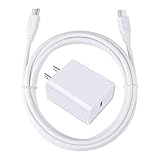
- 【PD USB-C Charger Kit】: The USB-C Charging Rapidly Charger and C-C Cable compatible with Google Pixel 11/11 Pro/11 Pro XL/11 Pro Fold, 10a/10/10 Pro/10 Pro XL/10 Pro Fold, 9a/9/9 Pro XL/9 Pro/9 Pro Fold, 8a/8/8 Pro, 7a/7/7 Pro, 6a/6 Pro/6, 5/5a, 4/4a/4xl, 3/3a/3xl, 2/2xl, xl, Pixel 3a xl/4a xl, Pixel C Tab, Google Chromebook Pixel, Pad Pro 12.9 Gen 6/5/4/3 and Pad Pro 11 Gen 2/1, Pad Air 4 which is USB C port, Samsung Galaxy S26 S25 S24 S23 S22 S21 FE S20 Ultra A17 A16 A15 A14 A13 5G A37 A36 A35 A57 A56 A55 A54 A53 A04s A03s A10E A20 A50 A21 A11, and more.
- 【20W USB Power Delivery】: The Type-C charger with future-proof fast charging technology that will charge your google pixel phone up to 50% battery level in 30 minutes, full charging in only 1hour and 10 minutes, which is 75% faster than standard USB charger. (★★★Note: this charger won't charge rapidly if the device does not support the charging rapidly.)
- 【6ft Type C to C Cable】: PD 60W USB C to C Charging Cable support 480Mbps data syncing between your phone and laptop. Power output up to 3Amp which is 75% faster than standard USB cable. 6ft Type -C Cord let you can work and charge your any Type-C enabled device anywhere.
- 【Safe & Reliable Wall Charger】: The Charging Block match safety standard to protect your laptop or cellphone from over-load voltage/current, short current and high-temperature. Full charging Galaxy S26, S25, S24, S23, S22 in only 1.5 h, save over one hours.
- 【What You Get】: 2 in1 USB C Fast Charger Kit(White) including 1-Pack 20W PD Wall Charger, 1-Pack 60W 6ft Type-C to C Cable. We provide 7x24 hours friendly customer service. If you have any question while using usb c charger kit, please tell us, we promise to solve your problems within 24 Hours!
- Keep the alarm time within 30–60 minutes of the usual wake time.
- Avoid skipping alarms frequently (e.g., alarm off for weekends, then on again with a big shift).
- Make sure the phone is actually charging throughout the night; intermittent disconnects can reset the model.
Battery Saver, Adaptive Battery, or Bedtime mode conflicts
Battery-related features can change background activity and scheduling decisions. If you use these features heavily, test with them off temporarily.
- Try disabling Battery Saver for 1–2 nights and observe whether Adaptive Charging becomes consistent.
- If you use Bedtime/Sleep features, ensure your bedtime routine aligns with the alarm wake time.
- After testing, re-enable what you need.
USB-C cable/charger issues that look like a charging feature problem
Sometimes the “feature isn’t working” story is really a charging hardware problem. If the phone frequently drops power, Adaptive Charging can’t reliably time the charging stages.
- Use a reliable USB-C cable and a charger you trust.
- Avoid hubs/docks during the test period.
- Check for warm or hot conditions—heat can throttle charging and look like delayed top-off is happening for the wrong reason.
Alternatives and workarounds if you can’t use those hours
Not everyone sleeps at the same time. If your alarm lives outside the typical overnight hours where Adaptive Charging performs best, you still have options.
Use a different alarm approach (Clock vs. other reminders)
Adaptive Charging generally responds to the alarm system it can interpret reliably. If you’re using third-party reminder apps or calendar notifications instead of the Clock alarm, switch the wake trigger to the Clock app.
Use a scheduled battery protection limit
Some Pixel battery features can cap charging behavior (for example, limiting charge level targets). If your goal is “don’t sit at 100% for hours,” a limit-based approach can be more predictable than a wake-time prediction when your schedule is irregular.
In Settings, search for battery terms like charge limit or battery protection and enable the option that matches your model’s available features.
Manually unplug and recharge on a shorter cycle
If Adaptive Charging can’t reliably find your wake window, consider a manual routine: plug in earlier with a deliberate cut-off before it reaches full, then top off closer to when you’ll use the phone. It’s less automated, but it’s very controllable.
Also popular on Amazon

- 60W Fast Charging for Pixel 11/10/9 Series: This USB C charger block delivers a total power output of up to 60W. The 60W type c super fast charger takes roughly 30 minutes to charge for your Pixel 11 up to 55%, offering a super-fast charging experience for your daily demands
- Dual USB-C Port Simultaneously Charging: The 60W Pixel charger is equipped with two USB C ports, allowing you to charge your Pixel phone and Pixel tablet simultaneously to minimize waiting time. And when you connect two devices, power will be distributed efficiently between ports to ensure you get the best charge
- 6FT Pixel Charger Cord: The 6feet USB C to C fast charging cable adopts a reversible design for easy insertion and supports 60W output (Max) and 480Mbps (Max) transfer speed. With 6foot long type c fast charging cord, it is suitable for all usage scenarios and is an ideal for home, office and travel
- 60W Type C Fast Charger Compatibility: The 60W dual USB C charger block is compatible with Google Pixel 11/11 Pro/11 Pro XL/11 Pro Fold/10/10a/10 Pro/10 Pro XL/10 Pro Fold/9/9a/9 Pro/9 Pro XL/9 Pro Fold/8/7/6/5, iPhone Duo, iPhone 18 Pro/18 Pro Max/17/17e/17 Pro/17 Pro Max/Air/16/16e/16 Plus/16 Pro/16 Pro Max/15/15 Plus/15 Pro/15 Pro Max, iPad Pro/Air/Mini, Samsung Galaxy S26/S25/S24/S23/S22 Ultra/Z Fold/Z Flip, Moto, LG, Tablet, Laptop, Android Phones, and other USB C devices
- What You Get: 2 x 60W Dual Port USB C Wall Charger Power Adapter, 2 x 6FT Long USB C to USB C Charger Cable Cord, 12-month replacement. Compact and portable, take this 60W USB C charger with you or your family wherever you go, ensuring that you never run out of power when you need it the most
Common mistakes that break Adaptive Charging
- Alarm is set only on weekends or only randomly. The model needs consistency.
- Changing alarm time by hours each night (even if you’re technically using an alarm).
- Using a different wake signal (calendar alerts, notifications) instead of a true Clock alarm.
- Plugging in for short periods (like 30–60 minutes) and expecting overnight optimization behavior.
- Ignoring charging conditions (bad cable, loose connection, overheating).
Pixel Adaptive Charging vs. other battery features
People often bundle multiple battery behaviors together. Here’s how they differ in intent:
| Feature | Main goal | What it depends on |
|---|---|---|
| Adaptive Charging | Time the final top-off near your wake moment | Charging routine + alarm/wake schedule (often overnight) |
| Battery Saver | Reduce power use by limiting background activity | Usage/power state, not wake-time prediction |
| Battery protection/charge limit (if available) | Cap max charge to reduce wear | A configured limit, not necessarily an alarm |
If Adaptive Charging is unreliable for your schedule, a charge limit option (where available) may match your goal better than depending on the wake-time window.
FAQs
Does Adaptive Charging work with alarms set in the afternoon?
It may not optimize reliably. Adaptive charging behavior is most dependable with overnight wake patterns. If your wake alarm is usually daytime, consider using a Clock alarm routine that matches your actual overnight schedule or use a charge-limit option if you have it.
How many nights does it take to learn my schedule?
Many users see stable behavior after a few consistent nights. If you change alarm times frequently, expect slower learning or inconsistent top-off timing.
Why does my Pixel sometimes charge to 100% even when the feature is on?
Common causes include a changed alarm time, irregular schedule, charging only briefly, or charging conditions that trigger different charge behavior. Hardware issues (cable/charger) can also mimic “feature failure.”
Recommended Free Tools
Will a different alarm app work?
If the wake signal isn’t the system alarm that Pixel uses for predictions, it may not trigger Adaptive Charging. For best results, use the Clock app alarm.
Can I force Adaptive Charging to work outside the overnight hours?
You can improve your chances by keeping alarm times consistent and using the Clock alarm. If your routine is truly non-overnight, a charge-limit option (when available) or manual charging windows is usually the more dependable approach.
Bottom Line
Pixel Adaptive Charging is built around predictable overnight routines. If it only works when your alarm is set during certain hours, that usually means the phone can’t confidently schedule the final top-off outside an expected sleep-wake window.
Set a consistent Clock alarm in the overnight range (commonly around 9 PM–7 AM), keep your schedule steady for a few nights, and verify Adaptive charging is enabled. If your alarm schedule can’t fit those hours, use charge limits or manual charging windows so you still protect battery health without relying on prediction timing.

