What’s actually slowing this PC down?
Pick the symptom - the matching free tool is one click away.
Some links on this page are affiliate links: if you buy through them we may earn a commission, at no extra cost to you.
After updating a Galaxy Watch 4 to One UI 6, many people notice that Always On Display (AOD) starts behaving differently—sometimes it looks like it’s on “everywhere,” even in places it previously wasn’t.
This guide walks through the exact settings that control AOD behavior, what changed in real-world use after One UI 6, and how to get back to the AOD level you actually want without guessing.
As an Amazon Associate I earn from qualifying purchases.
Quick wins for a faster PC:
Clear out junk files and repair common Windows errorsFree Scan →Scan for outdated or missing drivers - takes under a minuteDriver Scan →You’ll find watch-side steps first (the most reliable), then watch-face and power settings, and finally reset/sync options if the update seems to override your preferences.
What it means when AOD seems enabled everywhere
On Galaxy Watch 4, AOD isn’t just a single on/off switch. The watch and the current watch face can each influence whether the display stays dimly visible when the screen is otherwise off.
Popular on Amazon
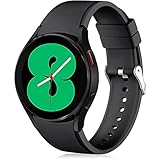
- 【Compatible Models】Lerobo 20mm smart watch bands compatible with Samsung Galaxy Watch 7/6/5 40mm 44mm/Galaxy Watch 6 Classic 47mm 43mm/Galaxy Watch 5 Pro 45mm/for Galaxy Watch 4 40mm 44mm /Galaxy Watch 4 Classic 42mm 46mm /Galaxy Watch 3 41mm only, not compatible with samsung galaxy watch active 2 40mm 44mm/ active/ galaxy watch 42mm/ galaxy watch 46mm/galxy watch 3 45mm and other universal watch with 20mm lugs. (Note: No watch included).
- 【Stylish Exterior Design】Lerobo new arrival wristband fits as good as original for galaxy watch 4 classic band and for galaxy watch 4 band/galaxy watch 7 band. Adopt exclusive arc design to achieve seamless connection with watch, which is more unique, fashionable and stable. A variety of popular colors band offer your smartwatch high-end looks could match your every mood & outfit to express your own personal style from work to workouts routine.
- 【Comfortable & Durable】The sport straps compatible with Samsung smartwatch are made of premium soft silicone rubber, skin-friendly and water resistance, anti-allergic and no fading, bring you a comfortable wearing experience. Premium Watch Buckle design, 20mm quick release pin easy to install and remove, NO tools required!
- 【Free Size for All】Adjustable size for all wrists. The adjustable watch band compatible with Samsung Galaxy Watch 4/for Galaxy watch 4 classic fit small or large wrist for 5.5"-8.5" (140mm-216mm). Easy to adjust the length and fit for women and men.
- 【Perfect Refined Gift】This for galaxy watch band is ideal option compatible with Samsung Watch accessories, best gift for men, women in many occasions like parties, business,meeting, anniversaries, Christmas, thanksgiving day or daily wearing whenever you are doing sports or working.
When One UI 6 changes your experience, it usually comes from one of these causes:
- AOD mode was changed by the update (for example, moving from “Tap to show” behavior to a more persistent AOD).
- The watch face has its own AOD settings (some faces keep details visible longer than others).
- Battery/power modes and screen interaction settings can indirectly affect what you see during “off” time.
- Motion or gesture features (when enabled) can make it look like AOD is always on, even if it’s actually turning on more aggressively.
Prerequisites before you change anything
Before adjusting settings, confirm you’re fully updated and that the watch has completed background setup. Incomplete update states can cause settings to revert or appear inconsistent.
Windows Errors? Fix Them Before They Spread
Repair common Windows errors and clear accumulated junk for a smoother, more stable PC - no reinstall needed.Free scan · no reinstallOutdated Drivers Are Slowing You Down
One free scan finds every outdated or missing driver and matches the right update for your exact hardware.Free scan · exact hardware match- Make sure your Galaxy Watch 4 is on One UI 6 (Settings → About watch → Software information).
- Ensure the watch is charged above 30%.
- Connect to Wi‑Fi or Bluetooth long enough for sync (especially if your phone also has a companion app update pending).
- Restart the watch once before major changes: press and hold the side button → Restart.
Fix 1: Set AOD to your preferred mode on the watch
This is the most direct control. If AOD looks like it’s on everywhere, start here and set it to the lowest persistence option you’ll tolerate.
- Open Settings on the watch.
- Tap Screen.
- Tap Always On Display.
- Choose the mode you want (names can vary slightly, but commonly include options like On, Off, or scheduling/conditions).
- If you see a choice that includes Schedule, set it to the times you actually want AOD.
- Exit Settings and observe for 1–2 minutes after the screen turns off.
If your goal is “AOD off,” pick the explicit Off or the option that stops AOD from staying visible during inactivity. If you can only choose On vs On with reduced behavior, use the reduced option first—watch faces may still add extra visibility.
Fix 2: Confirm watch face behavior (AOD-specific watch face settings)
Some watch faces override system expectations by keeping extra elements visible while AOD is active. After an update, it’s common for a watch face to reapply default AOD styling.
Also popular on Amazon

- Compatible Models:Maledan No Gap 20mm Quick Release Silicone Sport Strap for Samsung Galaxy Watch 7 (40mm/44mm), Galaxy Watch FE, Samsung Galaxy Watch 6 (40mm/44mm), Galaxy Watch 6 Classic (43mm/47mm), Galaxy Watch 5 (40mm/44mm), Galaxy Watch 5 Pro 45mm, Galaxy Watch 4 (40mm/44mm), Galaxy Watch 4 Classic (42mm/46mm). Attention: Not for other models. No SmartWatch Included
- No Gap Connection Installation: Our galaxy watch 7 band feature quick-release spring bars with gapless connection technology. Simply slide the pin into the watch notch, lock both sides of the connector onto the galaxy watch band, push and slide the other end inward for a seamless and easy installation. The stainless steel buckle ensures a perfect and secure fit for Samsung Watch 4/5/6/7
- Comfortable & Durable: The sport straps are made of premium soft smooth silicone, offering a skin-friendly, sweat & water resistant. A great affordable accessories for samsung watch bands. Lightweight and flexible, bring you a comfortable wearing experience. The anti-allergic silicone sports wristband is as soft as it is strong and will not be deformed
- One size fits all: Our galaxy watch 6 band is easily adjustable, suitable for wrists 5.6"-8.1"(140mm-205mm). The wide adjustment range ensures a comfortable fit without causing any skin irritation, making it ideal for monitoring heart rate during exercise and sleep. Our various original replacement Galaxy watch 7/6/5/4/FE band make perfect gifts for friends, wife, parents, and relatives
- Colourful Set: Maledan for Samsung watch 7 bands come in a vibrant array of colors for men women. With a classic and stylish design, they effortlessly complement your casual or office wear. These breathable, dirt-repellent sports galaxy watch 4 band is perfect for all-day wear and various activities like manual labor, intense workouts, and climbing
- Long-press the watch face until the Customize or Settings view opens.
- Look for Always On Display, AOD, or Appearance options.
- Turn off any AOD-specific “detail” or “always show” toggles.
- If the watch face has a style choice (for example, “Dim” vs “Full”), select the dimmer AOD style.
- Switch to a different watch face temporarily to test: if AOD behaves normally on a different face, the issue is face-specific.
If you’re not sure where watch face settings live, the fastest diagnostic is swapping watch faces. If AOD only looks wrong on one face, you’ve found the culprit.
Fix 3: Manage power and screen-related settings that indirectly force AOD
One UI 6 may make certain screen interaction behaviors more noticeable. Even with AOD turned down, motion-based or lift-to-wake behavior can create the “it’s always on” feeling.
- Go to Settings → Battery.
- Check Power saving mode and turn it Off for testing (or set it to your normal routine, but keep it consistent while troubleshooting).
- Go to Settings → Advanced features (or similar).
- Review options like Lift to wake, Tap to wake, or gesture-related features.
- Turn off any wake/gesture options that make the screen show more often than you want, then test AOD again after the watch goes idle.
The goal isn’t to remove everything—it’s to separate “AOD staying visible” from “the display waking up too frequently.” Those two effects look similar from a distance.
Fix 4: Re-check after a reboot and a full update sync
Sometimes AOD settings don’t fully settle until the post-update sync completes. A reboot forces the watch to reload system defaults and reapply your chosen AOD mode.
- Restart the watch.
- After it boots, open Settings → Screen → Always On Display again.
- Confirm it still matches your preference.
- Leave the watch idle for 2–5 minutes and check if AOD turns on in the same way as before.
If it reverts, proceed to Fix 5 (reset sequence) or switch to a different watch face to confirm whether the behavior is face-specific or system-wide.
Also popular on Amazon
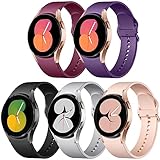
- 【Compatible with Galaxy watch 7/6/5/4 】Lerobo No Gap sport replacement band Compatible with Samsung Galaxy Watch 7 6 5 4 40mm 44mm/ Galaxy Watch 6 Classic 47mm 43mm/Galaxy Watch 5 Pro Band 45mm/Compatible with Samsung Watch 6 Bands 40mm 44mm/Compatible with Samsung Watch 4 Bands 40mm/Galaxy Watch 4 Band 44mm/ Galaxy Watch 4 Band 44mm,also Compatible with Samusng Galaxy Watch 4 Classic 46mm Band/ Galaxy Watch 4 Classic 42mm Band; Not fit for other 20mm watch band
- 【No Gap Connection】 According to the arc design for Galaxy Watch 4 5 6 7, Compatible with Samsung Watch 4 Classic Band and for Galaxy Watch 4 Band precise cutting to achieve seamless connection.The sport band comes with quick release pins which locks onto watch 4 interface precisely and securely. Easy to install, easy to change.
- 【Comfortable & Durable】The sport straps Compatible with Samsung galaxy watch 7 are made of premium soft silicone rubber, skin-friendly and water resistance, anti-allergic and no fading, These for galaxy watch 4 band are water-proof & sweat-proof, fitting for any occasions such as running, swimming. bring you a comfortable wearing experience. Premium Watch Buckle design, Stainless steel buckle perfect lock it for secure fit. 20mm quick release pin easy to install and remove, NO tools required!
- 【Ingenious Design】The wristband is designed with Aluminum buckle perfect lock it for secure fit, no worry fall off. One Size for 5.7" -8.1" (145mm-205mm) wrist. Size can be adjustable with buckle and multi colors for you choices.
- 【5 Pack Included】Lerobo 5 Pack Bands Compatible with Samsung Watch 6 Bands/ for Galaxy Watch 6 Classic Band for women and men will come with 5 pack. A variety of popular colors band offer your smartwatch high-end looks could match your every mood & outfit to express your own personal style from work to workouts routine.
Fix 5: If the update appears to override AOD system-wide, try a reset sequence
If One UI 6 seems to keep turning AOD back on everywhere, a clean settings state can help. Do this carefully; it can take time to reconfigure watch preferences.
- Back up if your phone allows backup for watch data (Samsung account/backup options vary by phone model and app version).
- On the watch, open Settings → General → Reset.
- Choose Reset settings first (this is less disruptive than a full factory reset if available).
- Set AOD again immediately after the reset and test.
- If the issue persists, use Factory data reset as a last resort, then re-pair and reconfigure.
If you reach this step, keep your troubleshooting changes minimal. Change only AOD after the reset, then test. That makes it easier to confirm the root cause.
Troubleshooting checklist when AOD won’t turn off
If the watch still shows AOD behavior you can’t stop, use this checklist in order. Each item narrows the problem.
- Confirm you’re editing the right AOD setting: verify Settings → Screen → Always On Display matches your goal.
- Test with a different watch face: if AOD only looks wrong on one face, change the face or update its AOD settings.
- Disable wake gestures temporarily: turn off Lift to wake/Tap to wake, then check whether the “always on” look is actually wake activity.
- Turn off Power saving mode: for testing, Power saving can change display behavior and timing.
- Restart after each major change: don’t stack multiple changes at once; it’s harder to know what worked.
- Check for watch face or system updates: sometimes One UI 6 fixes arrive as follow-up patches.
If you can, note what exactly “everywhere” means on your watch: dim background only, always showing notifications, or the watch face staying readable across different states.
What to watch for: battery drain, motion/AOD interactions, and sensor effects
AOD can increase battery usage, and One UI 6 may alter how visible it is. Even if you successfully reduce AOD, expect small differences in drain patterns depending on your watch face and ambient conditions.
Also popular on Amazon

- 【compatible with All 20mm Watch Band】 Lerobo 3 pack stretchy braided nylon solo loop bands widely compatible with Samsung Galaxy Watch 7/6/5/4 44mm 40mm, Watch FE, Watch 6 Classic 47mm 43mm, Watch 5 Pro 45mm, Watch 4 Classic 46mm 42mm, Watch Active 2 44mm 40mm/Active,Watch 3 41mm, Watch 42mm, compatible with Samsung Gear Sport/ for Gear S2/S2 Classic, compatible with Gizmo Watch and other watches with 20mm width lugs. PLEASE NOTE: NOT compatible with Samsung Galaxy Watch 8/8 classic
- 【Breathable & Stretchy Nylon Material】 Our bands compatible with Samsung Galaxy Watch 7 band made of super strong stretchable elastic braided nylon material, which makes the strap soft, lightweight, breathable & skin-friendly, preventing skin from irritation rash. Works for all day-workouts and daily life, bring you a new comfortable wearing experience.
- 【Adjustable Comfortable Size】 Lerobo stylish replacement wristband straps compatible with Samsung Watch 6 44mm 40mm 43mm 47mm with latest elastic material and adjustable metal buckle design allows you to adjust watch band to your comfort level, fit for 5.3"- 9.8" (130mm-230mm) wrist of women men. You don't need to worry about buying the wrong size.
- 【Unique Design for Your Daily Dress Up】 These compatible with Samsung Galaxy Watch 4/compatible with Samsung Galaxy Watch 5 elastic band have fashionable wave patterns and vivid colors, which can improve your style and make your watch brand new. Perfect gift for Birthday, Christmas Day, Mother's Day, Father's Day, Thanksgiving Day, Valentine's Day, etc.
- 【Security & Easy to install】 Lerobo 20mm quick release watch bands with pins on both ends lock precisely and securely on the smart watch interface. And the elastic material band will let you feel like a scrunchie on wrist, comfortable to put on and easy to take off without any tool.
- Battery impact: compare battery level over a consistent time window (for example, 24 hours) before and after changes.
- Motion vs AOD: features like wrist motion can wake the display or show elements that resemble AOD.
- Ambient light and brightness: auto brightness can change how “always visible” the screen looks when AOD is on.
Don’t chase a single moment. Use a repeatable test: leave the watch idle in the same routine for a few hours and see what happens.
Independent reader supportYour contribution helps us test, update, and keep practical guides available for everyone.Alternatives if you can’t disable AOD fully
On some configurations, you may not get a true “AOD completely off” look. In that case, you can still minimize visibility.
- Use a watch face designed for low-AOD visibility (minimal pixels, simpler layouts).
- Set AOD to a schedule that matches your actual wake hours.
- Reduce screen brightness under Settings → Display (names vary) if available.
- Limit notifications and complications that appear in AOD (some faces allow this per component).
- If your watch face supports it, switch to a monochrome or “minimal” AOD style.
These changes often reduce the “always on everywhere” feeling even when you can’t fully remove the AOD capability.
Common mistakes that make it look like AOD is stuck on
- Changing watch face settings but not the system AOD mode: both can apply at the same time.
- Forgetting to test after reboot: updates can temporarily override preferences until the system reloads.
- Confusing wake-to-display with AOD: the screen turning on due to motion looks identical to an always-on setting.
- Trying to change everything at once: you lose the ability to tell what actually fixed it.
One disciplined change → one test window is how you get to a reliable answer quickly.
FAQs
Did One UI 6 change AOD behavior on Galaxy Watch 4?
It can. One UI 6 updates may adjust default screen policies, and watch faces can reapply AOD styling after the update. The practical result is that AOD can look more persistent than before.
Also popular on Amazon

- [Compatible with]: One Clcik No Gap Push Button bands by EIHAIHIS is designed for various Samsung Galaxy Watch models: Samsung Galaxy Watch 7/6/5/4/FE 44mm 40mm/Galaxy watch 6 Classic 43mm 47mm /watch 5 pro 45mm/4classic 42mm 46mm. (Note: No watch included).
- [Premium Silicone Material]: Crafted from high-quality silicone, this band is built to last. Its sweat and water-resistant,durability ensures that you can wear your Samsung Galaxy Watch with confidence, whether you're hitting the gym or attending a formal event.
- [Ingenious Design for Secure Fit]: The wristband features a metal buckle design that is easy to install and adjustable. It securely holds your smartwatch band in place, preventing it from falling off. The size is adjustable with the buckle, fitting wrists ranging from 5.51" - 8.1" (140mm-205mm).
- [Easy Installation]: The quick-release spring bars on both ends of the bracelet ensure a seamless connection to your Samsung Galaxy Watch 7/6/5/4. Simply slide the pin into the watch's notch, lock both sides of the connector to the watch, and push the pin inward to secure it. No need to worry about your Galaxy watch falling off.
- [Risk-Free Shopping Experience]: 1 X Silicone watch Band,(watch not include)We stand behind the quality of our Samsung Galaxy Watch 7/6/5/4 bands. If you're not completely satisfied, simply contact us, and we will provide a fast replacement or refund without any hassle. Your satisfaction is our top priority!
How do I stop AOD from showing in idle states?
Go to Settings → Screen → Always On Display and choose the lowest persistence option (or Off). Then confirm your watch face doesn’t have its own AOD settings.
Why does AOD still appear even after I turn it off?
Most often, the display is waking via Lift to wake/Tap to wake, or the watch face is keeping elements visible during AOD. Temporarily disable wake gestures and test with a different watch face.
Recommended Free Tools
Will a factory reset permanently fix the problem?
If the issue is caused by corrupted settings after the update, a reset can help. But if the behavior is tied to a specific watch face or gesture feature, a factory reset won’t change that—so test faces and gestures first.
Bottom Line
If One UI 6 on your Galaxy Watch 4 makes AOD feel like it’s on everywhere, start with the system setting (Settings → Screen → Always On Display), then confirm the watch face’s AOD behavior, and finally rule out wake-gesture interactions.
Do changes one at a time, reboot between major edits, and use a consistent test window so you can tell whether you fixed AOD—or only changed how the watch decides to wake the screen.

