Some links on this page are affiliate links: if you buy through them we may earn a commission, at no extra cost to you.
Nothing’s latest push is simple but meaningful: you can control Nothing earbuds from a web app, not just from your phone. That turns your laptop (or desktop) into a control hub for playback, calls, and certain device settings—depending on what Nothing has enabled for your model.
This guide is written like a reference. It covers what you need, how to set up the first connection, what to expect from the web interface, and what to do when it doesn’t connect or feels unreliable.
As an Amazon Associate I earn from qualifying purchases.
What’s actually slowing this PC down?
Pick the symptom - the matching free tool is one click away.
If you’re trying to control Nothing Ear (1), Nothing Ear (2), or another supported model, read through the prerequisites first. Most “web app can’t find my earbuds” issues come down to pairing state, permissions, or network conditions.
What it means to control Nothing earbuds from a web app
With a web app, the control layer runs in your browser UI while the earbuds still communicate over Bluetooth (or via an intermediary) and report state back to the web interface. In practice, this gives you a consistent interface across devices without reaching for your phone every time.
Popular on Amazon
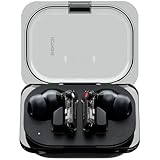
- Powerful 11 mm driver: We've made our driver even more compact. With double the power than Ear (2), Ear (a) delivers an even deeper bass performance. The extra space gives sound waves more room to vibrate. With two new vents, airflow is improved inside the bud. For less distortion and richer overall clarity
- Smart Active Noise Cancellation: Up to 45 dB,Nothing Ear (a) automatically checks for noise leakage between the earbud and your ear canal, then applies more noise cancellation to make up for it. So you receive the best possible noise cancellation. Happens every time you put them in. So you can go from quiet rooms to busy streets without hearing a thing (other than what's playing)
- Clear Voice Technology: Clear as day. Ear (a) isolates your voice from everyday distractions so calls on-the-go feel like face-to-face conversations. With a new talk mic and extra airway on the stem for wind to pass through, we’ve reduced interference by 60% compared to Ear (2)
- Long Playtime, Fast Charging: For speedy power-ups, Ear (a) can Fast Charge for 10 minutes and deliver 10 hours of music playback (with ANC turned off). Compared to Ear (2), Ear (a) can deliver 40.5% more non-stop play time on a single charge. Or pop your earbuds back in the case and stretch listening time to over 42.5 hours (with ANC turned off)
- More Performance: Low Lag mode,Reduced audio lag for better gaming. Stay connected to two devices at the same time. Play music on your laptop then seamlessly switch to answer a call on your phone. Effortless. Adaptive ANC,Next-level escapism. Switch between 3 levels of noise cancellation. Or let Ear (a) take control. By selecting 'Adaptive' in the Nothing X app, Ear (a) automatically applies the right level of noise cancellation according to your surroundings in real time.
You still rely on the same fundamentals—pairing, connectivity, and permissions—but the control surface changes. Instead of “tap on your phone,” it becomes “click controls in your browser.”
Prerequisites before you try the web app
1) Supported earbuds
Confirm your earbuds model is on Nothing’s supported list for the web control feature. Generally, newer Nothing Ear firmware and recent app/browser support are more likely to work cleanly.
Windows Errors? Fix Them Before They Spread
Repair common Windows errors and clear accumulated junk for a smoother, more stable PC - no reinstall needed.Free scan · no reinstallOutdated Drivers Are Slowing You Down
One free scan finds every outdated or missing driver and matches the right update for your exact hardware.Free scan · exact hardware match2) Firmware/app updates
Web control features usually require matching firmware behavior. Make sure your earbuds have the latest firmware available through Nothing’s phone app (or whatever updater your model uses).
3) A compatible browser
The web app typically relies on modern web APIs and secure contexts. Use a current browser version and keep JavaScript enabled.
- Recommended: latest stable Chrome, Edge, or Firefox
- Use a secure connection (HTTPS) rather than plain HTTP
4) Bluetooth range and pairing state
For Bluetooth-based control, the “works reliably” baseline is simple: stay within ~10 meters (33 feet) and ensure the earbuds aren’t connected to another host device in a conflicting way.
How the web control typically works (plain-English model)
You can think of the system as three layers:
- Earbuds provide audio and control endpoints (play/pause, volume, ANC modes, etc.).
- Your primary connection host (phone or computer, depending on Nothing’s implementation) maintains the link and relays state.
- The web app UI sends commands and renders status (connected/disconnected, playing state, and control toggles).
If any layer is missing—like an unpaired device, blocked permission, or stale session tokens—the UI may load but controls won’t respond.
Setup: get your earbuds ready for web control
Step 1: Pair and verify basic Bluetooth audio
- On your phone or computer, open Bluetooth settings.
- Select your Nothing earbuds and ensure they show as connected.
- Play audio for 10–20 seconds to confirm output is actually going to the earbuds.
Do this before touching the web app. It rules out a huge category of “it doesn’t work” causes.
Also popular on Amazon

- Smart Noise Cancelling: Nothing but the music. Nothing ear wireless earbuds with up to 45 dB Active Noise Cancellation, Ear features our most effective and intelligent noise cancelling powers yet. Now 1.8x stronger than others. Ear automatically checks for noise leakage between the earbud and your ear canal, then applies more noise cancellation to make up for it. So you receive the best possible noise cancellation
- Clear Voice Technology: HiRes Wireless Audlio, Nothing Ear buds supports high resolution streaming over Bluetooth. The result is powerfully pure audio with no quality damage. Just how the artistintended. Up to 1 Mbps 24 bit/192 kHz with LHDC 5.0 and up to 990 kbps with frequencies up to 24 bit/96 kHz with LDAC, Requires devices that support LHDC or LDAC, Nothing wireless Ear isolates your voice from everyday distractions so calls on-the-go feel like face-to-face conversations.
- Long Playtime, Fast Charging: Ear supports up to 2.5W wireless charging. Power-up on-the-go with reverse charge on compatible devices, like Phone (2). Powered to go further, Ear lasts 25% longer than Ear (2) on a single charge. Or top-up in the case and use consistently for over 40.5 hours (ANC turned off). For speedy power-ups, Ear can Fast Charge for 10 minutes and deliver 10 hours of playback (with ANC turned off)
- Custom Ceramic Driver: Nothing Ear ultra compact but beyond powerful. Our 11 mm driver delivers an unbeatable audio experience.Coupled with a new ceramic diaphragm, we’ve increased airflow by 10% within each bud. For less distortion and richer clarity. Plus, advanced voice pickup tech cuts through background noise so your calls sound natural, like you’re talking face to face.
- More Performance: Stay connected to two devices at the same time. Play music on your laptop then seamlessly switch to answer a call on your phone. Effortless. Reduce audio lag for seamless gaming. Triggered automatically in Game Mode on a Nothing phone. With end-to-end latency at less than 120 ms. Microsoft Swift Pair, LED charging status, Pinch controls, Find My Earbuds, Water resistance IP54 buds / IP55 case, Google Fast Pair, Ear Tip Fit Test supported.
Step 2: Update the earbuds firmware (if prompted)
- Open Nothing’s official companion app on your phone (the one used for your earbuds).
- Check for firmware updates.
- Update the firmware and keep the earbuds powered and close during the process.
After updating, re-check that audio output still works over Bluetooth.
Step 3: Open the Nothing web app in your browser
- In a supported browser, open the Nothing web app page designated for earbuds control.
- Confirm you’re signed in (if the web app requires authentication).
- Grant any permission prompts the web page asks for (commonly notifications or connection permissions).
If you’re not sure which exact URL to use, rely on the official Nothing listing or link from Nothing’s app—avoid copycats.
Step 4: Connect from the web UI
- On the web page, look for a Connect / Pair / Get Started button.
- Wait for the web app to detect your earbuds (or prompt a handoff to your phone).
- Confirm the earbuds show as connected in the web app status area.
Some implementations require you to keep your earbuds connected to the same phone you’re using for setup, then let the web UI mirror control via that session.
The Tool Desk
Outbyte Driver Updater FREEFix the driver behind crashes, sound loss and screen glitchesFind Drivers →Outbyte PC Repair FREERepair Windows errors before they cause bigger problemsFix Now →Using the web app to control music and calls
Once connected, the web app should expose the same core operations you expect from an earbud control surface. The exact labels vary, but the functions are usually consistent.
Playback controls
- Play / Pause: toggles current audio playback
- Next / Previous: skips tracks (when supported by the active media source)
- Volume: adjusts output level in a bounded range
Call controls
- Answer / Decline: responds to incoming call events
- Hang up: ends the active call
- Microphone behavior: in some UIs, toggles are present (model-dependent)
If the web app doesn’t show call controls, audio playback may still work—call integration often requires additional permissions or OS-level integration.
Settings you may be able to change in the web UI
Nothing’s earbuds often support multiple “sound/experience” features. Some settings may be available directly in the web app, such as:
- ANC / Transparency mode switching
- EQ profiles (if the model supports it)
- Touch/gesture behavior customization (only if Nothing exposes it on web)
- Battery status reporting for case and earbuds (when provided by firmware)
Not every model will expose every option. If you don’t see a toggle, assume it isn’t supported in the current web build for your hardware.
Also popular on Amazon
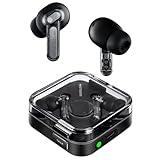
- Your Voice, Amplified. The Noise, Eliminated: Integrated into the Nothing Ear (3) charging case is a advanced dual-microphone system powered by specialized ambient filtering mics. This technology, called Super Mic, precisely targets your voice while cutting through extreme background noise (up to 95 dB), ensuring your calls and voice messages are transmitted with absolute clarity
- Intelligent Silence, Immersive Sound: Featuring Smart Hybrid ANC, Nothing Ear (3) delivers up to 45 dB of Active Noise Cancellation. This Bluetooth wireless earbuds recalibrate every millisecond to block a wide range of noise with a 5000Hz undesired noise to enjoy crystal-clear audio. Switch to Transparency Mode to seamlessly connect with your surroundings
- Super Mic, Tap to Engage: To activate the Nothing ear buds Super Mic, simply press and hold the 'TALK' button with the case within 5cm of your mouth for optimal clarity in loud settings. Hold for quick commands, or double-tap to lock it for extended conversations
- Hi-Res Audio & Ultra-Clear Voice: The Nothing Ear 3 brings you premium Hi-Res Wireless Audio and superior call quality, thanks to 6 HD microphones. With advanced Bluetooth 5.4, these anc earbuds offer smooth, lossless streaming that stays true to the original sound. Inside, a 12mm driver and innovative ceramic diaphragm improve airflow by 10%, reducing distortion and enhancing clarity
- Your Way with Nothing X App : Fine-tune your sound using adjustable EQ, Ultra Bass, and Adaptive Active Noise Cancellation settings.Dive into gaming with dedicated Low Lag Mode, and interact effortlessly using ChatGPT on your Nothing phone. All your Nothing devices work together in perfect, seamless harmony
Supported browsers, devices, and network expectations
Browser expectations
A web app that controls hardware almost always expects modern browser capabilities and a secure origin. Use a recent browser version and avoid private-mode sessions if authentication or persistent tokens are required.
- Enable JavaScript
- Allow cookies if the web app uses sign-in sessions
- Use HTTPS (normal browser pages typically are)
Network expectations
Even if earbuds are Bluetooth-connected, the web app may still need an internet connection for sign-in, device session syncing, and state updates—especially when the page isn’t on your phone.
Expect the most reliable behavior on stable Wi‑Fi. Bluetooth range still matters, but your web session can be disrupted by network hiccups.
Troubleshooting when the web app won’t connect
Check the obvious: earbuds show connected (and audio works)
- Open Bluetooth settings and confirm the earbuds status is “Connected.”
- Play a sound to verify the output device is the earbuds.
If basic Bluetooth doesn’t work, the web app can’t fix it.
Quick wins for a faster PC:
Fix the driver behind crashes, sound loss and screen glitchesFind Drivers →Repair Windows errors before they cause bigger problemsFix Now →Scan for outdated or missing drivers - takes under a minuteDriver Scan →Restart the earbuds and the browser session
- Put earbuds back in the case for 5–10 seconds.
- Take them out and wait for reconnection.
- Refresh the web app page (or restart the browser tab).
A hard refresh often helps clear stale session state.
Sign out and back in (if authentication is required)
If the web app depends on an account session, a mismatched login can make it “look connected” while controls never become active. Re-authenticate and try pairing again from the UI.
Allow permissions the page requests
Some browsers will block functionality if a permission is denied. Review site permissions for the web app domain and ensure required items are allowed.
Also popular on Amazon

- Powerful 11 mm driver: We've made our driver even more compact. With double the power than Ear (2), Ear (a) delivers an even deeper bass performance. The extra space gives sound waves more room to vibrate. With two new vents, airflow is improved inside the bud. For less distortion and richer overall clarity
- Smart Active Noise Cancellation: Up to 45 dB,Nothing Ear (a) automatically checks for noise leakage between the earbud and your ear canal, then applies more noise cancellation to make up for it. So you receive the best possible noise cancellation. Happens every time you put them in. So you can go from quiet rooms to busy streets without hearing a thing (other than what's playing)
- Clear Voice Technology: Clear as day. Ear (a) isolates your voice from everyday distractions so calls on-the-go feel like face-to-face conversations. With a new talk mic and extra airway on the stem for wind to pass through, we’ve reduced interference by 60% compared to Ear (2)
- Long Playtime, Fast Charging: For speedy power-ups, Ear (a) can Fast Charge for 10 minutes and deliver 10 hours of music playback (with ANC turned off). Compared to Ear (2), Ear (a) can deliver 40.5% more non-stop play time on a single charge. Or pop your earbuds back in the case and stretch listening time to over 42.5 hours (with ANC turned off)
- More Performance: Low Lag mode,Reduced audio lag for better gaming. Stay connected to two devices at the same time. Play music on your laptop then seamlessly switch to answer a call on your phone. Effortless. Adaptive ANC,Next-level escapism. Switch between 3 levels of noise cancellation. Or let Ear (a) take control. By selecting 'Adaptive' in the Nothing X app, Ear (a) automatically applies the right level of noise cancellation according to your surroundings in real time.
Confirm you’re not connected to multiple hosts
Dual-device behavior varies by model. If your earbuds are actively connected to two devices, the web app’s control channel may not be the one currently “owning” the earbuds’ state. Try:
- Disconnect earbuds from the other device
- Then connect via Bluetooth to your intended host
Update browser and system Web components
Hardware-control web apps can break on older browser builds. Update Chrome/Edge/Firefox to the latest stable version and retry. On Windows/macOS, keep your OS updated if you’re missing platform security updates.
Troubleshooting if controls lag, buttons don’t respond, or audio is wrong
Lag and delayed responses
- Close extra browser tabs using the same controls (one active session is best)
- Switch networks (Wi‑Fi vs mobile hotspot) to rule out routing issues
- Move closer to the Bluetooth host (10 m / 33 ft or less is the safe testing zone)
Volume changes but audio doesn’t reflect it
Sometimes the web UI adjusts a virtual volume while the OS output stays unchanged. Verify the OS audio output is still routed to the Nothing earbuds after you adjust volume in the web app.
ANC/Transparency toggles don’t apply
Sound-mode toggles are often firmware-bound. If updates didn’t fully apply, do the sequence again: confirm firmware is current in the phone app, reconnect, then toggle from the web UI.
Controls work for a moment, then stop
That pattern usually indicates a session timeout or host device going idle. Keep the browser tab active, avoid aggressive battery optimizations on laptops, and sign back in if the UI indicates a reconnect state.
Security and privacy: what to watch for
A web app that controls earbuds must have access to your account/session and possibly site permissions. Treat unknown links as suspicious.
- Use only official Nothing links (from the Nothing app or Nothing’s verified site)
- Verify the domain in your browser’s address bar before entering anything
- Don’t grant microphone/camera permissions unless the web app truly needs them
If you notice repeated sign-in prompts, blocked device states, or unexpected permission requests, revoke site permissions and try again from a clean session.
Also popular on Amazon

- Powerful 11 mm Driver: We've engineered an even more compact driver that delivers twice the power of Ear (2). In Nothing Ear (a) wireless earbuds, this means deeper, more impactful bass. The refined design provides sound waves with greater space to resonate, while two additional vents optimize internal airflow. The result is reduced distortion and richer, clearer audio overall.
- 45 dB Smart Active Noise Cancellation: Nothing Ear (a) earbuds continuously monitors the seal between the earbud and your ear canal. If noise leakage is detected, it instantly adjusts the cancellation intensity to compensate—ensuring you always get the fullest possible noise reduction. Every time you put them in, they adapt. Move from a quiet room to a busy street without hearing a thing besides your audio.
- Clear Voice Technology: Crystal-clear calls, anytime, anywhere. Nothing Ear (a) ear buds isolates your voice from background noise, making on-the-go conversations feel like you’re talking in person. We’ve added a dedicated talk microphone and an airflow channel along the stem to drastically reduce wind interference—resulting in 60% less noise compared to Ear (2).
- Long-Lasting Battery & Fast Charging: Get back to your music in minutes. With Fast Charge, just 10 minutes of charging delivers up to 10 hours of playback (ANC off). On a full charge, Nothing Ear (a) bluetooth earbuds provides 40.5% more continuous playtime than Ear (2). And with its compact case, you can extend total listening time to over 42.5 hours (ANC off)—so your audio keeps going, day after day.
- More Performance: Engineered for seamless versatility, Nothing Ear (a) wireless earbuds keeps you connected and immersed. Low Latency Mode ensures lag-free gaming, while dual-device connectivity lets you instantly switch between laptop and phone. Adaptive ANC intelligently adjusts to your surroundings or allows manual control through three noise cancellation levels—all via the Nothing X app.
Comparisons: web app vs Nothing Phone app vs earbuds’ physical controls
Web app
Best for: controlling playback from a computer screen. It’s convenient when you don’t want to pick up your phone.
Nothing Phone app
Best for: deep settings like firmware updates, ANC tuning, and model-specific configuration. It usually has the most complete feature coverage.
Do these 3 things before closing this tab:
1Scan for outdated or missing drivers - takes under a minute2Repair Windows errors before they cause bigger problems3Fix the driver behind crashes, sound loss and screen glitchesEarbuds’ physical controls / gestures
Best for: reliability when you’re on the move. If the web session drops, gestures still work as long as your earbuds are paired to an active host.
Common mistakes (and the quickest fixes)
- Mistake: Pairing earbuds correctly on Bluetooth, but opening the web app in an incognito/private window.
Fix: Use a normal browser window so cookies and sign-in sessions persist. - Mistake: Connecting earbuds to a second device while testing.
Fix: Disconnect the earbuds from the second device and retry web controls. - Mistake: Letting earbuds update firmware without verifying reconnection.
Fix: After update, confirm Bluetooth audio works before testing the web UI. - Mistake: Expecting ANC/EQ toggles that aren’t exposed in the current web build.
Fix: Check for a toggle in the web interface; if it’s missing, configure in the phone app.
FAQs
Which Nothing earbuds support web control?
Support depends on the earbuds model and the firmware/web app build Nothing publishes. Check Nothing’s official compatibility list or links from the Nothing companion app for confirmation.
Do I need my phone for the web app to work?
Some setups require a phone-based session or authentication handoff, even if you control from a browser. If the web app can’t detect your earbuds without the phone connected, follow the on-screen pairing flow and keep Bluetooth active where prompted.
Will web control work without an internet connection?
Playback controls may work if the web app is already connected through an active session, but most account-based or state-sync features require internet. For testing, use stable Wi‑Fi.
Free tools Windows power users keep installed
One-click scans. No signup required.
Why does play/pause work but call controls don’t?
Call integration is often tighter to OS-level permissions and browser constraints. If your web UI only exposes media controls, use the Nothing app or rely on system call controls until Nothing expands the supported call feature set.
Is it safe to grant permissions to the web app?
Only grant permissions requested by the official Nothing domain. If the permission request looks unrelated to earbuds control (like unnecessary microphone/camera access), stop and verify the URL first.
Bottom Line
Controlling Nothing earbuds through a web app is a practical quality-of-life upgrade: it moves earbud controls onto a larger screen and reduces phone-hopping. The experience is best when your earbuds firmware is current, your browser session is allowed to run, and you avoid conflicting Bluetooth connections.
If it fails, start with Bluetooth basics (connected + audio works), then refresh/re-authenticate the web app, and only then dig into permissions and browser version issues. That workflow fixes the majority of connection problems fast.
Recommended Free Tools

