Some links on this page are affiliate links: if you buy through them we may earn a commission, at no extra cost to you.
A new streaming “super-bundle” for NFL, NBA, and MLB is being reported at $42.99/month, which is exactly the kind of price point sports fans watch for—because it sounds like three seasons of live games under one bill.
But with sports rights, the headline price rarely tells the whole story. Local availability, blackout rules, and regional sports network (RSN) coverage often decide whether the bundle is a win or a disappointment.
As an Amazon Associate I earn from qualifying purchases.
Crashes, No Sound, or Screen Glitches?
Random freezes, missing sound and display glitches usually trace back to one bad driver. Find and replace yours safely.Free scan · under a minuteWindows Errors? Fix Them Before They Spread
Repair common Windows errors and clear accumulated junk for a smoother, more stable PC - no reinstall needed.Free scan · no reinstallThis guide shows you what to verify before you subscribe, how to confirm your favorite teams are included, and how to troubleshoot the most common “why can’t I watch?” problems.
What the $42.99/month NFL, NBA, MLB super-bundle is (and what to confirm)
The core claim is straightforward: one subscription priced at $42.99/month that covers NFL, NBA, and MLB streaming. What’s not always obvious is how those leagues are covered (live games, studio shows, out-of-market rules, and which networks/partners are included).
Popular on Amazon

- HD streaming made simple: With America’s number 1 TV streaming platform,* exploring popular apps—plus tons of free movies, shows, and live TV—is as easy as it is fun. *Based on hours streamed—Hypothesis Group
- Compact without compromises: The sleek design of Roku Streaming Stick won’t block neighboring HDMI ports, and it even powers from your TV alone, plugging into the back and staying out of sight. No wall outlet, no extra cords, no clutter.
- No more juggling remotes: Power up your TV, adjust the volume, and control your Roku device with one remote. Use your voice to quickly search, play entertainment, and more.
- Shows on the go: Take your TV to-go when traveling—without needing to log into someone else’s device.
- TV, simplified: With setup that only takes minutes, a simple-to-navigate Home Screen, and an uncluttered remote control that does all you need—Roku makes it easier to watch the TV you love.
When you look at the bundle’s description, your goal is to confirm four things:
- Live coverage: Are games streamed live, or is it primarily replays/on-demand?
- Out-of-market vs in-market: Can you watch your home-team games, or do they require a separate RSN?
- Network/partner channels: Which specific services or channels are actually carrying each league?
- Device limits: How many concurrent streams are allowed, and which devices are supported?
Who it’s best for
This kind of bundle is usually strongest for fans who:
- Want one bill instead of juggling three separate league subscriptions.
- Watch more out-of-market games or rely less on specific RSNs.
- Prefer a simple app experience over configuring multiple streaming platforms.
It can be a weaker fit if you need local in-market games with absolute reliability (especially for MLB, where RSN coverage is often fragmented).
Also popular on Amazon

- Ultra-speedy streaming: Roku Ultra is 30% faster than any other Roku player, delivering a lightning-fast interface and apps that launch in a snap.
- Cinematic streaming: This TV streaming device brings the movie theater to your living room with spectacular 4K, HDR10+, and Dolby Vision picture alongside immersive Dolby Atmos audio.
- The ultimate Roku remote: The rechargeable Roku Voice Remote Pro offers backlit buttons, hands-free voice controls, and a lost remote finder.
- No more fumbling in the dark: See what you’re pressing with backlit buttons.
- Say goodbye to batteries: Keep your remote powered for months on a single charge.
Before you subscribe: a checklist that prevents regret
Use this checklist to verify the bundle matches your viewing habits. It takes 5–10 minutes and saves hours of troubleshooting later.
Confirm league coverage type
- Look for wording like “live games” vs “highlights” vs “replays”.
- Check whether the NFL coverage includes games on kickoff/primetime or if it’s limited to select windows.
- For MLB, verify if it’s every game, select games, or regional blocks.
Check your blackout and RSN situation
- Search for your city or team name in the FAQ (or use the “Help” search on the provider site).
- Check if the service uses out-of-market rules and whether local games are excluded.
- If you rely on a specific RSN, confirm whether it’s included or requires an add-on.
Validate streaming limits
- Find the rule for simultaneous streams (common limits range from 1 to 3).
- Confirm whether profiles are supported for households.
- Check if downloads/offline viewing is supported (if you care about travel).
Verify device and OS support
- Confirm the apps for iPhone, iPad, iOS, and Apple TV (if needed).
- Confirm Android, Roku, and Amazon Fire TV support if you use them.
- For computers, verify browser support and whether a dedicated app exists for macOS or Windows.
How to sign up and verify you’re actually getting the games
Even if the marketing sounds perfect, your account settings and location determine whether games show up in the schedule.
Step 1: Confirm league coverage and live vs on-demand
- Go to the bundle’s official checkout page and locate the coverage or plan details link.
- Open the FAQ for each league and check terms like “live”, “in select markets”, and “blackout restrictions apply”.
- When you create your account, check if your home screen shows schedule tiles for NFL, NBA, and MLB.
Step 2: Check blackout and local team availability
- Sign in on the device you’ll actually use (TV app beats web in most cases).
- Use search for your local team (example workflow: search team name → open team hub → check upcoming games).
- If a game is missing, try the same search while signed in on another device to rule out app glitches.
Step 3: Verify device support and streaming limits
- On day one, start playback on two devices (or as many as your plan allows) to confirm concurrency rules.
- In account settings, look for Manage devices or Account > Streaming.
- Check for HD/4K toggle options; if your TV supports it, confirm the max quality your plan allows.
Step 4: Confirm add-ons you may need
- Open the plan page and search for “requires” or “add-on” language.
- If MLB depends on an RSN add-on, confirm pricing and whether it’s monthly recurring or tied to a promotion.
- Check if you need an authentication step for partner platforms.
Pricing reality: the $42.99/month number can change
$42.99/month is a strong anchor, but sports bundles are famous for variable costs. Your bill may shift based on promotions, taxes, and required add-ons.
Do these 3 things before closing this tab:
1Repair Windows errors before they cause bigger problems2Fix the driver behind crashes, sound loss and screen glitches3Clear out junk files and repair common Windows errorsAlso popular on Amazon

- 4K streaming made simple:With America’s number 1 TV streaming platform,* exploring popular apps—plus tons of free movies, shows, and live TV—is as easy as it is fun. *Based on hours streamed—Hypothesis Group
- 4K picture quality: With Roku Streaming Stick Plus, watch your favorites with brilliant 4K picture and vivid HDR color.
- Compact without compromises: Our sleek design won’t block neighboring HDMI ports, and it even powers from your TV alone, plugging into the back and staying out of sight. No wall outlet, no extra cords, no clutter.
- No more juggling remotes: Power up your TV, adjust the volume, and control your Roku device with one remote. Use your voice to quickly search, play entertainment, and more.
- Shows on the go: Take your TV to-go when traveling—without needing to log into someone else’s device.
Promotions, annual discounts, and taxes
- If you’re offered a first-month discount or annual rate, confirm the monthly equivalent.
- Sales tax varies by state, and some providers include it on the invoice while others add it at checkout.
- If you use a gift link or student promo, verify how long it lasts and what happens after the trial.
Hidden costs: regional sports networks and add-on tiers
- For MLB especially, RSN coverage can decide whether your “best games” show up.
- If the bundle only includes some games (or only out-of-market), you may end up paying extra to cover local matchups.
When cancellations are expensive
- If the plan is tied to a promo that requires you to keep the subscription for a set period, cancellation can trigger billing changes.
- Always check whether you can cancel online and whether you get an email confirmation.
Comparing alternatives: where you may get more for less (or less for more)
Before committing, compare the super-bundle against your current setup. Use the same priority: live access, local coverage, and how many devices you watch on.
Live TV bundles (YouTube TV, Hulu + Live TV, etc.)
Live TV packages often include more regional channels, which can matter for NBA local affiliates and MLB RSNs. The tradeoff is usually a higher monthly price.
- Check whether your team’s local RSN is included in the channel lineup.
- Confirm the streaming concurrency limit (often 2–3 streams depending on plan).
- Compare the total monthly cost including any sports add-ons.
League-specific options (streaming league partners)
If you only care about one league, league-specific services can be more cost-effective. For fans who want all three, the bundled option may still be simpler.
Also popular on Amazon

- Stunning 4K and Dolby Vision streaming made simple: With America’s number 1 TV streaming platform,* exploring popular apps—plus tons of free movies, shows, and live TV—is as easy as it is fun. *Based on hours streamed—Hypothesis Group
- Breathtaking picture quality: Stunningly sharp 4K picture brings out rich detail in your entertainment with four times the resolution of HD. Watch as colors pop off your screen and enjoy lifelike clarity with Dolby Vision and HDR10+.
- Seamless streaming for any room: With Roku Streaming Stick 4K, watch your favorite entertainment on any TV in the house, even in rooms farther from your router thanks to the long-range Wi-Fi receiver.
- Shows on the go: Take your TV to-go when traveling—without needing to log into someone else’s device.
- Compact without compromises: Our sleek design won’t block neighboring HDMI ports, so you can switch from streaming to gaming with ease. Plus, it’s designed to stay hidden behind your TV, keeping wires neatly out of sight
- List which league you watch most (NFL, NBA, or MLB).
- Check whether that league’s games are primarily national (easier) or regional (harder).
- Price a “best-of” stack: one league-specific service + one general sports service.
Multi-sport stacks (separate apps)
Using separate apps can sound annoying, but it can reduce blackout surprises because each service has its own rights deal and schedule.
- Write down your top 10 teams and the games you never want to miss.
- For each team, check where live games are carried.
- Add up the monthly costs and compare against $42.99/month, including add-ons.
Common issues and troubleshooting
Sports streaming problems are usually predictable: rights/blackouts, account/profile mismatch, or playback instability. Here’s what to try in order.
No games / wrong channel lineup
- Double-check you’re using the same account profile that has the active subscription.
- Sign out and sign back in on the device (especially after a plan change).
- Search for the league tag or team hub instead of browsing by category.
Blackout messages
- Blackouts often trigger based on your registered location or recent IP history. If you travel, confirm your home location is set correctly in account settings.
- For MLB, verify whether a game is available on the platform you expect; some games shift between national and regional rights.
- Check the game’s info page for a “Watch on” note before assuming it’s missing.
Playback errors (buffering, black screen, login loops)
- Restart the app or device. On TVs, fully close the app instead of just returning to the home screen.
- Update the streaming app and your device OS (if you’re on iOS or macOS, install the latest compatible updates).
- Test another connection: switch between Wi‑Fi and Ethernet (or move closer to your router) and retry playback.
- Disable VPN/proxy if you use one. Many sports services treat VPN usage as a risk.
- Try a different browser/app on the same device to isolate whether it’s the app or the stream.
Audio/video sync and stuck streams
- Use the player controls to rewind 10–20 seconds, then hit play again.
- Lower playback quality if there’s an HD/Auto option.
- If it’s only one game, wait 10 minutes—rights feeds can fail on individual broadcasts.
FAQs about the NFL, NBA, MLB streaming super-bundle
Is the $42.99/month price locked in forever?
Usually it’s locked for the term of your promo, and then it can change. Check the plan details for renewal pricing and any required add-ons.
Also popular on Amazon
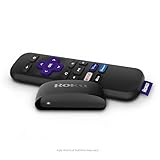
- Streaming made easy: Roku Express lets you stream free, live and premium TV over the Internet—right to your TV. It’s perfect for new users, secondary TVs and easy gifting—but powerful enough for seasoned pros
- Quick and easy setup: Just plug it into your TV with the included High Speed HDMI Cable and connect to the internet to get started
- Tons of power, tons of fun: Compact and power-packed, you’ll stream your favorites with ease; from movies and series on Apple TV, Prime Video, Netflix, The Roku Channel, HBO, Showtime and Google Play to cable alternatives like Hulu with Live TV and PlayStation Vue, enjoy the most talked about TV across free and paid channels
- Low cost, no extra fees: For under $30, Roku Express streaming device includes a High Speed HDMI Cable—and there’s no monthly equipment fee; with access to free TV on hundreds of channels, there’s plenty to stream without spending extra
- Simple remote: Incredibly easy to use, this remote features shortcut buttons to popular streaming channels
Will I be able to watch my local NFL or MLB games?
Not always. Local availability depends on blackout rules and RSN/affiliate rights. You should confirm your team’s schedule inside the app before committing.
Can I watch on multiple devices at the same time?
Most sports bundles allow 1–3 concurrent streams, but the exact limit depends on the plan. Look for “simultaneous streams” in the FAQ and test it immediately.
Free tools Windows power users keep installed
One-click scans. No signup required.
Do I need separate logins for other apps?
Some bundles use a single login across partners; others require authentication into a partner service. Verify whether the provider uses one app or multiple platforms.
What should I do if a game is missing from the schedule?
First check blackout/“watch where” notes on the game page. Then confirm you’re searching the correct team and using the correct profile/account.
Bottom Line
The $42.99/month NFL, NBA, MLB streaming super-bundle can be a strong deal if you mostly watch out-of-market games and your teams are actually covered without extra RSN add-ons. The fastest way to avoid surprises is to verify your local teams inside the app before you commit.
If local coverage is non-negotiable, compare it against live TV bundles and multi-app stacks using the same team-by-team checklist. That’s how you turn a headline price into a real, reliable viewing plan.

