Some links on this page are affiliate links: if you buy through them we may earn a commission, at no extra cost to you.
“Moto’s Signature” is shorthand for a specific kind of Motorola pitch: premium-feeling hardware paired with a design that looks intentional—not loud. If you care about how a phone looks in your hand as much as what it can do, the best way to evaluate this promise is to check the specs that translate into daily comfort.
This guide breaks down how premium specs usually pair with classy design across Motorola’s recent “signature” style offerings, then gives you a fast checklist you can use before you buy. You’ll also get troubleshooting steps for the most common problems people run into with new Moto phones.
As an Amazon Associate I earn from qualifying purchases.
What’s actually slowing this PC down?
Pick the symptom - the matching free tool is one click away.
What Moto’s Signature Really Means
In practice, “signature” style is about two things showing up together: (1) hardware that feels smooth and responsive, and (2) visual + tactile design choices that feel more elevated than basic midrange.
Motorola typically achieves the “premium” side through high refresh-rate displays, modern chipsets, solid camera sensors, and charging/battery that fit real routines. The “classy design” part comes from build finishes, refined proportions, and controls placed where your hand naturally lands.
Popular on Amazon

- 6.8 inches, LTPO AMOLED, 1B colors, 1264 x 2780 pixels
- 512GB Storage, 16GB RAM
- Android 16, Qualcomm SM8845 Snapdragon 8 Gen 5 (3 nm), Octa-core (2x3.8 GHz Oryon V3 Phoenix L + 6x3.32 GHz Oryon V3 Phoenix M)
- Rear: 50 MP, f/1.6, 23mm (wide), 1/1.28", 1.22µm, multi-directional PDAF, OIS, 50 MP, 71mm (periscope telephoto), 1/1.95", 0.8µm, dual-pixel PDAF, OIS, 3x optical zoom, 50 MP, f/2.0, 12mm, 122˚ (ultrawide), 1/2.76", 0.64µm, PDAF, Front: 50 MP, f/2.0, 21mm (wide), 1/2.93", 0.6µm, dual-pixel PDAF
Premium Specs: The Hardware Checklist That Matters
Marketing terms vary, but the specs that matter are consistent. Use this checklist to avoid paying for features that don’t show up in your use.
Display quality (and why refresh rate isn’t everything)
Look for an OLED panel with a high refresh rate—most modern “premium-feel” phones target 120Hz. A 120Hz display matters for scrolling, gaming responsiveness, and general perceived smoothness, but brightness and color accuracy matter just as much.
Free tools Windows power users keep installed
One-click scans. No signup required.
- Minimum target: 120Hz refresh (or at least a variable refresh range)
- Real-world check: outdoor readability (peak brightness and anti-glare behavior)
- Comfort: color profiles and flicker/low-light behavior (what looks “nice” in a store can be harsh later)
Performance headroom for daily use
Premium isn’t just “benchmarks.” It’s whether your phone stays fast after weeks of apps, photos, and background tasks. Many Motorola models in this lane rely on recent mid-to-high-tier mobile chipsets that handle multitasking and heavier camera processing without constant slowdowns.
When comparing models, prioritize:
- RAM: 8GB is a common comfort floor for heavy multitaskers
- Storage: 256GB reduces “why is my phone full?” moments
- Thermals: look for reports about stable performance during long camera sessions
Cameras: where “premium” shows up in photos
Most “signature” designs come with camera systems aimed at consistent results: faster processing, better dynamic range, and improved low-light shots. But camera performance depends heavily on software processing and stabilization.
What to check on product pages and in real samples:
- Main sensor: enough resolution and good low-light processing
- Stabilization: optical or strong hybrid stabilization for handheld shots
- Ultra-wide: check edge sharpness and distortion correction
- Portrait mode: edge detection around hair and fine detail
- Video: stabilize quality and consistent exposure during motion
If possible, compare sample photos in the lighting you actually shoot: indoor tungsten, late-night street scenes, and faces against backlight.
Recommended Free Tools
Battery + charging that won’t run your life
Battery is where premium-feel designs can still fall short—if charging is slow or power management is weak. Many modern Motorola phones target 4500–5000mAh class batteries and support fast charging in the 30W–68W range (model-dependent).
- Battery capacity target: 4500mAh or higher for typical all-day use
- Charging target: fast enough that a short top-up saves your evening (check wattage)
- Heat test: fast charging should not make the phone uncomfortably hot on your palm
Build materials and real-world durability
“Classy design” usually means more than looks—it often includes better materials, better weight distribution, and finishes that resist everyday wear. Look for water/dust resistance ratings and screen glass protection.
When you’re shopping, verify:
- Ingress protection: an IP rating if you want real rain/splash confidence
- Screen protection: whether it’s a known scratch/impact type glass
- Back finish: glossy (stylish but fingerprints) vs. matte/texture (cleaner look)
Classy Design: Details You Should Actually Look For
Two phones can have similar specs, but one looks more “premium” because it’s balanced: edges, grip, and how light reflects off the back.
Form factor, grip, and edge ergonomics
If the phone is too slick, you’ll use it like a “case phone,” which changes the look and feel. Check the width, the center-of-mass, and how the side buttons align with your thumb.
Also popular on Amazon
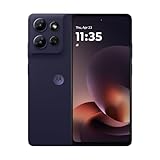
- Universal unlocked - Compatible with all major U.S. carriers, including Verizon, AT&T, T-Mobile and other prepaid carriers.
- Sharp, durable 6.8" 120Hz FHD+ display - Enjoy stunning views and a 120Hz refresh rate along with 360 degrees of protection.*
- TurboPower charging and up to 49-hour battery - Get hours of power in just minutes of charging, and nearly two full days of battery life.***
- 50MP camera system with OIS - Capture sharper low-light photos, smoother videos, and studio-quality selfies with an AI-powered camera system. ****
- 5G speeds and fast multitasking - Experience unimaginably fast 5G speeds with a MediaTek processor and up to 24GB of RAM with RAM Boost.*****
- In-store check: hold it one-handed for 30 seconds
- Button reach: can you press volume/power without shifting your grip?
- Case compatibility: some finishes look great bare but become slippery with certain cases
Colorways, textures, and fingerprint behavior
Classy designs usually choose finishes that age well. Glossy backs are striking at purchase, but matte or textured finishes typically keep the “new” look longer.
- Glossy: higher shine, more visible fingerprints and smudges
- Matte/soft-touch: less smear visibility, but can show lint and micro-scuffs
- Faux leather/texture (if present): warmer grip, style-forward but check cleaning instructions
Speaker and port placement
Design also shows up in how the phone sits when you watch videos or take calls. Speaker placement affects sound when the phone is on a table, and port placement affects how comfortable charging is.
Quick checks:
- Bottom speaker firing: is it blocked by common table positions?
- Port access: does a standard cable fit without tension?
- Mic placement: does it remain clear when you hold the phone in landscape?
Software Experience: What to Verify Before You Buy
Premium hardware can feel underwhelming if software update support is weak or if performance throttles due to outdated system components. Before you commit, verify the basics.
Android version and security patch cadence
Check the listed Android version and the most recent security patch level shown in the device settings (or the product listing if it provides update expectations). If two phones cost the same, the one with a newer security posture is often the better long-term choice.
What to check in Settings once you have the phone:
- Android version
- Android security patch level
- Build number (useful when comparing support coverage)
UI changes vs. “light” customization
Motorola’s UI typically aims for useful customization without making the phone feel completely unfamiliar. You don’t need it to be plain—but you should still recognize menus, notifications, and app behavior.
Look for:
- Notification controls that don’t feel buried
- Home screen and lock screen options that match your preference
- Battery management settings you can actually understand
Update history and carrier bloat
Carrier versions can differ in preinstalled apps and update timing. If you’re buying from eBay or a carrier store, check whether the model is unlocked and whether software updates come directly for that SKU.
A practical rule: prefer unlocked models unless you’re certain about carrier update schedules and can live with preinstalled apps.
Which Moto Signature Phone Should You Choose?
Use these scenarios to pick the right “signature” fit based on how you actually use your phone.
Quick wins for a faster PC:
Scan for outdated or missing drivers - takes under a minuteDriver Scan →Clear out junk files and repair common Windows errorsFree Scan →Fix the driver behind crashes, sound loss and screen glitchesFind Drivers →For maximum smoothness
Prioritize a 120Hz OLED display, strong touch responsiveness, and a chipset that can sustain performance under load. If smoothness is your goal, also check for display brightness so 120Hz doesn’t become dim and washed out outdoors.
- Verify 120Hz support (and whether it’s variable)
- Check reported brightness/visibility
- Confirm battery capacity won’t undercut sustained performance
For camera-first users
Choose the model with the most consistent main camera processing and stabilization. A strong ultra-wide is a plus, but inconsistent exposure or shaky stabilization will disappoint more than missing resolution.
Also popular on Amazon

- 6.8 inches, LTPO AMOLED, 1B colors, 1264 x 2780 pixels
- 512GB Storage, 16GB RAM
- Android 16, Qualcomm SM8845 Snapdragon 8 Gen 5 (3 nm), Octa-core (2x3.8 GHz Oryon V3 Phoenix L + 6x3.32 GHz Oryon V3 Phoenix M)
- Rear: 50 MP, f/1.6, 23mm (wide), 1/1.28", 1.22µm, multi-directional PDAF, OIS, 50 MP, 71mm (periscope telephoto), 1/1.95", 0.8µm, dual-pixel PDAF, OIS, 3x optical zoom, 50 MP, f/2.0, 12mm, 122˚ (ultrawide), 1/2.76", 0.64µm, PDAF, Front: 50 MP, f/2.0, 21mm (wide), 1/2.93", 0.6µm, dual-pixel PDAF
- Look for stabilization details
- Compare indoor/night portrait samples
- Test video stabilization in the same lighting you use most
For all-day battery + fast top-ups
Pick the highest-capacity battery you can afford and pair it with fast charging that doesn’t overheat. Battery health also matters—faster charging is great, but thermal control is the difference between “works great” and “battery drops fast.”
- Check battery capacity and charging wattage
- Read for thermal stability during charging
- Confirm the charger included (or what’s recommended)
For a clean, premium feel in-hand
If you’re buying primarily for style, don’t ignore ergonomics. A “premium-looking” phone can feel cheap if it’s too slippery, too wide, or puts buttons where your hand doesn’t naturally rest.
The Tool Desk
Outbyte Driver Updater FREEScan for outdated or missing drivers - takes under a minuteDriver Scan →Outbyte PC Repair FREERepair Windows errors before they cause bigger problemsFix Now →- Hold the phone and test thumb reach to buttons
- Choose finish based on fingerprint tolerance
- Match case strategy to the back texture
How to Decide Fast: A 10-Minute Pre-Purchase Test
You can validate a lot of “premium vs. just marketing” quickly—especially if you can access a demo unit.
Display test
Scroll a high-contrast page and then switch to a darker scene. Watch for stutter, dimming behavior, and how colors look under store lighting.
- Scroll quickly to judge perceived smoothness
- Look at brightness changes while content changes
- Check dark-mode banding or odd gradients
Camera test
Take a portrait with someone facing a bright window and then take one under indoor lighting. You’re checking edge detection, exposure consistency, and how skin tones look.
- Portrait against backlight
- Portrait under warm indoor light
- Night shot (if there’s a dark area) to test noise and sharpening
Performance test
Open several apps in a row, return to the home screen, and check whether animations feel delayed. Then test camera launch speed.
- Open 5–6 apps back-to-back
- Return to home and observe lag
- Launch camera repeatedly and time the response
Charging + battery test
On a demo unit, you can’t fully test battery life, but you can check whether fast charging heats up the device. If possible, observe warm-up behavior when plugged in.
- Touch near the charging area after a short charge
- Check for comfort hot-spots
- Confirm charger type and cable quality expectations
Common Gotchas (and How to Fix Them)
Even premium-ish devices have predictable issues. Here are the most common ones and what to try first.
Battery drains faster than expected
New phones often index media, sync accounts, and run background tasks for the first 24–72 hours. If drain continues, it’s usually a specific app or a misconfigured setting.
- Restart the phone (simple, but effective)
- Check Battery usage in Settings and identify top offenders
- Disable battery-hungry features for specific apps (location, background refresh)
Camera processing looks inconsistent
You may see variability between live preview and captured results—especially in low light. That’s typically processing + stabilization behavior.
Do these 3 things before closing this tab:
1Clear out junk files and repair common Windows errors2Scan for outdated or missing drivers - takes under a minute3Repair Windows errors before they cause bigger problemsAlso popular on Amazon

- Universal unlocked. Compatible with all major U.S. carriers, including Verizon, AT&T, T-Mobile and other prepaid carriers.
- Super-bright, super-smooth 6.7" display. See your screen clearly even outdoors in sunlight, and enjoy seamless views with a fast-refreshing 120Hz display.*
- AI-powered camera system. Take stunning photos in any light with the 50MP camera**, look your best with a 32MP selfie cam*****, and capture extreme close-ups.
- Superfast 5G performance. Unleash your entertainment at 5G speed*** with the MediaTek Dimensity 6300 chipset and up to 12GB of RAM with RAM Boost****.
- Long-lasting battery + TurboPower charging. Power through day after day with a 5200mAh battery, then get hours of power in just minutes.****
- Clean the camera lens (smudges cause “soft” results)
- Switch to a consistent mode (e.g., Photo vs. Night) for comparisons
- Update the camera app/system software if updates are available
Storage fills up quickly
High-resolution photos and video add up fast. If your storage drops below 10–15GB free, performance can degrade because the device has less room for caching.
- Check storage breakdown: Photos, Downloads, and apps
- Move large media to cloud storage or a computer
- Delete duplicate files and old downloads
Overheating during gaming or charging
Heat is normal under load, but sustained discomfort can indicate an app workload or poor charging conditions.
- Remove the phone from direct sunlight and heavy cases
- Use a reliable charger and cable rated for your wattage
- Close background apps and reduce brightness while gaming
Fingerprint/palm rejection issues
If the phone’s unlock behavior feels “inaccurate,” it can be a calibration or a screen protector mismatch.
- Clean the screen and re-register fingerprints
- Check screen protector compatibility (some affect sensors)
- In Settings, look for touch sensitivity or glove mode options
Bottom Line
“Moto’s Signature” works when premium specs show up as smooth scrolling, reliable camera processing, and battery/charging that match your day—then the design ties it together with a refined look and comfortable grip. Treat the label as a starting point, not proof.
PC Slower Than It Used to Be?
A free scan shows the junk files, broken settings and background clutter dragging Windows down - then fixes them in one click.Free scan · Windows 10 & 11Crashes, No Sound, or Screen Glitches?
Random freezes, missing sound and display glitches usually trace back to one bad driver. Find and replace yours safely.Free scan · under a minuteUse the checklist above to confirm what you’ll feel every day: display clarity, camera consistency, performance stability, and long-term software support. If those boxes are checked, Motorola’s classy design choices usually won’t just look good—they’ll live well.
FAQs
Are Moto Signature phones better than standard Motorola models?
Often, yes—especially for display quality, build finishes, and the “in-hand” feel. But you should compare the actual spec sheet and update support for the specific model, not the marketing label.
Do I need a case to keep the classy design?
Not always, but you should decide based on finish. Textured or matte backs usually look cleaner longer without a case, while glossy finishes tend to show fingerprints quickly.
How can I confirm update support before buying?
Check the latest security patch level and Android version from the listing (if available), then confirm update coverage once you have the phone. If you’re buying used on platforms like eBay, ask the seller for build number or current software version.
What should I prioritize if I care most about photos?
Prioritize stabilization, consistent exposure, and portrait edge quality in your lighting conditions. A strong ultra-wide won’t help if the main camera processing is inconsistent.

