Free tools Windows power users keep installed
One-click scans. No signup required.
Some links on this page are affiliate links: if you buy through them we may earn a commission, at no extra cost to you.
Meshtastic and MeshCore both use LoRa mesh networking, but they route packets differently. Meshtastic uses managed flooding for broadcast traffic and, since version 2.6, can learn a next hop for later direct messages. MeshCore floods to discover a route, then can send direct traffic along a complete source route. That makes Meshtastic a natural fit for broad, dynamic peer networks, while MeshCore may suit a planned repeater network where selective forwarding is a priority. Neither is universally faster: the right choice depends on which system nearby nodes use and how the network is arranged.
What is the difference between Meshtastic and MeshCore routing?
The key difference is what happens after a packet has found a way through the network. Meshtastic can learn one next hop to use for later direct messages. MeshCore can cache the full route and have the sender include that route in a later direct packet. Both still use flooding for discovery and traffic meant for multiple receivers.
As an Amazon Associate I earn from qualifying purchases.
Crashes, No Sound, or Screen Glitches?
Random freezes, missing sound and display glitches usually trace back to one bad driver. Find and replace yours safely.Free scan · under a minuteWindows Errors? Fix Them Before They Spread
Repair common Windows errors and clear accumulated junk for a smoother, more stable PC - no reinstall needed.Free scan · no reinstall“Flooding” does not mean every node transmits every packet without limit. Both systems have mechanisms that constrain forwarding, but they use different packet formats and forwarding rules. A radio using the same LoRa band as another radio does not make their mesh protocols compatible.
| Question | Meshtastic | MeshCore |
|---|---|---|
| How does an unknown route get found? | Managed flooding; for direct messages, this is the initial delivery method described for version 2.6 and later. | Flood routing, with repeaters appending their hashes to the packet path. |
| How can later direct traffic travel? | Through a learned next hop, with a managed-flood fallback if that route stops working. | Along a source route embedded in the packet; relays forward in turn when the next path hash matches. |
| What happens to broadcast or group traffic? | Flooding remains the mechanism for reaching multiple receivers. | Flooding remains available for traffic that must reach multiple receivers. |
| What does the approach tend to favor? | Broad participation by ordinary peer nodes and changing or broadcast-heavy use. | Planned repeater infrastructure and selective forwarding after routes are learned. |
These are design differences, not proof that one network will deliver faster or farther in every setting. Actual results depend on the local nodes, topology and traffic. No controlled, independent comparison of current releases establishing a universal winner for throughput, latency, range or airtime efficiency is available in the evidence cited here.
#1 Best Overall

- Reliable LoRa Communication: The ThinkNode M5 compatible for LoRa Meshtastic uses ESP32-S3 processor with Bluetooth support, paired with SX1262 LoRa module and 915 MHz antenna. It supports the Meshtastic protocol for stable long-range communication, ideal for outdoor and off-grid use
- High-Precision GPS Navigation: Built-in GPS supports GPS, GLONASS, BeiDou, and QZSS systems. The devices compatible for meshtastic deliver accurate positioning and seamless location sharing for navigation, exploration, or search missions, ensuring dependable off-grid performance anywhere
- 1.54-inch E-Ink Display: The kit compatible for meshtastic features a 1.54-inch E-ink display that stays clear under sunlight, shows real-time status, node info, and GPS data. With low power use and adjustable brightness, it offers efficient visibility for all environments
- Long-Lasting Battery Life: The device compatible for meshtastic includes a 1200mAh rechargeable battery for over 48 hours of use. Designed for fieldwork, hiking, and emergency response, it ensures continuous operation and reliable power during extended outdoor activities
- Easy Setup & Smart Control: No assembly required. The kit compatible for meshtastic connects easily via Bluetooth 5 using the Mesh tastic app to configure settings, send messages, and view maps. The built-in RTC clock ensures a faster hot start, supporting automatic wake-up and uninterrupted operation
How does Meshtastic flooding work?
Meshtastic uses what its project documentation calls managed flooding. A node that receives a broadcast packet may rebroadcast it, subject to its HopLimit and a brief listen-before-forward process. If it hears another node relay the packet first, it normally suppresses its own transmission rather than adding another duplicate to the channel.
The Meshtastic documentation sums up the distinction this way: “Managed Flooding is therefore a better term.” The word “managed” matters: forwarding is constrained by hop count and coordinated by listening and timing rather than being an unrestricted repeat by every node.
What the HopLimit does
Each relay decrements the packet’s HopLimit. A node does not keep forwarding once that limit reaches zero. The limit bounds how far a broadcast can travel in relay steps; it is not a promise of a particular physical distance, because the distance covered by each step depends on radio conditions and the positions of the nodes.
HopLimit is therefore a network-wide resource as well as a safety boundary. A packet with too few remaining hops may expire before reaching a distant recipient even when a usable radio path exists. Increasing the limit, however, does not create a link where none exists and can expose more nodes to the same transmission. It should be considered alongside node placement and expected traffic.
Why a node may suppress its relay
Before rebroadcasting, a node listens briefly for another relay. If it hears the packet forwarded, it suppresses its own transmission. This helps reduce duplicate transmissions when several nodes can hear the same sender and each other.
The waiting period depends on received SNR, or signal-to-noise ratio. In the documented behavior, farther nodes receiving a weaker signal tend to transmit earlier, while nearby nodes may hear that relay in time to suppress their own copy. This is a contention strategy, not a guarantee that the physically farthest node always transmits first or that all duplicate traffic disappears.
SNR is a radio measurement, not a map of geographic distance. Terrain, antenna orientation, interference and building materials can change it. Two nodes that are geographically close can have different SNR values from two farther nodes, so the timing rule should be understood as a way to favor weaker receptions under the observed conditions, not as a deterministic distance sorter.
When a Meshtastic role changes forwarding behavior
Router and Router Late roles deliberately rebroadcast even when they have heard another relay. That exception supports their role in forwarding traffic; it also means the usual suppression behavior does not apply to them in the same way. A network’s configured node roles therefore affect how managed flooding behaves.
This role distinction is an operational consideration when diagnosing duplicate traffic. A deployment with ordinary client nodes may suppress many redundant relays, while designated router nodes can continue forwarding to improve coverage. The result depends on which roles are actually present and where they are placed.
Does Meshtastic use routing for direct messages?
Yes. Since Meshtastic version 2.6, direct messages can use a learned next hop after an initial managed flood. The first delivery lets the network discover which relay successfully returns a response; later packets can be sent specifically through that relay instead of inviting every eligible node to relay them.
First delivery: discover a relay
When the sender does not yet have a usable next hop for a recipient, it uses managed flooding. The sender observes which relay successfully returns a response and records that relay as the next hop. This initial flood is a route-discovery step as well as a way to deliver the packet.
The learned value is a next hop, not a complete map of every intermediate node. Each segment of a conversation can therefore depend on the relay that answered successfully at that time. A response proves that a usable return interaction was observed; it does not guarantee that the same radio conditions will remain unchanged.
Later deliveries: use the learned next hop
For subsequent direct packets, Meshtastic uses a next-hop byte that identifies the selected relay. Nodes that do not match that forwarding instruction do not all relay the packet as they would during a flood. This selective forwarding is intended to avoid repeated network-wide relaying once a useful path has been learned.
Selective forwarding can reduce airtime for repeated one-to-one traffic, but it is not a permanent reservation. If the sender moves, a relay is powered down, or the forward and reverse links are asymmetric, the stored choice can stop being useful. The protocol’s recovery behavior is therefore as important as the optimization.
What’s actually slowing this PC down?
Pick the symptom - the matching free tool is one click away.
Rank #2

- V4 Development Board: The LoRa 32 V4 is a brand-new upgraded version of the classic LoRa development board. While maintaining the powerful features of its predecessor, the V4 version features comprehensive optimizations in hardware design, power management, and scalability. Suitable for IoT applications such as smart cities, agricultural monitoring, smart homes, industrial control, security systems, and wireless meter reading, it provides developers with a more efficient and flexible development experience.
- Powerful Connectivity: Our development board is equipped with dedicated 2.4GHz metal spring antennas and rubber rod antennas for Wi-Fi and Bluetooth, and a reserved LoRa U.FL interface ensures stable, long-range wireless communication. A new SH1.25-8-pin GPS interface facilitates positioning expansion. It also features a rich set of peripheral interfaces. The development board's form factor and pinout are compatible with LoRa 32 V2 and V3 versions, and additional external pins enhance scalability.
- Hardware Upgrade: Our V4 development board utilizes the ESP32-S3R2 and SX-1262 chipsets, but removes the CP2102 serial port chip. It features a 0.96-inch display with a fully protected screen structure, ideal for displaying debugging information and battery status. It also includes 2MP of internal SRAM and 16MB of external SRAM. The flash memory easily handles complex firmware. The high-power version of the LoRa system boasts an increased transmit power of 27±1dBm, ensuring stable communication. The GNSS interface consumes less than 20uA, maintaining its low-power design. The PC case fully encloses the screen and integrates a 2.4GHz antenna, enhancing overall strength and integration.
- Perfectly compatible with V3 and V4 development boards: kit features a built-in 3000mAh battery and comes with a unique N39 protective case.case is compatible with both V3 and V4 development boards. You can easily charge it via a Type-C interface that integrates voltage regulation, ESD protection, and short-circuit protection. Additionally, you can use the SH1.25-2P solar connector, which is compatible with solar panels up to 4.4-6V/540mA. This innovative design ensures your WiFi LoRa 32 (V4) is always fully charged and ready to use. With its charge/discharge management, overcharge protection, battery level detection, and automatic USB/battery switching, this ESP32 kit is an ideal choice
- Strong compatibility and developer-friendly design: This ESP32 LoRa Ar duino development board supports Ar duino. The development environment can be easily integrated with existing projects and compatible devices such as for Raspberry Pi. With 2MP of internal SRAM and 16MB of external Flash, it can easily handle complex firmware and facilitate program download and debugging, making it an ideal choice meshtastic devices for both novice and experienced developers.
If the route stops working
A learned next hop can become unusable: the radio link may be asymmetric, a node may move, or the relay may stop responding. In that case, Meshtastic’s last retry falls back to managed flooding. The fallback gives the message another chance to find a working route rather than relying indefinitely on stale next-hop information.
This means a failed direct attempt should not be interpreted as proof that the recipient is out of range. It may indicate only that the cached relay is no longer a good choice. Conversely, a successful flood does not mean every later packet will use the same relay; the network can learn again when conditions change.
How does MeshCore flooding and source routing work?
MeshCore uses flooding to discover peers and routes, then can use source-routed direct forwarding for later traffic. Its protocol specification describes repeaters adding their node hashes to a packet path, deduplicating repeated packets and retransmitting after a random delay.
Flood discovery: repeaters build a path
The sender starts a flood packet with an empty path. Each forwarding repeater checks a deduplication table to avoid forwarding a repeat, appends its own node hash and retransmits after a random delay. As the packet travels, its path grows by one hash per hop.
The Tool Desk
Outbyte PC Repair FREERepair Windows errors before they cause bigger problemsFix Now →Outbyte Driver Updater FREEFix the driver behind crashes, sound loss and screen glitchesFind Drivers →The random delay spreads competing retransmissions over time, while the deduplication table prevents a repeater from treating the same flood copy as a new packet each time it hears it. These controls limit, but do not eliminate, repeated airtime. Several distinct paths can still carry a flood through a busy network.
The path field has a maximum size of 64 bytes. That is a byte limit, not a stated maximum number of hops: the number of hashes that fit depends on their size, which is not specified here. Once a receiver gets the packet, it can cache the path in reverse for later direct traffic.
Reverse caching matters because the path observed during discovery is recorded in the opposite direction for a reply or later conversation. The cache is useful only while the same sequence of repeaters remains reachable. It should not be confused with a continuously updated topology database.
Direct delivery: the sender supplies the full route
For a direct packet, the sender includes the known path. Each node checks whether the first hash in that path matches its own identity. A matching node removes its hash and forwards the packet toward the next hop; a node whose identity does not match the first hash does not forward it along that source route.
Quick wins for a faster PC:
Repair Windows errors before they cause bigger problemsFix Now →Scan for outdated or missing drivers - takes under a minuteDriver Scan →Unlike Meshtastic’s learned next-hop byte, MeshCore’s direct packet carries the complete route. This makes the sender’s cached route central to forwarding: a route that no longer reflects the network may fail before the packet reaches its destination.
Source routing makes the forwarding decision visible in the packet itself. Intermediate nodes do not need to calculate an alternative route for that direct transmission; they follow the next hash in sequence. That can reduce unnecessary forwarding, but it also means one broken link can invalidate the rest of the embedded path.
Recovering from a stale MeshCore path
The MeshCore specification recommends abandoning a cached path after a small, implementation-defined number of failed retries and trying again by flood. It does not prescribe one retry count in the material described here. The important behavior is the recovery: discard the route that is not working, then rediscover rather than letting stale direct forwarding block delivery indefinitely.
A flood retry can discover a different sequence of repeaters, and the receiver can provide a new reverse path for future direct traffic. The trade-off is that recovery temporarily returns to flood behavior, so a deployment should expect occasional discovery overhead when nodes move, lose power or experience changing propagation.
Flooding, routing and airtime: what actually changes?
Flooding is valuable when the sender does not know which path will work or when multiple receivers need the packet. Its cost is that more eligible nodes may listen, contend and retransmit. Managed suppression, deduplication and random delays reduce needless copies, but shared LoRa airtime is still finite.
After discovery, both systems can be more selective for one-to-one traffic. Meshtastic identifies a next hop for a direct message, while MeshCore carries a full ordered path. The mechanisms are different, so a route learned in one protocol cannot be copied into the other. In either case, the airtime benefit depends on the route remaining valid and on the traffic pattern actually being mostly direct.
Rank #3

- Reliable Lo Ra Communication: The ThinkNode M1 compatible for LoRa Meshtastic uses nRF52840 and SX1262 Lo Ra modules with a 915MHz antenna, supporting the Meshtastic protocol for stable long-range transmission—perfect for outdoor use, team coordination, and off-grid communication
- High-Precision GPS Navigation: Built-in GPS supports GPS, GLONASS, BeiDou, and QZSS systems. The devices compatible for meshtastic deliver accurate positioning and seamless location sharing for navigation, exploration, or search missions, ensuring dependable off-grid performance anywhere
- 1.54-inch E-Ink Display: The kit compatible for meshtastic features a 1.54-inch E-ink display that stays clear under sunlight, shows real-time status, node info, and GPS data. With low power use and adjustable brightness, it offers efficient visibility for all environments
- Long-Lasting Battery Life: The device compatible for meshtastic includes a 1200mAh rechargeable battery for over 48 hours of use. Designed for fieldwork, hiking, and emergency response, it ensures continuous operation and reliable power during extended outdoor activities
- Easy Setup & Smart Control: No assembly required. The kit compatible for meshtastic connects easily via Bluetooth 5 using the Mesh tastic app to configure settings, send messages, and view maps. The built-in RTC clock ensures a faster hot start, supporting automatic wake-up and uninterrupted operation
Broadcast and group traffic do not receive the same optimization. A message intended for multiple receivers still needs a flooding-style distribution mechanism. A network that is quiet in direct-message tests can therefore behave differently when status updates, group messages or other broadcast traffic increase.
There is no controlled, independent benchmark here that proves one current release has higher throughput, lower latency, greater range or better airtime efficiency in every environment. Treat selective forwarding as an architectural advantage under suitable conditions, not as a guaranteed performance number.
Do these 3 things before closing this tab:
1Fix the driver behind crashes, sound loss and screen glitches2Repair Windows errors before they cause bigger problems3Scan for outdated or missing drivers - takes under a minuteWhich system is better for a large mesh?
There is no evidence-based universal winner. As node count and message activity rise, flood-heavy traffic can increase contention and duplicate transmissions. Selective direct forwarding can reduce relay transmissions after a route has been learned, but its usefulness depends on working routes and local topology. Those are architectural expectations, not a controlled performance comparison.
Meshtastic may fit better when…
- Your local community already has Meshtastic nodes, so your messages can reach participating peers.
- You want broad participation from ordinary peer nodes rather than relying on a planned repeater layout.
- Traffic is dynamic or broadcast-oriented, or the network needs to work without a dedicated router.
- You value the wider Meshtastic app and hardware ecosystem available to your local users.
- Nodes may move or disappear and you want direct-message recovery to return to managed flooding.
MeshCore may fit better when…
- The local network already has MeshCore repeaters or you can plan and maintain repeater infrastructure.
- You expect recurring direct traffic between known peers, so cached source routes can be used after discovery.
- Reducing repeat transmissions for direct traffic after route learning is a priority.
- You can monitor repeater placement and replace or reposition infrastructure when paths become stale.
“Large” alone does not settle the choice. A large, active network with many broadcasts may put substantial demand on shared airtime; a carefully arranged network with known repeaters and regular direct traffic has different needs. First check which protocol the people and infrastructure you need to reach actually use.
Can Meshtastic and MeshCore talk to each other?
No. Meshtastic and MeshCore cannot exchange packets directly: their packet formats and routing protocols are incompatible. Sharing a LoRa band does not bridge that difference.
If you need both networks in one area, they require separate radios and a human bridge between them. A radio operating on one mesh does not automatically relay its messages into the other protocol. A person can read information on one network and retransmit it on the other, but that is a manual operating process rather than protocol interoperability.
Recommended Free Tools
What hardware and setup should you check?
Meshtastic uses inexpensive LoRa radios as platform hardware, and radios rebroadcast messages to form a mesh. Before buying a Meshtastic-compatible LoRa radio development board—or choosing hardware for a local deployment—check that it is usable in your region and supports the board and firmware you intend to run.
- Regional frequency: confirm that the radio’s frequency configuration is appropriate for your location.
- Supported board or chipset: verify that the exact hardware is supported by the project and firmware version you plan to use.
- Antenna connector: make sure the connector matches the antenna you intend to attach.
- Firmware availability: check that firmware for the board is available and maintained for your intended use.
- Antenna band: use an antenna matched to the board’s operating band.
For MeshCore, the network decision also includes whether suitable repeaters are present or can be deployed. A route-based forwarding design only helps when the participating peers and relays use MeshCore and the discovered paths remain usable.
Do not treat a board listing as proof of a complete deployment. The radio must be legal and usable on the regional band, the firmware must support the exact board, and the antenna connector and frequency must match. A mismatched antenna or unavailable firmware can undermine an otherwise sensible routing plan.
What do the published range figures prove?
The Meshtastic project page, version 2.8, reports a 331 km long-range record attributed to MartinR7 and alleg; the page does not state the year. It is a project-reported record, not a controlled comparison between Meshtastic and MeshCore, and it should not be treated as an expected everyday range.
Range and routing are related but distinct questions. Routing determines which nodes may forward a packet; radio conditions, node placement and other local factors determine whether the links between those nodes work. A record distance therefore does not establish which protocol will perform better in a particular deployment.
For planning, use the record only as an illustration that long links are possible under particular conditions. It does not specify a repeatable path, ordinary antenna setup, traffic load or the behavior of a MeshCore network at the same distance.
Independent reader supportYour contribution helps us test, update, and keep practical guides available for everyone.How should you decide for your local network?
Choose based on the network you can actually reach, not on the protocol diagram alone. Use this sequence to make the decision:
- Identify the peers you need to contact. Ask which protocol their radios run; Meshtastic and MeshCore do not exchange packets directly.
- Check the topology. Determine whether you have ordinary participating peers, established repeaters, or the ability to plan repeater placement.
- Describe the traffic. Broad or changing traffic leans on flooding; recurring direct traffic can benefit from learned paths in either system’s distinct way.
- Check hardware and regional configuration. Confirm supported hardware, firmware availability, frequency configuration, connectors and a correctly band-matched antenna.
- Plan for change. Decide how you will respond when a Meshtastic next hop or MeshCore source route becomes stale, including whether relays can be moved, powered or replaced.
- Set expectations around performance. Selective forwarding can reduce duplicate transmissions after discovery, but there is no controlled evidence here showing one system universally faster, farther-reaching or more airtime-efficient.
For many users, the local community is the deciding factor: a technically attractive route has little value if the intended recipients are on the other protocol or if the necessary relays are absent.
Rank #4
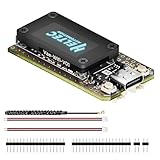
- V4 Upgraded ESP32-S3 & LoRa SX1262 Development Board: This Lora V4 Development Board features the latest ESP32-S3R2 chip with 2MB PSRAM and 16MB Flash, delivering superior processing for complex IoT applications and Meshtastic projects. This major upgrade from V3 models provides enhanced performance for Meshtastic devices, LoRa development boards, and sophisticated user interfaces, ensuring smooth operation of advanced firmware.
- High Power 27dBm Long-Range LoRa Radio Communication: The Meshtastic device experience exceptional wireless range with 27dBm transmission power and -137dBm sensitivity. Perfect for building reliable Meshtastic nodes, LoRa radio networks, smart home IoT devices, and industrial applications. This LoRa module provides greater communication distance across large properties and urban environments.
- Integrated OLED Display & Complete LoRa Meshtastic Kit: This heltec V4 includes a 0.96-inch OLED display for real-time data visualization without additional hardware. The protective casing features FPC antenna for stable Wi-Fi/Bluetooth and external antenna for enhanced LoRa performance. Provides a complete Meshtastic development board experience ready for immediate deployment.
- Advanced Power Management with Solar & GPS Connectivity: The ESP32 LoRa 32 V4 Designed for outdoor use with optimized battery management and 20μA sleep current. Includes solar panel interface for Meshtastic solar nodes and GNSS port for Meshtastic GPS applications. Type-C interface with voltage regulation ensures reliable operation for asset tracking and remote monitoring.
- Fully Compatible ESP32 LoRa Development Board: The ESP32 Lora V4 Development Board Maintains complete pin compatibility with Heltec LoRa 32 V3 for seamless project migration. Ready for Arduino and PlatformIO development, this versatile board supports LoRaWAN, Wi-Fi, and Bluetooth protocols for smart agriculture, industrial IoT, and wireless security systems.
Common mistakes to avoid
- Calling every relay a full route. Meshtastic’s learned next hop and MeshCore’s embedded source path are different kinds of state.
- Assuming flooding is unlimited. Meshtastic’s HopLimit and MeshCore’s deduplication and path-field limit constrain forwarding.
- Reading a range record as a benchmark. A project-reported 331 km result does not compare protocols or predict normal coverage.
- Ignoring broadcast load. Direct-route savings do not remove the airtime cost of group and broadcast traffic.
- Buying hardware before checking firmware. Frequency, chipset, connector, antenna and supported firmware all have to line up.
- Expecting automatic interoperation. A shared LoRa band is not a shared packet format.
Frequently asked questions
Does Meshtastic flooding mean every node transmits every packet?
No. Nodes observe HopLimit, listen for another relay and normally suppress their own transmission when they hear one. Router and Router Late roles are deliberate exceptions that may rebroadcast even after hearing another relay.
Is MeshCore always more efficient because it uses source routes?
No universal conclusion is established. Source routes can reduce forwarding for recurring direct traffic after discovery, but stale paths require flood recovery, and broadcast traffic still relies on flooding concepts. Results depend on topology and traffic.
Does MeshCore’s 64-byte path limit mean a route can have 64 hops?
No. The limit is the size of the path field in bytes, and each hop contributes a node hash. The number of hashes that fit depends on hash size; the cited specification details do not establish a 64-hop limit.
Does the 331 km Meshtastic record mean I can expect that range?
No. The project’s version 2.8 page reports a record attributed to MartinR7 and alleg, but does not state the year or establish a repeatable everyday range. A record is not a controlled comparison with MeshCore.
Can one radio run both mesh protocols at once?
The protocols cannot exchange packets directly, and using both networks requires separate radios plus a human bridge. A bridge is a person relaying information, not automatic cross-protocol forwarding.
What happens when a learned route fails?
Meshtastic can fall back to managed flooding on the last retry. MeshCore implementations should discard a cached source path after a small implementation-defined number of failed retries and retry by flood. Neither approach guarantees that the original path remains valid.
Frequently Asked Questions
Does the 331 km Meshtastic record mean I can expect that range?
No. The project’s version 2.8 page reports a record attributed to MartinR7 and alleg, but does not state the year or establish a repeatable everyday range. A record is not a controlled comparison with MeshCore.
Does MeshCore’s 64-byte path limit mean a route can have 64 hops?
No. The limit is the size of the path field in bytes, and each hop contributes a node hash. The number of hashes that fit depends on hash size; the cited specification details do not establish a 64-hop limit.
Free tools Windows power users keep installed
One-click scans. No signup required.
Can one radio run both mesh protocols at once?
The protocols cannot exchange packets directly, and using both networks requires separate radios plus a human bridge. A bridge is a person relaying information, not automatic cross-protocol forwarding.
Does Meshtastic flooding mean every node transmits every packet?
No. HopLimit, listen-before-forward suppression and SNR-based timing reduce duplicate relays. Router and Router Late roles may deliberately rebroadcast even after hearing another relay.
Is MeshCore always more airtime-efficient?
No. Source routes can reduce forwarding for recurring direct traffic, but stale paths require flood recovery and broadcast traffic still uses flooding concepts. No controlled comparison proves a universal advantage.
What happens when a direct route fails?
Meshtastic can use managed flooding on the last retry. MeshCore should abandon a cached path after a small implementation-defined number of failed retries and rediscover by flood.
The Bottom Line
Bottom line: Meshtastic uses managed flooding broadly and learns a next hop for direct messages; MeshCore floods to discover a path and then embeds a complete source route. Choose the protocol already used by the peers you need, then match the routing model to your traffic, repeater plan and tolerance for route changes. They do not interoperate, and no controlled evidence establishes one as universally faster or farther-reaching.
Quick Recap
Product prices and availability are accurate as of the date/time indicated and are subject to change. Any price and availability information displayed on Amazon at the time of purchase will apply.

