The Tool Desk
Outbyte PC Repair FREEClear out junk files and repair common Windows errorsFree Scan →Outbyte Driver Updater FREEScan for outdated or missing drivers - takes under a minuteDriver Scan →Some links on this page are affiliate links: if you buy through them we may earn a commission, at no extra cost to you.
Holiday shopping for an iPad usually comes down to one question: do you want the absolute top-end experience, or the best value that still feels fast for years?
This guide compares the M5 iPad Pro and the M3 iPad Air across performance, display, creativity tools, storage strategy, accessories, and real buyer scenarios—so you can pick confidently without guessing.
As an Amazon Associate I earn from qualifying purchases.
Free tools Windows power users keep installed
One-click scans. No signup required.
Quick answer: which one should you buy?
If you’re editing 4K/ProRes-class video, doing serious 3D and CAD-style work, or you want the most premium screen and the smoothest “never think about it” performance, get the M5 iPad Pro.
If you mainly want a fast, modern iPad for school, notes, content consumption, light-to-moderate creative work, and you care about spending less, get the M3 iPad Air. It’s the safer value pick for most people this season.
Popular on Amazon

- WHY IPAD PRO — iPad Pro with the Apple M5 chip delivers extraordinary performance for effortless productivity on a stunning display. Take on pro workflows with Neural Accelerators for AI and a redesigned iPadOS with game-changing capabilities.*
- PERFORMANCE AND STORAGE — iPad Pro with M5 brings next-generation speed and the power of on-device AI to all your tasks.* Featuring up to 2TB of storage, 16GB of memory, and Neural Accelerators for next-level AI performance.*
- IPADOS — Run pro apps and get more done with iPadOS 26 with Liquid Glass design and game-changing capabilities.* With an intuitive and flexible windowing system, you can control, organize, and manage your workflows like never before.
- APPLE INTELLIGENCE — Apple Intelligence is the personal intelligence system that helps you communicate, express yourself, and get things done effortlessly with groundbreaking privacy protections at every step.*
- 11-INCH ULTRA RETINA XDR DISPLAY — The world’s most advanced display, featuring extreme brightness, precise contrast, ProMotion, P3 wide color, and True Tone.* Nano-texture display glass available in 1TB and 2TB configurations
What’s different between M5 iPad Pro and M3 iPad Air?
Both are built for iPadOS and modern apps, but Apple’s product strategy is clear: Pro targets peak performance and the most advanced display experience, while Air targets the sweet spot between speed, portability, and price.
The “right” choice depends less on benchmarks and more on what you’ll actually do—especially if you plan to use the iPad as a primary creative computer or production device.
What’s actually slowing this PC down?
Pick the symptom - the matching free tool is one click away.
Performance and everyday speed
For most tasks—web, email, streaming, multitasking with several apps, and general productivity—both chips feel fast. The real separation shows up with sustained workloads, heavy creative apps, and complex timelines.
Multitasking, app switching, and complex workflows
M5 iPad Pro is the better choice if you regularly keep multiple heavy apps open (for example: a browser plus a design app plus a video editor). Pro models tend to maintain performance under load, so your workflow feels consistent.
M3 iPad Air is still excellent for multitasking, but if you routinely push it—large files, long renders, or frequent timeline scrubbing—the Pro will usually feel more “elastic.”
Gaming and graphics-heavy apps
If you play graphics-intensive titles or run apps that rely on advanced GPU performance, the M5 iPad Pro is the safer long-term pick. The M3 iPad Air remains a strong gaming tablet, but the Pro’s headroom matters when you want maximum settings and fewer slowdowns.
Quick wins for a faster PC:
Scan for outdated or missing drivers - takes under a minuteDriver Scan →Clear out junk files and repair common Windows errorsFree Scan →Display, speakers, and media quality
Your eyes will notice the difference before your apps do. iPad Pro models are typically positioned to deliver the most advanced display features, while iPad Air balances great quality with lower cost.
Reading, writing, and color-critical work
For reading and note-taking, both screens can look sharp and responsive, but Pro-class displays usually offer higher-end panel behavior and better brightness/headroom characteristics. That matters if you’re editing photos or designing work where color and contrast consistency matter.
Speakers and video watching
Both are designed for media consumption, but Pro hardware often includes more premium audio hardware tuning. If you’re buying for a teen or college student who uses the iPad for nightly streaming, the Pro can feel more “theater-like.”
Also popular on Amazon

- WHY IPAD PRO — iPad Pro with the Apple M5 chip delivers extraordinary performance for effortless productivity on a stunning display. Take on pro workflows with Neural Accelerators for AI and a redesigned iPadOS with game-changing capabilities.*
- PERFORMANCE AND STORAGE — iPad Pro with M5 brings next-generation speed and the power of on-device AI to all your tasks.* Featuring up to 2TB of storage, 16GB of memory, and Neural Accelerators for next-level AI performance.*
- IPADOS — Run pro apps and get more done with iPadOS 26 with Liquid Glass design and game-changing capabilities.* With an intuitive and flexible windowing system, you can control, organize, and manage your workflows like never before.
- APPLE INTELLIGENCE — Apple Intelligence is the personal intelligence system that helps you communicate, express yourself, and get things done effortlessly with groundbreaking privacy protections at every step.*
- 13-INCH ULTRA RETINA XDR DISPLAY — The world’s most advanced display, featuring extreme brightness, precise contrast, ProMotion, P3 wide color, and True Tone.* Nano-texture display glass available in 1TB and 2TB configurations
Storage, memory, and the long game
Storage is where holiday buyers often get burned. Apps and offline downloads add up fast, and creative projects can balloon quickly.
How much storage should you buy?
If you plan to keep large media libraries, download courses, or edit locally stored footage, prioritize storage over minimal savings. A common approach is:
- 64GB: best for light usage and mostly cloud-based workflows.
- 256GB: solid for most students and everyday creators.
- 512GB+: better for long-term creative projects, large photo/video libraries, and “offline-first” needs.
Even if the M3 iPad Air saves you money up front, the wrong storage tier can cost more later when you have to upgrade—or when you’re constantly managing space.
Longevity: which one will feel current longer?
“Long-term” doesn’t just mean chip power. It’s also about how smooth the device stays as iPadOS and professional-grade apps evolve. In general, Pro models get the most headroom for future features.
Creativity and input: Apple Pencil and keyboards
The iPad becomes dramatically more useful once you pick the right input accessories. This is often where Pro vs Air becomes a practical decision, not just a spec comparison.
Do these 3 things before closing this tab:
1Fix the driver behind crashes, sound loss and screen glitches2Repair Windows errors before they cause bigger problems3Scan for outdated or missing drivers - takes under a minuteApple Pencil workflow
If you’re buying for drawing, sketching, handwriting-heavy note-taking, or digital art, the iPad Pro’s performance headroom and premium display experience can make the experience feel more “instant” during heavy canvases.
The iPad Air can still be a great Pencil machine. If your art style is lighter or you’re mostly using Pencil for notes and occasional edits, Air is the better value.
Keyboard and productivity
For keyboard-based writing, spreadsheets, presentations, and school work, both devices work well. Choose Pro if you expect frequent multitasking with heavier apps; choose Air if your workflow is mostly web, docs, and moderate projects.
Also check what you’re buying: some bundles include the keyboard/trackpad while others don’t, and holiday pricing can vary wildly.
Outdated Drivers Are Slowing You Down
One free scan finds every outdated or missing driver and matches the right update for your exact hardware.Free scan · exact hardware matchWindows Errors? Fix Them Before They Spread
Repair common Windows errors and clear accumulated junk for a smoother, more stable PC - no reinstall needed.Free scan · no reinstallAlso popular on Amazon
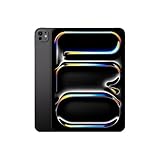
- WHY IPAD PRO — iPad Pro with the Apple M5 chip delivers extraordinary performance for effortless productivity on a stunning display. Take on pro workflows with Neural Accelerators for AI and a redesigned iPadOS with game-changing capabilities.*
- PERFORMANCE AND STORAGE — iPad Pro with M5 brings next-generation speed and the power of on-device AI to all your tasks.* Featuring up to 2TB of storage, 16GB of memory, and Neural Accelerators for next-level AI performance.*
- IPADOS — Run pro apps and get more done with iPadOS 26 with Liquid Glass design and game-changing capabilities.* With an intuitive and flexible windowing system, you can control, organize, and manage your workflows like never before.
- APPLE INTELLIGENCE — Apple Intelligence is the personal intelligence system that helps you communicate, express yourself, and get things done effortlessly with groundbreaking privacy protections at every step.*
- 11-INCH ULTRA RETINA XDR DISPLAY — The world’s most advanced display, featuring extreme brightness, precise contrast, ProMotion, P3 wide color, and True Tone.* Nano-texture display glass available in 1TB and 2TB configurations
Battery life and charging reality checks
Both models are designed to go all day for typical iPad use. Battery life differences tend to be small for everyday tasks, but can widen if you’re doing sustained video editing, continuous high brightness, or extended gaming sessions.
Real-world habits that affect battery
- High brightness (especially outdoors)
- Long video editing sessions
- Cellular data usage with weak signal
- Always-on displays and frequent camera use
Port selection, accessories, and workflow
Before buying, think about how you’ll connect external displays, storage, and chargers. If you plan to use hubs, docks, or fast external SSD workflows, Pro owners often lean into a more desktop-like setup.
Air can do this too—just be sure the accessory ecosystem you already have matches the iPad model you’re buying.
Which model fits each buyer profile?
High school or college student (notes + classes)
M3 iPad Air is usually the best choice. It’s powerful enough for most classroom workflows and keeps the budget flexible for Pencil, keyboard, and cloud storage.
If they’ll regularly annotate PDFs, stream lectures, and do assignments in one or two apps, Air is a strong holiday pick.
College creative student (photo/video editing, design)
Choose M5 iPad Pro if they edit longer timelines, handle higher-resolution media, or want the smoother experience when things get heavy.
Choose M3 iPad Air if their creative work is more occasional and they’re price-sensitive. Pair it with enough storage so their projects don’t force constant cleanup.
Professional creator (client work, regular production)
This is the clearest win for M5 iPad Pro. Production work punishes devices that struggle under sustained loads, and Pro-grade hardware gives you more headroom.
If you’re converting footage, editing frequently, or rendering often, the Pro is the safer long-term investment.
Also popular on Amazon
- WHY IPAD PRO — iPad Pro with the Apple M5 chip delivers extraordinary performance for effortless productivity on a stunning display. Take on pro workflows with Neural Accelerators for AI and a redesigned iPadOS with game-changing capabilities.*
- PERFORMANCE AND STORAGE — iPad Pro with M5 brings next-generation speed and the power of on-device AI to all your tasks.* Featuring up to 2TB of storage, 16GB of memory, and Neural Accelerators for next-level AI performance.*
- IPADOS — Run pro apps and get more done with iPadOS 26 with Liquid Glass design and game-changing capabilities.* With an intuitive and flexible windowing system, you can control, organize, and manage your workflows like never before.
- APPLE INTELLIGENCE — Apple Intelligence is the personal intelligence system that helps you communicate, express yourself, and get things done effortlessly with groundbreaking privacy protections at every step.*
- 11-INCH ULTRA RETINA XDR DISPLAY — The world’s most advanced display, featuring extreme brightness, precise contrast, ProMotion, P3 wide color, and True Tone.* Nano-texture display glass available in 1TB and 2TB configurations
Family tablet (streaming, reading, games)
For a shared household device, M3 iPad Air is usually the value winner. You get a modern iPad experience without paying Pro-tier pricing.
Consider storage carefully if the family relies on offline downloads.
Gift for someone who already owns accessories
If they already have a keyboard, Apple Pencil, or a dock, start with compatibility and the bundle contents. Then choose the device tier based on how heavy their apps are.
In many cases, “the right Air with the right accessories” beats “the wrong Pro with missing essentials.”
Holiday buying checklist (what to verify before you click Buy)
Holiday promos are excellent—until they’re not. Before you buy, verify these details so you don’t get a surprise after checkout.
- Exact model: confirm it’s the M5 iPad Pro or M3 iPad Air (not a similarly named older model).
- Storage size: pick based on your offline plans and project sizes.
- Cellular vs Wi‑Fi: cellular is worth it only if you truly need it away from home.
- Bundle contents: does the box include Apple Pencil and keyboard or just the iPad?
- Return window: holiday purchases should have clear return/exchange terms.
- Warranty/coverage: check coverage and accidental damage options if available.
Common mistakes and how to avoid them
Most buyer mistakes aren’t about performance—they’re about fit, storage, and expectations.
- Buying the cheapest storage for a creative user. You’ll feel it fast.
- Assuming more power fixes a workflow issue. If you need specific apps or file pipelines, test that first.
- Forgetting accessories. A Pencil and keyboard can transform the experience; holiday bundles may not include them.
- Overbuying for basic use. Streaming, browsing, and school notes don’t require Pro-tier hardware.
- Choosing cellular without a real need. If the user is always near Wi‑Fi, it can be unnecessary cost.
Troubleshooting: if the price or spec sheet doesn’t match your expectations
Deals can be confusing across retailers, bundles, and refurbished listings. If what you see doesn’t add up, use this checklist.
Recommended Free Tools
Performance doesn’t feel better than expected
Check the storage tier and whether the device is low on free space. iPad performance can feel worse when local storage is nearly full.
Also confirm you’re using compatible accessories and apps. Some creative apps can behave differently depending on file formats and export settings.
Also popular on Amazon
- WHY IPAD PRO — iPad Pro with the Apple M5 chip delivers extraordinary performance for effortless productivity on a stunning display. Take on pro workflows with Neural Accelerators for AI and a redesigned iPadOS with game-changing capabilities.*
- PERFORMANCE AND STORAGE — iPad Pro with M5 brings next-generation speed and the power of on-device AI to all your tasks.* Featuring up to 2TB of storage, 16GB of memory, and Neural Accelerators for next-level AI performance.*
- IPADOS — Run pro apps and get more done with iPadOS 26 with Liquid Glass design and game-changing capabilities.* With an intuitive and flexible windowing system, you can control, organize, and manage your workflows like never before.
- APPLE INTELLIGENCE — Apple Intelligence is the personal intelligence system that helps you communicate, express yourself, and get things done effortlessly with groundbreaking privacy protections at every step.*
- 13-INCH ULTRA RETINA XDR DISPLAY — The world’s most advanced display, featuring extreme brightness, precise contrast, ProMotion, P3 wide color, and True Tone.* Nano-texture display glass available in 1TB and 2TB configurations
The display looks different than reviews
Brightness settings, True Tone behavior, and viewing conditions can change how the screen appears. In iPadOS, try adjusting brightness manually and toggling True Tone to match the reviewer’s setup.
Accessories won’t pair or aren’t recognized
Restart the iPad and re-pair the accessory in Bluetooth settings. Then check if the accessory model supports the iPad generation you purchased—compatibility can vary by Pencil and keyboard generation.
Refurbished or open-box confusion
If you’re buying refurbished, confirm the battery health and that it includes genuine parts where relevant. Keep an eye on what’s “included” in the box listing, especially for Pencil and keyboard.
M5 iPad Pro vs M3 iPad Air: quick spec comparison
Use this table as a fast decision aid. For exact numbers (brightness, exact sizes, exact ports, and configured RAM), match your chosen listing’s spec sheet before checkout.
| Category | M5 iPad Pro | M3 iPad Air |
|---|---|---|
| Performance headroom | Best for sustained heavy creative workloads | More than enough for most students and creators |
| Display experience | Typically the most premium panel features | Excellent display with strong value |
| Creator workflow | Preferred for advanced editing and demanding canvases | Strong for moderate design and everyday creative work |
| Portability | Premium feel, often heavier than Air depending on size | Typically lighter and easier to carry daily |
| Best for | Professionals and power users | Most holiday shoppers and budget-conscious buyers |
Frequently asked questions
Will the M3 iPad Air feel slow compared to the M5 iPad Pro?
Not for typical tasks. Where you’ll feel the Pro more is with sustained, heavy creative work—long renders, large timelines, and complex multitasking.
Which one should I buy for drawing and handwriting?
If the buyer draws professionally or uses large canvases and heavy art apps, choose the M5 iPad Pro. For most people who want smooth writing and great note-taking, the M3 iPad Air is the better value—especially with enough storage.
Should I get cellular on either model?
Only if the user genuinely needs internet away from Wi‑Fi. For school and home routines, Wi‑Fi is usually sufficient and cheaper.
What storage size is safest for a holiday gift?
For a mixed-use device, 256GB is a practical middle ground. For heavy media or serious creative projects, consider 512GB+ so the device stays usable without constant cleanup.
Are refurbished iPads worth it?
They can be, as long as you buy from a reputable seller with clear return and warranty terms. Always confirm what’s included (especially Pencil and keyboard bundles) and check the listing details.
Bottom Line
Pick M5 iPad Pro if you’re buying for peak performance, a top-tier display experience, and demanding creative workflows that benefit from sustained power. It’s the “buy once, keep longer” option for power users.
Recommended Free Tools
Pick M3 iPad Air if you want the best balance of speed, portability, and holiday value. For most students, families, and everyday creators, Air is the smarter buy—especially when paired with the right storage tier and accessories.

