Some links on this page are affiliate links: if you buy through them we may earn a commission, at no extra cost to you.
Rumors about an iPhone 17 Air have been circulating around Apple’s long-running “Air” pattern: a thinner, lighter model that sits between the base and Pro lineup. Because it’s not an official product specification page yet, the most important skill is separating what you can verify from what you should treat as speculation.
This guide gives you a structured checklist for design, cameras, and pricing expectations—plus the verification steps that help you avoid expensive surprises once Apple (or major retailers) publishes confirmed details.
As an Amazon Associate I earn from qualifying purchases.
Quick wins for a faster PC:
Repair Windows errors before they cause bigger problemsFix Now →Scan for outdated or missing drivers - takes under a minuteDriver Scan →What the iPhone 17 Air is (and what to treat as unconfirmed)
The term “iPhone 17 Air” implies a mid-range (or “between”) position in Apple’s lineup. Historically, Apple’s Air-style phones tend to prioritize a thinner industrial design and portability, while cameras and chips vary by generation and tier.
Important: Any specific claims you’ve seen about iPhone 17 Air design, camera sensors, megapixel counts, or exact pricing are not guaranteed until Apple publishes official specs. Treat rumors as hypothesis until you can confirm through an Apple product page, an FCC filing that matches the model, or a major retailer listing with full spec sheets.
Popular on Amazon
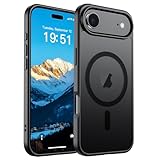
- Super Magnetic Attraction: Powerful built-in magnets, easier place-and-go wireless charging and compatible with MagSafe
- Compatibility: Only compatible with iPhone Air; precise cutouts for easy access to all ports, buttons, sensors and cameras, soft and sensitive buttons with good response, are easy to press
- Matte Translucent Back: Features a flexible TPU frame and a matte coating on the hard PC back to provide you with a premium touch and excellent grip, while the entire matte back coating perfectly blocks smudges, fingerprints and even scratches
- Shock Protection: Passing military drop tests up to 10 feet, your device is effectively protected from violent impacts and drops
- Check your phone model: Before you order, please confirm your phone model to find out which product is right for you
Design and materials: what an iPhone 17 Air class model typically changes
An iPhone “Air” model is usually about feel in the hand—thickness, weight, and balance—more than headline changes to the core camera or display. Look for confirmations on chassis thickness, weight, and durability materials (frame and glass).
1) Thickness and weight
Apple often improves thinness through internal layout changes: battery cell design, board stacking, and connector placement. When rumors cite a “thinner than last year” claim, verify it with either a confirmed spec sheet or trusted hands-on measurements.
2) Frame and glass durability
Apple’s materials language usually stays consistent (aluminum vs. stainless steel depending on tier). If the iPhone 17 Air rumor suggests a premium frame, confirm whether it matches the expected cost bracket and warranty/durability trade-offs.
3) Buttons, ports, and thermals
Thin phones can constrain cooling and sustained performance under heavy loads. If you care about gaming, high-volume video recording, or prolonged hotspot use, you’ll want confirmed thermal behavior and benchmarks after launch.
Display and performance expectations
Even when design changes are incremental, Apple tends to refresh display tech (brightness, anti-reflective layers, refresh behavior, and color accuracy) at the system level.
Display specs to confirm
- Panel type (OLED generation),
- Peak brightness and HDR brightness behavior,
- Refresh rate behavior (e.g., adaptive vs fixed),
- Protection and coating claims (anti-smudge/anti-reflective),
- Resolution if it differs from prior base-tier models.
Performance: what matters more than raw benchmark bragging
For everyday use, you’ll feel performance through launch speed, camera processing latency, and smoothness in heavy apps. If rumors claim a specific Apple silicon generation (you’ll usually see references to a named “A-series” chip), validate it via the official technical specs.
Free tools Windows power users keep installed
One-click scans. No signup required.
Also consider storage tiers and sustained performance limits. A “thin” chassis can influence how hot the phone gets during long video recording.
Camera system: likely hardware and what to look for in real samples
An iPhone “Air” model often trims camera complexity compared with Pro models. That can mean fewer lenses, smaller differences in zoom range, or less advanced optical/camera processing. The best approach is to verify the lens layout and the processing features, then evaluate real-world samples.
What to verify about lenses and sensors
- Main camera (lens count, wide vs “wide+” behavior),
- Ultra-wide presence and autofocus capability (if mentioned),
- Telephoto/zoom availability (optical zoom vs digital),
- Front camera improvements (sensor size and low-light performance claims),
- Stabilization (sensor-shift vs lens-based—confirm rather than assume).
Camera features to look for in confirmed listings
- Photographic Styles and processing pipelines,
- Night mode behavior and capture speed,
- Portrait mode edge detection and depth estimation,
- Video formats (4K frame rates, stabilization modes),
- Low-light video improvements (grain/noise trade-offs),
- Macro capability if offered—verify by lens/feature wording.
How to judge rumors using sample photos
When you see leaked or early samples, don’t just compare “sharpness.” Compare these specific scenarios:
- Indoor tungsten lights (skin tone and noise),
- Backlit faces (dynamic range and highlight rolloff),
- Night street scenes (motion handling and blur),
- Fast motion (kids/pets, cars at dusk),
- Video stabilization (walking handheld at 4K).
If the iPhone 17 Air rumor includes new stabilization or a sensor change, you should see measurable improvements in low-light blur and reduced frame-to-frame flicker.
The Tool Desk
Outbyte Driver Updater FREEScan for outdated or missing drivers - takes under a minuteDriver Scan →Outbyte PC Repair FREEClear out junk files and repair common Windows errorsFree Scan →Battery life and charging: how to predict day-to-day impact
Thin designs don’t automatically mean worse battery life, but they can reduce thermal headroom. Your goal is to confirm two things: battery capacity (if published) and charging behavior.
Also popular on Amazon

- Compatibility: This case is only designed for iPhone 17 AIR 6.5". lt features precise cutouts for easy access to all buttons, speaker, and charger slots.
- Strong Magnetic: It is compatible with MagSafe and other wireless chargers, with strong built-in magnets for a secure fit.
- Shock Protection: Passing military drop tests up to 10 feet, your device is effectively protected from violent impacts and drops
- Screen Protector: designed to withstand drops and impacts, maintaining high-definition clarity while also providing effective protection for daily use
- Customer Support: We offer reliable after-sales support. If you have any issues with the case, please feel free to contact us.
Battery life variables you should expect to change
- Display brightness habits,
- 5G usage intensity,
- Camera usage (especially video),
- Background app activity and location services.
Charging: verify these details
Apple typically specifies wattage for wired fast charging and the wireless charging capability by Qi profile. Before buying, confirm:
- Wired fast charging wattage (and the charger requirements),
- Wireless charging profile,
- MagSafe accessory compatibility (if you already own one).
If your current setup depends on a specific charger, check that the iPhone 17 Air supports the charging standard in your region.
Pricing: realistic expectations and how to estimate your total cost
Until Apple publishes official pricing, treat any number you see online as an estimate—sometimes close, sometimes wildly off. Still, you can plan with a structured budget approach.
Do these 3 things before closing this tab:
1Repair Windows errors before they cause bigger problems2Fix the driver behind crashes, sound loss and screen glitches3Clear out junk files and repair common Windows errorsHow Apple usually structures pricing
Apple’s lineup pricing generally correlates with camera hardware, display tier, storage capacity, and materials. An “Air” model usually aims to be more attainable than Pro tier models but higher than the base tier.
Build a total cost estimate before you commit
Your out-the-door cost often depends more on storage and trade-in than on the headline price.
| Cost component | What to check | Why it matters |
|---|---|---|
| Base price | Retailer listing or Apple store | Sets your baseline |
| Storage tier | 128GB/256GB/512GB-style options (confirm) | Often the largest day-one difference |
| Trade-in credit | Condition grading and max credit window | Can change by hundreds |
| Sales tax | Your state/country tax rate | Varies widely by region |
| Accessories | Charger, case, screen protector, MagSafe items | Thin phones are easy to scratch; plan protection |
Storage: choose based on behavior, not marketing
If you shoot a lot of video, store photos in iCloud, or keep multiple years of content on-device, you’ll typically want at least mid-tier storage. If you’re primarily using iCloud for photo sync, you can go lower—just confirm you’re comfortable with your iCloud plan.
Also check whether iPhone 17 Air supports the iCloud features you use today (like Photo syncing and device backups). Any major OS upgrade path (iOS) can affect storage usage and backup size.
What’s actually slowing this PC down?
Pick the symptom - the matching free tool is one click away.
Availability and release timing: how to track Apple’s signals
Apple usually reveals iPhone details around its fall hardware cycle, and retailers update listings in advance. For iPhone 17 Air, you’ll want release signals that are verifiable rather than hype.
Where to confirm timing
- Apple’s official store product page (model name + technical specs),
- Carrier pages with model numbers (helps confirm regional variants),
- Major retailer listings with return windows and full spec tables,
- Regulatory filings (FCC) that match the rumored model identifier,
- Accessory ecosystem announcements (cases, MagSafe compatibility) that confirm dimensions/feature sets.
What can change between rumors and launch
Common shifts include: camera configuration, storage tier pricing, and regional differences (especially around 5G bands and eSIM/SIM behavior). Always re-check the official listing once it appears.
Which iPhone should you buy instead?
If you want the “Air” style but the iPhone 17 Air specs don’t match your priorities (cameras, zoom, or battery), compare against nearby models that fit your needs today.
Choose based on your top priority
- Best photos and zoom: you’ll usually want a Pro tier model with additional camera hardware.
- Thinner feel and lighter carry: an Air-like model is about ergonomics first.
- Value per dollar: a base model with last-gen Pro processing can sometimes beat a new “thin” phone with fewer camera features.
A quick comparison workflow
- Write down what you shoot most (people, night scenes, pets in motion, or video).
- Compare confirmed camera lens list and video frame-rate/stabilization modes.
- Check storage price differences (e.g., 256GB vs 512GB tier gap).
- Use your country’s Apple or carrier trade-in estimates to compute total cost.
If the iPhone 17 Air turns out to have a camera setup closer to the base tier, it may be a poor upgrade versus a recent iPhone you already own.
Outdated Drivers Are Slowing You Down
One free scan finds every outdated or missing driver and matches the right update for your exact hardware.Free scan · exact hardware matchPC Slower Than It Used to Be?
A free scan shows the junk files, broken settings and background clutter dragging Windows down - then fixes them in one click.Free scan · Windows 10 & 11Also popular on Amazon

- 3X Military-Grade Drop Protection for iPhone Air: Dual-layer polycarbonate outer shell and shock-absorbing TPE inner sleeve survive 78 drops from 4 feet ? exceeding MIL-STD-810G 3X over while staying slim enough for front or back pockets
- Full-Speed MagSafe Built In: Precisely aligned magnets snap to MagSafe chargers, car mounts, and wallets at full 15W wireless charging speed with zero alignment guesswork ? no removing the case to charge
- Sealed Port Covers Block Dust and Debris: Precision-molded port covers keep lint, sand, and moisture away from your USB-C port and speakers ? engineered to open and close smoothly through thousands of cycles
- Camera Control Button Integration: Dedicated Camera Control cutout with tactile feedback lets you swipe, half-press, and launch Apple Visual Intelligence without removing the case ? raised bezels guard the camera lens and display from scratches
- Designed Exclusively for iPhone Air: Precision-cut speaker grilles, button covers, and Camera Control access engineered to iPhone Air tolerances ? backed by OtterBox limited lifetime warranty
How to verify leaks and rumors before spending
The fastest way to avoid bad purchases is to confirm the details that directly affect your use: model identifiers, lens layout, charging support, and OS upgrade compatibility.
Verification checklist
- Model number: verify that it matches the exact iPhone 17 Air listing.
- Camera configuration: confirm lens count and named camera features on official specs.
- Charging: confirm wattage and included accessories (charger usually varies by region and bundle).
- Dimensions and cases: confirm your existing case compatibility or MagSafe accessory fit.
- iOS support: check the minimum iOS version and expected upgrade window.
Use credible sources, but confirm with primary listings
Retailers and carriers can be reliable, but the final authority is the Apple listing itself. If a leak claims a feature, you should be able to find that feature named consistently in the official technical specs or Apple marketing pages.
Common mistakes when buying before details are official
Preorder decisions are where people get burned—usually because they overpay for uncertainty or miss the trade-in terms.
- Paying for a rumor, not a spec: if a feature isn’t on the official page, don’t budget around it.
- Ignoring total cost: total price can change with tax, trade-in conditions, and accessory bundles.
- Overbuying storage: buying 512GB when you rely on iCloud might be overkill if your plan is solid.
- Underbuying protection: thin phones show wear fast; plan a case that matches confirmed dimensions.
- Assuming accessories will fit: MagSafe ring placement and button positions can differ even when the phone looks similar.
Troubleshooting your purchase decision (when the details don’t match)
If the iPhone 17 Air launch information conflicts with what you expected, treat it like a spec audit. You can fix the decision without “sticking to the plan.”
If the cameras are weaker than you hoped
- Compare confirmed lens list and zoom behavior.
- Check video stabilization mode names and supported frame rates.
- Look for real sample comparisons, not just marketing brightness.
- Consider switching to a Pro tier model for the lens hardware you need.
If the price is higher than the rumor
- Recompute total cost with your tax rate and trade-in.
- Try a different storage tier (often a smaller jump is smarter).
- Wait for retailer promos or carrier deals if return windows allow.
- If you’re upgrading from an older iPhone, compare trade-in value decay over time.
If the design feels different after launch photos
- Confirm dimensions and weight in the official specs.
- Check case listings from major brands to ensure button/port alignment.
- If possible, visit a store to compare ergonomics directly against your current phone.
FAQs about iPhone 17 Air
Is the iPhone 17 Air confirmed by Apple?
No public, official specifications can be treated as confirmed until Apple publishes an iPhone 17 Air product page or a retailer lists the full spec sheet consistent with Apple’s official details. Until then, treat everything as rumor or expectation.
What camera specs should I look for first?
Start with the lens layout (how many cameras, what they are), stabilization type for video, and the supported video modes/frame rates. Those details affect your results more reliably than isolated megapixel claims.
How should I estimate iPhone 17 Air pricing?
Use the official base price once it appears, then add sales tax and model-specific costs (storage tier, accessories, and trade-in adjustments). Any rumor number should be treated as a “planning range,” not a promise.
Will I be able to use my existing MagSafe accessories?
Only if the phone’s dimensions and MagSafe alignment are compatible with your accessory model. Verify using accessory maker compatibility lists and the iPhone 17 Air case listings once they’re published.
Should I wait for reviews or preorder?
If your budget is tight, it’s usually safer to wait for verified sample photos and early testing, especially for camera and battery. If you preorder, do it with a return policy you can trust.
Bottom Line
The iPhone 17 Air concept is compelling if you want a thinner, lighter iPhone experience, but the right buying decision depends on confirmed specs—not rumor narratives. Focus on the camera lens layout, video stabilization behavior, verified pricing for your region, and true total cost after trade-in and tax.
Once Apple publishes the official iPhone 17 Air details (or reputable retailers list them with complete spec tables), you’ll be able to decide quickly: keep your current phone, choose the Air for portability, or move up to a Pro tier if your photos and video needs demand more.

