What’s actually slowing this PC down?
Pick the symptom - the matching free tool is one click away.
Some links on this page are affiliate links: if you buy through them we may earn a commission, at no extra cost to you.
Choosing between iPhone 16 and iPhone 16 Pro isn’t just about “better camera” in the abstract. It’s about which lenses, zoom range, stabilization behavior, and low-light performance match the photos and video you actually shoot—portraits, kids and pets, travel, night streets, or handheld video.
This guide breaks down how the iPhone 16 vs 16 Pro camera differences show up in real scenarios, then gives you practical settings to get repeatable results. If you want a quick answer after reading, jump to the buying guide section and the checklist.
As an Amazon Associate I earn from qualifying purchases.
Recommended Free Tools
Note: Exact sensor and lens configurations can vary by region and by model year revision. Use this article as a decision framework, and if you want perfect spec matching, verify the lens/zoom details on Apple’s model page for your exact device.
What you’re actually comparing: iPhone 16 vs 16 Pro camera stacks
“Camera quality” is a combination of what the hardware captures (lenses and sensors), what the phone computes (processing), and what the stabilization system does (motion control). The Pro line typically adds more specialized optics and more headroom for challenging scenes—especially zoom, low light, and video stabilization.
Popular on Amazon

- Titanium frame combines strength and lightness, giving the iPhone 16 Pro a premium feel while reducing weight for prolonged daily use. The polished edges and textured back enhance grip and handling, making it easier to use during long calls, gaming sessions, or when capturing photos and videos on the move.
Hardware differences that change your photos and video
Most of the visible differences between iPhone 16 and iPhone 16 Pro come down to lens options, zoom capability, and how much light the system can gather and stabilize.
Lenses and optical zoom range
On the Pro model, you should expect a wider set of lenses (often including an additional telephoto option) that enables more usable optical zoom. That matters when you’re photographing people from a distance, sports from the sidelines, wildlife, or tight travel details without stepping closer.
Do these 3 things before closing this tab:
1Fix the driver behind crashes, sound loss and screen glitches2Repair Windows errors before they cause bigger problems3Scan for outdated or missing drivers - takes under a minuteWith iPhone 16, you’ll still get strong results for everyday framing, but you’ll lean more on computational zoom and tighter “workflows” (moving your feet, cropping after capture, or using the most appropriate lens for the moment).
Sensor size, image processing, and dynamic range
The Pro lineup generally gives the camera system more headroom for bright highlights and shadow detail. In practice, that means fewer “blown-out” skies and more recoverable detail when you edit in Apple Photos.
Processing also plays a role: Pro models usually produce more consistent results across varying lighting conditions, particularly when scenes have mixed light (window daylight + warm indoor lamps).
Stabilization and action sharpness
Stabilization affects whether handheld photos feel crisp or slightly smeared. Pro systems tend to maintain better sharpness with motion—think walking while shooting video, or taking photos of a moving subject in low light where shutter speed has to rise.
Even when the shutter speed is similar, improved stabilization lets you use lower ISO more often, which reduces noise and preserves color.
Macro and ultra-wide behavior
Ultra-wide lenses help you capture landscapes, interiors, and dramatic “close-but-wide” compositions. Pro models sometimes offer more flexible close-focus or better consistency when you’re shooting tiny details.
If you love food, watches, textures, and small objects, the Pro option often gives more dependable results for “fill the frame” photography without fighting focus or softness.
Also popular on Amazon
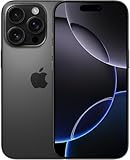
- Titanium frame combines strength and lightness, giving the iPhone 16 Pro a premium feel while reducing weight for prolonged daily use. The polished edges and textured back enhance grip and handling, making it easier to use during long calls, gaming sessions, or when capturing photos and videos on the move.
Photo quality in the real world
Spec sheets don’t tell you how a camera handles faces, skin tones, and motion. The best way to judge is to think about your typical subjects: people, kids, pets, travel scenes, night environments, and how often you shoot with your phone handheld.
Daylight and high-contrast scenes
Both models handle daylight well, but the Pro typically holds highlight detail better—especially in scenes with bright skies and shaded faces. When you shoot outdoors in summer noon light, the difference shows up in sky texture and fewer harsh burnouts around bright edges.
In high-contrast portraits, you’ll usually see Pro images look a bit more balanced after quick edits in Apple Photos.
Low light, night mode, and indoor lighting
Low light performance is where Pro often feels more “forgiving.” You’re less likely to get heavy noise or color blotching in dim rooms, and you can hold detail better on skin tones and textured backgrounds.
Night mode results depend heavily on subject motion. If your subject is still, both models improve dramatically. If your subject moves (kids, pets, live music), Pro’s stabilization and processing usually reduce the “messy” look.
Free tools Windows power users keep installed
One-click scans. No signup required.
Portraits: skin tones, edges, and background separation
Portrait mode quality hinges on subject detection, edge separation, and how the phone balances exposure between face and background. Pro models typically keep facial texture a bit more natural, with fewer edge artifacts around hair and accessories.
If you shoot a lot of portraits at events, Pro’s consistency can save you from retakes—especially with mixed lighting and low ceilings.
Moving subjects: blur control and burst timing
When someone is running toward you or a group is laughing mid-motion, the Pro camera stack tends to produce sharper “keeper” frames more often. That’s mostly because it manages shutter speed, stabilization, and computational denoise with better odds of success.
You still need good technique (tap to focus, keep the camera steady, and wait a fraction for focus lock), but Pro usually buys you more margin.
Quick wins for a faster PC:
Scan for outdated or missing drivers - takes under a minuteDriver Scan →Clear out junk files and repair common Windows errorsFree Scan →Fix the driver behind crashes, sound loss and screen glitchesFind Drivers →Also popular on Amazon

- Titanium frame combines strength and lightness, giving the iPhone 16 Pro a premium feel while reducing weight for prolonged daily use. The polished edges and textured back enhance grip and handling, making it easier to use during long calls, gaming sessions, or when capturing photos and videos on the move.
Video quality: the parts that matter most
Video is where buyers notice differences quickly: stabilization, rolling shutter feel, highlight control, and how focus transitions handle faces and movement.
Resolution, frame rates, and slow-motion look
Both phones can record high-resolution video, but Pro models typically offer more flexible high-frame-rate options and better utilization of their lens and sensor capabilities at those settings.
If you shoot sports highlights, dance videos, or “moment” clips where slow motion matters, Pro is often the better long-term tool.
Stabilization for walking, biking, and handheld shots
Walk-and-talk video is where stabilization either saves the clip or ruins it. Pro models usually handle micro-jitters better, particularly when you pan or tilt while keeping the subject in frame.
The Tool Desk
Outbyte PC Repair FREEClear out junk files and repair common Windows errorsFree Scan →Outbyte Driver Updater FREEScan for outdated or missing drivers - takes under a minuteDriver Scan →For best results on either model, keep your hands firm and use a slower pan. If you’re filming while moving fast, consider stepping down to a shorter focal length rather than relying on heavy zoom.
Audio capture and wind handling (practical expectations)
Audio won’t be dramatically different in every scene, but Pro phones are often better tuned for consistent pickup in mixed environments. Wind remains the biggest enemy outdoors; any phone mic can struggle if you’re getting gusts.
If wind matters, keep the mic oriented toward your subject and avoid shooting at the edge of heavy airflow. A small change in angle can noticeably reduce wind noise.
Cinematic modes and focus behavior
Cinematic effects depend on subject detection and focus transitions. Pro models generally keep focus transitions steadier and reduce “focus breathing” in complex scenes like parties or classrooms.
Still, the effect isn’t magic: if the subject moves abruptly toward/away from the camera, you can get focus misses on both models. Choose your distance and movement carefully.
Also popular on Amazon
- Titanium frame combines strength and lightness, giving the iPhone 16 Pro a premium feel while reducing weight for prolonged daily use. The polished edges and textured back enhance grip and handling, making it easier to use during long calls, gaming sessions, or when capturing photos and videos on the move.
Zoom and framing: how far each model really gets
Zoom isn’t one thing; it’s a blend of optical capture (from lenses) and computational reconstruction (digital processing). Optical zoom generally gives you cleaner details and more stable framing for faces and distant objects.
How to choose optical vs digital zoom
- Use optical zoom when framing matters (portraits from a distance, sports, wildlife). It keeps textures and edges more consistent.
- Use digital zoom when you’re okay cropping and you’re shooting bright scenes. For night, heavy digital zoom tends to magnify noise and softness.
- Switch lenses instead of zooming when the scene allows it. One step back and switching to ultra-wide can look more intentional than maximum zoom.
Best camera settings and camera modes for each situation
On iPhone, the quickest gains often come from consistent technique: tap-to-focus, controlling exposure, choosing the right mode, and understanding when you should avoid aggressive zoom.
Quick setup for daylight portraits
- Open Camera.
- Choose Portrait (if you want the effect) and wait for focus lock.
- Tap the face and drag the exposure slider slightly down if the background is bright.
- Stand a bit farther than you think—too close can stress edge detection.
Quick setup for night street photos
- Open Camera and frame your scene.
- Hold the phone steady and keep moving subjects at the edges if possible.
- If Night mode appears, let it run; don’t trigger and immediately walk away.
- After capture, use Edit in Photos to reduce highlights and slightly lift shadows if needed.
Quick setup for indoor concerts
- Open Camera and consider using Photo with the appropriate lens (avoid max zoom).
- Tap the performer’s face or torso for focus.
- Brace your arms against your body; moving while the exposure is processing hurts results.
- When lighting is extremely mixed, prioritize a lower-stakes shot first, then reframe once you’ve found your exposure.
Quick setup for sports and action
- Use Photo and pick the lens that gives you usable framing (optical zoom beats heavy digital zoom).
- Tap-to-focus on the anticipated subject path.
- Hold your stance and shoot short bursts rather than one long press while moving.
- Review quickly and adjust: if frames are soft, lower your zoom slightly or improve stance.
Which one should you buy? Camera-driven buying guide
If camera quality is the deciding factor, the real question is what kinds of scenes you repeat every week.
Windows Errors? Fix Them Before They Spread
Repair common Windows errors and clear accumulated junk for a smoother, more stable PC - no reinstall needed.Free scan · no reinstallCrashes, No Sound, or Screen Glitches?
Random freezes, missing sound and display glitches usually trace back to one bad driver. Find and replace yours safely.Free scan · under a minuteChoose iPhone 16 if…
- You want excellent everyday photos and video without paying extra for the Pro optics stack.
- You mainly shoot at moderate focal lengths (wide and standard) and don’t depend on long zoom.
- You edit lightly in Apple Photos and share more than you print large.
- You shoot mostly with stable subjects (travel landscapes, posed portraits, family moments where people stay relatively still).
Choose iPhone 16 Pro if…
- You care about zoom flexibility—distant portraits, sports, and travel details where you can’t step closer.
- You shoot a lot of low light or mixed lighting and want more consistent keepers.
- You record handheld video often and want stabilization that’s less likely to betray your walking shots.
- You do frequent editing and want better starting headroom (highlights, shadows, and skin tones).
Still unsure? Use these decision checks
| Your typical shoot | More likely to benefit from Pro | More likely to be fine on iPhone 16 |
|---|---|---|
| Distant people or events | Yes, for optical zoom and consistency | If you often crop or can step closer |
| Night street scenes | Yes, especially with motion | Yes, if subjects are mostly still |
| Portraits at parties | Yes, for mixed lighting reliability | If you shoot mostly outdoors or with simpler lighting |
| Handheld walking video | Yes, for stabilization margin | If you keep movement slow and use wider framing |
| Travel landscapes | Helpful, if you use zoom a lot | Usually enough for wide/standard compositions |
Common camera problems and fixes
Even with great hardware, small issues can make photos look worse than they should. Here are the most common problems and what to try first.
Photos look soft or blurry
- Clean the lenses: smudges can reduce sharpness more than you’d expect. Wipe with a microfiber cloth.
- Tap to focus on the subject, not the background.
- Reduce motion: lower your zoom, brace your hands, and keep your body steady while the shutter processes.
Overexposed highlights in bright scenes
- After tapping to focus, drag the exposure slider down a bit.
- If the sun is in frame, try repositioning so faces aren’t backlit through glare.
- Use HDR behavior by staying still for a half-second when lighting is extreme.
Noise and color shifts in low light
- Avoid max zoom at night; step back and use a wider lens.
- Keep the phone steady for Night mode or low-light processing to finish.
- In Photos, reduce noise gently and adjust white balance if indoor lighting is very warm or greenish.
Video looks shaky or warpy
- Use wider framing and move slower while panning.
- Check that you’re not in a mode that changes stabilization behavior for your chosen frame rate.
- Hold the phone with a stable grip; quick wrist motion looks worse than steady arm movement.
Bad focus on faces or pets
- Tap the face to force focus lock.
- Increase your subject distance slightly; extremely close framing can confuse edge detection.
- If the subject moves unpredictably, shoot bursts and pick the sharpest frames during playback.
Camera comparisons you might care about (but people forget)
Here are a few practical angles that affect whether your photos look good after you shoot, edit, and share.
Editing headroom in Apple Photos and iCloud
Pro images often give you more recoverable detail when you pull down highlights or lift shadows. If you rely on Apple Photos edits and sync via iCloud, that extra headroom can matter—especially when you shoot into bright skies or under mixed indoor light.
Storage also matters: higher-quality captures can fill your iCloud storage faster, so keep an eye on your plan.
Sharing compression vs detail retention
When you send photos through messaging apps or compress for social platforms, fine detail differences shrink. If your main outlet is Stories or feeds, iPhone 16 may meet your needs easily.
If you print, create albums, or crop aggressively, Pro’s starting quality becomes more noticeable.
Also popular on Amazon

- 6.1" Super Retina XDR OLED, HDR10, Dolby Vision, 1000nits (typ), 2000nits (HBM), 2556x1179px at 460ppi, 3561mAh Battery
- 128GB 8GB RAM, Apple A18 (3nm), Hexa-core (2x4.04 GHz + 4x2.20 GHz), Apple GPU 5-core, 16‑core Neural Engine
- Rear camera: 48MP, f/1.6, wide + 12MP, f/2.2, ultrawide, Front Camera: 12MP, f/1.9, wide, iOS 18, upgradable to iOS 18.5
- 4G LTE: 1/2/3/4/5/7/8/12/13/14/17/18/19/20/25/26/28/29/30/32/34/38/39/40/41/42/48/53/66/71, 5G: n1/2/3/5/7/8/12/14/20/25/26/28/29/30/38/40/41/48/53/66/70/71/75/76/77/78/79 - Dual eSIM
- Unlocked for freedom to choose your carrier. Compatible with both GSM & CDMA networks. The phone is unlocked to work with all GSM Carriers & CDMA Carriers Including AT&T, T-Mobile, Verizon, Sprint., Etc.
Lens cleanliness and smudges
One greasy fingerprint can reduce contrast and create haze, especially in night scenes with streetlights. Cleaning your lenses before a trip is an easy, high-impact habit.
FAQs
Is the iPhone 16 Pro camera better for zoom?
Yes, the Pro model is designed for more useful optical zoom options and better consistency when you’re framing distant subjects. If zoom is a regular part of your shots, Pro usually wins.
Will I notice differences in low light if I only shoot with Night mode?
You’ll still likely see more reliable results on Pro, especially when subjects move. If your subjects are mostly still and you keep the phone steady, iPhone 16 can be very close in many scenes.
Which is better for handheld video while walking?
Pro models typically have more stabilization margin, which helps reduce jitters and improves the “stickiness” of your framing. Technique still matters: wider shots and smoother movement help both phones.
Should I buy Pro if I mainly share photos online?
Often no. Sharing compression can mask some of the Pro advantages. If you don’t crop much and don’t do heavy editing or printing, iPhone 16 may be the smarter spend.
How can I tell which phone is better for my use before buying?
Look at your recent camera roll: estimate how often you used portrait mode, night mode, and any telephoto lens behavior. If zoom and low light are frequent, Pro is more likely to feel like an upgrade.
Recommended Free Tools
Bottom Line
If you shoot mostly everyday scenes—wide landscapes, standard portraits, casual video—and you rarely need long zoom, iPhone 16 will deliver excellent results for far less cost. You’ll get strong consistency as long as your technique is steady and you avoid max zoom in dark scenes.
If you regularly shoot distant subjects, low light with motion, and handheld video while moving, iPhone 16 Pro is the safer camera investment. You’ll typically get more keeper frames, better stabilization margin, and more useful zoom behavior that makes real-world shots easier.

