Some links on this page are affiliate links: if you buy through them we may earn a commission, at no extra cost to you.
Apple’s iPhone 16 event branding—“It’s Glowtime”—looks like more than a catchy tagline. Event invites and internal messaging almost always point to the product moment Apple wants you to associate with the next platform shift, and this one lines up closely with the direction of Apple Intelligence.
Based on how Apple typically sequences updates, the most meaningful takeaway isn’t just that iPhone 16 will get a refresh. It’s that Apple Intelligence is likely to take a bigger role in daily workflows—writing, summarization, context-aware assistance, and smarter system-level actions—rather than staying confined to a small set of demos.
As an Amazon Associate I earn from qualifying purchases.
The Tool Desk
Outbyte Driver Updater FREEFix the driver behind crashes, sound loss and screen glitchesFind Drivers →Outbyte PC Repair FREEClear out junk files and repair common Windows errorsFree Scan →This guide breaks down what the iPhone 16 “It’s Glowtime” event hints at, what to verify on your devices before launch-day disappointment, and how to troubleshoot if the features you expect don’t appear.
What the iPhone 16 It’s Glowtime event is signaling
Event slogans rarely focus on hardware alone. Apple uses phrases like “Glowtime” to prime the idea that the experience itself is changing—how the phone responds, understands, and helps—especially when new AI capabilities are involved.
Popular on Amazon

- 【Bubble Free Built-in 9H Glass Screen Protector】 Miracase for iPhone 16 case with built-in full screen protector protect your phone screen from scratches and cracks, no gap and won't lift up the screen,and making you enjoy the sensitive touch without bubbles.
- 【Military Full Body & Unique Camera Control】SGS test standard: MIL-STD-810H-2019.SGS certificate No.: GZMR220802655103.Military-grade 8000 times drop tested. Dual layer provides 360 grad full body rugged.Unique camera lens&camera control button Protector.Different from other brands' direct hole digging design, Miracase's design focuses more on the overall protection of the phone, providing a more comfortable grip without affecting the use of camera control.
- 【Fit All Magnet Accessories】Miracase iPhone 16 phone case Built in upgraded 3rd generation magnet ring, locking and compatible with magsafe accessories, wireless charging is faster, easier, and safer. The powerful magnetism support charging from any angle, and there is no need to worry about the charger separating from the phone anymore
- 【Never Yellow Crystal Clear】Diamond hard clear back to show off the real color of your iPhone 16, always clear new as day 1
- 【PRODUCT SUPPORT】Any product issues please contact us for a replacement. Installation: install the front cover with Phone - install the back cover from the bottom-clos the camera control cover; Removal: open the camera control cover-press the bottom cover from the bottom to separate the case
“Glowtime” also fits a broader pattern: Apple tends to frame AI rollouts around tangible user outcomes (faster assistance, better organization, clearer communication) rather than “model upgrades.” If Apple Intelligence is the real story, the iPhone 16 announcement will likely connect AI to everyday touchpoints across Messages, Mail, Photos, Safari, and system-wide UI.
Why Apple Intelligence is likely the headline
Apple Intelligence has been positioned as the company’s privacy-forward AI layer—built to work in a way that respects user data. When Apple highlights a new iPhone generation, it often pairs the hardware and the software stack so the AI experience feels “native,” fast, and consistent.
What’s actually slowing this PC down?
Pick the symptom - the matching free tool is one click away.
There are three signals to pay attention to during the event:
- System-wide integration (not just an app): prompts, suggestions, and actions across iOS.
- On-device or “local-first” behavior: faster responses, fewer wait times, more private handling.
- Tooling growth: more controls, better language support, and clearer permission settings.
What to watch for during the event
When a keynote claims “major” AI focus, Apple usually demonstrates it through concrete flows. Here’s what to look for—because it tells you what you’ll actually get when your iPhone is updated.
1) AI actions tied to real apps
Watch for examples where Apple Intelligence doesn’t just summarize text, but also helps you draft, edit, schedule, and reply—inside apps you already use.
2) More controls in Settings
Apple often adds toggles that make AI feel transparent. If you see new controls for when data is processed, how suggestions appear, or what permissions are used, that’s a strong sign of deeper rollout.
3) Faster latency and more “always available” behavior
If Apple shows fewer spinners and more near-instant results, it usually means improved hardware support and optimized model execution paths.
Also popular on Amazon

- Super Magnetic Attraction: Powerful built-in magnets, easier place-and-go wireless charging and compatible with MagSafe
- Compatibility: Only compatible with iPhone 16; precise cutouts for easy access to all ports, buttons, sensors and cameras, soft and sensitive buttons with good response, are easy to press
- Matte Translucent Back: Features a flexible TPU frame and a matte coating on the hard PC back to provide you with a premium touch and excellent grip, while the entire matte back coating perfectly blocks smudges, fingerprints and even scratches
- Shock Protection: Passing military drop tests up to 10 feet, your device is effectively protected from violent impacts and drops
- Check your phone model: Before you order, please confirm your phone model to find out which product is right for you
4) Better support for structured content
Apple tends to get excited about text and document workflows first. Look for improvements around email threads, meeting notes, forms, and long documents.
Apple Intelligence: requirements and compatibility checks
Apple Intelligence support is limited by hardware capability and sometimes by software version. If you’re planning to upgrade to iPhone 16 or you already own a supported device, do a quick compatibility check before you expect specific features.
iPhone
Apple Intelligence availability generally depends on the iPhone model and the iOS version. Start by confirming your iPhone supports Apple Intelligence in the current iOS release you’re on, then update to the latest version available.
- Open Settings → General → About.
- Note your iOS Version.
- Go to Settings → Apple Intelligence & Siri.
- If you see Apple Intelligence options there, your device is likely eligible (subject to region/language).
iPad
On iPad, eligibility follows a similar pattern: the hardware must be capable, and the OS must support the relevant settings page.
- Open Settings → General → About and check your iPadOS Version.
- Go to Settings → Apple Intelligence & Siri.
- If the menu is missing, your iPad may not support Apple Intelligence on your current OS version.
macOS
macOS devices typically require a minimum macOS version to access Apple Intelligence features and the related settings.
- Open System Settings → General → About to confirm your macOS version.
- Go to System Settings → Apple Intelligence & Siri.
- If Apple Intelligence settings don’t exist, update macOS and recheck.
Apple ID, region, and language gotchas
Even supported hardware can be blocked by account settings, region, or language. If the event suggests broader AI features, language and region support may be part of the “unlock” story.
- Check Settings → General → Language & Region.
- Confirm your Apple ID region matches your device region.
- If you travel, some capabilities may behave differently across countries.
How to prepare on your devices right now
You don’t have to wait for iPhone 16 to start preparing. Apple Intelligence experiences often depend on OS readiness, permissions, and system configuration.
PC Slower Than It Used to Be?
A free scan shows the junk files, broken settings and background clutter dragging Windows down - then fixes them in one click.Free scan · Windows 10 & 11Crashes, No Sound, or Screen Glitches?
Random freezes, missing sound and display glitches usually trace back to one bad driver. Find and replace yours safely.Free scan · under a minuteAlso popular on Amazon
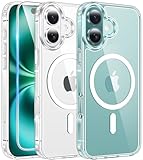
- Designed for iPhone 16: This case is only designed for iPhone 16 6.1 inch and does not support any other models
- Strong Magnetic Attraction: Designed for iPhone 16 case with 38 N52 magnets for 2400g lock. Fully compatible with MagSafe chargers, magnetic car mounts & Qi wireless charging without signal drop
- Tempered Glass Screen Protector: All-in-one set features a 9H tempered glass screen protector for iPhone 16 case. High-definition screen cover guards display against scratches while keeping touch response fast
- Crystal Clear: Premium clear iPhone 16 case made with Bayer TPU & PC. Nano antioxidant layer resists yellowing, oil, and smudges, keeping your phone looking brand-new with lasting clarity
- 10FT Military Grade Protection:10FT military drop protection for iPhone 16 case. Hard PC backplate, flexible shockproof TPU bumpers, and 4 corner airbags absorb heavy impacts from accidental falls
Update iOS/iPadOS/macOS
Most AI feature changes arrive through OS updates (not in isolation). Updating first prevents the “feature missing” confusion that comes from an older build.
- Open Settings → General → Software Update.
- Install the latest iOS update shown.
- On macOS, open System Settings → General → Software Update.
Verify Apple Intelligence settings
When Apple Intelligence is supported, you’ll usually find a dedicated settings entry. Verify that it’s enabled, and check the toggles Apple provides for suggestions and writing tools.
- Open Settings → Apple Intelligence & Siri.
- Confirm Apple Intelligence is turned on.
- Review options for writing assistance, notifications, and Siri behavior.
Check storage and power behavior
AI features can require background processing and caching. Low storage and aggressive battery settings can reduce reliability.
- Leave at least 5–10 GB of free space when possible.
- Charge your phone during setup so background tasks finish cleanly.
Turn on the right permissions
Some Apple Intelligence capabilities depend on permissions for on-device assistance and content understanding. If an AI feature feels “half enabled,” permissions are often the culprit.
Free tools Windows power users keep installed
One-click scans. No signup required.
- Open Settings → Privacy & Security.
- Review permissions related to Photos, Microphone, and Notifications if the feature you want touches those areas.
- Confirm Siri permissions where applicable.
Feature areas Apple Intelligence commonly expands
Apple typically doesn’t describe AI as a single “feature.” It rolls improvements across categories where people already spend time.
Writing, summarization, and “next best action” workflows
Look for stronger writing tools (drafting, rewriting, tone changes) and smarter summarization that preserves key details. The best demos show AI helping you do something, not just describing something.
On-device privacy and secure processing patterns
Apple’s differentiation is how it handles data. Expect more emphasis on local-first processing and clearer indicators about what’s processed on device vs elsewhere.
Also popular on Amazon

- PRECISION FIT FOR IPHONE 16 SERIES – Expertly designed for iPhone 16, this Commuter Series case delivers a secure, form‑fitting profile that preserves your phone’s slim feel while staying firmly in place.
- RUGGED, SHOCKPROOF DEFENSE – Dual‑layer construction combines a shock‑absorbing inner soft shell with a rigid outer layer to exceed 3X military drop standards (MIL‑STD‑810G 516.6) and made with eco-conscious materials.
- DUAL‑LAYER DURABILITY, MAGSAFE READY – Designed with a shock‑absorbing inner layer and a rigid outer shell, this case delivers dependable everyday protection while remaining fully compatible with MagSafe charging and accessories.
- POCKET‑FRIENDLY PROTECTION – A slim, durable design with textured rubber grip edges enhances handling without extra bulk, offering reliable OtterBox protection that fits seamlessly into daily life.
- QUALITY YOU CAN COUNT ON – Designed to OtterBox’s high standards for durability and performance, this case offers proven protection supported by an industry‑leading reputation.
Search, notifications, and context-aware suggestions
AI becomes truly useful when it connects scattered information. Watch for capabilities that reduce mental load—turning your unread threads, messages, and reminders into actionable suggestions.
Recommended Free Tools
Image and audio assistance trends
Image workflows often improve early because they’re easy to demonstrate visually. Audio assistance shows up through transcription quality, better search in recorded content, and more reliable “understand what you said” experiences.
If the Apple Intelligence features don’t show up
It’s frustrating, but it’s also common: the device may be capable, yet the feature may not appear due to OS version, language/region, or configuration.
Common causes
- OS version too old for the Apple Intelligence settings page.
- Language/region mismatch with the supported list for Apple Intelligence.
- Permissions not granted for the app/workflow you’re testing.
- Background processing not finished (after an update, the device may be catching up).
Troubleshooting checklist
- Restart your iPhone (hold a volume button + side button, then power off and back on).
- Check Settings → General → Software Update and install any pending updates.
- Confirm Settings → Apple Intelligence & Siri exists and is enabled.
- Verify your Language & Region settings match your Apple ID expectations.
- Free up storage and retry the feature.
If you still can’t see Apple Intelligence, record your device model and current OS version, then check Apple’s current eligibility lists on the official support pages. Event announcements often land weeks before every user gets the full feature set.
Independent reader supportYour contribution helps us test, update, and keep practical guides available for everyone.Alternatives and interim workflows
While you wait for broader Apple Intelligence availability (or if your device isn’t eligible yet), you can still tighten your workflow using built-in iOS tools and careful copyediting habits.
Do these 3 things before closing this tab:
1Fix the driver behind crashes, sound loss and screen glitches2Clear out junk files and repair common Windows errors3Scan for outdated or missing drivers - takes under a minuteUsing built-in tools before full rollout
If writing assistance isn’t available, use practical replacements: summarizing manually with Notes, drafting in Pages, and using built-in search in Mail and Messages. The goal is to reduce friction now, so you’re ready to upgrade when Apple Intelligence expands.
Third-party options (and when not to rely on them)
Third-party AI apps can be helpful for general tasks, but they’re not identical to Apple’s privacy model. Avoid putting sensitive account details or private documents into tools that don’t clearly explain data handling.
Also popular on Amazon

- 【Compatible with MagSafe】Liquid Silicone Case only compatible with iPhone 16 (6.1"). Can be adapted to wireless charging with magnetic function
- 【Durable Liquid Silicone Case】Liquid silicone rubber,surface layer smooth. Upgraded Thickness:3.0mm.Four-layer structure design anti-fingerprint,scratch-resistant performance, drop protection
- 【Full Body Protection】 Upgraded camera protection, outer lip design, slightly higher than the screen and camera, protect your iPhone screen or camera dropping or laying face down on surface
- 【Multi-color Options】We provide a variety of fashionable colors to match for iPhone 16. Choose multiple phone cases, and then you're free to match them according to the Outfit of the Day
- 【Customer Support】We offer reliable after-sales support. If you have any issues with the case, please feel free to contact us.
- Prefer apps with clear privacy policies.
- Don’t assume prompts are private just because the UI looks polished.
FAQs
What does the iPhone 16 It’s Glowtime event suggest about Apple Intelligence?
It suggests Apple will emphasize Apple Intelligence as a core part of the iPhone experience—more system-level integration and more everyday workflow assistance—rather than a small standalone feature.
Will Apple Intelligence work on my current iPhone?
It depends on your iPhone model, iOS version, and sometimes your region and language settings. Check whether you see Settings → Apple Intelligence & Siri.
What should I update before the event?
Update iOS/iPadOS/macOS to the latest version available, confirm Apple Intelligence settings exist and are enabled, and ensure you have enough free storage for background processing.
If Apple Intelligence doesn’t appear, what’s the fastest fix?
Install the latest OS update, verify language/region settings, and restart your device. If it’s still missing, the hardware or account eligibility criteria may not match.
Bottom Line
The iPhone 16 “It’s Glowtime” framing strongly points to Apple Intelligence being a major focus, with improvements meant to feel built-in across everyday apps and system workflows. The exact features depend on eligibility and rollout timing, so your best move is to verify compatibility now.
Update your OS, check Apple Intelligence settings on iPhone, iPad, and macOS, and clear the common blockers like language/region and storage. When the event details land, you’ll be ready to see the changes immediately—without losing time troubleshooting on launch week.
Quick wins for a faster PC:
Repair Windows errors before they cause bigger problemsFix Now →Scan for outdated or missing drivers - takes under a minuteDriver Scan →Clear out junk files and repair common Windows errorsFree Scan →
