What’s actually slowing this PC down?
Pick the symptom - the matching free tool is one click away.
Some links on this page are affiliate links: if you buy through them we may earn a commission, at no extra cost to you.
With iOS 26, Apple adds a clearer signal for one of the most annoying parts of charging: guessing when your iPhone will actually be done. When you plug in, the interface can show an estimate for how long it will take to finish charging—right from the lock screen or charging UI.
This guide breaks down what that timer is doing, how to make sure you’re seeing it, and what to do when the estimate looks off. You’ll also get practical context for why the number can move during the charge, especially as your battery approaches full.
As an Amazon Associate I earn from qualifying purchases.
The Tool Desk
Outbyte Driver Updater FREEFix the driver behind crashes, sound loss and screen glitchesFind Drivers →Outbyte PC Repair FREEClear out junk files and repair common Windows errorsFree Scan →What the iOS 26 battery charging timer tells you
The iOS 26 charging time estimate is a prediction of the remaining time until your iPhone reaches its “finish” point for the current charging session. That “finish” can mean full 100% in many cases, but it can also be influenced by charging management behaviors (like optimized charging), battery temperature, and the current charging stage.
It’s not a guarantee. Your iPhone continuously recalculates the estimate based on observed charging rates and conditions (battery chemistry, temperature, and how aggressively the charger is delivering power).
Popular on Amazon
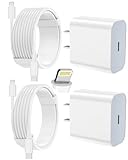
- 【Compatibility】This product is not compatible with all iPhone 15 and iPhone 16 models., Works With foriPhone 14,iPhone 14 Pro,iPhone 14 Pro Max,iPhone 14 Plus,iPhone 13,iPhone13 Pro,iPhone13 Pro Max,iPhone13 mini,iPhone 12 Pro Max,iPhone 12 Pro,iPhone 12,iPhone 12 mini,iPhone 11 Pro Max,iPhone 11 Pro,iPhone 11,iphone x,iphone xr
- 【MFi Certified Cable】Each cable contains a unique, verified serial number and an authorization chip issued by iphone to ensure 100% compatibility with any Lightning device.USB C to Lightning Cord fully supports the iOS version and all future updates.Please note that this charger does not work with iPhone 15 and iPhone 16 models.
- 【3X Fast Charging】The 12W 5V 3A USB-C port PD fast adapter wall charger and 6FT&10FT usb c to lightning fast charging cords,That is,it will charge your iPhone up to 50% power in just 30 minutes,and only takes 1.8 hours to charge your iPhone fully to save 1.5hrs more time for you!
- 【Superior Safety Fast Charging】FEEL2NICE lightning charger has multipotent safety system ensures complete protection for your lightning devices. The ETL certified wall charger built-in over-voltage protection, features a stable voltage. the lightning cable built-in smart chip to match the current required by devices automatically.
- 【What You Get 】2 pack of USB-C iPhone charger and 2 pack of 6FT&10FT USB-C to Lightning charging cable are packed in a box,1 year worry-free refund and replacement guarantee. If you have any questions, don't hesitate to contact us! We promise to solve your problems within 24 Hours!
Requirements: which iPhones and what to check
To use the feature, you need an iPhone that supports iOS 26 and a battery that’s in a normal operating range. Apple’s exact hardware list depends on the iOS 26 release, but the feature is designed for typical Lightning and USB-C iPhone models, including MagSafe charging behavior.
Checklist before you troubleshoot
- Update to iOS 26: Go to Settings → General → Software Update.
- Check battery health: Go to Settings → Battery → Battery Health & Charging.
- Use a known-good charger and cable: Try the charger you normally trust (or a USB tester if you’re comfortable).
- Let the phone normalize temperature: If the iPhone is hot or very cold, charging may slow down and the estimate will shift.
How to see the charging time estimate on your iPhone
Once your iPhone is on iOS 26, you typically don’t need to enable a special switch. The estimate should appear when the phone is actively charging, most noticeably on the lock screen and charging status views.
Steps to confirm you’re seeing it
- Plug your iPhone into power (wired or MagSafe).
- Wake the screen or look at the lock screen while it’s charging.
- Watch for the charging UI that includes a remaining-time estimate (often shown alongside the battery icon and charging status).
- Charge for 1–2 minutes, then check again—if you’ve changed conditions (cable moved, temp changed), the timer may update.
How to interpret the estimate (and why it changes)
The “time remaining” number is most accurate shortly after you begin charging, when your iPhone has enough data about the current charging rate. As the battery fills up, the charging curve changes, so the estimate can jump—especially as you approach the finish point.
Think of it like a forecast, not a stopwatch.
Battery temperature and charging behavior
Charging speed is temperature-dependent. If the battery is warm, iPhone may reduce charging power to protect long-term health. If it’s cold, the phone may also slow down until the battery warms.
That’s why the timer may shorten when your iPhone stabilizes and lengthen if the phone warms up during charging.
Charge level, charger type, and cable quality
Your remaining time depends heavily on how much charge you start with and what power the charger/cable can deliver. If your iPhone starts at 10% on a fast charger, it will spend less time in bulk charging. If you start at 80%, you’re mostly in the slower top-off stage.
Do these 3 things before closing this tab:
1Scan for outdated or missing drivers - takes under a minute2Repair Windows errors before they cause bigger problems3Fix the driver behind crashes, sound loss and screen glitchesAlso popular on Amazon
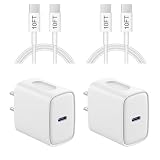
- 【20W PD 3.0 Fast Charger】20W PD 3.0 fast charger and 10ft USB-C to C cable, charge iPhone 18 17 16 15 to 50% in half an hour, which is 3× faster than with an original 5W charger
- 【Superior Safety】iPhone fast charger block equipped with a wide range of safety features, including temperature control, short circuit protection and current regulation to protect your connected devices and maximize the life of your device
- 【Widely Compatibility】USB-C charger block offers 20W fast charging for iPhone 18 Pro/18 Pro Max/Duo/17/17 Pro/17 Pro Max/Air, iPhone 16/16 Pro/16 Pro Max/16 Plus, iPhone 15/15 Pro/15 Pro Max/15 Plus, 2022/2021/2020/2018 iPad Pro 12.9/11 inch 6th/5th/4th/3rd, iPad 10th Generation, iPad Air 5th/4th, iPad Mini 6
- 【10FT USB C Cable】With the intelligent chip USB-C to C cable, friendly reversible design, charging speed max up to 20V/3A, also support 480 Mbp/s fast data transmission. 10ft length can give you more space to move while charging
- 【What you get】2-pack 20W USB-C wall charger and 10ft Type C cable. We offer 2-year warranty and 7 x 24 hours friendly customer service. If you have any questions, please feel free to contact us
Cable quality matters too. A cable that can’t handle the expected current may cause lower charging power, which makes the estimate longer.
MagSafe, USB-C to Lightning, and higher-watt USB-C chargers
With MagSafe, charging is generally predictable, but it’s still affected by alignment, case thickness, and ambient temperature. With wired charging, the iPhone can negotiate charging power based on the adapter and cable. If you switch between charger types, the estimate recalculates.
Settings and related features that affect charging time
Some iPhone charging settings can change what “finish” means and when the phone chooses to charge aggressively vs. hold back.
Optimized Battery Charging
If Optimized Battery Charging is enabled, your iPhone may delay finishing at 100% until closer to the time you typically need it. In those cases, the timer can look different because the phone is managing charge to reduce time spent at full.
To check: Settings → Battery → Battery Health & Charging → Optimized Battery Charging.
Clean Energy Charging (where available)
On supported regions and setups, Clean Energy Charging can influence when the iPhone finishes charging, depending on energy availability signals. That can make the estimate less about “time to 100% right now” and more about “time to completion based on a plan.”
Also popular on Amazon

- Fast Charging: This kit includes four USB-C wall adapters and four C-to-Lightning cables, providing lightning-fast charging for your iPhone. They charge your device up to 3 times faster than iPhone's 5W charger and support Quick Charge 2.0 for many Android devices.
- MFi Certified for iPhone Charger Fast Charging: The Lightning cables are MFi certified, ensuring 100% compatibility with any Lightning device, including fast charging for your iPhone. They support the current iOS version and all future updates, so you can be sure you're getting the best possible charging experience.
- Safe and Reliable: The iPhone chargers are certified for safety and suitable for both US and international electrical standards. Their high-quality ABS material shells provide excellent electrical properties, heat resistance, and chemical resistance. The lightning cables include a built-in smart chip that matches the current required by your device, ensuring exhaustive protection while charging.
- Wide Compatibility: This charging kit is compatible with a range of iPhone devices, including iPhone 14/iPhone 14 Pro/iPhone 14 Pro Max/iPhone 14 Plus/iPhone 13/iPhone13 Pro/iPhone13 Pro Max/iPhone13 mini/iPhone 12 Pro Max/iPhone 12 Pro/iPhone 12/iPhone 12 mini/iPhone 11 Pro Max/iPhone 11 Pro/iPhone 11/iphone x/iphone xr/iPhone XS/iPhone XS Max/iPhone 8 Plus/iphone 8/iphone 7 Plus/iphone 7/iPhone 6/iphone 6s/iPhone 5/iphone 5s/iPhone SE, as well as iPads.
- Satisfaction Guarantee: The kit comes with a 1-year worry-free refund and replacement guarantee. If you have any questions or issues with the product, don't hesitate to contact us - we promise to resolve them within 24 hours.
To check: Settings → Battery → Battery Health & Charging (look for Clean Energy Charging if offered on your device).
Low Power Mode and charging speed
Low Power Mode primarily changes background activity and power usage, not charging itself. Still, if your iPhone is actively running power-hungry tasks while plugged in, it can affect net charge rate, which the estimate responds to.
Recommended Free Tools
If you want the most stable charging behavior, avoid heavy gaming/video while charging and keep the device cool.
If the estimate is missing or seems inaccurate
When the timer doesn’t behave as expected, don’t assume the feature is broken. Most issues come from conditions (temperature, charger power) or from charging management behaviors (optimized charging).
Quick checks (do these first)
- Restart the phone: Hold Volume Up/Down + Side (depending on model) to power off, then turn it back on.
- Try a different wall adapter and a different cable if you have one.
- Remove the case if it’s thick: Some materials can trap heat and slow charging.
- Check for temperature messages: If iPhone shows “Charging paused” or similar warnings, your estimate will be unreliable.
Troubleshooting by scenario
The timer appears, then jumps around
That’s usually normal. iPhone recalculates remaining time as it moves between charging phases. If the number changes dramatically in the first few minutes, check whether the charger is firmly connected and whether the device temperature is stable.
The timer never appears on lock screen
Start with these checks: confirm you’re truly on iOS 26, and make sure the iPhone is actively charging (not just connected to a low-power USB port). Try a different lock screen style: wake the phone while plugged in and watch for the charging UI.
Free tools Windows power users keep installed
One-click scans. No signup required.
Also popular on Amazon

- 20W High-Speed Charging: Enjoy fast charging with 20W max output for your iPhone, Samsung phones, and other devices.
- Simultaneous Dual-Port Charging: With the ability to use USB-C and USB-A ports simultaneously, power two devices at once without compromising speed or performance.
- Small and Compact: Designed with portability in mind, take the compact charger with you wherever you go, ensuring that you never run out of power when you need it the most.
- Safety Features You Can Trust: Anker's proprietary system includes overvoltage protection, temperature control, and other safety features designed to help safeguard your devices while charging.
- What You Get: Anker Charger (2-Port, 20W), 2-pack 5 ft USB-C to USB-C cable, welcome guide, 18-month warranty, and our friendly customer service.
Your iPhone charges very slowly
Slow charging typically means reduced available power or increased heat/load. Try these in order:
- Use a known fast charger (the one recommended for your iPhone model).
- Replace the cable with a shorter, high-quality one.
- Avoid using the phone heavily while charging.
- Move the iPhone to a cooler surface.
Battery health is low
If your battery health is significantly degraded, charging behavior can slow to protect the battery. That can extend the time estimate and make it feel inconsistent. Check Settings → Battery → Battery Health & Charging and review the Maximum Capacity reading.
Independent reader supportYour contribution helps us test, update, and keep practical guides available for everyone.Comparing iOS 26 vs older iOS versions
Before iOS 26, iPhone users mostly relied on two cues: the percentage indicator and the fact that charging slows down near full. You’d estimate completion time by watching percentage rise, but it was guesswork—especially with optimized charging and temperature effects.
What you had before
Older iOS versions typically showed charge state and percentage. Optimized Battery Charging could still alter the time you hit 100%, but the UI wasn’t as explicit about remaining-time prediction.
What changed with the estimate
iOS 26 focuses on better transparency. By displaying a remaining-time estimate, Apple gives you a closer-to-real forecast that adjusts as your phone learns the effective charging rate in your current conditions.
That’s especially useful if you plug in for a short window (like 20–30 minutes) and need to know whether you’ll be ready to leave.
Also popular on Amazon

- [20W Super Fast Charger] Charge iPhone 14 and previous models to 58% in half an hour, which is 3× faster than with an original 5W charger.
- [10Ft Fast Charger Cord] Gives you the flexibility to use your devices while charging in bed, on the couch, or around the house, without sitting directly next to a wall outlet.
- [Multi-Certified Safety] Conforms to TUV, RoHS, and FCC safety standards and possesses MFi certification to work perfectly with your devices, ensuring it functions without damage. It also features temperature control, overvoltage, and overcurrent protection to safeguard your connected device.
- [Wide Compatibility] Provides high charging speed to iPhone 14 / 13 / 12 / 11 / X / XS / XR / 8 / SE, and iPads including 9th / 8th / 7th Gen, mini 5th Gen, Air 3rd Gen, and Pro 12.9-inch (1st / 2nd Gen) / 10.5-inch; standard charging speed to iPhone 7 and earlier models.
- [What You Get] 2 × 20W USB-C chargers and 2 × 10ft fast charging cords.
Best practices to improve charging reliability
- Use the right power adapter for your model, and avoid random “no-name” USB chargers.
- Keep the phone cool: remove thick cases during long charging sessions if your iPhone tends to warm up.
- Minimize background load while charging (reduce gaming, video calls, and heavy GPS).
- For MagSafe, ensure alignment so the charging coil isn’t partially mispositioned.
- Don’t obsess over small timing changes: a jumping estimate by a few minutes is usually normal as the charging curve transitions.
FAQs
Is the iOS 26 charging time estimate accurate?
It’s a prediction based on real-time charging behavior. It can be quite close right after you plug in, but it may change as the battery fills, temperature shifts, or charging optimization kicks in.
Does the timer mean it will hit 100% exactly at the end?
Not always. If Optimized Battery Charging or other management features are active, the phone may finish later or manage how “full” it gets during the charging window.
Quick wins for a faster PC:
Fix the driver behind crashes, sound loss and screen glitchesFind Drivers →Clear out junk files and repair common Windows errorsFree Scan →Scan for outdated or missing drivers - takes under a minuteDriver Scan →Why does the estimate get longer as the battery gets higher?
As your battery approaches full, the iPhone slows charging to reduce stress on the battery chemistry. That naturally increases the remaining time.
What should I do if my iPhone says charging is paused?
Unplug and let the iPhone cool down (or warm up if it’s very cold). Then plug back in with a reliable charger and cable.
Will this feature work with any charger?
It should work with most legitimate chargers, but the estimate depends on actual delivered power. Low-power adapters, damaged cables, or unstable connections can slow charging and make the timer longer or less stable.
Bottom Line
iOS 26’s battery charging time estimate is meant to make charging feel predictable. Use it as a real-time forecast, not a promise, and remember the number will change as charging behavior adapts.
Outdated Drivers Are Slowing You Down
One free scan finds every outdated or missing driver and matches the right update for your exact hardware.Free scan · exact hardware matchWindows Errors? Fix Them Before They Spread
Repair common Windows errors and clear accumulated junk for a smoother, more stable PC - no reinstall needed.Free scan · no reinstallIf the timer is missing or wildly off, focus on basics first: confirm iOS 26, try a known-good charger and cable, and check temperature and Battery Health settings. That usually resolves the edge cases fast.

