Quick wins for a faster PC:
Clear out junk files and repair common Windows errorsFree Scan →Scan for outdated or missing drivers - takes under a minuteDriver Scan →Repair Windows errors before they cause bigger problemsFix Now →Some links on this page are affiliate links: if you buy through them we may earn a commission, at no extra cost to you.
To upload the clearest Facebook photos or videos from an iPhone or Android phone, use the Facebook app, turn on the available Upload HD controls, select the camera original or a direct high-quality export, and upload over dependable Wi‑Fi. Leave the app open while the file uploads and give Facebook time to finish processing before judging the result.
First identify where you are posting: a normal feed item, Story, Reel, or a clip recorded inside Facebook. The quality controls and menu names can differ by surface, account, phone platform, and app release, so the exact switch may not appear for everyone.
As an Amazon Associate I earn from qualifying purchases.
What’s actually slowing this PC down?
Pick the symptom - the matching free tool is one click away.
| Option | What you need | Best for |
|---|---|---|
| Normal Photo/video feed post | Facebook app, original file, Upload HD controls when available | Maximum control over source quality |
| Story or Reel | Facebook app and the source clip or photo | Short-form posts where controls may differ from feed uploads |
| Clip recorded inside Facebook | Facebook camera and a stable connection | Quick captures when no edited original is available |
How do I upload HD videos or photos to Facebook from an iPhone or Android?
Use this sequence for a normal feed post. It works on both platforms, although labels and locations can change.
- Update Facebook. Install the current version from your phone’s official app store. Open the full Facebook app, not a mobile browser or a lightweight variant, because upload-quality controls may not be exposed elsewhere.
- Choose the posting surface. Tap to create a regular Photo/video post if you want the clearest, most predictable workflow. Stories and Reels can have separate editing and upload controls.
- Open the media settings. In Facebook, open Menu, then Settings & privacy and Settings. Look under Media, Videos and Photos, or App Settings. Meta’s help material notes that settings and availability can vary, so use the settings search field for HD, upload quality, media, or video if you do not see the menu immediately (Facebook Help Center).
- Enable the switches that exist. Turn on Upload HD for videos and for photos when both are listed. A single toggle or a differently named quality option may be used in your release; the setting changes default upload behavior but cannot restore detail that was already discarded.
- Select the best source. Pick the camera original or a direct export from the original editing project. Do not use a screenshot, a clip downloaded from a chat, or a file that has already been compressed by another social service.
- Use a reliable connection. Prefer Wi‑Fi, close large background transfers, and keep the phone charged or connected to power. A strong cellular connection can work, but a large video can consume data or fail during a network handoff.
- Post and wait. Keep Facebook in the foreground until the transfer completes. A soft preview can appear first; leave the post online while Facebook generates its final renditions, then reload it and inspect it full-screen.
Where is the Facebook Upload HD setting on iPhone and Android?
On many builds, the path is Menu → Settings & privacy → Settings → Media or Videos and Photos. Older walkthroughs describe Menu → Settings → Account Settings → Videos and Photos; that route remains a useful landmark even when the labels have moved (Adweek’s mobile walkthrough).
Popular on Amazon

- USB-C 2-in-1 storage OTG: The Lexar JumpDrive Dual Drive D40E features USB Type-A and Type-C connectors in a slim, portable form factor for easy device compatibility
- Transfer speeds up to 100MB/s: Based on internal testing, performance may vary depending upon the host device, interface, and usage conditions. 1MB=1,000,000 bytes
- Plug and Play: Widely compatible with USB Type-C smartphones, tablets, laptops, Macs, and traditional Type-A devices, no software installation required. The 360° swivel design allows for easy switching between connectors without the hassle of losing a cap
- Durable & Compact: The Lexar D40E USB memory stick features a metal enclosure, withstands temperatures from 0° to 50° C (32°F to 122°F), and is lightweight at 26g with dimensions of 70.4 x 16.9 x 11.7mm
- Security & Warranty: Securely protects files using an advanced security software solution with 256-bit AES encryption. Backed by a Lexar 3-year limited warranty
On Android, the same controls may be grouped under App Settings or Media. On iPhone, they may appear under Videos and Photos. The switch is account-, platform-, and release-dependent. If searching for “HD” returns nothing, update Facebook, sign out and back in if appropriate, and test a standard feed post rather than a Story or Reel. Do not assume that a missing switch means your phone cannot capture a high-quality file; it may simply not be exposed to that account.
What should I do before selecting a video or photo?
Start with the cleanest source because Facebook’s processing can only reduce or reinterpret detail; it cannot recreate information missing from the file.
- Upload the original file. Keep the camera master or a direct, high-quality export archived. Play it locally first and verify the complete duration, audio, orientation, and focus.
- Avoid heavy resizing. Do not repeatedly resize a 4K clip, screen-record a post, or save a JPEG through several apps. If you need a smaller upload for reliability, make one deliberate export from the master rather than a chain of low-quality conversions.
- Check source resolution and bitrate. Higher resolution and bitrate preserve more information before Facebook receives the file, but they also increase transfer time, storage use, and the chance of a stalled upload. A clean 1080p export can be a better practical choice than a repeatedly failing 4K file.
- Keep the phone charged. Large uploads can take time and may stop when the phone enters a low-power state or loses its connection.
- Disable aggressive data saver controls. A phone or Facebook data-saving mode can restrict background transfers or favor reduced media quality. Turn it off for the upload if it interferes, then restore it afterward if you need to conserve data.
Which video file type should I use?
For broad compatibility, prefer an H.264 video in an MP4 or MOV container when you control the export. HEVC (H.265) can produce smaller files at similar quality, but compatibility and processing behavior vary by phone, editor, and Facebook release. This is a reliability recommendation, not a claim that Facebook requires one universal codec profile.
Apple lists both HEVC and H.264 as iPhone recording formats. It also lists 4K Dolby Vision at 24, 25, 30, or 60 frames per second and 1080p HD at 25, 30, or 60 frames per second on iPhone 15 models (Apple’s iPhone 15 technical specifications). Those are capture capabilities, not a promise that Facebook will preserve the same resolution, HDR metadata, bitrate, frame rate, or audio characteristics after transcoding.
Also popular on Amazon
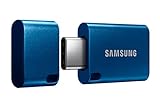
- USB-C STORAGE ON THE GO: This sleek drive is supported by Samsung NAND flash and is incredibly compact to fit in the palm of your hand; Count on reliable performance and fast transfer speeds while staying compact
- PERFORMANCE WITH SPEED: No need to choose between performance and reliability; Experience a fast, powerful flash drive that transfers 4GB files in just 11 seconds with up to 400MB/s USB 3.2 Gen 1 read speeds and is backward compatible with USB 3.0/2.0
- MODERN MEETS ICONIC: The ultra-sleek USB-C drive looks as good as it performs; Featuring a reversible plug, the Type-C inserts into your devices seamlessly every time; Transfer large files with style and ease
- ALWAYS CONNECTED: USB-C is compatible across devices, including laptops, tablets, phones and cameras, with enough space for 63,730 photos or maximum 12 hours of 4K video; With up to 256GB of storage space, this pocket-sized thumb drive comes in handy wherever you go
- TOUGH & TRUSTED: Files stay secure, no matter the terrain; Samsung's flash memory technology makes the Type-C a trustworthy drive to store your valuable data; It's waterproof, shock-proof, magnet-proof, temperature-proof, and X-ray-proof body, plus it's backed by a 5-year limited warranty
Choose the highest mode your storage, editing workflow, and connection can realistically handle. Keep the 4K master archived; use a single 1080p H.264 MP4/MOV export if a long 4K HDR upload repeatedly stalls.
How can iPhone owners preserve the full-resolution original?
If iCloud Photos has optimized storage on the phone, download the full-resolution original before editing or posting. Apple says that Photos and a USB cable can transfer photos and videos to a computer, while iCloud Photos keeps originals at full resolution subject to available storage (Apple’s transfer guidance).
The Tool Desk
Outbyte PC Repair FREERepair Windows errors before they cause bigger problemsFix Now →Outbyte Driver Updater FREEScan for outdated or missing drivers - takes under a minuteDriver Scan →Match the cable to the iPhone. iPhone 15 uses USB‑C and supports USB 2 transfers up to 480 Mb/s; older models may use Lightning. A USB‑C-to-Lightning data cable is for compatible Lightning phones, while an iPhone 15 needs a USB‑C data cable. No connector is universal.
How should I upload HD photos on Facebook Android?
On Android, open the Facebook app, enable the photo HD option if it is listed, and choose the camera original from the device gallery or a direct cloud download. Check that the image is upright and has not been passed through a messaging app that reduced its dimensions. Wait until the post finishes processing before deciding that a fine-textured photo is soft.
Also popular on Amazon

- EXPAND YOUR STORAGE. Easily move files off your device, freeing up valuable space so you can store your favorite photos, movies, music, games, and more.
- Say goodbye to emailing photos between devices. Once they’re on your SanDisk Phone Drive, read speeds up to 100MB/s let you transfer files fast. (1 MB/s = 1 million bytes per second. Based on internal testing; performance may vary depending upon host device, usage conditions, drive capacity, and other factors. USB Type-C port with USB 3.2 Gen 1 support required.)
- AUTOMATIC BACKUP. Automatically back up your latest photos, videos, music, documents, and contacts with the SanDisk Memory Zone app. (Download and installation required. Set up automatic backup within app settings. See official SanDisk website for Memory Zone details.)
- DATA RECOVERY. Recover deleted files with the included RescuePRO Deluxe software.(Registration and download required; terms and conditions apply. See RescuePRO page on SanDisk site.)
- CONVENIENT DESIGN. Attach your drive to your keyring to help keep it secure so you can have storage wherever you are, whenever you need it.
Android gallery, backup, and file-manager apps can create several copies of the same image. Select the copy with the largest dimensions and the least-compressed export. If storage is tight, free space before uploading rather than allowing an editor or messenger to shrink the only copy.
Should I use Wi‑Fi or cellular data?
Use stable Wi‑Fi whenever possible, especially for 4K video or a batch of photos. If Wi‑Fi is unavailable, a strong cellular connection may work; keep the phone powered and confirm that your plan allows the transfer. Android supports Wi‑Fi, Bluetooth, and USB tethering, but Google notes that some carriers limit tethering or charge extra (Google Android Help). A hotspot is therefore a temporary connection option, not a guarantee of speed or unlimited data.
Recommended Free Tools
Do not switch networks mid-upload. Pause cloud backups, app updates, and other heavy transfers, and keep Facebook open until its progress indicator completes.
Why are my Facebook videos blurry immediately after upload?
Facebook can show a lower-quality preview while it is still creating the final video renditions. Reload the post on Wi‑Fi after processing has finished; do not delete it solely because the first preview looks soft. Playback quality also depends on the viewer’s selected quality and connection, so a good upload may still be streamed at a lower level to someone on a slow network (PosterMyWall’s explanation of Facebook video softness).
Also popular on Amazon

- [Dual Flash Drive] This 2-in-1 USB flash drive is designed with a Type-C plug and a USB-A plug at each end, working across all your Type-C Android phones, iPhone 15/15 Pro/15 Pro Max, iPhone 16/16Pro/16E, tablets, iPad Pro, Macs and USB-A computers, game consoles, car audios, and more (Not for Lightning iPhone/iPad).
- [Fast Speed] Optimizing the USB 3.0 technology, this USB-C flash drive fast transfers and backs up your high-res photos, videos, music, and heavy files at a read speed of up to 130MB/s and a write speed of up to 35MB/s, 10X faster than USB 2.0 flash drives.
- [Wide Use] This Type-C flash drive supports Windows, Android, Linux, and Mac OS, and is backward compatible with USB 2.0 ports. Plug and play, no need to install any software, working seamlessly with USB-C and USB-A devices.
- [Durable and Reliable] This dual USB 3.0 flash drive adopts superb memory chips thus ensuring extremely reliable performance, plus the premium plastic enclosure offers excellent heat dissipation. The cap protects the connectors from dust and damage, providing extended durability and security.
- [Compact and Portable] Constructed in a mini size of 63.5x17.8x8.4mm/2.5x0.7x0.3inch, this slim USB-C thumb drive can fit into your pocket, letting you enjoy the instant large capacity at any time.
Compare the posted video with the local original at full-screen size, not with a tiny feed thumbnail. Facebook may compress or transcode even a high-quality source, and there is no documented universal percentage of uploads that remain pixel-for-pixel identical.
What if the HD toggle is missing?
- Update Facebook and reopen it.
- Use the full app rather than a browser or lightweight edition.
- Search Settings for HD, upload quality, Media, and Videos and Photos.
- Try a normal feed Photo/video post; Stories and Reels can expose different controls.
- Record the app version and date if you need to report the issue. Meta does not establish that every account receives the same switch.
What if the final post is still soft, cropped, or distorted?
- Compare it with the untouched camera original. If the original is already a chat download, screenshot, or repeated JPEG export, find the master or create a fresh export.
- Confirm the relevant HD toggle was enabled before selecting the file.
- Check orientation and dimensions in the phone’s gallery before posting; an unexpected crop can be a framing or aspect-ratio issue rather than lost resolution.
- Retry over stable Wi‑Fi with a shorter H.264 MP4/MOV export while retaining the master.
- Wait for processing and inspect the final post full-screen. A viewer’s connection can make the same post look different.
What if the Facebook upload stalls or fails?
Check free storage, battery level, network handoffs, and carrier limits. Keep the app open, switch from a congested hotspot to Wi‑Fi, and retry with a shorter export. If a large 4K HDR clip repeatedly fails, use a compatible 1080p H.264 copy for this upload and keep the original untouched for another attempt.
There is no authoritative universal mobile maximum file size in the supplied documentation, so avoid relying on a single “safe” limit. In practice, completing a clean upload is more useful than choosing a nominally higher resolution that never finishes.
How do I check whether the upload is really HD?
Wait until processing appears complete, open the post, and view the photo or video full-screen on a dependable connection. Compare fine text, hair, foliage, motion, and audio against the local original. Remember that upload quality and playback quality are separate: Facebook may have a good source while delivering a lower stream to a viewer whose connection cannot sustain the highest rendition.
Also popular on Amazon

- USB-C 2-in-1 storage OTG: The Lexar JumpDrive Dual Drive D40E features USB Type-A and Type-C connectors in a slim, portable form factor for easy device compatibility
- Transfer speeds up to 100MB/s: Based on internal testing, performance may vary depending upon the host device, interface, and usage conditions. 1MB=1,000,000 bytes
- Plug and Play: Widely compatible with USB Type-C smartphones, tablets, laptops, Macs, and traditional Type-A devices, no software installation required. The 360° swivel design allows for easy switching between connectors without the hassle of losing a cap
- Durable & Compact: The Lexar D40E USB memory stick features a metal enclosure, withstands temperatures from 0° to 50° C (32°F to 122°F), and is lightweight at 26g with dimensions of 70.4 x 16.9 x 11.7mm
- Security & Warranty: Securely protects files using an advanced security software solution with 256-bit AES encryption. Backed by a Lexar 3-year limited warranty
Final upload checklist
- Correct destination selected: feed, Story, Reel, or in-app camera clip.
- Facebook app updated and opened directly.
- Upload HD controls enabled when they are available.
- Camera original or one direct high-quality export selected.
- Source resolution and bitrate suit your storage and connection.
- H.264 MP4/MOV chosen when compatibility matters.
- Heavy resizing and repeated JPEG or video conversions avoided.
- Wi‑Fi preferred; data saver and background transfers not blocking the upload.
- Phone charged and app kept in the foreground.
- Final post checked only after Facebook processing finishes.
Frequently Asked Questions
Does Facebook preserve iPhone HDR or Dolby Vision video?
Not necessarily. Facebook may transcode the file and change HDR metadata, frame rate, bitrate, or other characteristics, so keep the original if those properties matter.
Can I upload HD photos from Facebook in a mobile browser?
The documented quality controls are associated with the Facebook app, and a browser may not expose them. For the most predictable settings, use the current full app from your phone’s official app store.
Do these 3 things before closing this tab:
1Repair Windows errors before they cause bigger problems2Fix the driver behind crashes, sound loss and screen glitches3Clear out junk files and repair common Windows errorsWhy does the same Facebook video look sharp for me but blurry for a friend?
Facebook can choose a lower playback rendition based on the viewer’s connection or selected playback quality. Ask the viewer to check the post on a strong connection before comparing results.
Is there a guaranteed Facebook mobile upload resolution or file-size limit?
The supplied authoritative material does not publish one universal mobile maximum that applies to every account and app release. Treat resolution, codec, and file size as workflow choices and keep a compatible backup export.

