Some links on this page are affiliate links: if you buy through them we may earn a commission, at no extra cost to you.
Choose LTO-9 if you must read existing LTO-8 or LTO-9 cartridges; choose LTO-10 only when your archive is new or you have a migration plan. LTO-9 stores 18 TB natively per cartridge. LTO-10 accepts LTO-10 media only, but offers 30 TB or 40 TB native cartridges and a native transfer rate of up to 400 MB/s. The published compressed capacities (45 TB for LTO-9, up to 75 TB or 100 TB for LTO-10) assume a 2.5:1 compression ratio, so they are not safe sizing figures until your data has been measured.
A workable purchase is more than a cartridge choice. You must match the drive generation, interface, host bus, backup application, firmware, media supply and restore process. This guide walks through those decisions and shows when a retained older drive or a tape-to-tape migration belongs in the budget.
| # | Preview | Product | Price | |
|---|---|---|---|---|
| 1 |
|
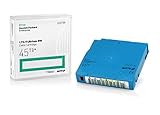
Q2079A HPE LTO 9 - 10 Pack of Data cartridges | $959.99 | Buy on Amazon |
| 2 |

|
10 Pack Q2078A- HP LTO Ultrium 8, 12TB/ 30TB, Part # Q2078A- 10 HP LTO-8 Tapes | $814.99 | Buy on Amazon |
| 3 |

|
10-Pack Quantum LTO 9 MR-L9MQN-01 Ultrium Data Cartridge | $968.99 | Buy on Amazon |
| 4 |

|
IBM LTO-10 Ultrium Data Cartridge LTO10 03PL170 | $289.40 | Buy on Amazon |
| 5 |

|
Quantum LTO 7 10 Pack | $619.99 | Buy on Amazon |
As an Amazon Associate I earn from qualifying purchases.
What should I decide first when choosing an LTO generation?
Start with one question: must the new system restore tapes you already own? Generation compatibility determines the answer before capacity or speed can matter.
If you have LTO-8 or LTO-9 archives
An LTO-9 drive reads and writes LTO-8 and LTO-9 media. LTO-9 media is not interchangeable with older generations outside that support range. The LTO Program’s compatibility guidance lists the supported read/write combinations by generation: generation compatibility table.
#1 Best Overall
- Capacity of 18 TB and up to 45 TB compressed capacity on HP StoreEver and non-HP LTO-9 drives and devices
- Supports transfer speeds of 400 MB/s (native) and up to 1,000 MB/s (2.5:1) with Generation 9 tape drives
- Barium Ferrite (BaFe) technology
- Support for tape drive hardware encryption
- Compatible with Linear Tape File System (LTFS)
LTO-10 is a break from that pattern. The LTO Program says, “The 10th generation of LTO Ultrium tape drives does not support backwards compatibility due to a redesign of the drive head to eliminate the need for initialization.” An LTO-10 drive therefore reads and writes LTO-10 cartridges only; it will not restore LTO-8 or LTO-9 tapes.
For an archive that must stay accessible, use one of two designs:
The Tool Desk
Outbyte Driver Updater FREEScan for outdated or missing drivers - takes under a minuteDriver Scan →Outbyte PC Repair FREEClear out junk files and repair common Windows errorsFree Scan →- Deploy LTO-9 for the new system, keeping one generation that can read the existing LTO-8 and LTO-9 media.
- Deploy LTO-10 for new backups and retain a supported LTO-9 (and any other required older drive) until legacy cartridges have been migrated or their retention periods expire.
Do not assume that a future LTO generation will restore today’s tapes. Treat the drive that can read each retained format as part of the archive’s preservation plan.
Can an LTO-10 drive read LTO-9 tapes?
No. LTO-10 drives support LTO-10 media only. If LTO-9 or LTO-8 cartridges are part of your restore requirement, you need an LTO-9 drive (or an older compatible drive for formats outside LTO-9’s range) or a documented migration to LTO-10 media.
This limitation is caused by the LTO-10 head redesign, not by a software setting or a different cartridge label. Buying an LTO-10 drive and expecting it to serve as a universal reader leaves a gap in disaster recovery.
How do LTO-8, LTO-9 and LTO-10 capacities compare?
Use native capacity—the amount written without assuming compression—for initial sizing. The LTO Program’s published compressed figures use a 2.5:1 assumption; actual results depend on the data and backup stream.
| Generation and media | Native capacity per cartridge | Published compressed capacity | Read/write media support |
|---|---|---|---|
| LTO-8 | 12 TB | 30 TB (2.5:1 assumption) | LTO-7 and LTO-8, including LTO-7 Type M |
| LTO-9 | 18 TB | 45 TB (2.5:1 assumption) | LTO-8 and LTO-9 |
| LTO-10, 30 TB cartridge | 30 TB | Up to 75 TB (2.5:1 assumption) | LTO-10 media only |
| LTO-10, 40 TB cartridge | 40 TB | Up to 100 TB (2.5:1 assumption) | LTO-10 media only; same LTO-10 drive class as 30 TB media |
The LTO Program announced 30 TB LTO-10 media on August 13, 2025, describing “30TB native capacity (up to 75TB compressed) with a native data rate of 400 MBps.” A separate announcement on November 12, 2025 added the 40 TB option. It states, “This new 40TB cartridge is compatible with the same LTO-10 drive organizations are using for the 30 TB cartridge.” These are two cartridge-capacity options in the LTO-10 generation, not two different drive generations.
Rank #2
- High Capacity Storage: Provides 30TB recording capacity for extensive data archiving
- Long-Term Archival: 30-year archival life ensures data preservation for decades
- Secure Data Protection: Barium Ferrite technology provides reliable data security
- Professional Grade: Meets demanding requirements for business-critical information storage
- Cost Efficient: Reduces per-gigabyte storage costs compared to disk-based solutions
For planning, divide the data set by native capacity, then add the number of cartridges needed for retention, copies, test restores and media rotation. Measure representative backup jobs before substituting a compressed estimate. Files that are already compressed or encrypted commonly provide less additional compression than the 2.5:1 assumption.
Should I choose LTO-9 or LTO-10?
Choose LTO-9 when restore compatibility is the deciding constraint. Choose LTO-10 when you have no LTO-8/9 tapes to read, or when the extra migration equipment and process are acceptable in exchange for higher native capacity and newer drive performance.
| Decision factor | LTO-9 | LTO-10 |
|---|---|---|
| Restore existing LTO-8/9 media | Reads and writes LTO-8 and LTO-9 | Does not read LTO-8 or LTO-9; LTO-10 media only |
| Native media choices | 18 TB | 30 TB or 40 TB cartridges |
| Published compressed figure | 45 TB, assuming 2.5:1 | Up to 75 TB (30 TB cartridge) or 100 TB (40 TB cartridge), assuming 2.5:1 |
| Native transfer rate | Not stated in the cited materials; check the exact drive model | Up to 400 MB/s, according to the August 2025 announcement |
| Migration requirement for an LTO-8/9 archive | None for supported media; still plan normal media refresh and restore tests | Retain a compatible drive or migrate every required cartridge |
| Current price or cost-per-terabyte winner | Not established by the cited official materials | Not established by the cited official materials |
LTO-10’s higher capacity can reduce cartridge count, but that does not by itself prove a lower total cost. Drive, library or autoloader, interface hardware, media, software support, migration work and a legacy restore drive all affect the result.
Recommended Free Tools
What throughput and interface does the backup path need?
LTO-10 is specified at up to 400 MB/s native. The LTO roadmap also cites up to 1,200 MB/s with 2.5:1 compression and a 32 GB interface. The 1,200 MB/s figure is a compressed, conditional maximum—not a guaranteed application throughput. See the August 13, 2025 LTO-10 announcement for the stated conditions.
Check the entire data path rather than matching a drive headline to a server specification:
- Drive interface: Confirm the exact SAS, Fibre Channel or other interface offered by the drive model and whether it matches your host adapter or fabric.
- Host bus and cabling: Verify link speed, connectors, driver support and the number of drives that can run concurrently without saturating the bus.
- Data source: A file server, object store or deduplication appliance may not supply data fast enough to keep a tape streaming. Slow sources cause shoe-shining and extend jobs.
- Backup software: Check that the application supports the drive, library robotics, media format, encryption workflow and any required device firmware.
- Concurrency: Multiple drives can increase aggregate throughput, but only when the storage, network and backup software can feed them independently.
Obtain the specific product specification for the drive and host adapter you intend to buy. The LTO roadmap is a format reference, not a substitute for a vendor’s interface and compatibility matrix.
Which LTO features matter for retention, access and security?
The LTO format includes capabilities that solve different operational problems. Enable them only when they fit the way your organization stores and retrieves backups.
Quick wins for a faster PC:
Fix the driver behind crashes, sound loss and screen glitchesFind Drivers →Repair Windows errors before they cause bigger problemsFix Now →Rank #3
- LTO 9 Tape (MR-L9MQN-01) with storage capacity of 18TB native and up to 45TB compressed capacity
- Supports transfer speeds of 400 MB/s (native), 1,000 MB/s (2.5:1) with Generation 9 tape drives
- Barium Ferrite (BaFe) technology
- Support for tape drive hardware encryption
- Compatible with Linear Tape File System (LTFS)
LTFS partitioning
Linear Tape File System (LTFS) partitions a cartridge so one partition contains the file-system index while the other stores content. This can make a tape appear as a browsable file system for exchange or archive workflows. It does not replace a backup application’s catalog, deduplication database or retention policy; test the software and operating-system support you need.
WORM media
Write Once, Read Many (WORM) cartridges prevent ordinary rewriting or deletion of written data. They are useful where retention rules require immutability, but WORM does not decide how long to retain a backup, how to prove a restore, or who can access the library. Align cartridge type, backup policy and legal hold process.
Hardware encryption
Hardware encryption protects data written by a compatible drive. Plan key creation, escrow, rotation and disaster recovery before enabling it. A lost encryption key can make an otherwise readable cartridge unrecoverable; key management therefore belongs in the backup design and recovery runbook.
The LTO Program describes LTFS, WORM and hardware encryption as format capabilities in its roadmap. The drive, library and backup-software vendors determine the controls and interfaces you will actually operate.
How should I plan migration from older tapes to LTO-10?
Migration is a controlled restore-and-rewrite project, not a cartridge relabeling exercise. Define which tapes must remain recoverable, the last acceptable restore date and where the new copies will live.
- Inventory the archive. Record generation, barcode, encryption status, retention end date, backup catalog location and any known read errors for every cartridge.
- Provide a compatible reader. Use an LTO-9 drive for LTO-9 and LTO-8 media, plus any older drive required by formats outside LTO-9’s support range. Keep that hardware, firmware and interface available for the entire migration.
- Validate the catalog and keys. Confirm that the backup application can identify the old media and that encryption keys are available before scheduling bulk copies.
- Restore and write new media. Read each required set, verify the restored data, and write it to LTO-10 cartridges using the new system’s retention and encryption policy.
- Verify the new copy. Perform the backup application’s verification and a sample file or full-set restore. Record barcode mappings from old cartridges to new ones.
- Retain or dispose deliberately. Keep old media and the compatible drive until the migration is accepted and any regulatory or contractual retention period permits disposal.
Migration time depends on the amount of data, the old drive’s sustained rate, verification passes and the number of drives operating in parallel. Schedule it as a separate project; do not assume that a faster LTO-10 drive accelerates reading media it cannot load.
What does a complete LTO system include?
Budget and design for the complete chain, not just the highest-capacity cartridge. Current prices, inventory and a universal cost-per-terabyte winner are not established in the cited official material, so obtain region-specific quotes for the exact configuration.
Rank #4
- Maximize storage: Up to 75TB per cartridge
- Guarantee top-tier data protection
- Compatibility: IBM Spectrum Archive data indexes
- Conform to LTO Ultrium Generation 10 standards
- Label flexibility: Custom, blank, RFID-embedded options
- Drive or library: Select a standalone drive, autoloader or library based on daily cartridge changes, operator time and the number of concurrent streams.
- Media: Buy the generation and capacity your drive supports, with enough cartridges for primary copies, off-site copies, rotation, cleaning policy and retention overlap. For LTO-10, specify whether you need 30 TB or 40 TB native cartridges.
- Host connectivity: Include host adapters, switches or cabling, rack space, power and compatible drivers.
- Backup software: Confirm licensing, library robotics, encryption-key handling, catalog capacity and support for the drive firmware.
- Operations: Account for barcode labeling, media transport, secure storage, environmental controls, monitoring and staff time.
- Legacy access: Add an LTO-9 drive or migration service when older tapes must remain readable after an LTO-10 purchase.
Compare proposals using the same retention period, number of copies, compression measurement and restore-service requirement. A lower cartridge count can be offset by a second drive, a larger library or the cost of retaining legacy hardware.
What’s actually slowing this PC down?
Pick the symptom - the matching free tool is one click away.
How can I verify availability and future support?
The LTO roadmap is a planning aid and is explicitly subject to change without prior notice. The November 12, 2025 announcement projected shipment availability for 40 TB cartridges in the first quarter of 2026; that projection does not prove inventory from a particular supplier or availability in your region.
Before issuing a purchase order, obtain written confirmation of:
- Exact drive model, generation, interface and firmware revision.
- Whether the quoted LTO-10 drive supports both 30 TB and 40 TB LTO-10 cartridges.
- Media part numbers, native capacity, warranty and local supply lead time.
- Backup-application and operating-system support for the drive and library.
- Availability of replacement drives, firmware updates and a supported path to recover archived cartridges.
Recheck these details at deployment. A roadmap target or launch announcement is not a guarantee that every supplier stocks the same media or that a particular software release supports it.
Which generation fits common new-system scenarios?
New organization with no existing tapes
Evaluate LTO-10 first. Select 30 TB or 40 TB media based on measured workload size, media supply and the library’s physical capacity. Confirm the complete interface and software stack before committing.
Organization with LTO-8 and LTO-9 tapes
Choose LTO-9 for one-drive restore and backup continuity, or choose LTO-10 only with a funded migration and a retained compatible drive. Document the point at which legacy media will no longer be accepted for restore.
Long retention with infrequent restores
Prioritize media handling, WORM requirements, encryption-key recovery and periodic test restores over headline compressed capacity. Keep the compatible drive and the catalog required to interpret every retained generation.
Best Value
- Higher Storage Capacity - 6TB native and up to 15TB Compressed
- Better Performance - Expect data transfer rates of up to 700 MB/sec
- Future Compatibility - LTO 7 tapes will be able to be read by and written to by LTO 8 tape drives and be able to be read by LTO 9 drives.
- Backward Compatible - LTO 7 drives can read LTO 5 tapes and Read and Write to LTO 6 Tapes
High daily ingest
Model the source data rate and concurrency against the drive’s native rate. LTO-10’s up-to-400 MB/s native specification helps only when the host, network, storage and backup software can sustain the stream.
What are the most common selection mistakes?
- Buying LTO-10 to read LTO-9: It cannot; add an LTO-9 reader or migrate first.
- Sizing from compressed capacity: Treat 45 TB, 75 TB and 100 TB as 2.5:1 assumed figures, not guarantees.
- Confusing cartridge capacity with generation: LTO-10 has both 30 TB and 40 TB native media, supported by the same LTO-10 drive class.
- Ignoring the interface: A fast mechanism cannot overcome an undersized host bus, slow data source or unsupported adapter.
- Enabling encryption without key recovery: Test restoration with the actual key-management process before placing the only copy on tape.
- Treating a roadmap as inventory: Verify current regional stock, firmware and software support with the supplier.
- Ending legacy support too soon: Keep the older drive and catalog until migration and retention obligations are complete.
What is the practical buying decision?
Make the purchase in this order: establish the oldest cartridge you must restore; select the newest generation that can read it; size native capacity using measured data; validate interface and throughput; choose LTFS, WORM and encryption controls that match policy; then price drives, automation, media, software and migration together. For a clean installation with no legacy tapes, LTO-10’s 30 TB or 40 TB media is the higher-capacity starting point. For an archive containing LTO-8 or LTO-9, LTO-9 or a dual-generation migration design is the safer choice.
Do these 3 things before closing this tab:
1Fix the driver behind crashes, sound loss and screen glitches2Repair Windows errors before they cause bigger problems3Scan for outdated or missing drivers - takes under a minuteFrequently Asked Questions
Can one LTO-10 drive use both 30 TB and 40 TB cartridges?
Yes. The LTO Program’s November 12, 2025 announcement says the 40 TB cartridge is compatible with the same LTO-10 drive organizations use for the 30 TB cartridge. Confirm the specific drive firmware and media part numbers with your supplier before deployment.
Are LTO-9’s 45 TB and LTO-10’s 75 TB or 100 TB capacities guaranteed?
No. Those published compressed figures assume a 2.5:1 compression ratio. Your usable result depends on the data stream, so measure representative jobs and size the system from native capacity until you have evidence for a different ratio.
Do I need a tape library for an LTO-10 backup system?
Not necessarily. A standalone drive can suit a small or manually managed rotation, while an autoloader or library reduces cartridge handling and supports multiple drives. Choose automation from the number of cartridges and daily media changes your retention plan requires.
What should I preserve when retiring an LTO-9 system?
Preserve a working compatible drive, its supported interface and firmware, the backup catalog, and encryption keys for every cartridge that remains in retention. Retire the reader only after migrated copies have been verified and no policy or legal obligation requires the original media.
PC Slower Than It Used to Be?
A free scan shows the junk files, broken settings and background clutter dragging Windows down - then fixes them in one click.Free scan · Windows 10 & 11Crashes, No Sound, or Screen Glitches?
Random freezes, missing sound and display glitches usually trace back to one bad driver. Find and replace yours safely.Free scan · under a minuteQuick Recap
Product prices and availability are accurate as of the date/time indicated and are subject to change. Any price and availability information displayed on Amazon at the time of purchase will apply.

