Some links on this page are affiliate links: if you buy through them we may earn a commission, at no extra cost to you.
Choose a server CPU for AI inference by starting with the model, quantization, context length, concurrency, latency target and throughput requirement—not by picking a brand first. For CPU-only serving, sustained DDR5 memory bandwidth, capacity and NUMA layout usually matter more than the maximum advertised core count. AMD EPYC 9005 and Intel Xeon 6 are credible families to benchmark. For GPU-backed servers, CPU choice is a topology decision: plan PCIe Gen5, socket and root-port placement, at least six physical CPU cores per GPU, and system memory starting at twice total GPU memory. The right processor is the one that meets your production latency and throughput targets at acceptable power and cost per token on the complete serving stack.
What should I measure before choosing a server CPU?
Define the inference workload precisely before comparing processors. The same model can need radically different hardware when its quantization, prompt length, concurrency or latency service-level objective changes. Write down the following inputs for every production model or model class:
As an Amazon Associate I earn from qualifying purchases.
Recommended Free Tools
- Parameter size and format: Record the parameter count and whether weights use FP32, FP16, BF16, INT8, INT4 or another format. Quantization changes memory capacity, instruction requirements and achievable throughput.
- Context lengths: Separate typical prompt length, maximum prompt length and generated-token length. Longer contexts increase attention work and key-value (KV) cache consumption.
- Concurrency: Specify both average simultaneous requests and the peak you must absorb. A processor that is fast for one request may fail when many requests compete for memory bandwidth.
- Latency SLO: Set first-token latency, per-token latency and tail targets such as p95 or p99. “Interactive” and “batch” are different CPU-selection problems.
- Throughput: State required tokens per second, requests per second or documents per hour. Include the mix of prompt and generated tokens.
- Serving role: Decide whether the CPU will execute the model, prepare data and route requests for GPUs, or do both.
AWS describes CPUs as first-class options for routing, classification, retrieval, embeddings, orchestration and a growing share of model inference, while also advising empirical validation for every choice. That is a useful framing: CPU requirements are determined by the operation around the model as much as by the model itself.
Estimate the memory footprint
Start with a simple lower bound: model-weight memory is approximately parameter count multiplied by bytes per parameter. Add runtime buffers, tokenizer and framework overhead, batching workspace and KV-cache memory. The last item grows with context length, number of layers, attention dimensions and active sequences, so a model that fits on paper can still run out of RAM under concurrency.
#1 Best Overall
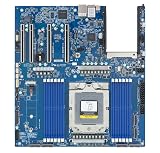
- Rigorously Tested for Perfect Performance Every product is 100% tested before shipping to ensure stable operation and flawless performance, so you can start using it immediately without any concerns.
Leave headroom for the operating system, telemetry, model swapping and temporary allocations. Treat a capacity calculation as a sizing screen, not proof that a server will meet its latency target.
Should I use CPU-only inference, CPUs with GPUs, or CPUs for orchestration?
Use CPU-only inference when the model and latency target fit within practical memory-bandwidth and compute limits. Use accelerators when the model is larger, the response must arrive faster than seconds, or throughput requirements make CPU cost excessive. In a GPU server, the CPU still determines data preparation, request scheduling, networking, storage and how effectively the GPUs are fed.
When CPU-only is reasonable
AMD’s current EPYC 9005 guidance places CPU-only suitability at roughly models up to 20 billion parameters for mid-latency responses. This is vendor guidance, not a guarantee: the actual result depends on quantization, context, concurrency, framework and the exact processor configuration. Small language models, embeddings, rerankers, classifiers and retrieval pipelines are common CPU candidates.
Expect CPU inference to be frequently memory-bandwidth bound. If cores are idle while memory channels are saturated, buying a higher-core SKU without changing the memory configuration will not solve the bottleneck.
When accelerators are justified
Larger models or responses that must arrive materially faster than seconds generally justify GPUs or other accelerators. A CPU may still handle tokenization, retrieval, safety checks, batching and API traffic. In that arrangement, select the CPU and platform as part of a balanced pipeline rather than trying to maximize CPU-only tokens per second.
When the CPU is primarily an orchestrator
For GPU-backed inference, CPU performance matters in short bursts and under load: queue management, preprocessing, networking, storage reads, synchronization and feeding accelerator kernels. The best choice may favor memory capacity, PCIe connectivity, NUMA balance and predictable per-core performance over the highest all-core benchmark.
How do AMD EPYC 9005 and Intel Xeon 6 compare for inference?
Both families deserve an empirical evaluation. Compare sustained bandwidth, capacity, instruction support, topology and software behavior on your model rather than treating a single vendor benchmark as a universal ranking.
| Decision factor | AMD EPYC 9005 | Intel Xeon 6 |
|---|---|---|
| CPU-first positioning | AMD guidance describes CPU handling for models up to about 20B parameters at mid-latency, subject to model and serving configuration. | Suitable for CPU inference and for host duties in accelerator servers; select the P-core or E-core family that matches the workload. |
| Core strategy | Evaluate core count together with populated memory channels and per-core performance. | P-cores target higher per-core performance; E-cores provide dense, power-sensitive deployments, with up to 288 E-cores documented per socket. |
| Matrix and vector acceleration | Use the supported vector and inference software stack exposed by the selected EPYC system. | Intel documents AMX acceleration for INT8 and BF16 inference, FP16 support and AVX-512 on P-cores. |
| Memory options | Compare the server’s supported DDR5 channel population, DIMM type and sustained bandwidth. | Intel documents MRDIMM rates up to 8,800 MT/s and more than 37% greater bandwidth than RDIMMs; these are product-documentation claims, not an independent cross-vendor test. |
| Best fit to investigate | Small and medium CPU-served models and memory-intensive workloads where bandwidth and capacity dominate. | Workloads that benefit from AMX, AVX-512, Intel software tuning, P-core speed or E-core density. |
The table identifies candidates, not a winner. Compare total cost per token at your target SLO, including memory, chassis, power, licensing, accelerator utilization and operational overhead.
How much RAM and memory bandwidth does an inference server need?
Install enough RAM for weights, KV cache and runtime headroom, then populate enough DDR5 channels to sustain the required bandwidth. Capacity prevents out-of-memory failures; bandwidth determines how quickly many cores can move weights and intermediate data.
Capacity planning sequence
- Calculate weight memory from parameter count and precision.
- Add KV-cache capacity for the maximum concurrent sequences and context lengths you will permit.
- Add framework workspace, batching buffers, tokenizer data, retrieval indexes and operating-system overhead.
- Reserve operational headroom for telemetry, model reloads and traffic spikes.
- Check the server’s per-socket memory limit and DIMM population rules before selecting modules.
For GPU servers, NVIDIA’s current configuration guidance starts with system memory of at least twice the aggregate memory on all GPUs. Treat that as a starting point rather than a universal requirement; large retrieval indexes, CPU-resident weights or unusually long contexts can require more.
Rank #2

- [ Maximum AI Compute Power ] Dominate complex workloads with the ASUS ESC8000A-E13. This 4U rack server is a powerhouse engineered for mass-scale AI, machine learning, and deep training. Featuring support for dual AMD EPYC 9005/9004 processors and up to eight dual-slot GPUs, it delivers the raw computational muscle required to train LLMs and run complex simulations effortlessly. Accelerate your data science pipeline and transform raw data into actionable intelligence faster than ever.
- [ Advanced Thermal Efficiency ] High performance demands elite cooling. The ESC8000A-E13 features a cutting-edge aerodynamic design with independent CPU and GPU airflow tunnels. Equipped with redundant hot-swap fans and optimized for liquid cooling integrations, this 4U server ensures maximum uptime under heavy, sustained workloads. Keep your data center running cool, quiet, and highly efficient while preventing thermal throttling during mission-critical enterprise operations.
- [ Scale with Flexible Storage ] Future-proof your infrastructure with unmatched storage and expansion flexibility. This offers comprehensive front-panel drive bays supporting Gen5 NVMe, SAS, or SATA drives alongside multiple PCIe 5.0 slots. Designed as a high-density 4U server capable of housing eight dual-slot GPUs: NVD H200, RTX PRO 6000 Blackwell, RTX PRO 4500 Blackwell or AMD Instinct MI350P PCIe Card, each supporting up to 600 watts.
- [ Enterprise-Grade Reliability ] Minimize downtime and secure your ecosystem with server-grade redundancy. The ESC8000A-E13 is built for 24/7 continuous operation, boasting 2+2 redundant (3200W total) 80 PLUS Titanium power supplies and integrated ASUS ASMB11-iKVM for comprehensive out-of-band management. Ideal for cloud service providers, rendering farms, and large enterprise infrastructure, it combines robust physical hardware with smart remote monitoring to safeguard your digital assets.
- [Reliability Guaranteed] Shop with total peace of mind knowing that every new computer component we sell is backed by our EPC 3-year warranty. Whether you are investing in high-speed DDR5 RAM or a powerhouse GPU, we protect your build against defects and performance failures. We stand firmly behind the quality of our hardware, ensuring that your setup remains fast, stable, and secure for years to come.
Bandwidth and channel population
Use the maximum number of balanced memory channels supported by the platform when bandwidth is the limiting resource. A nominal DIMM transfer rate does not equal application bandwidth: rank layout, DIMM type, channel population, read/write mix and NUMA locality affect sustained results. Measure bandwidth while the serving engine runs, not only with a synthetic memory test.
Intel documents MRDIMM transfer rates up to 8,800 MT/s and more than 37% greater bandwidth than RDIMMs. Those figures describe Intel product documentation; they should not be interpreted as a cross-vendor performance result. Confirm that the chosen motherboard, BIOS and server vendor support the intended memory type and speed.
How many CPU cores do I need per GPU?
For NVIDIA inference servers, the current configuration guidance recommends at least six physical CPU cores per GPU. Use this as a floor for planning, then validate whether preprocessing, networking, batching and data movement need more. Hyperthreads do not replace physical cores for this rule.
Map GPUs to sockets and root ports
Balance GPU placement across sockets and PCIe root ports so one socket does not become a traffic bottleneck. Keep the CPU threads that feed a GPU close to that GPU’s NUMA node when the serving framework allows CPU affinity. Verify that every slot is electrically connected at the intended PCIe generation; a mechanically wide slot can still have fewer lanes.
Free tools Windows power users keep installed
One-click scans. No signup required.
Account for non-GPU devices
NICs, NVMe drives and storage controllers also consume PCIe lanes and root-port bandwidth. A design that meets the core-per-GPU count can still underperform if a high-speed NIC shares a congested path with the accelerators. Ask the server vendor for a slot-to-root-port diagram and validate it with operating-system topology tools before deployment.
Which CPU instructions and software support matter?
Instruction-set support can change the serving engine’s selected kernels, so it belongs in the purchase decision. Intel Xeon 6 documentation covers AMX for INT8 and BF16, FP16 support and AVX-512 on P-cores; AVX2 and VNNI capabilities may also affect specific libraries. AMD systems require the corresponding supported vector and inference stack for the chosen generation.
Check feature exposure, not just the model name
Intel’s inference microservices detect processor generation, core count, NUMA topology and AMX, AVX-512, AVX2 and VNNI capabilities, then select a matching configuration. BIOS settings, virtualization layers, container permissions or a cloud instance policy can hide features. Two servers marketed with similar CPU names can therefore receive different runtime settings.
Validate the complete software path
- Confirm that the operating system and kernel expose the expected instruction flags.
- Use a serving engine build optimized for the selected CPU generation.
- Check thread pinning, OpenMP or oneTBB settings and NUMA policies.
- Ensure the quantization format maps to an optimized kernel rather than a slow fallback.
- Test the same tokenizer, batching policy and transport layer used in production.
Software compatibility is a performance feature. A theoretically faster processor can lose if its optimized kernels are unavailable or if threads migrate between NUMA nodes.
Quick wins for a faster PC:
Scan for outdated or missing drivers - takes under a minuteDriver Scan →Clear out junk files and repair common Windows errorsFree Scan →What PCIe, socket and NUMA specifications should I check?
For GPU-backed systems, choose PCIe Gen5-capable CPUs and a platform with at least two sockets when the configuration guide calls for it. NVIDIA recommends at least two sockets, balanced GPU placement across sockets and root ports, and PCIe Gen5 capability for inference servers. Confirm the exact board implementation rather than assuming every SKU in a CPU family has identical connectivity.
Socket count and locality
Single-socket systems simplify locality and can be efficient for one or two accelerators. Multi-socket systems provide more memory channels and PCIe resources, but remote-memory traffic adds latency and consumes inter-socket bandwidth. Bind data-loader and serving threads to the socket attached to their accelerator whenever possible.
Rank #3

- Processor: Single32c/64t, 2.0GHz (3.0GHz boost)
- Cache: 64MB L3 per socket
- I/O: Integrated 128 lanes PCIe 3, no chipset needed
- Memory: 8 channels with 2 DIMMs ea, up to 2TB DDR4-2666 MHz
- Amplify application performance with smart resource balancing and consistent feature sets
NUMA checks before purchase
- Obtain the logical CPU, memory-node and PCIe topology from the server vendor.
- Identify which root port owns each GPU, NIC and NVMe device.
- Confirm that the operating system and container runtime can apply CPU and memory affinity.
- Reserve enough local memory on each socket for the devices attached to it.
NUMA balance is especially important when several GPUs share a host. A nominally large memory pool is not equivalent to equally accessible memory for every device.
How should I benchmark a candidate CPU?
Benchmark the complete serving stack with production-like prompts, context lengths, concurrency and SLOs before committing. Synthetic peak throughput alone can hide first-token and tail-latency failures.
What’s actually slowing this PC down?
Pick the symptom - the matching free tool is one click away.
- Freeze the software build: Record operating system, kernel, driver, runtime, serving engine, model revision and quantization.
- Use representative traffic: Include short and long prompts, expected generated lengths, tool calls or retrieval steps and the real request mix.
- Ramp concurrency: Measure one request, steady-state concurrency and the planned peak. Record when throughput stops scaling.
- Capture latency distributions: Report first-token, inter-token and p95/p99 latency, not only averages.
- Measure utilization: Log CPU busy time, memory bandwidth, cache misses, NUMA traffic, PCIe throughput and accelerator utilization.
- Measure operations: Record power draw, thermal throttling, rack-density limits and cost per request or token.
- Repeat after topology changes: Compare local versus remote memory, different thread pinning and alternate DIMM populations.
Run enough time to include model loading, cache warm-up and sustained thermal behavior. The winning configuration is the one that meets the SLO repeatedly under the intended workload, not the one with the highest short burst.
Independent reader supportYour contribution helps us test, update, and keep practical guides available for everyone.What common CPU-selection mistakes cause poor inference performance?
Choosing cores before bandwidth
Adding cores to a bandwidth-bound workload often leaves throughput unchanged while increasing power and purchase cost. Check sustained memory bandwidth and channel population first.
Using model size as the only capacity number
Weights are only part of the footprint. KV cache, batching and long contexts can consume the remaining RAM. Test the maximum sequence and concurrency limits you will advertise.
Ignoring quantization compatibility
A quantized model helps capacity only when the runtime has an efficient kernel for that format and CPU. A fallback implementation can erase the expected gain, so inspect kernel selection and measured throughput.
Assuming all cores are interchangeable
Xeon 6 P-cores and E-cores have different performance and density characteristics. Mixing thread pools indiscriminately can produce unstable latency. Match latency-sensitive work to suitable cores and isolate background tasks.
Overlooking BIOS and virtualization settings
Disabled instruction extensions, unbalanced memory modes, power policies or hidden topology in a virtual machine can change results. Record BIOS settings and verify feature flags on the deployed host.
Buying a GPU server with an unbalanced host
Too few physical cores, shared root ports, insufficient system RAM or remote-NUMA placement can leave expensive GPUs idle. Review the full PCIe and socket diagram before ordering.
What is a practical CPU-selection process?
Use this sequence to turn requirements into a defensible purchase decision:
The Tool Desk
Outbyte PC Repair FREEClear out junk files and repair common Windows errorsFree Scan →Outbyte Driver Updater FREEFix the driver behind crashes, sound loss and screen glitchesFind Drivers →Rank #4
- Condition&Quality :100% New and High Quality.
- Define the workload: List models, parameter sizes, precision, context, concurrency, latency SLO and throughput.
- Assign roles: Mark each component as CPU-only, GPU-executed or CPU orchestration.
- Size memory: Account for weights, KV cache, runtime overhead and, for GPU servers, begin with at least twice aggregate GPU memory for system RAM.
- Choose the memory system: Select DDR5 channel count, DIMM type and NUMA layout for sustained bandwidth and local capacity.
- Screen instruction support: Confirm AMX, AVX-512, AVX2, VNNI or the relevant AMD-supported features and optimized kernels.
- Check platform topology: Verify sockets, PCIe generation and lanes, GPU-to-root-port balance, NIC and NVMe placement, and cooling.
- Shortlist candidates: Include AMD EPYC 9005 and Intel Xeon 6 configurations that meet the capacity and topology constraints.
- Benchmark production-like traffic: Measure tokens per second, first-token and tail latency, utilization, power and cost per request.
- Document the result: Save firmware, driver, runtime, affinity and DIMM-population settings so the production build is reproducible.
This process prevents a brand-first decision. It also makes trade-offs visible: a lower-core processor with more usable bandwidth, better locality or more efficient kernels may deliver lower cost per token than a higher-core alternative.
How do I decide between a high-core CPU and a faster per-core CPU?
Choose higher core density when requests are highly parallel, latency is tolerant and memory bandwidth scales with the added cores. Choose stronger per-core performance when request concurrency is low, control-plane work is latency-sensitive or the serving engine cannot use many threads efficiently. Measure both at the same memory configuration and power policy.
Can a CPU-only server run a 20-billion-parameter model?
It can be feasible at mid-latency with an appropriate quantization and enough memory, but the roughly 20B guidance is a vendor suitability statement rather than a guarantee. Context length, concurrency, KV-cache limits and the serving engine can move the practical boundary substantially. Benchmark the exact model and traffic pattern.
Does doubling RAM double inference speed?
No. More RAM primarily increases capacity and headroom. Throughput improves only when the original configuration was paging, swapping, capacity-constrained or using too few memory channels; once bandwidth or compute is the bottleneck, additional capacity alone has little effect.
Crashes, No Sound, or Screen Glitches?
Random freezes, missing sound and display glitches usually trace back to one bad driver. Find and replace yours safely.Free scan · under a minuteWindows Errors? Fix Them Before They Spread
Repair common Windows errors and clear accumulated junk for a smoother, more stable PC - no reinstall needed.Free scan · no reinstallShould I buy one large socket or two smaller sockets?
One socket offers simpler NUMA behavior and can be efficient for modest accelerator counts. Two sockets add memory channels and PCIe resources but require careful locality and thread placement. Choose based on GPU count, NIC and storage topology, required memory capacity and measured remote-memory impact.
How often should an inference server be re-benchmarked?
Re-test after changing the model, quantization, context policy, serving engine, firmware, CPU generation, DIMM population or accelerator layout. These changes can alter kernel selection, memory pressure and NUMA behavior even when the nominal request rate is unchanged.
Frequently Asked Questions
Is CPU inference cheaper than GPU inference for every model?
No. CPU economics depend on utilization, power, latency and the number of parallel requests. A CPU can be cost-effective for embeddings, retrieval and smaller models, while an accelerator may deliver lower cost per token for larger or latency-critical models.
What does first-token latency measure?
It is the time from request arrival until the first generated token is returned. It includes queuing, tokenization, prompt processing and scheduling, so it can reveal bottlenecks that average generation throughput hides.
Do these 3 things before closing this tab:
1Repair Windows errors before they cause bigger problems2Scan for outdated or missing drivers - takes under a minute3Clear out junk files and repair common Windows errorsCan I use consumer memory in an inference server?
Server platforms are designed and validated for ECC memory and specific DIMM types and populations. Use the memory class listed in the motherboard or OEM compatibility guide; unsupported modules can reduce speed, capacity or reliability.
Why does the same model perform differently on two identical CPU names?
Memory channel population, BIOS power policy, instruction-feature exposure, NUMA placement and serving-engine kernel selection can differ between systems. Compare the complete platform configuration, not only the processor label.
Quick Recap
Product prices and availability are accurate as of the date/time indicated and are subject to change. Any price and availability information displayed on Amazon at the time of purchase will apply.

