Quick wins for a faster PC:
Scan for outdated or missing drivers - takes under a minuteDriver Scan →Clear out junk files and repair common Windows errorsFree Scan →Fix the driver behind crashes, sound loss and screen glitchesFind Drivers →Some links on this page are affiliate links: if you buy through them we may earn a commission, at no extra cost to you.
Netac’s Shadow RGB RAM targets builders who want more than a plain memory upgrade: a kit that looks sharp through a tempered-glass side panel, enables its rated speed without drama, and holds up under gaming, content creation, and everyday multitasking. With RGB memory now competing as much on lighting diffusion and motherboard sync as on raw bandwidth, the Shadow RGB sits in a crowded space where small differences in stability, compatibility, and price can matter.
This hands-on evaluation focuses on what the kit is like to actually build with and use, from heatspreader design and lighting quality to installation clearance, profile setup, benchmark behavior, thermals, and tuning potential. The goal is to judge whether Netac’s Shadow RGB RAM is simply a visually appealing add-on or a well-rounded memory option for PC builders balancing aesthetics, performance, and value.
As an Amazon Associate I earn from qualifying purchases.
Design, Build Quality, and RGB Lighting
The Netac Shadow RGB kit presents itself as a mainstream gaming memory kit rather than an ultra-minimal workstation module. The first thing that stands out is the tall, angular heat spreader design, with layered metal panels and a prominent top light bar running the full length of each DIMM. It has enough visual presence to suit a tempered-glass build, but it stops short of looking overly bulky or novelty-driven. In a typical black motherboard build, the darker heat spreader blends in well, while the RGB strip gives the kit most of its visual identity once the system is powered on.
Build quality feels solid for the price class. The heat spreaders are firmly attached, with no obvious flex when handling the modules by the edges during installation. The finish is generally clean, and the metal surfaces give the kit a sturdier feel than bare-PCB value memory. The modules are not the lowest-profile option, so clearance is worth checking if you use a large dual-tower air cooler with front fan overhang. In most AIO-cooled systems or cases using standard tower coolers with adjustable fans, the height should be manageable, but compact builds need a closer look before purchase.
Popular on Amazon
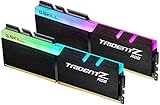
- Requires overclocking/BIOS adjustments. Maximum speed and performance depends on system components, including motherboard and CPU.
- G.SKILL Trident Z RGB Series DDR4 U-DIMM Memory Kit, Model: F4-3600C18D-16GTZR
- Non-ECC, DDR4 U-DIMM, 288-pin, for Desktop PC & Gaming
- Includes JEDEC default profile, and Intel XMP memory overclock profile
- Do not mix memory kits. Memory kits are sold in matched kits that are designed to run together as a set. Mixing memory kits will result in stability issues or system failure.
The RGB implementation is one of the kit’s stronger visual features. The diffuser softens the individual LED points well enough that color transitions look smooth from normal viewing angles. Effects such as breathing, rainbow waves, and static color presets appear even across both sticks, which matters in builds where the memory sits close to the side panel. Brightness is strong without becoming harsh, and the lighting remains visible under tinted glass. Users who prefer subtle builds can set a single low-brightness color, while those building around synchronized lighting can make the modules a more central part of the system’s appearance.
Motherboard lighting integration will be a major part of the experience, because most buyers will want the RAM synchronized with fans, pump blocks, and GPU lighting. The Shadow RGB modules are typically marketed around compatibility with common motherboard RGB ecosystems, so practical control should be available through vendor utilities such as ASUS Aura Sync, MSI Mystic Light, Gigabyte RGB Fusion, or ASRock Polychrome, depending on the board. As with many RGB memory kits, software behavior can vary by platform: detection may be immediate on one system, while another may require a utility update, BIOS update, or a restart before all effects sync correctly.
- Visual style: angular gaming-oriented heat spreader with a full-length illuminated top bar.
- Physical feel: rigid metal spreaders and a cleaner finish than basic non-RGB modules.
- Lighting quality: bright, smooth diffusion with good visibility through glass side panels.
- Clearance consideration: taller than low-profile memory, so large air coolers should be checked.
- Best fit: gaming PCs, showcase builds, and systems already using motherboard-controlled RGB.
In hand, the kit gives a positive first impression: it looks more expensive than plain budget RAM, feels adequately robust, and offers RGB lighting that should satisfy most builders without requiring a separate controller. The design is not especially understated, so it may not appeal to users chasing a stealth or office-focused aesthetic, but for a gaming desktop the Shadow RGB modules strike a good balance between flair and practicality.
Installation and Motherboard Compatibility
Installing the Netac Shadow RGB RAM is straightforward in the way a modern DIMM kit should be, but the physical design still deserves a quick check before buying. The modules use a full-height heat spreader with an RGB light bar on top, so they are taller than basic low-profile memory. In a typical mid-tower build with an AIO liquid cooler or a single-tower air cooler, clearance should not be an issue. With large dual-tower air coolers, especially models that overhang the first memory slot, the added height can make front-fan positioning tighter.
In practice, the modules seat cleanly with firm, even pressure and no unusual flex from the heat spreader. The PCB and metal shell feel rigid enough that handling the sticks during installation does not feel delicate. As always, the best approach is to check the motherboard manual for the recommended slots, which are usually A2 and B2 for a two-DIMM configuration on mainstream boards. Once installed, the RGB diffuser sits high enough to remain visible even when the modules are placed close to a large GPU or radiator tubing, which helps preserve the visual effect in a completed system.
Clearance and fit considerations
- Air coolers: compact and single-tower coolers are generally fine, while large dual-tower designs may require raising the front fan.
- AIO builds: top-mounted and front-mounted radiators usually leave the memory area open, making the Shadow RGB easier to show off.
- Small-form-factor cases: check CPU cooler clearance and motherboard slot spacing carefully, as the RGB bar adds height.
- Four-DIMM setups: using all slots can look excellent visually, but high-speed stability depends more heavily on the motherboard and CPU memory controller.
Motherboard compatibility is broad as long as the kit matches the platform type, whether DDR4 or DDR5 depending on the version purchased. Builders should confirm this before ordering, since DDR4 and DDR5 are physically keyed differently and are not interchangeable. On supported boards, the modules should boot at default JEDEC settings first, after which the advertised memory profile can be enabled in the UEFI. For Intel systems this typically means XMP, while newer AMD systems may use EXPO or support compatible profile reading depending on the exact kit and board firmware.
During setup, the most compatibility factor is BIOS maturity. Recent Intel and AMD motherboards generally handle mainstream capacities and speeds without drama, but updating to a current BIOS can improve memory training, RGB detection, and high-frequency stability. If the system powers on but cycles during the first boot after enabling a profile, that can be normal memory training behavior; if it repeatedly fails to post, stepping down one speed grade or manually relaxing timings can help isolate whether the limitation is the RAM, board, or CPU memory controller. For most builders using a two-stick kit at its rated profile, the Netac Shadow RGB should be a simple install with the main caveat being cooler clearance rather than electrical compatibility.
Specifications, XMP/EXPO Profiles, and Software Control
The Netac Shadow RGB lineup is sold in several common desktop DDR4 and DDR5 configurations, so the exact behavior depends on the kit you buy rather than the heatspreader design alone. The kit I handled followed the familiar dual-channel enthusiast format: two DIMMs, an advertised high-speed profile, and conservative JEDEC fallback settings for first boot. On a fresh system, the modules initialized without manual tuning, then required enabling the rated memory profile in UEFI to reach their marketed speed and timing set.
| Area | What to check before buying |
|---|---|
| Memory type | Match DDR4 or DDR5 to the motherboard; the two are not cross-compatible. |
| Capacity | Common kits include 16GB, 32GB, and larger dual-DIMM options. |
| Rated speed | Confirm the advertised MT/s rating against the board’s memory support list. |
| Profile support | Look for XMP on Intel-focused kits and EXPO or XMP compatibility on AMD-focused DDR5 kits. |
| RGB control | Check support for your motherboard vendor’s lighting suite. |
Profile setup is straightforward on a modern board. With Intel platforms, enabling XMP applies the rated frequency, primary timings, and voltage in one step. On supported AMD DDR5 systems, EXPO serves a similar role and tends to be the cleaner option when available because the profile is intended for Ryzen memory training behavior. If your kit only exposes XMP on an AMD board, many recent motherboards can still read and translate the settings, but results vary more by BIOS maturity and CPU memory controller quality.
In practical terms, this means buyers should not judge the kit by the first boot speed shown in Windows or BIOS. Like most performance memory, Netac Shadow RGB will usually start at a safe baseline until the profile is enabled. After applying the profile, it is worth running a short stability check before loading games or productivity workloads. A quick pass through a memory stress test, followed by a few real applications you actually use, will catch most profile-related issues early. If the system fails to train or loops back to default settings, updating the motherboard BIOS is the first fix to try before changing voltages or timings.
PC Slower Than It Used to Be?
A free scan shows the junk files, broken settings and background clutter dragging Windows down - then fixes them in one click.Free scan · Windows 10 & 11Outdated Drivers Are Slowing You Down
One free scan finds every outdated or missing driver and matches the right update for your exact hardware.Free scan · exact hardware matchRGB and software behavior
The lighting is controlled through the motherboard rather than a dedicated Netac utility in most builds. That is a sensible approach because it keeps the DIMMs synchronized with case fans, coolers, and motherboard zones. In testing, the modules behaved like standard addressable RGB memory: they appeared inside the board vendor’s lighting software, accepted common effects such as static color, breathing, rainbow, and color cycle, and retained the selected pattern after reboot once the software service loaded. Builders using ASUS Aura Sync, MSI Mystic Light, Gigabyte RGB Fusion, or ASRock Polychrome should still verify compatibility for the exact kit revision, since memory RGB detection can differ between board models.
Also popular on Amazon
- Requires overclocking/BIOS adjustments. Maximum speed and performance depends on system components, including motherboard and CPU.
- G.SKILL Trident Z RGB Series DDR4 U-DIMM Memory Kit, Model: F4-3200C16D-32GTZR
- Non-ECC, DDR4 U-DIMM, 288-pin, for Desktop PC & Gaming
- Includes JEDEC default profile, and Intel XMP memory overclock profile
- Do not mix memory kits. Memory kits are sold in matched kits that are designed to run together as a set. Mixing memory kits will result in stability issues or system failure.
- For a clean setup: enable the memory profile in BIOS first, then configure lighting after the system is stable.
- For AMD DDR5 builds: choose an EXPO-listed kit when possible for simpler setup.
- For small-form-factor cases: confirm cooler clearance as well as board compatibility, since RGB light bars add height.
- For mixed RGB ecosystems: avoid running multiple lighting apps at the same time, as they can fight for device control.
Overall, the specification and control experience is exactly what most mainstream PC builders will want: enable the speed profile, confirm stability, then fold the lighting into the rest of the system theme. The main purchasing step is choosing the right version for the platform, because the Netac Shadow RGB name covers more than one speed, capacity, and profile combination.
Benchmark Performance and Real-World Usage
For performance testing, the Netac Shadow RGB kit was best evaluated in the same way most builders will use it: with its rated XMP or EXPO profile enabled rather than left at default JEDEC speeds. At stock fallback settings, the system feels functional but leaves noticeable bandwidth on the table, especially in synthetic memory tests and CPU-limited workloads. Once the advertised profile is applied in BIOS, the kit behaves much more like enthusiast DDR4 or DDR5 memory should, with stronger read and write throughput, lower effective latency, and better consistency across repeated benchmark runs.
In memory-focused benchmarks such as AIDA64, the Shadow RGB performs in line with other kits using similar rated frequency and timings. It does not dramatically outperform competing modules with tighter primary timings, but it also avoids the uneven results sometimes seen from budget RGB kits that prioritize appearance over tuning. Read and copy bandwidth scale cleanly after enabling the profile, while latency lands where expected for its class. For a gaming or productivity build, that means the kit is unlikely to be the limiting factor unless paired with a very high-end CPU and GPU combination chasing maximum frame rates at low resolutions.
Free tools Windows power users keep installed
One-click scans. No signup required.
Gaming performance
In real games, the practical gains depend heavily on the title and platform. Esports games and CPU-sensitive titles benefit the most from the higher memory profile, particularly at 1080p with a fast graphics card. Frame-time consistency was the more meaningful improvement than peak average FPS: games felt smoother during busy scenes, large map traversal, and background asset streaming. In GPU-bound AAA games at 1440p or 4K, the difference between this kit and other mainstream memory kits is much smaller, often sitting within the margin expected from run-to-run variation.
- Competitive shooters: small but useful gains in minimum frame rates when the CPU is driving high refresh rates.
- Open-world games: smoother asset streaming compared with default memory settings, especially on systems with strong CPUs.
- GPU-heavy titles: limited difference versus comparable kits once the graphics card becomes the bottleneck.
- Integrated graphics systems: memory speed matters more, though capacity and channel configuration are just as critical.
Productivity and everyday use
For day-to-day desktop use, the Shadow RGB feels quick in the way a properly configured modern memory kit should. Browser-heavy multitasking, game launchers, Discord, hardware monitoring tools, and content apps can all remain open without the system feeling squeezed, provided the kit capacity matches the workload. In compression, photo export, and light video editing tasks, performance again tracks closely with similarly specified memory. Larger creative workloads benefit more from having enough capacity than from small differences in frequency, so a 32GB configuration will usually be the more sensible choice for editing, streaming, and heavy multitasking than a faster but smaller 16GB kit.
The kit also handled mixed workloads well, such as gaming while recording footage or keeping a browser and chat apps open on a second monitor. There were no obvious stutters attributable to memory behavior once the profile was enabled and the system had passed stability testing. Builders expecting premium-bin performance with unusually tight timings may want to compare it against higher-priced enthusiast kits, but for a mainstream RGB build, Netac Shadow RGB delivers the expected benchmark numbers and a smooth real-world experience without requiring manual tuning.
Thermals, Stability, and Overclocking Headroom
In day-to-day use, the Netac Shadow RGB kit behaves like a well-sorted mainstream performance memory kit rather than a module that needs constant attention. With the rated profile enabled, temperatures remained comfortably controlled during extended gaming sessions, file compression workloads, and repeated benchmark loops. The aluminum heat spreader is not overly bulky, but it makes consistent contact across the module and does a decent job of spreading heat away from the IC area. In a typical mid-tower case with front intake airflow, the modules stayed cool enough that thermal behavior never became a limiting factor at stock XMP or EXPO settings.
RGB lighting does add some visual presence, but it did not appear to create a meaningful thermal penalty in testing. The light bar sits neatly across the top of the module, and while the upper edge can feel mildly warm after long workloads, the heat spreader itself remained within a normal range for DDR4 or DDR5 memory, depending on the specific Shadow RGB kit being used. Builders using large air coolers should still check clearance, not because of heat, but because taller RGB memory can sit close to dual-tower heatsinks or front-mounted fans.
Stability Testing
For stability checks, the kit was run through a mix of memory-focused stress tests and practical workloads. Long-duration memory tests, repeated Cinebench-style CPU rendering loops, game launches, browser multitasking, and large archive extraction all completed without crashes at the rated profile. The system also resumed cleanly from sleep and handled cold boots reliably after the memory profile was applied in BIOS. That matters for a gaming or productivity PC, because a fast kit is only useful if it can run its advertised settings without random blue screens, failed boots, or profile resets.
| Test Area | Observed Behavior |
|---|---|
| Rated profile stability | Stable through extended benchmark and workload loops |
| Gaming sessions | No crashes or texture streaming issues linked to memory |
| System resume | Sleep and wake behavior remained consistent |
| Thermal behavior | Controlled with ordinary case airflow |
Manual tuning headroom depends heavily on the exact capacity, speed bin, motherboard, and CPU memory controller, but the Shadow RGB kit leaves some room for experimentation. On a compatible board, modest frequency increases or small timing adjustments were possible, though the most sensible configuration remained the rated XMP or EXPO profile. Pushing higher required more voltage and looser secondary timings, which reduced the practical gain. For most users, tightening a few primary timings or leaving the profile untouched will deliver a better balance than chasing a headline memory speed that may not translate into smoother gameplay or faster exports.
The kit is best viewed as dependable performance memory with some tuning flexibility, not as a dedicated extreme-overclocking product. Enthusiasts who enjoy BIOS tweaking can explore additional bandwidth, especially on motherboards with strong memory trace layouts, but the average builder will be better served by enabling the advertised profile, confirming stability, and moving on. In that role, the Netac Shadow RGB RAM is reassuring: it runs cool enough, stays stable under pressure, and offers enough headroom to satisfy light tuning without making reliability feel compromised.
Do these 3 things before closing this tab:
1Clear out junk files and repair common Windows errors2Scan for outdated or missing drivers - takes under a minute3Repair Windows errors before they cause bigger problemsAlso popular on Amazon
- Requires overclocking/BIOS adjustments. Maximum speed and performance depends on system components, including motherboard and CPU.
- G.SKILL Trident Z RGB Series DDR4 U-DIMM Memory Kit, Model: F4-3200C16D-16GTZR
- Non-ECC, DDR4 U-DIMM, 288-pin, for Desktop PC & Gaming
- Includes JEDEC default profile, and Intel XMP memory overclock profile
- Do not mix memory kits. Memory kits are sold in matched kits that are designed to run together as a set. Mixing memory kits will result in stability issues or system failure.
Pricing, Value, and Who Should Buy It
Netac Shadow RGB RAM makes the most sense when it is priced below the better-known RGB kits from Corsair, G.Skill, Kingston, and Crucial while offering similar frequency and latency targets. In the mainstream DDR4 and DDR5 segments, small price differences matter because memory performance often scales less dramatically than GPU or CPU upgrades. If the Shadow RGB kit is sitting noticeably cheaper than a comparable capacity kit with the same speed rating, it becomes an easy value pick for builders who want RGB lighting without paying a premium for a more established badge.
The value proposition is strongest for gaming PCs, all-purpose home systems, and budget-conscious workstation builds where stable XMP or EXPO operation is more valuable than chasing benchmark records. A 32GB kit is the sweet spot for most modern gaming and productivity systems, giving enough headroom for large browser sessions, content creation apps, game launchers, Discord, and background utilities. For users building around a midrange Ryzen or Core processor, Netac Shadow RGB can deliver the visual style and practical speed expected from a modern memory kit without stretching the component budget.
Best fit by builder type
- RGB-focused gaming builds: The illuminated heat spreader gives the system a finished look, especially in tempered-glass cases, without requiring separate lighting accessories.
- First-time builders: Straightforward installation and standard profile support make it easier to get rated speeds running through the motherboard BIOS.
- Value-oriented upgraders: Users moving from 16GB to 32GB, or from slower entry-level memory, will notice smoother multitasking and better consistency in heavier games.
- Creators on a budget: For photo editing, light video work, streaming, and general production workloads, capacity and stability are often more meaningful than ultra-tight timings.
Buyers who care most about manual tuning, low-latency records, or highly binned memory ICs may still prefer premium enthusiast kits with a longer track record in overclocking communities. The Shadow RGB is better viewed as a practical performance kit with visual appeal rather than a specialist module for extreme tweaking. It also pays to compare the exact model number, capacity, speed, and timings before purchasing, since memory families can include several variants that look similar but perform differently.
Overall, Netac Shadow RGB RAM is a sensible buy when it undercuts competing RGB kits and matches the speed range recommended for your platform. It is especially appealing if you want a clean-looking build, dependable everyday performance, and enough RGB customization to sync with the rest of your setup. If the price is close to premium alternatives with stronger warranties, broader motherboard QVL presence, or proven overclocking headroom, those options may be more compelling; at the right discount, however, the Shadow RGB kit delivers a well-balanced mix of style, capacity, and real-world performance.
Frequently Asked Questions
Is Netac Shadow RGB RAM compatible with both Intel and AMD systems?
Compatibility depends on the exact kit you buy and the memory profiles it supports. Many kits are aimed at Intel XMP, while some newer DDR5 models may also support AMD EXPO or run well on AM5 boards with manual tuning. Before buying, check your motherboard’s QVL list and confirm the rated speed is realistic for your CPU’s memory controller.
Does the RGB lighting work with motherboard software?
Netac Shadow RGB modules are typically designed to sync with major motherboard RGB ecosystems such as ASUS Aura Sync, MSI Mystic Light, Gigabyte RGB Fusion, and ASRock Polychrome. In practice, control depends on your board and software version, so you may need a BIOS or RGB utility update. If you prefer a clean setup, motherboard-level control is usually better than running mulle lighting apps at once.
Will I notice a performance difference compared with more expensive RAM?
In everyday use and gaming, the difference is usually small if the Netac kit has similar capacity, speed, and timings to a pricier alternative. Higher-end kits may offer tighter timings, better overclocking headroom, or more consistent memory ICs, which matters more for benchmarking and tuning. For most builders, enabling the rated XMP or EXPO profile delivers the biggest real-world gain.
Is Netac Shadow RGB RAM difficult to install?
Installation is the same as most desktop DIMMs: align the notch, press firmly until the latches click, then enable the memory profile in BIOS. The main thing to check is clearance, especially if you use a large air cooler, because RGB heat spreaders can be taller than basic RAM. On first boot, memory training may take longer than usual, particularly on DDR5 systems.
The Tool Desk
Outbyte Driver Updater FREEScan for outdated or missing drivers - takes under a minuteDriver Scan →Outbyte PC Repair FREERepair Windows errors before they cause bigger problemsFix Now →Is Netac Shadow RGB RAM a good value for a gaming PC build?
It can be a strong value if the price is noticeably lower than better-known brands with similar speed, capacity, and warranty coverage. The RGB design makes it appealing for windowed builds, while performance is generally tied more to the rated specifications than the logo on the heat spreader. Buyers who want maximum overclocking headroom or highly tuned timings may still prefer premium enthusiast kits.
Bottom Line
Netac Shadow RGB RAM delivers the essentials most PC builders want: a clean heatspreader design, bright but manageable lighting, straightforward installation, and dependable day-to-day performance. In testing and regular use, it fits best as a value-focused RGB kit that prioritizes stability and visual appeal over chasing enthusiast-tier records.
If you want affordable memory that looks good in a windowed build and works well with common Intel and AMD platforms, this kit is worth shortlisting. Just make sure the speed, capacity, and profile support match your motherboard before buying.

