Do these 3 things before closing this tab:
1Clear out junk files and repair common Windows errors2Scan for outdated or missing drivers - takes under a minute3Repair Windows errors before they cause bigger problemsSome links on this page are affiliate links: if you buy through them we may earn a commission, at no extra cost to you.
To play games in the browser with Google Stadia, your internet needs more than just high download speed. The Stadia test checks the connection conditions that affect real-time streaming—bandwidth, latency, and stability—so you can see whether the experience will be smooth or stuttery.
Even if you’re only doing a quick check, run the test the same way you’ll play: same device, same network, and ideally at the same time of day. This guide walks you through the Stadia speed test and what to do when the numbers don’t look right.
As an Amazon Associate I earn from qualifying purchases.
Free tools Windows power users keep installed
One-click scans. No signup required.
What the Google Stadia test measures (and what it doesn’t)
The Stadia test is designed to predict how your connection will behave during streaming. It evaluates throughput (Mbps), response time (latency), and connection health (stability signals like packet loss/jitter).
It does not guarantee that every game will run identically, because performance also depends on Wi‑Fi quality, local congestion, router behavior, and your device’s decoding and browser/network stack.
Popular on Amazon
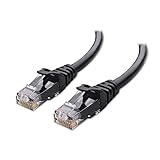
- High-Performance Connectivity: This Cat 6 ethernet cable is designed for superior performance, with a 24 AWG copper wire core. It provides universal connectivity as an ethernet cord for LAN network components such as PCs, servers, printers, routers, and more, ensuring reliable and fast network connections
- Advanced Cat6 Technology: Experience Cat6 performance with higher bandwidth at a Cat5e price. This network cable is future-proof, ready for 10-Gigabit Ethernet and backwards compatible with any existing Cat 5 cable network. It meets or exceeds Category 6 performance according to the TIA/EIA 568-C.2 standard
- Reliable Wired Network Solution: Known variously as a Cat6 network cable, ethernet cable Cat 6, or Cat 6 data/LAN cable, this RJ45 cable offers a more secure and reliable connection than wireless networks. It's ideal for internet connections that demand consistency and security
- Durable and Secure Design: The connectors of this ethernet cable feature gold-plated contacts and strain-relief boots for enhanced durability. Bare copper conductors not only improve cable performance but also comply with communication cable specifications
- High-Speed Data Transfer: With up to 550 MHz bandwidth, this ethernet cord is ideal for server applications, cloud computing, video surveillance, and streaming high-definition video. It also supports Power over Ethernet (PoE, PoE+, PoE++) for powering devices like IP cameras, VoIP phones, and wireless access points, ensuring fast and reliable network performance.
Stadia speed targets: what numbers to aim for
Stadia’s target bandwidth depends on the quality you’re trying to stream. Use these as practical benchmarks when reading the test results:
| Streaming target | Typical download requirement | What matters most besides Mbps |
|---|---|---|
| 720p / lower quality | ~10 Mbps | Consistent throughput + low packet loss |
| 1080p | ~20 Mbps | Low latency and stable Wi‑Fi |
| 4K | ~35 Mbps | Stability under load (not just a one-time peak) |
Latency targets aren’t commonly reported as a single official cut-off by the test UI, but in practice you want low, steady ping. If you see high latency swings or packet loss, video can freeze even when Mbps looks “good.”
How to run the official Stadia speed test
Google’s Stadia speed test is typically accessed via the Stadia support/speed test page in your browser. Because Stadia itself has been discontinued, availability of the exact test page can vary, but the core workflow remains the same: open the test page and run it on your playing device/network.
Follow these steps exactly for the most reliable results.
On a computer (web test)
- Open a supported browser on your computer (Chrome is the most predictable).
- Go to the Stadia speed test page in a new tab.
- Click the button to start the test (commonly labeled Start test or Run speed test).
- Wait for the test to finish and record the results shown (download Mbps and the stability/latency indicators, if displayed).
- Refresh and rerun the test once if results look unusually high or low.
On an iPhone or iPad (browser test)
- Connect your iPhone or iPad to the same Wi‑Fi network you plan to use for streaming.
- Open Safari (or another browser) and load the Stadia speed test URL.
- Start the test, then wait for results to complete.
- Note download Mbps and any latency/stability metrics shown on the page.
On an Android device (browser test)
- Connect to the same Wi‑Fi (or hotspot) you plan to use.
- Open Chrome on your Android device.
- Load the Stadia speed test page and start the test.
- Record the results and rerun once if the first run seems out of character.
On a TV or console
Stadia streaming setups used a TV/Chromecast-style path. If the TV’s browser/app doesn’t let you open the speed test page, do this instead:
- Run the Stadia test on a phone or laptop connected to the same router using Wi‑Fi.
- Use the same Wi‑Fi band (2.4 GHz vs 5 GHz) and signal strength you get near the TV.
- If the speed test is fine on the phone/laptop but streaming stutters on the TV, the issue is often device-side decoding, app/network bugs, or a weak Wi‑Fi signal at the TV location.
How to interpret results: Mbps, latency, and packet loss
Speed tests can be confusing because “download speed” alone doesn’t predict smooth video. Streaming cares about whether your connection can consistently deliver data at the required rate while keeping delays low.
Mbps thresholds by quality
Use Mbps as your baseline:
- If the test shows well below ~10 Mbps, even 720p is at risk.
- Near ~20 Mbps is the minimum range for 1080p, but only if the test is stable.
- Near or above ~35 Mbps is the range people target for 4K, especially with fewer interruptions.
If you’re only barely meeting the numbers, expect drops during peak hours or when other devices start downloading.
Also popular on Amazon

- Cat 6 performance at a Cat5e price but with higher bandwidth
- High Performance Cat6, 30 AWG, RJ45 Ethernet Patch Cable provides universal connectivity for LAN network components such as PCs,computer servers,printers,routers,switch boxes,network media players,NAS,VoIP phones
- Jadaol cat6 standard cable support Cat8 and Cat7 network and provides performance of up to 250 MHz 10Gbps and is suitable for 10BASE-T, 100BASE-TX (Fast Ethernet), 1000BASE-T/1000BASE-TX (Gigabit Ethernet) and 10GBASE-T (10-Gigabit Ethernet)
- UTP(Unshielded Twisted Pair) patch cable with RJ45 gold-plated Connectors and are made of 100% bare copper wire, ensure minimal noise and interference
- The unique flat cable shape allows for a cleaner and safer installation. You can easily and seamlessly make the cable run along walls, follow edges & corners or even make it completely invisible by sliding it under a carpet.
Latency and stability
When the Stadia test shows higher latency or unstable results, you can get symptoms like delayed controls, periodic stutter, or audio/video desync. In practice, stable Wi‑Fi beats “spiky” speed every time.
Latency changes by network path. Your ping on a laptop near the router may be 20–30 ms, while the TV across the house on 2.4 GHz can swing far higher.
Packet loss and jitter
Packet loss and jitter are the silent killers. You might see 25 Mbps download speed and still get freezes if packets aren’t arriving on time.
What’s actually slowing this PC down?
Pick the symptom - the matching free tool is one click away.
If the Stadia test page indicates packet loss or unstable connection behavior, treat it as a signal to fix the network path (Wi‑Fi quality, router settings, congestion), not just to “buy faster internet.”
Best practices before you test
A good test run is repeatable. Before you press start, set yourself up so the results reflect your real play conditions.
Use the right connection
- Ethernet is the reference. If Ethernet works reliably, the problem is usually Wi‑Fi.
- Wi‑Fi is sensitive to distance, walls, interference, and router placement.
- If you must use Wi‑Fi, connect to the same band you’ll play on (2.4 GHz often has range; 5 GHz often has lower latency).
Reduce network noise
For accurate results, pause large downloads and high-bandwidth activities. Streaming tests are easy to “ruin” by background uploads, backups, or software updates.
- Stop cloud sync that could upload files
- Pause video streaming on other devices
- Turn off automatic updates temporarily
Test at the same time you’ll play
Peak hours matter. Run the test during the time you actually play (evenings are often congested), and compare it to an off-peak run.
PC Slower Than It Used to Be?
A free scan shows the junk files, broken settings and background clutter dragging Windows down - then fixes them in one click.Free scan · Windows 10 & 11Crashes, No Sound, or Screen Glitches?
Random freezes, missing sound and display glitches usually trace back to one bad driver. Find and replace yours safely.Free scan · under a minuteAlso popular on Amazon

- 40 Gbps 2000 Mhz High Speed: The Cat 8 ethernet cable support max. 40 Gbps data transfer and 2000 MHz Brandwith, ideal for gaming and streaming, greatly improving upload and download speed, sound, image and resolution quality
- Excellent Anti-interference: The ethernet cable comes with 4 shielded foiled twisted pairs (F/FTP), pure copper core and gold-plated RJ45 connector, reducing interference, noise and crosstalk, making network speed faster and more stable
- Marvelous Durability: Internet cable wrapped with quality cotton braided cord, which makes the LAN cable stronger and more durable. The test proves that this internet cable can be bent at least 10000 times without broken, very suitable for long-term use
- PoE Supported: All lengths of ethernet cord can support the PoE power supply function except 65ft. You don't need additional power supply when installing a PoE camera, which is very convenient and safe
- Wide Compatibility: With the RJ45 Connector, network cable can be perfectly compatible with computers, laptops, modems, routers, PS5, X-Box and other networking devices. It can also be fully backward compatible with Cat7, Cat6e, Cat6, Cat5e, Cat5
If your speeds fail: troubleshooting that actually fixes streaming
When the Stadia test doesn’t pass, don’t guess. Work through the most common causes in the order that typically produces results.
Restart and retest (quick wins)
- Reboot your router (unplug for ~30 seconds, then plug back in).
- Reboot the device you’re testing on.
- Run the Stadia speed test again.
If results suddenly improve, you likely had a temporary routing or congestion issue.
Move closer or switch to Ethernet
If you’re on Wi‑Fi, distance and interference can erase your gains quickly. Try moving within 5–10 feet of the router for a test run.
Or connect via Ethernet if possible. If Ethernet passes but Wi‑Fi fails, your internet is probably fine—the Wi‑Fi link is the bottleneck.
Fix Wi‑Fi issues: band, channel, and router placement
- Choose the right band: If both are available, try 5 GHz for lower latency and 2.4 GHz for reach.
- Reduce interference: microwaves, cordless phones, and neighboring networks can impact 2.4 GHz.
- Router placement: keep it elevated, away from thick walls, and not inside a cabinet.
If your router offers band steering, it can sometimes move devices to a worse band during testing. Temporarily disable band steering and test each band separately.
Check ISP throttling and time-of-day congestion
Run the test at two times: one during off-peak and one during peak hours. If only peak fails, your ISP link is likely congested or your connection quality degrades under load.
If you’re on a mobile hotspot or a shared connection, congestion can be even worse because the wireless backhaul is shared.
Also popular on Amazon
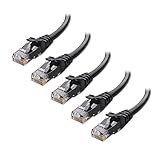
- High-Performance Connectivity: This Cat 6 ethernet cable is designed for superior performance, with a 24 AWG copper wire core. It provides universal connectivity as an ethernet cord for LAN network components such as PCs, servers, printers, routers, and more, ensuring reliable and fast network connections
- Advanced Cat6 Technology: Experience Cat6 performance with higher bandwidth at a Cat5e price. This network cable is future-proof, ready for 10-Gigabit Ethernet and backwards compatible with any existing Cat 5 cable network. It meets or exceeds Category 6 performance according to the TIA/EIA 568-C.2 standard
- Reliable Wired Network Solution: Known variously as a Cat6 network cable, ethernet cable Cat 6, or Cat 6 data/LAN cable, this RJ45 cable offers a more secure and reliable connection than wireless networks. It's ideal for internet connections that demand consistency and security
- Durable and Secure Design: The connectors of this ethernet cable feature gold-plated contacts and strain-relief boots for enhanced durability. Bare copper conductors not only improve cable performance but also comply with communication cable specifications
- High-Speed Data Transfer: With up to 550 MHz bandwidth, this ethernet cord is ideal for server applications, cloud computing, video surveillance, and streaming high-definition video. It also supports Power over Ethernet (PoE, PoE+, PoE++) for powering devices like IP cameras, VoIP phones, and wireless access points, ensuring fast and reliable network performance.
Verify NAT type and router settings
Online streaming platforms can be affected by router behavior, especially if you see consistent connectivity issues even when bandwidth looks okay. Check for:
Quick wins for a faster PC:
Fix the driver behind crashes, sound loss and screen glitchesFind Drivers →Repair Windows errors before they cause bigger problemsFix Now →- NAT settings: if your router exposes NAT type warnings, try enabling UPnP (only if you understand it) or adjusting NAT/firewall rules.
- VPN: disable VPN and retest. VPNs add latency and can cause packet loss.
- QoS/Smart Queue Management: some routers allow prioritization for gaming/streaming traffic.
If you’re unsure, revert changes after you identify the working setup.
DNS and browser considerations
DNS doesn’t usually limit raw Mbps, but poor DNS resolution can cause stalls while establishing connections. If the test page loads slowly or results look inconsistent, try:
- Disable DNS-over-HTTPS temporarily (if your setup changes behavior)
- Try a different browser (Chrome vs Firefox on the same computer)
- Flush browser caches
For a more targeted network check, compare performance between a wired connection and Wi‑Fi before changing DNS.
Windows and macOS network sanity checks
These checks help you confirm whether the connection is stable and not suffering packet loss.
The Tool Desk
Outbyte Driver Updater FREEScan for outdated or missing drivers - takes under a minuteDriver Scan →Outbyte PC Repair FREEClear out junk files and repair common Windows errorsFree Scan →- On Windows, look for network adapter errors or intermittent Wi‑Fi drops.
- On macOS, confirm Wi‑Fi isn’t switching networks or bands mid-test.
- Ensure power saving isn’t throttling the network adapter.
Alternatives to the Stadia test (when it won’t load)
If the Stadia speed test page is unavailable, broken, or blocked by your network, you can still diagnose your connection with close substitutes: a raw speed check plus targeted latency/packet-loss testing.
Speedtest by Ookla
Use it for baseline throughput. It won’t measure everything the Stadia pipeline needs, but it’s useful for confirming that your internet isn’t underperforming.
Also popular on Amazon

- High Performance Cat6 Cable - The Cat6 ethernet cables 100ft supports frequencies of up to 500 MHz and high-speed 10GB internet connection for LAN network applications such as PCs,computer servers,printers,routers,switch boxes,network media players,NAS,VoIP phones and more, while remaining fully backward compatible with your existing network.
- Outdoor&Indoor Ethernet Cable - The cat 6 ethernet patch cable features 8 solid copper conductors 24 AWG. Each of the 4 unshielded twisted pairs (UTP) are separated by a PE cross insulation to isolates pairs and prevent crosstalk and covered by a 5.8mm PVC jacket with RJ45 connectors and gold-plated contacts. The molded strain relief boots help avoid snags that will damage your cables. They are molded for flexibility and resist common wear and tear.
- Lan Cable with RJ45 - UTP(Unshielded Twisted Pair) patch cable with RJ45 gold-plated Connectors, this cat6 cable support Cat8 and Cat7 network and provides performance of up to 500 MHz 10Gbps and is suitable for 10BASE-T, 100BASE-TX (Fast Ethernet), 1000BASE-T/1000BASE-TX (Gigabit Ethernet) and 10GBASE-T (10-Gigabit Ethernet)
- High Quality Control - are designed with extremely well-matched components for outstanding uniform impedance and very low return loss, providing lower crosstalk, and a higher signal-to-noise ratio. Each Cat 6 internet cable 6 ft goes through rigorous testing to ensure a secure wired internet connection with exceptional speed and reliability.
- Support – Cat6 Ethernet cable with CM grade PVC jacket complies with TIA/EIA 568-C.2, is ETL verified and RoHS compliant. If an item is defective or breaks within a year, we will issue a replacement. For questions or concerns please contact our friendly, USA-based customer Support team.
- Visit Speedtest by Ookla in your browser.
- Run a test over Ethernet first, then Wi‑Fi.
- Compare results. If Ethernet is high but Wi‑Fi is low, the Wi‑Fi link is the problem.
Ping and packet-loss checks
Streaming fails more often due to packet loss than Mbps. If you can, test both latency and loss using a ping target.
- Ping a nearby router IP (local) to check Wi‑Fi/ISP reachability
- Ping a public IP (remote) to check overall internet quality
If you see consistent packet loss or large ping spikes, your connection path is unstable.
Windows/Mac built-in tools
You can run simple ping tests without installing anything.
- Windows: open Command Prompt, then run
ping 8.8.8.8 -n 30 - macOS: open Terminal, then run
ping 8.8.8.8 -c 30 - Look for packet loss and the range of response times. Packet loss near 0% is the goal.
Common mistakes that make results misleading
- Testing on cellular or a different Wi‑Fi: Stadia performance on the couch can differ drastically from performance in another room.
- Believing peak download: streaming needs consistency. A short spike to 50 Mbps doesn’t mean stable service.
- Ignoring upload and interference: even if download is high, uploads, bufferbloat, or Wi‑Fi contention can still cause stutter.
- Running the test during downloads: OS updates, backups, and cloud sync can tank stability.
FAQ
Does the Stadia test require a specific device or browser?
Best results come from Chrome on a computer for consistent networking behavior. On phones, use the browser you’ll actually use and rerun the test if results look suspicious.
What if my download speed is high but the test still fails?
That usually points to instability: packet loss, jitter, Wi‑Fi interference, or congestion at certain times. Fix the network path (Ethernet, stronger Wi‑Fi signal, router settings) before changing plans.
Is Wi‑Fi always bad for Stadia-style streaming?
No, but it’s less predictable than Ethernet. If you can keep latency steady and avoid packet loss on Wi‑Fi, streaming can be smooth. If you can’t, Ethernet (or a better Wi‑Fi setup) is the most reliable solution.
How many times should I run the speed test?
At least twice per network, and once more during the time you’ll actually play. One-off results can be misleading when the network is busy.
Bottom Line
The Google Stadia test is valuable because it doesn’t stop at raw speed. For streaming, you’re looking for enough Mbps and a stable connection with low latency and minimal packet loss.
If your results aren’t there, the fastest path to improvement is usually fixing Wi‑Fi signal quality and stability (or switching to Ethernet), then retesting under real playing conditions.

