Some links on this page are affiliate links: if you buy through them we may earn a commission, at no extra cost to you.
Google’s messaging about Gemini has been cautious: reports cite the company saying it has no plans to put ads in the Gemini app. That statement matters because Gemini is still in active growth, and users understandably want to know whether the experience will stay focused on chats—or turn into a more traditional advertising surface.
Even when a company says “no plans,” product roadmaps can change. What you can do is understand what “no plans” usually covers, where promotions can still appear, and how to verify what’s happening on your device right now.
As an Amazon Associate I earn from qualifying purchases.
Recommended Free Tools
What Google reportedly said about ads in the Gemini app
According to the reported claim, Google told observers that it currently has no plans to add advertisements inside the Gemini app. In practice, that typically means the app won’t start showing standard banner ads, sponsored placements, or interstitials to monetize screen space in the way many free apps do.
This doesn’t automatically guarantee a static experience forever. Product teams can revise plans as usage grows, costs rise, or new subscription/partnership models roll out. What it does indicate is that Gemini’s default user experience is intended to remain primarily conversational—at least for now.
What the statement means (and what it doesn’t)
What it likely means
- No standard ad placements (for example: “Sponsored” banners inside the chat timeline).
- No forced “ad breaks” (interstitials that interrupt composing/reading responses).
- Lower likelihood of algorithmic ad targeting inside Gemini specifically, at least at the UI level.
What it probably doesn’t mean
- No promotions at all. Companies sometimes reserve the word “ads” for paid placements, while still showing product nudges, billing prompts, or partner suggestions.
- No marketing elsewhere. Gemini can route through other Google properties or surfaces where promotions may appear (or where contextual content looks “ad-like”).
- No future changes. A “no plans” statement is about current intent, not a contract.
How Gemini may monetize without putting traditional ads in the app
Even if Google avoids classic ad placements in Gemini, it still has multiple ways to earn revenue. The key is that monetization doesn’t always look like a banner ad.
Subscriptions and premium tiers
Many AI assistants use tiered plans to fund infrastructure. Premium subscriptions typically pay for higher limits, faster responses, or access to more capable models.
Free tools Windows power users keep installed
One-click scans. No signup required.
Popular on Amazon

- Super Magnetic Attraction: Powerful built-in magnets, easier place-and-go wireless charging and compatible with MagSafe
- Compatibility: Only compatible with iPhone 13/14; precise cutouts for easy access to all ports, buttons, sensors and cameras, soft and sensitive buttons with good response, are easy to press
- Matte Translucent Back: Features a flexible TPU frame and a matte coating on the hard PC back to provide you with a premium touch and excellent grip, while the entire matte back coating perfectly blocks smudges, fingerprints and even scratches
- Shock Protection: Passing military drop tests up to 10 feet, your device is effectively protected from violent impacts and drops
- Check your phone model: Before you order, please confirm your phone model to find out which product is right for you
Business and developer offerings
AI at scale is expensive. Google can monetize Gemini through enterprise agreements, APIs, and partner products rather than ads inside the consumer app.
Model and tool integrations
If Gemini can interact with other Google services (or third-party tools), those integrations can generate revenue indirectly. This can be done without showing “ads” in the chat UI.
Search-adjacent monetization
When a chatbot answers questions, users may click through to sources. If those sources are tied to search results or sponsored listings on the web, users may still encounter ads—just not necessarily inside the Gemini message thread.
Where you’re most likely to see ads or promotions related to Gemini
Even with a “no ads” promise for the app, some commercial elements can appear in adjacent areas. Here are the most common locations to watch.
In-app UI elements and banners
Look for anything labeled Sponsored, Promoted, or visually distinct from the regular chat style (different card layout, “Ad” badge, or banner with a brand you don’t recognize).
Google account and settings surfaces
Sometimes the app won’t show ads inside the conversation but will show prompts in settings—for example: plan upgrades, feature highlights, or billing recommendations.
Also popular on Amazon

- Compatibility: This case Fit for iPhone 15 (6.1 inch, Released in 2023), iPhone 14 (6.1 inch, Released in 2022), iPhone 13 (6.1 inch, Released in 2021). Please confirm your phone moderl before purchasing
- Strong Magnetic Charging: This iPhone 15 Case 6.1 inch has built with 38 super-strong N52 magnets, delivering 2400 gf magnetic attraction—over 7× stronger than standard cases. Ensures a secure, stable connection to Magnetic chargers, car mounts, and wireless charging stands. Perfectly aligned for fast, stable charging every time
- Tempered Glass Screen Protector: This iPhone 14 Case 6.1 inch includes 1× premium tempered glass screen protector that preserves original touch sensitivity and HD clarity. Offers reliable scratch and drop defense for your Screen, without compromising responsiveness or display quality
- Translucent Matte Back: This iPhone 13 Case 6.1 inch crafted from high-quality matte TPU and translucent PC, this case reveals the phone logo with an elegant, refined finish. The frosted texture delivers a comfortable, non-slip grip, while the nano antioxidant layer effectively resists stains, sweat, and minor scratches—keeping your case clean and clear longer
- 14FT Military Grade Drop Protection: 6.1 inch Phone Case iPhone 15/14/13 has rigid polycarbonate backplate paired with flexible, shock-absorbing TPU bumpers around the edges, plus 4 built-in corner air bags. Provides comprehensive protection against accidental drops, bumps, and impacts
Search and linked experiences
If Gemini links out to web pages, maps, shopping, or results pages, those destinations can include sponsored content. That’s not the same as ads “in Gemini,” but the experience can still feel commercial.
Check your Gemini app for current ad-related settings and signals
You can’t always find a single “show ads” toggle in an AI assistant. Still, you can do a quick audit to spot anything unusual.
iPhone and iPad (iOS)
- Open the Gemini app.
- Go to Settings (or the gear icon) and scan for upgrade prompts, “Ads,” “Personalization,” or “Promotions.”
- On iOS, open Settings → Privacy & Security.
- Check Tracking (for app tracking) and consider turning off tracking if you want fewer targeted experiences.
- Review Notifications permissions to reduce promotional push alerts.
Android
- Open Gemini on your Android device.
- Open Settings and look for options like personalization, suggested content, or premium upsells.
- Go to your device Settings app → Privacy or Privacy & security.
- Check Ad personalization (Google’s ad settings) and limit personalization where available.
- Open Apps → Gemini → Notifications and disable promotional notifications.
Web (gemini.google.com)
- Visit gemini.google.com and sign in to the same Google account you use on mobile.
- Check the UI for any banner, sponsored prompt, or “upgrade” tiles that appear consistently.
- Review browser permissions: cookie settings, third-party tracking, and pop-ups.
- In your Google account, check Ad settings and content preferences to reduce targeted suggestions.
Privacy and tracking: the part users can still control
Even if Google doesn’t put ads inside Gemini, personalization can still affect what you see (for example: suggested prompts, feature recommendations, or the way responses are tailored). You can reduce tracking by limiting cross-app identifiers and ad personalization.
On iOS, use the App Tracking Transparency setting to control whether apps can track you. On Android, use Google’s ad personalization controls and tighten notification permissions.
What to do if you do see ads or promotions anyway
If you start seeing ad-like content, don’t assume you’re imagining it. AI apps can also surface partner content or upgrade cards that look “ad-ish.” Your job is to classify it and act accordingly.
Also popular on Amazon

- Designed for iPhone 15/14/13: This case is only designed for iPhone 15/14/13 6.1 inch and does not support any other models
- Strong Magnetic Attraction: Designed for iPhone 15/14/13 case with 38 N52 magnets for 2400g lock. Fully compatible with MagSafe chargers, magnetic car mounts & Qi wireless charging without signal drop
- Tempered Glass Screen Protector: All-in-one set features a 9H tempered glass screen protector for iPhone 15/14/13 case. High-definition screen cover guards display against scratches while keeping touch response fast
- Crystal Clear: Premium clear iPhone 15/14/13 case made with Bayer TPU & PC. Nano antioxidant layer resists yellowing, oil, and smudges, keeping your phone looking brand-new with lasting clarity
- 10FT Military Grade Protection:10FT military drop protection for iPhone 15/14/13 case. Hard PC backplate, flexible shockproof TPU bumpers, and 4 corner airbags absorb heavy impacts from accidental falls
Confirm whether they’re ads or Google product prompts
- Check for labels such as Sponsored or Ad.
- Compare the visual style to normal Gemini cards.
- See whether the item offers paid upgrades or feature promotion (that’s often not treated as an “ad”).
Report the content and capture evidence
Take a screenshot and note the app version, date, and device model. Then use the Gemini in-app feedback/report flow so Google can connect your report to internal logs.
Quick wins for a faster PC:
Fix the driver behind crashes, sound loss and screen glitchesFind Drivers →Clear out junk files and repair common Windows errorsFree Scan →Adjust device and account permissions
- Turn off ad personalization where available in your Google ad settings.
- Reduce notification permissions for the Gemini app.
- On iPhone, consider restricting tracking for Gemini in Settings → Privacy & Security → Tracking.
Common misunderstandings about ads in AI apps
“No ads” doesn’t necessarily mean “no paid prompts”
Companies sometimes avoid the term “ads” while still showing upgrade offers. Those offers can be monetization, just not “display advertising.”
Ads can appear in links, not just inside the app
If Gemini links to search results, shopping pages, or content recommendations, you may still see sponsored results. That won’t be an in-app banner—but it can still feel like the assistant is steering you toward commercial outcomes.
UI experiments can be gradual
Even if Google has “no plans,” staged rollouts, A/B tests, or regional differences can produce temporary inconsistencies. If you only see something on your account while friends don’t, account-level personalization or experiment enrollment is a common cause.
Independent reader supportYour contribution helps us test, update, and keep practical guides available for everyone.Alternatives if you want to minimize commercial interruptions
If your priority is keeping Gemini (or any AI assistant) focused, you can reduce the odds of commercial content by tightening browser/device permissions and choosing how you access the service.
Do these 3 things before closing this tab:
1Fix the driver behind crashes, sound loss and screen glitches2Clear out junk files and repair common Windows errors3Scan for outdated or missing drivers - takes under a minuteAlso popular on Amazon
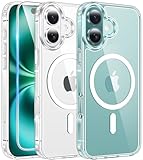
- Designed for iPhone 16: This case is only designed for iPhone 16 6.1 inch and does not support any other models
- Strong Magnetic Attraction: Designed for iPhone 16 case with 38 N52 magnets for 2400g lock. Fully compatible with MagSafe chargers, magnetic car mounts & Qi wireless charging without signal drop
- Tempered Glass Screen Protector: All-in-one set features a 9H tempered glass screen protector for iPhone 16 case. High-definition screen cover guards display against scratches while keeping touch response fast
- Crystal Clear: Premium clear iPhone 16 case made with Bayer TPU & PC. Nano antioxidant layer resists yellowing, oil, and smudges, keeping your phone looking brand-new with lasting clarity
- 10FT Military Grade Protection:10FT military drop protection for iPhone 16 case. Hard PC backplate, flexible shockproof TPU bumpers, and 4 corner airbags absorb heavy impacts from accidental falls
Use Gemini in a browser with tighter permissions
When using Gemini on the web, keep third-party cookies blocked, use tracking protection, and limit notifications. This reduces the amount of commercial surfaces you encounter around the core chat.
Use privacy-focused DNS and tracking protection
Tools like a privacy-focused DNS provider and browser tracking protection can cut down on third-party trackers that often power ad targeting, even if Gemini itself doesn’t show ads.
Consider other chat apps with explicit policies
If you want stronger guarantees, choose services that clearly document monetization (for example, whether they show in-chat promotions, how they label sponsored content, and what data they use for personalization).
FAQs
Will Gemini ads ever appear inside the app?
Google says it has no plans to add ads in the Gemini app, but plans can change. Watch for labeled sponsored content, visually distinct banners, and consistent upgrade cards that appear inside the chat UI.
What’s actually slowing this PC down?
Pick the symptom - the matching free tool is one click away.
What should I check to know whether I’m seeing ads?
Look for “Ad” or “Sponsored” labeling, notice whether the content uses a different card layout than normal messages, and compare what you see across devices and networks.
Can I stop promotions from affecting my Gemini experience?
You can reduce tracking and personalization by adjusting iOS Tracking (or Android ad personalization), disabling Gemini notifications, and tightening cookie/tracking settings on the web. These won’t always remove every marketing prompt, but they usually reduce targeted experiences.
Does this apply to Gemini web and mobile equally?
Not always. Mobile apps and web experiences can differ, especially because web monetization often involves cookies, sponsored destinations, and search-adjacent content.
Bottom Line
Google’s reported “no plans” statement suggests Gemini should remain primarily conversational for now, with less likelihood of classic in-app ad placements. Still, promotions can appear in adjacent surfaces—settings, links, and upgrade prompts—so it’s worth doing a quick audit on your device.
PC Slower Than It Used to Be?
A free scan shows the junk files, broken settings and background clutter dragging Windows down - then fixes them in one click.Free scan · Windows 10 & 11Outdated Drivers Are Slowing You Down
One free scan finds every outdated or missing driver and matches the right update for your exact hardware.Free scan · exact hardware matchQuick Recap
If you see anything that looks sponsored, treat it as an actionable signal: verify the label, capture context, and report it. Your device and account settings can also meaningfully reduce how much targeted commercial content you’ll encounter around Gemini.

