Some links on this page are affiliate links: if you buy through them we may earn a commission, at no extra cost to you.
Google’s rollout of YouTube emotes for comments adds a more expressive layer to the comment experience. Instead of relying only on standard emojis, you can insert channel-style reactions in comment threads—fast, consistent, and easy to spot.
Because rollouts often land gradually, you may not see the option immediately. This guide covers what to look for, how to use emotes across devices, and what to do when the feature doesn’t appear.
As an Amazon Associate I earn from qualifying purchases.
What’s actually slowing this PC down?
Pick the symptom - the matching free tool is one click away.
What Are YouTube Emotes for Comments?
YouTube emotes for comments are special reaction icons that you can insert while writing a comment. They’re designed to communicate tone (like excitement, agreement, or humor) without adding extra text.
Functionally, they behave like selectable comment content. Where emojis are typically universal characters, emotes are usually tied to the feature set YouTube is enabling and the context of your account and app version.
Popular on Amazon

- [Convenient Setup] Plug and play recording USB microphone for PC, with 5.9-Foot USB cable included for computer PC laptop, is connected directly to USB-A port for recording music, computer singing or podcast. The office condenser microphone for computer is easy to use and install. (NOT compatible with Xbox and Phones)
- [Durable Metal Design] Solid sturdy metal construction design, the computer microphone for Zoom meetings with stable tripod stand is convenient when you are doing voice overs or livestreams on YouTube. Durable material extends the service life of the voice-over microphone.
- [Mic Volume Knob] Gaming condenser USB mic compatible for PS4 with additional volume knob itself has a louder or quieter adjustment and is more sensitive. Your voice would be heard well enough through the zoom microphone USB when gaming, skyping or voice recording. Also, you can adjust your volume to zero and protect your privacy.
- [Widely Use] USB-powered design, the condenser microphone for recording no need the 48v Phantom power supply, works well with Cortana, Discord, voice chat and voice recognition. The podcast microphone for Mac, with USB-B to USB-A/C cable, is compatible with desktop, laptop or PS4/PS5, which meets most of your daily recording needs.
- [Clear Output Voice] Cardioid condenser microphone for PC captures your voice properly, producing clear smooth and crisp sound. Great computer recording mic for gamers/streamers/youtubers focus on the main source and reduces background noise. The streaming microphone does the job well for broadcast ,OBS and teamspeak.
Why This Change Matters
Comments are where viewers build community. Emotes make it easier to react quickly, especially in high-traffic threads where reading every line can be tough.
- Faster replies: Emotes reduce typing time and make reactions more immediate.
- More consistent tone: Emotes standardize “what you mean,” reducing ambiguity.
- Better engagement: Visual reactions can encourage more participation from lurkers.
Rollout Reality: Availability, Regions, and Account State
Features like this rarely switch on for everyone at once. You may see emotes for comments on one device before another, or only after an app update.
Windows Errors? Fix Them Before They Spread
Repair common Windows errors and clear accumulated junk for a smoother, more stable PC - no reinstall needed.Free scan · no reinstallCrashes, No Sound, or Screen Glitches?
Random freezes, missing sound and display glitches usually trace back to one bad driver. Find and replace yours safely.Free scan · under a minuteExpect these common rollout behaviors:
- Gradual release: Different accounts can get access at different times.
- App/version gating: You might need a newer YouTube app build.
- Platform differences: Web may get it earlier or later than iOS/Android.
Prerequisites Before You Expect Emotes in Comments
Before troubleshooting, confirm the basic conditions that typically determine whether the UI appears.
- Update YouTube: Use the latest version available in the App Store or Google Play.
- Use a supported environment: Try the latest Chrome, Safari, or the official YouTube app.
- Stable connection: Comment UI features can fail to load on slow networks.
- Normal account access: If your account has restrictions, feature availability can change.
If you’re missing the emote UI, the next section walks through a targeted checklist.
Also popular on Amazon
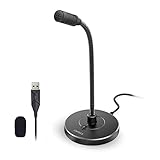
- 【Crystal Clear Audio Quality】Our Omnidirectional pattern condenser microphone accurately captures your voice, making it perfect for dictation, online classrooms, and more.
- 【Active Noise-Cancelling】Come in CMTECK CCS2.0 SMART CHIP with Omnidirectional Polar Pattern, which can effectively block the background noise. The pop filter prevents plosives from overloading the microphone, ensuring only your voice is heard.7
- 【Convenient Mute Button with LED Indicator】You can quickly mute/un-mute the microphone with the Mute Button and the built-in LED light lets you know the working status(Greenlight: Connected; Red light: Mute mode).
- 【Easy to use】 No drivers needed, just plug and record without external power supply, directly connect the microphone to a USB compatible device, well compatible with Windows(7, 8 and 10), Mac OS and PS4 (NOT compatible with Raspberry Pi/Linux/Android)
- 【Mini size with Adjustable Gooseneck】Adopted flexible and adjustable gooseneck metal pipe, easily adjust position 360 degrees to suit user comfort. The compact and stable base maximizes your desktop space.
How to Use YouTube Emotes in Comments (Step-by-Step)
The exact look can vary slightly by device, but the workflow is generally the same: open the comment composer, choose an emote picker (when available), insert, and post.
Web (desktop browser)
- Go to YouTube and open any watch page.
- Scroll to the Comments section.
- Click Add a comment.
- Look for an emote or reaction icon in the composer (often near emoji tools).
- Select the emote you want; it should insert into your comment text field.
- Review spacing (emotes may take a single place in the text field).
- Click Comment (or Reply for replies).
iPhone and iPad (iOS / Safari or YouTube app)
- Open the YouTube app on your iPhone or iPad.
- Open a video and scroll to Comments.
- Tap Add a comment or Reply.
- Check for an emote button in the keyboard toolbar area.
- Tap an emote to insert it into the comment.
- Tap Comment to post.
Android (YouTube app)
- Open the YouTube app on Android.
- Open a video and go to Comments.
- Tap Add a comment (or Reply).
- Find the emote/emojis area in the comment composer.
- Tap the emote you want; it inserts immediately.
- Tap the posting button to submit your comment.
TV (YouTube on smart TVs / streaming boxes)
- Open the YouTube app on your TV.
- Select a video and navigate to Comments.
- Choose Add a comment or Reply.
- Use the remote to move to the emote/reaction picker (if shown).
- Select the emote, then confirm your comment.
If you don’t see the emote picker on TV, it may be arriving later or require a specific app update for your device model.
If You Don’t See Emotes: Troubleshooting Checklist
When the feature doesn’t appear, don’t guess for too long. Work through the same high-signal steps that resolve most rollout/UI issues.
- Check your YouTube version: Update the YouTube app to the latest build available.
- Restart the app: Fully close and reopen YouTube on mobile.
- Hard refresh on web: On desktop, reload and bypass cached assets if needed (Ctrl+F5 on Windows, Cmd+Shift+R on macOS).
- Test another device: Compare web vs. mobile to isolate platform rollout lag.
- Try a different network: Switch Wi‑Fi to mobile data (or vice versa) if you suspect network-related loading issues.
- Clear browser/site cache (web): Clear YouTube cookies and cache, then log in again.
- Log out/in: Sometimes feature flags are applied after re-authentication.
If none of that helps, the most likely explanation is that your account or region hasn’t received the emote feature yet.
Also popular on Amazon
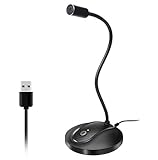
- 360 Degree Position Adjustable Gooseneck Design --Plug and play USB microphone Pick up the sound from 360-degree with high sensitivity, in the best possible location for sound to your PC gaming, dragon voice dictation, and talk to Cortana
- Mute Button & LED Indicator --One-click to mute/unmute your microphone for pc, Build-in LED indicator tells you the working status at any time
- Intelligent Noise-Canceling Tech --Premium omnidirectional condenser microphone with noise-canceling technology can pick up your clear voice and reduce background noise and echo
- USB Plug&Play(1.8/6ft USB Cable) -- No driver required. Just need to plug & play for the microphone to start recording, well compatible with Windows(7, 8, 10 and 11) and macOS. (NOT compatible with Xbox/Raspberry Pi/Android)
- Solid Construction--Adopting premium metal pipe and heavy-duty ABS stand to make sure that you will be satisfied with our computer mic quality
Common Gotchas and How to Avoid Them
- Confusing emojis with emotes: Emotes are feature-specific and may be separate from the standard emoji keyboard.
- Composer limits: Some comments have length or formatting constraints; if your emote doesn’t insert, try fewer symbols.
- Posting fails: If the comment doesn’t submit, re-check connectivity and avoid posting identical content repeatedly.
- Keyboard interference (iOS): If the emote picker hides behind the keyboard, dismiss the keyboard and tap the comment field again.
What Counts as an Emote? Formatting, Placement, and Readability
In practice, emotes appear as a single embedded element inside the comment field. When you post, they should render visually for other viewers in compatible clients.
To keep comments readable:
- Use emotes where tone matters (agreement, celebration, reaction).
- Avoid stacking multiple emotes without context; it can look spammy.
- When using text, keep the emote near the sentiment it supports (e.g., before the punchline).
Privacy, Moderation, and Policy Constraints
Emotes don’t change core moderation rules. Your comment still follows YouTube community guidelines and may be subject to filtering or review.
- Harassment and spam: Reactions used to target, harass, or flood threads can still get your comment removed.
- Impersonation: Emotes that are used to mimic or defame may fall under prohibited behavior.
- Account restrictions: If your account is limited, comment features can be reduced.
If your comment gets blocked, check whether the content (text + emotes) violates rules or triggers automated filters.
Comparisons: Emotes vs. Emojis vs. Membership Channel Badges
These terms get mixed up often. Here’s a practical way to tell them apart.
Also popular on Amazon

- [Natural Audio Clarity] Operated with frequency response of 50Hz-16KHz, the podcasting XLR mic delivers balanced audio range, likely to resonate with your audience. Directional cardioid dynamic microphone corded will not exaggerate your voice, while rejects unwanted off-axis noise for vocal originality and intelligibility during your PS5 gaming streaming video recording. (Tips: Keep the top of end-addressing XLR dynamic microphone AM8 facing audio source, and suggested recording range is 2 to 6 in.)
- [XLR Connection Upgrade-Ability] To use XLR connection, connect the podcast microphone to an audio interface (or mixer) using a separate XLR cable (NOT Included) . Well-connected and smooth operation improves audio flexibility to make you explore various types of music recording singing. The streaming mic isolates the pristine and accurate sound from ambient noise with greater no interference and fidelity. (RGB and function key on mic are INACTIVE when using XLR connection.)
- [USB Connection with Handy Mute] Skip the hassle of setting something up and plug the cable to play the dynamic USB microphone directly, which suits for beginner creators or daily podcast. You can quickly control the gamer mic with tap-to-mute that is independent of computer/Macbook programs to keep privacy when live streaming. LED mute reminder helps you get rid of forgetting to cancel the mute. (RGB and function key are only available for USB connection, but NOT for XLR connection)
- [Soothing Controllable RGB] RGB ring on the desktop gaming microphone for PC, with 3 modes and more than 10 light colors collection, matches your PC gears accessories for gaming synergy even in dim room. You can control the RGB key button of the dynamic microphone USB directly for game color scheme gaming or live streaming. Configured memory function, the streaming microphone RGB no need to repeated selections after turnning off and brings itself alive when power on. (Only available for USB connection)
- [More Function Keys] Computer microphone with headphones jack upgrades your rhythm game experience and gets feedback whether the real-time voice your audience hear as expected. Get the desired level via monitoring volume control when gaming recording. Smooth mic gain knob on the PC microphone gaming has some resistance to the point, easily for audio attenuation or boost presence to less post-production audio. (Only available for USB connection)
| Feature | Where it shows up | Primary purpose |
|---|---|---|
| Emotes | Comment composer and comment display (when enabled) | Fast, standardized reactions |
| Emojis | Comment composer and most text fields | Universal iconography and tone cues |
| Membership badges | On comments, live chat, and channel contexts | Subscription recognition |
FAQ: YouTube Emotes for Comments
Do YouTube emotes replace emojis?
No. Emojis remain available. Emotes are an additional reaction tool that may appear only when YouTube enables the feature for your account and device.
Why don’t I see the emote icon in the comment box?
The most common reasons are feature rollout timing, an outdated YouTube app on iOS/Android, or differences between web and mobile availability. Update, restart, and test another platform.
Quick wins for a faster PC:
Scan for outdated or missing drivers - takes under a minuteDriver Scan →Repair Windows errors before they cause bigger problemsFix Now →Will emotes work for everyone who reads my comment?
Typically, emotes should render for viewers whose YouTube client supports the feature. If someone can’t see the emote, they may see a fallback representation.
Can I use emotes in replies, not just top-level comments?
Usually yes—if the comment composer shows the emote picker. Replies use the same composer controls, so the icon should be available when the feature is enabled.
Also popular on Amazon

- HIGH SENSITIVITY for CLEAR CALL - This portable USB microphone adpots a 6*10mm high sensitivity condensor microphone to capture clear voice, the audio signal processed by multi levels of audio gain amplifier and advanced ADC module, it provides crystal clear voice, reliable compatibility and noise cancelling. It's able to capture voice in 10ft distance clearly -it's very small, but powerful. Plug it into the computer, you'll experience better con-call immediately.
- PLUG-and-PLAY - The USB 2.0 interface is widely compatible with the most computer devices (Windows, Mac, Raspberry Pi, Linux, Chromebook & etc ) and softwares (Google Meetings, Zoom, Team, Skype & etc). Just plug it into the USB port and done. No extra driver or settings are required.
- COMPACT & PORTABLE - Like a flash disk, you can put it in the pocket with ease. Carry it with your laptop, and plug it in when you need it. No more tangled cords or bulky bases hogging your desk space, This mic is on a mission to keep your workspace sleek and organized.
- IDEAL REPLACEMENT - If you are looking for a quality microphone for work at home, online conferencing, online class, live streaming and webinar, this is a great choice. It's not a recording studio grade microphone, but the sound quality is better than most of laptop built-in microphones, and it's completely enough to meet your general demand.
- WHAT YOU GET - Packed in a metal carrying box, and comes with 12 months waranty. For any concern, you can send us messages and we will respond in 24 hours.
Do emotes affect comment moderation or visibility?
They can. Any comment, regardless of emotes, is still subject to community guidelines and spam/harassment filters.
Bottom Line
YouTube emotes for comments make reactions quicker and more uniform, which can improve readability and engagement in busy threads. If you don’t see the emote picker yet, it’s almost always a rollout/version issue rather than a settings problem.
Do these 3 things before closing this tab:
1Fix the driver behind crashes, sound loss and screen glitches2Clear out junk files and repair common Windows errors3Scan for outdated or missing drivers - takes under a minuteUpdate the YouTube app, try the web composer, and test across devices. If you still can’t find it after those steps, your account likely hasn’t received the feature flag—wait a bit and re-check.

