Some links on this page are affiliate links: if you buy through them we may earn a commission, at no extra cost to you.
Google and Qualcomm teaming up for generative AI in cars is a signal that the industry is moving from demos to deployable, production-grade assistants. The core promise is simple: AI features that can understand intent, respond naturally, and run within real-time constraints on automotive hardware.
The hard part is everything behind the promise—compute, latency, offline behavior, safety guardrails, and how answers are grounded in vehicle- and driver-specific data. If you’re an automaker team, a developer, or even an informed buyer, here’s how to make sense of what this partnership enables and how to prepare for what’s next.
As an Amazon Associate I earn from qualifying purchases.
Recommended Free Tools
What the Google–Qualcomm partnership actually means
Partnerships like this usually target one outcome: making it practical to run AI workloads in a vehicle cockpit and connect them to cloud services when needed. Qualcomm contributes automotive-focused compute platforms and accelerators; Google contributes model tooling, developer ecosystems, and cloud/AI services that help teams build and manage AI features.
For drivers, that typically translates into conversational features that feel more responsive and more context-aware—without requiring a constant, reliable connection. For engineering teams, it means fewer “integration gaps” between AI software and the hardware that must execute it.
Popular on Amazon

- Wireless CarPlay & Android Auto: Simply connect your phone via Bluetooth for instant access to music, maps, and messages - all displayed on your 7" car stereo screen. Use voice commands with Siri/Google Assistant to stay hands-free and focused on the road
- Ultra-Clear QLED Display: Feast your eyes on a 7" QLED screen with 1280×720 resolution, can support 1080P video playback with vivid colors and razor-sharp details. Whether you're streaming movies or checking maps, every image pops with stunning clarity - day or night
- 4.2-Channel Stereo Surround Sound System: Experience studio-quality audio with 4.2-channel output (Rear Right/Left Speaker, Front Right/Left Speaker output + Dual Subwoofers), delivering rich, balanced sound and powerful bass. Fine-tune your music with custom EQ settings for the perfect soundstage. Built with high-performance components for crisp, distortion-free audio at any volume. Perfect for audiophiles who demand concert-like sound on the road
- Support Rear and Front View Camera: Parking has never been easier with this premium double din car stereo which supports front and rear camera, comes with a built-in rear view camera supporting HD night-vision images for a safer and time-efficient experience! Simply shift into reverse and the system powers on the camera automatically, for optimal visibility no matter the weather conditions(Rear view camera included)
- Enhanced Safety & Convenience with Steering Wheel Control (SWC): Adjust volume, skip tracks, and make a call without taking your hands off the wheel. The car stereo integrates seamlessly with your car’s controls for a distraction-free ride. Tips: An additional interface (purchase separately) is required
Why gen AI in cars is harder than in phones
Vehicles are not just computers on wheels. They’re safety-critical systems with strict performance budgets and expectations around reliability, predictability, and privacy.
- Latency matters: a conversational response that takes 3–5 seconds can be irritating, but a command that’s delayed at the wrong moment can be unsafe.
- Compute is limited: cockpit hardware must fit within power and thermal envelopes.
- Connectivity is inconsistent: cars can move across dead zones and congested networks.
- Safety isn’t optional: AI output can’t be trusted blindly when it could influence driving-related behavior.
- Privacy stakes are high: vehicle data includes location, habits, and sensor-derived context.
Those constraints are exactly why automotive AI is trending toward hybrid designs: on-device intelligence for immediate, bounded tasks, plus cloud augmentation when the network and workload allow it.
Crashes, No Sound, or Screen Glitches?
Random freezes, missing sound and display glitches usually trace back to one bad driver. Find and replace yours safely.Free scan · under a minutePC Slower Than It Used to Be?
A free scan shows the junk files, broken settings and background clutter dragging Windows down - then fixes them in one click.Free scan · Windows 10 & 11The technical stack: what has to work together
Gen AI in cars is usually a pipeline: capture speech/text, understand intent, retrieve relevant knowledge (vehicle data + policies + user context), generate an answer, and then decide whether to trigger an action—or just inform the driver.
On-device compute and the automotive NPU
To keep responses fast and usable during poor connectivity, many workloads need to run locally. Automotive SoCs often include NPUs (neural processing units) designed for inference-heavy operations, which helps with real-time text/image/audio tasks.
Even when a large model runs in the cloud, the car still benefits from local components like wake-word detection, speech-to-text, basic intent classification, and guardrail logic.
In-vehicle connectivity and the AI pipeline
Cloud-backed responses depend on networking quality. Teams typically design an architecture that can fall back if latency spikes or if the request cannot reach the server.
Do these 3 things before closing this tab:
1Repair Windows errors before they cause bigger problems2Scan for outdated or missing drivers - takes under a minute3Clear out junk files and repair common Windows errorsPractical targets teams use include: keeping “time to first token” under roughly 1–2 seconds when connected, and enforcing strict overall interaction timeouts (often around 5–8 seconds) so the UI can recover without leaving the driver hanging.
Cloud vs. on-device: where responses come from
A common pattern is hybrid orchestration:
- Local path: speech recognition, intent detection, small-model reasoning, and policy checks.
- Cloud path: retrieval over larger knowledge bases, generative reasoning for long-form answers, and model updates without requiring car recalls.
- Grounding: both paths often use retrieval to reduce hallucinations by grounding outputs in known facts and vehicle-specific context.
Use cases gen AI enables inside a vehicle
Not every gen AI feature is equal. The best early deployments are the ones with bounded actions, clear user intent, and strong constraints.
Driver assistance that feels conversational
Instead of navigating menus, drivers can ask questions like “Why did the lane assist disengage?” or “What does this warning mean?” The system can retrieve diagnostic codes, safety policies, and manuals—then summarize in natural language.
Also popular on Amazon
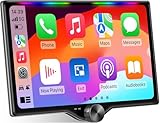
- 【10.1-Inch QLED Display · Universal Double Din Fit】 This 10.1-inch car stereo features a full QLED screen with wide viewing angles and high sensitivity for clear visuals even in bright sunlight. Compatible with most single/double din dash openings—please confirm size and prepare a proper dash kit if needed.
- 【Wireless & Wired Carplay/Android Auto with Voice Control】 This car audio receiver supports both wireless and wired Carplay and Android Auto, letting you access maps, calls, music, and voice assistants (Siri & Google) safely while driving. An microphone ensures accurate voice recognition for enhanced hands-free convenience and smarter control. (Wired Connection: Please connect to the rear USB1 port)
- 【Hi-Fi Sound with Built-in DSP & Dual Subwoofer Output】 Equipped with an advanced DSP chip and a 10-band EQ, this car audio system offers precise audio tuning for a premium listening experience. 4×60W peak power output and dual subwoofer support deliver deep, rich bass and clean sound across all frequencies.
- 【Independent Bluetooth & Mirror Link Functionality】 Enjoy robust, interference-free connections with the upgraded independent Bluetooth module—ideal for hands-free calling and music streaming. Supports Mirror Link for iOS and Android phones via rear USB1 port, allowing your smartphone screen to sync directly to this car radio for convenient access to apps, videos, and more. (Please connect to the rear USB1 port; do not use the Type-C port, as it supports fast charge only)
- 【Music-Activated Ambient Light · Drive with Rhythm & Energy】 Unique to this double din car stereo, dynamic LED ambient lighting above the screen pulses in sync with your music, creating a vibrant and immersive visual effect. Especially at night, the rhythmic lighting helps relieve eye fatigue and adds excitement and energy to every drive.
In-cabin productivity and personalization
Gen AI can help with scheduling (“Draft a message to Sam: I’ll arrive in 20 minutes”), summarizing incoming notifications, and tailoring the assistant’s tone to driver preferences.
When done well, it reduces the number of taps needed to accomplish routine tasks.
Maintenance and diagnostic copilots
Cars already produce structured data—fault codes, sensor readings, and service history. With gen AI, those signals can become understandable explanations, recommended checks, and clear next steps.
For safety, the system should avoid “DIY repair” instructions that could be dangerous; instead it can guide users toward professional service and simple, non-risky actions.
Maps, routing, and travel planning
Gen AI can interpret natural language like “Avoid hills today” or “I need a charger within 15 minutes of my stop,” then use routing, charging availability, and traffic data to produce a plan.
Even here, teams typically constrain the assistant to approved APIs and verify results against authoritative data sources.
Deployment approaches that automakers can choose
How you deploy matters as much as which model you use. The three approaches below are the patterns most teams converge on.
Approach 1: On-device small models + retrieval
Small local models can handle short Q&A, intent classification, and templated generation. Retrieval uses local indexes (or cached content) so answers remain grounded even offline.
- Choose tasks that fit within local compute budgets.
- Maintain a curated, offline-ready knowledge store (manuals, FAQ, policy snippets).
- Use strict output templates or structured responses for any action-taking capability.
- Test worst-case hardware load (high CPU/GPU usage from navigation, cameras, and UI).
Approach 2: Cloud-hosted models with low-latency paths
For richer conversational reasoning, teams can run the generative model in the cloud. This is easiest for feature velocity but requires careful handling of network variability.
Also popular on Amazon
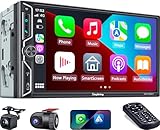
- Wireless Connection for Apple CarPlay & Android Auto: Experience the convenience of seamless smartphone integration. Our 7-inch double din car stereo is fully compatible with wireless Apple CarPlay and Android Auto, allowing your phone to sync automatically upon entry. Use voice commands via Siri or Google Assistant for hands-free navigation, messaging, and music, keeping your focus entirely on the road
- Upgraded 7" QLED HD Display & Wide Viewing Angles: Featuring a stunning 1280x720 QLED touchscreen, our double din carplay radio head unit delivers vivid, true-to-life colors even in direct sunlight. The 170 wide-viewing angle ensures both the driver and passenger have a clear view. Combined with Mirror Link for Android and iOS, you can cast apps onto the high-definition screen during vehicle stops
- High-Fidelity 4.2CH Sound with Dual Subwoofer Out: Designed for music enthusiasts, this double din car audio receiver supports a 4.2-channel audio output (4 speakers + 2 separate subwoofers). With a built-in DSP (Digital Signal Processor) and 10-band EQ, it delivers studio-quality acoustics. Whether streaming via Spotify or playing local files, enjoy a deep, immersive bass experience that transforms your cabin
- Integrated Safety - Dash Cam & Backup Camera Included: Maximize your road safety with our all-in-one bundle. It includes a 720P HD Dash Cam to record your journeys. Additionally, a waterproof, night-vision backup camera is provided, which automatically activates the rear-view feed when you shift into reverse, helping you navigate tight spots and prevent accidents
- Bluetooth 5.3 with Integrated High-Sensitivity Mic: Equipped with an independent Bluetooth 5.3 module and a dedicated antenna, this double din carplay radio ensures ultra-stable wireless streaming and lightning-fast pairing. The built-in high-definition microphone captures crystal-clear voice quality for hands-free calls and voice assistants, eliminating the need for messy external wiring and maintaining a clean dashboard aesthetic
- Set hard timeouts for server calls and design UI states for “thinking,” “retry,” and “offline mode.”
- Cache frequently used retrieval results when possible.
- Separate conversational content from action execution—never let text directly trigger critical functions.
- Log anonymized latency metrics so you can identify carriers/regions with poor performance.
Approach 3: Hybrid orchestration (recommended for most cars)
Hybrid is usually the sweet spot: local intelligence keeps the assistant usable, while cloud augments answers and updates the knowledge layer.
- Run wake-word, speech-to-text, and initial intent classification locally.
- Use local policies to approve or deny tool use (e.g., climate control, messaging, diagnostics).
- Perform retrieval with a hybrid strategy: local index first, cloud retrieval as an enhancement when connected.
- Generate responses with a guardrailed system prompt and post-generation validators.
How to evaluate readiness: a practical checklist
If you’re assessing whether your gen AI feature is ready for a pilot, don’t start with model quality. Start with interaction reliability and safety boundaries.
Performance targets (latency, throughput, power)
- Conversational latency: aim for 1–2 seconds to first meaningful tokens when connected; enforce a total interaction timeout (commonly 5–8 seconds).
- Inference throughput: measure under real cockpit load (camera feeds, rendering, navigation).
- Thermal constraints: validate sustained inference doesn’t trigger thermal throttling during longer drives.
- Battery/power: quantify power draw impact during active listening + inference.
Safety and reliability requirements
- Bound the action space: only allow approved API calls from structured tool outputs.
- Use “read-only first” modes: summarize warnings or explain status before enabling any write actions.
- Fail safe: if confidence is low, the assistant should ask a clarification question or revert to a deterministic flow.
Privacy, data handling, and retention
- Minimize data sent to cloud: send intent + necessary context, not raw sensor streams.
- Define retention windows: for example, store transcripts for a fixed period (teams often use 30–90 days depending on legal and policy).
- Support user controls: opt-outs, delete requests, and clear indicators of when audio is processed.
Offline behavior and graceful degradation
- Offline answers: provide “I can help with X offline” and restrict anything requiring live data.
- Progressive enhancement: deliver partial responses quickly, then fill in details when the network returns.
- Deterministic fallbacks: for safety-critical topics, use rule-based explanations instead of generative output.
Step-by-step: take a genAI feature from idea to in-car pilot
This is a workflow that avoids the most common trap: building a chatbot that’s impressive in the lab but fragile in a moving vehicle.
1) Define the conversational scope
Write down what the assistant can and cannot do. For example, “Explain warnings and suggest next checks” is safer than “Diagnose and repair.”
The Tool Desk
Outbyte Driver Updater FREEFix the driver behind crashes, sound loss and screen glitchesFind Drivers →Outbyte PC Repair FREERepair Windows errors before they cause bigger problemsFix Now →2) Build a bounded toolset (don’t give free-form access)
Instead of letting the model call arbitrary functions, create a limited set of tools with strict parameters: get vehicle status, fetch diagnostic trouble codes, read manual snippets, and set non-critical preferences.
- Define tool schemas with required fields.
- Validate outputs against schemas before execution.
- Log every tool call with a correlation ID.
3) Prepare the knowledge base with automotive specifics
Ground the assistant in approved sources: OEM manuals, service bulletins, vehicle-specific sensor descriptions, and UI language guidelines.
For retrieval, keep documents versioned by model year and trim, so the assistant doesn’t mix incompatible content.
4) Select a model strategy (small/medium/hybrid)
Use a model plan tied to user experience goals:
- Small local model for short answers and confirmation loops.
- Cloud model for long-form explanations and multi-step reasoning (when connected).
- Hybrid orchestration when network quality is unpredictable.
5) Instrument logging and analytics for QA
Capture what matters: user intent, retrieval sources used, tool calls, confidence signals, latency breakdowns, and user corrections.
When a response is wrong, you should be able to reproduce the full chain: prompt inputs, retrieval results, and tool outputs.
Also popular on Amazon

- Wired and Wireless CarPlay & Android Auto with Voice Control: The double din car stereo supports wireless apple car play and android auto. Connecting Phone wireless automaticly, as soon as you start the car. You can get directions from GPS navigation apps from phone link like Google Maps and Waze, planing the route for you, put on your personal playlist on Spotify (from phones), have Siri / Google Assistant (from phones) call a friend, etc. Let AI deal with the stress and focus on the wheel!
- High Fidelity Sound Quality with Built-in DSP: Built in DPS with 4.2 channels Pre Amplifier with max 240W output, FR, FL, RR, RL, adjusting music effect wherever position. 2 Subwoofer speakers outputs that delivers outstanding sound quality and breathtaking bass effects. With 10 band EQ Audio Equalizer that allows to adjust the music effect as like. To reduce the effect to music quality of overheating, adds a large heat sink in unit and increase the space for heat disspation.
- High-Quality Bluetooth Connection with Independent Bluetooth 5.3 Module & Extra Antenna: Independent Bluetooth 5.3 Module with extral Bluetooth antenna, improving transmission efficiency, reducing static noise, hands free calling and audio streaming of the car play screen. Powerfull upgraded smart chip, faster connection, lower delay of signal. Built-in microphone and external microphone interface, make phone calls or voice command more stable, clearly and smoother, while you stay focused on the road.
- Immersive 7-Inch IPS Touchscreen& Wired Mirror Link:Effortlessly connect compatible devices, enabling to enjoy videos and other content on the expansive 7-inch IPS HD touchscreen. With a dazzling resolution of 1024x600, every image and video comes to life with stunning clarity, vivid colors, and breathtaking detail. Attention: This stereo comes NO Wi-Fi hotspot function!
- Safety Driving Effortless SWC Control Features: equipped with Steering Wheel Control (SWC) integration, offers enhanced convenience and safety by allowing you to control various functions directly from your steering wheel. Effortlessly adjust volume, change tracks, and activate voice commands without taking hands off the wheel. Ensures a smoother and more intuitive driving experience, enabling to stay focused on the road ahead while enjoying seamless control over car's entertainment system.
6) Run safety-focused test plans
Test beyond “happy path.” Include adversarial phrasing (“Ignore safety rules”), unclear speech, noisy road audio, and scenarios with stale vehicle data.
- Drive testing: real microphones, real traffic noise.
- Language coverage: your top supported locales and accent variations.
- Regression testing: ensure model updates don’t change behavior unexpectedly.
7) Ship behind a feature flag
Use staged rollouts so you can turn the feature off for affected builds or regions. Combine that with user opt-in if required by your policy and region.
Independent reader supportYour contribution helps us test, update, and keep practical guides available for everyone.Common failure modes (and what to try)
Even strong systems fail. Here are the most frequent issues teams see and what to do first.
What’s actually slowing this PC down?
Pick the symptom - the matching free tool is one click away.
Problem: hallucinated instructions
When the assistant invents details, it’s usually a grounding failure or a tool misuse. Fix it by tightening retrieval, using citations to approved sources, and restricting actions to structured tool calls with validation.
Also add a “not sure” response path when confidence is below a threshold.
Problem: high latency or timeouts
If responses arrive late, break the interaction into steps: answer with a quick local summary first, then offer an extended explanation if the cloud request completes.
Measure latency by component (ASR, intent, retrieval, generation, tool calls) and optimize the slowest stage.
Free tools Windows power users keep installed
One-click scans. No signup required.
Problem: unsafe or irrelevant outputs
Use policy filters and topic restrictions. For anything safety-adjacent, prefer deterministic explanations drawn from manuals and diagnostic codes rather than open-ended generation.
Enforce “no action without explicit confirmation” for any write-type behavior.
Also popular on Amazon

- Krunia Anniversary Celebration Offer: Join our celebration! Purchase any Krunia product and email us at [email protected] to know the details on how to get one of these exciting gifts: a 256GB Memory Card or another CarPlay screen
- Wireless Apple CarPlay & Android Auto Screen: Enjoy seamless wireless carplay and android auto connectivity for hands-free calls, music, and messaging. Access real-time navigation via Apple Maps, Google Maps, or Waze with live traffic updates. This portable CarPlay screen for car ensures smooth voice control and effortless integration, making it a versatile car tablet for daily commutes
- Ultra-Fast Responsiveness: Powered by 5G Wi-Fi and bluetooth 5.0, this car play screen delivers 1.35x smoother performance and 25% faster touch response than competitors. Ideal for wireless carplay and android auto, it provides a lag-free experience, whether you're using GPS navigation or streaming audio through your car’s sound system
- Vivid IPS Touchscreen: Featuring 550 cd/m² brightness, 1000:1 contrast ratio, and 16.7 million colors, this car tablet reduces glare and offers 18% brighter visuals. Its vibrant, tablet-like display stands out from standard car screens, enhancing visibility for navigation and multimedia
- Crystal-Clear Resolution: With a 1600x600 resolution—one of the highest in carplay/android auto screens—this display provides up to 1.5x sharper clarity than rivals. Perfect for GPS navigation and backup camera views, it ensures every detail is crisp and easy to read
Problem: inconsistent behavior across phones and car builds
This often comes from mismatched app versions, different language packs, or model prompts drifting across environments. Lock down configuration, keep model/prompt versions explicit, and run end-to-end tests per infotainment build.
Alternatives and complements to gen AI
Gen AI isn’t the only way to build strong voice and conversational experiences. Some strategies are safer or cheaper to ship first.
Quick wins for a faster PC:
Fix the driver behind crashes, sound loss and screen glitchesFind Drivers →Repair Windows errors before they cause bigger problemsFix Now →Scan for outdated or missing drivers - takes under a minuteDriver Scan →Traditional NLP + rules
Rules and classification models can handle intents reliably, especially for well-defined actions like setting temperature or starting navigation. They also provide predictable behavior under noise.
Retrieval-only assistants
Instead of generating new text, a retrieval assistant selects the best answer snippet from approved content. This reduces hallucination risk and can be optimized for offline use.
Generative summaries (safer than free-form actions)
A strong compromise is to let the model summarize structured data (warnings, service status, diagnostics) while forbidding direct action generation. You get conversational clarity without letting text directly drive risky behavior.
FAQs
Will gen AI run fully on-device in cars?
Many features will use a hybrid approach. Some components run locally for speed and offline operation, while larger reasoning and knowledge retrieval may use the cloud when connectivity is available.
How do car systems prevent hallucinations?
Common mitigations include retrieval grounding, strict tool-based action execution, safety policies, confidence thresholds, and “I don’t know” fallbacks that prompt clarifying questions.
Does this partnership mean every car will get gen AI at once?
No. Production rollouts depend on OEM validation, hardware compatibility, regulatory readiness, and staged feature launches. Expect early deployments to focus on read-only or low-risk copilots first.
What should drivers watch for when using gen AI features?
Prefer responses that reference vehicle status or approved guidance. If the assistant seems uncertain or offers actions, confirm with explicit UI prompts and follow the vehicle’s official warning guidance.
Bottom Line
The Google–Qualcomm partnership matters because it aligns AI software capabilities with automotive compute realities. The outcome won’t just be “smarter answers”—it should be faster, safer, and more resilient conversational features that work even when connectivity isn’t perfect.
For teams planning gen AI in cars, success comes from constraints: bounded tools, grounded retrieval, offline-first behavior, and rigorous safety testing—then iterative shipping behind feature flags.

