Windows Errors? Fix Them Before They Spread
Repair common Windows errors and clear accumulated junk for a smoother, more stable PC - no reinstall needed.Free scan · no reinstallOutdated Drivers Are Slowing You Down
One free scan finds every outdated or missing driver and matches the right update for your exact hardware.Free scan · exact hardware matchSome links on this page are affiliate links: if you buy through them we may earn a commission, at no extra cost to you.
The GEEKOM GeekBook M16 is a 16-inch Windows laptop built around unusually long battery life, not all-round performance. In PCWorld’s controlled tests, the reviewed Core Ultra 9 model ran for 24 hours 8 minutes in a local video loop and 12 hours 58 minutes in a Wi-Fi office workload. Those results make it a strong choice for travel, writing, web work and long meetings away from an outlet. The trade-offs are significant: a reflective 60Hz 1920×1200 panel, integrated graphics, soldered 16GB memory and a chassis weighing about 1.7kg. Buy it for endurance and workspace; look elsewhere if you need gaming power, a color-critical display or upgradeable RAM.
Is the GEEKOM GeekBook M16 worth buying?
It is worth considering when battery runtime and a large 16:10 workspace matter more than display quality, graphics performance or internal upgradeability. The M16 is a specialized productivity machine rather than a balanced premium laptop. PCWorld contributor Christoph Hoffmann calls it “a highly specialized workhorse with a very clear trade-off,” which accurately describes the package.
As an Amazon Associate I earn from qualifying purchases.
The strongest evidence is its battery. PCWorld recorded 24 hours 8 minutes in a local Full HD H.264 video loop and 12 hours 58 minutes in a mixed office test. ITPro recorded 24 hours 13 minutes in its own video-loop procedure. These are excellent results, but they are not promises of a full day of identical runtime for every owner: brightness, wireless activity, applications, power mode and the shutdown threshold all change endurance.
The compromises are easy to identify. The reviewed machine uses a 16-inch 1920×1200 IPS panel at only 60Hz, with a reflective surface and roughly 300-nit brightness measured by PCWorld. Its 16GB of LPDDR5 memory is soldered, so it cannot be replaced with a larger module. Intel integrated Arc graphics are suitable for office applications and light creative work, but they are not a substitute for a dedicated gaming GPU. The 99.9Wh battery also contributes to the approximately 1.7kg weight.
Popular on Amazon

- Never Let a Dead Battery Ruin Your Drive. The LISEN 4 in 1 Retractable Car Charger delivers reliable power for your entire journey. Compatible with standard 12V cigarette lighter sockets, it keeps phones, tablets, and devices charged during daily commutes, road trips, and long drives — the perfect practical gift for dads, truck drivers, and anyone who lives on the road.
- Daily Driver Essential: Always Ready When You Need It. Featuring two retractable cables ( USB C & Old iPhone Charging Cable ) that extend up to 31.5 inches and dual USB ports, this charger solves cable clutter while charging up to 4 devices simultaneously. Ideal for busy fathers, commuters, and families who want a tidy car and never worry about low battery again.
- Deliver full-speed PD fast charging for iPhone 18 Pro Max & iPhone 18 Pro Max & iPhone 18 Pro right inside your car. The built-in 45W PD USB-C port hits the peak charging speed for these latest iPhone models, juicing up your phone to 50% power in just 15 minutes while you drive.(Note: Maximum 45W PD output is available under 24V vehicle power supply. When used with standard 12V car sockets, the peak output is limited to 36W.)
- Standard 12V Power Solution: Designed as a dedicated USB power supply for charging devices. Note: Does NOT support CarPlay, Bluetooth, or data transfer. Compatible with most phones, tablets, and small electronics. This retractable charger is a core car organization tool, keeping your vehicle tidy. Not compatible with Micro-USB devices.
- Clutter-Free Tech Organization: Featuring dual USB ports and retractable cables, the LISEN 4 in 1 charger provides a clean car storage solution. Perfect for truck enthusiasts or as a thoughtful gift for drivers, it supports fast USB-C charging for devices like the iPhone 18Pro & iPhone 18 ProMax. Keep your vehicle organized while ensuring efficient power delivery for all your tech on the road.
What are the GEEKOM GeekBook M16’s key specifications?
The following specifications describe the Core Ultra 9 185H configuration reviewed by PCWorld, not every M16 sold in every market. GEEKOM’s current product page lists Core Ultra 9, Core Ultra 5 and Ryzen 5 versions, so confirm the exact regional SKU before ordering.
| Component | Reviewed configuration |
|---|---|
| Processor | Intel Core Ultra 9 185H, 16 cores and 22 threads |
| Graphics | Integrated Intel Arc graphics |
| Memory | 16GB LPDDR5, soldered and not upgradeable |
| Storage | 512GB PCIe 4.0 NVMe SSD |
| Display | 16-inch IPS, 1920×1200, 16:10 aspect ratio, 60Hz |
| Battery | 99.9Wh advertised capacity |
| Charger | 100W GaN USB-C power adapter |
| Wireless | Wi-Fi 6E and Bluetooth 5.4 |
| Operating system | Windows 11 Pro |
| Weight | About 1.7kg for PCWorld’s reviewed unit |
GEEKOM advertises the battery as a “99.9Wh Flight-Limit Battery.” That is manufacturer marketing language, not an independent finding or a guarantee that every airline will accept the laptop under its own baggage rules.
How long does the GeekBook M16 battery last?
Expect exceptional endurance for video playback and roughly a long working day in a realistic office mix, provided your settings resemble the published tests. The conditions matter as much as the headline numbers.
| Source and workload | Reported runtime | Conditions |
|---|---|---|
| PCWorld video loop | 24 hours 8 minutes | Local Full HD H.264 playback, 150-nit brightness, Wi-Fi disabled, power-saving mode enabled |
| PCWorld office workload | 12 hours 58 minutes | Wi-Fi browsing, document editing and short video calls, 150 nits, Balanced mode, measured to 5% remaining |
| ITPro video loop | 24 hours 13 minutes | ITPro’s own video-loop methodology |
The video-loop figures should be read as an endurance ceiling under light, repeatable conditions. Continuous streaming over Wi-Fi, high brightness, compiling code, exporting video, gaming or frequent sleep-and-wake cycles will consume power faster. The office result is the more useful planning number for travel days, but even it represents a defined test sequence rather than a guarantee for your workload.
The capacity explains much of the result. At 99.9Wh, the battery is unusually large for a mainstream 16-inch notebook. That extra energy storage is why the M16 can keep running long after many thinner systems need a charger, but it also explains why the machine is not exceptionally light. PCWorld’s approximately 1.7kg figure is reasonable for a 16-inch laptop with this capacity, though a charger and accessories add to the travel load.
What are the display and performance compromises?
The M16’s screen is practical for documents but not a standout panel. Its 16:10 1920×1200 resolution gives you more vertical workspace than a 16:9 1080p display, which helps with web pages, spreadsheets and long documents. The 60Hz refresh rate is adequate for office use, but it lacks the smoothness of 90Hz, 120Hz or faster panels now common in competing laptops.
PCWorld measured approximately 300 nits and found bright environments challenging because the surface is reflective. Indoors, the panel should be serviceable for text and productivity. Near windows, outdoors or under strong overhead lighting, reflections can force you to increase brightness and may reduce the battery advantage. Buyers who edit photographs, grade video or need dependable color coverage should treat this as a productivity screen, not a creator display. The available data does not provide a color-gamut measurement, so do not assume professional color accuracy.
Also popular on Amazon

- ✅【Designed for Magsafe】 - The most fashionable iphone car mount in 2026 Magsafe is designed for iPhone 18 Pro Max/17/16/15/14/13/12 Pro Max Mini and official Magsafe cases and other magnetic phone cases and can be fixed directly to these phones without the need to affix metal plates. All Android Phones Will Work: Metal rings are provided; they fit cases and other phones without magsafe. Based on Unique Grandmaster Design (Protected by US Design Patent No. US D1,112,194 S)
- ✅【STRONG MAGNETIC MagSafe Car Mount】 - This powerful magnetic phone holder can create a powerful attraction that firmly supports your device while allowing you to drive without distraction. it easily and securely holds your phone through bumps, sharp turns or even sudden stops, no worrying of dropping your phone.
- ✅【SUPER STICK FORCE】 - VHB Dash Mounted Holders adhesive provides strong stick force between the dashboard and the car phone holder, which can firmly stick to any plane in the car, fix your device, adapt to a variety of road conditions such as sudden braking, speed bump, and rugged mountain road.
- ✅【SAFE DRIVING VIEW】 - Mini-size, not taking up space, it is placed in the dashboard without blocking the view at all, and does not need to look down at the device to ensure your safe driving. Cell Phone Car Mount is suitable for most cars, pickups, SUV, taxi; It is the best assistant for Uber and Lyft drivers
- ✅【360° FREE ROTATION】 - With an adjustable swivel ball joint, you can rotate your smartphone or device at your own will, providing the best viewing angle. Quickly pick and place with one hand, free your hands and make calls and GPS navigation more convenient
The Core Ultra 9 185H is a strong processor for ordinary office workloads, multitasking, browser-heavy work and CPU-oriented tasks. However, the integrated Arc graphics share system resources and do not deliver the performance of a laptop with a discrete GPU. Casual or older games may be possible at sensible settings, but the M16 should not be selected as a gaming machine or a workstation for sustained 3D rendering.
Notebookcheck reported that SSD performance dropped under sustained load and observed increased DPC latency on its supplied review device. Those are review observations, not proof that every M16 will show the same behavior. They matter most to buyers who copy large datasets continuously, run latency-sensitive audio workloads or expect workstation-class sustained throughput; normal documents and application launches are less likely to expose them.
Can you upgrade the M16’s RAM or SSD?
You cannot upgrade the RAM. The reviewed model’s 16GB LPDDR5 is soldered to the motherboard, so choose the memory capacity carefully at purchase and do not expect a future module swap.
Free tools Windows power users keep installed
One-click scans. No signup required.
Storage is more flexible, but the exact expansion path depends on the configuration. TechRadar reported an empty M.2 2230 slot in its reviewed unit, while GEEKOM advertises storage expansion. That makes a second, compact NVMe drive a plausible route to more capacity, but you should verify the slot, supported drive length, screw or bracket, and regional motherboard layout before buying an SSD. Do not assume that every M16 SKU has the same free slot.
The safest buying procedure is:
- Record the exact processor, storage and memory configuration shown by the seller, not just “M16.”
- Ask the seller or GEEKOM support to confirm whether your SKU includes an empty M.2 2230 connector.
- Check the drive type and physical length before ordering an expansion SSD.
- Back up your data and follow the service instructions for opening the chassis; adding storage should not be treated as permission to replace the soldered RAM.
What ports and practical features does it have?
The reviewed M16 offers a broad selection of connections, including USB4, which is useful for modern docks, fast peripherals and displays that support the relevant USB-C standards. The exact port arrangement can vary by SKU or region, so inspect the listing for the configuration you are buying rather than relying on a generic product photograph.
Everyday convenience features include a fingerprint reader for Windows sign-in and a physical webcam privacy shutter. Those details are valuable on a travel or business laptop because they reduce dependence on passwords and provide a simple way to block the camera when it is not needed. Wi-Fi 6E and Bluetooth 5.4 are included in the reviewed configuration, subject to compatible networks and accessories.
The bundled 100W GaN USB-C charger is appropriately sized for the system. Because it is included, a second charger is not an automatic purchase requirement; consider one only if you routinely keep a charger at a desk and another in a bag.
Also popular on Amazon

- High Quality Material: The coaster is made of environmentally friendly silicone, safe, non-toxic and odorless. Soft with toughness, easily embedded in the cup holder. Very durable, wear-resistant, long service life. High temperature resistance, can withstand 100 ℃ high temperature water cups.
- Wide Compatibility: The coaster has a diameter of 3.15 inches and a height of 1.18 inches, which is widely used in most vehicles, such as SUV, sedan, MPV, etc., as long as the size fits your car cup holder.
- Protection Function: Our car cup holder coaster has a carry handle design and a stand-up ring edge on its edge to effectively prevent food crumbs, drinks and water from leaking out and preventing the car cup holder from getting dirty.Meanwhile,Thickened design effectively prevents the cup holder from being scratched by the cup when driving on bumpy roads and eliminates the annoying thumping sound, making your journey more enjoyable.
- Easy to Use and Clean: With embedded installation, you just need to put it flat on the car cupholder. It is also very quick to remove, there is a small bump on the coaster, pinch it and you can easily remove the coaster. It is very easy to clean, rinse with water or wipe with a wet towel (be careful not to clean with sharp tools).
- 100% Satisfaction: Our products have quality assurance, if you have questions or are not satisfied after receiving the product, don't worry, please contact us as soon as possible, we provide after-sales service.
How portable is the GeekBook M16?
At about 1.7kg, the M16 is portable for a 16-inch laptop but not an ultralight model. Its aluminum chassis gives it a more substantial feel than inexpensive plastic systems, while the 16-inch panel provides useful workspace without requiring an external monitor in many hotel-room or classroom setups.
The trade-off is straightforward: you carry more mass in exchange for the 99.9Wh battery and larger display. Add the 100W charger, cable and any USB accessories and the travel kit becomes noticeably heavier than a small 13- or 14-inch notebook. That is acceptable for commuters who value fewer charging stops, less attractive for anyone who measures portability by minimum bag weight.
Which M16 configuration should you buy?
Do not assume that every listing uses the Core Ultra 9 185H reviewed by PCWorld. GEEKOM currently presents Core Ultra 9, Core Ultra 5 and Ryzen 5 variants, and the processor affects performance, graphics capability, price and likely battery behavior.
For demanding multitasking, the reviewed Core Ultra 9 configuration offers the clearest performance case, provided you accept the fixed 16GB memory. A Core Ultra 5 or Ryzen 5 version may cost less and still handle office work, but the available data does not provide controlled battery or performance comparisons among those variants. Treat their endurance as unverified until a review covers the exact model.
Do these 3 things before closing this tab:
1Fix the driver behind crashes, sound loss and screen glitches2Repair Windows errors before they cause bigger problems3Scan for outdated or missing drivers - takes under a minuteBefore checkout, confirm these items in writing:
- Processor model and core configuration.
- Whether memory is 16GB and soldered on that SKU.
- SSD capacity and whether a second M.2 2230 slot is present.
- Display resolution, refresh rate and operating-system edition.
- Keyboard layout, warranty region and included charger.
How much does the GeekBook M16 cost?
Pricing changes by country, processor, storage and promotions. TechRadar listed U.S. availability from $899 at the time of its review. GEEKOM’s current product page displays a $899–$999 range and a coupon price. These figures were checked in November 2026 and should be rechecked for your market and exact SKU before purchase.
| Source | Price information | Context |
|---|---|---|
| TechRadar | From $899 in the United States | Price shown at the time of that review |
| GEEKOM product page | $899–$999 range, with a displayed coupon price | Current page pricing; configuration and promotion can change |
Prices checked November 2026.
Compare like with like. A lower price for a Core Ultra 5 or Ryzen 5 model is not a direct comparison with the Core Ultra 9 review unit, and a seller’s apparent discount may reflect a smaller SSD or a different operating-system edition. Also check delivery, taxes, warranty coverage and return terms in your country.
Who should buy the GEEKOM GeekBook M16?
Choose it if your priorities look like these:
- You travel, commute or attend meetings where charging opportunities are limited.
- You mainly use browsers, office software, messaging, document tools and video calls.
- You want a 16-inch 16:10 workspace without moving to a heavier desktop-replacement system.
- You value USB4, a fingerprint reader and a webcam shutter.
- You can live with 16GB of non-upgradeable memory for the laptop’s useful life.
The M16 is a poor fit when any of these are essential:
Also popular on Amazon
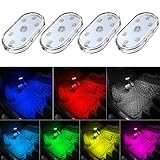
- 7 Colors Car Light: The led interior car lights are built-in 6 RGB LED lamp beads, which can be changed 7 different colors by touching, such as white, red, green, blue, yellow, pink purple, ice blue. The colors are bright and vivid, but not dazzling.Attention: Please charge before use.
- Touch Switch Design: Our led lights for car interior features touch control, one-key perspective lighting. Long touch to turn on/off, touch once to change the colors.
- Easy to Use: Stick the the iron plate in one place with double-sided tape, then put the light on it to complete the installation and fixation. Due to magnetic design, quickly install and remove, you also can attach the interior car lights to other metals.
- Portable & USB Rechargeable: Compact size, easy to carry, does not take up space. The wireless car led lights interior is charged by the USB cable, only need takes 40 minutes to fully charge the lights at a time, and keep lighting for about 2 hours.
- Wide Application: LED touch lights can be installed in dark places, such as storage boxes, armrest boxes, seat corners, etc. It's also suitable for bedside lights, wardrobe lights, reading lights, backpack lights, place it anywhere in the room, any dark place can be illuminated by it.
- A high-refresh or exceptionally bright screen for gaming or fast motion.
- Wide-gamut, color-managed work for photography, design or video finishing.
- Dedicated graphics for modern games, 3D work or GPU-accelerated creation.
- Upgradeable RAM for virtual machines, large datasets or future-proofing.
- The lightest possible 16-inch travel computer.
How should you compare the M16 with other laptops?
Battery claims are meaningful only when the test conditions match. When comparing another laptop, record the workload, display brightness, wireless state, power profile and battery percentage at shutdown. A 20-hour local video result with Wi-Fi disabled is not directly comparable with a 12-hour web-and-video-call result.
Then compare the hardware that determines whether the endurance is useful to you:
- Screen: check resolution, aspect ratio, measured brightness, finish, refresh rate and color coverage.
- Memory: confirm whether RAM is soldered, socketed or available in multiple capacities.
- Storage: identify the number and physical size of M.2 slots, not just the included SSD capacity.
- Graphics: distinguish integrated graphics from a discrete GPU and match it to your applications.
- Weight: include the charger in your travel calculation, not only the laptop’s advertised mass.
- Connectivity: verify USB4 or other high-speed ports, display support and wireless generation.
- Price: compare the same country, processor tier, memory, storage and warranty period.
Published reviews use different procedures and are not a controlled head-to-head. Use them to understand tendencies, then prioritize tests that resemble your own work.
How can you maximize battery life on the M16?
The PCWorld results show why sensible settings matter. For long unplugged sessions, reduce the display to a comfortable brightness, use Windows’ balanced or battery-saving profile, close unnecessary background applications and disable radios you do not need. Video playback is especially efficient when the file is local and hardware decoding is active; streaming, conferencing and heavy browser tabs draw more power.
- Start with a comfortable brightness rather than maximum brightness, especially because the panel is reflective.
- Use Balanced mode for mixed work and a battery-saving mode when you need the longest possible session.
- Download travel media or reference files when practical so Wi-Fi is not continuously active.
- Pause cloud synchronization and background launchers during flights or other long offline periods.
- Keep the 100W charger accessible for demanding CPU workloads, which can consume the battery faster than office tasks.
These steps cannot reproduce a review result exactly, but they move everyday use closer to the conditions under which the strongest runtime numbers were recorded.
Recommended Free Tools
What are the main limitations of this review?
The available evidence supports a clear product assessment but not every ownership question. The sources do not establish long-term reliability, repair rates, support quality or battery health after years of use. They also do not verify a current listing in every country or provide controlled performance comparisons among all processor variants.
The 24-hour figures come from publisher tests with named methods, while the 99.9Wh capacity comes from GEEKOM’s product information. Treat the former as measured results under specific conditions and the latter as an advertised specification. Notebookcheck’s SSD and latency observations came from its supplied review device and should not be generalized without further evidence.
Also popular on Amazon

- Creative DIY Mode: Choose from 16 million available colors or customize car led light effects to your liking in DIY mode via Govee Home app. Make your car stand out in unique style with creative freedom and outdoor decorations.
- Dynamic Music Mode: Built-in mic helps interior car lights sync with any music type. Liven up your road trips, weekend getaways or evening commute with colors that dance vibrantly to your favorite songs.
- Smart App Control: Manage the colors and brightness of car lights or choose music mode by one simple tap with Govee Home app. Enjoy a comfortable and vibrant driving experience with convenient control.
- 2 Lines Design: 2 lines design connect the 4 car led strip lights, attaching the inside car lights easily to any car model without worrying about exposed wiring or an untidy look.
- Simple Installation: Before you install, make sure the installation surface is clean and dry. Then attach the led lights for car to your vehicle with adhesive and support clips. Rubber tubing outside protects lights from water spills.
What is the final verdict on the GeekBook M16?
The GEEKOM GeekBook M16 is one of the more convincing choices for buyers who want a large Windows productivity laptop that can stay away from an outlet for an unusually long time. Independent reviews support both the headline endurance and a still-useful office result, while the aluminum chassis, broad connectivity, fingerprint reader and webcam shutter make the package practical.
Its value depends on accepting the compromises. The reflective 60Hz screen is ordinary, brightness is limited in challenging environments, graphics are integrated, memory is permanently 16GB and the large battery makes the system heavier than many smaller alternatives. Choose the M16 deliberately for endurance and workspace; do not buy it expecting a gaming laptop, creator display or upgradeable workstation.
What’s actually slowing this PC down?
Pick the symptom - the matching free tool is one click away.
Frequently Asked Questions
Does every GEEKOM GeekBook M16 use the Core Ultra 9 processor?
No. GEEKOM’s current product information lists Core Ultra 9, Core Ultra 5 and Ryzen 5 variants. Performance, price and battery behavior can differ, so match the seller’s exact processor and SKU to the review configuration before comparing them.
Are the M16’s 24-hour battery claims realistic for office work?
The longest figures come from local video loops with Wi-Fi disabled and power-saving settings. PCWorld’s mixed Wi-Fi office test lasted 12 hours 58 minutes, which is a more useful reference for browsing, documents and calls than the video-loop result.
Can I install more than 512GB of storage in the GeekBook M16?
Possibly. TechRadar found an empty M.2 2230 slot in its reviewed unit and GEEKOM advertises storage expansion, but slot availability and compatibility can vary by configuration. Confirm the exact motherboard layout and drive size before purchasing an SSD.
Does the M16’s 99.9Wh battery guarantee that it can be taken on any flight?
No. GEEKOM’s “Flight-Limit Battery” wording is a product description, not an airline approval. Check the current battery and carry-on rules of your airline and departure country before traveling.
Quick wins for a faster PC:
Scan for outdated or missing drivers - takes under a minuteDriver Scan →Clear out junk files and repair common Windows errorsFree Scan →
