Recommended Free Tools
Some links on this page are affiliate links: if you buy through them we may earn a commission, at no extra cost to you.
Two flagship-class smartwatches, different philosophies: Galaxy Watch 8 leans into customization and a broad feature set built around Samsung’s ecosystem. Pixel Watch 3 is tuned more tightly around Google-style services and health-centric experience.
This guide compares Galaxy Watch 8 vs. Pixel Watch 3 in the ways that matter day-to-day: comfort, health sensors, battery reality, app experience, and compatibility. If you want “style or substance,” you’ll know which direction to buy after the practical checklist below.
As an Amazon Associate I earn from qualifying purchases.
Do these 3 things before closing this tab:
1Scan for outdated or missing drivers - takes under a minute2Clear out junk files and repair common Windows errors3Fix the driver behind crashes, sound loss and screen glitchesGalaxy Watch 8 vs. Pixel Watch 3: quick verdict
Pick Galaxy Watch 8 if you want the most customization options, broader smartwatch controls, and a feature set that feels like it’s always offering “just one more thing.” It’s the better all-rounder for variety: workouts, apps, and tweaking the look.
Pick Pixel Watch 3 if health insights and Google-integrated experiences are your priority, and you’d rather have a calmer, guided interface than a settings-heavy one. It’s a strong choice for people who want their watch to “explain” rather than “configure.”
Popular on Amazon

- WHY GALAXY WATCH8: Advanced health and sleep tracking features.* A lighter, more snug design for all day comfort.* Improved user interface.* Personal AI assistant for hands free help.⁴* 2-Year Warranty.
- SLEEP SMARTER. LIVE BETTER: Energize your days with a great night’s rest using Advanced Sleep Coaching¹ - improved with even more ways to keep your nights on track. Plus, Bedtime Guidance² helps you find your optimal bedtime.
- YOUR RUN, YOUR COACH: Step up your running routine with a Running Coach³ that analyzes your performance and gives you real-time feedback. Training for an event? Try specific programs built for 5Ks, marathons and more.
- NEW DESIGN. LIGHTWEIGHT FEEL: Maximize your days with a minimalist design. The sleek, thinner-than-ever silhouette makes Galaxy Watch8 look as good as it functions. With a snug fit and sporty style, it gives you readings without getting in your way.
- A PERSONAL ASSISTANT, RIGHT ON YOUR WRIST: Your Watch just became your personal assistant.⁴ Stay one step ahead of your day with a watch that helps you navigate your tasks and to-do lists.
Who each watch is for
Choose Galaxy Watch 8 if you…
- Like customizing watch faces, tiles, and watch behavior.
- Use Samsung services or want smartwatch features that work with more device types.
- Prefer a more expansive menu structure (more switches, more control).
- Care about fitness tracking variety across workout types.
Choose Pixel Watch 3 if you…
- Want a more guided, health-first experience.
- Live in Google apps (and want Google-like consistency).
- Prefer fewer “tuning” steps and more “what you need to know” prompts.
- Value a clean, minimalist UI approach for daily wear.
Key specs that affect real life
Exact sensor performance can vary by skin tone, fit tightness, movement, and sleep conditions. So instead of obsessing over marketing numbers alone, focus on the sensor stack and what the watch can do with it (sleep, HR trends, SpO2, training readiness, GPS, and ECG-style features where supported).
| Category | Galaxy Watch 8 | Pixel Watch 3 |
|---|---|---|
| Core health tracking | Heart rate, SpO2, sleep staging, stress/relax prompts (model-dependent) | Heart rate trends, SpO2 (where supported), sleep insights, readiness-style metrics |
| Workout modes | Large workout list + guided sessions (Samsung Health ecosystem) | Workout tracking with health-oriented summaries (Google ecosystem) |
| Connectivity | Typically Bluetooth + Wi‑Fi models available; LTE depends on configuration | Typically Bluetooth + Wi‑Fi; LTE options depend on region/configuration |
| GPS approach | GPS + assisted options (varies by model) | GPS + assisted options (varies by model) |
| Wear OS platform | Samsung’s Wear OS skin + Samsung Health integration | Pixel-focused experience with Google services and a cleaner interface |
Reality check: If your goal is running, cycling, or long GPS walks, look for the specific GPS model and battery mode options in the exact variant you’re buying (Bluetooth-only vs LTE vs Wi‑Fi). Those details can change battery life dramatically.
Design and comfort (style vs. wearability)
Style matters, but comfort decides whether you’ll keep wearing the watch for sleep tracking and daily steps. Both watches are designed for all-day wear, but the “right” one depends on your wrist size and how you like your bezel/housing to sit.
What to evaluate in-store or on arrival
- Case thickness: if you wear tight sleeves, a thicker case can feel intrusive.
- Band adjustability: ensure you can get a snug-but-not-painful fit around your wrist bone.
- Sensor contact: if the HR sensor doesn’t sit flat, you’ll see dropouts (especially during workouts).
- Screen brightness outdoors: day visibility influences daily use more than raw resolution.
Galaxy Watch 8 typically offers more band and styling variety. Pixel Watch 3 often wins on minimal, “one look fits most people” simplicity—but your comfort is still the deciding factor.
Health and fitness: sensors, accuracy, and insights
Both watches track the usual suspects—heart rate and sleep. Where the difference shows up is in how the watch interprets that data: the prompts you get, the training readiness-style summaries, and how consistently the watch captures useful readings during motion.
Heart rate: consistency beats peaks
For HR accuracy, fit and motion matter more than differences you won’t notice. Expect better results with snug wear on the wrist bone, and use the watch’s “warm up” behavior for workouts rather than strapping it loosely.
What’s actually slowing this PC down?
Pick the symptom - the matching free tool is one click away.
SpO2 and sleep: what to watch for
- SpO2 accuracy improves with proper tightness and stillness during sleep.
- Sleep staging can vary based on how often you toss/turn and whether you get consistent sensor contact.
- Trends are more useful than single-night numbers.
Pixel Watch 3 tends to emphasize understandable health summaries. Galaxy Watch 8 tends to emphasize broader settings and deeper customization of what you see.
Also popular on Amazon

- WHY GALAXY WATCH8: Advanced health and sleep tracking features.* A lighter, more snug design for all day comfort.* Improved user interface.* Personal AI assistant for hands free help.⁴* 2-Year Warranty.
- SLEEP SMARTER. LIVE BETTER: Energize your days with a great night’s rest using Advanced Sleep Coaching¹ - improved with even more ways to keep your nights on track. Plus, Bedtime Guidance² helps you find your optimal bedtime.
- YOUR RUN, YOUR COACH: Step up your running routine with a Running Coach³ that analyzes your performance and gives you real-time feedback. Training for an event? Try specific programs built for 5Ks, marathons and more.
- NEW DESIGN. LIGHTWEIGHT FEEL: Maximize your days with a minimalist design. The sleek, thinner-than-ever silhouette makes Galaxy Watch8 look as good as it functions. With a snug fit and sporty style, it gives you readings without getting in your way.
- A PERSONAL ASSISTANT, RIGHT ON YOUR WRIST: Your Watch just became your personal assistant.⁴ Stay one step ahead of your day with a watch that helps you navigate your tasks and to-do lists.
Training and readiness
If you train regularly, look beyond step counts. Check whether your preferred metrics appear where you’ll actually look: workout start screen, after-workout summary, and morning “readiness” style cards.
Battery and charging: what you’ll actually experience
Battery life is usually the make-or-break factor for smartwatch loyalty. The “best” battery claim can collapse once you add always-on display, frequent GPS, LTE/Wi‑Fi, and workout frequency.
How to compare battery fairly
- Decide your usage profile: light (notifications + occasional health), standard (daily sleep tracking + workouts a few times a week), or heavy (GPS, LTE, maps, lots of screen-on time).
- Check the exact variant: Bluetooth-only vs LTE can change real results.
- Look for power management options: sleep mode schedules, motion wake, and screen brightness controls.
As a rule, both watches can last multiple days in moderate use, but “GPS + bright screen + always-on” will shorten the span quickly. Plan to charge every night if you want zero risk—especially if you care about sleep metrics.
Free tools Windows power users keep installed
One-click scans. No signup required.
Charging practicality
Prefer a watch you can top up quickly without stress. If you’re heading out early, a “short dock time” routine matters more than a theoretical extra day.
Performance and responsiveness
Performance shows up in two places: launching apps quickly and handling watch notifications smoothly. If the UI feels laggy, you’ll stop interacting with it, which means you lose the benefits.
What affects speed
- Number of installed apps and watch faces
- Notification volume and vibration intensity
- Background data usage (Wi‑Fi/LTE options)
- Software version maturity after initial release
Galaxy Watch 8 generally feels flexible because Samsung’s feature set is broader, while Pixel Watch 3 tends to feel streamlined because the interface is more consistent with Google’s design language.
Apps, notifications, and smartwatch features
Most people care less about “smartwatch theory” and more about whether the watch tells them what they need at the moment they need it.
Outdated Drivers Are Slowing You Down
One free scan finds every outdated or missing driver and matches the right update for your exact hardware.Free scan · exact hardware matchWindows Errors? Fix Them Before They Spread
Repair common Windows errors and clear accumulated junk for a smoother, more stable PC - no reinstall needed.Free scan · no reinstallAlso popular on Amazon

- WHY GALAXY WATCH8: Advanced health and sleep tracking features.* A lighter, more snug design for all day comfort.* Improved user interface.* Personal AI assistant for hands free help.⁴* 2-Year Warranty.
- SLEEP SMARTER. LIVE BETTER: Energize your days with a great night’s rest using Advanced Sleep Coaching¹ - improved with even more ways to keep your nights on track. Plus, Bedtime Guidance² helps you find your optimal bedtime.
- YOUR RUN, YOUR COACH: Step up your running routine with a Running Coach³ that analyzes your performance and gives you real-time feedback. Training for an event? Try specific programs built for 5Ks, marathons and more.
- NEW DESIGN. LIGHTWEIGHT FEEL: Maximize your days with a minimalist design. The sleek, thinner-than-ever silhouette makes Galaxy Watch8 look as good as it functions. With a snug fit and sporty style, it gives you readings without getting in your way.
- A PERSONAL ASSISTANT, RIGHT ON YOUR WRIST: Your Watch just became your personal assistant.⁴ Stay one step ahead of your day with a watch that helps you navigate your tasks and to-do lists.
Notifications
- Reply convenience: voice dictation and canned replies are the fastest wins.
- Message readability: check font scaling and whether you can skim without tapping constantly.
- Calendar and reminders: verify they display the way you expect on your phone.
Health app ecosystem
Galaxy Watch 8 pairs tightly with Samsung Health. Pixel Watch 3 pairs tightly with Google and Fitbit-style health experiences (depending on your setup). If you already track workouts in a specific app, confirm what it syncs to.
Compatibility and setup on iPhone vs. Android
The simplest path is Android for both watches, but you can still buy on iPhone and make it work—just expect feature limits, especially around deeper integration and some health/app experiences.
Before you start
- Update your phone OS to a current version (for reliability, use the latest public release).
- Install the watch companion app from the App Store or Google Play.
- Confirm Bluetooth is enabled on your phone.
Setup on Android
- Charge the watch to at least 20%.
- Open the Galaxy Wearable app (for Galaxy Watch 8) or the Pixel Watch app (for Pixel Watch 3).
- Tap Add watch and follow the pairing prompt on the phone.
- On the watch, accept the pairing code/confirmation steps.
- Grant permissions for notifications, location (if required for GPS), and health data.
- Log into the same Samsung or Google account that matches your phone.
Setup on iPhone
- Install the companion app for the watch model.
- Turn on Bluetooth and allow notifications permissions in iOS Settings when prompted.
- Pair via the in-app flow. If you see repeated disconnects, reboot both phone and watch.
- Enable location permissions if GPS features appear broken in your region.
- Accept health permissions carefully; some metrics may only sync in a limited fashion.
Gotcha: Some features (especially deeper health integrations and advanced watch-app controls) can be restricted on iPhone even when the watch appears “paired.” Always test your daily must-do action—like replying to messages or starting a workout—within the first hour.
Maps, navigation, and offline utility
If you use your watch for routes, your experience will depend on how the watch handles GPS lock and whether it supports offline map behavior through your phone connection.
The Tool Desk
Outbyte Driver Updater FREEFix the driver behind crashes, sound loss and screen glitchesFind Drivers →Outbyte PC Repair FREEClear out junk files and repair common Windows errorsFree Scan →What to test before a big day
- Do a short walk in an area with partial signal and confirm route tracking.
- Check whether the watch can show turn-by-turn instructions clearly.
- Verify battery drain during GPS usage in your preferred watch brightness mode.
In general, Samsung’s ecosystem and Google services both support navigation features, but the consistency you feel depends on your exact phone model and settings.
Safety features and emergency handling
Safety features matter when the watch is worn consistently—especially for falls, emergency call workflows, and location sharing.
Check these settings
- Emergency contacts and contact permissions on your phone.
- Fall detection and how alerts trigger.
- Location sharing permissions for the emergency workflow.
Also verify the watch’s emergency features work in your region. If you rely on them, do a quick test using your phone’s settings rather than assuming everything is enabled by default.
Also popular on Amazon

- WHY GALAXY WATCH8 CLASSIC: Timeless design.* New lug system for easy band detachment & replacement.* Advanced health & sleep tracking features for total body wellness.* Improved user interface.* Personal AI assistant for hands free help.¹* 2-Yr Warranty
- BUILT TO PERFORM. DESIGNED TO IMPRESS: Show off your style with an iconic design that blends tradition with cutting-edge innovation.¹ A brighter screen makes everything easy to see, and a rotating bezel gives you access to your favorite apps
- YOUR EVERY COMMAND, RIGHT ON YOUR WRIST: Get a little extra help with day-to-day tasks. Galaxy Watch 8 Classic features a personal AI assistant¹ that helps you get things done hands-free. Simply speak the command and your Watch makes it happen
- UNLOCK THE SECRETS TO BETTER SLEEP: When you get good sleep, it feels like anything is possible. Start each day with more energy and better focus using Advanced Sleep Coaching² - improved with even more ways to help you sleep smarter
- QUICK UPDATES, AT A GLANCE: Get updates, select apps and more with Now Bar³,⁴ and an improved user experience. Now Bar conveniently puts the info you use the most - like weather, news and more - right on your main Watch screen
Watch faces, customization, and the upgrade path
Style isn’t superficial if it changes your daily behavior. A watch face you love increases your chance of actually checking it, and customization can reduce friction for frequently used tiles like HR, battery, or calendar.
Galaxy Watch 8 customization strength
Expect more granular control over tiles, watch behavior, and face selection. If you enjoy swapping themes daily, Galaxy Watch 8 typically gives you more runway.
Pixel Watch 3 polish
Pixel Watch 3 tends to feel cohesive: fewer “tweak everything” options, more polished defaults. The trade-off is less tinkering if you like to fine-tune every aspect.
Pricing and total cost of ownership
Price isn’t just the MSRP. It’s band cost, charger extras, potential LTE plan fees (if you buy the LTE model), and how often you’ll need to replace straps.
What to budget
- Wrist comfort bands: workout-friendly straps may be worth buying early.
- Charging routine: travel chargers can matter if you don’t want to dock at home only.
- Connectivity: LTE can add monthly cost; decide if you truly need it.
When comparing deals, confirm the exact model variant and whether it includes LTE/Wi‑Fi. Many “same name” listings differ by connectivity.
Quick wins for a faster PC:
Fix the driver behind crashes, sound loss and screen glitchesFind Drivers →Clear out junk files and repair common Windows errorsFree Scan →Scan for outdated or missing drivers - takes under a minuteDriver Scan →Troubleshooting: when things don’t work as expected
If your watch experience is shaky, it’s usually one of a handful of issues: pairing instability, permission problems, sensor contact, or battery settings.
Pairing keeps dropping
- Turn Bluetooth off/on on your phone.
- Reboot the watch (if supported) and restart the phone.
- In your phone’s app settings, confirm background activity and battery optimization aren’t blocking the companion app.
- Forget the device in Bluetooth settings and re-pair from the companion app.
Heart rate readings look wrong
- Reposition the watch 5–10 mm higher on the wrist bone.
- Make the band snug for workouts, not wrist-bone tight.
- Check for tattoos/skin condition effects—brightness and sensor contact can change results.
- Ensure the watch face isn’t sitting rotated, which can break sensor contact.
Battery drains faster than expected
- Disable always-on display (test for 24 hours) to see if it’s the culprit.
- Reduce brightness and screen timeout.
- Confirm LTE/Wi‑Fi is off if you don’t need it all day.
- Check workout GPS settings—higher refresh rates cost battery.
Notifications don’t show or replies fail
- On iPhone, verify Notifications are enabled for the companion app and the watch companion flow is permitted.
- On Android, check notification permissions and any “restricted battery” modes.
- Test one app you use daily (Messages/WhatsApp/Telegram) and compare behavior.
If nothing changes after a re-pair, update both phone OS and the watch software. Many issues settle after firmware updates and companion app revisions.
Also popular on Amazon
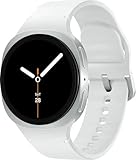
- WHY GALAXY WATCH8: Advanced health and sleep tracking features.* A lighter, more snug design for all day comfort.* Improved user interface.* Personal AI assistant for hands free help.⁴* 90 days Warranty.
- SLEEP SMARTER. LIVE BETTER: Energize your days with a great night’s rest using Advanced Sleep Coaching¹ - improved with even more ways to keep your nights on track. Plus, Bedtime Guidance² helps you find your optimal bedtime.
- YOUR RUN, YOUR COACH: Step up your running routine with a Running Coach³ that analyzes your performance and gives you real-time feedback. Training for an event? Try specific programs built for 5Ks, marathons and more.
- NEW DESIGN. LIGHTWEIGHT FEEL: Maximize your days with a minimalist design. The sleek, thinner-than-ever silhouette makes Galaxy Watch8 look as good as it functions. With a snug fit and sporty style, it gives you readings without getting in your way.
- A PERSONAL ASSISTANT, RIGHT ON YOUR WRIST: Your Watch just became your personal assistant.⁴ Stay one step ahead of your day with a watch that helps you navigate your tasks and to-do lists.
Common mistakes to avoid
- Ignoring fit: loose straps cause sensor dropouts and “bad sleep” results.
- Assuming battery claims apply to your usage: try a 2–3 day real test.
- Buying LTE without the plan: if you don’t want monthly cellular fees, stick to Bluetooth/Wi‑Fi models.
- Not testing must-have features before returning: replying to messages, starting a workout, and GPS lock.
- Over-customizing on day one: too many apps and tiles can make your interface noisy and confusing.
Alternatives if neither fits
If your priority is training depth, call quality, or extreme battery life, you may prefer another smartwatch class. Consider alternatives based on your main goal:
- Best for longer battery and simple wear: look at smartwatches with lighter screens and fewer always-on features.
- Best for advanced workouts: fitness-first models with stronger GPS and training analytics.
- Best for iPhone compatibility: prioritize watches with the most stable notification and reply experience on iOS.
Bottom Line
Galaxy Watch 8 is the better “style plus substance” buy if you want maximum customization, a broad app experience, and lots of control over how your watch behaves. Pixel Watch 3 is the better “substance with a cleaner face” choice if your focus is health-first insights and Google-style guidance over tweaking settings.
If you’re still undecided, decide based on your daily habits: if you enjoy customizing and want options for everything, choose Galaxy Watch 8. If you want your watch to guide you with minimal friction and strong health summaries, choose Pixel Watch 3.
FAQs
Which watch is better for sleep tracking?
Both can do solid sleep tracking, but the results depend more on consistent fit and wear than on the badge. Test over 3–7 nights and compare your trends, not one-night readings.
Can I use either watch with an iPhone?
Yes, pairing is possible on iPhone with the companion app, but some features may be limited compared with Android—especially around deeper integrations and certain health/app controls.
Which one has better battery life?
In moderate daily use, both can be multi-day. For GPS workouts, bright screens, and LTE/Wi‑Fi, battery will drop faster—so compare your exact variant and settings.
Do they both support workout tracking?
Yes. Galaxy Watch 8 typically offers a broader customization set for workouts, while Pixel Watch 3 emphasizes health-oriented summaries. Choose the one that matches how you plan workouts and review results.
Is the difference in health accuracy big enough to matter?
For most people, the bigger wins come from wearing the watch correctly and keeping it consistent. Both are best viewed as trend tools rather than medical devices.

