Outdated Drivers Are Slowing You Down
One free scan finds every outdated or missing driver and matches the right update for your exact hardware.Free scan · exact hardware matchWindows Errors? Fix Them Before They Spread
Repair common Windows errors and clear accumulated junk for a smoother, more stable PC - no reinstall needed.Free scan · no reinstallSome links on this page are affiliate links: if you buy through them we may earn a commission, at no extra cost to you.
Final Cut Pro suits Mac- and iPad-first editors who want Apple integration, quick organization and a $299.99 one-time purchase. DaVinci Resolve suits creators who need Windows or Linux, advanced color, visual effects, Fairlight audio, collaboration or a capable free edition. Resolve Studio is the paid route for 10-bit and beyond-4K work, high frame rates, AI tools and advanced noise reduction. Final Cut Pro and Resolve are listed alphabetically below, not ranked; the right choice depends on your hardware, finishing needs and budget.
At a glance
| Name | Best for | Key spec | Free plan / price | Platforms | Checked |
|---|---|---|---|---|---|
| DaVinci Resolve | Cross-platform editing, color, VFX, audio and team workflows | Free edition supports virtually all 8-bit formats to Ultra HD 3840×2160 at 60 fps; Studio adds 10-bit up to 120 fps and resolutions beyond 4K | Free edition; Resolve Studio 21: $295 regular, $236 displayed offer | Mac, Windows, Linux | November 2026 |
| Final Cut Pro | Apple users wanting a focused, integrated editing workflow | Mac and iPad editing, Apple silicon optimization, ProRes RAW, HDR, iMovie import and Live Multicam | No free plan; $299.99 one-time; Apple Creator Studio $12.99/month or $129/year after 30-day trial | Mac, iPad | November 2026 |
Prices checked November 2026.
Which editor fits your hardware and workflow?
Platform is the first decision. Final Cut Pro runs on Mac and iPad, while DaVinci Resolve 21 runs on Mac, Windows and Linux. A Mac-only editor can choose either, but a Windows/Linux user cannot run Final Cut Pro. For a mixed Mac/Windows/Linux team, Resolve avoids forcing everyone onto one operating system.
As an Amazon Associate I earn from qualifying purchases.
Final Cut Pro is built around a focused application with Apple-specific features and tight integration. Resolve divides work into Media, Cut, Edit, Fusion, Color, Fairlight and Deliver pages, allowing one application to cover ingest, editing, compositing, grading, mixing and export. That breadth is powerful, but new users should expect more concepts and panels to learn.
How do the prices differ?
Final Cut Pro has two purchase paths. Apple lists a $299.99 one-time purchase for the Mac application. Apple Creator Studio bundles Final Cut Pro with Motion, Compressor, Logic Pro, Pixelmator Pro and MainStage for $12.99 per month or $129 per year after a 30-day trial; educator and student pricing is $2.99 per month or $29.99 per year. Apple says existing one-time owners continue receiving updates, although some premium content is reserved for Creator Studio subscribers.
Popular on Amazon

- Small and Portable with Built-In Battery
- Built-In Search Dial
- Keyboard Shortcuts Match Edit Functions
- Bluetooth or USB Connectivity
- Bundle Includes DaVinci Resolve 17 Studio (Activation Card)
Resolve has a genuinely usable free edition rather than a short trial. Blackmagic’s free version supports virtually all 8-bit formats up to 60 frames per second at Ultra HD 3840×2160, and includes multi-user collaboration and HDR grading. Resolve Studio 21 is listed at $295 regular price, with a $236 displayed offer during the November 2026 check. The Studio license adds capabilities that matter when your camera files, delivery resolution or finishing requirements exceed the free tier.
For a one-person Mac editing setup, the one-time Final Cut Pro price is predictable. For a beginner unsure whether professional post-production tools are worth learning, Resolve Free removes the upfront license decision. Compare the cost of the computer, storage and any controller before deciding: software is only part of an editing workstation.
Free tools Windows power users keep installed
One-click scans. No signup required.
1. DaVinci Resolve: who it is for
DaVinci Resolve is for editors who want a single application spanning editing, color correction, visual effects, motion graphics, audio post and delivery. It is also the practical choice when a project must move between Mac, Windows and Linux, or when several people need to collaborate through Blackmagic Cloud.
What the free edition includes
The free edition is suitable for many YouTube, social, educational and independent projects. Blackmagic states that it handles virtually all 8-bit video formats at up to 60 fps and Ultra HD 3840×2160. It also includes HDR grading and multi-user collaboration, so “free” does not mean a stripped-down timeline-only editor.
The limits become important with newer cameras and demanding delivery specifications. Projects based on 10-bit media, frame rates above 60 fps, resolutions beyond 4K or Studio-only processing may require the paid edition. Check your camera’s bit depth, frame rate and finishing target before building a long project around the free tier.
What Resolve Studio adds
Resolve Studio adds the DaVinci AI Neural Engine, additional Resolve FX, temporal and AI spatial noise reduction, text-based editing, Magic Mask, film grain and optical blur. It also unlocks 10-bit video up to 120 fps and resolutions beyond 4K.
Recommended Free Tools
Those additions are meaningful for filmmakers, colorists and VFX-heavy work. Noise reduction can be decisive for underexposed footage; Magic Mask and object-aware tools can speed isolation tasks; and 10-bit, high-frame-rate and beyond-4K support remove common delivery restrictions. The purchase makes sense when one of those capabilities is a recurring requirement rather than an occasional curiosity.
Color, compositing and audio depth
Resolve’s Color page supports primary and secondary corrections, qualifiers, PowerWindows, tracking and HDR tools. Fusion handles compositing and motion graphics inside the same project. Fairlight provides a dedicated environment for professional audio post, including editing and mixing workflows.
This integrated design reduces round-tripping between separate applications. It also means the interface is organized as a post-production suite rather than a single-purpose editor. Beginners should learn one page at a time—Media and Edit first, then Color, Fairlight or Fusion as the project demands.
AI and format interchange
Blackmagic lists facial recognition, object detection, smart reframing, speed warp, Super Scale, automatic color and color matching among the Resolve AI features. Studio is required for the Neural Engine features. Resolve also works with major formats and can move projects between Resolve and Final Cut Pro, which is useful when a collaborator’s preferred editor differs from yours.
Also popular on Amazon

- The DaVinci Resolve Editor Keyboard is a full-size editing keyboard based on the traditional QWERTY layout, featuring premium full-metal design; Metal shaved search dial with clutch and key for editing, trim, and time code input It can also be placed flat on a cutout shaped desk!
- Integrated search dial built right into the keyboard
- Designed for professional editors who need to work faster and turn around work quickly
- Provides an alternative way to edit that is much faster than a mouse because you can use both hands at the same time
Collaboration and platform flexibility
Resolve 21 supports Blackmagic Cloud collaboration and multi-user work. A team can keep a shared post-production environment without prescribing one operating system to every contributor. That flexibility is particularly valuable for facilities with mixed hardware or freelancers who exchange projects across platforms.
Who should upgrade to Studio?
- Editors delivering 10-bit footage, high-frame-rate material or resolutions above 4K.
- Colorists who need advanced HDR work, tracking, qualifiers and noise reduction.
- VFX artists using Fusion, Magic Mask, film grain or optical blur.
- Teams that need AI-assisted tools, text-based editing or advanced cleanup.
If your projects stay within 8-bit, 4K-or-lower, 60-fps delivery and do not need Studio-only effects, start with the free edition and upgrade when a specific limitation appears.
2. Final Cut Pro: who it is for
Final Cut Pro is for Mac and iPad users who value Apple integration, fast organization and a focused editing application. It is a natural fit for a Mac-only YouTuber, social creator, wedding shooter or mobile crew already using Apple hardware and services.
Purchase options and included ecosystem
Apple lists Final Cut Pro at $299.99 as a one-time purchase. The alternative is Apple Creator Studio at $12.99 per month or $129 per year after a 30-day trial, with educator and student pricing of $2.99 per month or $29.99 per year. The bundle includes Final Cut Pro, Motion, Compressor, Logic Pro, Pixelmator Pro and MainStage.
Creator Studio can make sense when you also need Apple’s motion-graphics, encoding, music, image-editing or live-performance tools. If you only need Final Cut Pro and plan to keep it for several years, compare the one-time price with the subscription’s cumulative cost. Apple says existing one-time purchasers continue to receive updates, while some premium content is available only to subscribers.
Hardware requirements
For Mac, Apple specifies macOS 15.6 or later, 8GB of memory (16GB recommended), a Metal-capable graphics card on Intel Macs and 7.2GB of available disk space. Some features require Apple silicon. The iPad version requires iPadOS 18.6 or later and an iPad with Apple M1 or later, iPad (A16) or iPad mini (A17 Pro).
These requirements describe software compatibility, not a promise that every long, multicamera or effects-heavy timeline will feel identical on every Mac or iPad. Allow additional storage for camera media, render files, proxies and backups.
Apple-centric features
Apple highlights iMovie project import, ProRes RAW, HDR workflows, iPad touch editing, Live Multicam and export from iPad to Mac for advanced features. That combination suits a creator who starts a rough cut on an iPad, then moves to a Mac for more complex finishing.
Apple silicon optimization and a streamlined organization model are central reasons to choose Final Cut Pro rather than a broader post-production suite. Editors who prefer a smaller set of dedicated workspaces may reach a finished social or client video with less interface overhead.
Who should choose the one-time version?
- Mac-only creators who do not need the other Creator Studio applications.
- Editors who prefer predictable upfront pricing over an ongoing subscription.
- Users migrating from iMovie who want a direct Apple workflow.
- Small production teams already standardized on Apple silicon and ProRes workflows.
Who should use Creator Studio?
Creator Studio is aimed at users who will actually use several included applications or want subscriber-only premium content. Educators and students have a substantially lower listed price, but eligibility rules should be confirmed with Apple before purchase.
Also popular on Amazon
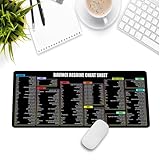
- Extra Large & Comfortable: Measuring 31.5 x 11.8 inches with a 3mm thickness, this XL mouse pad offers ample space for your mouse, keyboard, and more - ensuring comfort and reducing noise.
- Smooth & Precise Control: Enjoy effortless mouse movement with the ultra-smooth surface, perfect for both gaming and office work.
- Non-Slip Rubber Base: The anti-slip rubber base keeps the pad securely in place during intense gaming or work sessions.
- Durable & Stylish Design: Invisible stitching prevents edge wear while maintaining a sleek look, extending the pad’s lifespan.
- Waterproof & Easy to Clean: The water-resistant coating allows for quick cleaning—spills and stains wipe away easily.
What is the difference in editing speed and learning curve?
Neither product has a universal speed advantage: hardware, codecs, storage and project organization matter. Final Cut Pro emphasizes rapid organization and a streamlined interface, while Resolve exposes separate pages for editing, color, VFX, audio and delivery.
For a short, conventional video, Final Cut Pro’s focused workflow may feel easier to approach, particularly for someone coming from iMovie. Resolve’s Cut and Edit pages can serve the same purpose, but its larger toolset rewards a staged learning plan. Start with trimming, roles or tracks, titles and export; add Color, Fairlight and Fusion only when the project calls for them.
Which editor is stronger for color, VFX and audio?
Resolve has the deeper finishing stack in one application. Its Color page includes primary and secondary grading, qualifiers, PowerWindows, tracking and HDR controls; Fusion covers compositing and motion graphics; Fairlight covers professional audio post.
Final Cut Pro includes editing, audio, motion graphics and color grading, and Apple supports HDR and ProRes RAW workflows. It is well suited to creators who need polished results without a dedicated page for every post-production discipline. Choose Resolve when advanced grading, compositing or mixing is a core part of the job rather than an occasional enhancement.
Can the same project move between Mac and Windows?
Resolve is the safer foundation for a mixed-platform team because it runs on Mac, Windows and Linux and supports Blackmagic Cloud collaboration. Blackmagic also documents project movement between Resolve and Final Cut Pro, allowing specialists to use different tools during a production.
Final Cut Pro itself remains limited to Mac and iPad. A team built around it must provide compatible Apple hardware for anyone who needs to open and edit the native project. Plan the handoff format, media locations and version-control process before collaborators start cutting.
Do these 3 things before closing this tab:
1Clear out junk files and repair common Windows errors2Fix the driver behind crashes, sound loss and screen glitches3Repair Windows errors before they cause bigger problemsWhat costs do editors overlook?
- Subscription versus ownership: compare several years of Creator Studio payments with the $299.99 one-time Final Cut Pro purchase.
- Hardware: Apple silicon, memory and fast storage can matter more to responsiveness than the application price.
- Media storage and backup: camera originals, proxies, render files and project backups need separate capacity.
- Resolve controllers: the optional Speed Editor was listed at $349 displayed ($435 regular), the Micro Color Panel at $449 displayed ($559 regular), and the Resolve Editor Keyboard at $535 displayed ($669 regular) during the November 2026 check. These are workflow accessories, not requirements.
- Upgrade triggers: Resolve users should budget for Studio if 10-bit, 120-fps, beyond-4K, AI or advanced noise-reduction needs are likely.
- Premium content: some Final Cut Pro content is reserved for Creator Studio subscribers even though one-time owners continue receiving updates.
Which editor should different creators choose?
- Mac-only YouTuber or social creator: Final Cut Pro is the straightforward fit when Apple integration, iMovie migration and a one-time price matter most.
- Beginner with no license budget: Resolve Free provides a serious starting point if 8-bit, Ultra HD and 60-fps limits fit the footage.
- Colorist or filmmaker: Resolve Studio aligns with HDR, 10-bit, advanced tracking, noise reduction and high-frame-rate delivery.
- VFX-heavy editor: Resolve Studio’s Fusion tools, Magic Mask and additional Resolve FX reduce the need to move between applications.
- Mixed-platform team: Resolve avoids Mac-only lock-in and includes collaboration features.
- Apple-focused team using several creative apps: Creator Studio may offer stronger ecosystem value when Motion, Compressor, Logic Pro, Pixelmator Pro or MainStage will all be used.
How should you make the final decision?
- List your platforms. Remove Final Cut Pro from consideration if anyone who must edit uses Windows or Linux.
- Check your source media. Confirm bit depth, frame rate, resolution and HDR requirements against Resolve Free’s limits.
- Identify finishing work. Choose Resolve when advanced color, Fusion compositing, Fairlight mixing or AI tools are central.
- Price the whole workflow. Include subscriptions, storage, backups, computer upgrades and optional controllers.
- Plan collaboration. Resolve is designed for cross-platform and cloud collaboration; Final Cut Pro is strongest inside an Apple-only setup.
- Choose the least restrictive fit. The right editor is the one that supports your current delivery specs and the next projects you realistically expect to make.
How we selected the two editors
The comparison focuses on platform availability, licensing, free-tier limits, editing workflow, color and finishing depth, VFX, audio, collaboration, codec and resolution constraints, hardware requirements and upgrade costs. The products are presented alphabetically, not as a ranking.
Frequently Asked Questions
Is DaVinci Resolve Free enough for HDR video?
Yes, the free edition includes HDR grading. Its broader format limits still apply: virtually all 8-bit formats are supported up to Ultra HD 3840×2160 at 60 fps, so 10-bit, higher-frame-rate or beyond-4K HDR projects may require Studio.
Do Final Cut Pro one-time buyers lose future updates?
Apple says existing one-time owners continue to receive updates. The distinction is that some premium content is available only through an Apple Creator Studio subscription.
Can I edit Final Cut Pro projects on an iPad and finish them on a Mac?
Apple supports iPad touch editing and export from iPad to Mac for advanced features. The iPad edition requires iPadOS 18.6 or later and an iPad with Apple M1 or later, iPad (A16) or iPad mini (A17 Pro).
Quick wins for a faster PC:
Repair Windows errors before they cause bigger problemsFix Now →Fix the driver behind crashes, sound loss and screen glitchesFind Drivers →Clear out junk files and repair common Windows errorsFree Scan →Is the DaVinci Resolve Speed Editor required?
No. It is an optional controller with a search dial, transport controls and Bluetooth or USB connectivity. It can accelerate edit-focused work, but Resolve remains usable with a standard keyboard and mouse.

