Recommended Free Tools
Some links on this page are affiliate links: if you buy through them we may earn a commission, at no extra cost to you.
The Dell Pro Max Tower T2 targets professionals who need more than a fast desktop, but do not necessarily require the scale, cost, or footprint of a full high-end workstation tower. Built around Intel’s Arrow Lake platform and configurable with NVIDIA RTX Pro graphics, it sits in a practical middle ground for creators, engineers, developers, and data-focused teams that need certified-class hardware, predictable behavior under load, and room to grow.
Its appeal depends on more than peak benchmark numbers. CPU throughput, GPU acceleration, memory and storage flexibility, cooling consistency, acoustics, chassis access, and enterprise manageability all matter when a system is expected to render, simulate, compile, train, or process large datasets for hours at a time. A workstation that scores well in short tests can still fall short if it is loud, thermally constrained, difficult to service, or priced too close to larger competitors.
As an Amazon Associate I earn from qualifying purchases.
Free tools Windows power users keep installed
One-click scans. No signup required.
This review frames the Dell Pro Max Tower T2 as a real production machine rather than a spec sheet exercise, weighing Arrow Lake performance and RTX Pro capability against everyday concerns such as configuration choices, long-term serviceability, and total value. The goal is to determine where it fits best, where it feels constrained, and which users are most likely to benefit from Dell’s compact professional tower approach.
Design, Build Quality, and Workstation Positioning
The Dell Pro Max Tower T2 is built around a familiar workstation idea: prioritize stability, service access, and sustained performance over visual drama. The chassis is conservative, squared-off, and clearly intended for offices, labs, studios, and engineering departments rather than gaming desks. That works in its favor. The front panel is clean, the ventilation is direct, and the tower has the kind of understated appearance that fits beneath a desk, beside a render node rack, or in a shared production environment without drawing attention to itself.
Popular on Amazon
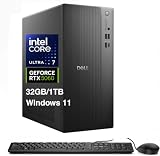
- [Superior Machine] ; 802.11ax Wifi, Bluetooth 5.4, RJ-45, No, USB Keyboard, USB Mouse
- [Powerful Performance] 15th Gen Ultra 7 265F 2.40GHz Processor (upto 5.3 GHz, 30MB Cache, 20-Cores, 20-Threads, 8 Performance-cores); GeForce RTX 5060 8GB GDDR7 Dedicated Graphics
- [High Speed and Multitasking] 32GB DDR5 DIMM; 360W PSU; Black Color
- [Enormous Storage] 1TB 2230 PCIe NVMe SSD; 4 USB 2.0, HDMI, 3 Display Port, USB 3.2 Type-C, SD Reader, Headphone/Microphone Combo Jack
- Windows 11 Pro-64,
Build quality feels closer to Dell’s traditional Precision lineage than to a consumer desktop. The side panel is rigid, the frame resists flex, and the internal structure is designed around repeated maintenance rather than one-time assembly. Depending on configuration, front connectivity typically includes a practical mix of USB ports, audio, and optional higher-speed I/O, while the rear panel exposes the workstation-class expansion expected from a tower platform. The overall impression is not luxury, but durability: this is a machine designed to be opened, upgraded, inventoried, and kept in service for several years.
Workstation identity rather than gaming tower styling
The Pro Max Tower T2 sits in an interesting space because its components overlap with high-end enthusiast PCs, yet its priorities are different. Arrow Lake processors and RTX Pro graphics give it strong peak performance, but Dell packages them with workstation firmware, validated configurations, enterprise support options, and ISV-focused positioning. For buyers running applications such as SolidWorks, Revit, AutoCAD, Siemens NX, DaVinci Resolve, Adobe Premiere Pro, Blender, Unreal Engine, or local AI inference tools, that distinction matters more than RGB lighting or the absolute largest consumer GPU cooler.
Quick wins for a faster PC:
Fix the driver behind crashes, sound loss and screen glitchesFind Drivers →Clear out junk files and repair common Windows errorsFree Scan →Scan for outdated or missing drivers - takes under a minuteDriver Scan →- Office-friendly footprint: large enough for proper airflow and expansion, but not an oversized full-tower showpiece.
- Professional exterior: neutral styling that suits design studios, corporate IT deployments, and engineering floors.
- Service-oriented construction: easy access to major components supports upgrades, repairs, and lifecycle management.
- Validated platform approach: configurations are selected with driver stability and workstation support in mind.
Compared with a compact small-form-factor workstation, the Tower T2’s size gives it more thermal headroom, more room for add-in cards, and a better fit for higher-power RTX Pro GPUs. Compared with larger dual-socket or ultra-high-end towers, it is more focused: this is not the system for users who need maximum memory capacity, mulle top-tier GPUs, or the broadest possible PCIe expansion. Instead, it targets professionals who want a dependable single-socket workstation with modern CPU architecture, strong graphics options, and enough internal flexibility for serious day-to-day production.
That positioning makes the design feel purposeful. The Pro Max Tower T2 is best understood as a mainstream professional tower for users whose workloads are too demanding for a business desktop or compact workstation but do not justify a much larger flagship chassis. It is built for CAD assemblies, GPU-accelerated rendering, video timelines, simulation prep, visualization, and AI-assisted workflows where reliability, supportability, and predictable acoustics are part of the purchase decision. The exterior may be plain, but the restraint is deliberate: Dell is selling a tool, not a centerpiece.
Arrow Lake Platform: CPU Performance and Efficiency
The Dell Pro Max Tower T2 moves to Intel’s Arrow Lake workstation-class desktop platform, and that change matters most in mixed professional workloads rather than in a single headline benchmark. Arrow Lake combines high-performance P-cores with efficiency-focused E-cores, aiming to deliver strong burst performance for lightly threaded tasks while keeping more cores available for rendering, compiling, simulation pre-processing, and background multitasking. In day-to-day workstation use, that means the system feels especially responsive when switching between CAD assemblies, Adobe applications, browser-based review tools, and large local datasets.
Single-threaded performance is one of the platform’s clearer strengths. Applications such as SolidWorks, Revit, AutoCAD, and many parts of Adobe Photoshop still lean heavily on fast individual cores for model interaction, viewport responsiveness, file operations, and filters that are not fully parallelized. In those cases, the Pro Max Tower T2 benefits from Arrow Lake’s improved per-core behavior and fast boost clocks, giving it the snappy feel expected from a modern professional desktop. Users coming from older Xeon W, 12th Gen, or 13th Gen Core workstations should notice shorter waits in common foreground actions, even before GPU acceleration enters the picture.
Multi-threaded performance depends heavily on the chosen CPU configuration, power profile, and cooling behavior, but the platform is well suited to sustained parallel work within the limits of a tower workstation. CPU rendering, code compilation, photogrammetry steps, compression, and engineering solvers can use the full hybrid-core layout effectively when the software scheduler behaves correctly. Compared with older high-wattage workstation CPUs, Arrow Lake is not just about brute-force scaling; it is also about delivering more work per watt, which helps the T2 maintain performance without turning every long render into an acoustic or thermal event.
| Workload type | Expected Arrow Lake behavior | Practical impact |
|---|---|---|
| CAD and BIM interaction | Strong single-core boost and responsive foreground scheduling | Smoother model navigation, faster edits, quicker rebuilds |
| CPU rendering and compiling | Good scaling across P-cores and E-cores | Shorter batch jobs, especially versus older mainstream towers |
| Creative multitasking | Efficiency cores absorb background tasks | Less slowdown during exports, indexing, syncing, and previews |
| AI preprocessing | Fast CPU-side data preparation paired with GPU acceleration | Better balance when feeding large datasets to an RTX Pro GPU |
Efficiency is a major part of the appeal. Professional towers often spend much of their time below full utilization: opening files, caching previews, running security agents, syncing project folders, or driving mulle monitors while waiting for user input. Arrow Lake’s hybrid design lets the system assign lighter work to lower-power cores, reducing wasted energy during these periods. Under heavier loads, the platform can still draw significant power, but Dell’s workstation tuning is generally aimed at predictable sustained behavior rather than short-lived benchmark spikes. That makes the T2 a better fit for offices where systems run all day and noise, heat output, and power density matter.
Memory and platform bandwidth also influence real-world results. The T2’s value rises when configured with enough DDR5 capacity for the intended workload, since starving a fast CPU with insufficient RAM can erase much of the platform advantage. For large assemblies, 8K media timelines, simulation meshes, or local AI datasets, stepping up from entry-level memory configurations is more meaningful than chasing a small CPU-bin upgrade. The same applies to storage: pairing Arrow Lake with a fast NVMe scratch drive helps keep exports, cache generation, and dataset staging from becoming I/O-bound.
Overall, Arrow Lake makes the Pro Max Tower T2 feel modern and efficient without abandoning the practical priorities of a workstation. It is strongest for users who need high responsiveness plus credible multi-core throughput, rather than those seeking maximum CPU rendering density at any cost. For creative studios, engineering teams, analysts, and developers who split time between interactive applications and batch processing, the platform provides a balanced foundation that pairs well with Dell’s RTX Pro graphics options.
Do these 3 things before closing this tab:
1Scan for outdated or missing drivers - takes under a minute2Clear out junk files and repair common Windows errors3Fix the driver behind crashes, sound loss and screen glitchesRTX Pro Graphics Performance in Professional Workloads
The Dell Pro Max Tower T2’s graphics story depends heavily on configuration, because the chassis can be specified with professional RTX Pro-class GPUs rather than consumer GeForce cards. That matters less for raw shader throughput than for the full workstation package: certified drivers, application validation, ECC memory on supported models, optimized viewport behavior, and long-term stability in tools such as SolidWorks, Siemens NX, CATIA, PTC Creo, Autodesk Maya, DaVinci Resolve Studio, and Adobe Premiere Pro. In a workstation like this, predictable behavior under client deadlines is often more valuable than chasing the highest gaming benchmark score per dollar.
In CAD and DCC workloads, RTX Pro graphics give the Tower T2 a clear advantage over systems relying on integrated graphics or entry-level consumer GPUs. Large assemblies rotate smoothly, shaded viewports remain responsive with high anti-aliasing settings, and GPU-accelerated render previews become practical rather than occasional. Midrange RTX Pro configurations are a sensible fit for architects, product designers, and video editors working with 4K timelines, moderate simulation previews, and GPU render engines such as Redshift, V-Ray GPU, or OctaneRender. Higher-end RTX Pro options make more sense for users dealing with very dense CAD assemblies, complex visual effects scenes, 8K finishing, or local AI inference where larger VRAM pools directly affect what can run without offloading to system memory.
| Workload | Expected RTX Pro Benefit | Best-Fit User |
|---|---|---|
| CAD and CAE viewports | Certified drivers, smoother model interaction, stable handling of complex assemblies | Engineers, industrial designers, architects |
| GPU rendering | Faster path-traced previews and final renders with CUDA and RT acceleration | 3D artists, visualization studios, motion graphics teams |
| Video editing | Accelerated effects, color grading, encoding, and timeline responsiveness | Editors working in Premiere Pro, Resolve, After Effects |
| AI and data workflows | CUDA acceleration, Tensor core support, larger VRAM options for local models | Developers, researchers, technical artists |
For creative applications, the experience is shaped by both GPU compute and VRAM capacity. Premiere Pro and Resolve benefit from hardware acceleration for effects, noise reduction, color operations, and export paths, but the difference between GPU tiers becomes most obvious once timelines include high-resolution RAW media, mulle correction nodes, temporal effects, or heavy Fusion and After Effects work. In Blender, Unreal Engine, and Omniverse-style pipelines, the RTX Pro hardware’s ray-tracing and tensor acceleration help the Tower T2 behave like a serious production machine rather than a general office desktop with a fast CPU.
AI performance is more nuanced. The Tower T2 is not a replacement for a multi-GPU training server, but a well-equipped RTX Pro configuration is very useful for local inference, model prototyping, image generation, computer vision testing, and small-to-medium fine-tuning jobs. The decisive specification is usually VRAM: a lower-tier card may benchmark well in short compute tests but hit limits quickly with larger language models, high-resolution diffusion workflows, or complex datasets. Buyers intending to use the workstation for AI should prioritize the largest practical RTX Pro GPU before spending heavily on marginal CPU upgrades, especially since many modern frameworks scale primarily with CUDA and Tensor core resources.
Also popular on Amazon

- Speed up your tasks with AI: Unlock new levels of productivity and creativity by upgrading to Intel Core Ultra processors with built-in AI.
- Supports multiple monitors: Connect up to four FHD monitors using DisplayPort and Daisy Chaining*. Or connect two 4K displays using HDMI 2.1 port and DisplayPort.
- Effortless upgrades: The tool-less entry and removable side panel let you quickly access the internal components, making upgrades convenient and stress-free.
- Ready for business: Keep your data secure with a hardware TPM security chip. And when you need to step away from your desk, simply secure your desktop using the built-in lock slot or padlock loop.
- Style meets sustainability: Dell Tower Desktop seamlessly combines elegance with sustainability. Its sleek, modern design, crafted from recycled materials and featuring refined corners, makes it a stylish addition to any home or office.
The main trade-off is value. A similarly priced GeForce-equipped tower may deliver more frames per second or faster consumer rendering results, but it will not offer the same professional driver stack, ISV certification focus, or enterprise support alignment. For studios and engineering teams, that supportability can justify the premium. For independent creators using mostly Adobe, Blender, and Unreal without certified workflow requirements, the calculation is less automatic: the Tower T2’s RTX Pro options are strongest when stability, VRAM, driver validation, and vendor-backed deployment matter as much as benchmark numbers.
Thermals, Noise, and Sustained Performance
The Dell Pro Max Tower T2 is built around a more conservative thermal strategy than a gaming tower with similar headline components. That matters because workstation workloads rarely behave like short benchmark bursts: CAD rebuilds, CPU rendering, simulation solves, video exports, and local AI inference can keep the CPU and GPU loaded for tens of minutes or several hours. In that context, the T2’s cooling approach prioritizes predictable sustained clocks, controlled component temperatures, and acoustics that are acceptable in an office or studio rather than maximum fan aggression.
With Arrow Lake, Dell benefits from a CPU platform that can deliver strong per-thread responsiveness without needing to sit at extreme power levels all the time. In lightly threaded tasks, the system feels quick and responsive, with fans typically staying subdued during viewport navigation, code compilation bursts, photo editing, and general multitasking. Under all-core CPU loads, the tower allows the processor to boost aggressively at first, then settles into a steadier operating range where frequency, package power, and temperature remain more consistent. That behavior is preferable for a workstation: a slightly lower sustained clock with fewer thermal swings is often more useful than a louder system chasing short-lived peaks.
GPU thermals depend heavily on the RTX Pro configuration selected. Midrange professional cards are an easy fit for the chassis and leave thermal headroom for concurrent CPU activity. Higher-end RTX Pro options place more demand on front-to-back airflow, especially in GPU rendering, CUDA acceleration, AI model execution, and visualization workloads that keep the graphics card near full utilization. The T2’s workstation chassis is designed to manage that kind of heat, but buyers configuring a top-tier GPU should also consider ambient room temperature, dust exposure, and whether the system will run under a desk with restricted airflow. Like most towers, it performs best when the front intake and rear exhaust have clear space.
Sustained workload behavior
- CPU rendering and simulation: Arrow Lake maintains stable throughput after the initial boost period, making long renders and solver runs more predictable than short synthetic scores alone suggest.
- GPU rendering and visualization: RTX Pro cards remain the dominant heat source in OptiX, CUDA, and real-time viewport workloads, with chassis airflow determining how quietly the system can sustain peak GPU clocks.
- Mixed CPU and GPU loads: Video encoding, photogrammetry, and AI-assisted creative workflows can stress both processors at once, so configuration balance matters more than simply choosing the fastest available CPU.
- Long-duration exports: The tower is better suited to repeated production runs than compact workstations, where smaller coolers often ramp sharply or settle into lower sustained performance.
Acoustically, the Pro Max Tower T2 is generally more restrained than high-performance consumer desktops, though it is not silent when heavily loaded. At idle and during common office tasks, fan noise should blend into a normal workspace. During extended CPU or GPU stress, the fan profile becomes clearly audible but tends to avoid the high-pitched, rapidly fluctuating character that can make smaller systems distracting. For recording rooms or extremely noise-sensitive editing suites, placement still matters; moving the tower farther from microphones or using under-desk positioning can make a meaningful difference.
Thermal consistency is also tied to serviceability. Because the tower provides accessible internal airflow paths, easier dust cleaning, and room around major components, it should age better than tightly packed small-form-factor systems in environments where machines run daily. The practical result is a workstation that may not chase the most dramatic short-duration benchmark spikes, but is well aligned with professional users who care about repeatable performance, reasonable acoustics, and stable operation across long production workloads.
Internal Layout, Expandability, and Serviceability
The Dell Pro Max Tower T2 is built more like a conventional workstation than a gaming tower, and that pays off when it comes time to upgrade or service the system. The side panel comes off without drama, the internal routing is tidy, and the major components are easy to identify once inside. Dell’s chassis design prioritizes controlled airflow and component access over visual flair, so there is no tempered glass, decorative shrouding, or RGB clutter competing for space. For a workstation expected to live under a desk, in a lab, or in a production office for several years, that is the right tradeoff.
Expansion depends heavily on the configuration, but the platform gives buyers a practical amount of room for professional growth. The Arrow Lake motherboard supports modern DDR5 memory, and higher-end configurations can be ordered with substantial RAM capacity for large CAD assemblies, 8K timelines, simulation datasets, and local AI inference workloads. Mulle M.2 slots allow fast NVMe storage for OS, applications, cache, and active project files, while 3.5-inch and 2.5-inch drive support remains useful for teams that still need bulk internal storage. Dell’s tool-less or semi-tool-less drive carriers make storage changes straightforward, although some cable routing and bay availability will vary by GPU and power supply selection.
PCIe expandability is one of the main reasons to choose the Tower T2 over a compact workstation. A full-length RTX Pro card occupies the primary graphics slot, but additional slots can be used for high-speed networking, capture cards, audio DSP hardware, storage expansion, or specialized I/O cards. This matters in real production environments where the GPU is only one part of the workflow. A video editor may need a 25GbE adapter for shared storage, an engineer may need legacy or certified interface hardware, and a data-science team may want extra NVMe capacity for local model and dataset staging.
- Memory: DDR5 support with capacity options suited to professional multitasking and large datasets.
- Storage: NVMe slots for high-speed project drives, with additional bays for SATA SSDs or hard drives depending on configuration.
- Expansion: PCIe slots for networking, capture, storage, or specialized workstation cards.
- Power options: Higher-wattage PSU configurations are worth considering for top-tier RTX Pro GPUs and future add-in cards.
- Front I/O: Convenient USB connectivity for removable media, peripherals, and quick device access, with exact ports varying by build.
Serviceability is generally strong, though not completely universal across every component. Common maintenance tasks such as memory replacement, storage upgrades, GPU swaps, and fan access are approachable for IT staff. Dell also tends to label parts clearly and maintain predictable internal layouts across its business desktops and workstations, which helps organizations standardize support procedures. Some proprietary elements remain, particularly around the motherboard, power delivery, front-panel connectors, and chassis-specific cooling assemblies. That is typical for Tier 1 workstation vendors, but it does mean the T2 is not as flexible as a fully standard DIY tower if the goal is long-term part mixing outside Dell’s ecosystem.
For buyers planning a multi-year deployment, the best approach is to configure the system with the GPU, power supply, and memory ceiling in mind from the start. Storage and RAM are the easiest areas to grow later, while graphics and add-in card plans should be matched with the chassis airflow and PSU headroom at purchase. In return, the Tower T2 offers a clean, maintainable workstation layout that supports real expansion without making routine service feel like a teardown. It is not the most modular tower on the market, but it is practical, organized, and well suited to the needs of professional IT-managed environments.
Independent reader supportYour contribution helps us test, update, and keep practical guides available for everyone.Software, Manageability, and Enterprise Features
The Dell Pro Max Tower T2 is not just a fast desktop with workstation-class parts; it is also designed to fit into managed business environments where deployment, security, driver control, and long-term support matter. Dell’s software stack is relatively restrained compared with consumer systems, and the better value comes from the enterprise tooling around the machine rather than from bundled applications. For a creative studio, engineering department, research lab, or corporate IT fleet, that can be as significant as the CPU or GPU specification.
The Tool Desk
Outbyte Driver Updater FREEFix the driver behind crashes, sound loss and screen glitchesFind Drivers →Outbyte PC Repair FREERepair Windows errors before they cause bigger problemsFix Now →Out of the box, the system typically ships with Windows 11 Pro or a workstation-oriented Windows configuration depending on region and purchase channel, with Dell utilities for updates, diagnostics, and system health. Dell Command Update is useful for keeping BIOS, chipset, storage, network, and device drivers current without relying on Windows Update alone. In a workstation context, this matters because GPU driver version, firmware maturity, and BIOS behavior can affect stability in applications such as SolidWorks, Revit, DaVinci Resolve, Premiere Pro, Blender, and AI toolchains using CUDA or TensorRT.
For organizations managing mulle systems, Dell Command Suite is the more relevant layer. It supports scripted BIOS configuration, driver package deployment, inventory reporting, and integration with common endpoint management platforms. That allows IT teams to standardize settings such as Secure Boot, virtualization support, power behavior, PCIe configuration, wake-on-LAN, and firmware passwords across a fleet. The Tower T2 also benefits from Dell’s business support model, including service tag tracking, ProSupport options, and predictable parts availability, which can reduce downtime compared with custom-built workstations.
Also popular on Amazon
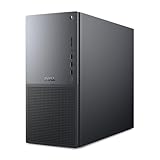
- Intel Core Ultra Series 2: Powerful and efficient Intel Core Ultra 7 265 processor gives you the AI-enhanced performance needed to keep up with the most demanding creative workloads.
- Easily upgrade your desktop's internal components. Expand your performance to greater heights with available memory, storage and expansion slots.
- Thermal Design: Purposefully designed to improve airflow and acoustics with standard CPU air cooling for 65W CPUs.
- Three Powerful AI Engines – CPU, GPU, NPU: Dedicated AI accelerators provide intelligent performance across gaming, creation and streaming apps where AI capabilities are possible.
- Onsite Service & Dell Migrate: 1 Year Onsite Service provides support when and where you need it. Dell will come to your home, office, or location of choice, if an issue covered by Limited Hardware Warranty cannot be resolved remotely. 6 Months Dell Migrate is the simple do-it-yourself tool that moves your hard to replace data, personal records and important files to your latest Dell PC.
Security and remote administration
Security features depend on the selected configuration, but the platform generally supports the expected enterprise baseline: TPM 2.0, Secure Boot, BIOS-level protections, chassis intrusion detection options, and Dell endpoint security integrations. Intel platform features may also be relevant for remote manageability, especially in configurations that support vPro-class capabilities. For companies running regulated workloads or handling sensitive project data, these controls are often more valuable than small differences in benchmark scores.
- BIOS management: centralized configuration and password control through Dell enterprise tools.
- Driver governance: validated driver packs for repeatable deployment across multiple workstations.
- Security baseline: TPM 2.0, Secure Boot, firmware protections, and optional physical intrusion monitoring.
- Support workflow: service tag-based warranty tracking, diagnostics, and on-site service options.
The workstation also benefits from certified professional GPU drivers when configured with RTX Pro graphics. ISV certification is not glamorous, but it is a practical advantage for teams that depend on stability in CAD, DCC, visualization, and simulation applications. In many cases, the RTX Pro driver branch prioritizes application correctness, viewport reliability, and certified behavior over maximum frame rates. That is a sensible tradeoff for a machine intended to earn its keep in production rather than chase gaming benchmarks.
What’s actually slowing this PC down?
Pick the symptom - the matching free tool is one click away.
Dell’s preloaded utilities are best treated as maintenance tools rather than daily-use software. Some buyers may still prefer to create a clean corporate image, especially in larger deployments, but the system does not feel overloaded. The main caveat is that workstation buyers should plan driver policy deliberately: creative users may want newer NVIDIA Studio or RTX Pro releases for application features, while engineering groups may prefer slower, validated update cycles. The Pro Max Tower T2 is well suited to either approach, provided IT defines the update cadence instead of letting every user improvise.
Pricing, Configurations, and Who Should Buy It
The Dell Pro Max Tower T2 is best viewed as a configurable professional platform rather than a single fixed-performance PC. Entry configurations can make sense for office engineering teams that need workstation certification, business support, and room to grow, but the system becomes more compelling when configured around a higher-end Arrow Lake CPU, ECC-capable memory where available, fast NVMe storage, and an RTX Pro-class GPU sized for the target application. As with most tier-one workstations, the headline price can climb quickly once you add ISV-certified graphics, larger SSDs, extended warranties, and enterprise support contracts.
For buyers comparing it with a Precision Tower, HP Z workstation, Lenovo ThinkStation, or a custom boutique build, the value equation depends heavily on software validation and lifecycle needs. A self-built tower may deliver more raw rendering performance per dollar, especially for GPU-heavy workloads, but it will not match Dell’s enterprise deployment tools, predictable component sourcing, on-site service options, or certified driver stack. In professional environments where downtime is expensive, those factors can justify the premium more easily than a simple benchmark chart can.
Configuration guidance
- CAD and BIM: Prioritize a balanced Arrow Lake CPU, 32GB to 64GB of memory, and an RTX Pro GPU with certified drivers rather than overspending on the highest-core-count option.
- Video editing and motion graphics: Choose more memory, at least one high-performance NVMe scratch drive, and a GPU with enough VRAM for 4K or 8K timelines, effects, and color workflows.
- Engineering simulation: Favor CPU performance, memory capacity, and storage throughput first, then scale the GPU if your solver or visualization pipeline benefits from CUDA acceleration.
- Local AI and data science: The GPU choice matters most. Select the RTX Pro card with the largest practical VRAM allocation within budget, as model size and batch capacity are often memory-bound.
- General creative production: A midrange RTX Pro configuration with 64GB of RAM is often the sweet spot, giving strong viewport, encoding, and multitasking performance without workstation overkill.
The smartest buying approach is to avoid both extremes. A minimally configured Pro Max Tower T2 may underuse the chassis and platform advantages, while a maxed-out build can overlap with larger dual-socket or higher-wattage workstation classes better suited to nonstop simulation or GPU rendering farms. The strongest value is usually in the middle: a fast Arrow Lake processor, a professional GPU matched to the application, 64GB to 128GB of memory, and storage configured with separate OS, project, and scratch volumes when the workload benefits from it.
This workstation is a strong fit for studios, engineering firms, research groups, and enterprise departments that want dependable professional performance in a serviceable tower with modern platform features. It is less ideal for buyers chasing the lowest cost per frame, hobbyist creators who can tolerate consumer GPU drivers, or AI users who need mulle full-size accelerators in one box. If your workflow depends on certified applications, predictable thermals, manageable acoustics, and vendor-backed support, the Dell Pro Max Tower T2 earns its place on the shortlist; if raw component value is the only metric, a custom tower will usually be more aggressive.
Frequently Asked Questions
Is the Dell Pro Max Tower T2 better for CPU-heavy or GPU-heavy workstation workloads?
The Pro Max Tower T2 is strongest when configured for balanced professional workloads that use both the Arrow Lake CPU platform and RTX Pro graphics. CPU-heavy tasks like CAD modeling, code compilation, and general content creation benefit from strong single-threaded performance, while GPU-heavy workloads such as rendering, simulation visualization, AI inference, and video effects depend heavily on the RTX Pro option you choose.
How does Arrow Lake affect performance compared with older Dell Precision towers?
Arrow Lake brings better efficiency and modern platform features, with particularly good responsiveness in lightly threaded and mixed workloads. Users coming from older Xeon or previous Core-based Precision towers should see stronger interactive performance, faster media workflows, and lower power draw under many everyday workstation tasks. For heavily multi-threaded rendering, the exact gain depends on the CPU configuration and whether your software scales well across cores.
Which RTX Pro GPU configuration should I choose for CAD, rendering, or AI work?
For CAD, BIM, and engineering applications, prioritize certified RTX Pro drivers and enough VRAM for large assemblies rather than buying the most expensive GPU automatically. For GPU rendering, 3D content creation, and AI inference, VRAM capacity and CUDA performance matter much more, so higher-end RTX Pro cards are worth considering. If your work involves large models, complex scenes, or local AI workloads, avoid entry-level GPU options with limited memory.
Crashes, No Sound, or Screen Glitches?
Random freezes, missing sound and display glitches usually trace back to one bad driver. Find and replace yours safely.Free scan · under a minuteWindows Errors? Fix Them Before They Spread
Repair common Windows errors and clear accumulated junk for a smoother, more stable PC - no reinstall needed.Free scan · no reinstallDoes the Dell Pro Max Tower T2 stay quiet under sustained workloads?
The tower chassis is designed for sustained professional use, so it should handle long rendering, simulation, or compute jobs better than compact desktops. Noise levels depend heavily on the CPU and GPU configuration, ambient temperature, and workload type; higher-end RTX Pro cards will naturally push the cooling system harder. For noise-sensitive studios, it is worth choosing a configuration with thermal headroom rather than maximizing every component.
Who should buy the Dell Pro Max Tower T2 instead of building a custom PC?
The Pro Max Tower T2 makes the most sense for businesses, studios, engineers, and creators who need ISV certifications, enterprise support, predictable serviceability, and validated workstation components. A custom PC may offer better raw performance per dollar, especially for gaming-class GPUs, but it usually lacks Dell’s manageability tools, professional driver validation, warranty options, and standardized deployment support. If downtime is expensive or software certification matters, the Dell workstation is the safer choice.
Bottom Line
The Dell Pro Max Tower T2 is a capable, business-ready workstation that pairs Intel’s Arrow Lake platform with RTX Pro graphics for strong performance across CAD, content creation, visualization, and emerging AI-assisted workflows. Its best qualities are the practical ones: stable thermals, manageable acoustics, straightforward serviceability, and enough configuration flexibility to fit a wide range of professional needs.
It is not always the cheapest route to high-end performance, and buyers should compare GPU, memory, storage, and support options carefully against competing HP, Lenovo, and custom workstation offerings. For teams that value certified hardware, dependable support, and a balanced tower design over maximum DIY value, the Pro Max Tower T2 is a smart shortlist candidate.

