Quick wins for a faster PC:
Fix the driver behind crashes, sound loss and screen glitchesFind Drivers →Repair Windows errors before they cause bigger problemsFix Now →Some links on this page are affiliate links: if you buy through them we may earn a commission, at no extra cost to you.
The Dell Pro Max Tower T2 FCT2250 is a powerful but highly configuration-dependent professional workstation. It combines Intel Arrow Lake Core Ultra processors with professional NVIDIA RTX Pro or AMD Radeon Pro graphics, up to 128GB of DDR5 memory, Gen4/Gen5 NVMe storage, and a serviceable 32-liter tower. It is a strong choice for CAD, AI, 3D, simulation, development, and virtualization—but not a universal desktop or an obvious gaming value.
Verdict: a serious workstation platform, not one single level of performance
The Dell Pro Max Tower T2, model FCT2250, is a capable and unusually configurable professional desktop. Its strengths are the combination of Intel Core Ultra desktop processors, professional NVIDIA RTX Pro and AMD Radeon Pro graphics options, up to 128GB of DDR5 memory, multiple NVMe storage paths, and a serviceable 32-liter tower chassis.
As an Amazon Associate I earn from qualifying purchases.
That flexibility is also the most important qualification in this review: an entry-level T2 with an RTX A1000 is not the same computer as a fully configured T2 with an RTX PRO 6000 Blackwell. Prices, performance, power requirements, upgrade potential, and value change dramatically with the selected components.
For CAD, engineering, 3D visualization, AI inference, simulation, software development, virtualization, and high-resolution content production, the T2 can be an excellent desktop workstation. For casual office work or gaming, it is usually a poor value compared with a simpler business PC or consumer desktop.
Popular on Amazon
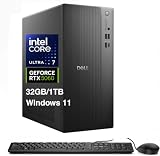
- [Superior Machine] ; 802.11ax Wifi, Bluetooth 5.4, RJ-45, No, USB Keyboard, USB Mouse
- [Powerful Performance] 15th Gen Ultra 7 265F 2.40GHz Processor (upto 5.3 GHz, 30MB Cache, 20-Cores, 20-Threads, 8 Performance-cores); GeForce RTX 5060 8GB GDDR7 Dedicated Graphics
- [High Speed and Multitasking] 32GB DDR5 DIMM; 360W PSU; Black Color
- [Enormous Storage] 1TB 2230 PCIe NVMe SSD; 4 USB 2.0, HDMI, 3 Display Port, USB 3.2 Type-C, SD Reader, Headphone/Microphone Combo Jack
- Windows 11 Pro-64,
What is the Dell Pro Max Tower T2?
Dell identifies the system as the Dell Pro Max Tower T2 Desktop, model FCT2250. It is a configurable tower rather than a fixed-specification retail desktop. Depending on the configuration, it can be ordered with different Intel Core Ultra processors, professional NVIDIA or AMD graphics, ECC or non-ECC memory, several NVMe storage arrangements, and power supplies ranging from office-oriented to high-end workstation capacity.
A Dell U.S. configuration documented for this review included:
Recommended Free Tools
- Intel Core Ultra 7 265 processor
- Windows 11 Pro
- NVIDIA RTX A1000 graphics with 8GB of GDDR6 memory
- 16GB of DDR5 non-ECC memory
- 512GB M.2 PCIe Gen4 SSD
- 500W 80 Plus Platinum power supply
That configuration demonstrates the T2’s general design, but it should not be treated as the universal specification. Independent testing also covered a much more expensive system with a Core Ultra 9 285K, 128GB of ECC memory, multiple NVMe SSDs, a 1500W power supply, and an NVIDIA RTX PRO 6000 Blackwell.
Arrow Lake CPU options
The T2 uses Intel’s Arrow Lake generation of Core Ultra desktop processors. Reported processor choices include the Core Ultra 5 235, 245, and 245K; Core Ultra 7 265 and 265K; and Core Ultra 9 285 and 285K.
The Core Ultra 7 options provide 20 cores, while the Core Ultra 9 models provide 24 cores. That gives the platform enough CPU capacity for workloads such as:
- Compiling large software projects
- Running multiple virtual machines
- Data processing and analysis
- Simulation and engineering applications
- CPU-based rendering
- Heavy multitasking across professional applications
The right processor depends on the workload rather than the model number alone. A non-K processor is a sensible choice for many professional users who need reliable sustained performance without building the system around the highest power tier. A K-series Core Ultra 7 or Core Ultra 9 is more appropriate when the workload regularly benefits from additional CPU performance and the system is being configured with adequate cooling and power capacity.
This does not mean every K-series configuration will be faster in every application. Professional software varies considerably: some programs scale across many cores, while others depend more heavily on single-thread performance or GPU acceleration. Buyers should check the requirements of their primary applications before spending more on the CPU.
RTX Pro and Radeon Pro graphics: the biggest configuration decision
The “RTX Pro” part of the title describes the graphics capability available in the T2 platform, not a graphics card installed in every model. Dell’s documented configuration used an RTX A1000, while the broader platform supports entry-level professional cards, higher-end NVIDIA RTX Pro choices, and AMD Radeon Pro alternatives.
At the top end, the tested system used an NVIDIA RTX PRO 6000 Blackwell with 96GB of GDDR7 memory. That is a professional GPU aimed at demanding visualization, rendering, AI, and compute workloads. It belongs to a completely different performance and price category from the RTX A1000.
| Workload | Likely configuration direction | What to watch |
|---|---|---|
| Office applications, 2D CAD, and several monitors | Entry professional GPU such as the RTX A1000 class | Display outputs, memory capacity, and application certification |
| Engineering CAD and moderate 3D work | Midrange professional NVIDIA or AMD GPU | Certified drivers and viewport performance |
| Complex 3D scenes and professional rendering | Higher-end RTX Pro or Radeon Pro configuration | GPU memory, cooling, and power supply |
| AI inference, computer vision, and GPU compute | High-memory RTX Pro configuration | VRAM capacity, framework support, and sustained thermals |
| Gaming | Usually a consumer desktop with a GeForce GPU | Professional GPUs are not automatically good gaming value |
Professional graphics cards are designed around certified drivers, application reliability, GPU memory, and workstation workflows. Those characteristics can matter more than raw gaming frame rates in CAD, engineering, scientific visualization, and content-creation software. They do not make a professional GPU the best choice for a gaming-first buyer.
Do these 3 things before closing this tab:
1Repair Windows errors before they cause bigger problems2Scan for outdated or missing drivers - takes under a minute3Clear out junk files and repair common Windows errorsAlso popular on Amazon

- Model: Dell OptiPlex 7050 Small Form Factor (SFF)
- Processor: Intel Core i7-7700 3.60 GHz
- Memory: 32GB DDR4 Ram
- Storage: 1TB Solid State Drive (SSD) Fast Boot + Storage
- Operating System: Windows 11 Pro (64-bit)
Performance: excellent at the top end, impossible to generalize across the range
StorageReview tested a high-end FCT2250 with a Core Ultra 9 285K, 128GB of DDR5-4400 ECC memory, an RTX PRO 6000 Blackwell, and a 2TB PCIe Gen5 SSD paired with a 2TB PCIe Gen4 SSD.
In the reported AI computer-vision testing, that configuration produced a GPU overall score of 1,736, leading the compared systems. It also recorded 8,025.6 samples per minute in the Blender Monster GPU test and a 3DMark Storage score of 3,552.
Those figures support the conclusion that a fully configured T2 can be a powerful workstation for GPU compute, rendering, and fast storage workloads. They do not describe the performance of the Dell configuration with an RTX A1000, 16GB of RAM, and a 512GB Gen4 SSD. Readers should treat the benchmark numbers as results for the specific high-end test system, not as a performance promise for every FCT2250.
Memory: 16GB is only an entry point
The platform supports up to 128GB of DDR5 memory, with both ECC and non-ECC options described in the available documentation. That ceiling makes the T2 more suitable than many compact desktops for virtual machines, large datasets, demanding development environments, and professional creative applications.
Free tools Windows power users keep installed
One-click scans. No signup required.
The documented 16GB configuration is adequate for office applications, web work, light development, and basic productivity. It is a weak starting point for:
- Several virtual machines running simultaneously
- Large software builds and development toolchains
- High-resolution photo and video projects
- Large CAD assemblies and 3D scenes
- Data science, computer vision, and local AI workflows
Before purchasing compatible DDR5 memory for Dell Pro Max Tower T2, verify the exact FCT2250 configuration, ECC requirement, supported module speed, DIMM population rules, and Dell’s validated part compatibility. Memory speed can vary with capacity and the number of populated modules, so installing more RAM does not necessarily preserve the highest advertised memory speed.
Storage options and upgrade considerations
The T2 supports M.2 NVMe storage spanning PCIe Gen4 and Gen5 options, as well as larger-capacity hard-drive choices for staging, bulk data, or archival use. A 512GB boot drive is workable for general business use but can become restrictive after installing professional applications, virtual machines, project files, and local datasets.
A practical configuration for a professional user may separate the operating system and applications from active project data. The exact arrangement depends on the number of available M.2 slots, the selected drive generation, cooling, and the Dell configuration ordered.
The Tool Desk
Outbyte Driver Updater FREEFix the driver behind crashes, sound loss and screen glitchesFind Drivers →Outbyte PC Repair FREERepair Windows errors before they cause bigger problemsFix Now →If you are considering a Dell Pro Max Tower T2 NVMe SSD upgrade, confirm all of the following first:
- Whether the target slot supports PCIe Gen4 or Gen5
- Which drive lengths and heatsinks fit the chassis
- Whether the selected configuration already occupies a slot
- Whether the thermal solution is sufficient for sustained writes
- Whether Dell-specific validation or firmware requirements apply
- Whether a separate hard drive is more appropriate for bulk or archival storage
Gen5 storage can offer higher sequential throughput, but it is not automatically a worthwhile upgrade for office applications or projects limited by CPU, GPU, network, or application behavior. A larger Gen4 SSD may provide better practical value for many buyers.
Also popular on Amazon

- Powerful 8th Generation Processor - The Dell OptiPlex 7060 desktop computer is powered by an Intel 6-core 8th Generation i7-8700 processor, which can reach up to 4.60 Ghz, enabling efficient multitasking.
- Microsoft Windows 11 Pro – This Dell small form factor desktop computer comes pre-installed with the Windows 11 Professional operating system. Microsoft has reimagined how the PC should work for you and alongside you, and this Windows 11-powered desktop is redefining productivity.
- Smooth Multitasking – The Dell OptiPlex is equipped with a blazing-fast new 512GB M.2 NVMe solid-state drive (SSD), which stores important files and applications while supporting faster boot speeds and higher data transfer rates.
- High-Performance Office Desktop – This business desktop computer serves as a reliable workstation, suitable for both home and business computing. The spacious desktop tower case allows for future expansion, making it an excellent fit for use as an office PC.
- Rich Ports – This Dell OptiPlex computer is equipped with 5 USB 3.0 ports, 2 USB 2.0 ports, and 2 DisplayPort ports, supporting dual-monitor connections. Additionally, a wireless keyboard and mouse are included.
Chassis, cooling, and serviceability
The T2 is a conventional 32-liter tower. That volume gives it several advantages over small-form-factor workstations and performance laptops:
- More room for airflow and cooling
- Accessible internal components
- Space for additional storage
- Room for memory expansion
- More practical support for professional expansion cards
- Greater potential for replacing components over the system’s service life
Internal access is described as using a side latch and captive thumbscrew. The platform can also be configured with optional 3.5-inch storage and slim optical-drive support, while modular I/O expansion provides additional flexibility for specialized deployments.
Expansion is meaningful, but it is not unlimited. The selected power supply, proprietary power connectors, GPU dimensions, cooling arrangement, storage population, and installed expansion cards can determine what can be added later. A buyer should not assume that a low-end 500W system can accept the same graphics upgrades as a workstation ordered with a 1500W supply.
For that reason, the safest upgrade strategy is to choose the power supply and chassis configuration around the most demanding component you expect to install, rather than treating the base system as a blank upgradeable shell.
Connectivity and included accessories
The documented RTX A1000 configuration included four mini-DisplayPort-to-DisplayPort adapters. That is useful for multi-monitor installations, particularly when existing displays use full-size DisplayPort inputs.
However, included accessories can vary with the graphics configuration. Confirm the contents of the exact Dell order before assuming that adapters, cables, or other display accessories are included. If an additional display is being added, a properly rated mini DisplayPort to DisplayPort cable may be a straightforward accessory, but the connector type and required resolution or refresh rate should be checked first.
Price and value
Pricing varies too widely to assign one meaningful price to the T2 platform. Reported U.S. figures ranged from roughly $1,000 to $1,300 for lower configurations, approximately $2,638.29 for a Core Ultra 7 265 system with RTX A1000 graphics, 16GB of RAM, a 512GB SSD, and a 500W power supply, and about $12,700 to $12,800 for a high-end RTX PRO 6000 Blackwell configuration.
These are time-sensitive, configuration-specific figures rather than a current universal price. Dell pricing, stock, regional availability, promotional discounts, warranty options, and component selection can all change. Compare the complete configuration—not just the advertised starting price—before judging value.
The T2’s value is strongest when the buyer can use one or more of its workstation-specific advantages:
- Professional GPU drivers and application certification
- Large memory capacity or ECC memory
- High-end GPU memory for visualization or AI workloads
- Multiple storage devices
- Long-duration CPU or GPU workloads
- Internal expansion and serviceability
- A tower form factor that can be maintained and upgraded
It is much harder to justify for email, office applications, web browsing, or gaming. A mainstream business desktop will generally be simpler for basic productivity, while a consumer gaming desktop may provide more gaming performance per dollar.
What’s actually slowing this PC down?
Pick the symptom - the matching free tool is one click away.
Also popular on Amazon
- Storage: 512GB SSD – Quick Boot Speeds and Responsive Storage
Who should buy the Dell Pro Max Tower T2?
The T2 is a strong candidate for:
- Engineering and CAD professionals
- 3D artists and visualization specialists
- AI, computer-vision, and data-processing practitioners
- Simulation and scientific workloads
- Software developers compiling large projects
- Professionals running multiple virtual machines
- High-resolution video editors and content producers
- Organizations that need a serviceable, centrally managed tower
It is less suitable for:
- Casual home and office users
- Gaming-first buyers
- People who prioritize portability
- Users who need low power consumption and a small footprint
- Buyers who cannot justify professional GPU pricing
A smaller workstation or mobile workstation may be a better choice when portability matters more than internal expansion. A consumer desktop is generally preferable when gaming performance and price-per-frame are the primary goals.
How to configure the T2 before ordering
- Start with the application. Identify whether the main workload is CPU-limited, GPU-limited, memory-limited, or storage-limited.
- Select the GPU before overspending on the CPU. For many CAD, rendering, and AI workflows, the graphics card and its VRAM capacity have greater practical importance than moving from one high-end CPU tier to another.
- Choose memory for the next few years. Sixteen gigabytes is an entry configuration. Consider 32GB or more for serious professional work, and 64GB or 128GB for virtualization, large datasets, complex scenes, and memory-heavy applications.
- Plan storage by role. Decide whether you need a fast project drive, a separate scratch drive, bulk storage, or an archival hard drive.
- Match the power supply to future upgrades. A high-end GPU upgrade may require a substantially larger supply and compatible cabling.
- Check physical and thermal limits. Confirm GPU length, slot width, airflow, M.2 cooling, and the effect of additional expansion cards.
- Verify the exact order contents. Check operating-system edition, display adapters, warranty, memory type, storage configuration, and included cables.
Pros and cons
Pros
- Broad Arrow Lake Core Ultra processor range
- Professional NVIDIA and AMD graphics choices
- Up to 128GB of DDR5 memory, including documented ECC options
- PCIe Gen4 and Gen5 NVMe storage support
- Conventional 32-liter tower with accessible internals
- More expansion and serviceability than compact workstations or laptops
- High-end configurations can deliver excellent AI, rendering, and compute performance
Cons
- Configuration differences make broad performance claims misleading
- Entry configurations may be underpowered for serious professional workloads
- High-end RTX PRO configurations are very expensive
- Professional GPUs are not automatically the best choice for gaming
- Future upgrades depend on the exact PSU, connectors, cooling, dimensions, and Dell configuration
- Prices, availability, and included accessories vary by region and date
Final verdict
The Dell Pro Max Tower T2 is worth recommending when you need a real workstation tower rather than a generic desktop with a fast processor. Its Arrow Lake CPU range, professional graphics options, high memory ceiling, NVMe flexibility, and accessible 32-liter chassis give it a broad role in engineering, visualization, AI, development, simulation, and content production.
Buy it based on the complete configuration. The entry-level RTX A1000 system is a sensible professional desktop for lighter workloads, but it should not be confused with the RTX PRO 6000 Blackwell system that produced the strongest benchmark results. For general office work or gaming, choose a less specialized alternative. For professionals who can use the T2’s GPU, memory, and expansion capabilities, the FCT2250 is a credible and flexible workstation platform.
Frequently Asked Questions
Who is the Dell Pro Max Tower T2 for?
The Dell Pro Max Tower T2 is best for CAD, engineering, 3D visualization, AI and computer vision, simulation, software development, virtualization, rendering, and high-resolution content production. It is less compelling for basic office work or gaming.
Crashes, No Sound, or Screen Glitches?
Random freezes, missing sound and display glitches usually trace back to one bad driver. Find and replace yours safely.Free scan · under a minuteWindows Errors? Fix Them Before They Spread
Repair common Windows errors and clear accumulated junk for a smoother, more stable PC - no reinstall needed.Free scan · no reinstallDoes every Dell Pro Max Tower T2 include an RTX Pro 6000 GPU?
No. Dell sells the FCT2250 in configurations ranging from systems with an RTX A1000 to high-end systems with an RTX PRO 6000 Blackwell. Their performance and prices are substantially different.
How much RAM can the Dell Pro Max Tower T2 support?
The platform supports up to 128GB of DDR5 memory, with ECC and non-ECC choices described in the available documentation. Exact support depends on the selected configuration and validated modules.
Can you upgrade the T2’s storage?
The tower supports M.2 NVMe storage using PCIe Gen4 and Gen5 options, along with possible 3.5-inch hard-drive storage. Verify the exact slot layout, populated slots, drive fit, cooling, and Dell compatibility before upgrading.
Is the Dell Pro Max Tower T2 good for gaming?
For gaming-first buyers, usually not. A consumer desktop with a GeForce GPU often offers better gaming value. The T2 is designed around professional drivers, certified applications, memory capacity, expansion, and sustained workstation workloads.
The Bottom Line
Bottom line: The Dell Pro Max Tower T2 FCT2250 is a strong professional tower whose value depends almost entirely on configuration. It makes sense for CAD, 3D, AI, simulation, development, virtualization, and demanding content work; it is excessive for basic office tasks and usually poor value as a gaming PC. Prioritize the GPU, memory, power supply, and storage layout for your actual workload.

