Some links on this page are affiliate links: if you buy through them we may earn a commission, at no extra cost to you.
The Dell Pro 24 Plus P2425DE is built for people who want more workspace, cleaner desk cabling, and reliable day-to-day image quality without moving up to a large 27-inch display. Its 24-inch QHD panel is the main attraction, offering a sharper and more spacious canvas than standard Full HD office monitors while keeping the footprint manageable for compact desks and dual-monitor setups.
It also leans heavily into modern workplace convenience, with USB-C connectivity designed to reduce cable clutter and support laptop-based hybrid work. Combined with Dell’s typically strong stand ergonomics, business-focused design, and practical port selection, the P2425DE targets users who care more about comfort and productivity than gaming features or flashy styling.
As an Amazon Associate I earn from qualifying purchases.
Do these 3 things before closing this tab:
1Fix the driver behind crashes, sound loss and screen glitches2Clear out junk files and repair common Windows errors3Scan for outdated or missing drivers - takes under a minuteThe main question is whether its sharper panel and docking features justify the price against cheaper 24-inch monitors and larger 27-inch QHD alternatives. This review looks at where the P2425DE excels, what compromises come with its office-first approach, and who should consider it for a home office, corporate desk, or hot-desking setup.
Design, Build Quality, and Ergonomics
The Dell Pro 24 Plus P2425DE follows Dell’s familiar business-monitor formula: understated, practical, and built to disappear into an office setup rather than draw attention to itself. The chassis uses matte black and dark gray plastics with a narrow three-sided bezel, making it well suited to dual-monitor arrangements where visual gaps matter. It does not have the premium metal-heavy feel of some creator-focused displays, but the plastics are firm, the panel housing resists obvious flex during adjustment, and the overall fit and finish are in line with what you would expect from a dependable corporate monitor.
Popular on Amazon

- Energy efficiency class: E
- 60.5 cm (23.8 inches), 2560 x 1440 (WQHD, 16:9)
- IPS Panel Matte 100Hz 5ms
- 1 x DP, 1 x HDMI, 1 x USB-C
- Tilt, pivot, VESA 100 x 100 mm
At 24 inches, the P2425DE has a compact footprint that works especially well on smaller desks, shared workstations, and home-office setups where a 27-inch screen might feel too dominant. The QHD panel gives it a sharper, denser look than a standard 24-inch Full HD monitor, but the physical size remains easy to position beside a laptop or under a monitor arm. Dell’s stand is one of the stronger parts of the design: it offers height adjustment, tilt, swivel, and pivot, so finding a comfortable posture is straightforward whether you sit upright, use a standing desk, or rotate the display into portrait mode for documents and messaging apps.
The ergonomic range is generous for this class. Height adjustment allows the top of the panel to sit near eye level for most users, while the swivel function helps when sharing the screen with a colleague during a meeting. Pivot support is particularly useful on a 24-inch QHD monitor because text remains crisp enough in portrait orientation for long web pages, code editors, PDF review, or Teams and Slack sidebars. The stand also feels stable once positioned, with limited wobble during normal typing or desk movement.
Cable management is handled through a simple cutout in the stand, which keeps power, USB-C, DisplayPort, and peripheral cables routed cleanly enough for a professional desk. The design is not as cable-hidden as a full docking monitor with a more elaborate rear compartment, but it is tidy and easy to reconfigure. For offices deploying many units, that simplicity matters: the monitor is quick to assemble, easy to adjust, and not overly bulky when moving between desks.
There are a few trade-offs. The styling is conservative, so anyone looking for a sleek lifestyle display may find it plain. The stand base, while stable, still occupies more desk depth than a monitor arm would, and the plastic construction is functional rather than luxurious. Still, for the intended audience, the P2425DE gets the essentials right. Its design prioritizes comfort, adjustability, multi-monitor usability, and day-to-day durability over visual flair, which is exactly what most office and hybrid-work buyers need.
Display Specs and Everyday Image Quality
The Dell Pro 24 Plus P2425DE uses a 23.8-inch IPS panel with a 2560 x 1440 QHD resolution, and that resolution is the defining upgrade over a standard 24-inch Full HD office monitor. At this size, QHD produces a noticeably sharper desktop: text looks cleaner, spreadsheet grids are easier to scan, and web pages feel less cramped without forcing everything to become tiny. For users moving from a 1080p 24-inch display, the extra workspace is immediately useful for keeping a browser, document, chat window, or data table visible with less constant resizing.
In everyday office use, the panel’s strengths are clarity, stable viewing angles, and a comfortable matte finish. The IPS technology keeps colors and contrast fairly consistent when viewed from the side, which matters if you regularly share your screen with a colleague or adjust posture throughout the day. The anti-glare coating also helps under typical office lighting, reducing reflections from windows and overhead lamps without making the image look overly grainy. It is not a glossy, high-contrast screen, but for productivity work that is usually a benefit rather than a drawback.
Windows Errors? Fix Them Before They Spread
Repair common Windows errors and clear accumulated junk for a smoother, more stable PC - no reinstall needed.Free scan · no reinstallOutdated Drivers Are Slowing You Down
One free scan finds every outdated or missing driver and matches the right update for your exact hardware.Free scan · exact hardware matchCore display specifications
| Feature | Dell Pro 24 Plus P2425DE |
|---|---|
| Screen size | 23.8 inches |
| Resolution | 2560 x 1440 QHD |
| Panel type | IPS |
| Aspect ratio | 16:9 |
| Refresh rate | Up to 100Hz |
| Finish | Matte anti-glare |
The 100Hz refresh rate is another practical improvement over older 60Hz business monitors. This is not positioned as a gaming display, and it lacks the motion-focused features of dedicated gaming panels, but the higher refresh rate makes cursor movement, scrolling, window dragging, and general navigation feel smoother. For long workdays, that added fluidity makes the monitor feel more modern and responsive, especially when paired with a laptop that can output QHD at the full refresh rate over USB-C or DisplayPort.
Also popular on Amazon
- 24-inch screen with 2560 x 1440 native resolution delivers sharp visual clarity; 16:9 aspect ratio with 178-degree viewing angles supports flexible positioning for professional workstation applications
- USB Type-C connectivity provides 5 total USB ports including 4 USB 2.0 and 1 USB 3.0 ports; single cable connection supports data transfer, video signal, and peripheral device connectivity
- ComfortView Plus technology reduces blue light emission while maintaining vibrant colors across 99 percent color gamut; matte screen finish minimizes glare for extended viewing sessions
- 60 Hz refresh rate with 5 millisecond response time ensures smooth visual transitions; FreeSync adaptive sync technology reduces screen tearing during dynamic content display
- 16.5 watts power consumption with 230 volts operation provides energy-efficient performance; model P2425DE by Dell weighs 5.61 kilograms with compact 15.23 x 20.83 x 15.42 inch dimensions
Image quality is best described as clean and balanced rather than dramatic. Documents, dashboards, emails, and video calls look crisp, and the default tuning is suitable for business use without much adjustment. Contrast is typical for an IPS office panel, so black levels will not match VA or OLED displays, particularly in a dim room. HDR is also not the reason to buy this monitor; buyers looking for deep cinematic contrast, wide-gamut creative work, or high-end media playback should look higher up the range. For its intended role, though, the P2425DE’s combination of QHD sharpness, IPS consistency, matte comfort, and 100Hz smoothness makes it a strong everyday productivity screen.
USB-C Connectivity, Docking Features, and Ports
The Dell Pro 24 Plus P2425DE is at its most convincing when treated as more than just a display. Its USB-C connection is the centerpiece for hybrid-work setups, letting a compatible laptop carry video, data, and power through a single cable. For users moving between home and office, that makes the desk feel cleaner and more predictable: plug in one cable, and the monitor becomes the hub for the rest of the workstation.
USB-C power delivery is especially useful for business-class ultraportables, since it can keep many Dell Latitude, XPS, MacBook Air, ThinkPad, and similar productivity laptops charged while driving the QHD panel. It will not replace a high-wattage charger for demanding mobile workstations or gaming laptops, but for typical office machines it reduces cable clutter and removes the need to keep a separate power brick on the desk. The monitor’s downstream USB ports also make it practical to leave a keyboard, mouse, webcam, headset dongle, or external storage attached permanently.
Quick wins for a faster PC:
Fix the driver behind crashes, sound loss and screen glitchesFind Drivers →Clear out junk files and repair common Windows errorsFree Scan →Port selection is one of the P2425DE’s strongest office-focused advantages. Alongside USB-C, it includes common display inputs such as HDMI and DisplayPort, which gives it flexibility for desktops, older laptops, docking stations, and mini PCs. The inclusion of DisplayPort output also supports daisy chaining with compatible systems, a valuable feature if you want a dual-monitor layout without running separate video cables from the laptop to each screen.
- USB-C upstream: single-cable video, data, and laptop charging for supported devices.
- HDMI and DisplayPort inputs: useful for desktops, thin clients, and secondary devices.
- DisplayPort out: enables a cleaner multi-monitor chain where supported by the host laptop or dock.
- USB-A downstream ports: convenient for peripherals that can stay connected at the desk.
- Ethernet on select configurations: adds wired network access through the monitor hub, depending on regional model specification.
In daily use, the hub approach makes the monitor feel well suited to shared desks, hot-desking areas, and home offices where a laptop is the main computer. A worker can arrive with a book, connect the USB-C cable, and immediately use a full-size keyboard, mouse, external camera, wired network where available, and the 24-inch QHD display. That is a major practical advantage over basic budget monitors that only provide HDMI and leave users relying on separate adapters.
The main compromise is that this is still a productivity dock, not a full replacement for a premium Thunderbolt hub. Bandwidth depends on the connected laptop and cable, and users with high-refresh external displays, mulle 4K screens, large media drives, or specialized peripherals may still prefer a dedicated dock. There is also no reason to buy this model solely for USB-C if your setup is a fixed desktop PC connected by DisplayPort and you do not need laptop charging or peripheral sharing. For office and hybrid-work buyers, however, the P2425DE’s connectivity is one of the clearest reasons to choose it over a simpler 24-inch QHD display.
Productivity Performance for Office and Hybrid Work
The Dell Pro 24 Plus P2425DE is at its best when it is used as a daily productivity display rather than a general-purpose entertainment monitor. Its 23.8-inch QHD panel gives you 2560 x 1440 resolution in a compact footprint, which is a strong match for desks where a 27-inch screen feels too large. Compared with a typical 24-inch Full HD monitor, the extra pixel density makes text look cleaner, spreadsheets feel less cramped, and browser-based work easier to manage without constant zooming or window switching.
The Tool Desk
Outbyte PC Repair FREERepair Windows errors before they cause bigger problemsFix Now →Outbyte Driver Updater FREEFix the driver behind crashes, sound loss and screen glitchesFind Drivers →Also popular on Amazon
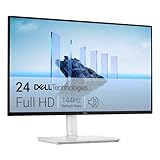
- Elevated entertainment: The FHD resolution and 1500:1 contrast ratio bring clarity, while a 144Hz refresh rate, and 1ms Moving Picture Response Time (MPRT) deliver a smooth, tear-free viewing experience.
- Hear the audio difference: Immerse yourself in sound with integrated dual 3W speakers delivering a wider range of frequencies.
- Eye comfort: Prioritize visual comfort with this 4-star TÜV-certified display. Reduce harmful blue light emissions while maintaining stunning image quality without compromising colors.
- Designed for comfort: Adjust your monitor to suit your preference throughout the day.
- Dell Display and Peripheral Manager: Experience Dell’s singular, innovative application to optimize the performance of your entire Dell PC workspace*. *Based on Dell internal analysis, December 2024.
For office tasks, the monitor’s biggest advantage is the balance between screen sharpness and physical size. At this resolution, you can comfortably place two documents side by side, keep a chat app open next to a web dashboard, or review a slide deck while referencing s. Windows and macOS scaling may need a little adjustment depending on eyesight and preference, but once set up, the P2425DE feels noticeably more efficient than a standard 1080p business display. It is particularly well suited to email, writing, coding, CRM tools, finance dashboards, and browser-heavy workflows.
Where it helps most during the workday
- Document work: QHD resolution makes long Word documents, PDFs, and reports easier to read with less scrolling.
- Spreadsheets: More columns and rows fit on screen than on a 24-inch 1080p monitor, which is useful for finance, operations, and admin tasks.
- Video meetings: The monitor does not include a built-in webcam, but its USB-C docking setup pairs well with an external camera, headset, and keyboard.
- Hybrid desks: One-cable USB-C connectivity reduces setup friction when moving between home and office workstations.
- Multi-monitor setups: The compact 24-inch size is practical for dual-display arrangements without dominating the desk.
The P2425DE also works well for laptop users who want a cleaner hybrid-work routine. With a compatible USB-C laptop, the monitor can act as a central desk hub, reducing the need to plug in several separate cables each morning. That matters in real use: connecting power, display output, Ethernet, keyboard, mouse, and accessories through one cable makes the desk feel less temporary and more reliable. For shared desks, hoteling setups, or employees who carry a laptop between locations, this convenience is one of the monitor’s strongest productivity features.
Ergonomics also contribute to its work performance. The ability to adjust height, tilt, swivel, and pivot makes it easier to align the screen properly for long sessions. Portrait mode is useful for reading code, editing documents, viewing legal text, or keeping a vertical messaging feed open beside a main display. The stand is stable enough for frequent adjustments, and the relatively modest panel size means it can sit comfortably on smaller desks, monitor arms, or compact home-office furniture.
The main compromises come from the monitor’s business-first tuning. The refresh rate and motion performance are fine for everyday office use, but this is not a display aimed at gaming, fast video editing, or motion-heavy creative work. The 24-inch size is efficient, but users who regularly manage large timelines, complex design layouts, or several full-size windows at once may still prefer a 27-inch QHD or ultrawide alternative. There are also no integrated speakers or webcam, so a complete conferencing setup will require external accessories.
Recommended Free Tools
Overall, the Dell Pro 24 Plus P2425DE delivers a focused productivity experience for workers who value clarity, desk organization, and dependable USB-C connectivity over flashy specs. It is especially appealing for professionals upgrading from older 1080p office monitors, IT teams standardizing hybrid-work desks, and users who want a sharp, compact QHD screen that can serve as the center of a tidy laptop-based workstation.
Color Accuracy, Brightness, and Viewing Experience
The Dell Pro 24 Plus P2425DE is tuned more for dependable office use than for specialist color work, and that comes through in day-to-day viewing. Its 23.8-inch QHD IPS panel delivers a clean, sharp image with natural-looking colors, making spreadsheets, documents, web apps, and video calls comfortable to look at for long stretches. The higher 2560 x 1440 resolution is a major advantage at this size: text appears noticeably crisper than on a 24-inch Full HD monitor, while UI elements remain readable without aggressive scaling.
Color reproduction is pleasing for general productivity, presentations, browser-based content, and light photo handling. Skin tones in video meetings look believable, and office graphics have enough saturation to avoid the washed-out look associated with cheaper panels. However, this is not a creator-focused display. Users working in print production, professional photo editing, or color-critical brand work will still want a calibrated monitor with wider color-gamut support and more advanced controls. The P2425DE is best viewed as accurate enough for business communication and everyday content creation rather than as a reference-grade screen.
Also popular on Amazon

- Tilt: Adjustable from -5°/+21°
- Swivel: Bi-directional adjustment up to 45°
- Pivot: Bi-directional adjustment up to 90°
- Height: Adjustability up to 150mm
- Easy Arrange tiles apps across screens with pre-set partitions and customizes up to five windows, enhancing multitasking.
Brightness is adequate for most home offices and corporate desk setups. In a typical room with overhead lighting or daylight from the side, the screen remains easy to read without needing to run at maximum brightness. The anti-glare coating also helps by reducing distracting reflections, which is especially useful in shared offices, hot-desk environments, or rooms where the monitor cannot be perfectly positioned away from windows. Very bright environments are less ideal; if the screen faces strong sunlight, contrast and perceived punch can drop, so placement still matters.
Free tools Windows power users keep installed
One-click scans. No signup required.
Viewing comfort and panel behavior
- Viewing angles: The IPS panel holds color and contrast well when viewed from the side, which helps when sharing content with a colleague or using the monitor as part of a dual-display setup.
- Text clarity: QHD resolution on a 24-inch screen provides a dense, tidy desktop that is particularly good for reading emails, documents, dashboards, and dense productivity apps.
- Motion handling: The monitor is fine for office scrolling, video playback, and casual media use, but it is not intended as a gaming display. Buyers looking for high refresh rates or fast response tuning should look elsewhere.
- Eye comfort: Dell’s comfort-oriented display features and flicker-free presentation make the P2425DE well suited to long work sessions, especially when paired with sensible brightness settings and the ergonomic stand.
Contrast is typical for an IPS office monitor: blacks look dark enough for business use, but they do not have the depth of a VA panel or OLED display. In normal productivity scenarios this is not a serious weakness, since the strengths of the panel are clarity, consistency, and wide viewing angles. For watching films in a dark room, the image can appear a little grey in shadow-heavy scenes, but that is outside the monitor’s main purpose.
Overall, the viewing experience is one of the P2425DE’s strongest practical qualities. It does not chase flashy specs, HDR claims, or creator-grade color coverage; instead, it provides a sharp, stable, comfortable image that supports focused work. For office users, managers, analysts, students, and hybrid workers who spend most of the day in documents, browsers, collaboration tools, and spreadsheets, that balance is more valuable than headline-grabbing display features.
Independent reader supportYour contribution helps us test, update, and keep practical guides available for everyone.Pricing, Competition, and Overall Value
The Dell Pro 24 Plus P2425DE sits in a practical middle ground: it is more expensive than a basic 24-inch Full HD office monitor, but it earns that premium with a sharper QHD panel, USB-C connectivity, strong ergonomics, and a cleaner desk setup for laptop users. Its value depends heavily on how you plan to use it. If you only need a simple screen for a desktop PC, there are cheaper alternatives. If you want a compact productivity hub for a USB-C laptop, the P2425DE becomes much easier to justify.
The biggest advantage over budget 24-inch monitors is the 2560 x 1440 resolution. On a panel this size, QHD delivers crisp text and noticeably more working space than 1080p without making the monitor physically large. That makes it well suited to spreadsheet work, browser-based tools, document editing, coding, admin dashboards, and video calls. The USB-C input also reduces cable clutter, especially if your laptop can charge from the monitor while sending video and data through the same cable.
How it compares
| Alternative | Where it may be better | Where the P2425DE has an edge |
|---|---|---|
| Basic 24-inch 1080p office monitor | Lower price | Sharper QHD image, more workspace, stronger docking features |
| 27-inch QHD USB-C monitor | Larger screen area | More compact footprint, higher pixel density, easier dual-monitor placement |
| 4K productivity monitor | Higher resolution and detail | Lower cost, simpler scaling, often better suited to 24-inch office use |
| Creator-focused display | Wider color coverage and tighter factory calibration | Better office value, practical connectivity, ergonomic design |
For many buyers, the main competitor is not another premium display but a larger 27-inch QHD model. A 27-inch screen gives you more physical room, which can feel more comfortable for multitasking. The Dell Pro 24 Plus P2425DE answers with a denser, sharper image and a smaller footprint that works better on narrow desks, shared workstations, and dual-monitor setups. Two of these displays side by side can create an efficient QHD workspace without overwhelming a home office desk.
The compromises are worth keeping in mind. This is not a gaming monitor, and buyers should not expect high refresh rates, advanced HDR, or entertainment-first features. It is also not the best choice for photographers, video editors, or designers who need wide-gamut color coverage and specialist calibration controls. Its appeal is more functional: dependable image quality, useful USB-C docking, business-friendly ergonomics, and a compact high-resolution panel that improves everyday productivity.
Also popular on Amazon

- LED-Backlit - In-Plane Switching (IPS) Technology - Full HD 1920 x 1080 Resolution - 100 Hz Refresh Rate - Blue Light Filter - ComfortView Plus Technology
- Flicker Free - Anti Glare - 250 cd/m² Brightness - 5 ms Response Time (GtG) - 16.7 Million Colors
- Ultra-Thin Bezel Design - Tilt/Swivel/Pivot/Height Adjustable - HDMI 1.4 | DisplayPort 1.2 | VGA Inputs
- 1000:1 Contrast Ratio - 178°/178° Viewing Angles - Built-In 4-Port USB Type-A Hub
Overall, the P2425DE offers its best value for office workers, hybrid employees, IT departments, and small-business buyers who want a reliable monitor that can simplify laptop docking without moving to a larger display. It costs more than an entry-level screen, but the combination of QHD sharpness, USB-C convenience, adjustability, and Dell’s work-focused design makes it a strong long-term buy for productivity-first setups.
Frequently Asked Questions
Is the Dell Pro 24 Plus P2425DE a good monitor for working from home?
Yes, it is well suited to home-office and hybrid-work setups, especially if you use a USB-C laptop. The 24-inch QHD panel gives you sharper text and more workspace than a standard 1080p display, while the ergonomic stand makes it easier to get a comfortable position for long work sessions.
Can the Dell P2425DE charge my laptop over USB-C?
Yes, the monitor supports USB-C connectivity with power delivery, so it can charge many compatible laptops while also carrying video and USB data through a single cable. This is most useful for business laptops, ultrabooks, and hybrid-work desks where you want fewer cables and a cleaner setup.
Is the 24-inch QHD resolution too small for comfortable reading?
For most users, QHD on a 24-inch screen provides crisp text without feeling cramped, but some people may prefer using Windows or macOS scaling for extra comfort. It is a strong middle ground if you want more detail than 1080p without moving to a larger 27-inch monitor.
Is the Dell Pro 24 Plus P2425DE good for photo editing or color-critical work?
It can handle general image editing, presentations, and content review, but it is not aimed at professional color-grading or print-proofing workflows. Buyers who need wide-gamut coverage, factory-calibrated accuracy, or HDR-focused work should look at a creator-grade display instead.
Should I buy the Dell P2425DE instead of a cheaper 24-inch 1080p monitor?
If you mostly need a basic second screen, a cheaper 1080p monitor may be enough. The P2425DE makes more sense if you value sharper text, better multitasking space, USB-C docking, strong ergonomics, and a cleaner one-cable desk setup.
Bottom Line
The Dell Pro 24 Plus P2425DE is a strong fit for office users, hybrid workers, and productivity-focused setups that benefit from a sharper-than-FHD 24-inch QHD panel, USB-C connectivity, and excellent ergonomics. It excels as a clean, practical desk upgrade for documents, spreadsheets, web work, and docking a laptop with fewer cables.
Its main compromises are typical for a business monitor: it is not aimed at high-refresh gaming, HDR entertainment, or color-critical creative work. If you want a compact, comfortable, and well-connected productivity display with solid image quality and strong everyday value, the P2425DE is easy to recommend.

