The Tool Desk
Outbyte Driver Updater FREEScan for outdated or missing drivers - takes under a minuteDriver Scan →Outbyte PC Repair FREEClear out junk files and repair common Windows errorsFree Scan →Some links on this page are affiliate links: if you buy through them we may earn a commission, at no extra cost to you.
Copilot Money is a budgeting app built to make your plan obvious and your spending easy to steer. The value isn’t just “tracking”—it’s using real transactions to keep categories, bills, and goals aligned without you doing busywork every day.
If you’ve tried budgeting apps that either feel too rigid or too hands-off, Copilot Money aims for the middle: guided setup, clear category budgets, and practical automation like recurring transactions and rules. The result is a system you can actually maintain.
As an Amazon Associate I earn from qualifying purchases.
Below is a complete, no-fluff guide to getting Copilot Money running, using it day-to-day, and fixing the problems that usually stop people from sticking with budgeting.
What Copilot Money Is (and who it’s for)
Copilot Money helps you build a monthly budget, link bank and card accounts, and automatically categorize transactions so you can see what’s coming in, what’s going out, and how close you are to each budget category.
Popular on Amazon

- Effective Budget Plan Book – Take control of your finances with the SUNEE budget account book. This all-in-one budget planner allows you to plan and track your income, expenses, savings, and financial goals. Its intuitive layout and easy-to-use sections help you stay organized and make smart decisions to reach financial success. Our financial planner also included a comprehensive guidebook with valuable tips and instructions to help you get the most out of your budgeting planner.
- Full-Page Calendars – Each month’s full-page calendar provides plenty of space to track paydays, bills due dates, appointments, and important events. No more cramped boxes or tight writing areas, you can easily plan and organize your schedule at a glance.
- Colorful Pages Layout and Tabs – This vibrant budget planner features a user-friendly design for easy navigation and organization. Each month includes dedicated budget pages to set financial goals, track income, and plan expenses. Additional sections like debt trackers, savings goals, and bill payment trackers make managing your finances a breeze. The colorful backgrounds on each page offer clear, instant visibility.
- Bonus 4 Stickers and Convenient Design – This monthly budget planner is built for convenience and durability. Water-resistant cover protects against spills, while the elastic band keeps everything secure, and the dual-sided pocket offers extra storage. Plus, we’ve included 4 adorable sticker sheets to personalize your planner and make budgeting more enjoyable. Experience a budget planner that combines practicality with lasting quality.
- UNDATED DESIGN & 1 YEAR USE - Undated finance books start with 1 page-financial goals, 1 page-Mind Map, 1 page-Financial Strategy, 1 page-Tactics, 2 pages-Important Dates, 4 pages-Bill Tracker, 4 pages-Saving Tracker, 8 pages-Debt Tracker, followed by 12 Months(10 pages per month, 1 unique color for each month). 2 pages-Christmas Budgeting, 2 pages-Yearly Summary, 2 pages-Check Register and 12 pages-Notes(dotted). It is UNDATED, so you could start at any time, suitable for 1 year use.
It’s a fit if you want budgeting that’s:
- Simple enough to keep using (not a complex accounting system).
- Connected to real spending via bank imports.
- Practical—you can correct categories and add recurring bills quickly.
- Transparent about overspending so you catch it early.
It may be less ideal if you want a fully custom, rules-engine style budget model from day one or if you refuse to link any financial accounts.
Prerequisites before you start
Before you install and sign up, gather a few basics. It’ll prevent the most common setup mistakes.
- Access to your bank credentials (or use whatever secure linking flow the app provides).
- Your pay schedule (monthly, biweekly, weekly, or irregular income).
- A list of recurring bills (rent/mortgage, utilities, subscriptions, insurance).
- Rough spending categories you care about (groceries, dining, transport, savings, etc.).
- Time for one focused setup session (plan for 30–60 minutes).
Setup: get your budget running in under an hour
Copilot Money setup follows the same pattern as most modern budgeting apps: create an account, connect accounts, then confirm your categories and recurring items.
- Install Copilot Money from the App Store (iPhone, iPad) or Google Play (Android).
- Open the app and tap Sign up (or Create account).
- Complete onboarding prompts: name your budget, choose your currency, and set a starting month.
- Choose Connect accounts and follow the bank linking flow for each institution.
- After accounts link, review categories and transactions. Pay attention to large recurring items.
- Set or confirm your income and budget categories for the month.
- Add recurring transactions (or enable recurring detection, if offered during setup).
- Do one quick pass: categorize any big “misc” transactions so the budget isn’t built on wrong assumptions.
Once this is done, your daily routine becomes simple: glance at category progress, check any “problem” categories, and update transactions when something new appears.
How the budgeting workflow works
The best way to think about Copilot Money is as a loop: import transactions → categorize them → compare actual spending to your category budgets → adjust the plan when reality changes.
Categories and envelopes vs. flexible budgeting
Copilot Money uses category-based budgeting. You set amounts per category, then as transactions import, the app subtracts spending from those category budgets. If you spend more than planned, the category will show it—so you can react early.
Crashes, No Sound, or Screen Glitches?
Random freezes, missing sound and display glitches usually trace back to one bad driver. Find and replace yours safely.Free scan · under a minuteWindows Errors? Fix Them Before They Spread
Repair common Windows errors and clear accumulated junk for a smoother, more stable PC - no reinstall needed.Free scan · no reinstallYou’ll usually get better results when you keep categories focused. Too many categories create more work than value.
Budgets, goals, and recurring bills
Most people’s budgets succeed or fail based on two things: recurring bills and income timing. Make sure both are correct so you’re not “budgeting wrong on purpose.”
Use recurring bills for things like:
- Rent/mortgage
- Utilities
- Insurance premiums
- Phone/internet
- Subscriptions (streaming, apps, cloud storage)
- Debt payments (credit card minimums, student loan payments)
Account linking and transaction handling
Account linking is the foundation. Copilot Money will typically fetch transactions on a schedule, then map them to categories based on your settings, history, and any rules you’ve created.
Also popular on Amazon
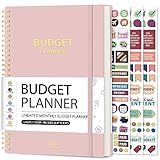
- Effective Budget Planning - Take control of your finances with the budget account book. This comprehensive planner allows you to plan and track your income, expenses, savings, and financial goals in one convenient place. With its intuitive layout and easy-to-use sections, you can stay organized and make informed decisions to achieve financial success.
- User-Friendly Layout - The budget planner features a user-friendly layout designed for easy navigation and organization. Each month, you'll find dedicated budget pages where you can set financial goals, track your income, and plan your expenses. Additional sections include debt trackers, savings goals, bill payment trackers, and more, making it simple to stay on top of your finances.
- Undated Monthly Calendar & Bonus Stickers - Featuring undated calendar each month, you'll have ample space to mark paydays, bills due, appointments, and important dates. Say goodbye to difficult writing spaces. Plus, we've included 3 cute sticker sheets that allow you to personalize your financial organizer and make budgeting more fun. Dates are not pre-printed and are completed by the user.
- Reliable and Convenient Design - Our monthly budget planner is designed for your convenience and built to last. The elastic band keeps everything securely in place, and the dual-sided pocket provides extra storage. Experience a budget planner that combines practicality and durability.
- Master Budgeting with Ease - Our financial planner includes a complete guidebook that provides valuable insights and instructions for optimal usage. From setting financial goals to tracking expenses, this guidebook offers step-by-step guidance and practical tips. Whether you're new to budgeting or an experienced user, this resource will help you make the most of your budget planner, empowering you to achieve financial success.
Supported institutions and what to do when a bank won’t link
Availability depends on your country and the bank-linking provider used by Copilot Money. In most cases, you’ll see a list of supported banks during the connect flow.
If your bank doesn’t appear:
- Try again later—some institutions become available over time.
- Use an alternate account for budgeting (for example, link your main card account even if your checking account won’t link).
- If linking truly isn’t possible, add transactions manually and keep your categories consistent.
Imported vs. manual transactions
Imported transactions are great for speed, but you’ll still need to correct categories sometimes—especially with new merchants, refunds, or transfers.
Manual transactions matter most for:
- Cash spending
- Occasional one-off purchases
- Accounts you can’t link
- Transactions that import late or incorrectly
Pending, duplicates, and category mismatches
Transaction timing can be messy. Cards show pending charges; then they finalize. That can cause duplicates or category confusion if you don’t handle updates carefully.
Common issues and what to do:
- Pending charges: If Copilot Money distinguishes pending vs. posted transactions, confirm which one is affecting your budget.
- Duplicates: If the same charge appears twice, check whether one is pending and one is posted, then delete or correct the extra entry.
- Category mismatch: Reassign the transaction category and consider adding a rule so future purchases match.
Best features to use immediately
Copilot Money can feel magical when your categories “learn” quickly. Use the features below early so your budget gets accurate fast.
Rules for auto-categorization
Rules help the app categorize similar transactions the same way every time. This is one of the biggest time-savers.
Typical rule examples:
- Any transaction from a specific merchant goes to Dining.
- Gym payments go to Health & Fitness.
- Phone bill goes to Utilities.
Build rules for merchants you see repeatedly and for categories you care about most.
Recurring transactions
Recurring transactions prevent budget whiplash. If rent hits on the 1st every month, your budget should reflect that automatically.
When you set recurring items, verify:
- The amount (or whether it changes)
- The frequency (monthly, weekly, biweekly)
- The category
- The timing (especially if you’re paid mid-month)
Spending insights and overspend visibility
Copilot Money’s value shows up when you notice spending before the month is over. Category overspend indicators let you adjust while there’s still time.
A healthy routine is a quick check once or twice per week, not a daily obsession. You’re looking for patterns, not single transactions.
Do these 3 things before closing this tab:
1Fix the driver behind crashes, sound loss and screen glitches2Clear out junk files and repair common Windows errors3Scan for outdated or missing drivers - takes under a minuteAlso popular on Amazon

- Effective Budget Planning - Take control of your finances with the budget account book. This comprehensive planner allows you to plan and track your income, expenses, savings, and financial goals in one convenient place. With its intuitive layout and easy-to-use sections, you can stay organized and make informed decisions to achieve financial success.
- User-Friendly Layout - The budget planner features a user-friendly layout designed for easy navigation and organization. Each month, you'll find dedicated budget pages where you can set financial goals, track your income, and plan your expenses. Additional sections include debt trackers, savings goals, bill payment trackers, and more, making it simple to stay on top of your finances.
- Undated Monthly Calendar & Bonus Stickers - Featuring undated calendar each month, you'll have ample space to mark paydays, bills due, appointments, and important dates. Say goodbye to difficult writing spaces. Plus, we've included 3 cute sticker sheets that allow you to personalize your financial organizer and make budgeting more fun. Dates are not pre-printed and are completed by the user.
- Reliable and Convenient Design - Our monthly budget planner is designed for your convenience and built to last. The elastic band keeps everything securely in place, and the dual-sided pocket provides extra storage. Experience a budget planner that combines practicality and durability.
- Master Budgeting with Ease - Our financial planner includes a complete guidebook that provides valuable insights and instructions for optimal usage. From setting financial goals to tracking expenses, this guidebook offers step-by-step guidance and practical tips. Whether you're new to budgeting or an experienced user, this resource will help you make the most of your budget planner, empowering you to achieve financial success.
Reports that match real life
Budgeting apps fail when reports are abstract. Copilot Money’s reports are most useful when they answer specific questions:
- Where is my money going compared to my plan?
- Which categories consistently overspend?
- How stable are my recurring bills?
- Am I saving as planned?
Use reports to adjust next month’s budgets, not to shame yourself after the fact.
Copilot Money subscription and costs
Copilot Money generally offers a free tier and one or more paid tiers. Paid features typically expand transaction history, reporting depth, automation controls, or account/linking capabilities.
Because pricing and plan names can change, check the current pricing screen inside the app (usually under Settings > Subscription on mobile) before committing.
Recommended Free Tools
How to decide whether you need the paid plan
Use this decision checklist:
- Do you need advanced reporting (trends, category breakdowns, longer history)?
- Do you need more budget automation (more rules, more recurring handling)?
- Are you maintaining multiple accounts or want broader linking options?
- Do you benefit from deeper insights enough to justify monthly cost?
If you’re just starting, you can often test the workflow on the free tier and upgrade once you know how much automation you’ll actually use.
Security, privacy, and data safety
Budgeting requires sensitive information. Copilot Money’s security model depends on the bank-linking process and how the app protects data at rest and in transit.
What to look for in the app’s privacy and security settings:
- Secure connection (encryption in transit)
- Bank data accessed via approved linking flows
- Clear controls for removing linked accounts
- Logging and sign-in session management options
If you’re sharing a device, enable device-level protections (Face ID/Touch ID on iPhone, screen lock on Android) and don’t leave your session open in public.
Free tools Windows power users keep installed
One-click scans. No signup required.
Troubleshooting guide (common problems and fixes)
Even when everything is set up correctly, budgeting apps can stumble. Here are the issues that happen most often, with practical fixes.
Also popular on Amazon

- ALL-IN-ONE B5 BUDGET PLANNER: With 15+ Functional Inserts –it covers every money-management pain point for beginners & pros. Stop juggling messy notebooks or incomplete trackers! The budget planner includes, monthly budget, bill expense detail, debt tracker, bill tracker, saving tracker...matches 90% of "how to manage money" search queries
- DURABLE BUDGET BOOK: Our budget organizer features a PVC waterproof cover and elastic band—no more ruined pages, made of 100GSM thick paper—no smudges or ghosting, coming with a heavy-duty double spiral binding—lays flat for easy writing. Built for daily use: toss it in your work bag, backpack, or purse without worry
- CONVENIENT B5 SIZE (7.3”X10.15”): No more choosing between "too small to write" or "too bulky to carry"! The B5 budget planner gives ample space to log expenses, note bill due dates, or map financial goals—without being cumbersome. Fits easily in laptop bags, backpacks, or purses—perfect for "on-the-go budget tracking
- UNMATCHED VALUE & COMPREHENSIVE GUIDEBOOK: Comes with 5 practical, high-quality freebies crafted, plus a comprehensive user guide that takes the guesswork out of financial planning. You’ll get: PVC waterproof colorful monthly tabs & wide range of label stickers, a ribbon bookmark, an elastic pen holder, a elastic band, an inner pocket, and a detailed step-by-step user guide handbook
- VISUAL CLARITY & LESS FATIGUE: Unlike plain black-and-white budget planners, our vivid color highlights reduce eye strain during long budgeting sessions, helping you track expenses, savings, and bills quickly and accurately. It’s the perfect fit for working professionals, international students, family financial managers, freelancers, new graduates, retirees
Bank connection fails
Symptoms: you can’t connect an institution, or the connection completes and then stops syncing.
- Retry the connection from scratch: disconnect, then reconnect using the in-app flow.
- Check credentials: ensure you didn’t recently change your bank password.
- Try another institution if you’re using multiple accounts—sometimes one bank fails while others work.
- Update the app to the latest version from the App Store / Google Play.
Transactions aren’t updating
Symptoms: categories don’t change after you know a transaction posted.
- Look for a manual refresh option (often a Sync or Refresh button on the accounts screen).
- Confirm you’re viewing the correct budget month. Many apps separate current vs. archived months.
- Check time zone and posting date. A “late” transaction might land in a different day/month.
- Check your connection health: if the account status shows “needs attention,” reconnect it.
Your categories look wrong
Symptoms: restaurants show up in “Groceries,” or utilities get lumped into “Misc.”
What’s actually slowing this PC down?
Pick the symptom - the matching free tool is one click away.
- Edit the affected transaction category and make sure the new category is correct.
- Create a rule for the merchant so future transactions match automatically.
- Watch for merchants that change names (common with bank descriptions). If you see a pattern, add more than one rule.
- Don’t fix everything at once—start with your top 5 merchants/categories by spending.
Balance doesn’t match
Symptoms: your account balance in Copilot Money doesn’t match your bank statement.
- Check for timing differences between pending and posted transactions.
- Verify whether transfers are treated as transfers (not expenses) in the app.
- If duplicates exist, delete the extra entry after confirming which one is correct.
- Allow some time after linking—first syncs can be incomplete until the app finishes its import cycle.
App won’t sync or keeps signing out
Symptoms: the app stops working mid-week or repeatedly logs you out.
- Update the app and restart your device.
- Confirm your network connection isn’t blocking the app (try switching from Wi‑Fi to mobile data).
- Check for device battery optimization settings that can prevent background sync.
- Sign back in and reconnect affected accounts if needed.
Copilot Money alternatives (and how to choose)
Copilot Money isn’t the only budgeting option. The “best” choice depends on how you budget and what you want to automate.
Here are a few common alternatives and when they make more sense.
Monarch Money
If you want strong budgeting plus reporting depth and a more customizable feel, Monarch Money often comes up as a serious contender. It’s worth considering if you prefer detailed analytics and are okay paying for premium features.
YNAB
YNAB is built around proactive planning and a different philosophy than “just track spending.” If you want a rules-first approach (assign every dollar intentionally), YNAB can feel more rigorous—and more work.
Also popular on Amazon
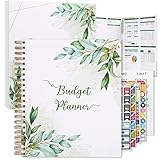
- Keep Track of Your Finances: Manage your personal and family’s finances with this monthly budget planner! Intuitive, comprehensive and fun, this budgeting planner allows you to keep track of your debts, expenses and bills, organize your spending and saving and optimize your budget for achieving your financial goals!
- Large Budgeting Planner: Our budget notebook features a large design of 8.5 x 11-inch that provides enough space for budgeting, financial planning and spending tracking but also for monthly reviews and building strategies for optimizing your budget!
- Well-Organized for Your Convenience: This budget book planner features an easy yet efficient template that includes a monthly budget with customizable categories, a debt tracker, a bill tracker, an expenses tracker as well as a section for financial goals and monthly review that will make things easier when it comes to budget planning!
- 12-Month Budget Management: Our budgeting book features a spiral-bound hardcover design made with high-quality 120gm thick paper and a 12-month undated design that allows you to start budget planning at any time of the year!
- Chic, Practical, Giftable: Featuring a superb boho cover and packed in a matching gift box, this budget book journal makes a lovely gift for a friend, family member or co-worker! The budget journal includes a special pocket for bills, receipts or other documents and comes with 5 stickers that will make your planning more fun and effective!
EveryDollar
EveryDollar is good when you prefer a simpler, more manual budgeting experience. If bank imports aren’t your thing, it can be a calmer workflow than full account linking.
Spreadsheet-first budgeting
If you’re already organized and want total control, spreadsheets still win on flexibility. The tradeoff is automation: you’ll do more manual entry, and you’ll miss some real-time insights.
Quick wins for a faster PC:
Fix the driver behind crashes, sound loss and screen glitchesFind Drivers →Clear out junk files and repair common Windows errorsFree Scan →FAQ
Is Copilot Money good for beginners?
Yes. Its setup flow and category-based budgeting approach are beginner-friendly as long as you spend time on recurring bills and correct your top categories early.
Do I have to link my bank accounts?
You typically can use manual transactions, but linking is what makes budgeting effortless. If privacy is a concern, start with manual budgeting and only link accounts once you’re comfortable.
How do I handle cash spending?
Add cash transactions manually (or maintain a simple cash category). If you ignore cash, your budget will drift because bank imports won’t capture it.
What if my first month looks messy?
That’s normal. Early on, you’re teaching the app how your spending maps to categories. Focus on correcting big items, adding rules, and setting recurring bills so month two is cleaner.
Can Copilot Money help me save money?
It can, indirectly. When categories show overspending and recurring bills are accurate, you can adjust behavior and plan next month’s budgets with better information.
Bottom Line
Copilot Money is a practical budgeting app that earns its keep through clear category budgets, recurring bills, and transaction automation. If you want a system that’s easier to maintain than many “power user” budgets, it’s a strong candidate.
Set it up carefully, correct your biggest merchants during the first week, and then use it like a dashboard—not a spreadsheet. With that routine, Copilot Money becomes a budget you can actually stick with.

