Crashes, No Sound, or Screen Glitches?
Random freezes, missing sound and display glitches usually trace back to one bad driver. Find and replace yours safely.Free scan · under a minutePC Slower Than It Used to Be?
A free scan shows the junk files, broken settings and background clutter dragging Windows down - then fixes them in one click.Free scan · Windows 10 & 11Some links on this page are affiliate links: if you buy through them we may earn a commission, at no extra cost to you.
“ChatGPT ads are coming” isn’t just a business headline—it can change how the product looks, how answers are ranked, and how much tracking sits behind the scenes. If you use ChatGPT daily for work, learning, or customer support, you’ll feel the shift fast.
This guide focuses on the practical reality: what ads typically do to model behavior and user experience, what you can check in your settings, and how to keep your prompts and workflows resilient if marketing content starts showing up in results.
As an Amazon Associate I earn from qualifying purchases.
Recommended Free Tools
What ChatGPT ads likely mean for you
When ads arrive inside an AI chat product, the change is usually less about sprinkling banners and more about routing certain user intents through marketing-driven retrieval and ranking. That can affect how suggestions appear, which links you get, and which “recommended” products show up when you ask for services, plans, shopping comparisons, or tools.
Expect ad behavior to vary by region, plan tier, and rollout stage. Some deployments start with subtle placements (sponsored links or promoted sources) and later expand into more visible UI surfaces.
How ads can change the way responses feel
Ads are designed to increase click-through and conversion, not to maximize neutrality. That means you may notice patterns such as stronger certainty, more “best option” framing, and product-specific details that look oddly tailored to your query.
Common changes users report across ad-supported AI experiences:
The Tool Desk
Outbyte PC Repair FREERepair Windows errors before they cause bigger problemsFix Now →Outbyte Driver Updater FREEFix the driver behind crashes, sound loss and screen glitchesFind Drivers →Popular on Amazon

- The Brilliant Weekly Scheduler is a very beautiful and unique weekly scheduler. Designed & Made in Korea
- Features 60 sheets to help you plan for up to 60 week, weekly schedules on the front and memo area on the back side for you to jot down your notes and other memorable events.
- It is a dateless planner so you can start planning whenever you want.
- As a “brilliant” added bonus, the stand is included too.
- Size : 12 X 4.4 X 0.4 inches
- More explicit product recommendations even for general questions (e.g., “best CRM” style prompts).
- Faster move from question to vendor, with fewer neutral caveats.
- More links early rather than after you request sources.
- Heavier emphasis on commercial intent (“compare plans,” “where to buy,” “cheapest,” “reviews”).
What to check before you keep using ChatGPT
Before assuming everything is fine, take 10 minutes to verify the settings that influence targeting, personalization, and data usage. The goal is simple: reduce unnecessary personalization and make it easier to audit what the assistant is doing.
Confirm which features you’re using
ChatGPT experiences can differ depending on whether you’re using web search, browsing tools, saved memory, connectors (when available), or third-party integrations. Ads can appear more readily when browsing or recommendation components are active.
Review preference controls that affect personalization
Look for settings related to personalization, ad measurement, and data sharing. Names vary by platform, but you’re usually looking for controls that govern whether activity can be used to tailor suggestions.
Privacy and data: the questions you should be asking
Ads inside an AI chat raise a specific set of privacy questions: what user signals are used, whether chats become marketing profiles, and how long that data sticks. You don’t need to be a lawyer to be rigorous—ask the product questions that map to how targeting works.
Key questions to verify
- Are your prompts used for ad targeting? If yes, is it only for improving relevance or also for marketing?
- Is ad personalization tied to chat content? Some systems separate “conversation content” from “behavioral events.”
- Can you limit data sharing for marketing purposes? Look for toggles that disable personalized ads or measurement.
- What’s the retention window? The right answer will usually be described in the privacy policy (and sometimes in a data controls page).
- Do you have a way to export or delete data? Many services support export and deletion requests; confirm where that lives.
Know what to do with “recommended” content
If an answer includes sponsored links or promoted offers, treat it like you would a search result: check the vendor directly, compare pricing from primary sources, and verify claims with independent references.
How to reduce ad load and keep your workflows focused
You can’t always fully prevent ads once they’re part of the UI, but you can often reduce how frequently marketing content appears and how strongly it influences recommendations. The tactics below focus on prompt discipline and settings control.
Also popular on Amazon
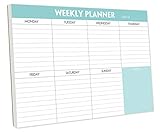
- STAY ORGANIZED & IMPROVE PRODUCTIVITY - Undated weekly planner notepad to help you organize your daily tasks, responsibilities, schedule and stay on your task & goals & planning. Stay organized and motivated each day and each week, improve your productivity with this desktop weekly planning pad
- 52 PAGES - Weekly calendar pad, enough for a full year of weekly planning. 10 x 7 inch planning pad, plenty of room to write in appointments, notes, check lists etc.
- THICK PAPER - Weekly planning pad with 100gsm smooth paper for easy writing and reducing ink leakage. It responds well to almost all pen types, fountain pen, gel pen, ballpoint pen, highlighter, pencil and etc. They are glued on the top edge to a cardboard backing
- CLEAN DESIGN - This weekly to do list notepad contains weekly day spread and notes section, allows you to prioritize by your priority tasks, write your to-dos, mark reminders and important events
- PERFECT FOR - All busy people or makes for a wonderful gift for Holiday, Christmas, Birthday
On iPhone and iPad (iOS)
Use these steps to review settings that may affect personalization and content behavior.
- Open the ChatGPT app.
- Tap Settings (often a gear icon).
- Check for a section named Privacy, Data controls, or Personalization.
- Disable options that relate to personalized ads, ad measurement, or sharing data for marketing if available.
- If you see toggles for Memory or training, review them and turn off anything you don’t want used for personalization.
If you’re unsure what a toggle does, open its info screen and read the description carefully. Small wording differences (“improve relevance” vs “personalize ads”) matter.
On Android
Android settings usually mirror iOS naming but can be moved under different headings.
- Open the ChatGPT app.
- Go to Settings.
- Find Privacy or Data controls.
- Turn off options for personalized advertising or sharing data for ads when present.
- Review whether Memory is enabled and disable it if you want less persistent personalization.
If your Android device uses a private DNS or ad-blocking app, be aware that some content elements may not render correctly—test after any change.
On macOS and Windows (desktop web and apps)
Desktop tends to expose more detail for controls and policy links.
Also popular on Amazon

- Premium Quality: Each sheet is made from durable, thick cardstock that prevents ink bleed-through and ensures long-lasting use.
- Versatile Layout: The 12" x 18" size provides ample space for monthly planning, with dedicated sections for to-do lists and notes to keep your tasks organized.
- Flexible Use: Undated pages allow for customization, making it perfect for use any time of the year. Start planning whenever you need without wasting pages.
- Enhanced Productivity: Ideal for home offices, classrooms, or professional settings, this desk calendar helps you prioritize tasks, set goals, and track important appointments.
- Stylish Design: Its clean and minimalist design complements any workspace decor, adding a touch of elegance while keeping you productive.
- Go to chatgpt.com or open the desktop app.
- Click your profile (bottom-left or top-right depending on layout).
- Select Settings.
- Open Privacy / Data controls.
- Disable any ad-related personalization controls and review data-sharing options.
- Check whether browsing/search features are enabled; ads show more frequently when external retrieval is used.
After you change settings, do one quick test: ask for a product comparison and see whether sponsored elements still appear. If the same behavior persists, the control may not affect that surface.
Do these 3 things before closing this tab:
1Clear out junk files and repair common Windows errors2Fix the driver behind crashes, sound loss and screen glitches3Repair Windows errors before they cause bigger problemsHow to recognize ad-influenced answers
Ads don’t always look like ads. In chat systems, commercial content can be blended into “helpful” writing. Your best defense is pattern recognition plus prompt verification.
Common signs to watch for
- Overconfident ranking (“#1 best,” “guaranteed”) without trade-offs.
- Specific product details that don’t match your requirements (wrong pricing tier, wrong device support, mismatched feature list).
- Links or calls-to-action embedded early in the response, before you asked for sources.
- Low “why” content: recommendations with minimal reasoning compared to your typical answers.
Prompt tricks that reduce marketing bias
You can constrain the assistant’s job. These prompts don’t require special settings—just better instructions.
- Force neutrality: “Give 3 options, then list pros/cons for each. Don’t assume any sponsor or promoted result is better.”
- Separate facts from ads: “If any part of the answer is sponsored or promotional, label it explicitly and provide non-sponsored alternatives.”
- Demand criteria: “Use these criteria: price, privacy, uptime, and integrations. Score each option out of 10.”
- Request sources you can verify: “Provide links to vendor documentation and independent reviews. Prefer primary sources.”
When you ask for scores and criteria, you reduce the chance that a sales-oriented summary replaces actual evaluation.
When ads are a deal-breaker: better alternatives
If your work demands strict neutrality—legal research, procurement, medical education, or finance—you may want tools that minimize ad surfaces or make citations first-class.
For research and sourcing
Use systems that emphasize citations, controllable browsing, and source transparency. In practice, this means choosing models and interfaces where you can review source links and verify claims quickly.
Also popular on Amazon

- 2027 Desk Calendar Date: Minimalist vibe designed 14 month calendar runs from Now to December 2027 with holidays and notes. Each month features one page help you efficient planning and scheduling better life
- 2027 Desktop Calendar Size: Simple desk calendar measures 15 x 12 inches. Each daily blocks has plenty of writing space for daily life planning
- 2027 Calendar Material: The simplicity desk pad calendar use high-quality 120 GSM papers is designed to prevent from feathering and seepage, which would offer you a smooth writing experience
- Unique Design: The 2027 desk calendar back board is made of refillable double layer PU leather to protect your desktop and keep your desk free from scratches and stains, the back board which perfectly encloses the calendar
- Makes Your Life Effective: Cabbrix Simplified desk calendar to make your life more productive, improve your time management skill and become the best version of yourself. Best choice for home, office, and family
- Pick an interface that shows sources with each claim.
- Ask the assistant to quote or paraphrase with link-backed evidence.
- Cross-check important statements using the primary publication.
For writing and drafting
If your main job is drafts and outlines—not shopping recommendations—ads matter less. Still, you can reduce “commercial” outputs by keeping prompts narrow and by asking for neutral templates.
- Use constraints: audience, tone, length, and required sections.
- Ask for variations without naming brands unless you explicitly want brand-specific work.
- Run final reviews in a separate editor tool and fact-check anything that sounds like a product pitch.
For code help
Code assistance is usually less ad-sensitive, but sponsored snippets can still appear if the interface blends tooling recommendations. For dependable results, lean on reproducibility and standard references.
- Provide your environment: OS, runtime versions, and dependency list.
- Ask for code that includes commands (e.g., npm install) and exact file paths.
- Verify with official docs, then run tests locally.
Troubleshooting: what to do if you see something off
If the assistant starts pushing you toward specific services or products in a way that feels inconsistent with your request, don’t just ignore it—measure it.
Step-by-step triage
- Repeat with changed phrasing: ask the same question but specify “no sponsored recommendations” and “use neutral criteria.”
- Ask for evaluation criteria: request a scoring rubric and include constraints (budget, privacy, compatibility).
- Request independent sources: ask for links to vendor docs and non-affiliated reviews.
- Use a fresh chat: start a new conversation to see whether behavior changes without prior context.
- Check settings: confirm ad/personalization toggles and whether Memory is on.
- Report when appropriate: if content is misleading, ask for correction and use the product’s feedback tools.
When the main method fails
Sometimes the UI adds sponsored placements regardless of your prompts. If you still see promoted content after disabling personalization controls and using neutrality prompts, treat it as a product limitation.
At that point, reduce your reliance on the assistant for purchase decisions. Use it for drafting requirements and then make the final call using primary vendor pages, independent review sites, and—when possible—real procurement constraints.
FAQ about ChatGPT ads
Will ChatGPT ads appear in every conversation?
No. Ad surfaces usually depend on query type and rollout. Questions involving shopping, planning, tools, or vendor comparisons are more likely to trigger sponsored components.
Can I fully opt out of ChatGPT ads?
That depends on the platform and your plan. Many systems let you reduce personalization but not completely remove ads. Check Settings for ad personalization and marketing data controls.
What’s actually slowing this PC down?
Pick the symptom - the matching free tool is one click away.
Do ChatGPT ads mean my chats are being used for targeted advertising?
They may be, but the details are controlled by the product’s privacy and data-sharing policies. Look specifically for wording around personalized ads, ad measurement, and whether chat content can be used for marketing profiles.
Also popular on Amazon

- The Brilliant Weekly Scheduler is a very beautiful and unique weekly scheduler. Designed & Made in Korea
- Features 60 sheets to help you plan for up to 60 week, weekly schedules on the front and memo area on the back side for you to jot down your notes and other memorable events.
- It is a dateless planner so you can start planning whenever you want.
- As a “brilliant” added bonus, the stand is included too.
- Size : 12 X 4.4 X 0.4 inches
How do I make sure recommendations are trustworthy?
Ask for a rubric, request sources you can verify, and compare against vendor primary docs. For purchases, don’t rely on a single “best option” response—use at least two independent references.
Are code or writing outputs affected by ads?
Usually less than shopping or planning queries, but it’s not impossible for promotional content to appear when the assistant blends recommendations. For code, insist on exact commands and test locally.
Bottom Line
ChatGPT ads change the incentive structure behind certain answers, so you should respond like you would to any mixed-content recommendation: verify, constrain, and demand criteria. The good news is you can often reduce the impact with settings and prompt design.
Quick wins for a faster PC:
Scan for outdated or missing drivers - takes under a minuteDriver Scan →Repair Windows errors before they cause bigger problemsFix Now →Fix the driver behind crashes, sound loss and screen glitchesFind Drivers →If ads become too intrusive for your workflow, use the assistant where it’s strongest—drafting, brainstorming, and structured problem-solving—then finalize decisions with primary sources and independent checks.

