Quick wins for a faster PC:
Scan for outdated or missing drivers - takes under a minuteDriver Scan →Repair Windows errors before they cause bigger problemsFix Now →Some links on this page are affiliate links: if you buy through them we may earn a commission, at no extra cost to you.
CAA and TXT records solve different security problems. A CAA record tells certificate authorities which issuers are allowed to create certificates for your domain. A TXT record is general-purpose text; in automated certificate workflows, it commonly stores a domain-control-validation token proving that you control the domain’s DNS. Using both gives you authorization and proof of control: CAA narrows the list of acceptable issuers, while TXT lets the selected issuer verify your authority to request a certificate.
Neither record replaces the other. A restrictive CAA policy can stop an unapproved authority before issuance, but it cannot validate a certificate after issuance or prevent mistakes by an authority you have authorized. A TXT token can satisfy domain-control validation, but by itself it does not say which certificate authority should be trusted to issue for the name.
As an Amazon Associate I earn from qualifying purchases.
Free tools Windows power users keep installed
One-click scans. No signup required.
What is the difference between CAA and TXT records?
CAA is an issuer-authorization control; TXT is a general text record that often carries proof of domain control. A certificate authority checks CAA before issuing, while a validation service checks the requested TXT value during the control-validation step.
| Question | CAA | TXT used for certificate validation |
|---|---|---|
| Primary purpose | Restrict which certificate authorities may issue for a domain | Prove that the requester controls the domain’s DNS |
| Who reads it | The certificate authority processing an issuance request | The certificate authority or managed certificate platform performing domain-control validation |
| When it matters | Before a certificate is issued | During the validation challenge, before issuance or renewal |
| What it contains | Structured authorization values such as 0 issue "letsencrypt.org" |
A service-generated token at the hostname specified by the service |
| Typical failure | An unlisted authority refuses to issue because the policy is restrictive | Validation fails because the token is missing, mistyped, stale, or published at the wrong name |
| Post-issuance certificate validation | Not used by relying parties to validate an already-issued certificate | Not a certificate-validation mechanism after issuance either |
RFC 8659 defines CAA as a DNS record that lets a domain holder specify one or more authorized certificate authorities. TXT has no certificate-specific meaning at the DNS protocol level; its role depends on the service that asks you to publish a particular value.
#1 Best Overall

- Ultra-Compact FIDO2 Security Key - Plug-and-stay or carry on a keychain. This USB-A hardware security key offers portable, always-on protection for desktop and mobile use. (Item Size: 0.75 X 0.74 IN x 0.25 IN)
- USB-A Hardware Key for All Devices - Works with USB-A ports on PC, Mac, Android, and other laptop/notebook device. Enables secure, cross-platform login with FIDO2.0 passkey support.
- FIDO Certified Security Key - Meets FIDO and FIDO2 standards. Works with Google, Microsoft, GitHub, Dropbox, and more. Please check service compatibility before purchase.
- Passwordless Login with Passkey - Supports passkey login via WebAuthn and CTAP2. Enjoy password-free sign-ins where supported. Not all websites or services currently support passkeys.
- Advanced Multi-Factor Authentication - Offers 200 FIDO2 passkey slots and 50 OATH-TOTP slots. Strong, flexible 2FA/MFA support across various apps and authentication platforms.
What is a CAA record and how does it work?
A CAA record publishes an authorization policy in the DNS zone. When a compliant certificate authority receives a request, it checks the CAA set for the requested name and walks up the DNS name tree until it finds an applicable set. If that set does not authorize the requesting authority, the authority should not issue.
What does a CAA record look like?
A common restrictive entry is:
example.com. CAA 0 issue "letsencrypt.org"The value identifies the permitted issuer. The exact domain must match the certificate authority or managed certificate service you actually use. Cloudflare documentation lists examples including letsencrypt.org, pki.goog, ssl.com, and sectigo.com, but provider identifiers are operational details and can change. Confirm the current value with the issuer before publishing it.
Recommended Free Tools
How do wildcard certificates change the policy?
Wildcard issuance can be controlled separately with an issuewild property. If your service issues both ordinary host certificates and wildcard certificates, document and publish the authorization required for each type instead of assuming an ordinary issue entry covers every wildcard request.
example.com.  CAA  0 issue "letsencrypt.org"
example.com.  CAA  0 issuewild "letsencrypt.org"
Use only the records required by your certificate architecture. Adding a second issuer is an intentional expansion of trust: it allows that authority to issue when its own validation requirements are met.
How does CAA processing follow the DNS hierarchy?
The authority checks the requested name and then its parent names until it finds a CAA set. A policy at a parent can therefore govern many subdomains unless a more specific CAA set applies. This makes a zone-level policy convenient, but it also means a record inherited from a parent can affect a host that has no visible CAA record of its own.
Why must I inspect CNAME targets?
A CNAME can redirect a hostname to infrastructure in another part of the DNS hierarchy. Cloudflare warns that CAA records on a CNAME target can apply, so troubleshooting must include the complete CNAME chain. Check the alias, every target it points to, and any parent records before concluding that a missing record is the problem.
Rank #2

- Security Key : Protect your online accounts against unauthorized access by using FIDO2 and U2F authentication with T110. It's the world's most protective security key that works with windows, Mac OS, Linux as well as Chrome, Firefox, Edge and many other major browsers.
- Certified with the new FIDO2 standard, T110 provides the benefit of fast login and strong protection against phishing, account takeover as well as many other online attactks.
- Works with : Bank of America, Github, Google, Microsoft, DUO, Twitter, Facebook, Dropbox, Apple, ebay, BINANCE, mor and more.
- Fits USB-A port : Insert the T110 security key into the USB-A port of each service and log in conveniently with one touch
- For the driver download and user guide, please visit TrustKey Solutions Home support page.
What is a TXT record in an SSL or TLS workflow?
In a certificate workflow, TXT normally carries a domain-control-validation (DCV) token. The issuing service gives you a hostname and an exact token, and you publish that pair at the authoritative DNS provider. The service queries DNS and compares the returned text with the expected value.
Where does the TXT record go?
Place the record at the hostname supplied by the service, often a validation-specific name such as _acme-challenge.example.com for an ACME workflow. Do not assume that the domain apex is correct. A token published at example.com when the service asked for _acme-challenge.example.com will not satisfy the challenge.
Why must the token remain exact?
Validation services compare the token as supplied. Preserve capitalization, punctuation, spacing, and any leading or trailing characters shown by the service. Do not add quotation marks to the value unless your DNS control panel requires them as syntax, and do not replace an existing token without checking whether another certificate request still depends on it.
Why is TXT validation not enough?
A valid TXT token proves control of DNS for that challenge; it does not restrict which authorities may attempt issuance. If any authority can complete its own validation, a TXT-only setup provides no issuer allow-list. CAA adds that separate authorization layer.
Do I need a CAA record for SSL certificates?
No certificate workflow universally requires you to publish CAA. If no applicable CAA record exists, the authority processes the request under its normal validation and issuance rules rather than an explicit allow-list. Publishing CAA is recommended when you want to reduce unintended issuance and can maintain an accurate list of every authority used by your organization.
When is CAA especially useful?
- Multiple teams or vendors: A central policy makes the approved issuers visible to everyone managing certificates.
- Managed certificates: A CDN, cloud load balancer, or hosting platform may obtain certificates on your behalf, so its authority must be included.
- High-value domains: An allow-list provides a preventive control against requests sent to an unapproved authority.
- Wildcard usage: Separate
issuewildplanning prevents an overlooked wildcard path from breaking renewals or broadening authorization unintentionally.
When can CAA cause an outage?
A restrictive policy blocks an authority that is not listed. This commonly happens after moving from a direct certificate order to a CDN or managed certificate product, changing certificate vendors, or adding a wildcard certificate without updating the policy. The remedy is to identify the authority actually making the request and add the exact approved value, rather than deleting all CAA records as a first response.
Rank #3
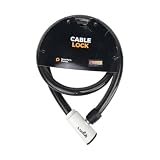
- 48-INCH FLEXIBLE STEEL CABLE – Provides ample reach to secure your scooter, motorcycle, e-bike, or bicycle to a rack, pole, or fixed object.
- DURABLE STEEL ALLOY CONSTRUCTION – Built with a tough steel alloy cable that adds a reliable layer of theft deterrence for your vehicle.
- PROTECTIVE PVC OUTER COVERING – The soft PVC coating shields painted and finished surfaces from scratches and scuffs during use.
- KEY-OPERATED LOCK – Simple, hassle-free keyed locking mechanism with no combination to memorize, making securing your ride quick and easy.
- COMPACT & PORTABLE DESIGN – Lightweight and easy to store under a scooter seat, in a top case, backpack, or gear bag for on-the-go security.
How do I configure CAA and TXT records safely?
Use this sequence whenever you add a new certificate service or change an issuer. The labels in DNS dashboards differ, but the required record data is the same.
- Inventory every issuer. List certificates obtained directly by your team and those obtained through a CDN, cloud platform, load balancer, hosting service, or other managed product. Record whether each service issues ordinary host certificates, wildcard certificates, or both.
- Confirm the provider values. Ask each service for its current CAA identifier and its DCV instructions. Do not infer an identifier from a brand name or copy an old value from another zone.
- Open the authoritative DNS zone. In your DNS-management console, choose the domain’s authoritative zone and select the option equivalent to Add record. If your registrar delegates DNS elsewhere, make changes at the provider listed in the domain’s NS records.
- Add CAA authorization. Create a CAA record at the required name, commonly the apex for a domain-wide policy. Add one entry for each approved issuer and a separate
issuewildentry when wildcard issuance requires it. - Inspect aliases and parents. Follow every CNAME target used by certificate hostnames and inspect parent zones for inherited CAA records. Resolve conflicts before requesting a certificate.
- Start the certificate request. Let the issuing service generate its DCV challenge. Copy the requested TXT hostname and token exactly; do not invent a token or substitute a value from a previous request.
- Publish the TXT challenge. Add a TXT record at the supplied hostname in the authoritative zone. If multiple challenges are active, retain each value until its corresponding request has completed.
- Verify authoritative answers. Query the authoritative nameserver directly and then check from an independent recursive resolver. A control-panel display alone does not prove that the public DNS answer is correct.
- Complete issuance and test renewal. Finish the request, then test the renewal path used by the service. A policy that works for a one-time certificate can still fail later if the managed service uses a different issuer or wildcard method.
- Document ownership. Record who approves CAA changes, who owns TXT challenges, which services are authorized, and how emergency changes are reviewed. Include the date of the last renewal test.
Which DNS queries can I use to check the records?
The dig utility lets you see what public DNS returns. Replace the example names with your own domain and validation hostname.
dig CAA example.com +short
dig TXT _acme-challenge.example.com +short
dig CNAME www.example.com +short
Use the first command to confirm the authorization set, the second to confirm the exact DCV token, and the third to reveal an alias whose target may carry another applicable CAA record. To distinguish authoritative data from cached data, query the authoritative nameserver directly:
dig @ns1.example-dns-provider.test CAA example.com
dig @ns1.example-dns-provider.test TXT _acme-challenge.example.com
Replace the nameserver placeholder with an actual authoritative server for your zone. If the authoritative answer is correct but a recursive resolver still returns an older result, wait for cached data to expire before retrying the request.
What should I do when certificate issuance fails after adding CAA?
Start by identifying whether the failure is authorization or domain-control validation. The error message, CAA query, TXT query, and CNAME chain usually separate the two quickly.
| Symptom | Likely cause | Practical fix |
|---|---|---|
| The authority says it is not authorized | The CAA set omits the authority’s current identifier, or a parent or CNAME target supplies a conflicting set | Trace the full DNS hierarchy and alias chain, then add the exact approved identifier or remove an obsolete policy through your change process |
| “CAA record not found” but issuance still fails | A CAA record exists higher in the name tree, or the request is reaching a different DNS provider than expected | Check parent names, delegation, and authoritative nameservers rather than relying on the host-level lookup alone |
| TXT challenge is reported missing | The record is at the wrong hostname, the zone is not authoritative, or the change has not reached recursive resolvers | Compare the service’s requested name character-for-character, query the authoritative server, and allow caches to update |
| TXT challenge value is invalid | A character, quote, space, or old token was changed during entry | Copy the current token again and remove stale values only after confirming that no active request needs them |
| Renewal fails although the first certificate worked | The service changed issuer, uses a wildcard path, or requires a new DCV token | Review the service’s current renewal instructions, verify both issue and issuewild authorization, and repeat the DNS checks |
What are CAA’s security limits?
CAA reduces the chance of unauthorized certificate issuance; it does not guarantee that every certificate is correct. RFC 8659 states that compliance with a published CAA record is necessary but not sufficient for issuance. An authorized authority could still make an error, and CAA cannot revoke or otherwise validate a certificate after it has been issued.
The Tool Desk
Outbyte PC Repair FREEClear out junk files and repair common Windows errorsFree Scan →Outbyte Driver Updater FREEScan for outdated or missing drivers - takes under a minuteDriver Scan →Rank #4

- Security Key : Protect your online accounts against unauthorized access by using FIDO2 and U2F authentication with T120. It's the world's most protective security key that works with windows, Mac OS, Linux as well as Chrome, Firefox, Edge and many other major browsers.
- Certified with the new FIDO2 standard, T120 provides the benefit of fast login and strong protection against phishing, account takeover as well as many other online attactks.
- Works with : Bank of America, Github, Google, Microsoft, DUO, Twitter, Facebook, Dropbox, Apple, ebay, BINANCE, mor and more.
- Fits USB-C port : Insert the T120 security key into the USB-C port of each service and log in conveniently with one touch
- For the driver download and user guide, please visit TrustKey Solutions Home support page.
CAA also depends on trustworthy DNS answers. RFC 8659 strongly recommends DNSSEC so issuers can authenticate CAA responses. Issuers must still apply CAA processing when records are unsigned, so an unsigned zone can use CAA, but DNSSEC provides stronger assurance that the policy was not altered in transit.
What CAA does not protect
- It does not prove that a requester controls the domain; that is the role of DCV, often through TXT.
- It does not protect email authentication, website content, account credentials, or other DNS data.
- It does not stop a certificate authority that you intentionally authorized from issuing incorrectly.
- It does not act as a browser-side certificate check after issuance.
How should teams monitor and maintain these records?
Treat CAA and TXT as operational controls, not one-time DNS entries. Keep an inventory of certificate issuers, managed products, wildcard needs, record owners, and renewal dates. Review the inventory whenever infrastructure changes, then remove authorization for services that are no longer used.
Monitor certificate-transparency logs or issuer notifications where those facilities are available. They can reveal certificates issued for your names and provide an additional signal when a change was not expected. Pair monitoring with a documented approval process so an emergency CAA change is reversible and attributable.
For each change, capture the requested hostname, exact CAA value, exact TXT token, authoritative DNS provider, approver, and validation result. This record prevents a future operator from deleting a TXT value still needed by an active renewal or adding a broad issuer permission simply to bypass an error.
Frequently Asked Questions
Can a domain publish more than one CAA record?
Yes. A domain can publish multiple CAA entries to authorize more than one approved issuer or to express separate ordinary and wildcard permissions. The resulting set is evaluated together, so adding an entry expands the issuers that may qualify rather than creating a priority order.
Do CAA records protect my DNS or email settings?
No. CAA is narrowly about certificate-authority permission to issue certificates for a name. It does not authenticate other DNS records, secure mail delivery, or prevent unauthorized changes to your DNS account.
Why does a DNS checker show my TXT record but the certificate service still cannot see it?
A checker may be querying a cached recursive resolver, the wrong hostname, or a non-authoritative zone. Query the authoritative nameserver for the exact validation name, then compare that answer with the name and token displayed by the issuing service.
Should I delete a TXT validation record after issuance?
Only remove it when the certificate service confirms that it is no longer needed. Some automated workflows reuse or require validation records during renewal, and deleting one prematurely can turn a later renewal into an avoidable outage.
Do these 3 things before closing this tab:
1Scan for outdated or missing drivers - takes under a minute2Repair Windows errors before they cause bigger problems3Fix the driver behind crashes, sound loss and screen glitchesQuick Recap
Product prices and availability are accurate as of the date/time indicated and are subject to change. Any price and availability information displayed on Amazon at the time of purchase will apply.

