Some links on this page are affiliate links: if you buy through them we may earn a commission, at no extra cost to you.
For most phone-based smart-home automations, start with writable, NDEF-compatible NTAG213 NFC stickers. A sticker gives you a low-profile scan point on a wall, desk, bedside table, or light switch. The tag does not operate a light or speaker by itself: it supplies a scan event, while your phone and an automation app or home platform decide what action to run.
Choose a card when you want a portable tag that stays in a wallet, and choose a key fob when the tag should travel on a key ring or lanyard. Before buying a multipack, verify the phone, NFC chip format, automation app, and whether the workflow needs NDEF data, a unique tag identifier, an unlock, a confirmation, or a third-party bridge.
As an Amazon Associate I earn from qualifying purchases.
Recommended Free Tools
What does an NFC tag actually do in a smart-home setup?
An NFC tag is a physical scan target. When a compatible phone is brought close to it, the phone detects the tag and passes that event to an app or automation platform. That software then performs the smart-home command, such as running a scene, opening a control panel, or handing a request to another service.
This separation matters when comparing products. A sticker, card, and key fob can contain the same kind of NFC chip and produce the same scan event; their main difference is where and how you can place or carry them. A bare tag is not a native Google Home trigger, light switch, or universal remote. The phone and software workflow are the control layer.
#1 Best Overall

- Package Contents: The package includes 50 pieces of clear NTAG213 NFC tag stickers, with the diameter about 25mm/1 inch. These self-adhesive ultra-thin NFC stickers can be easily hidden, making them ideal for enabling NFC on most items.Valid period: 10 years, 100,000 times. Note: Some Phone models can only passively read NFC tag data and cannot actively write data
- NTAG213 Chip: Embedded with NTAG213 chips, these transparent NFC tags are NDEF type 2 formatted and operate at a working frequency of 13.56 MHz with 144 bytes of memory. They offer high scanning intensity with a working distance of 0-10 cm, depending on reader configuration. The chips support read and write locking functions, allowing for repeated edits or setting to read-only mode
- 【Wide Compatibility】 These NFC tags are compatible with devices such as NFC-enabled phones and TagMo Amiibo. They are rewritable, so you can store and update different data as needed. Note: Amiibo tags can only be edited once and cannot be reused (If using Amiibo tags, please select the NFC NTAG215 tag sticker, as Amiibo requires the 504-byte standard capacity provided by NFC215)
- Waterproof Material: Made of clear PVC material, these NFC tags feature a waterproof and smooth surface that is wear-resistant and shiny. With a thickness of only 0.15 mm, they are ultra-thin and come with a strong adhesive
- Wide Applications: Compatible with NFC-enabled smartphones and devices, these NFC tags can be quickly programmed to share social media, music, business cards, connect to Wi-Fi, create a smart home, and more. NFC sticker packs make thoughtful and novel gifts for coworkers, friends or family, especially for those who love technology, gaming or smart home automation. Perfect for personalizing tasks and enhancing digital convenience
Apple documents an NFC trigger for a personal automation in Shortcuts. Google AppSheet documents reading NDEF tags on mobile devices. Those are specific software implementations, not proof that every phone, app, or home platform recognizes every tag type. Apple also notes that not all devices support NFC (Apple Support).
Which NFC tag shape is best: sticker, card, or key fob?
Use a sticker for a permanent scan point, a card for something you carry flat, and a key fob for a tag that should stay attached to keys or a bag. The form factor does not by itself make one tag more compatible; chip and software support still determine whether the scan works.
Quick wins for a faster PC:
Clear out junk files and repair common Windows errorsFree Scan →Scan for outdated or missing drivers - takes under a minuteDriver Scan →Repair Windows errors before they cause bigger problemsFix Now →| Form | Best use | Placement and handling | What to verify |
|---|---|---|---|
| Sticker | Fixed scenes such as “movie mode,” a bedside routine, or a wall-mounted control point | Adheres to a surface and is easy to leave in one location; choose a visible spot where the phone can approach it consistently | Writable NDEF support if the app requires stored data; phone and app support for the tag’s chip |
| Card | Portable access in a wallet, badge holder, or desk drawer | Flat and easy to hand to another person or move between rooms | Whether the card remains readable through its holder and whether each user’s phone can use the same identifier or NDEF record |
| Key fob | A routine carried with keys, a lanyard, or a bag | Convenient to present to a phone without finding a flat surface | App mapping, tag format, and whether the fob’s attachment or surrounding metal affects practical scanning |
The available compatibility evidence does not establish a particular card or key-fob model as better than a sticker. Buy the shape that matches the physical interaction you want, then confirm the chip and software requirements.
What NFC chip and format should you buy?
Look for writable, NDEF-compatible tags first. “NTAG213 NFC stickers” is a useful search phrase for a simple, low-profile scan point. If your chosen app reads NDEF records, the tag must support the NDEF format that app expects. A tag that merely contains a different memory layout or is locked against writing may not fit that workflow.
NTAG numbers are not a universal compatibility guarantee. Google AppSheet’s documentation says its NFC feature reads records from NDEF tags and identifies NTAG215 tags as a type used primarily in its testing (Google AppSheet Help). That is evidence about AppSheet’s documented feature and testing, not certification that every NTAG215 or NTAG213 product works with every phone or automation app.
Rank #2

- 【NTAG213 chip】The package contains 100 NTAG213 nfc stickers, operating frequency: 13.56 MHz, 144 bytes of memory. High scanning intensity, working distance is 0-10cm, depending on the reader configuration. NTAG213 chip has a read-write lock function, which can be repeatedly edited or set to read-only, and can be edited or reset after setting to read-only
- 【Waterproof Material】Since NFC stickers are made of PET material, it is normal to have scratches if you swipe them with your fingers. Please be aware of this before purchasing.This rectangular NFC sticker size is 2.1X1.1cm/0.83X0.43inch, transparent NFC tag is self-adhesive, very thin, easy to be invisible, so most items support NFC
- 【Widely Used】NTAG213 nfc tag is compatible with NFC-enabled smartphones and devicess, and cannot make any amiibos tags. Note: Some models can only passively read the data of the NFC tag, but not actively write data
- 【Features】blank cards with chip have read-write lock function, which can be repeatedly edited or read-only. Edit or reset after setting to read-only tag. You can quickly program this NFC tag to share social media, music, business cards, connect to Wi-Fi, create smart home, etc.
- 【Multi-function】nfc tags stickers come with self-adhesive backing, making these NFC stickers useful for different applications. Programmable nfc tags are widely used in check-in, product information query, games, access control, posters, book borrowing, etc.
Decide whether your workflow needs data stored on the tag:
- Identifier-only workflow: The app associates a tag’s unique identifier with an automation. Apple Shortcuts uses this model for its NFC trigger.
- NDEF workflow: The app reads a record written to the tag, such as a URL or other supported payload. AppSheet documents this kind of reading.
- Bridge workflow: A scan is converted by another app or service into a command for your home platform. This can add account setup, permissions, and confirmation behavior.
Do not write a URL merely because an NFC tag can hold one. Write data only when the target app needs it; otherwise, configure the app to recognize the tag identifier.
How do Apple Shortcuts NFC automations work?
On a compatible iPhone or iPad, Shortcuts can use an NFC scan as a personal-automation trigger. The tag is named during setup, and later scans invoke the actions you attach to that trigger.
- Open Shortcuts, select Automation, and choose Create Personal Automation (or the add button if an automation already exists).
- Select NFC as the trigger.
- Tap Scan, hold the device near the tag, and give the tag a name when Shortcuts asks. This first scan associates the physical tag with the automation.
- Add the actions that should follow the scan. The available smart-home action depends on the home app, accessories, and accounts configured on that device.
- Review the automation’s run settings. Apple’s Shortcuts help lists NFC among personal automations that can run automatically, but individual actions may still need to be configured for automatic execution (Apple Support).
- Save and test the automation at the location where the tag will be mounted. Test the complete chain, not just whether the phone recognizes the tag.
Apple states: “Other than the unique identifier, the contents of the NFC tag are ignored.” (Apple Support) Therefore, an NFC sticker does not need a URL or text record for this particular trigger. A tag can be blank yet still serve as the identifier that Shortcuts remembers.
How does Android or AppSheet use an NFC tag?
AppSheet’s documented NFC feature reads NDEF records on a mobile device, so the tag and the app must agree on the record format. AppSheet names NTAG215 as a tag type used primarily in its testing and describes Android handling for links written to tags (Google AppSheet Help).
Do these 3 things before closing this tab:
1Repair Windows errors before they cause bigger problems2Scan for outdated or missing drivers - takes under a minute3Clear out junk files and repair common Windows errorsRank #3
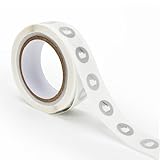
- 【Waterproof Material & Size】 : The NFC tag is made of environmentally friendly PET. Waterproof, smooth surface, wear -resistant and shiny. Size: 25mm/1 inch, Thickness: 0.15mm, ultra -thin.
- 【NTAG213 Chip】: Transparent NFC tags embedded in NTAG213 chip, working Frequency: 13.56 MHz, 137 bytes memory. High scanning intensity, working distance is 0-10cm, depending upon the reader configuration. Valid period: 10 years, 100,000 times.
- 【Features】: Ntag213 chip have read write locking functions, which can be repeatedly edited or only read. Set to be edited or reset after reading only labels. You can use them to quickly share your social information, music, connecting wifi, establishing smart homes, business information sharing and more.
- 【Compatibility】: Writable and programmable NFC 213 Tags compatible with all NFC-Enabled smartphones and devices. iOS system: iOS phone's NFC function commonly is used by Shortcuts App. Android system: All NFC tools app are perfectly to use on this system. Other NFC reader: All NFC tools app are perfectly to use.
- 【Applications】: With self-adhesive backing, makes these NFC stickers can be used on different applications. (Note: Tags cannot be used on the metal surface and strong magnetic field).
Because AppSheet is an app-specific reference, use this process rather than assuming a general Android guarantee:
- Confirm that the Android phone has NFC hardware and that your AppSheet application includes the NFC feature you intend to use.
- Check the app’s expected NDEF record type and content. If it expects a link, write that link to the tag; if it maps a record or identifier another way, follow the app’s own field and workflow configuration.
- Use a writable tag that matches the documented format. NTAG215 is an example from AppSheet’s testing, not a promise that an unverified product will work.
- Scan with the phone and confirm that the app reads the expected record before attaching a home action to the result.
- Test with the same phone, app account, and tag placement that household members will use.
Android behavior can differ by phone model, operating-system version, default link handler, and the app that receives the scan. A tag opening a browser proves that an NDEF URL was read; it does not prove that your smart-home automation has been configured.
Can an NFC tag start a Google Home routine?
There is no established native Google Home NFC trigger in the supplied official documentation. A January 2023 Google Assistant Community response suggests using Home Assistant Tags or Tasker with an NFC plugin as possible bridges, but that is community guidance rather than current official Google instructions (Google Assistant Community).
A bridge generally follows this chain:
- The phone or an NFC-capable app detects the tag.
- The bridge maps that scan to an event, webhook, scene, or automation.
- The home platform receives the event and runs the routine or device command.
Each link can add permissions, sign-in requirements, network dependence, or a confirmation screen. Before buying a large number of tags, create one test tag and verify the current setup in your own apps. Treat the community-suggested routes as options to investigate, not as a guaranteed Google Home feature.
When should you write a URL or other data to the tag?
Write NDEF data only when the receiving app needs it. NDEF is useful when an app reads a structured record, such as a URL. In an identifier-based Shortcuts automation, the stored contents are ignored and the unique identifier is what matters.
Rank #4

- 【Size】The parcel contains 50pcs white Ntag213 blank labels, 25 mm (1 inch) diameter round sticker.
- 【Material】 The circular NFC tags is made of PET material. The surface is smooth and wear -resistant and shiny. The round stickers are adhesive and easy to paste on the surface of most items. (Tags cannot be used on the metal surface and strong magnetic field)
- 【Chip】Ntag213 Sticker, 144 bytes of memory, ultra -thin, repeated rubbing, high scanning intensity, usefulness: 10 years, 100, 000 times. Compatible with all devices support NFC, Ntag213 chips have read and write locking functions, which can be repeatedly edited or only read. Set to be edited or reset after reading only labels.
- 【Security】The field programmable read-only locking function and 32-bit password protection can grantee your data security.
- 【Applications】NTAG213 sticker can be used for business cards, smart advertisement, goods and device authentication, Call request, SMS, Call to action, Voucher and coupons, Bluetooth or Wi-Fi pairing , Connection handover, Product authentication, Mobile companion tags, Electronic shelf labels, Smart home trigger, Voucher and coupons etc.
Use this decision rule:
- If the setup screen asks you to scan and name a tag, leave the tag’s contents alone unless the app says otherwise.
- If documentation says the app reads NDEF records, write the exact record type and value it expects.
- If a URL opens outside your automation, check which app is handling the NDEF link and whether a bridge is still required.
- Do not put passwords, access tokens, or private home-control details in a record that an arbitrary scanner could read.
Keep a note of what each tag is intended to do. A physical label such as “bedside—lights” prevents confusion when several visually identical stickers are installed.
How do you install a fixed NFC scan point?
Configure and test the complete automation before permanently attaching the sticker. A reliable installation is mostly about repeatable placement and clear ownership of the software workflow.
- Choose a surface that is easy to reach and identify, such as the side of a nightstand or a wall near the entrance.
- Program or associate the tag while it is still movable. Confirm that the intended phone recognizes it and that the final action completes.
- Place the tag with enough surrounding clearance for the phone to approach it consistently. Do not assume a scan through every case, holder, or nearby material.
- Label the action in plain language. If several tags look alike, use a small written label or a household map.
- Re-test from the angle and distance people will actually use. If the workflow depends on a particular phone or account, test that exact configuration.
- Keep a spare tag unassigned until the setup is stable. A spare lets you rebuild a damaged or misplaced scan point without changing the household’s whole automation plan.
What should you check before buying a multipack?
Compatibility and workflow requirements matter more than the shape printed on the package. Use this checklist for each candidate listing:
What’s actually slowing this PC down?
Pick the symptom - the matching free tool is one click away.
- Phone: Does the intended phone support NFC? Apple says not all devices do.
- App: Does the automation app use a unique identifier, NDEF records, or a bridge?
- Chip and format: Is the tag writable and NDEF-compatible when the app requires NDEF? Is the stated NTAG type the one your app documents or tests?
- Physical form: Will a sticker remain in one place, or do you need a card or key fob that can travel?
- Data requirement: Must you write a URL or other record, or is scanning enough to register the identifier?
- Run behavior: Does the workflow require unlocking, confirmation, account access, or a third-party bridge? Test this on the actual device instead of assuming a silent run.
- Quantity: Start with one or a small test set. Scale up only after the phone, app, and home action work together.
“NTAG213 NFC stickers,” “NDEF-compatible NFC tags,” and “NTAG215 NFC tags” are useful search phrases, but the label alone cannot establish universal compatibility. Check the seller’s chip specification and your software documentation before committing to a large pack.
Independent reader supportYour contribution helps us test, update, and keep practical guides available for everyone.Why might an NFC automation fail, and how do you fix it?
Most failures occur because the phone, tag format, and automation layer are mismatched. Diagnose the chain in order:
Best Value

- Package Contents: The package includes 20 pieces of clear NTAG213 NFC tag stickers, each measuring 2x1cm /0.79x0.4 inch. These self-adhesive ultra-thin NFC stickers can be easily hidden, making them ideal for enabling NFC on most items.Valid period: 10 years, 100,000 times. Note: Some Phone models can only passively read NFC tag data and cannot actively write data
- Waterproof Material: Made of clear PET material, these NFC tags feature a waterproof and smooth surface that is wear-resistant and shiny. With a thickness of only 0.15 mm, they are ultra-thin and come with a strong adhesive
- Chip: Embedded with NTAG213 chips, these transparent NFC tags are NDEF type 2 formatted and operate at a working frequency of 13.56 MHz with 144 bytes of memory. They offer high scanning intensity with a working distance of 0-10 cm, depending on reader configuration. The chips support read and write locking functions, allowing for repeated edits or setting to read-only mode
- Durable & Waterproof: Made of high-quality PET material, these NFC tags are waterproof, durable, and designed to withstand wear and tear. They function perfectly even in wet conditions, ensuring reliable performance wherever you use them
- Wide Applications: Compatible with NFC-enabled smartphones and devices, these NFC tags can be quickly programmed to share social media, music, business cards, connect to Wi-Fi, create a smart home, and more. NFC sticker packs make thoughtful and novel gifts for coworkers, friends or family, especially for those who love technology, gaming or smart home automation. Perfect for personalizing tasks and enhancing digital convenience
- No scan at all: Confirm the phone model supports NFC and that you are using the intended device. Try the tag before mounting it and remove variables such as a holder or crowded installation.
- The tag scans but nothing happens: Reopen the automation and verify that the tag was selected as the trigger and that the action is enabled. Apple notes that individual actions may need their own automatic-run configuration.
- A browser opens instead of the home action: The phone may be reading an NDEF URL normally. That does not create a smart-home routine; configure the receiving app or bridge that is supposed to interpret the record.
- AppSheet does not read the tag: Check that the tag contains the NDEF record type AppSheet expects and that you are testing inside the mobile AppSheet workflow. NTAG215 being used in AppSheet testing does not make every product interchangeable.
- Google Home is not reached: A direct NFC-to-Google-Home path is not established by official instructions here. Recheck the bridge’s permissions, account, network, and current app support, or choose a platform with a documented NFC trigger.
- Only one person can use it: The automation may be tied to one phone, account, or app profile. Configure each household member’s device separately where the platform requires a personal automation.
How should you choose between a sticker, card, and key fob?
Choose the interaction first, then buy the compatible chip. A sticker is the practical default for a fixed room control because it is always in the same place. A card is better when people need to carry or hand over the scan target. A key fob is preferable when the tag should stay with keys or a bag.
For a first project, buy a small number of writable NTAG213 stickers, validate the workflow on the target phone, and only then expand to cards or fobs for portable use. If your app specifically documents NDEF reading and testing with NTAG215, consider an NDEF-compatible NTAG215 option, but keep the app-specific qualification in mind. No form factor removes the need to configure the phone and automation platform.
Frequently Asked Questions
Can one NFC tag trigger different actions on different phones?
Yes, when each phone or app keeps its own mapping for the tag’s identifier or NDEF record. The same physical scan can therefore be associated with different personal automations, but every device still needs compatible NFC hardware and its own configuration.
What happens if I move a tag after setting it up?
Moving the tag does not inherently change its identifier or stored NDEF record. You should nevertheless test the new location, because approach angle, surrounding materials, and the phone used can affect whether the scan is detected reliably.
Can family members share an iPhone NFC automation?
Apple Shortcuts personal automations are configured on an individual device. Each person who needs to use the tag should scan it and set up the corresponding automation on their own compatible device, with the required home accounts and permissions.
Is an NFC tag safer than putting a smart-home button on the wall?
It depends on the software and permissions behind the scan. Treat a tag as an easy-to-present trigger: avoid storing secrets in readable NDEF records, and review what an unattended scan can run before placing it in a public or shared area.
Quick Recap
Product prices and availability are accurate as of the date/time indicated and are subject to change. Any price and availability information displayed on Amazon at the time of purchase will apply.

